NLMSEP1003RWNWireless Baby Camera
Hanwha Techwin Co., Ltd.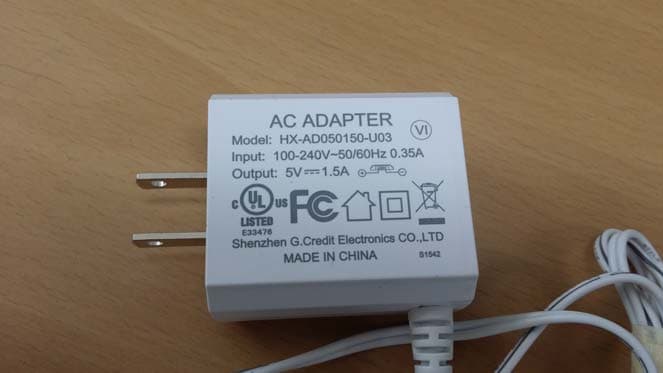
Click to zoom
Application Details
- Equipment Class
- DSS - Part 15 Spread Spectrum Transmitter
- Date of Grant
- Nov 16, 2015
- Application Purpose
- Original Equipment
- Date of Application
- Nov 16, 2015
- Equipment Note
- Wireless Baby Camera
- Frequency Range
- 2408.00000000 - 2468.00000000
- Company
- Hanwha Techwin Co., Ltd.
- Country
- South Korea
Documents & Files
Document Text
Text extracted from the exhibit documents filed with the FCC. Open a document above to read the original.
Users Manual
BrightVIEW User Manual English IMPORTANT SAFETY INSTRUCTIONS 1. Read these instructions. 2. Keep these instructions. 3. Heed all warnings. 4. Follow all instructions. 5. Do not use this apparatus near water. 6. Clean only with dry cloth. 7. Do not block any ventilation openings, Install in accordance with the manufacturer’s instructions. 8. Do not install near any heat sources such as radiators, heat registers, stoves, or other apparatus (including amplifiers) that produce heat. 9. Do not defeat the safety purpose of the polarized or grounding-type plug. A polarized plug has two blades with one wider than the other. A grounding type plug has two blades and a third grounding prong. The wide blade or the third prong are provided for your safety. If the provided plug does not fit into your outlet, consult an electrician for replacement of the obsolete outlet. 10. Protect the power cord from being walked on or pinched particularly at plugs, convenience receptacles, and the point where they exit from the apparatus. 11. Only use attachments/ accessories specified by the manufacturer. 12. Use only with the cart, stand, tripod, bracket, or table specified by the manufacturer, or sold with the apparatus. When a cart is used, use caution when moving the cart/apparatus combination to avoid injury from tip-over. 13. Unplug this apparatus during lighting storms or when unused for long periods of time. 14. Refer all servicing to qualified service personnel. Servicing is required when the apparatus has been damaged in any way, such as power-supply cord or plug is damaged, liquid has been spilled or objects have fallen into the apparatus, the apparatus has been exposed to rain or moisture, does not operate normally, or has been dropped. Copyright ©2015 Hanwha Techwin Co., Ltd. All rights reserved. Trademark Each of trademarks herein is registered. The name of this product and other trademarks mentioned in this manual are the registered trademark of their respective company. Restriction Copyright of this document is reserved. Under no circumstances, this document shall be reproduced, distributed or changed, partially or wholly, without formal authorization. Disclaimer Samsung makes the best to verify the integrity and correctness of the contents in this document, but no formal guarantee shall be provided. Use of this document and the subsequent results shall be entirely on the user’s own responsibility. Samsung reserves the right to change the contents of this document without prior notice. BrightVIEW User Manual SPECIFY SERVICE INSTRUCTIONS AND WARRANTY TERMS FCC Caution : Any Changes or modifications not expressly approved by the party responsible for compliance could void the user’s authority to operate the equipment. This device complies with part 15 of the FCC Rules. Operation is subject to the following two conditions : (1) This device may not cause harmful interference, and (2) this device must accept any interference received, including interference that may cause undesired operation. Note : This equipment has been tested and found to comply with the limits for a Class B digital device, pursuant to part 15 of the FCC Rules. These limits are designed to provide reasonable protection against harmful interference in a residential installation. This equipment generates, uses and can radiate radio frequency energy and, if not installed and used in accordance with the instructions, may cause harmful interference to radio communications. However, there is no guarantee that interference will not occur in a particular installation. If this equipment does cause harmful interference to radio or television reception, which can be determined by turning the equipment off an d on, the user is encouraged to try to corr ect the interference by one or more of the following measures: • Reorient or relocate the receiving antenna. • Increase the separation between the equipment and monitor. • Connect the equipment into an outlet on a circuit different from that to which the monitor is connected. • Consult the dealer or an experienced radio/TV technician for help. WARNING • STRANGULATION HAZARD - Keep cord out of child's reach. NEVER place camera or cords within 3 feet of crib or playpen. Never use extension cords with AC Adapters. Only use the AC Adapters pr ovided. • Some adult assembly or installation required. • This product contains small parts that may cause choking. Keep small parts away from children. • This product is NOT intended to replace proper supervision of children. Yo u MUST check your child’s activity regularly, as this product will not alert parents to silent activities of a child. • Before using this product, read and follow all instructions contained in this booklet, and r ead and follow all instructions and warnings on the product. • NEVER use the transmitter or monitor near water, including near a bathtub, sink, laundry tub, wet basement, etc. • This product is intended for indoor use only. • This product is not intended for use a s a medical monitor and its use should not replace adult supervision. • The transmitter detects normal sound levels within a range of 2 to 3 meters (6 to 10 feet) from a child. If the child moves outside of this range, if may not be able to detect sounds from him or her. • It is essential that you check the operating range and condition of the transmitter monitor on initial installation, and on a regular basis after that. • Check reception regularly. Test monitor before use and after changing camera location. The wireless signal transfer rang e may be shortened if an obstacle such as a concrete wall is in between the camera and monitor . • To prevent overheating, keep the product and AC power adapters away from any direct sunlight and heat sources such as radiators, heat registers, cooking devices (e.g., stoves and ovens) and other appliances that produce heat (e.g., amplifiers, televisions and stereos). • Ensure that the product is well ventilated during use. Avoid co…
Text truncated - open the document above for the full version.
Users Manual
8 · Viewing Mode Display Indicator Description How to use the indicator abcdefghij k a signal Indicator The signal indicator shows the strength of the signal being received from the camera. The number of bars in the signal indicator shows the strength of the signal – One or no bars indicate the signal is poor, and 5 bars indicate a strong signal. b Digital Clock Displays the time that is set on the monitor. It only provides AM / PM time format and no 24hour format. c Camera Number Indicates which camera is being displayed on the current screen. When scan mode is selected, this icon will flash. d sound level Indicator Indicate the sound level of the Active Camera. e x1/x1.5/x2 Zoom mode Indicates that current screen is Zoomed in. Press [ ] icon on the monitor to zoom back out. f Night Vision Indicator Indicates camera night vision mode is turned on. The screen will appear in Black/White in this mode. g Vox on Indicates you select Low Sound level detection or High Sound level detection in VOX menu. h Monitor speaker Mute Indicates the monitor speaker is muted. Once the monitor’s speaker is muted, no sound from the camera is produced. i Battery Capacity Level Indicates remaining battery charge. Indicated in 4 levels, and one discharge warning. j Charging Indicates the battery is charging by DC input power. If battery nearly empty, it will flash to alert user to charge up the unit. k Two-way talk Press the [ ] icon while talking. No signal Warnings The "out of Range" message means the monitor cannot access the camera. Please reposition the camera, or check the camera power. VIeWInG Mode dIsplay English · 9 03 Viewing Mode Display Menu Operation How to use the function tools Press the screen of the monitor to display the menu screen. bdce a a Navigation Controls Using the navigation [ ] icons, you can control camera angle. b Menu setting Menu setting mode is including monitor and camera settings. c Monitor Volume Using the [ / ] icons, you can adjust the monitor volume. d Zoom IN / Zoom out When x1/x1.5 Zoom mode, the magnifier icon is [ ] inside, means press this icon will zoom in video image. When x2 Zoom mode, the magnifier icon is [ ] inside, means press this icon will zoom out video image. e Lullaby Press the icon to turn on and turn off lullabies. How to use the setup icon [ ] . Live [ ] . Settings efg abcd Settings a Brightness Adjusts the brightness of the image shown. If you are using multiple camera, you can adjust the brightness of each individual camera. Settings b set Camera speaker Volume Adjust the volume of the speaker on the camera in this menu. The volume can be adjusted from 1 to 5, with 5 being the loudest setting and 1 being the quietest. Settings c Time setting Set the time shown on the monitor. Use the [ ] or [ ] icon to change the numbers in the selected field. Settings d Feed Timer Set the feed time shown on the monitor. Use the [ ] or [ ] icon to change the numbers in the selected field. 10 · Viewing Mode Display Settings e Camera Vox sensitivity If not in “Vox” mode, [ ] icon is not displayed. In VOX mode, you can select “Low sound Level Detection” or “High sound Level Detection”. If set to “Low sound Level Detection”, monitor can be triggered by lower audio level than “High sound Level Detection” setting. • Audio Only Mode :Video will turn on 30 seconds and then video will turn off, monitor speaker is still playing camera background sound. • Continuous Video and Audio Mode : Video will not turn off and always streaming video all the time. When you press Power Key, Monitor will be automatically switched to Low Sound Level Detection mode. • Low Sound Level Detection : Small baby cry level can trigger video to turn on for 30 seconds, then back to stand-by. • High Sound Level Detection : Loud baby cry level can trigger video to turn on for 10 minutes, then back to stand-by. Settings f Pairing You can register a wireless camera with the monitor using the registration menu where you can view the video of the selected wireless camera. Settings g Reset Choose <yes> to reset the monitor to factory defaults. All settings except for time information will be reset to the factory defaults. English · 11 04 overview Getting to know your Monitoring system Wireless Monitor After opening the box, fully charge the monitor before use. After initial charge, recharge as needed. Front Controls oVerVIeW 5” LCD screen Displays video from the camera. Power LeD When the monitor is being recharged or monitor has low electricity, red light flashes. When the monitor is working, the LED becomes solid red light. Microphone Transmits audio to the camera when [ ] icon is pressed down and held like a walkie talkie. Monitor Antenna Receives and sends signals from or to the camera. Navigation Controls Viewing Mode: The following controls are used while watching live video from the camera: • Press the [ ] or [ ] icon to adjust camera’s framing upwards or downwards. • Press the [ ] or [ ] icon to adjust camera’s framing to the left or right. • Press [ ] icon to zoom in/out the screen. While in zooming, use [ ] icon to move the screen around. Menu Mode: Press the [ ] icon to confirm the menu selection. 12 · Overview Back Controls n `You must have more than one camera configured on the system when using the functions that requires more than one camera. Power on/off Turn on/off the wireless monitor. speaker Produces the sound transmitted from the camera(s). DC 5V Power Input Connect the included AC power adapter to power and/or charge the monitor battery. (when the monitor is not placed in the optional Charge cradle). Belt Clip When you carry the monitor, use the belt hanger to hold the monitor onto your belt. Kick stand Use to hold the monitor onto a table. English · 13 04 overview Wireless Camera Front & Back Controls n `Remotely control Night Light ON or OFF is available only when the camera is paired to the monitor. side & Bottom Controls PAIR Button Press this button to pair with a monitor. Power sli…
Text truncated - open the document above for the full version.
Cover Letter(s)
Samsung Techwin Co Ltd #42 Seongju-Dong Kyungsangnam-do Changwon-si, South Korea Date: November. 04, 2015 Federal Communications Commission 7435 Oakland Mills Road Columbia MD 21046 To whom it may concern: I, the undersigned, hereby authorize Jeff Do of KES Co., Ltd. and hereafter referred to as KES Co., Ltd., to act on our behalf in all manners relating to application for equipment authorization, including signing of all documents relating to these matters. Any and all acts carried out by Jeff Do of KES Co., Ltd. on our behalf shall have the same effect as acts of our own. I, the undersigned, hereby certify that we are not subject to a denial of federal benefits, that includes FCC benefits, pursuant to Section 5301 of the Anti-Drug Abuse Act of 1988, 21 U.S.C. 853(a). In authorizing KES Co., Ltd. as our agent, we still recognize that we are responsible to: a) comply with the relevant provisions of the certification program; b) make all necessary arrangements for the conduct of the evaluation, including provision for examining documentation and access to all areas, records (including internal audit reports) and personnel for the purposes of evaluation (e.g. testing, inspection, assessment, surveillance, reassessment) and resolution of complaints; c) make claims regarding certification only in respect of the scope for which certification has been granted; d) do not use our product certification in such a manner as to bring the Certification Division into disrepute and not make any statement regarding our product certification which the Certification Division may consider misleading or unauthorized; e) upon suspension or cancellation of certification, discontinue use of all advertising matter that contains any reference thereto and return any certification documents as required by the Certification Division; f) use certification only to indicate the products are certified as being in conformity with specified standards; g) endeavor to ensure that no certificate or report nor any part thereof is used in a misleading manner; Samsung Techwin Co Ltd #42 Seongju-Dong Kyungsangnam-do Changwon-si, South Korea h) ensure that any reference to our product certification in communication media such as documents, brochures or advertising, complies with the requirements of the Certification Division; i) keep a record of all complaints made known to the us relating to the product’s compliance with requirements of the relevant standard and to make these records available to the Certification Division when requested; j) take appropriate action with respect to such complaints and any deficiencies found in products or services that affect compliance with the requirements for certification; k) document the actions taken. This authorization is valid until further written notice from the applicant. Sincerely Yours, JEISOON KANG / Principal Research Engineer REMARK: 1. This authorization letter will be sent along with your application when filing with the Certification Division. 2. Please follow the format and type it on company letterhead and send original to us. 3. Authorized signature must be in agreement with grantee code contact in FCC database.
Cover Letter(s)
Samsung Techwin Co Ltd #42 Seongju-Dong Kyungsangnam-do Changwon-si, South Korea Date: November 04, 2015 Federal Communications Commission Authorization and Evaluation Division Confidentiality Request regarding application for certification of FCC ID: NLMSEP1003RWN Pursuant to Sections 0.457 and 0.459 of the Commission’s Rules, we hereby request confidential treatment of information accompanying this application as outlined below: PERMANENT Exhibit Type File Name Part List CONF APPENDIX_ Part List_SEP-1003RWN.PDF Schematics Diagram(s) CONF APPENDIX_ Schematics_SEP-1003RWN.PDF Block diagram CONF APPENDIX_ Block diagram_SEP-1003RWN.PDF Operation description CONF APPENDIX_ Operation description_SEP-1003RWN.PDF SHORT-TERM Exhibit Type File Name External Photo CONF APPENDIX_ External Photo_SEP-1003RWN.PDF Internal Photo CONF APPENDIX_ Internal Photo_SEP-1003RWN.PDF Setup Photo CONF APPENDIX_ Setup Photo_SEP-1003RWN.PDF User Manual CONF APPENDIX_ User Manual_ SEP-1003RWN.PDF A request for short-term confidentaility duration is 180 days. And the above materials contain trade secrets and proprietary information not customarily released to the public. The public disclosure of these materials may be harmful to the applicant and provide unjustified benefits to its competitors. The applicant understands that pursuant to Section 0.457 of the Rules, disclosure of this application and all accompanying documentation will not be made before the date of the Grant for this application. Sincerely, JEISOON KANG / Principal Research Engineer Samsung Techwin Co Ltd
External Photos
www.kes.co.kr FCC ID: NLMSEP1003RWN Page 1 of 6 EUT External photographs www.kes.co.kr FCC ID: NLMSEP1003RWN Page 2 of 6 www.kes.co.kr FCC ID: NLMSEP1003RWN Page 3 of 6 www.kes.co.kr FCC ID: NLMSEP1003RWN Page 4 of 6 www.kes.co.kr FCC ID: NLMSEP1003RWN Page 5 of 6 www.kes.co.kr FCC ID: NLMSEP1003RWN Page 6 of 6
ID Label/Location Info
www.kes.co.kr FCC ID: NLMSEP1003RWN Page 1 of 1 Label and Location FCC ID label is placed on bottom of the device. Because the device is so small that it is not practicable to place the statement specified under 15.19 statement request, the information required by this paragraph shall be placed in a prominent location in the User’s Manual.
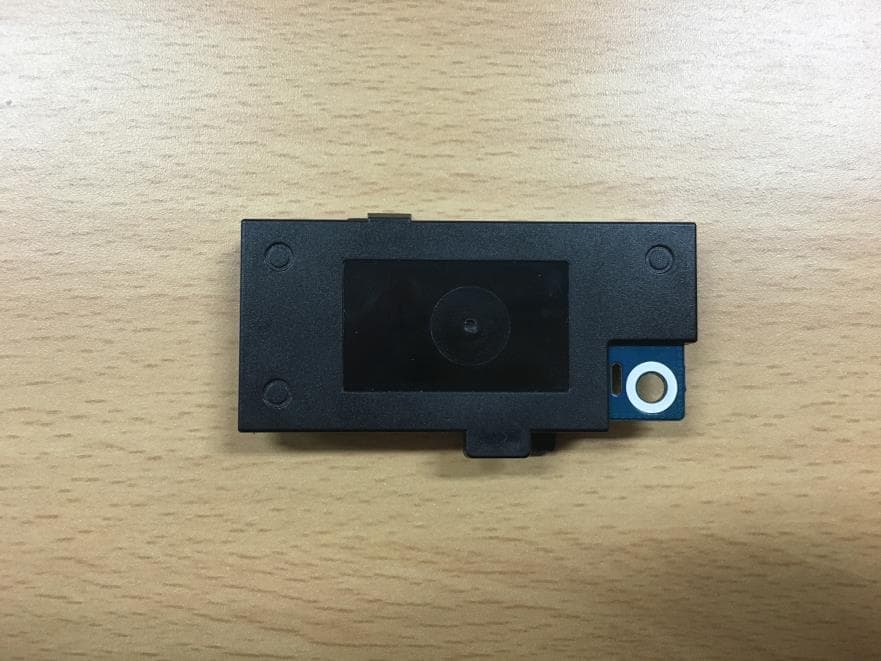
Internal Photos
www.kes.co.kr FCC ID: NLMSEP1003RWN Page 1 of 5 EUT Internal photographs Antenna www.kes.co.kr FCC ID: NLMSEP1003RWN Page 2 of 5 www.kes.co.kr FCC ID: NLMSEP1003RWN Page 3 of 5 www.kes.co.kr FCC ID: NLMSEP1003RWN Page 4 of 5 www.kes.co.kr FCC ID: NLMSEP1003RWN Page 5 of 5
RF Exposure Info
RF exposure According to FCC part 1.1310 : The criteria listed in the following table shall be used to evaluate the environment impact of human exposure to radio frequency (RF) radiation as specified in § 1.1307(b) Limits for Maximum Permissible Exposure (MPE) f= frequency in ㎒ Friis transmission formula: Pd = (Pout×G)/(4×pi×R 2 ) Where, Pd = power density in ㎽/㎠ Pout = output power to antenna in ㎽ G = gain of antenna in linear scale Pi = 3.1416 R = distance between observation point and center of the radiator in cm Pd the limit of MPE, 1 ㎽/㎠. If we know the maximum gain of the antenna and the total power input to the antenna, through the calculation, we will know the distance where the MPE limit is reached. Results Channel Frequency (㎒) Peak output power (㏈m) Antenna gain (㏈i) Power density at 20 ㎝(㎽/㎠) Limit (㎽/㎠) Low 2408 14.75 1.80 0.00899 1 Middle 2440 13.08 1.80 0.00612 1 High 2468 13.37 1.80 0.00654 1 Frequency range (㎒) Electric field strength(V/m) Magnetic field strength (A/m) Power density (㎽/㎠) Average time (A) Limits for Occupational / Control Exposures 300 – 1 500 -- -- f/300 6 1 500 - 100000 -- -- 5 6 (B) Limits for General Population / Uncontrol Exposures 300 – 1 500 -- -- f/1500 6 1 500 – 100 000 -- -- 1 30
Test Report
KES Co., Ltd. C-3701, Simin-daero 365-40l, Dongan-gu, Anyang-si, Gyeonggi-do, 14057, Korea Tel: +82-31-425-6200 / Fax: +82-31-424-0450 www.kes.co.kr Test report No.: KES-RF-15T0086 Page (2) of (36) This report shall not be reproduced except in full, without the written approval of KES Co., Ltd. The test results in the report only apply to the tested sample. KES-P-5101-14 Rev. 1 KES A4 Revision history Revision Date of issue Test report No. Description - 2015.11.10 KES-RF-15T0086Initial KES Co., Ltd. C-3701, Simin-daero 365-40l, Dongan-gu, Anyang-si, Gyeonggi-do, 14057, Korea Tel: +82-31-425-6200 / Fax: +82-31-424-0450 www.kes.co.kr Test report No.: KES-RF-15T0086 Page (3) of (36) This report shall not be reproduced except in full, without the written approval of KES Co., Ltd. The test results in the report only apply to the tested sample. KES-P-5101-14 Rev. 1 KES A4 TABLE OF CONTENTS 1. General information ................................................................................................................................... 4 1.1. EUT description ......................................................................................................................... 4 1.2. Test configuration ....................................................................................................................... 5 1.3. Frequency/channel operations .................................................................................................... 5 1.4. Information about derivative model ........................................................................................... 5 2. Summary of tests ........................................................................................................................................ 6 3. Test results .................................................................................................................................................. 7 3.1. Radiated restricted band and emissions ...................................................................................... 7 3.2. Conducted band edge and out of band emissions ..................................................................... 14 3.3. 20 ㏈ bandwidth ..................................................................................................................... 19 3.4. Output power ............................................................................................................................ 22 3.5. Carrier frequency separation .................................................................................................... 25 3.6. Number of hopping frequency ................................................................................................. 27 3.7. Time of occupancy ................................................................................................................... 29 3.8. AC conducted emissions .......................................................................................................... 31 Appendix A. Measurement equipment .......................................................................................................... 34 Appendix B. Test setup photo ........................................................................................................................ 35 KES Co., Ltd. C-3701, Simin-daero 365-40l, Dongan-gu, Anyang-si, Gyeonggi-do, 14057, Korea Tel: +82-31-425-6200 / Fax: +82-31-424-0450 www.kes.co.kr Test report No.: KES-RF-15T0086 Page (4) of (36) This report shall not be reproduced except in full, without the written approval of KES Co., Ltd. The test results in the report only apply to the tested sample. KES-P-5101-14 Rev. 1 KES A4 1. General information Applicant: Samsung Techwin Co Ltd Applicant address: #42 Seongju-Dong Kyungsangnam-do Changwon-si, South Korea Test site: KES Co., Ltd. Test site address: C-3701, Simin-daero 365-40, Dongan-gu, Anyang-si, Gyeonggi-do,14057, Korea 473-29, Gayeo-ro, Yeoju-si, Gyeonggi-do, 12658, Korea FCC rule part(s): 15.247 Model: SEP-1003RWN FCC ID: NLMSEP1003RWN Test device serial No.: Production Pre-production Engineering 1.1. EUT description Equipment under test Wireless Baby Camera Frequency range 2408 ㎒ ~ 2468 ㎒ Modulation technique FHSS Type of Modulation GFSK Number of channels 16 Antenna specification Antenna type: Wire Peak gain: 1.8 ㏈i Power source AC 120V Adaptor (Output : DC 5V) 15.247(a)(1) that the rx input bandwidths shift frequencies in synchronization with the transmitted 15.247(g): The system is designed to comply with all of the regulations in Section 15.247 when the transmitter is presented with a continuous data (or information) system. 15.247(h): The system does not coordinate it channels selection/ hopping sequence with other frequency hopping systems for the express purpose of avoiding the simultaneous occupancy of individual hopping frequencies by multiple transmitters. Pseudorandom frequency hopping sequence The channel is represented by a pseudo-random hopping sequence hopping through the 16 RF channels. Equal hopping frequency use All channels are used equally on average. Example of a 16 hopping sequence in data mode: 01, 13, 07, 11, 08, 15, 04, 12, 14, 03, 05, 16, 02, 10, 06, 09 KES Co., Ltd. C-3701, Simin-daero 365-40l, Dongan-gu, Anyang-si, Gyeonggi-do, 14057, Korea Tel: +82-31-425-6200 / Fax: +82-31-424-0450 www.kes.co.kr Test report No.: KES-RF-15T0086 Page (5) of (36) This report shall not be reproduced except in full, without the written approval of KES Co., Ltd. The test results in the report only apply to the tested sample. KES-P-5101-14 Rev. 1 KES A4 1.2. Test configuration The Wireless Baby Camera FCC ID: NLMSEP1003RWN was tested per the guidance of ANSI C63.10-2009 and DA 00-705. ANSI C63.10-2009 was used to reference the appropriate EUT setup for radiated spurious emissions testing and AC line conducted testing. 1.3. Frequency/channel operations Ch. Frequency (㎒) 01 2408 . . . . 09 2440 . . .…
Text truncated - open the document above for the full version.
Test Setup Photos
KES Co., Ltd. C-3701, Simin-daero 365-40l, Dongan-gu, Anyang-si, Gyeonggi-do, 14057, Korea Tel: +82-31-425-6200 / Fax: +82-31-424-0450 www.kes.co.kr Test report No.: KES-RF-15T0086 Page (35) of (36) This report shall not be reproduced except in full, without the written approval of KES Co., Ltd. The test results in the report only apply to the tested sample. KES-P-5101-14 Rev. 1 KES A4 Appendix B. Test setup photo Radiated spurious KES Co., Ltd. C-3701, Simin-daero 365-40l, Dongan-gu, Anyang-si, Gyeonggi-do, 14057, Korea Tel: +82-31-425-6200 / Fax: +82-31-424-0450 www.kes.co.kr Test report No.: KES-RF-15T0086 Page (36) of (36) This report shall not be reproduced except in full, without the written approval of KES Co., Ltd. The test results in the report only apply to the tested sample. KES-P-5101-14 Rev. 1 KES A4 AC conducted emission
Contact Information
Applicant
JEISOON KANG(Principal Research Engineer)
Test Firm
KES Co., LtdInsung Ryu
Technical Specifications
| # | Rule Parts | Frequency Range | Power Output |
|---|---|---|---|
| 1 | 15C | 2.41 GHz - 2.47 GHz | 30.00 mW |
Other Applications from Hanwha Techwin Co., Ltd.
NLMSWLQ93T
Dec 22, 2015WiFi Module
Equipment Class
NII - Unlicensed National Information Infrastructure TX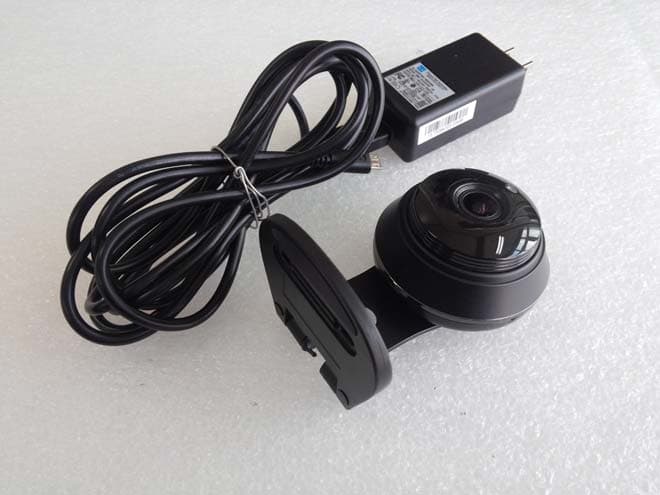
NLMSNHV6414BN
Nov 19, 2015SMART HOME CAMERA
Equipment Class
DTS - Digital Transmission System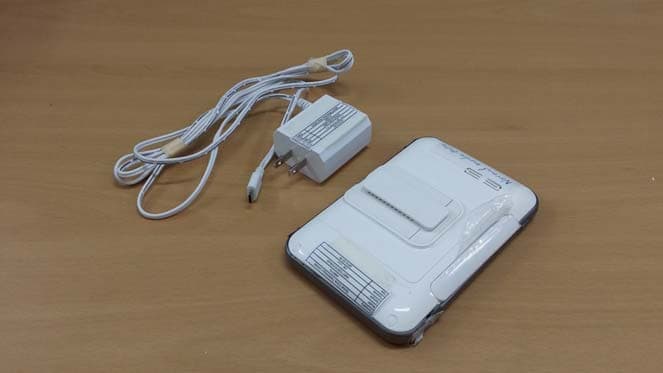
NLMSEW3043WN
Nov 16, 2015Wireless Baby Monitor
Equipment Class
DSS - Part 15 Spread Spectrum Transmitter
NLMSEW3036W
Jun 16, 2015Baby Monitor
Equipment Class
DSS - Part 15 Spread Spectrum Transmitter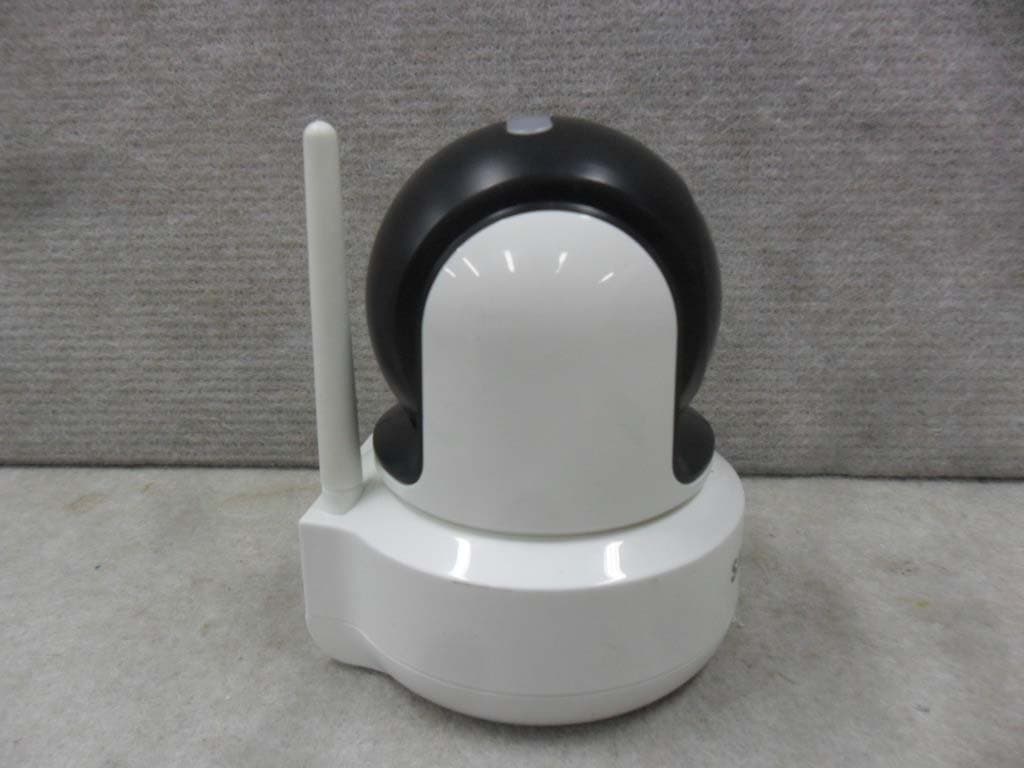
NLMSEP1001RW
Apr 27, 2015Baby Camera
Equipment Class
DSS - Part 15 Spread Spectrum Transmitter