NM8CAVA100Smart Phone
HTC Corporation
Click to zoom
Application Details
- Equipment Class
- PCE - PCS Licensed Transmitter held to ear
- Date of Grant
- Jul 02, 2007
- Application Purpose
- Original Equipment
- Date of Application
- May 01, 2007
- Equipment Note
- Smart Phone
- Frequency Range
- 826.00000000 - 847.00000000
- Company
- HTC Corporation
- Country
- Taiwan
Documents & Files
Document Text
Text extracted from the exhibit documents filed with the FCC. Open a document above to read the original.
Users Manual
Smart User Manual 2 Congratulations on the purchase of your new Windows Mobile® Smartphone! Please Read Before Proceeding. THE BATTERY IS NOT FULLY CHARGED WHEN YOU TAKE IT OUT OF THE BOX. DO NOT REMOVE THE BATTERY PACK WHEN THE DEVICE IS CHARGING. YOUR WARRANTY IS INVALIDATED IF YOU OPEN OR TAMPER WITH THE DEVICE’S OUTER CASING. PRIVACY RESTRICTIONS Some countries require full disclosure of recorded telephone conversations, and stipulate that you must inform the person with whom you are speaking that the conversation is being recorded. Always obey the relevant laws and regulations of your country when using the recording feature of your phone. TRADEMARK AND COPYRIGHT INFORMATION Copyright © 2006 High Tech Computer Corp. All rights reserved. , , , ExtUSB and JOGGR are trademarks and/or service marks of High Tech Computer Corp. Microsoft, MS-DOS, Windows, Windows NT, Windows Server, Windows Mobile, ActiveSync, Excel, Internet Explorer, MSN, Hotmail, Outlook, PowerPoint, Word, and Windows Media are either registered trademarks or trademarks of Microsoft Corporation in the United States and/or other countries. Bluetooth and the Bluetooth logo are trademarks owned by Bluetooth SIG, Inc. Wi-Fi is a registered trademark of the Wireless Fidelity Alliance, Inc. microSD is a trademark of SD Card Association. Java, J2ME and all other Java-based marks are trademarks or registered trademarks of Sun Microsystems, Inc. in the United States and other countries. Copyright © 2006, Adobe Systems Incorporated. Copyright © 2006, Macromedia Netherlands, B.V. Macromedia, Flash, Macromedia Flash, Macromedia Flash Lite and Reader are trademarks and/or registered trademarks of Macromedia Netherlands, B.V. or Adobe Systems Incorporated. 3 Copyright © 2006, JATAAYU SOFTWARE (P) LTD. All Rights Reserved. Copyright © 2006, Dilithium Networks, Inc. All Rights Reserved. ArcSoft MMS Composer™ Copyright © 2003-2006, ArcSoft, Inc. and its licensors. All Rights Reserved. ArcSoft & the ArcSoft logo are registered trademarks of ArcSoft, Inc. in the United States and/or other countries. ClearVue is a trademark of WESTTEK, LLC. Licensed by QUALCOMM Incorporated under one or more of the following patents: 4,901,307 ; 5,490,165 ; 5,056,109 ; 5,504,773 ; 5,101,501 ; 5,778,338 ; 5,506,865 5,109,390 ; 5,511,073 ; 5,228,054 ; 5,535,239 ; 5,710,784 ; 5,267,261 ; 5,544,196 5,267,262 ; 5,568,483 ; 5,337,338 ; 5,659,569 5,600,754 ; 5,414,796 ; 5,657,420 5,416,797 All other company, product and service names mentioned herein are trademarks, registered trademarks or service marks of their respective owners. HTC shall not be liable for technical or editorial errors or omissions contained herein, nor for incidental or consequential damages resulting from furnishing this material. The information is provided “as is” without warranty of any kind and is subject to change without notice. HTC also reserves the right to revise the content of this document at any time without prior notice. No part of this document may be reproduced or transmitted in any form or by any means, electronic or mechanical, including photocopying, recording or storing in a retrieval system, or translated into any language in any form without prior written permission of HTC. 4 Important Health Information and Safety Precautions When using this product, the safety precautions below must be taken to avoid possible legal liabilities and damages. Retain and follow all product safety and operating instructions. Observe all warnings in the operating instructions on the product. To reduce the risk of bodily injury, electric shock, fire and damage to the equipment, observe the following precautions. ELECTRICAL SAFETY This product is intended for use when supplied with power from the designated battery or power supply unit. Other usage may be dangerous and will invalidate any approval given to this product. SAFETY PRECAUTIONS FOR PROPER GROUNDING INSTALLATION CAUTION – Connecting to an improperly grounded equipment can result in an electric shock to your device. This product is equipped with a USB cable for connecting the product to a desktop or notebook computer. Be sure your computer is properly grounded (earthed) before connecting the product to the computer. The power supply cord of a desktop or notebook computer has an equipment-grounding conductor and a grounding plug. The plug must be plugged into an appropriate outlet which is properly installed and grounded in accordance with all local codes and ordinances. SAFETY PRECAUTIONS FOR POWER SUPPLY UNIT • Use the correct external power source A product should be operated only from the type of power source indicated on the electrical ratings label. If you are not sure of the type of power source required, consult your authorized service provider or local power company. For a product that operates from battery power or other sources, refer to the operating instructions that are included with the product. 5 • Handle battery packs carefully This product contains a Li-Ion/Li-Ion Polymer battery. There is a risk of fire and burns if the battery pack is handled improperly. Do not attempt to open or service the battery pack. Do not disassemble, crush, puncture, short external contacts or circuits, dispose of in fire or water, or expose a battery pack to temperatures higher than 60 ̊C (140 ̊F). WARNING! Danger of explosion if battery is incorrectly replaced. To reduce risk of fire or burns, do not disassemble, crush, puncture, short external contacts, expose to temperature above 60 o C (140 o F), or dispose of in fire or water. Replace only with specified batteries. Recycle or dispose of used batteries according to the local regulations or reference guide supplied with your product. SAFETY PRECAUTIONS FOR DIRECT SUNLIGHT Keep this product away from excessive moisture and extreme temperatures. Do not leave the product or its battery inside a vehicle or in places where the temperature may exceed 60°C (140°F), such as on a car dashboard, …
Text truncated - open the document above for the full version.
Users Manual
Chapter 6 Exchanging Messages and Using Outlook 6.1 Using E-mail and Text Messages 6.2 Using MMS Messages 6.3 Using Pocket MSN 6.4 Using Calendar 6.5 Using Contacts 6.6 Using Tasks 6.7 Using Voice Notes 100 Exchanging Messages and Using Outlook 6.1 Using E-mail and Text Messages Messaging is where all of your e-mail accounts and your text message account are located. You can send and receive Outlook e-mail, Internet e-mail through an Internet service provider (ISP), and text messages. You can also access e-mail from work using a virtual private network (VPN) connection. Set up Outlook E-mail When starting ActiveSync on your computer for the first time, the Synchronization Setup Wizard prompts you to set up a synchronization relationship. This allows you to synchronize Outlook e-mail and other information between your phone and your computer or the Exchange Server. If you have already set up synchronization through the wizard, then your phone is ready to send and receive Outlook e-mail. For information about the Synchronization Setup Wizard, see “To install and set up ActiveSync on the computer” in Chapter 3. If you have not set up a synchronization relationship yet, do the following to set up your phone to synchronize Outlook e-mail: 1. To set up and connect to an over-the-air connection (GPRS or ISP dial-up) to synchronize remotely, follow the procedures in “Connecting to the Internet” in Chapter 5. 2. Disconnect your phone from your computer or LAN. (If you have an over-the-air connection, there is no need to disconnect.) 3. Click Start > ActiveSync. 4. If you want to synchronize e-mails directly with the Exchange Server on a private network such as your corporate network, follow the steps in “Synchronize Outlook information with Exchange Server” in Chapter 3. 5. Choose which information types to synchronize. Make sure E-mail is selected. For details, follow the steps in “To change which information is synchronized” in Chapter 3. Exchanging Messages and Using Outlook 101 Every time you want to manually send or receive Outlook e-mail on your phone, just connect your phone to your computer, LAN, or over-the-air connection, then click Sync on the ActiveSync screen or click Menu > Send/Receive in Outlook on your phone. For details about scheduling automatic synchronization or setting a synchronization time with the Exchange Server, see “Schedule synchronization with Exchange Server” in Chapter 3. Set up a POP3/IMAP4 e-mail account You need to set up an e-mail account that you have with an Internet service provider (ISP) or an account that you access using a VPN server connection (typically a work account) before you can send and receive e-mail. 1. On the Home screen, click Start > Messaging > New Account. 2. In Your e-mail provider, select Other (POP3/IMAP) and click Next. 3. In Your name, enter your display name for e-mail messages. 4. In E-mail address, enter the e-mail address for this account. 5. Select Attempt to obtain e-mail settings from the Internet and click Next. Auto configuration attempts to download necessary e-mail server settings so that you do not need to enter them manually. If the account is set up successfully, you will be prompted to send and receive e-mail. If Auto configuration is unsuccessful or you have an account you access using a VPN server connection, contact your ISP or network administrator for the following information and enter it manually: 102 Exchanging Messages and Using Outlook SettingDescription User nameEnter the user name assigned to you by your ISP or network administrator. This is often the first part of your e-mail address, which appears before the at sign (@). PasswordChoose a strong password. You have the option to save your password so you do not need to enter it each time you connect to your e-mail server. DomainNot required for an account with an ISP. May be required for a work account. Server typeSelect POP3 or IMAP4. Account nameEnter a unique name for the account, such as “Work” or “Home.” This name cannot be changed later. NetworkEnter the type of network your e-mail server connects to. Incoming serverEnter the name of your e-mail server (POP3 or IMAP4). Require SSL connection Select this to ensure you always receive e-mail for this account using an SSL connection. This enables you to receive personal information more securely. Please note that if you select this and your ISP does not support an SSL connection, you will not be able to connect to receive e-mail. Outgoing serverEnter the name of your outgoing e-mail server (SMTP). Outgoing server requires authentication Select this if your outgoing e-mail server (SMTP) requires authentication. Your user name and password from above will be used. Outgoing server settings Your outgoing e-mail server may require different authentication settings than your incoming e-mail server. Use different user name for outgoing server Select this if your outgoing e-mail server requires a different user name and password than the ones you entered before. User nameEnter your user name for the outgoing e-mail server. PasswordEnter your password for the outgoing e-mail server. DomainEnter the domain of the outgoing e-mail server. Require SSL connection (Outgoing mail server only) Select this to ensure you always send e-mail from this account using an SSL connection. This enables you to send personal information more securely. Please note that if you select this and your ISP does not support an SSL connection, you will not be able to send e-mail. Exchanging Messages and Using Outlook 103 Send and receive messages To compose and send an e-mail or text message 1. On the Home screen, click Start > Messaging. 2. Select an e-mail account, or select Text Messages and click Select. 3. Click New. 4. Enter the e-mail address or phone number of one or more recipients, separating them with a semicolon (;). To access addresses and phone numbers from Contacts, in To, press the CENTER OK button and select a recipient from th…
Text truncated - open the document above for the full version.
Attestation Statements
High Tech Computer, Corp. April. 25, 2007 General Declaration We, High Tech Computer Corp. declares that the device does not have “Ad Hoc on non-US frequencies” and/or “on DFS frequencies” while applying for the following product. Model name: CAVA100 FCC ID: NM8CAVA100 If you have any questions regarding the declaration, please don’t hesitate to contact us. Thank you!
Cover Letter(s)
High Tech Computer Corp. Apr. 25, 2007 Federal Communication Commission Equipment Authorization Division, Application Processing Branch 7435 Oakland Mills Road Columbia, MD 21048 TO WHOM IT MAY CONCERN Pursuant to Paragraphs 0.457 and 0.459 of the Commission’s Rules (47 C.F.R.) and Section §552(b)(4) of the Freedom of Information Act, High Tech Computer, Corp. requests confidentiality for the following products: FCC ID Number Product Title/Model NM8CAVA100 Smart Phone/CAVA100 For the product stated above, we request that the following information be held confidential: 1) Electrical Schematics of the Circuitry 2) Block Diagram 3) Operational Description 4) Tune-up Procedure 5) Part List No other items submitted as part of the equipment authorization filing process are deemed confidential. The above exhibits contain High Tech Computer, Corp. trade secrets and proprietary information that could be of benefit to our competitors regarding the design of our mobile handset. This material is not customarily available to the general public and we request that it be withheld from public inspection. In additional to above mentioned documents, pursuant to Public Notice DA 04-1705 of the Commission’s policy, in order to comply with the marketing regulations in 47 CFR §2.803 and the importation rules in 47 CFR §2.1204, while ensuring that business sensitive information remains confidential until the actual marketing of newly authorized devices. We are requesting the commission to grant short-term confidentiality request on the following attachments until June 12, 2007. External Photos Internal Photos Test Setup Photos User Manual It is our understanding that all measurement test reports, FCC ID label format and correspondence during certification review process cannot be granted as confidential documents and such information will be available for public review once the grant of equipment authorization is issued Sincerely,
Cover Letter(s)
From: Diane Poole [email protected] Applicant: High Tech Computer Corp FCC ID: NM8CAVA100 Correspondence Reference Number: 33217 731 Confirmation Number: EA426536 Date of Original E-Mail: 6/11/2007 Subject: FCC Equipment Authorization System Test reports indicate WCDMA in 800 MHz band, but op. desc. unclear what are all actual transmit modes and freqs; also form 731 did not request WCDMA 800 MHz line-entry. Please explain and/or revise where appropriate. If WCDMA 800 is intended, please state requested form 731 line-entry. <Response> Dear Diane, The product does not have WCDMA 800MHz. The UMTS800 referenced in the original OpDes document is a typo and it should be UMTS850. We apologize for the mistake and a revised OpDes has been uploaded to the filing. Thank you. Best regards, ADT
External Photos
Page 1 CONSTRUCTION PHOTOS OF EUT Page 2 Page 3
ID Label/Location Info
HTC Confidential Cavalier Label Plan High Tech Computer, Corp.
Internal Photos
Page 4 Page 5 Page 6 Page 7 Page 8 Page 9 Page 10 Page 11 Page 12 Page 13 Page 14
RF Exposure Info
1 APPENDIX A: TEST DATA Liquid Level Photo HSL 835MHz D=150mm MSL 835MHz D=155mm 2 HSL 1900MHz D=152mm MSL 1900MHz D=151mm 3 HSL 2450MHz D=151mm MSL 2450MHz D=155mm 4 Date/Time: 2007/3/31 12:38:34 Test Laboratory: Advance Data Technology Right Head-Cheek-GSM850-Ch128-Mode 1 DUT: Pocket PC Phone ; Type: CAVA100 ; Test Frequency: 824.2 MHz Communication System: PCS 850 ; Frequency: 824.2 MHz ; Duty Cycle: 1:8.3 Medium: HSL835 Medium parameters used: f = 824.2 MHz; σ = 0.9 mho/m; ε r = 42.1; ρ = 1000 kg/m 3 ; Liquid level: 150 mm Phantom section: Right Section ; DUT test position : Cheek ; Modulation type: GMSK Antenna type : Internal Antenna ; Air temp. : 23.2 degrees ; Liquid temp. : 22.1 degrees DASY4 Configuration: - Probe: ET3DV6 - SN1790 ; ConvF(6.71, 6.71, 6.71) ; Calibrated: 2006/11/23 - Sensor-Surface: 4mm (Mechanical Surface Detection) - Electronics: DAE3 Sn510; Calibrated: 2006/9/7 - Phantom: SAM 12; Type: SAM V4.0; Serial: TP 1202 - Measurement SW: DASY4, V4.7 Build 53; Postprocessing SW: SEMCAD, V1.8 Build 172 Touch position - Low Channel 128/Area Scan (7x9x1): Measurement grid: dx=15mm, dy=15mm Maximum value of SAR (measured) = 0.630 mW/g Touch position - Low Channel 128/Zoom Scan (7x7x7) (7x7x7)/Cube 0: Measurement grid: dx=5mm, dy=5mm, dz=5mm Reference Value = 7.80 V/m Peak SAR (extrapolated) = 0.856 W/kg SAR(1 g) = 0.618 mW/g; SAR(10 g) = 0.445 mW/g Maximum value of SAR (measured) = 0.660 mW/g 5 Date/Time: 2007/3/31 12:57:20 Test Laboratory: Advance Data Technology Right Head-Cheek-GSM850-Ch190-Mode 1 DUT: Pocket PC Phone ; Type: CAVA100 ; Test Frequency: 836.6 MHz Communication System: PCS 850 ; Frequency: 836.6 MHz ; Duty Cycle: 1:8.3 Medium: HSL835 Medium parameters used: f = 836.6 MHz; σ = 0.92 mho/m; ε r = 41.9; ρ = 1000 kg/m 3 ; Liquid level: 150 mm Phantom section: Right Section ; DUT test position : Cheek ; Modulation type: GMSK Antenna type : Internal Antenna ; Air temp. : 23.2 degrees ; Liquid temp. : 22.1 degrees DASY4 Configuration: - Probe: ET3DV6 - SN1790 ; ConvF(6.71, 6.71, 6.71) ; Calibrated: 2006/11/23 - Sensor-Surface: 4mm (Mechanical Surface Detection) - Electronics: DAE3 Sn510; Calibrated: 2006/9/7 - Phantom: SAM 12; Type: SAM V4.0; Serial: TP 1202 - Measurement SW: DASY4, V4.7 Build 53; Postprocessing SW: SEMCAD, V1.8 Build 172 Touch position - Mid Channel 190/Area Scan (7x9x1): Measurement grid: dx=15mm, dy=15mm Maximum value of SAR (measured) = 0.892 mW/g Touch position - Mid Channel 190/Zoom Scan (7x7x7) (7x7x7)/Cube 0: Measurement grid: dx=5mm, dy=5mm, dz=5mm Reference Value = 9.35 V/m Peak SAR (extrapolated) = 1.23 W/kg SAR(1 g) = 0.886 mW/g; SAR(10 g) = 0.636 mW/g Maximum value of SAR (measured) = 0.942 mW/g 6 Date/Time: 2007/3/31 13:15:40 Test Laboratory: Advance Data Technology Right Head-Cheek-GSM850-Ch251-Mode 1 DUT: Pocket PC Phone ; Type: CAVA100 ; Test Frequency: 848.8 MHz Communication System: PCS 850 ; Frequency: 848.8 MHz ; Duty Cycle: 1:8.3 Medium: HSL835 Medium parameters used: f = 848.8 MHz; σ = 0.93 mho/m; ε r = 41.8; ρ = 1000 kg/m 3 ; Liquid level: 150 mm Phantom section: Right Section ; DUT test position : Cheek ; Modulation type: GMSK Antenna type : Internal Antenna ; Air temp. : 23.2 degrees ; Liquid temp. : 22.1 degrees DASY4 Configuration: - Probe: ET3DV6 - SN1790 ; ConvF(6.71, 6.71, 6.71) ; Calibrated: 2006/11/23 - Sensor-Surface: 4mm (Mechanical Surface Detection) - Electronics: DAE3 Sn510; Calibrated: 2006/9/7 - Phantom: SAM 12; Type: SAM V4.0; Serial: TP 1202 - Measurement SW: DASY4, V4.7 Build 53; Postprocessing SW: SEMCAD, V1.8 Build 172 Touch position - High Channel 251/Area Scan (7x9x1): Measurement grid: dx=15mm, dy=15mm Maximum value of SAR (measured) = 0.972 mW/g Touch position - High Channel 251/Zoom Scan (7x7x7) (7x7x7)/Cube 0: Measurement grid: dx=5mm, dy=5mm, dz=5mm Reference Value = 9.61 V/m Peak SAR (extrapolated) = 1.36 W/kg SAR(1 g) = 0.967 mW/g; SAR(10 g) = 0.694 mW/g Maximum value of SAR (measured) = 1.03 mW/g 7 Date/Time: 2007/3/31 13:35:04 Test Laboratory: Advance Data Technology Right Head-Tilt-GSM850-Ch128-Mode 2 DUT: Pocket PC Phone ; Type: CAVA100 ; Test Frequency: 824.2 MHz Communication System: PCS 850 ; Frequency: 824.2 MHz; Duty Cycle: 1:8.3 Medium: HSL835 Medium parameters used: f = 824.2 MHz; σ = 0.9 mho/m; ε r = 42.1; ρ = 1000 kg/m 3 ; Liquid level: 150 mm Phantom section: Right Section ; DUT test position : Tilt ; Modulation type: GMSK Antenna type : Internal Antenna ; Air temp. : 23.2 degrees ; Liquid temp. : 22.1 degrees DASY4 Configuration: - Probe: ET3DV6 - SN1790 ; ConvF(6.71, 6.71, 6.71) ; Calibrated: 2006/11/23 - Sensor-Surface: 4mm (Mechanical Surface Detection) - Electronics: DAE3 Sn510; Calibrated: 2006/9/7 - Phantom: SAM 12; Type: SAM V4.0; Serial: TP 1202 - Measurement SW: DASY4, V4.7 Build 53; Postprocessing SW: SEMCAD, V1.8 Build 172 Tilt position - Low Channel 128/Area Scan (7x9x1): Measurement grid: dx=15mm, dy=15mm Maximum value of SAR (measured) = 0.196 mW/g Tilt position - Low Channel 128/Zoom Scan (7x7x7) (7x7x7)/Cube 0: Measurement grid: dx=5mm, dy=5mm, dz=5mm Reference Value = 12.8 V/m Peak SAR (extrapolated) = 0.231 W/kg SAR(1 g) = 0.189 mW/g; SAR(10 g) = 0.144 mW/g Maximum value of SAR (measured) = 0.199 mW/g 8 Date/Time: 2007/3/31 13:53:08 Test Laboratory: Advance Data Technology Right Head-Tilt-GSM850-Ch190-Mode 2 DUT: Pocket PC Phone ; Type: CAVA100 ; Test Frequency: 836.6 MHz Communication System: PCS 850 ; Frequency: 836.6 MHz; Duty Cycle: 1:8.3 Medium: HSL835 Medium parameters used: f = 836.6 MHz; σ = 0.92 mho/m; ε r = 41.9; ρ = 1000 kg/m 3 ; Liquid level: 150 mm Phantom section: Right Section ; DUT test position : Tilt ; Modulation type: GMSK Antenna type : Internal Antenna ; Air temp. : 23.2 degrees ; Liquid temp. : 22.1 degrees DASY4 Configuration: - Probe: ET3DV6 - SN1790 ; ConvF(6.71, 6.71, 6.71) ; Calibrated: 2006/11/23 - Sensor-Surface: 4mm (Mechanical Surface Detection) - Electronics: DAE3 Sn510; Calibrated: 2006/9/7 - Phantom: SAM 12; Type: SAM V4.0; Seri…
Text truncated - open the document above for the full version.
RF Exposure Info
70 Date/Time: 2007/4/16 14:50:03 Test Laboratory: Advance Data Technology Body Worn-LCD Down-WCDMA 850-Ch4132-Mode 34 DUT: Pocket PC Phone ; Type: CAVA100 ; Test Frequency: 826.4 MHz Communication System: WCDMA ; Frequency: 826.4 MHz ; Duty Cycle: 1:1 Medium: MSL835 Medium parameters used : f = 826.4 MHz; σ = 0.98 mho/m; ε r = 56.5; ρ = 1000 kg/m 3 ; Liquid Level : 155 mm Phantom section: Flat Section ; DUT test position : Body ; Modulation Type: BPSK Separation Distance : 15 mm ( The bottom side of the EUT to the Phantom) Antenna Type : Internal Antenna ; Air Temp. : 23.3 degrees ; Liquid Temp. : 22.1 degrees DASY4 Configuration: - Probe: ET3DV6 - SN1790 ; ConvF(6.35, 6.35, 6.35) ; Calibrated: 2006/11/23 - Sensor-Surface: 4mm (Mechanical Surface Detection) - Electronics: DAE3 Sn510 ; Calibrated: 2006/9/7 - Phantom: SAM 12 ; Type: SAM V4.0; Serial: TP 1202 - Measurement SW: DASY4, V4.7 Build 53 ; Postprocessing SW: SEMCAD, V1.8 Build 172 Low Channel 4132/Area Scan (7x10x1): Measurement grid: dx=15mm, dy=15mm Maximum value of SAR (measured) = 0.385 mW/g Low Channel 4132/Zoom Scan (7x7x7) (7x7x7)/Cube 0: Measurement grid: dx=5mm, dy=5mm, dz=5mm Reference Value = 19.7 V/m Peak SAR (extrapolated) = 0.503 W/kg SAR(1 g) = 0.395 mW/g; SAR(10 g) = 0.281 mW/g Maximum value of SAR (measured) = 0.419 mW/g 71 72 Date/Time: 2007/4/16 15:13:08 Test Laboratory: Advance Data Technology Body Worn-LCD Down-WCDMA 850-Ch4182-Mode 34 DUT: Pocket PC Phone ; Type: CAVA100 ; Test Frequency: 836.4 MHz Communication System: WCDMA ; Frequency: 836.4 MHz ; Duty Cycle: 1:1 Medium: MSL835 Medium parameters used: f = 836.6 MHz; σ = 0.99 mho/m; ε r = 56.3; ρ = 1000 kg/m 3 ; Liquid Level : 155 mm Phantom section: Flat Section ; DUT test position : Body ; Modulation Type: BPSK Separation Distance : 15 mm ( The bottom side of the EUT to the Phantom) Antenna Type : Internal Antenna ; Air Temp. : 23.3 degrees ; Liquid Temp. : 22.1 degrees DASY4 Configuration: - Probe: ET3DV6 - SN1790 ; ConvF(6.35, 6.35, 6.35) ; Calibrated: 2006/11/23 - Sensor-Surface: 4mm (Mechanical Surface Detection) - Electronics: DAE3 Sn510 ; Calibrated: 2006/9/7 - Phantom: SAM 12 ; Type: SAM V4.0; Serial: TP 1202 - Measurement SW: DASY4, V4.7 Build 53 ; Postprocessing SW: SEMCAD, V1.8 Build 172 Mid Channel 4182/Area Scan (7x10x1): Measurement grid: dx=15mm, dy=15mm Maximum value of SAR (measured) = 0.327 mW/g Mid Channel 4182/Zoom Scan (7x7x7) (7x7x7)/Cube 0: Measurement grid: dx=5mm, dy=5mm, dz=5mm Reference Value = 17.9 V/m Peak SAR (extrapolated) = 0.409 W/kg SAR(1 g) = 0.315 mW/g; SAR(10 g) = 0.227 mW/g Maximum value of SAR (measured) = 0.338 mW/g 73 Date/Time: 2007/4/16 15:35:07 Test Laboratory: Advance Data Technology Body Worn-LCD Down-WCDMA 850-Ch4233-Mode 34 DUT: Pocket PC Phone ; Type: CAVA100 ; Test Frequency: 846.6 MHz Communication System: WCDMA ; Frequency: 846.6 MHz ; Duty Cycle: 1:1 Medium: MSL835 Medium parameters used : f = 846.6 MHz; σ = 1 mho/m; ε r = 56.2; ρ = 1000 kg/m 3 ; Liquid Level : 155 mm Phantom section: Flat Section ; DUT test position : Body ; Modulation Type: BPSK Separation Distance : 15 mm ( The bottom side of the EUT to the Phantom) Antenna Type : Internal Antenna ; Air Temp. : 23.3 degrees ; Liquid Temp. : 22.1 degrees DASY4 Configuration: - Probe: ET3DV6 - SN1790 ; ConvF(6.35, 6.35, 6.35) ; Calibrated: 2006/11/23 - Sensor-Surface: 4mm (Mechanical Surface Detection) - Electronics: DAE3 Sn510 ; Calibrated: 2006/9/7 - Phantom: SAM 12 ; Type: SAM V4.0; Serial: TP 1202 - Measurement SW: DASY4, V4.7 Build 53 ; Postprocessing SW: SEMCAD, V1.8 Build 172 High Channel 4233/Area Scan (7x10x1): Measurement grid: dx=15mm, dy=15mm Maximum value of SAR (measured) = 0.348 mW/g High Channel 4233/Zoom Scan (7x7x7) (7x7x7)/Cube 0: Measurement grid: dx=5mm, dy=5mm, dz=5mm Reference Value = 18.6 V/m Peak SAR (extrapolated) = 0.424 W/kg SAR(1 g) = 0.338 mW/g; SAR(10 g) = 0.240 mW/g Maximum value of SAR (measured) = 0.361 mW/g 74 Date/Time: 2007/4/16 16:09:16 Test Laboratory: Advance Data Technology Body Worn-LCD Up-WCDMA 850-Ch4132-Mode 35 DUT: Pocket PC Phone ; Type: CAVA100 ; Test Frequency: 826.4 MHz Communication System: WCDMA ; Frequency: 826.4 MHz ; Duty Cycle: 1:1 Medium: MSL835 Medium parameters used : f = 826.4 MHz; σ = 0.98 mho/m; ε r = 56.5; ρ = 1000 kg/m 3 ; Liquid Level : 155 mm Phantom section: Flat Section ; DUT test position : Body ; Modulation Type: BPSK Separation Distance : 15 mm ( The front side of the EUT to the Phantom) Antenna Type : Internal Antenna ; Air Temp. : 23.3 degrees ; Liquid Temp. : 22.1 degrees DASY4 Configuration: - Probe: ET3DV6 - SN1790 ; ConvF(6.35, 6.35, 6.35) ; Calibrated: 2006/11/23 - Sensor-Surface: 4mm (Mechanical Surface Detection) - Electronics: DAE3 Sn510 ; Calibrated: 2006/9/7 - Phantom: SAM 12 ; Type: SAM V4.0; Serial: TP 1202 - Measurement SW: DASY4, V4.7 Build 53 ; Postprocessing SW: SEMCAD, V1.8 Build 172 Low Channel 4132/Area Scan (7x10x1): Measurement grid: dx=15mm, dy=15mm Maximum value of SAR (measured) = 0.269 mW/g Low Channel 4132/Zoom Scan (7x7x7) (7x7x7)/Cube 0: Measurement grid: dx=5mm, dy=5mm, dz=5mm Reference Value = 17.6 V/m Peak SAR (extrapolated) = 0.321 W/kg SAR(1 g) = 0.264 mW/g; SAR(10 g) = 0.193 mW/g Maximum value of SAR (measured) = 0.280 mW/g Low Channel 4132/Zoom Scan (7x7x7) (7x7x7)/Cube 1: Measurement grid: dx=5mm, dy=5mm, dz=5mm Reference Value = 17.6 V/m Peak SAR (extrapolated) = 0.314 W/kg SAR(1 g) = 0.226 mW/g; SAR(10 g) = 0.146 mW/g Maximum value of SAR (measured) = 0.248 mW/g 75 Date/Time: 2007/4/16 16:35:01 Test Laboratory: Advance Data Technology Body Worn-LCD Down-HSDPA 850-Ch4132-Mode 36 DUT: Pocket PC Phone ; Type: CAVA100 ; Test Frequency: 826.4 MHz Communication System: WCDMA ; Frequency: 826.4 MHz ; Duty Cycle: 1:1 Medium: MSL835 Medium parameters used : f = 826.4 MHz; σ = 0.98 mho/m; ε r = 56.5; ρ = 1000 kg/m 3 ; Liquid Level : 155 mm Phantom section: Flat Section ; DUT test position : Body ; Modulation Type: BPSK Separation Distance : 15 mm ( The b…
Text truncated - open the document above for the full version.
RF Exposure Info
140 Date/Time: 2007/4/11 21:19:44 Test Laboratory: Advance Data Technology Left Head-Tilt-BT-Ch0-Mode 61 DUT: Pocket PC Phone ; Type: CAVA100 ; Test Frequency: 2402 MHz Communication System: Bluetooth ; Frequency: 2402 MHz; Duty Cycle: 1:1 Medium: HSL2450 Medium parameters used: f = 2402 MHz; σ = 1.79 mho/m; ε r = 40; ρ = 1000 kg/m 3 ; Liquid level: 151 mm Phantom section: Left Section ; DUT test position : Tilt ; Modulation type: GFSK Antenna type : Internal Antenna ; Air temp. : 22.4 degrees ; Liquid temp. : 21.2 degrees DASY4 Configuration: - Probe: ET3DV6 - SN1790 ; ConvF(4.76, 4.76, 4.76) ; Calibrated: 2006/11/23 - Sensor-Surface: 4mm (Mechanical Surface Detection) - Electronics: DAE3 Sn510; Calibrated: 2006/9/7 - Phantom: SAM 12; Type: SAM V4.0; Serial: TP 1202 - Measurement SW: DASY4, V4.7 Build 53; Postprocessing SW: SEMCAD, V1.8 Build 172 Tilt position - Low Channel 0/Area Scan (7x9x1): Measurement grid: dx=15mm, dy=15mm Maximum value of SAR (measured) = 0.016 mW/g Tilt position - Low Channel 0/Zoom Scan (7x7x7) (7x7x7)/Cube 0: Measurement grid: dx=5mm, dy=5mm, dz=5mm Reference Value = 1.72 V/m Peak SAR (extrapolated) = 0.068 W/kg SAR(1 g) = 0.023 mW/g; SAR(10 g) = 0.00819 mW/g Maximum value of SAR (measured) = 0.024 mW/g 141 Date/Time: 2007/4/11 21:38:49 Test Laboratory: Advance Data Technology Left Head-Tilt-BT-Ch39-Mode 61 DUT: Pocket PC Phone ; Type: CAVA100 ; Test Frequency: 2441 MHz Communication System: Bluetooth ; Frequency: 2441 MHz; Duty Cycle: 1:1 Medium: HSL2450 Medium parameters used: f = 2441 MHz; σ = 1.83 mho/m; ε r = 39.8; ρ = 1000 kg/m 3 ; Liquid level: 151 mm Phantom section: Left Section ; DUT test position : Tilt ; Modulation type: GFSK Antenna type : Internal Antenna ; Air temp. : 22.4 degrees ; Liquid temp. : 21.2 degrees DASY4 Configuration: - Probe: ET3DV6 - SN1790 ; ConvF(4.76, 4.76, 4.76) ; Calibrated: 2006/11/23 - Sensor-Surface: 4mm (Mechanical Surface Detection) - Electronics: DAE3 Sn510; Calibrated: 2006/9/7 - Phantom: SAM 12; Type: SAM V4.0; Serial: TP 1202 - Measurement SW: DASY4, V4.7 Build 53; Postprocessing SW: SEMCAD, V1.8 Build 172 Tilt position - Mid Channel 39/Area Scan (7x9x1): Measurement grid: dx=15mm, dy=15mm Maximum value of SAR (measured) = 0.017 mW/g Tilt position - Mid Channel 39/Zoom Scan (7x7x7) (7x7x7)/Cube 0: Measurement grid: dx=5mm, dy=5mm, dz=5mm Reference Value = 1.78 V/m Peak SAR (extrapolated) = 0.068 W/kg SAR(1 g) = 0.022 mW/g; SAR(10 g) = 0.00786 mW/g Maximum value of SAR (measured) = 0.025 mW/g 142 Date/Time: 2007/4/11 21:55:59 Test Laboratory: Advance Data Technology Left Head-Tilt-BT-Ch78-Mode 61 DUT: Pocket PC Phone ; Type: CAVA100 ; Test Frequency: 2480 MHz Communication System: Blueto…
Text truncated - open the document above for the full version.
Contact Information
Applicant
Sylvia Shen
Technical Contact
Advance Data Technology Corporation (Hwa Ya)Gary Chang
[email protected]886-3-3183232
No. 19, Hwa Ya 2nd Rd., Kwei Shan Hsiang · Taoyuan Hsien · Taiwan
Non-Technical Contact
Advance Data Technology CorporationEllis Wu
[email protected]886-3-3183232
Test Firm
Bureau Veritas CPS (H.K.) Ltd. Taoyuan BranchRichard Chen
Technical Specifications
| # | Rule Parts | Frequency Range | Power Output | Emission | Tolerance |
|---|---|---|---|---|---|
| 8 | 22H | 826 MHz - 847 MHz | 136.00 mW | 4M70F9W | 2.5 ppm |
Other Applications from HTC Corporation
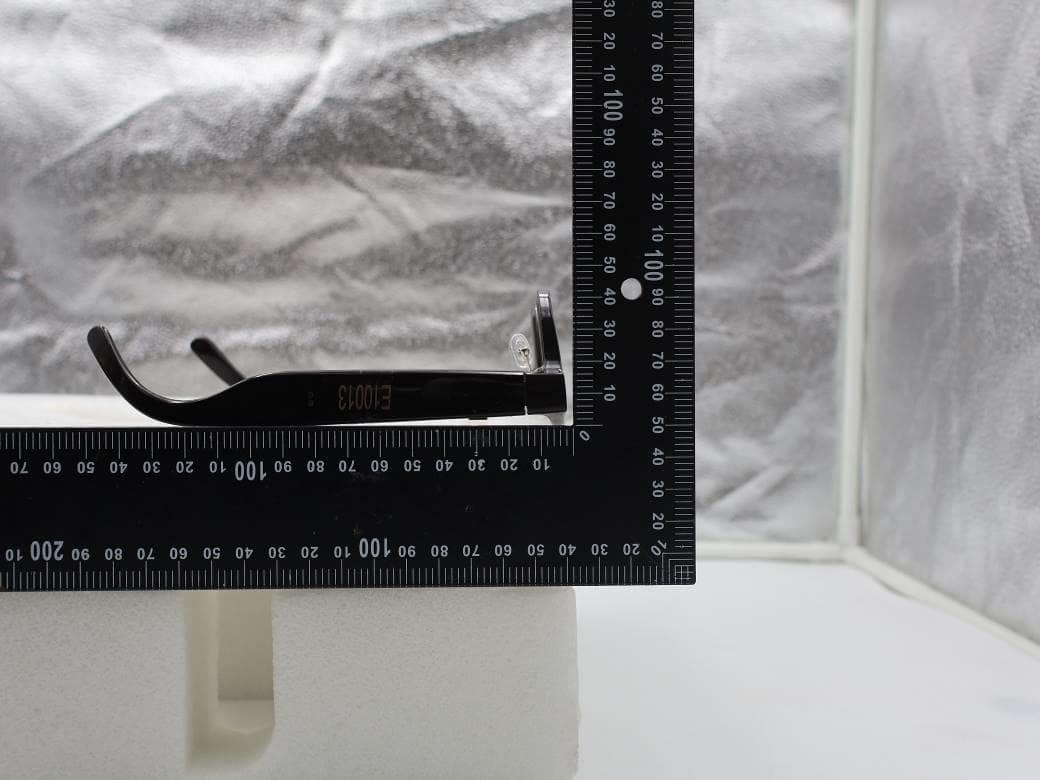
NM82QDJ100
Dec 31, 2025VIVE Headset
Equipment Class
DSS - Part 15 Spread Spectrum TransmitterNM82QD4100
Sep 01, 2024Headset
Equipment Class
6XD - 15E 6 GHz Low Power Indoor Client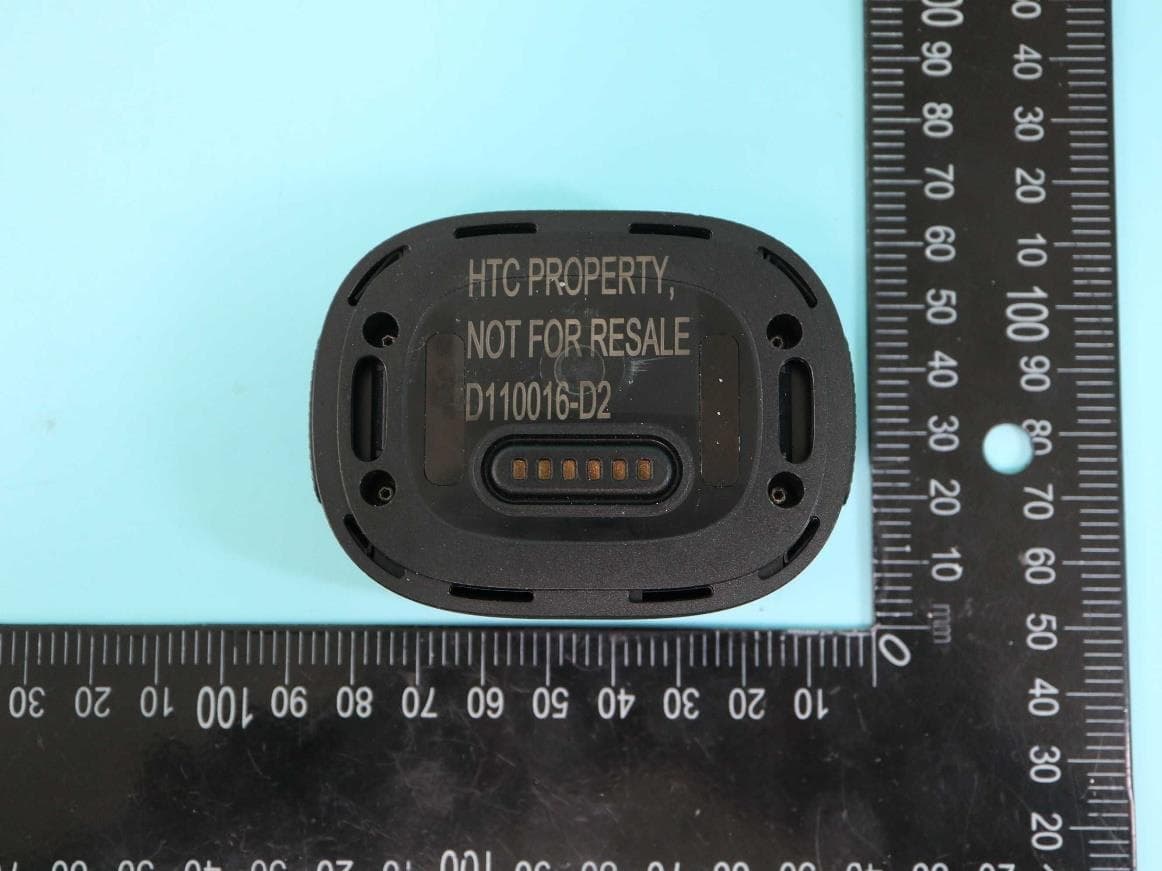
NM82QBP100
May 10, 2023Tracker
Equipment Class
DTS - Digital Transmission System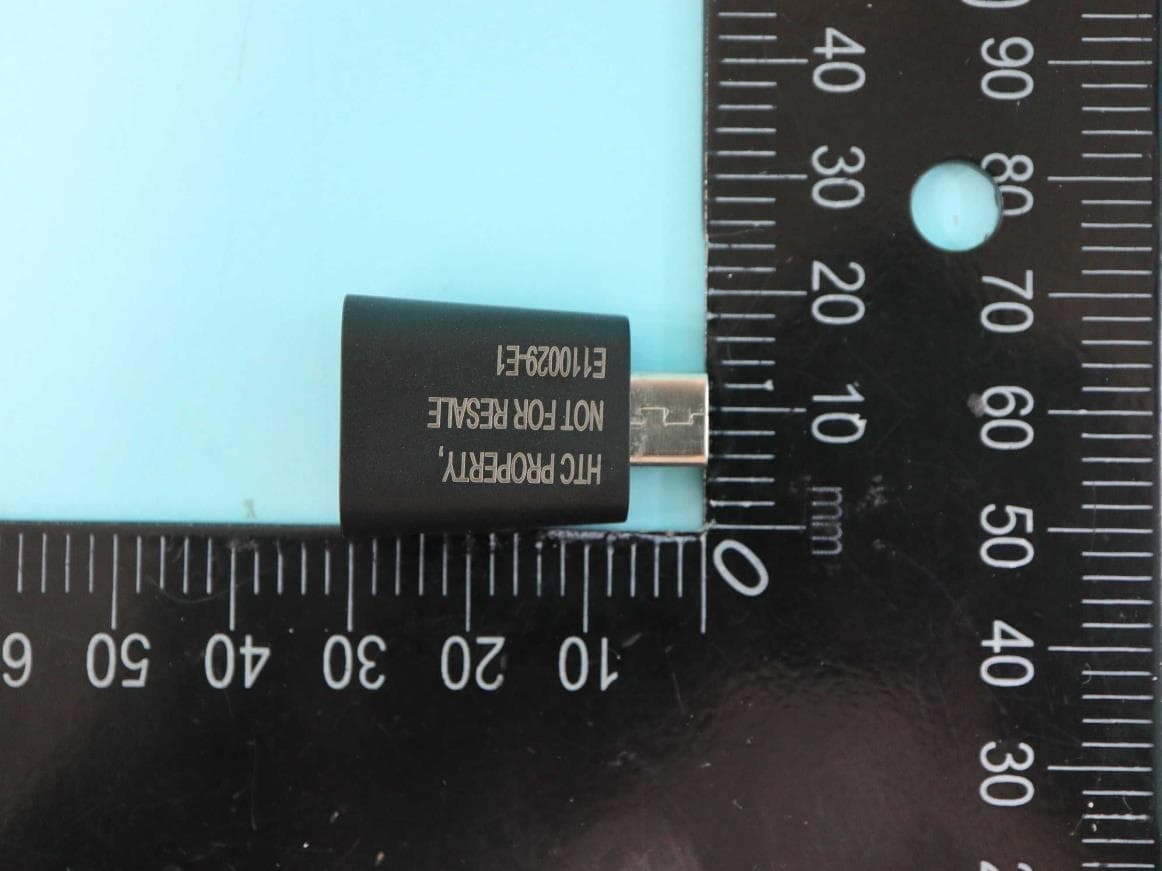
NM82QCD100
May 07, 2023Dongle
Equipment Class
DTS - Digital Transmission System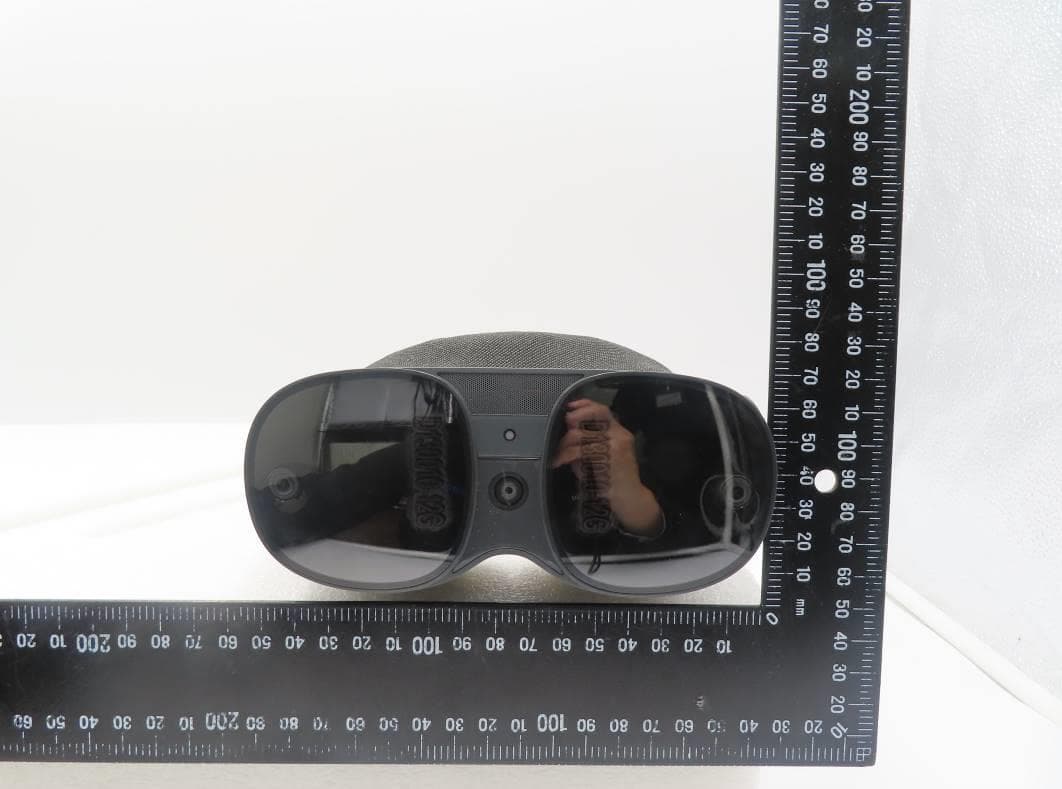
NM82QBB100
Jan 08, 2023Headset
Equipment Class
DTS - Digital Transmission System