NM8FALCONDual-Band CDMA Wireless PDA Phone (CDMA/PCS CDMA)
HTC Corporation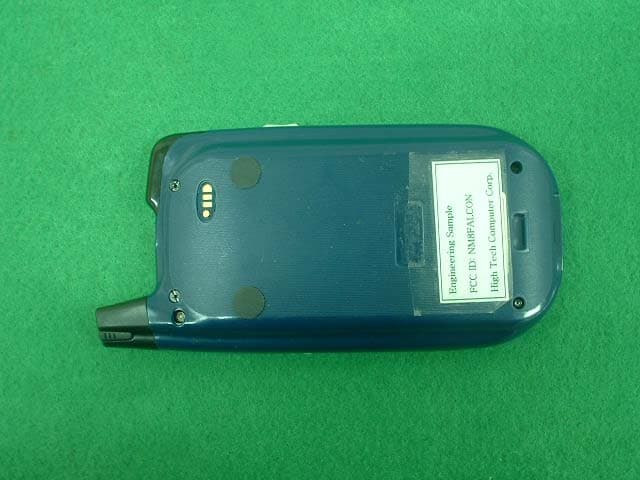
Click to zoom
Application Details
- Equipment Class
- PCE - PCS Licensed Transmitter held to ear
- Date of Grant
- Dec 26, 2002
- Application Purpose
- Original Equipment
- Date of Application
- Dec 26, 2002
- Equipment Note
- Dual-Band CDMA Wireless PDA Phone (CDMA/PCS CDMA)
- Frequency Range
- 1851.25000000 - 1908.75000000
- Company
- HTC Corporation
- Country
- Taiwan
Documents & Files
Document Text
Text extracted from the exhibit documents filed with the FCC. Open a document above to read the original.
Users Manual
Pocket PC Phone Quick Start Guide Read this guide before operating your Pocket PC Phone. 1 Warnings – Please Read Before Operating your Device THE DEVICE IS NOT CHARGED WHEN YOU TAKE IT OUT OF THE BOX; YOU WILL NOT BE ABLE TO TURN YOUR DEVICE ON UNTIL IT IS FULLY CHARGED (For information, see “Step 1: Charge the battery” below). IN MANY COUNTRIES YOU ARE REQUIRED BY LAW TO TURN OFF YOUR PHONE WHEN YOU FLY. TURNING OFF YOUR POCKET PC DOESN’T TURN OFF YOUR PHONE; YOU MUST TURN OFF YOUR WIRELESS CONNECTION TO YOUR OPERATOR’S NETWORK (For information on doing so see page 12, “Turning your phone on and off”). YOUR WARRANTY IS INVALIATED IF YOU OPEN OR TAMPER WITH THE DEVICE’S OUTER CASING (For more information, see the enclosed warranty card). Setting Up Your Device Step 1: Charge the Battery ♦ Insert the AC adapter into the back of the cradle, and then plug into the mains. ♦ Dock your Pocket PC in its cradle and fully charge for 3 hours - A steady amber LED indicates charging; solid green fully charged. Step 2: Remove the stylus 2 ♦ Remove the stylus from it’s slot on the back of the device. Step 3: Follow the Setup Wizard ♦ When the Welcome Wizard Screen appears, tap with your stylus. ♦ The wizard’s onscreen instructions will lead you through the rest of the setup process. ♦ Follow the instructions on screen, you may see the screen for ready to operate. Feature Maps 3 Front Panel Components 1. 2. 3. 5. 8. 11. 10 4. 7. 6. 13. 9. 14. 12. 1 Volume. Press to adjust the volume of your device. 2 Record. Press to record a voice note. 3 Infrared port. Enables you to exchange file(s) or data with other devices without cables/ wires. 4 GPS Receiver. This is your GPS receiver for locations based services. 5 Contacts. Press for quick access to your Contacts. 6 Power Button. Press to turn on/off your pocket PC Backlight. Press and hold to turn the back light on/off. 7 Speaker. Listen to audio media or a phone call from here. 8 Notification LED: a) Flashing Green (Every 3 seconds) – CDMA network Signal. b) Flashing Green (Every second) – Notification Alarm Reminder. c) Steady Red – Battery empty. d) Flashing Red – Low battery. e) Steady Amber – Battery charging. f) Steady Green – Fully charged. 9 Calendar. Press to quickly access the Calendar. 10 End. Press to end a call. Phone On/off. Press and hold to turn on/off your device’s phone. 4 11 Navigation Pad: Allows you to move up/ down and left/ right through any of the drop down menus or program instructions; select by pressing in the center. Left: When in the Dialer screen, press once to access the Speed Dial feature. Right: When in the Dialer screen, press once to access the Call Log feature. 12 Microphone. Speak here when receiving/ making a phone call or voice recording. 13 Send: Press to take an incoming call. Press to dial a number. Speakerphone. Press and hold for speakerphone mode. 14 Touch Screen. For handwriting, drawing or to make a selection with the stylus. Back Panel Components 3. 4. 5. 2. 1 1. Antenna, stylus slot and stylus. The antenna has a neatly hidden slot for housing the stylus. 2. To secure external battery. The optional extended battery should be fastened here. 3. External battery connector cover. Remove this to uncover the connection between your device and the optional extended battery. 4. Main battery unit. The main battery is housed permanently inside the device – It should only be changed through an authorized sales center. 5. External battery clip. Before screwing the extended battery into position please secure the clip on the bottom into this hole. 5 Bottom Edge Components 1 Soft Reset. Press into the hole with the end of your stylus to reset your device. 2 Sync connector. Use this connector when synchronizing/ transmitting data or recharging. 3 Earphone Jack. Allows you to listen to audio media or use the phone hands-free kit. 4 Battery on/ off switch. Press into the hole with the end of the top-half of your stylus to return the device to factory settings. Battery off will wipe all the data from your device. 5 MMC and SD card slot. Insert either MMC or SD cards in this slot. Device Basics Today Screen When you turn on your device for the first time each day (or after 4 hours of inactivity), you’ll see the Today screen. You can also display it by tapping and then Today. On the Today screen, you can see at glance important information for the day. Following are some of the status icons you may see: Status Icon Meaning Turns all sounds on and off Main battery low Main battery very low Connection is active Synchronization is beginning or ending Synchronization is occurring Notification that one or more instant messages were received Notification that one or more e-mail/ SMS messages were received Shows the connection to your mobile phone service provider is on and the strength of the signal Indicates your phone is switched off. 5. 1. 4. 2. 3. 6 If more notification icons need to be displayed than there is room to display them, the Notification icon, , will display. Tap the icon to view all notification icons. Customizing the Today Screen You can customize the Today screen in the following ways: change the background picture, select the information you want displayed and in what order, and further customize to show future appointments. To change the background: 1. Tap Start, Settings, Personal and then Today. 2. On the Appearance tab, select the desired theme for the background. To use your own background, select Use this picture as the background and tap Browse to locate the desired file. 3. Choose a folder and type and then tap find. 4. Tap the picture you want to use and then tap OK. To customize the information you want displayed: 1. Tap Start, Settings, Personal and then Today. 2. On the Items tab: • Uncheck a box to remove its information. • Select an item and tap Move Up or Move Down to change its position. • Choose to select or deselect Display Today screen if device is not used for, and then select a number of hours fr…
Text truncated - open the document above for the full version.
Users Manual
Pocket PC Phone Quick Start Guide Read this guide before operating your Pocket PC Phone. 1 Warnings – Please Read Before Operating your Device THE DEVICE IS NOT CHARGED WHEN YOU TAKE IT OUT OF THE BOX; YOU WILL NOT BE ABLE TO TURN YOUR DEVICE ON UNTIL IT IS FULLY CHARGED (For information, see “Step 1: Charge the battery” below). IN MANY COUNTRIES YOU ARE REQUIRED BY LAW TO TURN OFF YOUR PHONE WHEN YOU FLY. TURNING OFF YOUR POCKET PC DOESN’T TURN OFF YOUR PHONE; YOU MUST TURN OFF YOUR WIRELESS CONNECTION TO YOUR OPERATOR’S NETWORK (For information on doing so see page 12, “Turning your phone on and off”). YOUR WARRANTY IS INVALIATED IF YOU OPEN OR TAMPER WITH THE DEVICE’S OUTER CASING (For more information, see the enclosed warranty card). Setting Up Your Device Step 1: Charge the Battery ♦ Insert the AC adapter into the back of the cradle, and then plug into the mains. ♦ Dock your Pocket PC in its cradle and fully charge for 3 hours - A steady amber LED indicates charging; solid green fully charged. Step 2: Remove the stylus 2 ♦ Remove the stylus from it’s slot on the back of the device. Step 3: Follow the Setup Wizard ♦ When the Welcome Wizard Screen appears, tap with your stylus. ♦ The wizard’s onscreen instructions will lead you through the rest of the setup process. ♦ Follow the instructions on screen, you may see the screen for ready to operate. Feature Maps 3 Front Panel Components 1. 2. 3. 5. 8. 11. 10 4. 7. 6. 13. 9. 14. 12. 1 Volume. Press to adjust the volume of your device. 2 Record. Press to record a voice note. 3 Infrared port. Enables you to exchange file(s) or data with other devices without cables/ wires. 4 GPS Receiver. This is your GPS receiver for locations based services. 5 Contacts. Press for quick access to your Contacts. 6 Power Button. Press to turn on/off your pocket PC Backlight. Press and hold to turn the back light on/off. 7 Speaker. Listen to audio media or a phone call from here. 8 Notification LED: a) Flashing Green (Every 3 seconds) – CDMA network Signal. b) Flashing Green (Every second) – Notification Alarm Reminder. c) Steady Red – Battery empty. d) Flashing Red – Low battery. e) Steady Amber – Battery charging. f) Steady Green – Fully charged. 9 Calendar. Press to quickly access the Calendar. 10 End. Press to end a call. Phone On/off. Press and hold to turn on/off your device’s phone. 4 11 Navigation Pad: Allows you to move up/ down and left/ right through any of the drop down menus or program instructions; select by pressing in the center. Left: When in the Dialer screen, press once to access the Speed Dial feature. Right: When in the Dialer screen, press once to access the Call Log feature. 12 Microphone. Speak here when receiving/ making a phone call or voice recording. 13 Send: Press to take an incoming call. Press to dial a number. Speakerphone. Press and hold for speakerphone mode. 14 Touch Screen. For handwriting, drawing or to make a selection with the stylus. Back Panel Components 3. 4. 5. 2. 1 1. Antenna, stylus slot and stylus. The antenna has a neatly hidden slot for housing the stylus. 2. To secure external battery. The optional extended battery should be fastened here. 3. External battery connector cover. Remove this to uncover the connection between your device and the optional extended battery. 4. Main battery unit. The main battery is housed permanently inside the device – It should only be changed through an authorized sales center. 5. External battery clip. Before screwing the extended battery into position please secure the clip on the bottom into this hole. 5 Bottom Edge Components 1 Soft Reset. Press into the hole with the end of your stylus to reset your device. 2 Sync connector. Use this connector when synchronizing/ transmitting data or recharging. 3 Earphone Jack. Allows you to listen to audio media or use the phone hands-free kit. 4 Battery on/ off switch. Press into the hole with the end of the top-half of your stylus to return the device to factory settings. Battery off will wipe all the data from your device. 5 MMC and SD card slot. Insert either MMC or SD cards in this slot. Device Basics Today Screen When you turn on your device for the first time each day (or after 4 hours of inactivity), you’ll see the Today screen. You can also display it by tapping and then Today. On the Today screen, you can see at glance important information for the day. Following are some of the status icons you may see: Status Icon Meaning Turns all sounds on and off Main battery low Main battery very low Connection is active Synchronization is beginning or ending Synchronization is occurring Notification that one or more instant messages were received Notification that one or more e-mail/ SMS messages were received Shows the connection to your mobile phone service provider is on and the strength of the signal Indicates your phone is switched off. 5. 1. 4. 2. 3. 6 If more notification icons need to be displayed than there is room to display them, the Notification icon, , will display. Tap the icon to view all notification icons. Customizing the Today Screen You can customize the Today screen in the following ways: change the background picture, select the information you want displayed and in what order, and further customize to show future appointments. To change the background: 1. Tap Start, Settings, Personal and then Today. 2. On the Appearance tab, select the desired theme for the background. To use your own background, select Use this picture as the background and tap Browse to locate the desired file. 3. Choose a folder and type and then tap find. 4. Tap the picture you want to use and then tap OK. To customize the information you want displayed: 1. Tap Start, Settings, Personal and then Today. 2. On the Items tab: • Uncheck a box to remove its information. • Select an item and tap Move Up or Move Down to change its position. • Choose to select or deselect Display Today screen if device is not used for, and then select a number of hours fr…
Text truncated - open the document above for the full version.
Cover Letter(s)
February 13, 2003 Federal Communications Commission Equipment Approval Services 7435 Oakland Mills Road Columbia, MD 21046 Attn: Mr. Martin Perrine SUBJECT: High Tech Computer Corp. FCC ID: NM8FALCON 731 Confirmation No.: TC186727 Correspondence Reference No.: 6679 Request for Tech. Info.: 1/24/03 Dear Martin: Transmitted herewith, on behalf of High Tech Computer Corp., is an amendment provided in response to the request for technical information dated January 24, 2003. 1. Please find the attached comparison table of validation retests from Digital EMC taken with both 1800MHz and 1900MHz dipoles. Dipole validation test plots are included for your reference. 2. Please find the attached revised user’s manual containing the body worn statement. 3. The grant comment was revised removing the 1.5cm gap condition, per advised. We trust this information is sufficient to resolve FCC questions in this application. If you have any further questions, please do not hesitate to contact us. Thank You, cc: High Tech Computer Corp.
External Photos
FCC ID : NM8FALCON FCC ID : NM8FALCON
ID Label/Location Info
FCC ID SAMPLE LABEL & LOCATION LABELLING REQUIREMENTS PER §2.925 The Label shown shall be permanently affixed at a conspicuous location on the device and be readily visible to the user at the time of purchase (SEE NEXT PAGE) FCC ID: NM8FALCON This device complies with part 15 of the FCC Rules. Operation is subject to the following two conditions: (1) This device may not cause harmful interference, and (2) this device must accept any interference received, including interference that may cause undesired operation.
Internal Photos
FCC ID : NM8FALCON FCC ID : NM8FALCON FCC ID : NM8FALCON FCC ID : NM8FALCON FCC ID : NM8FALCON
RF Exposure Info
DIGITALEMC SAR REPORT FCC CERTIFICATION Reviewed by: Quality Manager Test report S/N : DR50110211K Test Date: Nov.22-Dec.23,2002 Phone Type: Dual-Band CDMA FCC ID: NM8FALCON Page 1 of 30 DIGITAL EMC CO., LTD. 683-3, Yubang-Dong, Yongin-Si, Kyunggi-Do, Korea. 449-080 Tel: +82-31-321-2664 Fax: +82-31-321-1664 http://www.digitalemc.com CERTIFICATE OF COMPLIANCE(SAR EVALUATION) High Tech Computer Corp. Dates of Tests: November 22~23,2002 9F,6-3,Bau-Chian Rd., Hsin Tien Test Report S/N:DR50110211K Taipei,Taiwan,R.O.C. Test Site : DIGITAL EMC CO., LTD. Attn:Dalton Chuang(Manager) FCC ID APPLICANT EUT Type: Dual-Band CDMA Wireless PDA with GPS (CDMA/PCS CDMA) TX Frequency Range: 824.70 ~848.31 MHz (CDMA) 1851.25 ~1908.75MHz(PCS CDMA) RX Frequency Range: 869.70 ~893.31 MHz (CDMA) 1931.25 ~ 1988.75MHz(PCS CDMA) Max.RF Output Power: 0.265W ERP CDMA (24.23dBm)/0.225W EIRP PCSCDMA (23.52 dBm) 24dBm conducted(CDMA)/23.5dBm conducted(PCS) Max. SAR Measurement: 1.41W/kg CDMA Head SAR; 1.46W/kg CDMA Body SAR 1.43W/kg PCS Head SAR; 1.45W/kg PCS Body SAR Model(s): PW10C3 FCC Classification: Licensed Portable Transmitter Held to Ear(PCE) FCC Rule Part(s): §2.1093; FCC/OET Bulletin Supplement C[July 2001] Application Type: Certification Test Device Serial No.: Identical prototype This wireless portable device has been shown to be capable of compliance for localized specific absorption rate (SAR) for uncontrolled environment/general population exposure limits specified in ANSI/IEEE Std. C95.1-1992 and had been tested in accordance with the measurement procedures specified in FCC/OET Bulletin 65 Supplement C (2001) and IEEE Std. 1528-200X (Draft 6.4, July 2001). I attest to the accuracy of data. All measurements reported herein were performed by me or were made under my supervision and are correct to the best of my knowledge and belief. I assume full responsibility for the completeness of these measurements and vouch for the qualifications of all persons taking them. . D.M.JUNG (Manager) NM8FALCON High Tech Computer Corp. DIGITALEMC SAR REPORT FCC CERTIFICATION Reviewed by: Quality Manager Test report S/N : DR50110211K Test Date: Nov.22-Dec.23,2002 Phone Type: Dual-Band CDMA FCC ID: NM8FALCON Page 2 of 30 1. INTRODUCTION ...................................................................................................... 3 SAR DEFINITION .................................................................................................... 3 2. SAR MEASUREMENT SETUP......................................................................................... 4 Robotic System.......................................................................................................... 4 System Hardware ....................................................................................................... 4 System Electronics...................................................................................................... 4 3. DASY3 E-FIELD PROBE SYSTEM................................................................................... 5 Probe Measurement System......................................................................................... 5 Probe Specifications .................................................................................................... 5 4. Probe Calibration Process............................................................................................ 6 Dosimetric Assessment Procedure.................................................................................. 6 Free Space Assessment ............................................................................................... 6 Temperature Assessment ............................................................................................ 6 5. PHANTOM & EQUIVALENT TISSUES.............................................................................. 7 SAM Phantom ........................................................................................................... 7 Brain & Muscle Simulating Mixture Characterization ....................................................... 7 Device Holder for Transmitters..................................................................................... 7 6. TEST SYSTEM SPECIFICATIONS.................................................................................. 8 Automated Test System Specifications.......................................................................... 8 7. DOSIMETRIC ASSESSMENT & PHANTOM SPECS ........................................................... 9 Measurement Procedure............................................................................................. 9 Specific Anthropomorphic Mannequin (SAM) Specifications.............................................. 9 8. DEFINITION OF REFERENCE POINTS .......................................................................... 10 EAR Reference Point................................................................................................... 10 Handset Reference Points............................................................................................ 10 9. TEST CONFIGURATION POSITIONS ............................................................................. 11 Positioning for Cheek/Touch ........................................................................................ 11 Positioning for Ear /15° Tilt ......................................................................................... 11 Body Holster /Belt Clip Configurations .......................................................................... 13 10. ANSI/IEEE C95.1 - 1992 RF EXPOSURE LIMITS.......................................................... 14 Uncontrolled Environment ........................................................................................... 14 Controlled Environment............................................................................................... 14 11. MEASUREMENT UNCERTAINTIES......…
Text truncated - open the document above for the full version.
RF Exposure Info
FCC ID : NM8FALCON FCC ID : NM8FALCON FCC ID : NM8FALCON FCC ID : NM8FALCON FCC ID : NM8FALCON FCC ID : NM8FALCON FCC ID : NM8FALCON FCC ID : NM8FALCON FCC ID : NM8FALCON FCC ID : NM8FALCON FCC ID : NM8FALCON FCC ID : NM8FALCON FCC ID : NM8FALCON FCC ID : NM8FALCON FCC ID : NM8FALCON
RF Exposure Info
FCC ID : NM8FALCON FCC ID : NM8FALCON FCC ID : NM8FALCON FCC ID : NM8FALCON FCC ID : NM8FALCON FCC ID : NM8FALCON FCC ID : NM8FALCON FCC ID : NM8FALCON FCC ID : NM8FALCON Page 1 of 2December 2, 2002 Additional Conversion Factors for Dosimetric E-Field Probe Type: Serial Number: Place of Assessment: Date of Assessment: Probe Calibration Date: Schmid & Partner Engineering AG hereby certifies that conversion factor(s) of this probe have been evaluated on the date indicated above. The assessment was performed using the FDTD numerical code SEMCAD of Schmid & Partner Engineering AG. Since the evaluation is coupled with measured conversion factors, it has to be recalculated yearly, i.e., following the re-calibration schedule of the probe. The uncertainty of the numerical assessment is based on the extrapolation from measured value at 900 MHz or at 1800 MHz. Assessed by: ET3DV6 1702 Zurich December 2, 2002 July 29, 2002 Page 2 of 2December 2, 2002 Dosimetric E-Field Probe ET3DV6 SN:1702 Conversion factor (± standard deviation) 835 MHzConvF6.6 ± 8% e r =55.2 ± 5% s =0.97 ± 5% mho/m (body tissue) 1800 MHzConvF5.1 ± 8% e r =53.3 ± 5% s =1.52 ± 5% mho/m (body tissue) Page 1 of 2December 19, 2002 Additional Conversion Factors for Dosimetric E-Field Probe Type: Serial Number: Place of Assessment: Date of Assessment: Probe Calibration Date: Schmid & Partner Engineering AG hereby certifies that conversion factor(s) of this probe have been evaluated on the date indicated above. The assessment was performed using the FDTD numerical code SEMCAD of Schmid & Partner Engineering AG. Since the evaluation is coupled with measured conversion factors, it has to be recalculated yearly, i.e., following the re-calibration schedule of the probe. The uncertainty of the numerical assessment is based on the extrapolation from measured value at 900 MHz or at 1800 MHz. Assessed by: ET3DV6 1702 Zurich December 19, 2002 July 29, 2002 Page 2 of 2December 19, 2002 Dosimetric E-Field Probe ET3DV6 SN:1702 Conversion factor (± standard deviation) 1900 MHzConvF4.9 ± 8% e r =53.3 ± 5% s =1.52 ± 5% mho/m (body tissue)
RF Exposure Info
High Tech Corp.FCCID:NM8FALCON -- Cellular Head SAR SAM(835M) Phantom; Left Hand Section; Probe: ET3DV6 - SN1702; ConvF(6.80,6.80,6.80); Crest factor: 1.0; Head 835 MHz: σ = 0.88 mho/m ε r = 41.5 ρ = 1.00 g/cm 3 Cube 5x5x7: SAR (1g): 1.31 mW/g, SAR (10g): 0.769 mW/g) Coarse: Dx = 20.0, Dy = 20.0, Dz = 10.0 HCT CDMA wireless PDA Model : PW10C3 Cellular CDMA Mode, Ch.384[836.525MHz];Main Battery; Ambient Temp = 23/Meas. Tissue Temp. = 21 Conducted Power = 24dbm; Left Head Phantom, Cheek / Touch position; Test Date -- 11 / 19 / 2002 [FCC/OET Bulletin65 - Supplement C, July 2001] SAR Tot [mW/g] 1.25E-1 2.50E-1 3.75E-1 5.00E-1 6.25E-1 7.49E-1 8.74E-1 9.99E-1 1.12E+0 1.25E+0 Digital EMC Co., Ltd High Tech Corp.FCCID:NM8FALCON -- Cellular Head SAR SAM(835M) Phantom; Left Hand Section; Probe: ET3DV6 - SN1702; ConvF(6.80,6.80,6.80); Crest factor: 1.0; Head 835 MHz: σ = 0.88 mho/m ε r = 41.5 ρ = 1.00 g/cm 3 Cube 5x5x7: SAR (1g): 0.951 mW/g, SAR (10g): 0.551 mW/g) Coarse: Dx = 20.0, Dy = 20.0, Dz = 10.0 HCT CDMA wireless PDA Model : PW10C3 Cellular CDMA Mode, Ch.777[848.31MHz];Main Battery; Ambient Temp = 23/Meas. Tissue Temp. = 21 Conducted Power = 24dbm; Left Head Phantom, Cheek / Touch position; Test Date -- 11 / 19 / 2002 [FCC/OET Bulletin65 - Supplement C, July 2001] SAR Tot [mW/g] 9.14E-2 1.83E-1 2.74E-1 3.66E-1 4.57E-1 5.48E-1 6.40E-1 7.31E-1 8.23E-1 9.14E-1 Digital EMC Co., Ltd High Tech Corp.FCCID:NM8FALCON -- Cellular Head SAR SAM(835M) Phantom; Left Hand Section; Probe: ET3DV6 - SN1702; ConvF(6.80,6.80,6.80); Crest factor: 1.0; Head 835 MHz: σ = 0.88 mho/m ε r = 41.5 ρ = 1.00 g/cm 3 Cube 5x5x7: SAR (1g): 1.12 mW/g, SAR (10g): 0.648 mW/g) Coarse: Dx = 20.0, Dy = 20.0, Dz = 10.0 HCT CDMA wireless PDA Model : PW10C3 Cellular CDMA Mode, Ch.1013[824.7MHz];Main Battery; Ambient Temp = 23/Meas. Tissue Temp. = 21 Conducted Power = 24dbm; Left Head Phantom, Cheek / Touch position; Test Date -- 11 / 19 / 2002 [FCC/OET Bulletin65 - Supplement C, July 2001] SAR Tot [mW/g] 1.05E-1 2.09E-1 3.14E-1 4.19E-1 5.23E-1 6.28E-1 7.33E-1 8.38E-1 9.42E-1 1.05E+0 Digital EMC Co., Ltd High Tech Corp.FCCID:NM8FALCON -- Cellular Head SAR SAM(835M) Phantom; Left Hand Section; Probe: ET3DV6 - SN1702; ConvF(6.80,6.80,6.80); Crest factor: 1.0; Head 835 MHz: σ = 0.88 mho/m ε r = 41.5 ρ = 1.00 g/cm 3 Cube 5x5x7: SAR (1g): 1.41 mW/g, SAR (10g): 0.821 mW/g) Coarse: Dx = 20.0, Dy = 20.0, Dz = 10.0 HCT CDMA wireless PDA Model : PW10C3 Cellular CDMA Mode, Ch.384[836.525MHz];MainBattery; Ambient Temp = 23/Meas. Tissue Temp. = 21 Conducted Power = 24dbm; Left Head Phantom, Ear / 15 Degree Tilt position; Test Date -- 11 / 19 / 2002 [FCC/OET Bulletin65 - Supplement C, July 2001] SAR Tot [mW/g] 1.17E-1 2.33E-1 3.50E-1 4.67E-1 5.84E-1 7.00E-1 8.17E-1 9.34E-1 1.05E+0 1.17E+0 Digital EMC Co., Ltd High Tech Corp.FCCID:NM8FALCON -- Cellular Head SAR SAM(835M) Phantom; Left Hand Section; Probe: ET3DV6 - SN1702; ConvF(6.80,6.80,6.80); Crest factor: 1.0; Head 835 MHz: σ = 0.88 mho/m ε r = 41.5 ρ = 1.00 g/cm 3 Cube 5x5x7: SAR (1g): 1.13 mW/g, SAR (10g): 0.639 mW/g) Coarse: Dx = 20.0, Dy = 20.0, Dz = 10.0 HCT CDMA wireless PDA Model : PW10C3 Cellular CDMA Mode, Ch.777[848.31MHz];Main Battery; Ambient Temp = 23/Meas. Tissue Temp. = 21 Conducted Power = 24dbm; Left Head Phantom, Ear / 15 Degree Tilt position; Test Date -- 11 / 19 / 2002 [FCC/OET Bulletin65 - Supplement C, July 2001] SAR Tot [mW/g] 8.88E-2 1.78E-1 2.66E-1 3.55E-1 4.44E-1 5.33E-1 6.22E-1 7.10E-1 7.99E-1 8.88E-1 Digital EMC Co., Ltd High Tech Corp.FCCID:NM8FALCON -- Cellular Head SAR SAM(835M) Phantom; Left Hand Section; Probe: ET3DV6 - SN1702; ConvF(6.80,6.80,6.80); Crest factor: 1.0; Head 835 MHz: σ = 0.88 mho/m ε r = 41.5 ρ = 1.00 g/cm 3 Cube 5x5x7: SAR (1g): 1.36 mW/g, SAR (10g): 0.774 mW/g) Coarse: Dx = 20.0, Dy = 20.0, Dz = 10.0 HCT CDMA wireless PDA Model : PW10C3 Cellular CDMA Mode, Ch.1013[824.7MHz];Main Battery; Ambient Temp = 23/Meas. Tissue Temp. = 21 Conducted Power = 24dbm; Left Head Phantom, Ear / 15 Degree Tilt position; Test Date -- 11 / 19 / 2002 [FCC/OET Bulletin65 - Supplement C, July 2001] SAR Tot [mW/g] 1.10E-1 2.20E-1 3.29E-1 4.39E-1 5.49E-1 6.59E-1 7.69E-1 8.78E-1 9.88E-1 1.10E+0 Digital EMC Co., Ltd High Tech Corp.FCCID:NM8FALCON -- Cellular Head SAR SAM(835M) Phantom; Left Hand Section; Probe: ET3DV6 - SN1702; ConvF(6.80,6.80,6.80); Crest factor: 1.0; Head 835 MHz: σ = 0.88 mho/m ε r = 41.5 ρ = 1.00 g/cm 3 Cube 5x5x7: SAR (1g): 1.13 mW/g, SAR (10g): 0.672 mW/g) Coarse: Dx = 20.0, Dy = 20.0, Dz = 10.0 HCT CDMA wireless PDA Model : PW10C3 Cellular CDMA Mode, Ch.384[836.525MHz];External Battery; Ambient Temp = 23/Meas. Tissue Temp. = 21 Conducted Power = 24dbm; Left Head Phantom, Cheek / Touch position; Test Date -- 11 / 19 / 2002 [FCC/OET Bulletin65 - Supplement C, July 2001] SAR Tot [mW/g] 9.69E-2 1.94E-1 2.91E-1 3.88E-1 4.84E-1 5.81E-1 6.78E-1 7.75E-1 8.72E-1 9.69E-1 Digital EMC Co., Ltd High Tech Corp.FCCID:NM8FALCON -- Cellular Head SAR SAM(835M) Phantom; Left Hand Section; Probe: ET3DV6 - SN1702; ConvF(6.80,6.80,6.80); Crest factor: 1.0; Head 835 MHz: σ = 0.88 mho/m ε r = 41.5 ρ = 1.00 g/cm 3 Cube 5x5x7: SAR (1g): 1.27 mW/g, SAR (10g): 0.732 mW/g) Coarse: Dx = 20.0, Dy = 20.0, Dz = 10.0 HCT CDMA wireless PDA Model : PW10C3 Cellular CDMA Mode, Ch.384[836.525MHz];External Battery; Ambient Temp = 23/Meas. Tissue Temp. = 21 Conducted Power = 24dbm; Left Head Phantom, Ear / 15 Degree Tilt position; Test Date -- 11 / 19 / 2002 [FCC/OET Bulletin65 - Supplement C, July 2001] SAR Tot [mW/g] 1.14E-1 2.29E-1 3.43E-1 4.58E-1 5.72E-1 6.86E-1 8.01E-1 9.15E-1 1.03E+0 1.14E+0 Digital EMC Co., Ltd High Tech Corp.FCCID:NM8FALCON -- Cellular Head SAR SAM(835M) Phantom; Right Hand Section; Probe: ET3DV6 - SN1702; ConvF(6.80,6.80,6.80); Crest factor: 1.0; Head 835 MHz: σ = 0.88 mho/m ε r = 41.5 ρ = 1.00 g/cm 3 Cube 5x5x7: SAR (1g): 1.10 mW/g, SAR (10g): 0.701 mW/g) Coarse: Dx = 20.0, Dy = 20.0, Dz = 10.0 HCT CDMA wireless PDA Model : PW10C3 Cellular CDMA Mode, Ch.384[836…
Text truncated - open the document above for the full version.
RF Exposure Info
High Tech Corp.FCCID:NM8FALCON -- PCS Head SAR SAM(1900M) Phantom; Left Hand Section; Probe: ET3DV6 - SN1702; ConvF(5.50,5.50,5.50); Crest factor: 1.0; Head 1900 MHz: σ = 1.37 mho/m ε r = 40.8 ρ = 1.00 g/cm 3 Cube 5x5x7: SAR (1g): 0.959 mW/g, SAR (10g): 0.508 mW/g) Coarse: Dx = 20.0, Dy = 20.0, Dz = 10.0 HCT CDMA wirelessPDA : PW10C3 PCS CDMA Mode, Ch.600[1880.00MHz];Main Battery; Ambient Temp = 23/Meas. Tissue Temp. = 21 Conducted Power = 23.5dbm; Left Head Phantom, Cheek / Touch position; Test Date -- 11 / 23 / 2002 [FCC/OET Bulletin65 - Supplement C, July 2001] SAR Tot [mW/g] 1.08E-1 2.16E-1 3.24E-1 4.32E-1 5.39E-1 6.47E-1 7.55E-1 8.63E-1 9.71E-1 1.08E+0 Digital EMC Co., Ltd High Tech Corp.FCCID:NM8FALCON -- PCS Head SAR SAM(1900M) Phantom; Left Hand Section; Probe: ET3DV6 - SN1702; ConvF(5.50,5.50,5.50); Crest factor: 1.0; Head 1900 MHz: σ = 1.37 mho/m ε r = 40.8 ρ = 1.00 g/cm 3 Cube 5x5x7: SAR (1g): 0.756 mW/g, SAR (10g): 0.395 mW/g) Coarse: Dx = 20.0, Dy = 20.0, Dz = 10.0 HCT PCS CDMA Phone Model : PW10C3 PCS CDMA Mode, Ch.25[1851.25MHz];Main Battery; Ambient Temp = 23/Meas. Tissue Temp. = 21 Conducted Power = 23.5dbm; Left Head Phantom, Cheek / Touch position; Test Date -- 11 / 22 / 2002 [FCC/OET Bulletin65 - Supplement C, July 2001] SAR Tot [mW/g] 7.11E-2 1.42E-1 2.13E-1 2.84E-1 3.55E-1 4.27E-1 4.98E-1 5.69E-1 6.40E-1 7.11E-1 Digital EMC Co., Ltd High Tech Corp.FCCID:NM8FALCON -- PCS Head SAR SAM(1900M) Phantom; Left Hand Section; Probe: ET3DV6 - SN1702; ConvF(5.50,5.50,5.50); Crest factor: 1.0; Head 1900 MHz: σ = 1.37 mho/m ε r = 40.8 ρ = 1.00 g/cm 3 Cube 5x5x7: SAR (1g): 0.485 mW/g, SAR (10g): 0.252 mW/g) Coarse: Dx = 20.0, Dy = 20.0, Dz = 10.0 HCT PCS CDMA Phone Model : PW10C3 PCS CDMA Mode, Ch.1175[1908.75MHz];Main Battery; Ambient Temp = 23/Meas. Tissue Temp. = 21 Conducted Power = 23.5dbm; Left Head Phantom, Cheek / Touch position; Test Date -- 11 / 22 / 2002 [FCC/OET Bulletin65 -…
Text truncated - open the document above for the full version.
Contact Information
Applicant
Sylvia Shen
Technical Contact
PCTEST Engineering Lab., Inc.Randy Ortanez
[email protected]410-290-6652
6660-B Dobbin Road · Columbia, Maryland · United States
Non-Technical Contact
PCTEST Engineering Lab., Inc.Randy Ortanez
[email protected]410-290-6652
Test Firm
DT&C Co.,Changho Lee
Technical Specifications
| # | Rule Parts | Frequency Range | Power Output | Emission | Tolerance |
|---|---|---|---|---|---|
| 2 | 24E | 1.85 GHz - 1.91 GHz | 225.00 mW | 1M25F9W | 2.5 ppm |
Other Applications from HTC Corporation
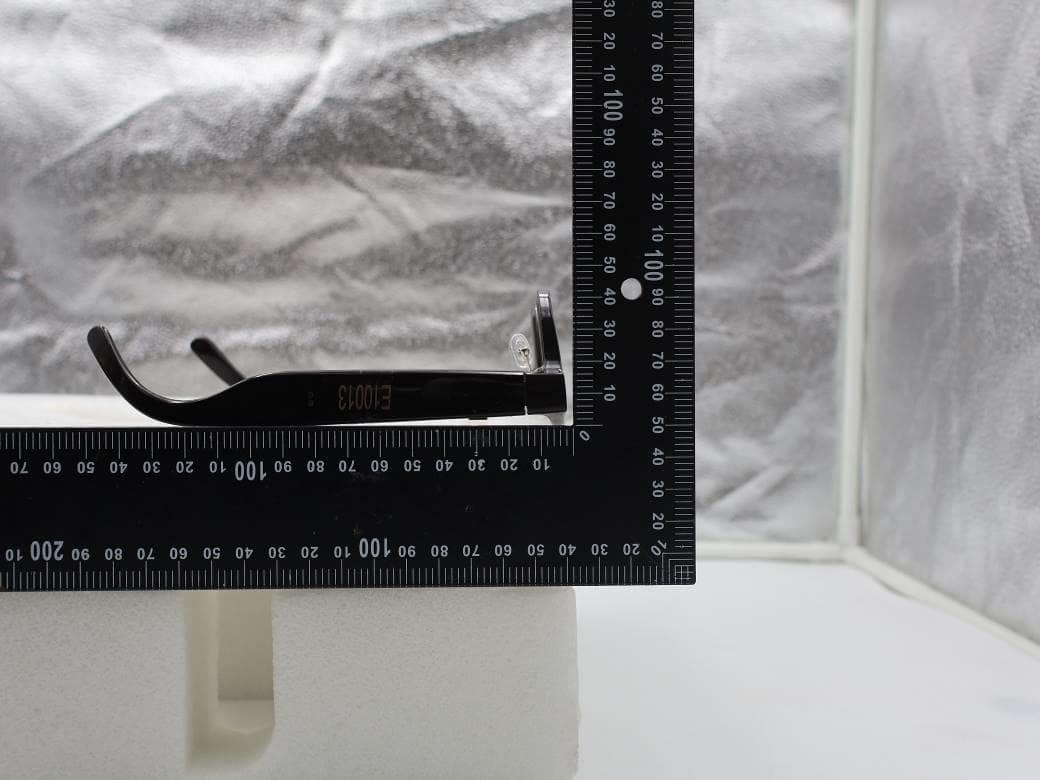
NM82QDJ100
Dec 31, 2025VIVE Headset
Equipment Class
DSS - Part 15 Spread Spectrum TransmitterNM82QD4100
Sep 01, 2024Headset
Equipment Class
6XD - 15E 6 GHz Low Power Indoor Client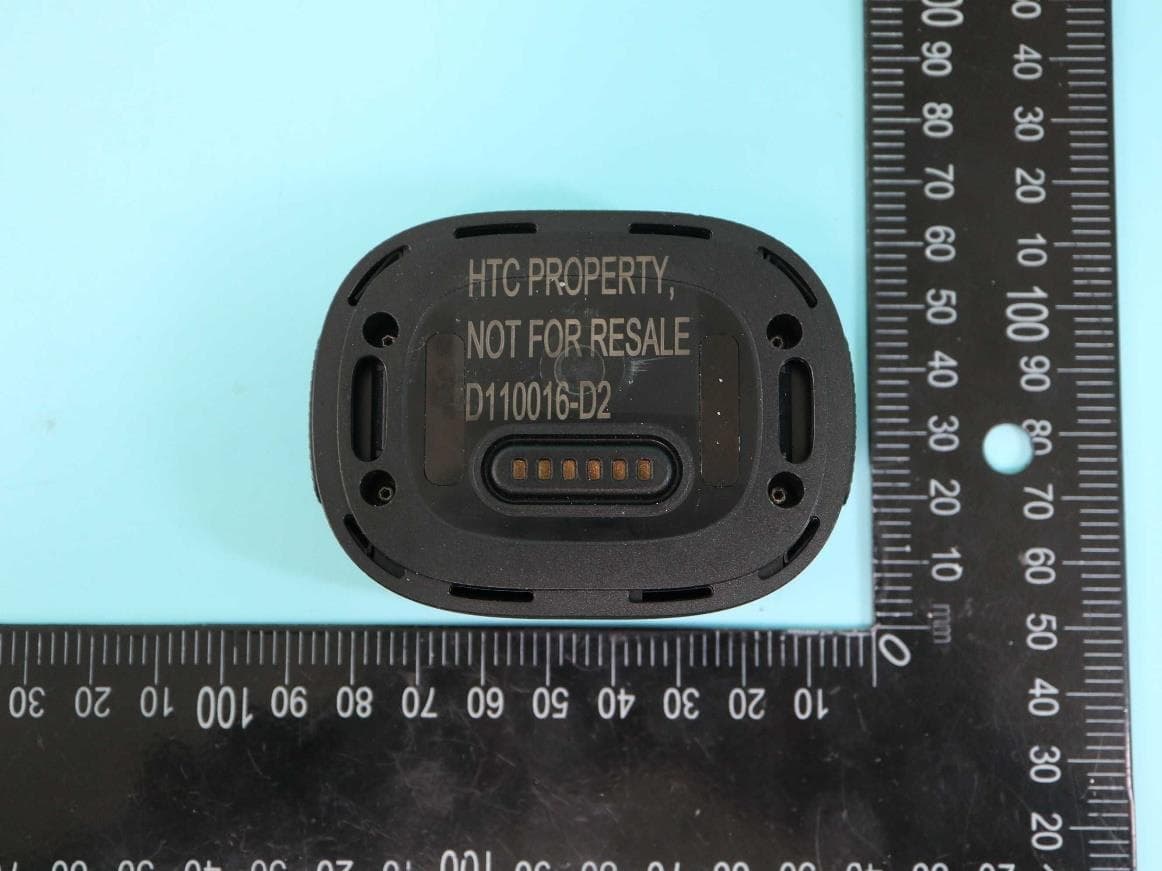
NM82QBP100
May 10, 2023Tracker
Equipment Class
DTS - Digital Transmission System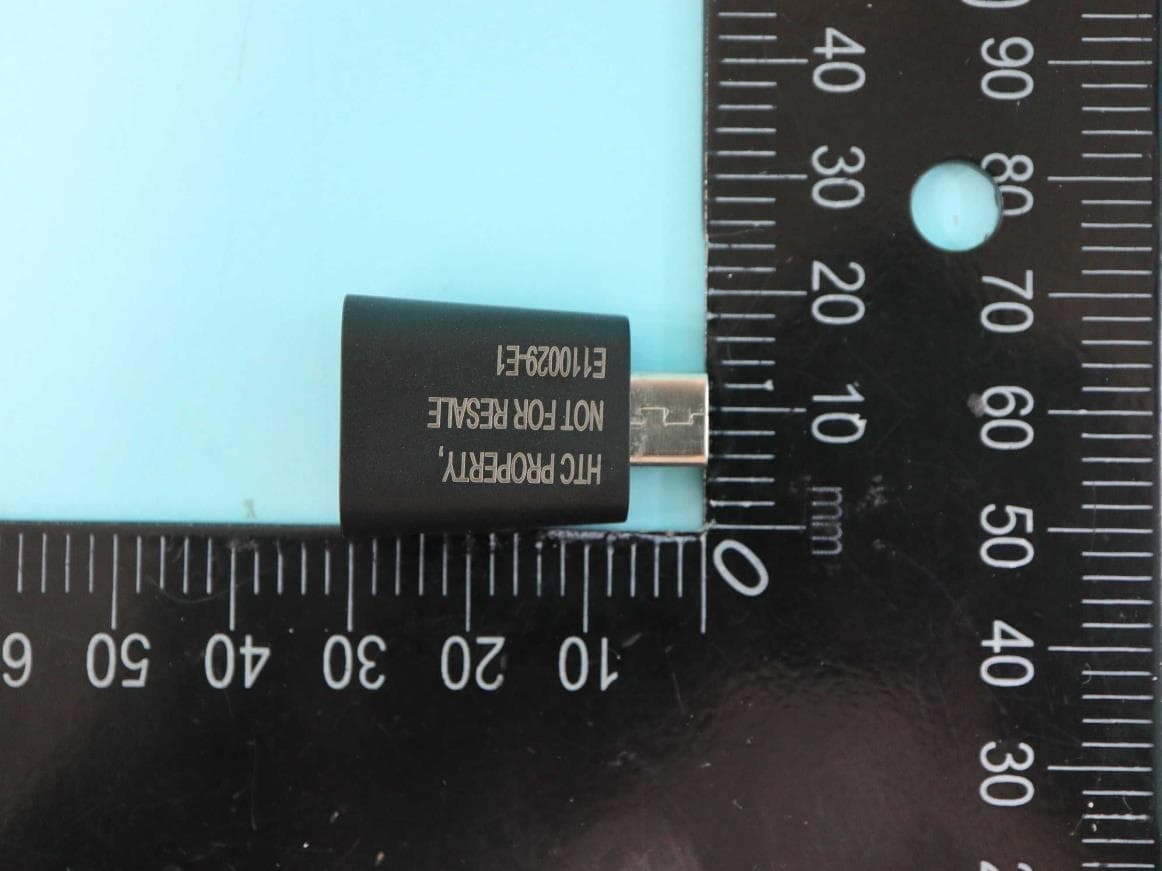
NM82QCD100
May 07, 2023Dongle
Equipment Class
DTS - Digital Transmission System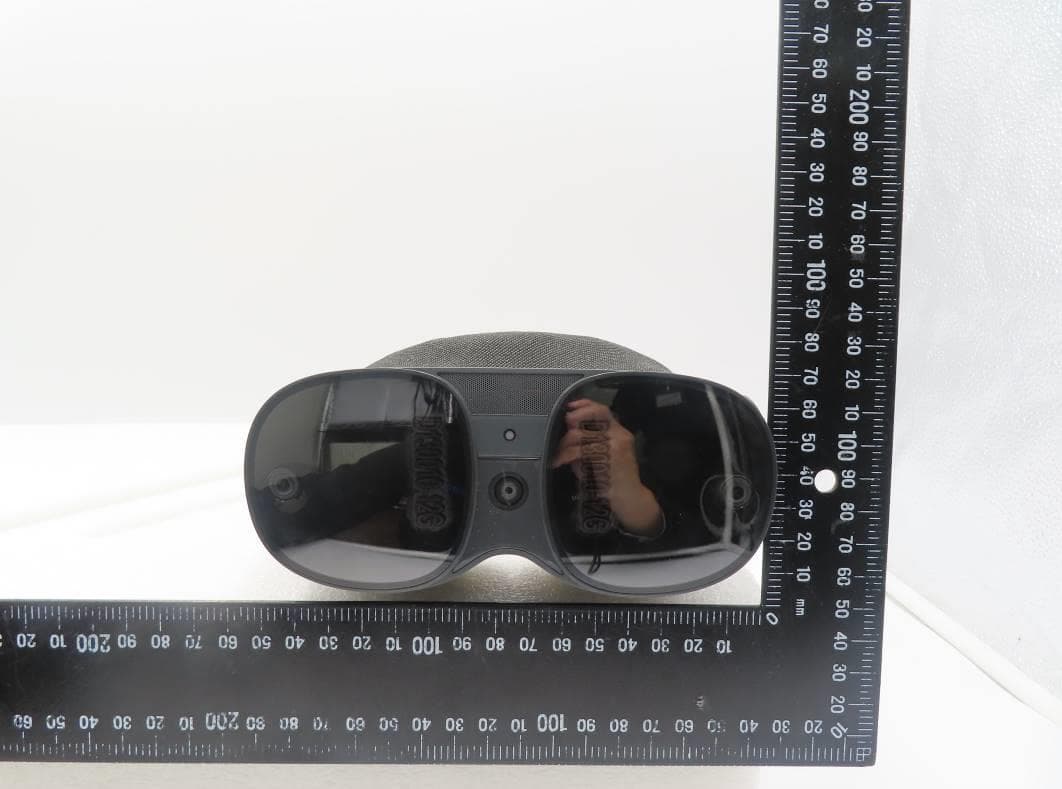
NM82QBB100
Jan 08, 2023Headset
Equipment Class
DTS - Digital Transmission System