NM8PH85110Smartphone
HTC Corporation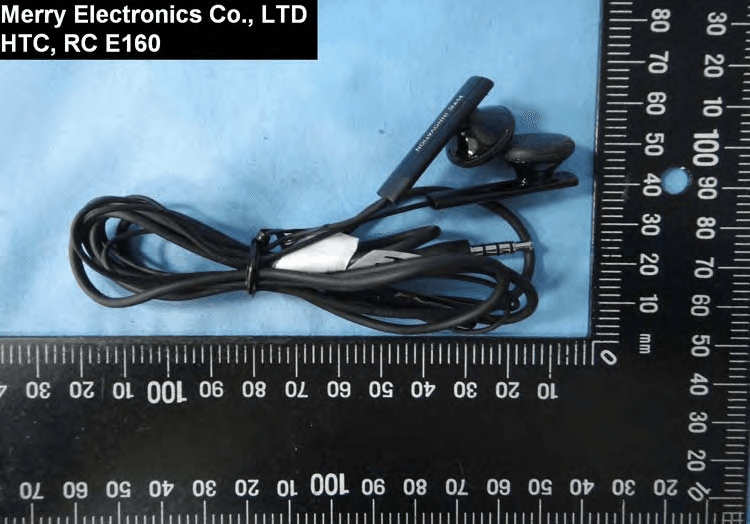
Click to zoom
Application Details
- Equipment Class
- DTS - Digital Transmission System
- Date of Grant
- Aug 14, 2011
- Application Purpose
- Original Equipment
- Date of Application
- Aug 14, 2011
- Equipment Note
- Smartphone
- Frequency Range
- 5745.00000000 - 5825.00000000
- Company
- HTC Corporation
- Country
- Taiwan
Documents & Files
Document Text
Text extracted from the exhibit documents filed with the FCC. Open a document above to read the original.
Users Manual
Your HTC PH85110 User guide 2011/07/25 for certification review only Conventions used in this guide In this user guide, we use the following symbols to indicate useful and important information: This is a note. A note often gives additional information, such as what happens when you choose to do or not to do a certain action. A note also provides information that may only be applicable to some situations. This is a tip. A tip gives you an alternative way to do a particular step or procedure, or lets you know of an option that you may find helpful. This indicates important information that you need in order to accomplish a certain task or to get a feature to work properly. This provides safety precaution information, that is, information that you need to be careful about to prevent potential problems. 7Conventions used in this guide 2011/07/25 for certification review only Getting started Inside the box You will find the following inside the box: §HTC PH85110 §Battery (preinstalled) §USB cable §3.5mm stereo headset §Power adapter §Quick start guide §Safety and regulatory guide HTC PH85110 Front panel 1.Home 2.Menu 3.Back 4.Search 5.Touch screen 6.Notification LED 7.Front camera Top panel 1.3.5mm headset jack 2.Power 8Getting started 2011/07/25 for certification review only Left and right panels 1.USB connector 2.Volume Up 3.Volume Down 4.Camcorder 5.Camera Back panel 1.Back cover 2.Dual LED flash 3.Speaker 4.8 megapixel camera Bottom panel 1.Release button for the back cover 2.Microphone 9Getting started 2011/07/25 for certification review only Back cover Removing the back cover Remove the back cover to access the battery compartment, SIM card slot, and storage card slot. Make sure to switch off HTC PH85110 before removing the back cover. 1.Securely hold HTC PH85110 facing up. 2.Press and hold the Release button at the bottom of the phone, and then slightly lift the front panel. This detaches the bottom part of the phone from the back cover. 3.Gently pull HTC PH85110 out of its back cover. 10Getting started 2011/07/25 for certification review only Replacing the back cover Your phone’s antennas are placed underneath the back cover. To get the best signal for calls, Internet connection, and GPS navigation, be sure to secure the back cover tightly to the phone. 1.Securely hold the back cover with the exposed side facing up. 2.Insert the top part of HTC PH85110 into the back cover. 3.Press HTC PH85110 down to lock the cover into place. You’ll hear a click when the back cover is locked in place. 11Getting started 2011/07/25 for certification review only SIM card The SIM card contains your phone number, service details, and memory for storing phonebook contacts and/or text messages. Inserting the SIM card 1.Take the back cover off. 2.Remove the battery. 3.With the SIM card’s gold contacts facing down and its cut-off corner facing out, insert the SIM card all the way into the SIM card slot. Removing the SIM card Make sure to switch off HTC PH85110 before removing your SIM card. 1.Take the back cover off. 2.Remove the battery. 3.With your thumb, slide the SIM card out from the SIM card slot. Storage card Inserting the storage card 1.Take the back cover off. 2.Insert the microSD ™ card into the storage card slot with its gold contacts facing down and push it until it clicks into place. 12Getting started 2011/07/25 for certification review only Removing the storage card If HTC PH85110 is on, you must first "unmount" the storage card before removing it to prevent corrupting or damaging the files in the storage card. 1.Take the back cover off. 2.Push the storage card in to eject it from its slot. 3.Slide the storage card out from its slot. Unmounting the storage card When you need to remove the storage card while HTC PH85110 is on, unmount the storage card first to prevent corrupting or damaging the files in the storage card. 1.From the Home screen, press , and then tap Settings. 2.Tap SD & phone storage > Unmount SD card. 13Getting started 2011/07/25 for certification review only Battery HTC PH85110 uses a rechargeable battery. How long the battery can last before it needs recharging depends on how you use HTC PH85110.The features and accessories you use can affect battery life. For example, leaving your Bluetooth ® connection always on uses more power. Long phone calls and frequent web browsing use up a lot of battery power. Also, consider your location: poor signal strength from your mobile network and extreme temperature make the battery work harder. Removing the battery thin film 1.Take the back cover off. 2.Pull the flap of the thin film out, and then remove it from the battery compartment. Removing the battery 1.Take the back cover off. 2.With your thumb or finger, lift the battery from the battery compartment. Inserting the battery Please use only original batteries that came in the box or replacements that we recommend. 1.Take the back cover off. 2.Insert the battery (with its exposed copper contacts first) into the battery compartment. 14Getting started 2011/07/25 for certification review only Charging the battery The battery is partially charged when shipped. Before you turn on and start using HTC PH85110, it is recommended that you charge the battery. §Only the power adapter and USB sync cable provided in the box must be used to charge the battery. §Do not remove the battery from HTC PH85110 while you are charging it using the power or car adapter. 1.Plug the power adapter into the USB connector. 2.Plug in the power adapter to an electrical outlet to start charging the battery. As the battery is being charged, the notification LED shows a solid orange light. The light turns to solid green when the battery is fully charged. When you charge the battery and HTC PH85110 is on, the charging battery icon is displayed in the status bar. After the battery has been fully charged, the charging battery icon turns to a full battery icon . As a safety precaution, the battery stops charging when it ove…
Text truncated - open the document above for the full version.
Users Manual
Safety and regulatory guide 2011/08/11 for certification review only 2 Safety and regulatory guide Please read before proceeding THE BATTERY IS NOT FULLY CHARGED WHEN YOU TAKE IT OUT OF THE BOX. DO NOT REMOVE THE BATTERY PACK WHEN THE PHONE IS CHARGING. YOUR WARRANTY IS INVALIDATED IF YOU DISASSEMBLE OR ATTEMPT TO DISASSEMBLE THE DEVICE. Privacy restrictions Some countries require full disclosure of recorded telephone conversations, and stipulate that you must inform the person with whom you are speaking that the conversation is being recorded. Always obey the relevant laws and regulations of your country when using the recording feature of your phone. Disclaimers ANY WEATHER, STOCK, OR OTHER INFORMATION, DATA, OR DOCUMENTATION (“ACCESSED INFORMATION”) ARE PROVIDED “AS IS” AND WITHOUT ANY WARRANTY OR ANY TECHNICAL SUPPORT. TO THE MAXIMUM EXTENT PERMITTED BY APPLICABLE LAW, HTC AND ITS AFFILIATES expressly disclaim any and all representations and warranties, arising by law or otherwise, related to the Accessed Information, including without limitation any express or implied representation or warranty of merchantability, fitness for a particular purpose, non-infringement, quality, accuracy, completeness, effectiveness, reliability, or usefulness. Without limiting the foregoing, it is further understood that HTC and its Affiliates are not responsible for any use of the Accessed Information or the results arising from such use, and that you use such information at your own risk. 2011/08/11 for certification review only Safety and regulatory guide 3 Limitation of damages TO THE MAXIMUM EXTENT PERMITTED BY APPLICABLE LAW, IN NO EVENT SHALL HTC OR ITS AFFILIATES BE LIABLE TO YOU, ANY USER, OR THIRD PARTY FOR ANY INDIRECT, SPECIAL, CONSEQUENTIAL, INCIDENTAL OR PUNITIVE DAMAGES OF ANY KIND, ARISING IN CONTRACT, TORT, OR OTHERWISE, INCLUDING, BUT NOT LIMITED TO, INJURY, LOSS OF REVENUE, LOSS OF GOODWILL, LOSS OF BUSINESS OPPORTUNITY, LOSS OF DATA, AND/OR LOSS OF PROFITS, REGARDLESS OF THE FORESEEABILITY THEREOF OR WHETHER HTC OR ITS AFFILIATES HAVE BEEN ADVISED OF THE POSSIBILITY OF SUCH DAMAGES. AND IN NO EVENT SHALL THE TOTAL LIABILITY OF HTC OR ITS AFFILIATES EXCEED THE AMOUNT RECEIVED FROM YOU, REGARDLESS OF THE LEGAL THEORY UNDER WHICH THE CAUSE OF ACTION IS BROUGHT. THE FOREGOING DOES NOT AFFECT ANY STATUTORY RIGHTS WHICH MAY NOT BE DISCLAIMED. Important health information and safety precautions When using this product, the safety precautions below must be taken to avoid possible legal liabilities and damages. Retain and follow all product safety and operating instructions. Observe all warnings in the operating instructions on the product. To reduce the risk of bodily injury, electric shock, fire, and damage to the equipment, observe the following precautions. Electrical safety This product is intended for use when supplied with power from the designated battery or power supply unit. Other usage may be dangerous and will invalidate any approval given to this product. Safety precautions for proper grounding installation CAUTION: Connecting to improperly grounded equipment can result in an electric shock to your device. This product is equipped with a USB Cable for connecting with desktop or notebook computer. Be sure your computer is properly grounded (earthed) before connecting this product to the computer. The power supply cord of a desktop or notebook computer has an equipment-grounding conductor and a grounding plug. The plug must be plugged into an appropriate 2011/08/11 for certification review only 4 Safety and regulatory guide outlet which is properly installed and grounded in accordance with all local codes and ordinances. Safety precautions for power supply unit Use the correct external power source A product should be operated only from the type of power source indicated on the electrical ratings label. If you are not sure of the type of power source required, consult your authorized service provider or local power company. For a product that operates from battery power or other sources, refer to the operating instructions that are included with the product. This product should be operated only with the following designated power supply unit(s). AC Adapter 1. HTC, Model TC U250 Handle battery packs carefully This product contains a Lithium-ion polymer or Lithium-ion battery. There is a risk of fire and burns if the battery pack is handled improperly. Do not attempt to open or service the battery pack. Do not disassemble, crush, puncture, short external contacts or circuits, dispose of in fire or water, or expose a battery pack to temperatures higher than 60 ̊C (140 ̊F). WARNING: Danger of explosion if battery is incorrectly replaced. To reduce risk of fire or burns, do not disassemble, crush, puncture, short external contacts, expose to temperature above 60° C (140° F), or dispose of in fire or water. Replace only with specified batteries. Recycle or dispose of used batteries according to the local regulations or reference guide supplied with your product. NOTE: This product should be operated only with the following designated Battery Pack(s). • HTC, Model BG86100 2011/08/11 for certification review only Safety and regulatory guide 5 Take extra precautions • Keep the battery or device dry and away from water or any liquid as it may cause a short circuit. • Keep metal objects away so they don’t come in contact with the battery or its connectors as it may lead to short circuit during operation. • The phone should only be connected to products that bear the USB-IF logo or have completed the USB-IF compliance program. • Do not use a battery that appears damaged, deformed, or discolored, or the one that has any rust on its casing, overheats, or emits a foul odor. • Always keep the battery out of the reach of babies and small children, to avoid swallowing of the battery. Consult the doctor immediately if the battery is swallowed. • Only use the battery with a charging system that has…
Text truncated - open the document above for the full version.
External Photos
1 of 10 External Photos Model Number: PH85110 FCC ID: NM8PH85110 Component Name Component Model No. #1 HT Energy HTC, BG86100 Battery #2 LG Electronics, Inc. HTC, BG86100 #1 DELTA ELECTRONICS INC HTC, TC X250 (X=U,E,B,C,A,K) AC Adapter #2 Phihong Technology Co.,Ltd. HTC, TC X250 (X=E,U) #1 Foxlink Technology Ltd HTC, DC T500 USB Cable #2 Chant Sincere Co.,LTD HTC, DC T500 #1 Cotron Corporation HTC, RC E160 Earphone & Microphone #2 Merry Electronics Co., LTD HTC, RC E160 #1 Front: Foxconn Electronics Inc. HTC, HOY-8M-AF Back: Lite-On Technology Corporation HTC, 11p1ba803 Camera #2 Front: Lite-On Technology Corporation HTC, 11P1BF212 Back: Foxconn Electronics Inc. HTC, 50-704AWHTT8 #1 AU Optronics Corp. HTC, H429AL01 V1 LCM #2 Sharp Corporation HTC, LQ043T1LX01 2 of 10 EUT Photo 1 ) EUT Photo 2 ) 3 of 10 EUT Photo 3 ) EUT Photo 4 ) 4 of 10 EUT Photo 5 ) EUT Photo 6 ) 5 of 10 EUT Photo 7 ) EUT Photo 8 ) 6 of 10 EUT Photo 9 ) EUT Photo 10 ) 7 of 10 EUT Photo 11 ) EUT Photo 12 ) 8 of 10 EUT Photo 13 ) EUT Photo 14 ) 9 of 10 EUT Photo 15 ) EUT Photo 16 ) 10 of 10 EUT Photo 17 ) EUT Photo 18 )
ID Label/Location Info
PH85110FCC ID:NM8PH851105VDC 1A Use only batteries and power supplies listed in user manual Made in Taiwan 50.30 Max with adhesive0.10 50.86 5.50 17.80 2.10 2.70 2.40 7.90 R2.50 R1.50 R1.00 Adhesive 50.86 50.30 Front 15 PH85110FCC ID:NM8PH851105VDC 1A Use only batteries and power supplies listed in user manual Made in Taiwan
ID Label/Location Info
Application: HTC Corporation Label Label format and location
Internal Photos
1 of 10 Internal Photos Model Number: PH85110 FCC ID: NM8PH85110 Component Name Component Model No. #1 HT Energy HTC, BG86100 Battery #2 LG Electronics, Inc. HTC, BG86100 #1 DELTA ELECTRONICS INC HTC, TC X250 (X=U,E,B,C,A,K) AC Adapter #2 Phihong Technology Co.,Ltd. HTC, TC X250 (X=E,U) #1 Foxlink Technology Ltd HTC, DC T500 USB Cable #2 Chant Sincere Co.,LTD HTC, DC T500 #1 Cotron Corporation HTC, RC E160 Earphone & Microphone #2 Merry Electronics Co., LTD HTC, RC E160 #1 Front: Foxconn Electronics Inc. HTC, HOY-8M-AF Back: Lite-On Technology Corporation HTC, 11p1ba803 Camera #2 Front: Lite-On Technology Corporation HTC, 11P1BF212 Back: Foxconn Electronics Inc. HTC, 50-704AWHTT8 #1 AU Optronics Corp. HTC, H429AL01 V1 LCM #2 Sharp Corporation HTC, LQ043T1LX01 2 of 10 EUT Photo 1 ) EUT Photo 2 ) 3 of 10 EUT Photo 3 ) EUT Photo 4 ) BT / Wi-Fi Antenna GSM / WCDMA Antenna 85mm 4 of 10 EUT Photo 5 ) EUT Photo 6 ) 5 of 10 EUT Photo 7 ) EUT Photo 8 ) 6 of 10 EUT Photo 9 ) EUT Photo 10 ) 7 of 10 EUT Photo 11 ) EUT Photo 12 ) 8 of 10 EUT Photo 13 ) EUT Photo 14 ) 9 of 10 EUT Photo 15 ) EUT Photo 16 ) 10 of 10 EUT Photo 17 ) EUT Photo 18 )
RF Exposure Info
A Test Lab Techno Corp. Changan Lab:No. 140 -1, Changan Street, Bade City, Taoyuan County, Taiwan R.O.C. Te l:886-3-271-0188 / Fax:886-3-271-0190 SAR EVALUATION REPORT Test Report No. : 1108FS11 Applicant : HTC Corporation Product Type : Smartphone Trade Name : HTC Model Number : PH85110 Dates of Test : Jul. 11 ~ Jul. 28, 2011 Date of Issued : Aug. 02, 2011 Test Environment : Ambient Temperature: 22 ± 2 ° C Relative Humidity:40 - 70 % Standard : ANSI/IEEE C95.1-1999 IEEE Std. 1528-2003 47 CFR Part §2.1093; FCC/OET Bulletin 65 Supplement C [July 2001] Max. SAR : 0.464 W/kg Head SAR 1.320 W/kg Body SAR Test Lab Location : Chang-an Lab 1. The test operations have to be performed with cautious behavior, the test results are as attached. 2. The test results are under chamber environment of A Test Lab Techno Corp. A Test Lab Techno Corp. does not assume responsibility for any conclusions and generalizations drawn from the test results with regard to other specimens or samples. 3. The measurement report has to be written approval of A Test Lab Techno Corp. It may only be reproduced or published in full. This report shall not be reproduced except in full, without the written approval of A Test Lab Techno Corp. The test results in the report only apply to the tested sample. Approved By : Tested By : (Sam Chuang ) (Alex Wu) ©2011 A Test Lab Techno Corp. Report Number: 1108FS11Page 1 of 258 Contents 1. Description of Equipment under Test (EUT) ....................................................................................... 3 2. Introduction ......................................................................................................................................... 5 2.1 SAR Definition........................................................................................................................... 5 3. SAR Measurement Setup ................................................................................................................... 6 3.1 DASY5 E-Field Probe System ..................................................................................................7 3.2 Data Acquisition Electronic (DAE) System.............................................................................. 10 3.3 Robot....................................................................................................................................... 10 3.4 Measurement Server............................................................................................................... 10 3.5 Device Holder...........................................................................................................................11 3.6 Phantom - SAM v4.0 ................................................................................................................11 3.7 Oval Flat Phantom - ELI 4.0.................................................................................................... 12 3.8 Data Storage and Evaluation .................................................................................................. 12 4. Tissue Simulating Liquids ................................................................................................................. 15 4.1 Ingredients .............................................................................................................................. 16 4.2 Recipes ................................................................................................................................... 16 4.3 Liquid Confirmation ................................................................................................................. 17 5. SAR Testing with RF Transmitters .................................................................................................... 21 5.1 SAR Testing with HSDPA Transmitters ................................................................................... 21 5.2 SAR Testing with 802.11 Transmitters .................................................................................... 24 5.2.1 General Device Setup ............................................................................................................. 24 5.2.2 Frequency Channel Configurations ........................................................................................ 24 5.3 Conducted Power.................................................................................................................... 26 5.4 Simultaneous Transmitting Evaluate....................................................................................... 36 6. System Performance Check ............................................................................................................. 41 6.1 Symmetric Dipoles for System Validation ............................................................................... 41 6.2 Validation................................................................................................................................. 42 7. Test Equipment List........................................................................................................................... 50 8. Measurement Uncertainty................................................................................................................. 51 9. Measurement Procedure .................................................................................................................. 53 9.1 Spatial Peak SAR Evaluation .................................................................................................. 53 9.2 Area & Zoom Scan Procedures .............................................................................................. 54 9.3 Volume Scan Procedures ....................................................................................................... 54 9.4 SAR Averaged Methods.......................................................................................................... 54 9.5 Power Drift Monit…
Text truncated - open the document above for the full version.
Test Report
FCC 47 CFR PART 15 SUBPART C Product Type : Smartphone Applicant : HTC Corporation Address : No. 23, Xinghua Rd., Taoyuan City, Taoyuan County 330, Taiwan Trade Name : HTC Model Number : PH85110 Test Specification : FCC 47 CFR PART 15 SUBPART C: Oct., 2010 ANSI C63.4-2009 Issue Date : Jul. 29, 2011 Issue by A Test Lab Techno Corp. No. 140-1, Changan Street, Bade City, Taoyuan County 334, Taiwan R.O.C. Te l:+86-3-2710188 / Fax:+86-3-2710190 T aiwan Accreditation Foundation accreditation number: 1330 Note: This report shall not be reproduced except in full, without the written approval of A Test Lab Techno Corp. This document may be altered or revised by A Test Lab Techno Corp. personnel only, and shall be noted in the revision section of the document. The client should not use it to claim product endorsement by TAF, or any government agencies. The test results in the report only apply to the tested sample. A Test Lab Techno Corp. Report Number: 1107FR22 1/80 Revision History Rev. Issue Date Revisions Revised By 00 Jul. 29, 2011 Initial Issue A Test Lab Techno Corp. Report Number: 1107FR22 2/80 Verification of Compliance Issued Date: 07/29/2011 Product Type : Smartphone Applicant : HTC Corporation Address : No. 23, Xinghua Rd., Taoyuan City, Taoyuan County 330, Taiwan Trade Name : HTC Model Number : PH85110 FCC ID : NM8PH85110 EUT Rated Voltage : DC 5.0V, 1.0A Test Voltage : 120 Vac / 60 Hz Applicable Standard : FCC 47 CFR PART 15 SUBPART C: Oct., 2010 ANSI C63.4-2009 Test Result : Complied Performing Lab. : A Test Lab Techno Corp. No. 140-1, Changan Street, Bade City, Taoyuan County 334, Taiwan R.O.C. Te l:+86-3-2710188 / Fax:+86-3-2710190 T aiwan Accreditation Foundation accreditation number: 1330 http://www.atl-lab.com.tw/e-index.htm The above equipment was tested by A Test Lab Techno Corp. The test data, data evaluation, test procedures, and equipment configurations shown in this report were made in accordance with the procedures given in ANSI C63.4: 2009 and the energy emitted by the sample tested as described in this report is in compliance with the requirements of FCC Rules Part 15.207, 15.209, 15.247 . The test results of this report relate only to the tested sample identified in this report. Approved By : Reviewed By : (Manager) (Miller Lee ) (Testing Engineer) (Gary Wu) A Test Lab Techno Corp. Report Number: 1107FR22 3/80 TABLE OF CONTENTS 1 General Information ....................................................................................................................... 6 2 EUT Description ............................................................................................................................. 7 3 Test Methodology........................................................................................................................... 8 3.1. Mode of Operation .................................................................................................................. 8 3.2. EUT Exercise Software........................................................................................................... 9 3.3. Configuration of Test System Details......................................................................................9 3.4. Test Site Environment........................................................................................................... 10 4 Conducted Emission Measurement ........................................................................................... 11 4.1. Limit ...................................................................................................................................... 11 4.2. Test Instruments ................................................................................................................... 11 4.3. Test Setup............................................................................................................................. 11 4.4. Test Procedure...................................................................................................................... 12 4.5. Test Result ............................................................................................................................ 13 5 Radiated Interference Measurement .......................................................................................... 17 5.1. Limit ...................................................................................................................................... 17 5.2. Test Instruments ................................................................................................................... 17 5.3. Setup .................................................................................................................................... 18 5.4. Test Procedure...................................................................................................................... 19 5.5. Test Result ............................................................................................................................ 21 6 Maximum Conducted Output Power Measurement .................................................................. 33 6.1. Limit ...................................................................................................................................... 33 6.2. Test Setup............................................................................................................................. 33 6.3. Test Instruments ................................................................................................................... 33 6.4. Test Procedure...................................................................................................................... 33 6.5. Test Result ............................................................................................................................ 34 7 6dB RF Bandwidth Measurement ...................................................................…
Text truncated - open the document above for the full version.
Test Setup Photos
Part 15C Test Setup Photographs Conducted Emissions Test Configuration: Front View Rear View A Test Lab Techno Corp. Report Number: 1107FR22 1/3 Radiated Emissions Test Configuration: Below 1GHz _ Front View Below 1GHz _ Rear View A Test Lab Techno Corp. Report Number: 1107FR22 2/3 Above 1GHz _ Front View Above 1GHz _ Rear View A Test Lab Techno Corp. Report Number: 1107FR22 3/3
Contact Information
Applicant
Sylvia Shen
Test Firm
Eurofins E&E Wireless Taiwan Co., LtdFly LU
Technical Specifications
| # | Rule Parts | Frequency Range | Power Output |
|---|---|---|---|
| 5 | 15C | 5.75 GHz - 5.83 GHz | 397.00 mW |
Other Applications from HTC Corporation
NM82QDJ100
Dec 31, 2025VIVE Headset
Equipment Class
DSS - Part 15 Spread Spectrum TransmitterNM82QD4100
Sep 01, 2024Headset
Equipment Class
6XD - 15E 6 GHz Low Power Indoor Client
NM82QBP100
May 10, 2023Tracker
Equipment Class
DTS - Digital Transmission System
NM82QCD100
May 07, 2023Dongle
Equipment Class
DTS - Digital Transmission System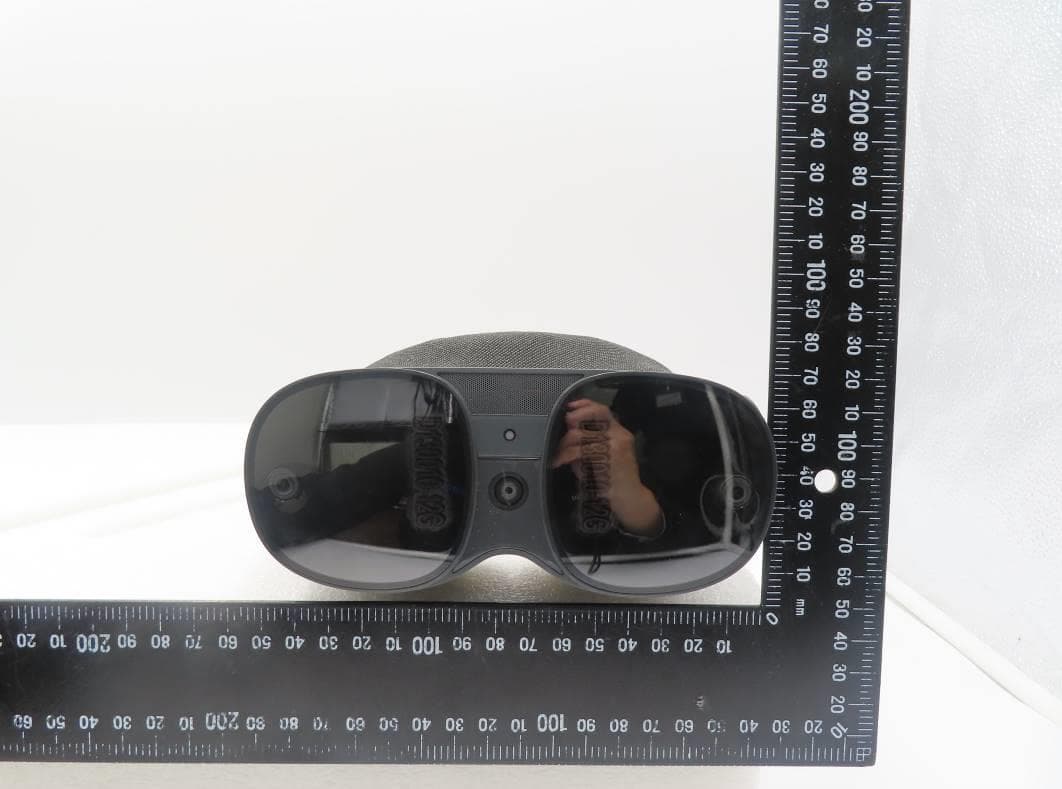
NM82QBB100
Jan 08, 2023Headset
Equipment Class
DTS - Digital Transmission System