NM8PJ40200SMART PHONE
HTC Corporation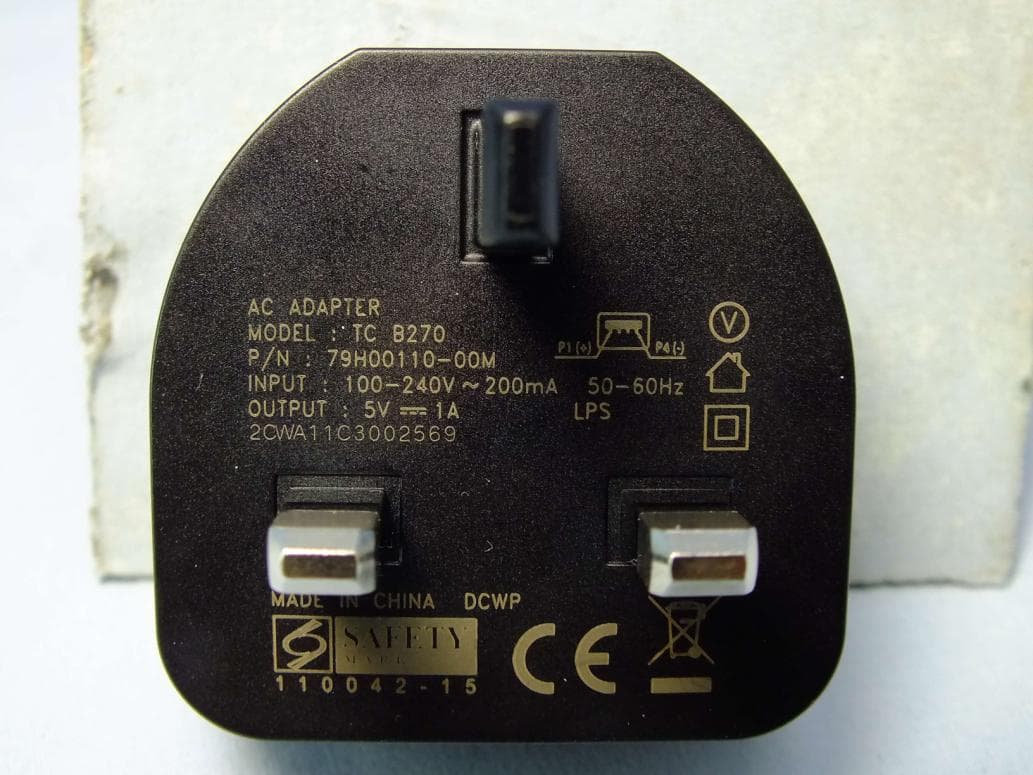
Click to zoom
Application Details
- Equipment Class
- PCE - PCS Licensed Transmitter held to ear
- Date of Grant
- May 29, 2012
- Application Purpose
- Original Equipment
- Date of Application
- May 21, 2012
- Equipment Note
- SMART PHONE
- Frequency Range
- 1850.20000000 - 1909.80000000
- Company
- HTC Corporation
- Country
- Taiwan
Documents & Files
Document Text
Text extracted from the exhibit documents filed with the FCC. Open a document above to read the original.
Users Manual
Safety and regulatory guide 2 Safety and regulatory guide Please read before proceeding THE BATTERY IS NOT FULLY CHARGED WHEN YOU TAKE THE DEVICE OUT OF THE BOX. YOUR WARRANTY IS INVALIDATED IF YOU DISASSEMBLE OR ATTEMPT TO DISASSEMBLE THE DEVICE. Privacy restrictions Some countries require full disclosure of recorded telephone conversations, and stipulate that you must inform the person with whom you are speaking that the conversation is being recorded. Always obey the relevant laws and regulations of your country when using the recording feature of your phone. Disclaimers ANY WEATHER, STOCK, OR OTHER INFORMATION, DATA, OR DOCUMENTATION (“ACCESSED INFORMATION”) ARE PROVIDED “AS IS” AND WITHOUT ANY WARRANTY OR ANY TECHNICAL SUPPORT. TO THE MAXIMUM EXTENT PERMITTED BY APPLICABLE LAW, HTC AND ITS AFFILIATES expressly disclaim any and all representations and warranties, arising by law or otherwise, related to the Accessed Information, including without limitation any express or implied representation or warranty of merchantability, fitness for a particular purpose, non-infringement, quality, accuracy, completeness, effectiveness, reliability, or usefulness. Without limiting the foregoing, it is further understood that HTC and its Affiliates are not responsible for any use of the Accessed Information or the results arising from such use, and that you use such information at your own risk. Safety and regulatory guide 3 Pictograms and graphic symbols Read this manual’s Safety Information and General Precautions. Do not use while re-fuelling Do not use hand-held while driving This device may produce a bright or flashing light For body-worn operation maintain a separation of 1.5 cm Do not dispose of in a fire Small parts may cause a choking hazard Avoid contact with magnetic media This device may produce a loud sound Avoid extreme temperatures Keep away from pacemakers and other personal medical devices Avoid contact with liquid, keep dry Switch off when instructed in hospitals and medical facilities Do not try and disassemble Switch off when instructed in aircraft and airports Do not rely on this device for emergency communications Switch off in explosive environments Only use approved accessories 4 Safety and regulatory guide Limitation of damages TO THE MAXIMUM EXTENT PERMITTED BY APPLICABLE LAW, IN NO EVENT SHALL HTC OR ITS AFFILIATES BE LIABLE TO YOU, ANY USER, OR THIRD PARTY FOR ANY INDIRECT, SPECIAL, CONSEQUENTIAL, INCIDENTAL OR PUNITIVE DAMAGES OF ANY KIND, ARISING IN CONTRACT, TORT, OR OTHERWISE, INCLUDING, BUT NOT LIMITED TO, INJURY, LOSS OF REVENUE, LOSS OF GOODWILL, LOSS OF BUSINESS OPPORTUNITY, LOSS OF DATA, AND/OR LOSS OF PROFITS, REGARDLESS OF THE FORESEEABILITY THEREOF OR WHETHER HTC OR ITS AFFILIATES HAVE BEEN ADVISED OF THE POSSIBILITY OF SUCH DAMAGES. AND IN NO EVENT SHALL THE TOTAL LIABILITY OF HTC OR ITS AFFILIATES EXCEED THE AMOUNT RECEIVED FROM YOU, REGARDLESS OF THE LEGAL THEORY UNDER WHICH THE CAUSE OF ACTION IS BROUGHT. THE FOREGOING DOES NOT AFFECT ANY STATUTORY RIGHTS WHICH MAY NOT BE DISCLAIMED. Important health information and safety precautions When using this product, the safety precautions below must be taken to avoid possible legal liabilities and damages. Retain and follow all product safety and operating instructions. Observe all warnings in the operating instructions on the product. To reduce the risk of bodily injury, electric shock, fire, and damage to the equipment, observe the following precautions. Electrical safety This product is intended for use when supplied with power from the designated battery or power supply unit. Other usage may be dangerous and will invalidate any approval given to this product. Safety precautions for proper grounding installation CAUTION: Connecting to improperly grounded equipment can result in an electric shock to your device. This product is equipped with a USB Cable for connecting with desktop or notebook computer. Be sure your computer is properly grounded (earthed) before connecting this product to the computer. The power supply cord of a desktop or notebook computer has an equipment-grounding conductor and a grounding plug. The plug must be plugged into an appropriate Safety and regulatory guide 5 outlet which is properly installed and grounded in accordance with all local codes and ordinances. Safety precautions for power supply unit Use the correct external power source A product should be operated only from the type of power source indicated on the electrical ratings label. If you are not sure of the type of power source required, consult your authorized service provider or local power company. For a product that operates from battery power or other sources, refer to the operating instructions that are included with the product. This product should be operated only with the following designated power supply unit(s). AC adapter: HTC, Model TC U250, TC B270, TC E250, TC A250, TC C250 Handle battery packs carefully This product contains a Lithium-ion polymer or Lithium-ion battery. There is a risk of fire and burns if the battery pack is handled improperly. Do not attempt to open or service the battery pack. Do not disassemble, crush, puncture, short external contacts or circuits, dispose of in fire or water, or expose a battery pack to temperatures higher than 60 ̊C (140 ̊F). WARNING: To reduce risk of fire or burns, do not disassemble, crush, puncture, short external contacts, expose to temperature above 60° C (140° F), or dispose of in fire or water. Recycle or dispose of used batteries according to the local regulations or reference guide supplied with your product. Take extra precautions Keep the device dry and away from water or any liquid as it may cause a short circuit. The phone should only be connected to products that bear the USB-IF logo or have completed the USB-IF compliance program. 6 Safety and regulatory guide If the battery leaks: Do not allow the leaking fluid to come in contact with ski…
Text truncated - open the document above for the full version.
Users Manual
Your HTC One S User guide HTC Confidential For Certification HTC Confidential For Certification HTC Confidential For Certification Contents Unboxing HTC One S8 SIM card9 Charging the battery10 Switching the power on or off10 Setting up HTC One S for the first time11 Want some quick guidance on using your phone?11 Your first week with your new phone Features you'll enjoy on HTC One S12 Home screen13 Finger gestures14 Sleep mode15 Getting contacts into HTC One S17 Making your first call17 Sending your first text message18 Getting photos, videos, and music on or off HTC One S18 Copying and sharing text19 Capturing the HTC One S screen20 Switching between recently opened apps20 Notifications20 Getting to know your settings22 Getting the battery to last longer22 Updating the HTC One S software22 Syncing your media and data with HTC Sync Manager23 Camera Camera basics24 Taking a photo25 Recording video25 Taking continuous camera shots26 Camera scenes26 Improving portrait shots26 Taking a group shot27 Taking a panoramic photo27 Using HDR27 Shooting in low light28 Recording videos in slow motion28 Improving video stability28 Changing camera and video settings29 2Contents HTC Confidential For Certification HTC Confidential For Certification HTC Confidential For Certification Personalizing Making HTC One S truly yours30 Personalizing HTC One S with scenes30 Changing your wallpaper31 Applying a new skin32 Personalizing your Home screen with widgets32 Adding apps and other shortcuts on your Home screen33 Rearranging or removing widgets and icons on your Home screen34 Personalizing the launch bar35 Grouping apps into a folder35 Rearranging the Home screen36 Personalizing with sound sets37 Rearranging application tabs38 Customizing the lock screen style39 Securing HTC One S with a personal touch39 Phone calls Making a call with Smart dial40 Using Speed dial40 Calling a phone number in a text message41 Calling a phone number in an email41 Calling a phone number in a Calendar event41 Making an emergency call41 Receiving calls41 What can I do during a call?43 Setting up a conference call45 Internet calls45 Call history46 Home dialing47 Call services47 Messages About the Messages app48 Sending a text message (SMS)48 Sending a multimedia message (MMS)48 Resuming a draft message50 Checking your messages50 Replying to a message51 Forwarding a message51 WAP push messages52 Managing message conversations52 Backing up your text messages53 Setting message options54 Search and Web browser Searching HTC One S and the Web55 Browsing the Web55 Private browsing57 Adding and managing your bookmarks57 Saving web content for later58 Viewing your browsing history58 3Contents HTC Confidential For Certification HTC Confidential For Certification HTC Confidential For Certification Downloading files and apps59 Setting browser options60 Photos, videos, and music Gallery61 Music68 Movie Editor72 Wireless Display73 Accounts and sync Adding your social networks, email accounts, and more74 Adding one or more Google Accounts74 Managing your online accounts75 People About the People app76 Your contacts list76 Setting up your profile77 Adding a new contact78 Importing or copying contacts78 Merging contact information79 Contact information and conversations80 Contact groups81 Adding People widgets82 Sending contact information83 Backing up your contacts83 Social Facebook for HTC Sense85 Twitter for HTC Sense85 About Friend Stream85 Updating your status in Friend Stream86 Enjoying Facebook in Friend Stream86 Tweeting in Friend Stream87 Chatting in Google Talk88 Using Google+88 Email Gmail89 Mail90 Calendar About Calendar97 Creating an event97 Viewing the Calendar97 Managing Calendar events98 Accepting or declining a meeting invitation99 Setting reminders for your events100 Dismissing or snoozing event reminders100 4Contents HTC Confidential For Certification HTC Confidential For Certification HTC Confidential For Certification Showing or hiding calendars100 Changing Calendar settings100 Online storage and services Dropbox101 SkyDrive105 HTC Watch107 HTC Car On the road with HTC Car111 Playing music in HTC Car111 Finding your way with HTC Car112 Staying connected to your contacts113 Changing HTC Car settings113 Travel and maps Location settings114 Locations114 Google Maps123 Essential apps Using the Clock127 Checking Weather129 Viewing a PDF130 Working on documents130 Taking notes132 Completing tasks135 Keeping track of your stocks138 Google Play and other apps Getting apps from Google Play139 Watching videos on YouTube140 Listening to FM Radio141 Recording voice clips141 Sharing games and apps142 Your phone and computer Where apps, data, and files are stored143 Connecting your phone to a computer143 Copying files to or from the phone storage144 HTC Sync Manager basics144 Playing music in HTC Sync Manager148 Viewing photos and videos in HTC Sync Manager149 Setting up HTC Sync Manager to recognize HTC One S150 Setting up HTC One S to sync with your computer150 Syncing HTC One S and your computer154 Ripping music from a CD with HTC Sync Manager154 Sharing your mobile data connection by USB tethering155 Connecting to the Internet through a computer155 5Contents HTC Confidential For Certification HTC Confidential For Certification HTC Confidential For Certification Internet connections Data connection156 Wi-Fi157 Connecting to a virtual private network (VPN)158 Using HTC One S as a wireless router159 Bluetooth Bluetooth basics161 Connecting a Bluetooth headset or car kit161 Disconnecting or unpairing from a Bluetooth device162 Sending information using Bluetooth163 Receiving information using Bluetooth164 Settings and security Turning Airplane mode on or off166 Changing display settings166 Changing sound settings167 Changing the display language168 More ways to extend battery life169 Backing up settings to Google169 Accessibility settings169 Protecting your SIM card with a PIN170 Protecting HTC One S with a screen lock170 Encrypting data o…
Text truncated - open the document above for the full version.
External Photos
Page 1 CONSTRUCTION PHOTOS OF EUT The EUT has following accessories. NO. PRODUCT BRAND MODEL DESCRIPTION 1 Power Adapter 1 PHIHONG TC X250 (X=U=B) TC B270 I/P: 100-240Vac, 200mA O/P: 5Vdc, 1A 2 Power Adapter 2 DELTA TC X250 (X=U=B) TC B270 I/P: 100-240Vac, 200mA O/P: 5Vdc, 1A 3 Battery 1 ATL BJ40100 Rating: 3.7Vdc, 1650mAh Type: Li-ion 4 Battery 2 WTE BJ40100 Rating: 3.7Vdc, 1650mAh Type: Li-ion 5 Earphone 1 MERRY HS S250 1.1m non-shielded cable without core 6 Earphone 2 COTRON HS S250 1.1m non-shielded cable without core 7 USB Cable 1 Foxlink DC M600 1m non-shielded cable without core 8 USB Cable 2 Foxconn DC M600 1m non-shielded cable without core 9 USB Cable 3 Coxoc DC M600 1m non-shielded cable without core 10 LCM Samsung AMS429QC14 The device has 2 configurations as below: Main sample: Battery 1 + Photo camera 1 + Video Camera 1 2 nd sample: Battery 2 + Photo camera 2 + Video Camera 2 11 Photo Camera 1 Liteon 11P1BEA805A 12 Photo Camera 2 Foxconn CMHT-8AS06D 13 Video Camera 1 LITEON 10P1BF008A 14 Video Camera 2 VISTA POINT 316-FCM-VFPF5C-HTC 02-02 Page 2 Main Sample Page 3 Second Sample Page 4 Page 5 Page 6 Page 7 Page 8 Page 9
ID Label/Location Info
Label Location FCC ID: NM8PJ40200 Note: The FCC ID label shown will be readily visible to the purchaser at the time of purchase. Label location is on back of cell phone
ID Label/Location Info
FCC ID: NM8PJ40200
Internal Photos
Page 10 Main Sample Page 11 Page 12 Page 13 Page 14 Page 15 Page 16 Page 17 Page 18 Page 19 Page 20 Page 21 Page 22 Page 23 Second Sample Page 24 Page 25 Page 26 Page 27 Page 28 Page 29 Page 30
RF Exposure Info
Test Laboratory: Bureau Veritas ADT SAR/HAC Testing Lab Date: 2012/04/16 System Check_H835_120416 DUT: Dipole 835 MHz; Type: D835V2; SN: 4d092 Communication System: CW; Frequency: 835 MHz;Duty Cycle: 1:1 Medium: H835_0416 Medium parameters used: f = 835 MHz; σ = 0.886 mho/m; ε r = 42; ρ = 1000 kg/m 3 Ambient Temperature:21.8 °C; Liquid Temperature:20.9 °C DASY4 Configuration: - Probe: EX3DV4 - SN3650; ConvF(8.87, 8.87, 8.87); Calibrated: 2011/10/26 - Sensor-Surface: 2mm (Mechanical Surface Detection) - Electronics: DAE4 Sn1277; Calibrated: 2011/07/29 - Phantom: SAM Phantom_Left; Type: SAM V4.0; Serial: TP 1652 - Measurement SW: DASY4, V4.7 Build 80; Postprocessing SW: SEMCAD, V1.8 Build 186 Pin=250mW/Area Scan (61x121x1): Measurement grid: dx=15mm, dy=15mm Maximum value of SAR (interpolated) = 2.99 mW/g Pin=250mW/Zoom Scan (5x5x7)/Cube 0: Measurement grid: dx=8mm, dy=8mm, dz=5mm Reference Value = 55.2 V/m; Power Drift = 0.026 dB Peak SAR (extrapolated) = 3.55 W/kg SAR(1 g) = 2.4 mW/g; SAR(10 g) = 1.58 mW/g Maximum value of SAR (measured) = 3.02 mW/g Test Laboratory: Bureau Veritas ADT SAR/HAC Testing Lab Date: 2012/04/25 System Check_H835_120425 DUT: Dipole 835 MHz; Type: D835V2; SN: 4d092 Communication System: CW; Frequency: 835 MHz;Duty Cycle: 1:1 Medium: H835_0425 Medium parameters used: f = 835 MHz; σ = 0.898 mho/m; ε r = 42.034; ρ = 1000 kg/m 3 Ambient Temperature:22.7 °C; Liquid Temperature:21.8 °C DASY5 Configuration: - Probe: EX3DV4 - SN3590; ConvF(10.14, 10.14, 10.14); Calibrated: 2012/02/23 - Sensor-Surface: 2mm (Mechanical Surface Detection) - Electronics: DAE4 Sn861; Calibrated: 2011/08/29 - Phantom: SAM Phantom_Front; Type: SAM V4.0; Serial: TP 1654 - Measurement SW: DASY52, Version 52.8 (1); SEMCAD X Version 14.6.5 (6469) Pin=250mW/Area Scan (61x61x1): Measurement grid: dx=15mm, dy=15mm Maximum value of SAR (interpolated) = 3.09 mW/g Pin=250mW/Zoom Scan (5x5x7)/Cube 0: Measurement grid: dx=8mm, dy=8mm, dz=5mm Reference Value = 55.975 V/m; Power Drift = 0.02 dB Peak SAR (extrapolated) = 3.644 mW/g SAR(1 g) = 2.42 mW/g; SAR(10 g) = 1.59 mW/g Maximum value of SAR (measured) = 3.08 mW/g Test Laboratory: Bureau Veritas ADT SAR/HAC Testing Lab Date: 2012/04/26 System Check_H835_120426 DUT: Dipole 835 MHz; Type: D835V2; SN: 4d092 Communication System: CW; Frequency: 835 MHz;Duty Cycle: 1:1 Medium: H835_0426 Medium parameters used: f = 835 MHz; σ = 0.895 mho/m; ε r = 41.855; ρ = 1000 kg/m 3 Ambient Temperature:21.5 °C; Liquid Temperature:20.6 °C DASY5 Configuration: - Probe: EX3DV4 - SN3590; ConvF(10.14, 10.14, 10.14); Calibrated: 2012/02/23; - Sensor-Surface: 2mm (Mechanical Surface Detection) - Electronics: DAE4 Sn861; Calibrated: 2011/08/29 - Phantom: SAM Phantom_Front; Type: SAM V4.0; Serial: TP 1654 - Measurement SW: DASY52, Version 52.8 (1); SEMCAD X Version 14.6.5 (6469) Pin=250mW/Area Scan (61x61x1): Measurement grid: dx=15mm, dy=15mm Maximum value of SAR (interpolated) = 3.01 mW/g Pin=250mW/Zoom Scan (5x5x7)/Cube 0: Measurement grid: dx=8mm, dy=8mm, dz=5mm Reference Value = 55.435 V/m; Power Drift = 0.01 dB Peak SAR (extrapolated) = 3.576 mW/g SAR(1 g) = 2.37 mW/g; SAR(10 g) = 1.56 mW/g Maximum value of SAR (measured) = 3.03 mW/g Test Laboratory: Bureau Veritas ADT SAR/HAC Testing Lab Date: 2012/04/25 System Check_B835_120425 DUT: Dipole 835 MHz; Type: D835V2; SN: 4d092 Communication System: CW; Frequency: 835 MHz;Duty Cycle: 1:1 Medium: B835_0425 Medium parameters used: f = 835 MHz; σ = 0.994 mho/m; ε r = 56.023; ρ = 1000 kg/m 3 Ambient Temperature:21.7 °C; Liquid Temperature:20.8°C DASY5 Configuration: - Probe: EX3DV4 - SN3590; ConvF(10.47, 10.47, 10.47); Calibrated: 2012/02/23; - Sensor-Surface: 2mm (Mechanical Surface Detection) - Electronics: DAE4 Sn861; Calibrated: 2011/08/29 - Phantom: SAM Phantom_Front; Type: SAM V4.0; Serial: TP 1654 - Measurement SW: DASY52, Version 52.8 (1); SEMCAD X Version 14.6.5 (6469) Pin=250mW/Area Scan (61x61x1): Measurement grid: dx=15mm, dy=15mm Maximum value of SAR (interpolated) = 3.09 mW/g Pin=250mW/Zoom Scan (5x5x7)/Cube 0: Measurement grid: dx=8mm, dy=8mm, dz=5mm Reference Value = 53.793 V/m; Power Drift = -0.02 dB Peak SAR (extrapolated) = 3.627 mW/g SAR(1 g) = 2.43 mW/g; SAR(10 g) = 1.61 mW/g Maximum value of SAR (measured) = 3.07 mW/g Test Laboratory: Bureau Veritas ADT SAR/HAC Testing Lab Date: 2012/04/27 System Check_B835_120427 DUT: Dipole 835 MHz; Type: D835V2; SN: 4d092 Communication System: CW; Frequency: 835 MHz;Duty Cycle: 1:1 Medium: B835_0427 Medium parameters used: f = 835 MHz; σ = 0.993 mho/m; ε r = 56.012; ρ = 1000 kg/m 3 Ambient Temperature:21.7 °C; Liquid Temperature:20.7 °C DASY5 Configuration: - Probe: EX3DV4 - SN3590; ConvF(10.47, 10.47, 10.47); Calibrated: 2012/02/23; - Sensor-Surface: 2mm (Mechanical Surface Detection) - Electronics: DAE4 Sn861; Calibrated: 2011/08/29 - Phantom: SAM Phantom_Left; Type: SAM; Serial: 1202 - Measurement SW: DASY52, Version 52.8 (1); SEMCAD X Version 14.6.5 (6469) Pin=250mW/Area Scan (61x61x1): Measurement grid: dx=15mm, dy=15mm Maximum value of SAR (interpolated) = 3.09 mW/g Pin=250mW/Zoom Scan (5x5x7)/Cube 0: Measurement grid: dx=8mm, dy=8mm, dz=5mm Reference Value = 53.793 V/m; Power Drift = -0.02 dB Peak SAR (extrapolated) = 3.627 mW/g SAR(1 g) = 2.43 mW/g; SAR(10 g) = 1.61 mW/g Maximum value of SAR (measured) = 3.07 mW/g Test Laboratory: Bureau Veritas ADT SAR/HAC Testing Lab Date: 2012/04/25 System Check_H1900_120425 DUT: Dipole 1900 MHz; Type: D1900V2; SN: 5d036 Communication System: CW; Frequency: 1900 MHz;Duty Cycle: 1:1 Medium: H1900_0425 Medium parameters used: f = 1900 MHz; σ = 1.413 mho/m; ε r = 41.33; ρ = 1000 kg/m 3 Ambient Temperature:22.4 °C; Liquid Temperature:21.6 °C DASY5 Configuration: - Probe: EX3DV4 - SN3590; ConvF(8.83, 8.83, 8.83); Calibrated: 2012/02/23 - Sensor-Surface: 2mm (Mechanical Surface Detection) - Electronics: DAE4 Sn861; Calibrated: 2011/08/29 - Phantom: SAM Phantom_Left; Type: SAM; Serial: 1202 - Measurement SW: DASY52, Version 52.8 (1); SEMCA…
Text truncated - open the document above for the full version.
RF Exposure Info
FCC SAR Test Report Report Format Version 4.1.0 Page No. : 1 of 29 Report No. : SA120409C36D Issued Date : May 10, 2012 Revision : R01 FCC SAR Test Report Report No. : SA120409C36D Applicant : HTC Corporation Address : 23, Xinghua Rd., Taoyuan 330, Taiwan, R.O.C. Product : Smartphone FCC ID : NM8PJ40200 Brand : HTC Model No. : PJ40200 Standards : FCC 47 CFR Part 2 (2.1093) / IEEE C95.1:1991 / IEEE 1528:2003 FCC OET Bulletin 65 Supplement C (Edition 01-01) KDB 248227 D01 v01r02 / KDB 648474 D01 v01r05 / KDB 941225 D01 v02 KDB 941225 D03 v01 / KDB 941225 D04 v01 / KDB 941225 D06 v01 Date of Testing : Apr. 16, 2012 ~ Apr. 28, 2012 CERTIFICATION: The above equipment have been tested by Bureau Veritas Consumer Products Services (H.K.) Ltd., Taoyuan Branch - Taiwan HwaYa Lab, and found compliance with the requirement of the above standards. The test record, data evaluation & Equipment Under Test (EUT) configurations represented herein are true and accurate accounts of the measurements of the sample’s SAR characteristics under the conditions specified in this report. This test report consists of 29 pages in total except Appendix. It may be duplicated completely for legal use with the approval of the applicant. It should not be reproduced except in full, without the written approval of our laboratory. The client should not use it to claim product certification, approval, or endorsement by TAF or any government agency. The test results in the report only apply to the tested sample. Prepared By : Ivonne Wu / Senior Specialist Approved By : Roy Wu / Manager FCC SAR Test Report Report Format Version 4.1.0 Page No. : 2 of 29 Report No. : SA120409C36D Issued Date : May 10, 2012 Revision : R01 Table of Contents Release Control Record ............................................................................................................................................................... 3 1. Summary of Maximum SAR Value ....................................................................................................................................... 4 2. Description of Equipment Under Test ................................................................................................................................. 5 3. SAR Measurement System ................................................................................................................................................... 6 3.1 Definition of Specific Absorption Rate (SAR) ................................................................................................................ 6 3.2 SPEAG DASY System ................................................................................................................................................. 6 3.2.1 Robot.................................................................................................................................................................. 7 3.2.2 Probes ................................................................................................................................................................ 8 3.2.3 Data Acquisition Electronics (DAE) .................................................................................................................... 8 3.2.4 Phantoms ........................................................................................................................................................... 9 3.2.5 Device Holder ................................................................................................................................................... 10 3.2.6 System Validation Dipoles ................................................................................................................................ 10 3.2.7 Tissue Simulating Liquids ................................................................................................................................. 11 3.3 SAR System Verification ............................................................................................................................................ 12 3.4 SAR Measurement Procedure ................................................................................................................................... 13 3.4.1 Area & Zoom Scan Procedure ......................................................................................................................... 13 3.4.2 Volume Scan Procedure................................................................................................................................... 13 3.4.3 Power Drift Monitoring ...................................................................................................................................... 13 3.4.4 Spatial Peak SAR Evaluation ........................................................................................................................... 14 3.4.5 SAR Averaged Methods ................................................................................................................................... 14 4. SAR Measurement Evaluation ............................................................................................................................................ 15 4.1 EUT Configuration and Setting ................................................................................................................................... 15 4.2 EUT Testing Position .................................................................................................................................................. 16 4.3 Tissue Verification ...................................................................................................................................................... 19 4.4 System Verification ..................................................................................................................................................... 19 4.5 Conducted Power Results .....…
Text truncated - open the document above for the full version.
Test Report
Report No.: RF120409C36D-2 1 Report Format Version 4.2.0 Reference No.: 120423C15 FCC TEST REPORT (PART 22) REPORT NO.: RF120409C36D-2 MODEL NO.: PJ40200 FCC ID: NM8PJ40200 RECEIVED: Apr. 23, 2012 TESTED: Apr. 26, 2012 ISSUED: May 16, 2012 APPLICANT: HTC Corporation ADDRESS: 23, Xinghua Rd., Taoyuan 330, Taiwan, R.O.C. ISSUED BY: Bureau Veritas Consumer Products Services (H.K.) Ltd., Taoyuan Branch LAB ADDRESS: No. 47, 14th Ling, Chia Pau Vil., Lin Kou Dist., New Taipei City, Taiwan ( R.O.C. ) TEST LOCATION: No. 19, Hwa Ya 2nd Rd, Wen Hwa Tsuen, Kwei Shan Hsiang, Taoyuan Hsien 333, Taiwan, R.O.C. This test report consists of 39 pages in total. It may be duplicated completely for legal use with the approval of the applicant. It should not be reproduced except in full, without the written approval of our laboratory. The client should not use it to claim product endorsement by TAF or any government agencies. The test results in the report only apply to the tested sample. Report No.: RF120409C36D-2 2 Report Format Version 4.2.0 Reference No.: 120423C15 TABLE OF CONTENTS RELEASE CONTROL RECORD .............................................................................................................. 3 1 CERTIFICATION ....................................................................................................................... 4 2 SUMMARY OF TEST RESULTS .............................................................................................. 5 2.1 MEASUREMENT UNCERTAINTY ............................................................................................ 5 2.2 TEST SITE AND INSTRUMENTS ............................................................................................. 6 3 GENERAL INFORMATION ....................................................................................................... 7 3.1 GENERAL DESCRIPTION OF EUT ......................................................................................... 7 3.2 CONFIGURATION OF SYSTEM UNDER TEST ...................................................................... 8 3.3 DESCRIPTION OF SUPPORT UNITS ..................................................................................... 9 3.4 TEST ITEM AND TEST CONFIGURATION ............................................................................ 10 3.5 EUT OPERATING CONDITIONS ........................................................................................... 11 3.6 GENERAL DESCRIPTION OF APPLIED STANDARDS ........................................................ 11 4 TEST TYPES AND RESULTS ................................................................................................ 12 4.1 OUTPUT POWER MEASUREMENT ...................................................................................... 12 4.1.1 LIMITS OF OUTPUT POWER MEASUREMENT ................................................................... 12 4.1.2 TEST PROCEDURES ............................................................................................................. 12 4.1.3 TEST SETUP .......................................................................................................................... 13 4.1.4 TEST RESULTS ...................................................................................................................... 14 4.2 FREQUENCY STABILITY MEASUREMENT .......................................................................... 17 4.2.1 LIMITS OF FREQUENCY STABILIITY MEASUREMENT ...................................................... 17 4.2.2 TEST PROCEDURE ............................................................................................................... 17 4.2.3 TEST SETUP .......................................................................................................................... 17 4.2.4 TEST RESULTS ...................................................................................................................... 18 4.3 OCCUPIED BANDWIDTH MEASUREMENT ......................................................................... 19 4.3.1 TEST PROCEDURES ............................................................................................................. 19 4.3.2 TEST SETUP .......................................................................................................................... 19 4.3.3 TEST RESULTS .......................................................................................…
Text truncated - open the document above for the full version.
Contact Information
Applicant
Sylvia Shen
Test Firm
Bureau Veritas CPS (H.K.) Ltd., Taoyuan BranchRichard Chen
Technical Specifications
| # | Rule Parts | Frequency Range | Power Output | Emission | Tolerance |
|---|---|---|---|---|---|
| 5 | 24E | 1.85 GHz - 1.91 GHz | 360.00 mW | 247KG7W | 0.01 ppm |
Other Applications from HTC Corporation
NM82QDJ100
Dec 31, 2025VIVE Headset
Equipment Class
DSS - Part 15 Spread Spectrum TransmitterNM82QD4100
Sep 01, 2024Headset
Equipment Class
6XD - 15E 6 GHz Low Power Indoor Client
NM82QBP100
May 10, 2023Tracker
Equipment Class
DTS - Digital Transmission System
NM82QCD100
May 07, 2023Dongle
Equipment Class
DTS - Digital Transmission System
NM82QBB100
Jan 08, 2023Headset
Equipment Class
DTS - Digital Transmission System