NM8PJ53100SMARTPHONE
HTC Corporation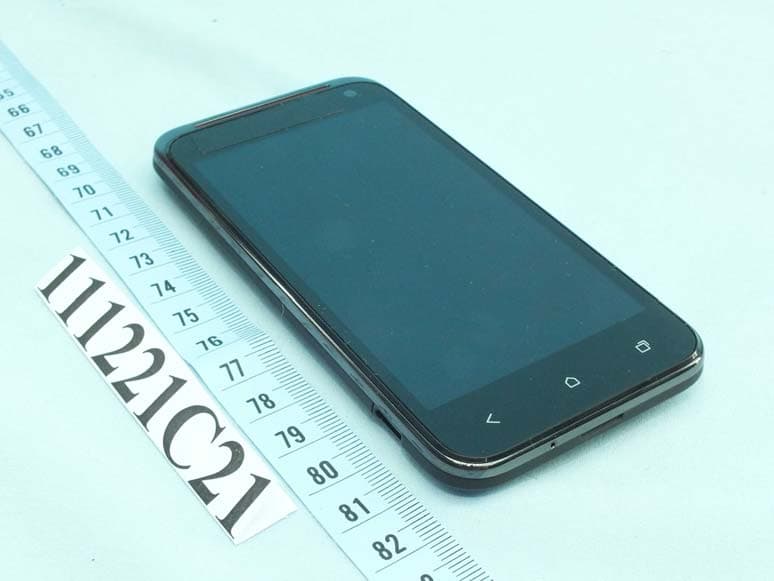
Click to zoom
Application Details
- Equipment Class
- NII - Unlicensed National Information Infrastructure TX
- Date of Grant
- Mar 07, 2012
- Application Purpose
- Original Equipment
- Date of Application
- Feb 14, 2012
- Equipment Note
- SMARTPHONE
- Frequency Range
- 5500.00000000 - 5700.00000000
- Company
- HTC Corporation
- Country
- Taiwan
Documents & Files
Document Text
Text extracted from the exhibit documents filed with the FCC. Open a document above to read the original.
Users Manual
Your HTC PJ53100 User guide Contents Unboxing HTC PJ531003 Back cover4 Micro SIM card5 Storage card6 Battery7 Getting the battery to last longer9 Switching the power on or off10 Setting up HTC PJ53100 for the first time10 2Contents Unboxing HTC PJ53100 1.BACK 2.HOME 3.RECENT APPS 4.VOLUME 5.Front camera 6.Proximity sensor 7.3.5mm headset jack 8.POWER 9.Notification LED 10.USB connector 3Unboxing Back cover Removing the back cover 1.Securely hold HTC PJ53100 facing down. 2.With your finger, pry open the back cover from the small opening at the bottom of the phone. Replacing the back cover Your phone’s antennas are placed underneath the back cover. To get the best signal for calls, data connection, and GPS navigation, be sure to secure the back cover tightly to the phone. 1.Align the back cover onto the top part of HTC PJ53100 . 2.Press the sides and the bottom part of the back cover down to lock the cover into place. You will hear a click when the back cover is locked in place. 4Unboxing Micro SIM card HTC PJ53100 uses a Micro SIM card. The Micro SIM card contains your phone number, service details, and memory for storing phonebook contacts and/or text messages. Inserting the SIM card 1.Take the back cover off. 2.Slide the SIM card tray out with your thumb or finger, and insert the SIM card into the tray. 3.Slide the SIM card tray into its slot. 5Unboxing Removing the SIM card Make sure to switch off HTC PJ53100 before removing your SIM card. 1.Take the back cover off. 2.Slide the SIM card tray out with your thumb or finger. 3.Take the SIM card from the SIM card tray. Storage card Use a storage card to store your photos, videos, and music. You’ll find the storage card already inserted in HTC PJ53100 . Inserting the storage card 1.Take the back cover off. 2.Insert the microSD ™ card into the storage card slot with its gold contacts facing up and push it until it clicks into place. Removing the storage card 1.Take the back cover off. 2.Push the storage card in to eject it from its slot. 3.Slide the storage card out from its slot. Unmounting the storage card When you need to remove the storage card while HTC PJ53100 is on, unmount the storage card first to prevent corrupting or damaging the files in the storage card. 1.Slide open the Notifications panel, and then tap Settings. 2.Tap Storage > Unmount SD card. 6Unboxing Battery HTC PJ53100 uses a rechargeable battery. How long the battery can last before it needs recharging depends on how you use HTC PJ53100 . The features and accessories you use can affect battery life. For example, leaving your Bluetooth ® connection always on uses more power. Long phone calls and frequent web browsing use up a lot of battery power. Also, consider your location: poor signal strength from your mobile network and extreme temperature make the battery work harder. Removing the battery Before using HTC PJ53100 for the first time, you need to remove the protective thin film from the battery. 1.Take the back cover off. 2.With your thumb or finger, lift the battery from the battery compartment. 7Unboxing Inserting the battery Please use only original batteries that came in the box or replacements that we recommend. 1.Take the back cover off. 2.Insert the battery (with its exposed copper contacts first) into the battery compartment. 8Unboxing Charging the battery Before you turn on and start using HTC PJ53100 , it is recommended that you charge the battery. §The battery is already installed in HTC PJ53100 when shipped. A thin film is inserted between the battery and the compartment. You need to remove this film before you can charge the battery. §Only the power adapter and USB cable provided in the box must be used to charge the battery. §Do not remove the battery from HTC PJ53100 while you are charging it using the power or car adapter. 1.Insert the small end of the USB cable into the USB connector. 2.Insert the other end of the USB cable into the power adapter. 3.Plug in the power adapter to an electrical outlet to start charging the battery. As a safety precaution, the battery stops charging if it overheats. Getting the battery to last longer You can get the battery to last longer by following a few simple tips: §Turn off the display when you're not using it §Lower the volume §Close battery-intensive programs, such as the Camera, when you're done using them §Make sure apps are closed and not continuously running in the background §Use the power adapter whenever possible You can get HTC PJ53100 to help you conserve power automatically in the Power settings. 9Unboxing Optimizing battery life You can set HTC PJ53100 to automatically switch to power saver mode when the battery level reaches a certain level. 1.Slide open the Notifications panel, and then tap Settings. 2.Tap Power. 3.Tap Save power automatically and choose how much battery power remains before switching to power saver mode. 4.Tap Power saver settings and choose which settings to adjust or turn off when power saver is on. If you want power saver mode to be on all the time, select the Save power check box. Switching the power on or off Switching the power on Press the POWER button. Easy. When you turn on HTC PJ53100 for the first time, you’ll need to set it up. Switching the power off 1.If the display is off, press the POWER button to turn it back on, then unlock the screen. 2.Press and hold the POWER button for a few seconds. 3.When the Power options menu appears, tap Power off. Setting up HTC PJ53100 for the first time When you switch on HTC PJ53100 for the first time, you’ll be asked to set it up. Just follow the onscreen instructions and you’ll be up and running in no time. Some features that need to connect to the Internet such as location-based services and auto-sync of your online accounts may incur extra data fees. Don’t worry. You can enable or disable them in settings later on. 10Unboxing
Users Manual
Safety and regulatory guide Please read before proceeding THE BATTERY IS NOT FULLY CHARGED WHEN YOU TAKE IT OUT OF THE BOX. DO NOT REMOVE THE BATTERY PACK WHEN THE PHONE IS CHARGING. YOUR WARRANTY IS INVALIDATED IF YOU DISASSEMBLE OR ATTEMPT TO DISASSEMBLE THE DEVICE. Privacy restrictions Some countries require full disclosure of recorded telephone conversations, and stipulate that you must inform the person with whom you are speaking that the conversation is being recorded. Always obey the relevant laws and regulations of your country when using the recording feature of your phone. Disclaimers ANY WEATHER, STOCK, OR OTHER INFORMATION, DATA, OR DOCUMENTATION (“ACCESSED INFORMATION”) ARE PROVIDED “AS IS” AND WITHOUT ANY WARRANTY OR ANY TECHNICAL SUPPORT. TO THE MAXIMUM EXTENT PERMITTED BY APPLICABLE LAW, HTC AND ITS AFFILIATES expressly disclaim any and all representations and warranties, arising by law or otherwise, related to the Accessed Information, including without limitation any express or implied representation or warranty of merchantability, fitness for a particular purpose, non-infringement, quality, accuracy, completeness, effectiveness, reliability, or usefulness. Without limiting the foregoing, it is further understood that HTC and its Affiliates are not responsible for any use of the Accessed Information or the results arising from such use, and that you use such information at your own risk. Limitation of damages TO THE MAXIMUM EXTENT PERMITTED BY APPLICABLE LAW, IN NO EVENT SHALL HTC OR ITS AFFILIATES BE LIABLE TO YOU, ANY USER, OR THIRD PARTY FOR ANY INDIRECT, SPECIAL, CONSEQUENTIAL, INCIDENTAL OR PUNITIVE DAMAGES OF ANY KIND, ARISING IN CONTRACT, TORT, OR OTHERWISE, INCLUDING, BUT NOT LIMITED TO, INJURY, LOSS OF REVENUE, LOSS OF GOODWILL, LOSS OF BUSINESS OPPORTUNITY, LOSS OF DATA, AND/OR LOSS OF PROFITS, REGARDLESS OF THE FORESEEABILITY THEREOF OR WHETHER HTC OR ITS AFFILIATES HAVE BEEN ADVISED OF THE POSSIBILITY OF SUCH DAMAGES. AND IN NO EVENT SHALL THE TOTAL LIABILITY OF HTC OR ITS AFFILIATES EXCEED THE AMOUNT RECEIVED FROM YOU, REGARDLESS OF THE LEGAL THEORY UNDER WHICH THE CAUSE OF ACTION IS BROUGHT. THE FOREGOING DOES NOT AFFECT ANY STATUTORY RIGHTS WHICH MAY NOT BE DISCLAIMED. Important health information and safety precautions When using this product, the safety precautions below must be taken to avoid possible legal liabilities and damages. Retain and follow all product safety and operating instructions. Observe all warnings in the operating instructions on the product. To reduce the risk of bodily injury, electric shock, fire, and damage to the equipment, observe the following precautions. Electrical safety This product is intended for use when supplied with power from the designated battery or power supply unit. Other usage may be dangerous and will invalidate any approval given to this product. Safety precautions for proper grounding installation CAUTION: Connecting to improperly grounded equipment can result in an electric shock to your device. This product is equipped with a USB Cable for connecting with desktop or notebook computer. Be sure your computer is properly grounded (earthed) before connecting this product to the computer. The power supply cord of a desktop or notebook computer has an equipment-grounding conductor and a grounding plug. The plug must be plugged into an appropriate outlet which is properly installed and grounded in accordance with all local codes and ordinances. Safety precautions for power supply unit Use the correct external power source A product should be operated only from the type of power source indicated on the electrical ratings label. If you are not sure of the type of power source required, consult your authorized service provider or local power company. For a product that operates from battery power or other sources, refer to the operating instructions that are included with the product. This product should be operated only with the following designated power supply unit(s). AC adapter: HTC, Model TC P450-US Handle battery packs carefully This product contains a Lithium-ion polymer or Lithium-ion battery. There is a risk of fire and burns if the battery pack is handled improperly. Do not attempt to open or service the battery pack. Do not disassemble, crush, puncture, short external contacts or circuits, dispose of in fire or water, or expose a battery pack to temperatures higher than 60 ̊C (140 ̊F). WARNING: Danger of explosion if battery is incorrectly replaced. To reduce risk of fire or burns, do not disassemble, crush, puncture, short external contacts, expose to temperature above 60° C (140° F), or dispose of in fire or water. Replace only with specified batteries. Recycle or dispose of used batteries according to the local regulations or reference guide supplied with your product. NOTE: This product should be operated only with the following designated Battery Pack(s). HTC, Model BJ53100, BTR6410B Take extra precautions Keep the battery or device dry and away from water or any liquid as it may cause a short circuit. Keep metal objects away so they don’t come in contact with the battery or its connectors as it may lead to short circuit during operation. The phone should only be connected to products that bear the USB-IF logo or have completed the USB-IF compliance program. Do not use a battery that appears damaged, deformed, or discolored, or the one that has any rust on its casing, overheats, or emits a foul odor. Always keep the battery out of the reach of babies and small children, to avoid swallowing of the battery. Consult the doctor immediately if the battery is swallowed. Only use the battery with a charging system that has been qualified with the system per this standard, IEEE-Std-1725-2006. Use of an unqualified battery or charger may present a risk of fire, explosion, leakage or other hazard. Replace the battery only with another battery that has been qualified with the system per th…
Text truncated - open the document above for the full version.
External Photos
Page 1 CONSTRUCTION PHOTOS OF EUT The EUT has following accessories. NO. PRODUCT BRANDMODEL DESCRIPTION 1 Power Adapter HTC TC P450-US I/P: 100-240Vac, 150mA O/P: 5Vdc, 1A 2 Battery 1 (Standard) HTC BJ53100 Rating: 3.8Vdc, 1700mAh 3 Battery 1 (Standard) HTC BTR6410B Rating: 3.8Vdc, 1700mAh 4 Battery 2 (Extended) HTC BJ53200 Rating: 3.7Vdc, 2150mAh 5 Battery 2 (Extended) HTC BTE6410B Rating: 3.7Vdc, 2150mAh 6 USB cable HTC DC M430 1.8m shielded cable w/o core 7 LCD Panel Sony GCX162AKM-7 8 Photo Camera Liteon 11P1BA821A (with Samsung 3H2 sensor) 9 Video Camera Liteon 10P1BF008E - Page 2 Page 3 Page 4 Page 5
Internal Photos
Page 6 Page 7 Page 8 Page 9 Page 10 Page 11 Page 12 Page 13 Page 14 Page 15 Page 16 Page 17 Page 18 Page 19 Page 20
RF Exposure Info
FCC SAR Test Report Report Format Version 4.1.0 Issued Date : Jan. 19, 2012 Report No. : SA111221C21 Revision : R01 Appendix B. SAR Plots of SAR Measurement The plots for SAR measurement are shown as follows. Test Laboratory: Bureau Veritas ADT SAR/HAC Testing Lab Date: 2012/01/07 P01 CDMA2000 BC0_RC3+SO55_Right Cheek_Ch777_Battery1_Cover1 DUT: 111221C21 Communication System: CDMA2000; Frequency: 848.31 MHz;Duty Cycle: 1:1 Medium: H835_0107 Medium parameters used : f = 848.31 MHz; σ = 0.936 mho/m; ε r = 42.863; ρ = 1000 kg/m 3 Ambient Temperature:22.4 °C; Liquid Temperature:21.3 °C DASY5 Configuration: - Probe: EX3DV4 - SN3800; ConvF(8.7, 8.7, 8.7); Calibrated: 2011/08/05 - Sensor-Surface: 2mm (Mechanical Surface Detection) - Electronics: DAE4 Sn1277; Calibrated: 2011/07/29 - Phantom: SAM with CRP v5.0 Front; Type: QD000P40CD; Serial: TP:1653 - Measurement SW: DASY52, Version 52.8 (0); SEMCAD X Version 14.6.4 (4989) Ch777/Area Scan (41x81x1): Measurement grid: dx=20mm, dy=20mm Maximum value of SAR (interpolated) = 0.564 mW/g Ch777/Zoom Scan (5x5x7)/Cube 0: Measurement grid: dx=8mm, dy=8mm, dz=5mm Reference Value = 4.871 V/m; Power Drift = -0.072 dB Peak SAR (extrapolated) = 0.6090 SAR(1 g) = 0.485 mW/g; SAR(10 g) = 0.364 mW/g Maximum value of SAR (measured) = 0.556 mW/g Test Laboratory: Bureau Veritas ADT SAR/HAC Testing Lab Date: 2012/01/07 P02 CDMA2000 BC0_RC3+SO55_Right Tilted_Ch777_Battery1_Cover1 DUT: 111221C21 Communication System: CDMA2000; Frequency: 848.31 MHz;Duty Cycle: 1:1 Medium: H835_0107 Medium parameters used : f = 848.31 MHz; σ = 0.936 mho/m; ε r = 42.863; ρ = 1000 kg/m 3 Ambient Temperature:22.4 °C; Liquid Temperature:21.3 °C DASY5 Configuration: - Probe: EX3DV4 - SN3800; ConvF(8.7, 8.7, 8.7); Calibrated: 2011/08/05 - Sensor-Surface: 2mm (Mechanical Surface Detection) - Electronics: DAE4 Sn1277; Calibrated: 2011/07/29 - Phantom: SAM with CRP v5.0 Front; Type: QD000P40CD; Serial: TP:1653 - Measurement SW: DASY52, Version 52.8 (0); SEMCAD X Version 14.6.4 (4989) Ch777/Area Scan (41x81x1): Measurement grid: dx=20mm, dy=20mm Maximum value of SAR (interpolated) = 0.349 mW/g Ch777/Zoom Scan (5x5x7)/Cube 0: Measurement grid: dx=8mm, dy=8mm, dz=5mm Reference Value = 9.305 V/m; Power Drift = -0.14 dB Peak SAR (extrapolated) = 0.3440 SAR(1 g) = 0.285 mW/g; SAR(10 g) = 0.220 mW/g Maximum value of SAR (measured) = 0.319 mW/g Test Laboratory: Bureau Veritas ADT SAR/HAC Testing Lab Date: 2012/01/07 P03 CDMA2000 BC0_RC3+SO55_Left Cheek_Ch777_Battery1_Cover1 DUT: 111221C21 Communication System: CDMA2000; Frequency: 848.31 MHz;Duty Cycle: 1:1 Medium: H835_0107 Medium parameters used: f = 848.31 MHz; σ = 0.936 mho/m; ε r = 42.863; ρ = 1000 kg/m 3 Ambient Temperature:22.4 °C; Liquid Temperature:21.3 °C DASY5 Configuration: - Probe: EX3DV4 - SN3800; ConvF(8.7, 8.7, 8.7); Calibrated: 2011/08/05 - Sensor-Surface: 2mm (Mechanical Surface Detection) - Electronics: DAE4 Sn1277; Calibrated: 2011/07/29 - Phantom: SAM with CRP v5.0 Front; Type: QD000P40CD; Serial: TP:1653 - Measurement SW: DASY52, Version 52.8 (0); SEMCAD X Version 14.6.4 (4989) Ch777/Area Scan (41x81x1): Measurement grid: dx=20mm, dy=20mm Maximum value of SAR (interpolated) = 0.638 mW/g Ch777/Zoom Scan (5x5x7)/Cube 0: Measurement grid: dx=8mm, dy=8mm, dz=5mm Reference Value = 4.550 V/m; Power Drift = -0.16 dB Peak SAR (extrapolated) = 0.6920 SAR(1 g) = 0.545 mW/g; SAR(10 g) = 0.408 mW/g Maximum value of SAR (measured) = 0.631 mW/g Test Laboratory: Bureau Veritas ADT SAR/HAC Testing Lab Date: 2012/01/07 P04 CDMA2000 BC0_RC3+SO55_Left Tilted_Ch777_Battery1_Cover1 DUT: 111221C21 Communication System: CDMA2000; Frequency: 848.31 MHz;Duty Cycle: 1:1 Medium: H835_0107 Medium parameters used: f = 848.31 MHz; σ = 0.936 mho/m; ε r = 42.863; ρ = 1000 kg/m 3 Ambient Temperature:22.4 °C; Liquid Temperature:21.3 °C DASY5 Configuration: - Probe: EX3DV4 - SN3800; ConvF(8.7, 8.7, 8.7); Calibrated: 2011/08/05 - Sensor-Surface: 2mm (Mechanical Surface Detection) - Electronics: DAE4 Sn1277; Calibrated: 2011/07/29 - Phantom: SAM with CRP v5.0 Front; Type: QD000P40CD; Serial: TP:1653 - Measurement SW: DASY52, Version 52.8 (0); SEMCAD X Version 14.6.4 (4989) Ch777/Area Scan (41x81x1): Measurement grid: dx=20mm, dy=20mm Maximum value of SAR (interpolated) = 0.303 mW/g Ch777/Zoom Scan (5x5x7)/Cube 0: Measurement grid: dx=8mm, dy=8mm, dz=5mm Reference Value = 7.572 V/m; Power Drift = -0.14 dB Peak SAR (extrapolated) = 0.3130 SAR(1 g) = 0.255 mW/g; SAR(10 g) = 0.097 mW/g Maximum value of SAR (measured) = 0.289 mW/g Test Laboratory: Bureau Veritas ADT SAR/HAC Testing Lab Date: 2012/01/15 P05 CDMA2000 BC0_RC3+SO55_Left Cheek_Ch777_Battery2_Cover2 DUT: 111221C21 Communication System: CDMA2000; Frequency: 848.31 MHz;Duty Cycle: 1:1 Medium: H835_0115 Medium parameters used: f = 848.31 MHz; σ = 0.897 mho/m; ε r = 41.831; ρ = 1000 kg/m 3 Ambient Temperature:21.8 °C; Liquid Temperature:20.7 °C DASY5 Configuration: - Probe: EX3DV4 - SN3650; ConvF(8.87, 8.87, 8.87); Calibrated: 2011/10/26 - Sensor-Surface: 2mm (Mechanical Surface Detection) - Electronics: DAE3 Sn579; Calibrated: 2011/09/23 - Phantom: SAM Phantom_Front; Type: SAM; Serial: TP-1485 - Measurement SW: DASY52, Version 52.8 (0); SEMCAD X Version 14.6.4 (4989) Ch777/Area Scan (41x81x1): Measurement grid: dx=20mm, dy=20mm Maximum value of SAR (interpolated) = 0.616 mW/g Ch777/Zoom Scan (5x5x7)/Cube 0: Measurement grid: dx=8mm, dy=8mm, dz=5mm Reference Value = 5.137 V/m; Power Drift = -0.15 dB Peak SAR (extrapolated) = 0.6260 SAR(1 g) = 0.505 mW/g; SAR(10 g) = 0.379 mW/g Maximum value of SAR (measured) = 0.568 mW/g Test Laboratory: Bureau Veritas ADT SAR/HAC Testing Lab Date: 2012/01/07 P06 CDMA2000 BC1_RC3+SO55_Right Cheek_Ch600_Battery1_Cover1 DUT: 111221C21 Communication System: CDMA2000; Frequency: 1880 MHz;Duty Cycle: 1:1 Medium: H1900_0107 Medium parameters used: f = 1880 MHz; σ = 1.371 mho/m; ε r = 40.651; ρ = 1000 kg/m 3 Ambient Temperature:22.4 °C; Liquid Temperature:21.3 °C DASY5 Configuration: - P…
Text truncated - open the document above for the full version.
RF Exposure Info
FCC SAR Test Report Report Format Version 4.1.0 Issued Date : Jan. 19, 2012 Report No. : SA111221C21 Revision : R01 Appendix C. Calibration Certificate for Probe and Dipole The SPEAG calibration certificates are shown as follows.
RF Exposure Info
FCC SAR Test Report Report Format Version 4.1.0 Page No. : 1 of 43 Report No. : SA111221C21 Issued Date : Jan. 19, 2012 Revision : R01 FCC SAR Test Report Report No. : SA111221C21 Applicant : HTC Corporation Address : 23, XINGHUA RD., TAOYUAN 330, TAIWAN, R.O.C. Product : Smartphone FCC ID : NM8PJ53100 Brand : HTC Model No. : PJ53100 Standards : FCC 47 CFR Part 2 (2.1093) / IEEE C95.1:1991 / IEEE 1528:2003 FCC OET Bulletin 65 Supplement C (Edition 01-01) KDB 248227 D01 v01r02 / KDB 648474 D01 v01r05 / KDB 941225 D01 v02 KDB 941225 D03 v01 / KDB 941225 D05 v01 / KDB 941225 D06 v01 Date of Testing : Jan. 05, 2012 ~ Jan. 18, 2012 CERTIFICATION: The above equipment have been tested by Bureau Veritas Consumer Products Services (H.K.) Ltd., Taoyuan Branch - Taiwan HwaYa Lab, and found compliance with the requirement of the above standards. The test record, data evaluation & Equipment Under Test (EUT) configurations represented herein are true and accurate accounts of the measurements of the sample’s SAR characteristics under the conditions specified in this report. This test report consists of 43 pages in total except Appendix. It may be duplicated completely for legal use with the approval of the applicant. It should not be reproduced except in full, without the written approval of our laboratory. The client should not use it to claim product certification, approval, or endorsement by TAF or any government agency. The test results in the report only apply to the tested sample. Prepared By : Pettie Chen / Specialist Approved By : Roy Wu / Manager FCC SAR Test Report Report Format Version 4.1.0 Page No. : 2 of 43 Report No. : SA111221C21 Issued Date : Jan. 19, 2012 Revision : R01 Table of Contents Release Control Record ............................................................................................................................................................... 3 1. Summary of Maximum SAR Value ....................................................................................................................................... 4 2. Description of Equipment Under Test ................................................................................................................................. 5 3. SAR Measurement System ................................................................................................................................................... 9 3.1 Definition of Specific Absorption Rate (SAR) ................................................................................................................ 9 3.2 SPEAG DASY System ................................................................................................................................................. 9 3.2.1 Robot ................................................................................................................................................................ 10 3.2.2 Probes .............................................................................................................................................................. 11 3.2.3 Data Acquisition Electronics (DAE) .................................................................................................................. 11 3.2.4 Phantoms ......................................................................................................................................................... 12 3.2.5 Device Holder ................................................................................................................................................... 13 3.2.6 System Validation Dipoles ................................................................................................................................ 13 3.2.7 Tissue Simulating Liquids ................................................................................................................................. 14 3.3 SAR System Verification ............................................................................................................................................ 16 3.4 SAR Measurement Procedure ................................................................................................................................... 17 3.4.1 Area & Zoom Scan Procedure ......................................................................................................................... 17 3.4.2 Volume Scan Procedure ................................................................................................................................... 17 3.4.3 Power Drift Monitoring ...................................................................................................................................... 17 3.4.4 Spatial Peak SAR Evaluation ........................................................................................................................... 18 3.4.5 SAR Averaged Methods ................................................................................................................................... 18 4. SAR Measurement Evaluation ............................................................................................................................................ 19 4.1 EUT Configuration and Setting ................................................................................................................................... 19 4.2 EUT Testing Position .................................................................................................................................................. 20 4.3 Tissue Verification ...................................................................................................................................................... 23 4.4 System Verification ..................................................................................................................................................... 24 4.5 Conducted Power Results .............…
Text truncated - open the document above for the full version.
RF Exposure Info
FCC SAR Test Report Report Format Version 4.1.0 Issued Date : Jan. 19, 2012 Report No. : SA111221C21 Revision : R01 Appendix A. SAR Plots of System Verification The plots for system verification are shown as follows. Test Laboratory: Bureau Veritas ADT SAR/HAC Testing Lab Date: 2012/01/07 System Check_H835_120107 DUT: Dipole 835 MHz; Type: D835V2; SN: 4d021 Communication System: CW; Frequency: 835 MHz;Duty Cycle: 1:1 Medium: H835_0107 Medium parameters used: f = 835 MHz; σ = 0.92 mho/m; ε r = 43.008; ρ = 1000 kg/m 3 Ambient Temperature:22.4 °C; Liquid Temperature:21.3 °C DASY5 Configuration: - Probe: EX3DV4 - SN3800; ConvF(8.7, 8.7, 8.7); Calibrated: 2011/08/05 - Sensor-Surface: 2mm (Mechanical Surface Detection) - Electronics: DAE4 Sn1277; Calibrated: 2011/07/29 - Phantom: SAM with CRP v5.0 Front; Type: QD000P40CD; Serial: TP:1653 - Measurement SW: DASY52, Version 52.8 (0); SEMCAD X Version 14.6.4 (4989) Pin=250mW/Area Scan (61x61x1): Measurement grid: dx=15mm, dy=15mm Maximum value of SAR (interpolated) = 2.710 mW/g Pin=250mW/Zoom Scan (5x5x7)/Cube 0: Measurement grid: dx=8mm, dy=8mm, dz=5mm Reference Value = 51.212 V/m; Power Drift = 0.03 dB Peak SAR (extrapolated) = 3.2410 SAR(1 g) = 2.26 mW/g; SAR(10 g) = 1.42 mW/g Maximum value of SAR (measured) = 2.742 mW/g Test Laboratory: Bureau Veritas ADT SAR/HAC Testing Lab Date: 2012/01/15 System Check_H835_120115 DUT: Dipole 835 MHz; Type: D835V2; SN: 4d021 Communication System: CW; Frequency: 835 MHz;Duty Cycle: 1:1 Medium: H835_0115 Medium parameters used: f = 835 MHz; σ = 0.885 mho/m; ε r = 41.988; ρ = 1000 kg/m 3 Ambient Temperature:21.8 °C; Liquid Temperature:20.7 °C DASY5 Configuration: - Probe: EX3DV4 - SN3650; ConvF(8.87, 8.87, 8.87); Calibrated: 2011/10/26 - Sensor-Surface: 2mm (Mechanical Surface Detection) - Electronics: DAE3 Sn579; Calibrated: 2011/09/23 - Phantom: SAM Phantom_Front; Type: SAM; Serial: TP-1485 - Measurement SW: DASY52, Version 52.8 (0); SEMCAD X Version 14.6.4 (4989) Pin=250mW/Area Scan (61x61x1): Measurement grid: dx=15mm, dy=15mm Maximum value of SAR (interpolated) = 2.928 mW/g Pin=250mW/Zoom Scan (5x5x7)/Cube 0: Measurement grid: dx=8mm, dy=8mm, dz=5mm Reference Value = 54.471 V/m; Power Drift = 0.03 dB Peak SAR (extrapolated) = 3.4490 SAR(1 g) = 2.33 mW/g; SAR(10 g) = 1.54 mW/g Maximum value of SAR (measured) = 2.938 mW/g Test Laboratory: Bureau Veritas ADT SAR/HAC Testing Lab Date: 2012/01/05 System Check_B835_120105 DUT: Dipole 835 MHz; Type: D835V2; SN: 4d021 Communication System: CW; Frequency: 835 MHz;Duty Cycle: 1:1 Medium: B835_0105 Medium parameters used: f = 835 MHz; σ = 0.988 mho/m; ε r = 54.796; ρ = 1000 kg/m 3 Ambient Temperature:21.1 °C; Liquid Temperature:20.4 °C DASY5 Configuration: - Probe: EX3DV4 - SN3800; ConvF(8.94, 8.94, 8.94); Calibrated: 2011/08/05 - Sensor-Surface: 2mm (Mechanical Surface Detection) - Electronics: DAE4 Sn1277; Calibrated: 2011/07/29 - Phantom: ELI v4.0; Type: QDOVA001BA; Serial: TP:1043 - Measurement SW: DASY52, Version 52.8 (0); SEMCAD X Version 14.6.4 (4989) Pin=250mW/Area Scan (61x61x1): Measurement grid: dx=15mm, dy=15mm Maximum value of SAR (interpolated) = 3.306 mW/g Pin=250mW/Zoom Scan (5x5x7)/Cube 0: Measurement grid: dx=8mm, dy=8mm, dz=5mm Reference Value = 55.974 V/m; Power Drift = 0.03 dB Peak SAR (extrapolated) = 3.8240 SAR(1 g) = 2.62 mW/g; SAR(10 g) = 1.74 mW/g Maximum value of SAR (measured) = 3.298 mW/g Test Laboratory: Bureau Veritas ADT SAR/HAC Testing Lab Date: 2012/01/16 System Check_B835_120116 DUT: Dipole 835 MHz; Type: D835V2; SN: 4d021 Communication System: CW; Frequency: 835 MHz;Duty Cycle: 1:1 Medium: B835_0116 Medium parameters used: f = 835 MHz; σ = 0.994 mho/m; ε r = 54.98; ρ = 1000 kg/m 3 Ambient Temperature:21.6 °C; Liquid Temperature:21.4 °C DASY5 Configuration: - Probe: EX3DV4 - SN3590; ConvF(10.32, 10.32, 10.32); Calibrated: 2011/02/25 - Sensor-Surface: 2mm (Mechanical Surface Detection) - Electronics: DAE4 Sn1277; Calibrated: 2011/07/29 - Phantom: SAM with CRP v5.0 Front; Type: QD000P40CD; Serial: TP:1653 - Measurement SW: DASY52, Version 52.8 (0); SEMCAD X Version 14.6.4 (4989) Pin=250mW/Area Scan (61x61x1): Measurement grid: dx=15mm, dy=15mm Maximum value of SAR (interpolated) = 3.366 mW/g Pin=250mW/Zoom Scan (5x5x7)/Cube 0: Measurement grid: dx=8mm, dy=8mm, dz=5mm Reference Value = 55.839 V/m; Power Drift = 0.03 dB Peak SAR (extrapolated) = 3.9550 SAR(1 g) = 2.65 mW/g; SAR(10 g) = 1.75 mW/g Maximum value of SAR (measured) = 3.358 mW/g Test Laboratory: Bureau Veritas ADT SAR/HAC Testing Lab Date: 2012/01/07 System Check_H1900_120107 DUT: Dipole 1900 MHz; Type: D1900V2; SN: 5d022 Communication System: CW; Frequency: 1900 MHz;Duty Cycle: 1:1 Medium: H1900_0107 Medium parameters used: f = 1900 MHz; σ = 1.391 mho/m; ε r = 40.582; ρ = 1000 kg/m 3 Ambient Temperature:22.4 °C; Liquid Temperature:21.3 °C DASY5 Configuration: - Probe: EX3DV4 - SN3800; ConvF(7.46, 7.46, 7.46); Calibrated: 2011/08/05 - Sensor-Surface: 2mm (Mechanical Surface Detection) - Electronics: DAE4 Sn1277; Calibrated: 2011/07/29 - Phantom: SAM with CRP v5.0 Front; Type: QD000P40CD; Serial: TP:1653 - Measurement SW: DASY52, Version 52.8 (…
Text truncated - open the document above for the full version.
Contact Information
Applicant
Sylvia Shen
Test Firm
Bureau Veritas CPS (H.K.) Ltd., Taoyuan BranchRichard Chen
Technical Specifications
| # | Rule Parts | Frequency Range | Power Output |
|---|---|---|---|
| 3 | 15E | 5.50 GHz - 5.70 GHz | 21.00 mW |
Other Applications from HTC Corporation
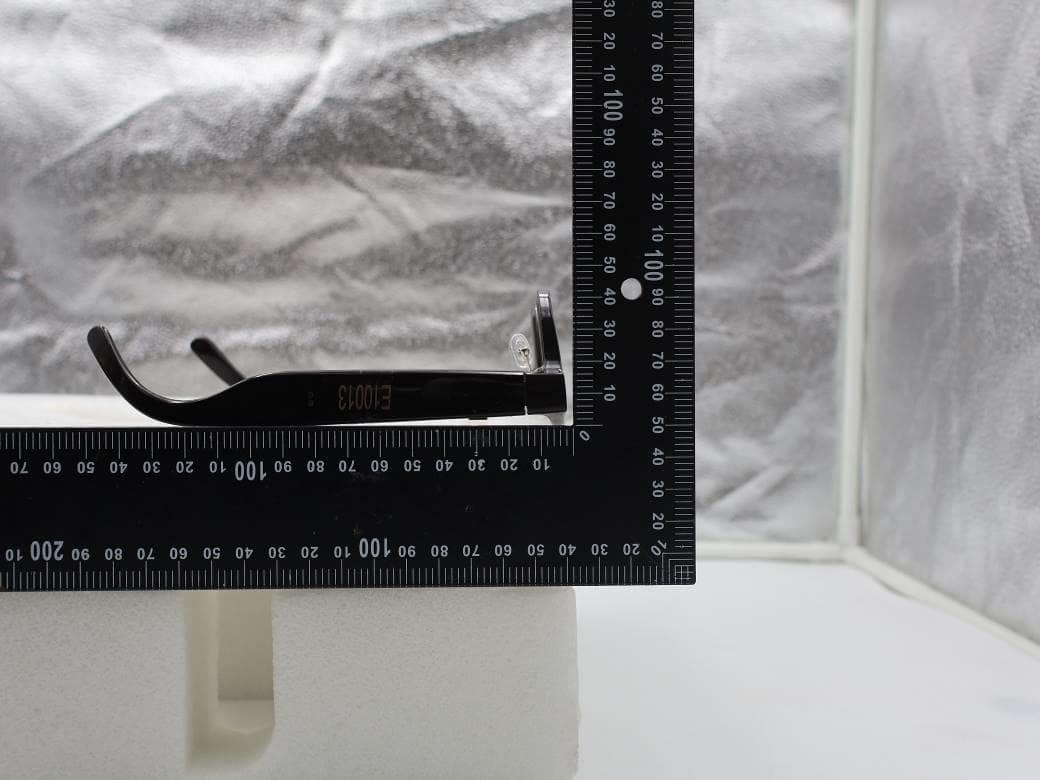
NM82QDJ100
Dec 31, 2025VIVE Headset
Equipment Class
DSS - Part 15 Spread Spectrum TransmitterNM82QD4100
Sep 01, 2024Headset
Equipment Class
6XD - 15E 6 GHz Low Power Indoor Client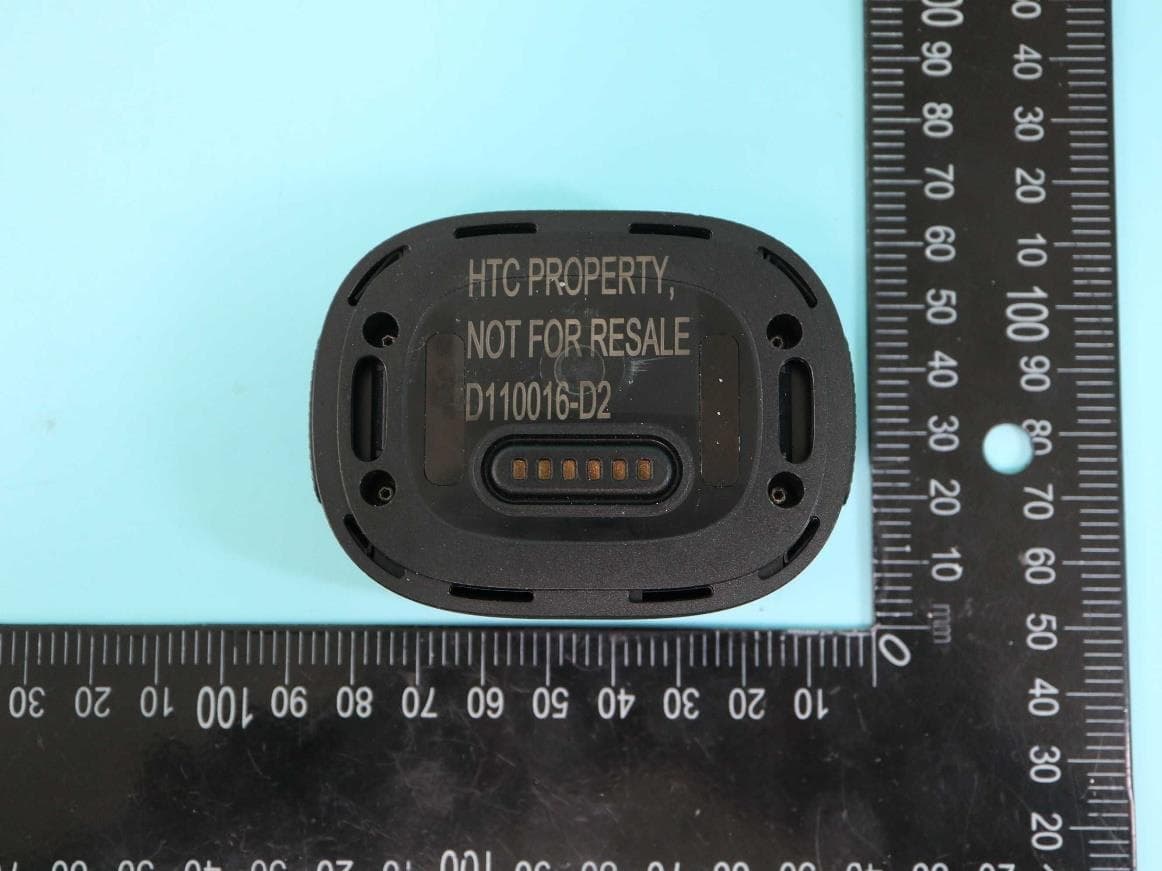
NM82QBP100
May 10, 2023Tracker
Equipment Class
DTS - Digital Transmission System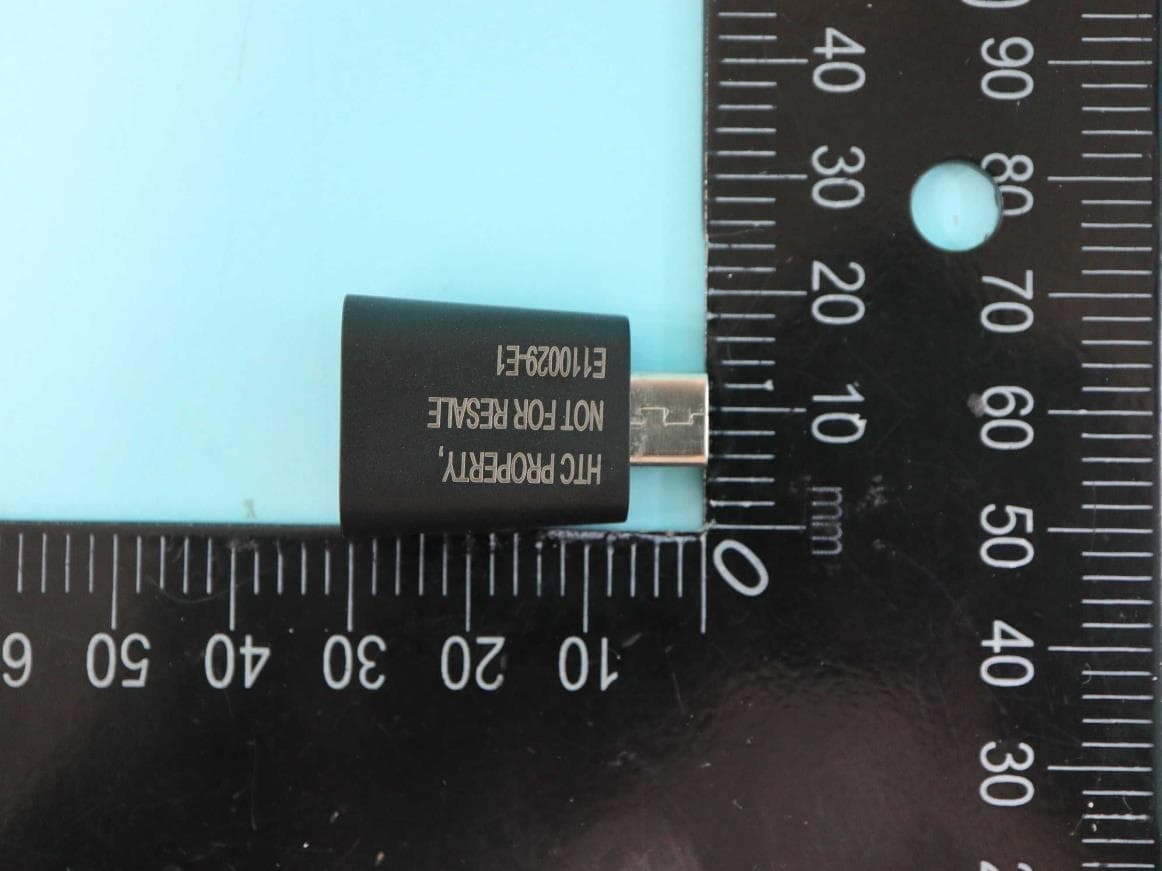
NM82QCD100
May 07, 2023Dongle
Equipment Class
DTS - Digital Transmission System
NM82QBB100
Jan 08, 2023Headset
Equipment Class
DTS - Digital Transmission System