NM8PL01110Smart Phone
HTC Corporation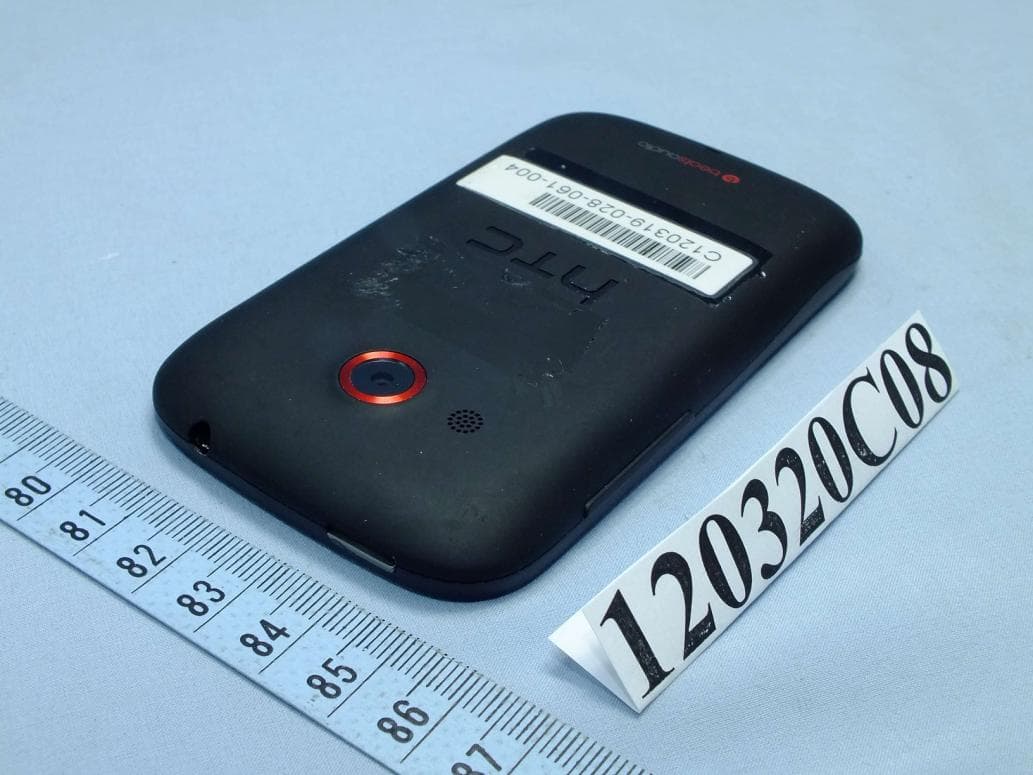
Click to zoom
Application Details
- Equipment Class
- DXX - Part 15 Low Power Communication Device Transmitter
- Date of Grant
- May 01, 2012
- Application Purpose
- Original Equipment
- Date of Application
- Apr 29, 2012
- Equipment Note
- Smart Phone
- Frequency Range
- 13.56000000 - 13.56000000
- Company
- HTC Corporation
- Country
- Taiwan
Documents & Files
Document Text
Text extracted from the exhibit documents filed with the FCC. Open a document above to read the original.
Users Manual
Your HTC XXXX User guide HTC Confidential 2012/04/17 HTC Confidential 2012/04/17 Contents Unboxing HTC XXXX6 Back cover7 Removing the battery8 SIM card9 Storage card10 Charging the battery11 Switching the power on or off11 Setting up HTC XXXX for the first time12 Want some quick guidance on using your phone?12 Your first week with your new phone Home screen13 Finger gestures13 Sleep mode14 Getting contacts into HTC XXXX15 Making your first call16 Sending your first text message16 Getting photos, videos, and music on or off HTC XXXX17 Copying and sharing text17 Capturing the HTC XXXX screen18 Switching between recently opened apps18 Notifications18 Getting to know your settings19 Getting the battery to last longer20 Updating the HTC XXXX software20 Personalizing Making HTC XXXX truly yours21 Personalizing HTC XXXX with scenes21 Changing your wallpaper22 Applying a new skin22 Personalizing your Home screen with widgets23 Adding apps and other shortcuts on your Home screen24 Rearranging or removing widgets and icons on your Home screen24 Personalizing the launch bar25 Grouping apps into a folder25 Personalizing with sound sets26 Rearranging application tabs27 2Contents HTC Confidential 2012/04/17 HTC Confidential 2012/04/17 Phone calls Making a call with Smart dial28 Using Speed dial28 Calling a phone number in a text message29 Calling a phone number in an email29 Calling a phone number in a Calendar event29 Making an emergency call29 Receiving calls29 What can I do during a call?31 Setting up a conference call32 Internet calls32 Call history33 Home dialing34 Call services35 Messages About the Messages app36 Sending a text message (SMS)36 Sending a multimedia message (MMS)36 Resuming a draft message38 Checking your messages38 Replying to a message39 Forwarding a message39 WAP push messages40 Managing message conversations40 Backing up your text messages41 Setting message options42 Search and Web browser Searching HTC XXXX and the Web43 Browsing the Web43 Private browsing44 Adding and managing your bookmarks45 Saving web content for later46 Viewing your browsing history46 Downloading files and apps47 Setting browser options48 Camera Camera basics49 Taking a photo50 Recording video50 Camera scenes50 Improving portrait shots50 Shooting in low light51 Changing camera and video settings51 Photos, videos, and music Gallery52 Music58 3Contents HTC Confidential 2012/04/17 HTC Confidential 2012/04/17 Accounts and sync Adding your social networks, email accounts, and more63 Adding one or more Google Accounts63 Managing your online accounts64 Internet connections Data connection65 Wi-Fi66 Connecting to a virtual private network (VPN)67 Using HTC XXXX as a wireless router68 Settings and security Turning Airplane mode on or off70 Changing display settings70 Changing sound settings71 Changing the display language72 More ways to extend battery life73 Backing up settings to Google73 Accessibility settings73 Protecting your SIM card with a PIN74 Protecting HTC XXXX with a screen lock74 Encrypting data on HTC XXXX75 Checking information about HTC XXXX76 Managing memory76 Other essentials Status icons78 Using the onscreen keyboard79 Entering words with predictive text80 Entering text by speaking82 Entering text by tracing82 Restarting HTC XXXX83 Resetting HTC XXXX83 Trademarks and copyrights Index 4Contents HTC Confidential 2012/04/17 HTC Confidential 2012/04/17 Conventions used in this guide In this user guide, we use the following symbols to indicate useful and important information: This is a note. A note often gives additional information, such as what happens when you choose to do or not to do a certain action. A note also provides information that may only be applicable to some situations. This is a tip. A tip gives you an alternative way to do a particular step or procedure, or lets you know of an option that you may find helpful. This indicates important information that you need in order to accomplish a certain task or to get a feature to work properly. This provides safety precaution information, that is, information that you need to be careful about to prevent potential problems. 5Conventions used in this guide HTC Confidential 2012/04/17 HTC Confidential 2012/04/17 Unboxing HTC XXXX 1.BACK 2.HOME 3.RECENT APPS 4.VOLUME 5.Proximity sensor 6.POWER 7.3.5mm headset jack 8.USB connector If you want to use a screen protector, please don’t cover and block the proximity sensor. You can purchase the dedicated screen protector for HTC XXXX that already has a small opening for the sensor. 6Unboxing HTC Confidential 2012/04/17 HTC Confidential 2012/04/17 Back cover Removing the back cover 1.Securely hold HTC XXXX facing down. 2.With your finger, pry open the back cover from the small opening near the POWER button. 7Unboxing HTC Confidential 2012/04/17 HTC Confidential 2012/04/17 Replacing the back cover Your phone’s antennas are placed underneath the back cover. To get the best signal for calls, data connection, and GPS navigation, be sure to secure the back cover tightly to the phone. 1.Insert the bottom part of the back cover first into HTC XXXX. 2.Press the sides and the top part of the back cover down to lock the cover into place. You will hear a click when the back cover is locked in place. Removing the battery 1.Take the back cover off. 2.With your thumb or finger, lift the battery from the battery compartment. 8Unboxing HTC Confidential 2012/04/17 HTC Confidential 2012/04/17 SIM card The SIM card contains your phone number, service details, and memory for storing phonebook contacts and/or text messages. Inserting the SIM card 1.Take the back cover off. 2.Remove the battery. 3.With the SIM card’s gold contacts facing down and its cut-off corner facing out, insert the SIM card all the way into the SIM card slot. Removing the SIM card Make sure to switch off HTC XXXX before removing your SIM card. 1.Take the back cover off. 2.Remove the battery. 3.Press and hold the SIM card tab, then push the SIM card ou…
Text truncated - open the document above for the full version.
Users Manual
Safety and regulatory guide 2 Safety and regulatory guide Please read before proceeding THE BATTERY IS NOT FULLY CHARGED WHEN YOU TAKE IT OUT OF THE BOX. DO NOT REMOVE THE BATTERY PACK WHEN THE PHONE IS CHARGING. Privacy restrictions Some countries require full disclosure of recorded telephone conversations, Safety and regulatory guide 3 Pictograms and graphic symbols Read this manual’s Safety Information and General Precautions. Do not use while re-fuelling Do not use hand-held while driving This device may produce a bright or flashing light For body-worn operation maintain a separation of 1.5 cm Do not dispose of in a fire Small parts may cause a choking hazard Avoid contact with magnetic media This device may produce a loud sound Avoid extreme temperatures Keep away from pacemakers and other personal medical devices Avoid contact with liquid, keep dry Switch off when instructed in hospitals and medical facilities Do not try and disassemble Switch off when instructed in aircraft and airports Do not rely on this device for emergency communications Switch off in explosive environments Only use approved accessories Important health information and safety precautions When using this product, the safety precautions below must be taken to avoid possible legal liabilities and damages. 4 Safety and regulatory guide Retain and follow all product safety and operating instructions. Observe all warnings in the operating instructions on the product. To reduce the risk of bodily injury, electric shock, fire, and damage to the equipment, observe the following precautions. Electrical safety This product is intended for use when supplied with power from the designated battery or power supply unit. Other usage may be dangerous and will invalidate any approval given to this product. Safety precautions for proper grounding installation CAUTION: Connecting to improperly grounded equipment can result in an electric shock to your device. This product is equipped with a USB Cable for connecting with desktop or notebook computer. Be sure your computer is properly grounded (earthed) before connecting this product to the computer. The power supply cord of a desktop or notebook computer has an equipment-grounding conductor and a grounding plug. The plug must be plugged into an appropriate outlet which is properly installed and grounded in accordance with all local codes and ordinances. Safety precautions for power supply unit Use the correct external power source A product should be operated only from the type of power source indicated on the electrical ratings label. If you are not sure of the type of power source required, consult your authorized service provider or local power company. For a product that operates from battery power or other sources, refer to the operating instructions that are included with the product. This product should be operated only with the following designated power supply unit(s). AC adapter: HTC, Model TC P450, TC B270, TC U250, TC E250, TC A250, TC C250 Handle battery packs carefully This product contains a Lithium-ion polymer or Lithium-ion battery. There is a risk of fire and burns if the battery pack is handled improperly. Do not attempt to open or service the battery pack. Do not disassemble, crush, puncture, short external contacts or circuits, dispose of in fire or water, or expose a battery pack to temperatures higher than 60 ̊C (140 ̊F). WARNING: Danger of explosion if battery is incorrectly replaced. To reduce risk of fire or burns, do not Safety and regulatory guide 5 disassemble, crush, puncture, short external contacts, expose to temperature above 60° C (140° F), or dispose of in fire or water. Replace only with specified batteries. Recycle or dispose of used batteries according to the local regulations or reference guide supplied with your product. NOTE: This product should be operated only with the following designated Battery Pack(s). HTC, Model BL01100 Take extra precautions Keep the battery or device dry and away from water or any liquid as it may cause a short circuit. Keep metal objects away so they don’t come in contact with the battery or its connectors as it may lead to short circuit during operation. Do not use a battery that appears damaged, deformed, or discolored, or the one that has any rust on its casing, overheats, or emits a foul odor. If the battery leaks: Do not allow the leaking fluid to come in contact with skin or clothing. If already in contact, flush the affected area immediately with clean water and seek medical advice. Do not allow the leaking fluid to come in contact with eyes. If already in contact, DO NOT rub; rinse with clean water immediately and seek medical advice. Take extra precautions to keep a leaking battery away from fire as there is a danger of ignition or explosion. Safety precautions for direct sunlight Keep this product away from excessive moisture and extreme temperatures. Do not leave the product or its battery inside a vehicle or in places where the temperature may exceed 60°C (140°F), such as on a car dashboard, window sill, or behind a glass that is exposed to direct sunlight or strong ultraviolet light for extended periods of time. This may damage the product, overheat the battery, or pose a risk to the vehicle. Prevention of hearing loss 6 Safety and regulatory guide CAUTION: Permanent hearing loss may occur if earphones or headphones are used at high volume for prolonged periods of time. NOTE: For France, Earphone (listed below) for this device have been tested to comply with the Sound Pressure Level requirement laid down in the applicable NF EN 50332-1:2000 and/or NF EN 50332-2:2003 standards as required by French Article L. 5232-1. Earphone, manufactured by HTC, Model HS S250. Safety in aircraft Due to the possible interference caused by this product to an aircraft’s navigation system and its communications network, using this device’s phone function on board an airplane is against the law in …
Text truncated - open the document above for the full version.
External Photos
Page 1 CONSTRUCTION PHOTOS OF EUT The EUT has following accessories. NO. PRODUCT BRAND MODEL DESCRIPTION 1 Power Adapter 1 Salcomp TC P450 I/P: 100-240Vac, 150mA O/P: 5Vdc, 1A 2 Power Adapter 2 Phihong TC U250 I/P: 100-240Vac, 200mA O/P: 5Vdc, 1A 3 Power Adapter 3 Delta TC U250 I/P: 100-240Vac, 200mA O/P: 5Vdc, 1A 4 Power Adapter 4 Phihong TC B270 I/P: 100-240Vac, 200mA O/P: 5Vdc, 1A 5 Power Adapter 5 Delta TC B270 I/P: 100-240Vac, 200mA O/P: 5Vdc, 1A 6 Battery 1 LGI BL01100 Rating: 3.7Vdc, 1230mAh Type: Li-ion 7 Battery 2 TWS BL01100 Rating: 3.7Vdc, 1230mAh Type: Li-ion 8 Earphone 1 MERRY HS S250 1.1m cable without core 9 Earphone 2 Cotron HS S250 1.1m cable without core 10 USB Cable 1 Foxlink DC M600 1m cable without core 11 USB Cable 2 Foxconn DC M600 1m cable without core 12 USB Cable 3 Coxoc DC M600 1m cable without core Page 2
ID Label/Location Info
NM8PL01110 Label location Note: The FCC ID label shown will be readily visible to the purchaser at the time of purchase. EUT Label Label location-backside of cellphone where battery compartment area.
Internal Photos
Page 3 Page 4 Page 5 Page 6 Page 7 Page 8 Page 9 Page 10 Page 11 Page 12 Page 13 Page 14 Page 15 Page 16 Page 17 Page 18 Page 19
RF Exposure Info
FCC SAR Test Report Report Format Version 4.1.0 Page No. : 1 of 28 Report No. : SA120320C08A Reference No.: 120406C01 Issued Date : Apr. 19, 2012 Revision : R01 FCC SAR Test Report Report No. : SA120320C08A Applicant : HTC Corporation Address : 23, Xinghua Rd., Taoyuan 330, Taiwan, R.O.C. Product : Smart Phone FCC ID : NM8PL01110 Brand : HTC Model No. : PL01110 Standards : FCC 47 CFR Part 2 (2.1093) / IEEE C95.1:1991 / IEEE 1528:2003 FCC OET Bulletin 65 Supplement C (Edition 01-01) KDB 248227 D01 v01r02 / KDB 648474 D01 v01r05 KDB 941225 D03 v01 / KDB 941225 D06 v01 Date of Testing : Apr. 13, 2012 ~ Apr. 17, 2012 CERTIFICATION: The above equipment have been tested by Bureau Veritas Consumer Products Services (H.K.) Ltd., Taoyuan Branch - Taiwan HwaYa Lab, and found compliance with the requirement of the above standards. The test record, data evaluation & Equipment Under Test (EUT) configurations represented herein are true and accurate accounts of the measurements of the sample’s SAR characteristics under the conditions specified in this report. This test report consists of 28 pages in total except Appendix. It may be duplicated completely for legal use with the approval of the applicant. It should not be reproduced except in full, without the written approval of our laboratory. The client should not use it to claim product certification, approval, or endorsement by TAF or any government agency. The test results in the report only apply to the tested sample. Prepared By : Pettie Chen / Specialist Approved By : Roy Wu / Manager FCC SAR Test Report Report Format Version 4.1.0 Page No. : 2 of 28 Report No. : SA120320C08A Reference No.: 120406C01 Issued Date : Apr. 19, 2012 Revision : R01 Table of Contents Release Control Record ............................................................................................................................................................... 3 1. Summary of Maximum SAR Value ....................................................................................................................................... 4 2. Description of Equipment Under Test ................................................................................................................................. 5 3. SAR Measurement System ................................................................................................................................................... 6 3.1 Definition of Specific Absorption Rate (SAR) ................................................................................................................ 6 3.2 SPEAG DASY System ................................................................................................................................................. 6 3.2.1 Robot.................................................................................................................................................................. 7 3.2.2 Probes ................................................................................................................................................................ 8 3.2.3 Data Acquisition Electronics (DAE) .................................................................................................................... 8 3.2.4 Phantoms ........................................................................................................................................................... 9 3.2.5 Device Holder ................................................................................................................................................... 10 3.2.6 System Validation Dipoles ................................................................................................................................ 10 3.2.7 Tissue Simulating Liquids ................................................................................................................................. 11 3.3 SAR System Verification ............................................................................................................................................ 12 3.4 SAR Measurement Procedure ................................................................................................................................... 13 3.4.1 Area & Zoom Scan Procedure ......................................................................................................................... 13 3.4.2 Volume Scan Procedure................................................................................................................................... 13 3.4.3 Power Drift Monitoring ...................................................................................................................................... 13 3.4.4 Spatial Peak SAR Evaluation ........................................................................................................................... 14 3.4.5 SAR Averaged Methods ................................................................................................................................... 14 4. SAR Measurement Evaluation ............................................................................................................................................ 15 4.1 EUT Configuration and Setting ................................................................................................................................... 15 4.2 EUT Testing Position .................................................................................................................................................. 16 4.3 Tissue Verification ...................................................................................................................................................... 19 4.4 System Verification ..................................................................................................................................................... 19 4.5 Conducted Power Results…
Text truncated - open the document above for the full version.
RF Exposure Info
Test Laboratory: Bureau Veritas ADT SAR/HAC Testing Lab Date: 2012/04/13 System Check_H835_120413 DUT: Dipole 835 MHz; Type: D835V2; SN: 4d092 Communication System: CW; Frequency: 835 MHz;Duty Cycle: 1:1 Medium: H835_0413 Medium parameters used: f = 835 MHz; σ = 0.878 mho/m; ε r = 41.5; ρ = 1000 kg/m 3 Ambient Temperature:21.8 °C; Liquid Temperature:20.9 °C DASY4 Configuration: - Probe: EX3DV4 - SN3650; ConvF(8.87, 8.87, 8.87); Calibrated: 2011/10/26 - Sensor-Surface: 2mm (Mechanical Surface Detection) - Electronics: DAE4 Sn1277; Calibrated: 2011/07/29 - Phantom: SAM Phantom_Front; Type: SAM V4.0; Serial: TP 1654 - Measurement SW: DASY4, V4.7 Build 80; Postprocessing SW: SEMCAD, V1.8 Build 186 Pin=250mW/Area Scan (61x121x1): Measurement grid: dx=15mm, dy=15mm Maximum value of SAR (interpolated) = 2.97 mW/g Pin=250mW/Zoom Scan (5x5x7)/Cube 0: Measurement grid: dx=8mm, dy=8mm, dz=5mm Reference Value = 55.2 V/m; Power Drift = 0.026 dB Peak SAR (extrapolated) = 3.52 W/kg SAR(1 g) = 2.38 mW/g; SAR(10 g) = 1.56 mW/g Maximum value of SAR (measured) = 3.00 mW/g Test Laboratory: Bureau Veritas ADT SAR/HAC Testing Lab Date: 2012/04/13 System Check_B835_120413 DUT: Dipole 835 MHz; Type: D835V2; SN: 4d092 Communication System: CW; Frequency: 835 MHz;Duty Cycle: 1:1 Medium: B835_0413 Medium parameters used: f = 835 MHz; σ = 0.995 mho/m; ε r = 55.155; ρ = 1000 kg/m 3 Ambient Temperature:21.8 °C; Liquid Temperature:20.9 °C DASY5 Configuration: - Probe: EX3DV4 - SN3590; ConvF(10.47, 10.47, 10.47); Calibrated: 2012/02/23; - Sensor-Surface: 2mm (Mechanical Surface Detection) - Electronics: DAE4 Sn861; Calibrated: 2011/08/29 - Phantom: SAM with CRP v5.0 Front; Type: QD000P40CD; Serial: TP:1653 - Measurement SW: DASY52, Version 52.8 (1); SEMCAD X Version 14.6.5 (6469) Pin=250mW/Area Scan (61x61x1): Measurement grid: dx=15mm, dy=15mm Maximum value of SAR (interpolated) = 3.21 mW/g Pin=250mW/Zoom Scan (5x5x7)/Cube 0: Measurement grid: dx=8mm, dy=8mm, dz=5mm Reference Value = 54.660 V/m; Power Drift = -0.01 dB Peak SAR (extrapolated) = 3.772 mW/g SAR(1 g) = 2.53 mW/g; SAR(10 g) = 1.67 mW/g Maximum value of SAR (measured) = 3.19 mW/g Test Laboratory: Bureau Veritas ADT SAR/HAC Testing Lab Date: 2012/04/12 System Check_H1900_120412 DUT: Dipole 1900 MHz; Type: D1900V2; SN: 5d036 Communication System: CW; Frequency: 1900 MHz;Duty Cycle: 1:1 Medium: H1900_0412 Medium parameters used: f = 1900 MHz; σ = 1.44 mho/m; ε r = 41.3; ρ = 1000 kg/m 3 Ambient Temperature:21.7 °C; Liquid Temperature:20.9 °C DASY4 Configuration: - Probe: EX3DV4 - SN3650; ConvF(7.4, 7.4, 7.4); Calibrated: 2011/10/26 - Sensor-Surface: 2mm (Mechanical Surface Detection) - Electronics: DAE4 Sn1277; Calibrated: 2011/07/29 - Phantom: SAM Phantom_Front; Type: SAM V4.0; Serial: TP 1654 - Measurement SW: DASY4, V4.7 Build 80; Postprocessing SW: SEMCAD, V1.8 Build 186 Pin=250mW/Area Scan (61x61x1): Measurement grid: dx=15mm, dy=15mm Maximum value of SAR (interpolated) = 14.6 mW/g Pin=250mW/Zoom Scan (5x5x7)/Cube 0: Measurement grid: dx=8mm, dy=8mm, dz=5mm Reference Value = 100.9 V/m; Power Drift = 0.016 dB Peak SAR (extrapolated) = 18.7 W/kg SAR(1 g) = 9.81 mW/g; SAR(10 g) = 5.04 mW/g Maximum value of SAR (measured) = 14.2 mW/g Test Laboratory: Bureau Veritas ADT SAR/HAC Testing Lab Date: 2012/04/13 System Check_B1900_120413 DUT: Dipole 1900 MHz; Type: D1900V2; SN: 5d036 Communication System: CW; Frequency: 1900 MHz;Duty Cycle: 1:1 Medium: B1900_0413 Medium parameters used: f = 1900 MHz; σ = 1.54 mho/m; ε r = 52.9; ρ = 1000 kg/m 3 Ambient Temperature:21.7 °C; Liquid Temperature:20.8 °C DASY4 Configuration: - Probe: EX3DV4 - SN3650; ConvF(7.46, 7.46, 7.46); Calibrated: 2011/10/26 - Sensor-Surface: 2mm (Mechanical Surface Detection) - Electronics: DAE4 Sn1277; Calibrated: 2011/07/29 - Phantom: SAM Phantom_Left; Type: SAM V4.0; Serial: TP 1652 - Measurement SW: DASY4, V4.7 Build 80; Postprocessing SW: SEMCAD, V1.8 Build 186 Pin=250mW/Area Scan (61x61x1): Measurement grid: dx=15mm, dy=15mm Maximum value of SAR (interpolated) = 14.3 mW/g Pin=250mW/Zoom Scan (5x5x7)/Cube 0: Measurement grid: dx=8mm, dy=8mm, dz=5mm Reference Value = 97.8 V/m; Power Drift = 0.005 dB Peak SAR (extrapolated) = 17.8 W/kg SAR(1 g) = 9.82 mW/g; SAR(10 g) = 5.08 mW/g Maximum value of SAR (measured) = 14.0 mW/g Test Laboratory: Bureau Veritas ADT SAR/HAC Testing Lab Date: 2012/04/17 System Check_H2450_120417 DUT: Dipole 2450 MHz; Type: D2450V2; SN: 737 Communication System: CW; Frequency: 2450 MHz;Duty Cycle: 1:1 Medium: H2450_0417 Medium parameters used: f = 2450 MHz; σ = 1.837 mho/m; ε r = 37.891; ρ = 1000 kg/m 3 Ambient Temperature:21.2 °C; Liquid Temperature:20.6 °C DASY5 Configuration: - Probe: EX3DV4 - SN3590; ConvF(7.88, 7.88, 7.88); Calibrated: 2012/02/23; - Sensor-Surface: 2mm (Mechanical Surface Detection) - Electronics: DAE4 Sn861; Calibrated: 2011/08/29 - Phantom: SAM with CRP v5.0 Front; Type: QD000P40CD; Serial: TP:1653 - Measurement SW: DASY52, Version 52.8 (1); SEMCAD X Version 14.6.5 (6469) Pin=250mW/Area Scan (61x61x1): Measurement grid: dx=15mm, dy=15mm Maximum value of SAR (interpolated) = 22.2 mW/g Pin=250mW/Zoom Scan (5x5x7)/Cube 0: Measurement grid: dx=8mm, dy=8mm, dz=5mm Reference Value = 108.5 V/m; Power Drift = 0.02 dB Peak SAR (extrapolated) = 29.346 mW/g SAR(1 g) = 13.6 mW/g; SAR(10 g) = 6.12 mW/g Maximum value of SAR (measured) = 21.1 mW/g Test Laboratory: Bureau Veritas ADT SAR/HAC Testing Lab Date: 2012/04/16 System Check_B2450_120416 DUT: Dipole 2450 MHz; Type: D2450V2; SN: 737 Communication System: CW; Frequency: 2450 MHz;Duty Cycle: 1:1 Medium: B2450_0416 Medium parameters used: f = 2450 MHz; σ = 1.97 mho/m; ε r = 51.273; ρ = 1000 kg/m 3 Ambient Temperature:22.5 °C; Liquid Temperature:21.2°C DASY5 Configuration: - Probe: EX3DV4 - SN3800; ConvF(6.75, 6.75, 6.75); Calibrated: 2011/08/05; - Sensor-Surface: 2mm (Mechanical Surface Detection) - Electronics: DAE4 Sn905; Calibrated: 2011/06/24 - Phantom: SAM Phantom_Left; Type: SAM; Serial: 1202 - Measurement…
Text truncated - open the document above for the full version.
RF Exposure Info
Test Laboratory: Bureau Veritas ADT SAR/HAC Testing Lab Date: 2012/04/13 P01 GSM850_Right Cheek_Ch189_Battery1 DUT: 120406C01 Communication System: GSM850; Frequency: 836.4 MHz;Duty Cycle: 1:8.3 Medium: H835_0413 Medium parameters used : f = 836.4 MHz; σ = 0.879 mho/m; ε r = 41.5; ρ = 1000 kg/m 3 Ambient Temperature:21.8 °C; Liquid Temperature:20.9 °C DASY4 Configuration: - Probe: EX3DV4 - SN3650; ConvF(8.87, 8.87, 8.87); Calibrated: 2011/10/26 - Sensor-Surface: 2mm (Mechanical Surface Detection) - Electronics: DAE4 Sn1277; Calibrated: 2011/07/29 - Phantom: SAM Phantom_Front; Type: SAM V4.0; Serial: TP 1654 - Measurement SW: DASY4, V4.7 Build 80; Postprocessing SW: SEMCAD, V1.8 Build 186 Ch189/Area Scan (51x71x1): Measurement grid: dx=20mm, dy=20mm Maximum value of SAR (interpolated) = 0.560 mW/g Ch189/Zoom Scan (5x5x7)/Cube 0: Measurement grid: dx=8mm, dy=8mm, dz=5mm Reference Value = 9.49 V/m; Power Drift = 0.043 dB Peak SAR (extrapolated) = 0.541 W/kg SAR(1 g) = 0.435 mW/g; SAR(10 g) = 0.330 mW/g Maximum value of SAR (measured) = 0.494 mW/g Test Laboratory: Bureau Veritas ADT SAR/HAC Testing Lab Date: 2012/04/13 P02 GSM850_Right Tilted_Ch189_Battery1 DUT: 120406C01 Communication System: GSM850; Frequency: 836.4 MHz;Duty Cycle: 1:8.3 Medium: H835_0413 Medium parameters used : f = 836.4 MHz; σ = 0.879 mho/m; ε r = 41.5; ρ = 1000 kg/m 3 Ambient Temperature:21.8 °C; Liquid Temperature:20.9 °C DASY4 Configuration: - Probe: EX3DV4 - SN3650; ConvF(8.87, 8.87, 8.87); Calibrated: 2011/10/26 - Sensor-Surface: 2mm (Mechanical Surface Detection) - Electronics: DAE4 Sn1277; Calibrated: 2011/07/29 - Phantom: SAM Phantom_Front; Type: SAM V4.0; Serial: TP 1654 - Measurement SW: DASY4, V4.7 Build 80; Postprocessing SW: SEMCAD, V1.8 Build 186 Ch189/Area Scan (51x71x1): Measurement grid: dx=20mm, dy=20mm Maximum value of SAR (interpolated) = 0.323 mW/g Ch189/Zoom Scan (5x5x7)/Cube 0: Measurement grid: dx=8mm, dy=8mm, dz=5mm Reference Value = 13.7 V/m; Power Drift = -0.025 dB Peak SAR (extrapolated) = 0.330 W/kg SAR(1 g) = 0.278 mW/g; SAR(10 g) = 0.208 mW/g Maximum value of SAR (measured) = 0.308 mW/g Test Laboratory: Bureau Veritas ADT SAR/HAC Testing Lab Date: 2012/04/13 P03 GSM850_Left Cheek_Ch189_Battery1 DUT: 120406C01 Communication System: GSM850; Frequency: 836.4 MHz;Duty Cycle: 1:8.3 Medium: H835_0413 Medium parameters used : f = 836.4 MHz; σ = 0.879 mho/m; ε r = 41.5; ρ = 1000 kg/m 3 Ambient Temperature:21.8 °C; Liquid Temperature:20.9 °C DASY4 Configuration: - Probe: EX3DV4 - SN3650; ConvF(8.87, 8.87, 8.87); Calibrated: 2011/10/26 - Sensor-Surface: 2mm (Mechanical Surface Detection) - Electronics: DAE4 Sn1277; Calibrated: 2011/07/29 - Phantom: SAM Phantom_Front; Type: SAM V4.0; Serial: TP 1654 - Measurement SW: DASY4, V4.7 Build 80; Postprocessing SW: SEMCAD, V1.8 Build 186 Ch189/Area Scan (51x71x1): Measurement grid: dx=20mm, dy=20mm Maximum value of SAR (interpolated) = 0.490 mW/g Ch189/Zoom Scan (5x5x7)/Cube 0: Measurement grid: dx=8mm, dy=8mm, dz=5mm Reference Value = 10.3 V/m; Power Drift = -0.090 dB Peak SAR (extrapolated) = 0.443 W/kg SAR(1 g) = 0.381 mW/g; SAR(10 g) = 0.295 mW/g Maximum value of SAR (measured) = 0.417 mW/g Test Laboratory: Bureau Veritas ADT SAR/HAC Testing Lab Date: 2012/04/13 P04 GSM850_Left Tilted_Ch189_Battery1 DUT: 120406C01 Communication System: GSM850; Frequency: 836.4 MHz;Duty Cycle: 1:8.3 Medium: H835_0413 Medium parameters used : f = 836.4 MHz; σ = 0.879 mho/m; ε r = 41.5; ρ = 1000 kg/m 3 Ambient Temperature:21.8 °C; Liquid Temperature:20.9 °C DASY4 Configuration: - Probe: EX3DV4 - SN3650; ConvF(8.87, 8.87, 8.87); Calibrated: 2011/10/26 - Sensor-Surface: 2mm (Mechanical Surface Detection) - Electronics: DAE4 Sn1277; Calibrated: 2011/07/29 - Phantom: SAM Phantom_Front; Type: SAM V4.0; Serial: TP 1654 - Measurement SW: DASY4, V4.7 Build 80; Postprocessing SW: SEMCAD, V1.8 Build 186 Ch189/Area Scan (51x71x1): Measurement grid: dx=20mm, dy=20mm Maximum value of SAR (interpolated) = 0.355 mW/g Ch189/Zoom Scan (5x5x7)/Cube 0: Measurement grid: dx=8mm, dy=8mm, dz=5mm Reference Value = 14.6 V/m; Power Drift = -0.007 dB Peak SAR (extrapolated) = 0.311 W/kg SAR(1 g) = 0.237 mW/g; SAR(10 g) = 0.160 mW/g Maximum value of SAR (measured) = 0.286 mW/g Test Laboratory: Bureau Veritas ADT SAR/HAC Testing Lab Date: 2012/04/13 P06 GSM850_GPRS10_Right Cheek_Ch189_Battery1 DUT: 120406C01 Communication System: GSM850 GPRS10; Frequency: 836.4 MHz;Duty Cycle: 1:4 Medium: H835_0413 Medium parameters used : f = 836.4 MHz; σ = 0.879 mho/m; ε r = 41.5; ρ = 1000 kg/m 3 Ambient Temperature:21.8 °C; Liquid Temperature:20.9 °C DASY4 Configuration: - Probe: EX3DV4 - SN3650; ConvF(8.87, 8.87, 8.87); Calibrated: 2011/10/26 - Sensor-Surface: 2mm (Mechanical Surface Detection) - Electronics: DAE4 Sn1277; Calibrated: 2011/07/29 - Phantom: SAM Phanto…
Text truncated - open the document above for the full version.
Contact Information
Applicant
Sylvia Shen
Technical Contact
Bureau Veritas CPS (H.K.) Ltd. Taoyuan BranchGary Chang
[email protected]886-3-3183232
No. 19, Hwa Ya 2nd Rd., Kwei Shan Hsiang · Taoyuan Hsien · Taiwan
Non-Technical Contact
Bureau Veritas CPS (H.K.) Ltd. Taoyuan BranchNatacha Chen
[email protected]886-3-3183232
Test Firm
Bureau Veritas CPS (H.K.) Ltd. Taoyuan BranchRichard Chen
Technical Specifications
| # | Rule Parts | Frequency Range | Power Output |
|---|---|---|---|
| 1 | 15C | 13.56 MHz - 13.56 MHz | - |
Other Applications from HTC Corporation
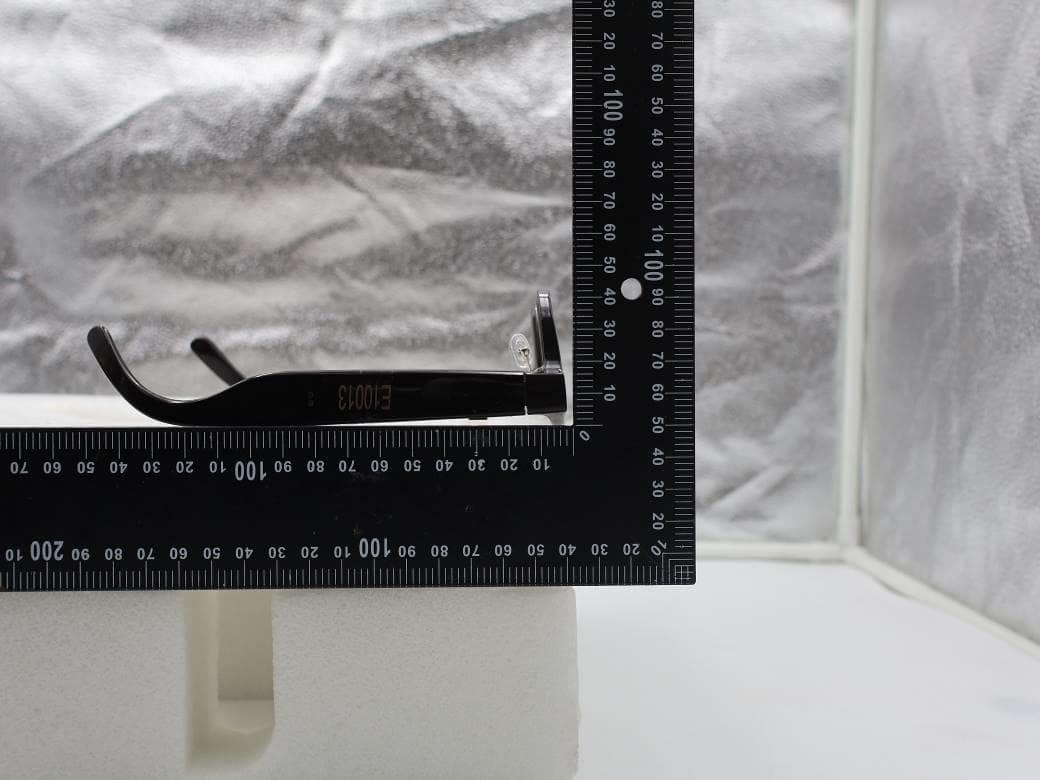
NM82QDJ100
Dec 31, 2025VIVE Headset
Equipment Class
DSS - Part 15 Spread Spectrum TransmitterNM82QD4100
Sep 01, 2024Headset
Equipment Class
6XD - 15E 6 GHz Low Power Indoor Client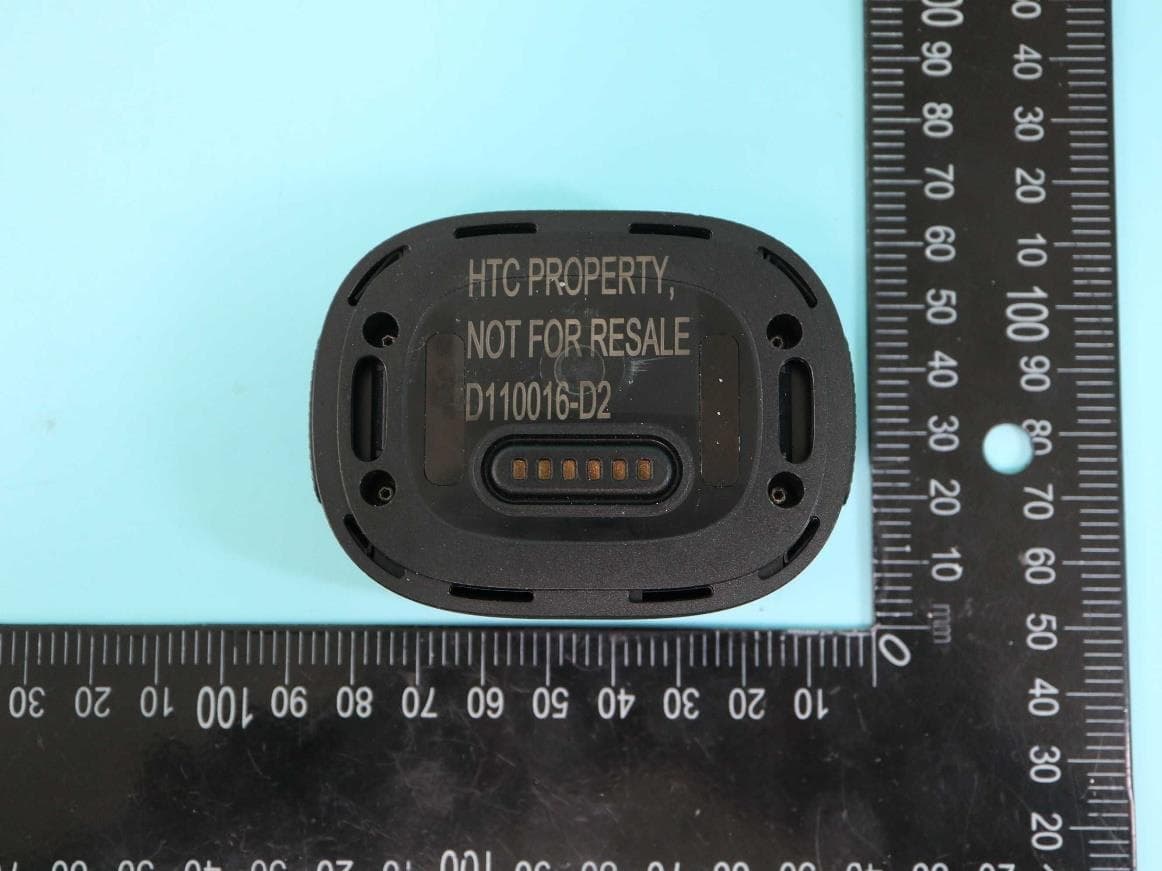
NM82QBP100
May 10, 2023Tracker
Equipment Class
DTS - Digital Transmission System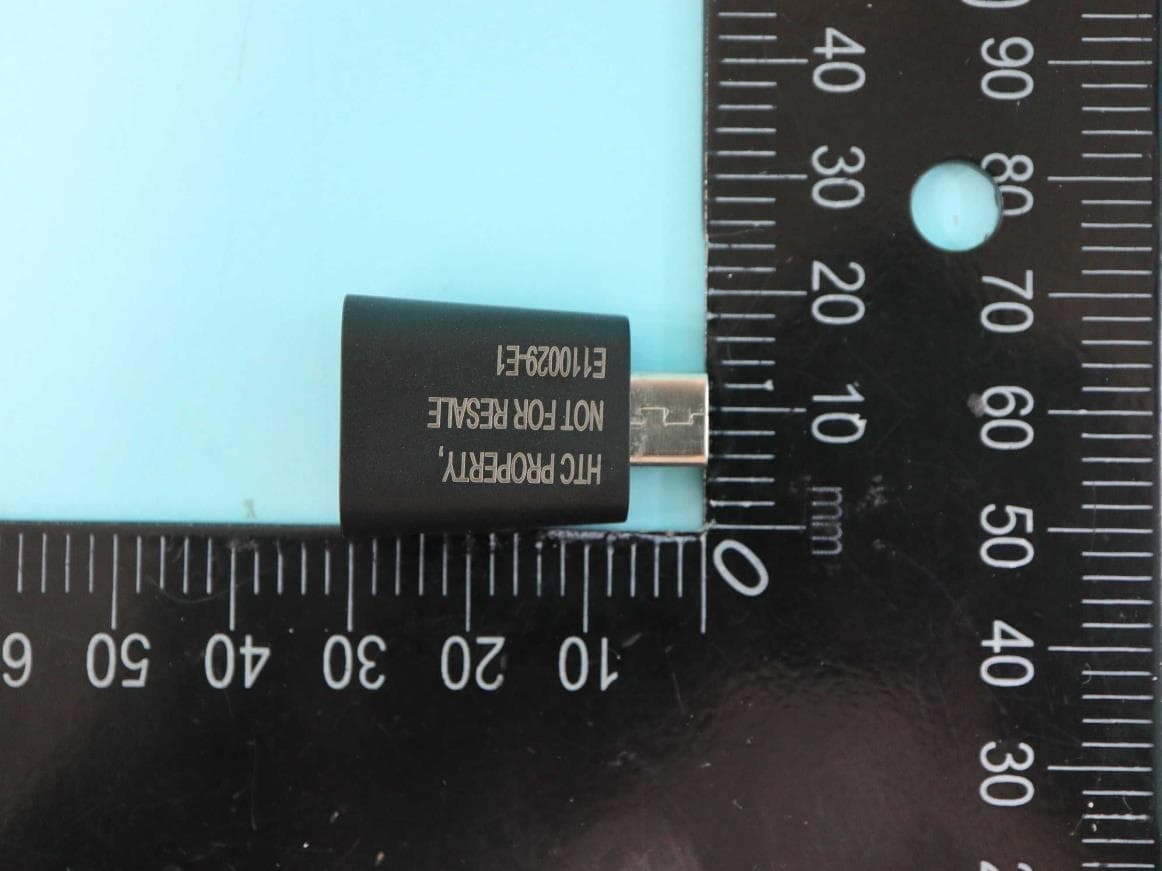
NM82QCD100
May 07, 2023Dongle
Equipment Class
DTS - Digital Transmission System
NM82QBB100
Jan 08, 2023Headset
Equipment Class
DTS - Digital Transmission System