NM8VXsmartphone
HTC Corporation
Click to zoom
Application Details
- Equipment Class
- DTS - Digital Transmission System
- Date of Grant
- Jul 23, 2007
- Application Purpose
- Original Equipment
- Date of Application
- May 20, 2007
- Equipment Note
- smartphone
- Frequency Range
- 2412.00000000 - 2462.00000000
- Company
- HTC Corporation
- Country
- Taiwan
Documents & Files
Document Text
Text extracted from the exhibit documents filed with the FCC. Open a document above to read the original.
Users Manual
www.htc.com Smart Phone User Manual 2 Congratulations on the purchase of your new Windows Mobile® Smartphone! Please Read Before Proceeding. THIS PHONE IS NOT FULLY CHARGED WHEN YOU TAKE IT OUT OF THE BOX. DO NOT REMOVE THE BATTERY PACK WHEN THE PHONE IS CHARGING. YOUR WARRANTY IS INVALIDATED IF YOU OPEN OR TAMPER WITH THE PHONE'S OUTER CASING. PRIVACY RESTRICTIONS Some countries require full disclosure of recorded telephone conversations, and stipulate that you must inform the person with whom you are speaking that the conversation is being recorded. Always obey the relevant laws and regulations of your country when using the recording feature of your phone. COPYRIGHT INFORMATION Copyright © 2006 High Tech Computer Corp. All Rights Reserved. , , , ExtUSB are trademarks and/or service marks of High Tech Computer Corp. Microsoft, MS-DOS, Windows, Windows NT, Windows Server, Windows Mobile, ActiveSync, Excel, Internet Explorer, MSN, Hotmail, Outlook, PowerPoint, Word, and Windows Media are either registered trademarks or trademarks of Microsoft Corporation in the United States and/or other countries. Bluetooth and the Bluetooth logo are trademarks owned by Bluetooth SIG, Inc. Wi-Fi is a registered trademark of the Wireless Fidelity Alliance, Inc. microSD is a trademark of SD Card Association. Java, J2ME and all other Java-based marks are trademarks or registered trademarks of Sun Microsystems, Inc. in the United States and other countries. Copyright © 2006, Adobe Systems Incorporated. Copyright © 2006, Macromedia Netherlands, B.V. 3 Macromedia, Flash, Macromedia Flash, Macromedia Flash Lite and Reader are trademarks and/or registered trademarks of Macromedia Netherlands, B.V. or Adobe Systems Incorporated. Copyright © 2006, JATAAYU SOFTWARE (P) LTD. All Rights Reserved. Copyright © 2006, Dilithium Networks, Inc. All Rights Reserved. ArcSoft MMS Composer™ Copyright © 2003-2006, ArcSoft, Inc. and its licensors. All Rights Reserved. ArcSoft and the ArcSoft logo are registered trademarks of ArcSoft, Inc. in the United States and/or other countries. Licensed by QUALCOMM Incorporated under one or more of the following patents: 4,901,307 ; 5,490,165 ; 5,056,109 ; 5,504,773 ; 5,101,501 ; 5,778,338 ; 5,506,865 5,109,390 ; 5,511,073 ; 5,228,054 ; 5,535,239 ; 5,710,784 ; 5,267,261 ; 5,544,196 5,267,262 ; 5,568,483 ; 5,337,338 ; 5,659,569 5,600,754 ; 5,414,796 ; 5,657,420 5,416,797 All other company, product and service names mentioned herein are trademarks, registered trademarks or service marks of their respective owners. HTC shall not be liable for technical or editorial errors or omissions contained herein, nor for incidental or consequential damages resulting from furnishing this material. The information is provided “as is” without warranty of any kind and is subject to change without notice. HTC also reserves the right to revise the content of this document at any time without prior notice. No part of this document may be reproduced or transmitted in any form or by any means, electronic or mechanical, including photocopying, recording or storing in a retrieval system, or translated into any language in any form without prior written permission of HTC. 4 Important Health Information and Safety Precautions When using this product, the safety precautions below must be taken to avoid possible legal liabilities and damages. Retain and follow all product safety and operating instructions. Observe all warnings in the operating instructions on the product. To reduce the risk of bodily injury, electric shock, fire, and damage to the equipment, observe the following precautions. ELECTRICAL SAFETY This product is intended for use when supplied with power from the designated battery or power supply unit.Other usage may be dangerous and will invalidate any approval given to this product. SAFETY PRECAUTIONS FOR PROPER GROUNDING INSTALLATION CAUTION: Connecting to an improperly grounded equipment can result in an electric shock to your device. This product equipped with a USB Cable for connecting with desk-top or notebook computer. Be sure your computer is properly grounded (earthed) before connecting this product to the computer. The power supply cord of a desktop or notebook computer has an equipment-grounding conductor and a grounding plug. The plug must be plugged into an appropriate outlet which is properly installed and grounded in accordance with all local codes and ordinances. SAFETY PRECAUTIONS FOR POWER SUPPLY UNIT • Use the correct external power source A product should be operated only from the type of power source indicated on the electrical ratings label. If you are not sure of the type of power source required, consult your authorised service provider or local power company. For a product that operates from battery power or other sources, refer to the operating instructions that are included with the product. 5 This product should be operated only with the following designated power supply unit(s): 1. Delta, Model ADP-5FH X 2. Phihong, Models PSAA05X-050 Car Adapter 1. Phihong, Model CLM10D-050 • Handle battery packs carefully This product contains a Li-ion battery. There is a risk of fire and burns if the battery pack is handled improperly. Do not attempt to open or service the battery pack. Do not disassemble, crush, puncture, short external contacts or circuits, dispose of in fire or water, or expose a battery pack to temperatures higher than 60 ̊C (140 ̊F). WARNING: DANGER OF EXPLOSION IF BATTERY IS INCORRECTLY REPLACED. TO REDUCE RISK OF FIRE OR BURNS, DO NOT DISASSEMBLE, CRUSH, PUNCTURE, SHORT EXTERNAL CONTACTS, EXPOSE TO TEMPERATURE ABOVE 60 ̊C (140 ̊F), OR DISPOSE OF IN FIRE OR WATER. REPLACE ONLY WITH SPECIFIED BATTERIES. RECYCLE OR DISPOSE OF USED BATTERIES ACCORDING TO THE LOCAL REGULATIONS OR REFERENCE GUIDE SUPPLIED WITH YOUR PRODUCT. Note This product should be operated only with the following designated Battery Pack(s). • HTC, Model LIBR160 • Simplo, Model LIBR160 6 SAFETY PRECAU…
Text truncated - open the document above for the full version.
Users Manual
Chapter 7 Working with Company E-mails and Meeting Appointments 7.1 Synchronizing Your Phone with Your Company E-mail Server 7.2 Working with Company E-mails 7.3 Managing Meeting Requests 7.4 Finding Contacts in the Company Directory 7.5 E-mail Security 102 Working with Company E-mails and Meeting Appointments 7.1 Synchronizing Your Phone with Your Company E-mail Server Synchronize your phone with your company’s Microsoft Exchange Server to keep you connected with your e-mails, contacts, calendar, and other information. Set up a company e-mail server connection Use your phone to access your company e-mails by setting up an Exchange Server connection. You can get the company e-mail server information from your network administrator: 1. Click Start > Messaging > New E-mail Account. 2. In the Your e-mail source list, select Exchange server and click Next. 3. On the screen that follows, click Next. 4. In Server address, enter the Exchange Server name, and click Next. 5. Enter your user name, password, and domain, and click Next. 6. Select the check boxes for the types of information items that you want to synchronize with the Exchange Server. Tip To change the rules for resolving synchronization conflicts, click Menu > Advanced. 7. To change synchronization settings of an information type, for example, E-mail, select the type of information, and click Menu > Settings. 8. Click Finish. Note If you synchronized e-mails with your PC before, open ActiveSync on your phone and click Menu > Add Server Source to set up an Exchange Server connection. When you're prompted to select information types for synchronization, you need to clear the E-mail check box under the Windows PC item first before you can select the E-mail check box under Exchange Server. Tip To change Exchange Server settings, open ActiveSync on your phone and click Menu > Configure Server. Working with Company E-mails and Meeting Appointments 103 Start synchronization Before you start synchronizing with the Exchange Server, make sure your phone has been set up with a data connection to the Internet so that you can synchronize wirelessly. See chapter 8 for details. After you finish setting up an Exchange Server connection, your phone automatically starts synchronization. You can manually start synchronization anytime by clicking Sync in ActiveSync. Note If you connect your phone to your office computer via a USB or Bluetooth connection, you can use this connection to the PC to “pass through” to the network and download Outlook e-mails and other information to your phone. 7.2 Working with Company E-mails Your phone gives you instant access to your company e-mails and lets you manage your messages easier. Messaging features such as Direct Push, Fetch Mail, and Filtering messages are just some of the tools you can use to manage your e-mails. Note Some messaging features depend on the MIcrosoft Exchange Server version used. Please check with your network administrator for the availability of Exchange Server features. Automatic synchronization through Direct Push Direct Push technology (push e-mail feature) enables you to receive new e-mails on your phone as soon as they arrive in your Inbox on the Exchange Server. With this feature, items such as contacts, calendar and tasks are also immediately updated onto your phone when these items have been changed or new entries have been added on the Exchange Server. To make Direct Push work, you need to have a GPRS connection on your phone. You need to perform a full synchronization between your phone and the Exchange Server first before Direct Push can be enabled. Requirement The Direct Push feature works for your phone only if your company is using Microsoft Exchange Server 2003 Service Pack 2 (SP2) with Exchange ActiveSync or higher version. 104 Working with Company E-mails and Meeting Appointments To enable Direct Push via Comm Manager 1. Click Start > Comm Manager. 2. On the Comm Manager screen, click the Microsoft Direct Push button. The button will turn to , which indicates that you will receive e-mails as they arrive. When the button is in the state, you need to manually retrieve your e-mails. To enable Direct Push via ActiveSync 1. In ActiveSync on your phone, click Menu > Schedule. 2. Select As items arrive in the Peak times and Off-peak times boxes. Note When both the GPRS and Wi-Fi connections are turned on at the same time, the Direct Push feature will always opt for GPRS, for which you could be charged per your network operator’s service plan. Scheduled synchronization If you do not want to use Direct Push, you can set a regular schedule for synchronizing Outlook e-mail and information. 1. In ActiveSync on your phone, click Menu > Schedule. 2. Select a shorter time interval in the Peak times box for you to be able to receive e-mails more frequently. 3. Select a longer interval in the Off-peak times box. Tip Click Menu > Peak Times to set the peak and off-peak times. Working with Company E-mails and Meeting Appointments 105 Instant download through Fetch Mail Fetch Mail downloads an entire e-mail immediately without the need for you to perform a full Send/Receive action. Requirement Fetch Mail works for your phone only if your company is using Microsoft Exchange Server 2007 or higher. 1. Click Start > Messaging > Outlook E-mail. 2. Click an e-mail message to open it. 3. By default, only the first few kilobytes of the message is shown. To download the whole e-mail, scroll to the bottom of the message then click Get the rest of this message. 4. A “Downloading message” status appears. Wait for the remainder of the message body to be downloaded. Tip For information about changing e-mail sync options such as the initial download size limit for e-mail, see "Customize e-mail settings" in chapter 6. Search for e-mails on the Exchange Server You can access messages that are not available on your phone by searching your Microsoft Exchange Server mailbox. The search results will be downloaded an…
Text truncated - open the document above for the full version.
Users Manual
www.htc.com Smart Phone User Manual 2 Congratulations on the purchase of your new Windows Mobile® Smartphone! Please Read Before Proceeding. THIS PHONE IS NOT FULLY CHARGED WHEN YOU TAKE IT OUT OF THE BOX. DO NOT REMOVE THE BATTERY PACK WHEN THE PHONE IS CHARGING. YOUR WARRANTY IS INVALIDATED IF YOU OPEN OR TAMPER WITH THE PHONE'S OUTER CASING. PRIVACY RESTRICTIONS Some countries require full disclosure of recorded telephone conversations, and stipulate that you must inform the person with whom you are speaking that the conversation is being recorded. Always obey the relevant laws and regulations of your country when using the recording feature of your phone. COPYRIGHT INFORMATION Copyright © 2006 High Tech Computer Corp. All Rights Reserved. , , , ExtUSB are trademarks and/or service marks of High Tech Computer Corp. Microsoft, MS-DOS, Windows, Windows NT, Windows Server, Windows Mobile, ActiveSync, Excel, Internet Explorer, MSN, Hotmail, Outlook, PowerPoint, Word, and Windows Media are either registered trademarks or trademarks of Microsoft Corporation in the United States and/or other countries. Bluetooth and the Bluetooth logo are trademarks owned by Bluetooth SIG, Inc. Wi-Fi is a registered trademark of the Wireless Fidelity Alliance, Inc. microSD is a trademark of SD Card Association. Java, J2ME and all other Java-based marks are trademarks or registered trademarks of Sun Microsystems, Inc. in the United States and other countries. Copyright © 2006, Adobe Systems Incorporated. Copyright © 2006, Macromedia Netherlands, B.V. 3 Macromedia, Flash, Macromedia Flash, Macromedia Flash Lite and Reader are trademarks and/or registered trademarks of Macromedia Netherlands, B.V. or Adobe Systems Incorporated. Copyright © 2006, JATAAYU SOFTWARE (P) LTD. All Rights Reserved. Copyright © 2006, Dilithium Networks, Inc. All Rights Reserved. ArcSoft MMS Composer™ Copyright © 2003-2006, ArcSoft, Inc. and its licensors. All Rights Reserved. ArcSoft and the ArcSoft logo are registered trademarks of ArcSoft, Inc. in the United States and/or other countries. Licensed by QUALCOMM Incorporated under one or more of the following patents: 4,901,307 ; 5,490,165 ; 5,056,109 ; 5,504,773 ; 5,101,501 ; 5,778,338 ; 5,506,865 5,109,390 ; 5,511,073 ; 5,228,054 ; 5,535,239 ; 5,710,784 ; 5,267,261 ; 5,544,196 5,267,262 ; 5,568,483 ; 5,337,338 ; 5,659,569 5,600,754 ; 5,414,796 ; 5,657,420 5,416,797 All other company, product and service names mentioned herein are trademarks, registered trademarks or service marks of their respective owners. HTC shall not be liable for technical or editorial errors or omissions contained herein, nor for incidental or consequential damages resulting from furnishing this material. The information is provided “as is” without warranty of any kind and is subject to change without notice. HTC also reserves the right to revise the content of this document at any time without prior notice. No part of this document may be reproduced or transmitted in any form or by any means, electronic or mechanical, including photocopying, recording or storing in a retrieval system, or translated into any language in any form without prior written permission of HTC. 4 Important Health Information and Safety Precautions When using this product, the safety precautions below must be taken to avoid possible legal liabilities and damages. Retain and follow all product safety and operating instructions. Observe all warnings in the operating instructions on the product. To reduce the risk of bodily injury, electric shock, fire, and damage to the equipment, observe the following precautions. ELECTRICAL SAFETY This product is intended for use when supplied with power from the designated battery or power supply unit.Other usage may be dangerous and will invalidate any approval given to this product. SAFETY PRECAUTIONS FOR PROPER GROUNDING INSTALLATION CAUTION: Connecting to an improperly grounded equipment can result in an electric shock to your device. This product equipped with a USB Cable for connecting with desk-top or notebook computer. Be sure your computer is properly grounded (earthed) before connecting this product to the computer. The power supply cord of a desktop or notebook computer has an equipment-grounding conductor and a grounding plug. The plug must be plugged into an appropriate outlet which is properly installed and grounded in accordance with all local codes and ordinances. SAFETY PRECAUTIONS FOR POWER SUPPLY UNIT • Use the correct external power source A product should be operated only from the type of power source indicated on the electrical ratings label. If you are not sure of the type of power source required, consult your authorised service provider or local power company. For a product that operates from battery power or other sources, refer to the operating instructions that are included with the product. 5 This product should be operated only with the following designated power supply unit(s): 1. Delta, Model ADP-5FH X 2. Phihong, Models PSAA05X-050 Car Adapter 1. Phihong, Model CLM10D-050 • Handle battery packs carefully This product contains a Li-ion battery. There is a risk of fire and burns if the battery pack is handled improperly. Do not attempt to open or service the battery pack. Do not disassemble, crush, puncture, short external contacts or circuits, dispose of in fire or water, or expose a battery pack to temperatures higher than 60 ̊C (140 ̊F). WARNING: DANGER OF EXPLOSION IF BATTERY IS INCORRECTLY REPLACED. TO REDUCE RISK OF FIRE OR BURNS, DO NOT DISASSEMBLE, CRUSH, PUNCTURE, SHORT EXTERNAL CONTACTS, EXPOSE TO TEMPERATURE ABOVE 60 ̊C (140 ̊F), OR DISPOSE OF IN FIRE OR WATER. REPLACE ONLY WITH SPECIFIED BATTERIES. RECYCLE OR DISPOSE OF USED BATTERIES ACCORDING TO THE LOCAL REGULATIONS OR REFERENCE GUIDE SUPPLIED WITH YOUR PRODUCT. Note This product should be operated only with the following designated Battery Pack(s). • HTC, Model LIBR160 • Simplo, Model LIBR160 6 SAFETY PRECAU…
Text truncated - open the document above for the full version.
External Photos
Compliance Certification Services Inc. Report No.: 70326203 Date of Issue: May 7, 2007 Page 1 Total Page: 11 Rev. 00 EXTERNAL PHOTOGRAPHS OF EUT Compliance Certification Services Inc. Report No.: 70326203 Date of Issue: May 7, 2007 Page 2 Rev. 00 Compliance Certification Services Inc. Report No.: 70326203 Date of Issue: May 7, 2007 Page 3 Rev. 00 Compliance Certification Services Inc. Report No.: 70326203 Date of Issue: May 7, 2007 Page 4 Rev. 00
Internal Photos
Compliance Certification Services Inc. Report No.: 70326203 Date of Issue: May 7, 2007 Page 5 Rev.00 INTERNAL PHOTOGRAPHS OF EUT Compliance Certification Services Inc. Report No.: 70326203 Date of Issue: May 7, 2007 Page 6 Rev.00 Compliance Certification Services Inc. Report No.: 70326203 Date of Issue: May 7, 2007 Page 7 Rev.00 Bluetooth & WLAN Antenna GSM Antenna Compliance Certification Services Inc. Report No.: 70326203 Date of Issue: May 7, 2007 Page 8 Rev.00 Compliance Certification Services Inc. Report No.: 70326203 Date of Issue: May 7, 2007 Page 9 Rev.00 WLAN Module Bluetooth Module GSM Module Compliance Certification Services Inc. Report No.: 70326203 Date of Issue: May 7, 2007 Page 10 Rev.00 Compliance Certification Services Inc. Report No.: 70326203 Date of Issue: May 7, 2007 Page 11 Rev.00
Parts List/Tune Up Info
Antenna Report PROPRIETARY NOTE THIS DOCUMENT CONTAINS INFORMATION CONFIDENTIAL AND PROPRIETARY TO HIGH TECH COMPUTER CORP. AND SHALL NOT BE REPRODUCED OR TRANSFERRED TO OTHER DOCUMENTS OR DISCLOSED TO OTHERS OR USED FOR ANY PURPOSE OTHER THAN THAT FOR WHICH IT WAS OBTAINED WITHOUT THE EXPRESSED WRITTEN CONSENT OF HIGH TECH COMPUTER CORP. HTC CONFIDENTIAL Page 1 of 5 IS-DCC-GEN-009-1.2 High Tech Computer, Corp. Antenna Report Project Name : VOX0101 Date: 04/10/2007 Project Manager:Joe_Lu Author Emma_Teng Countersign: Emma_Teng Antenna Report PROPRIETARY NOTE THIS DOCUMENT CONTAINS INFORMATION CONFIDENTIAL AND PROPRIETARY TO HIGH TECH COMPUTER CORP. AND SHALL NOT BE REPRODUCED OR TRANSFERRED TO OTHER DOCUMENTS OR DISCLOSED TO OTHERS OR USED FOR ANY PURPOSE OTHER THAN THAT FOR WHICH IT WAS OBTAINED WITHOUT THE EXPRESSED WRITTEN CONSENT OF HIGH TECH COMPUTER CORP. HTC CONFIDENTIAL Page 2 of 5 IS-DCC-GEN-009-1.2 High Tech Computer, Corp. UCONTENTS Embedded Quad-Band and Bluetooth/WiFi Antenna Test Results .................... P.3 Antenna Report PROPRIETARY NOTE THIS DOCUMENT CONTAINS INFORMATION CONFIDENTIAL AND PROPRIETARY TO HIGH TECH COMPUTER CORP. AND SHALL NOT BE REPRODUCED OR TRANSFERRED TO OTHER DOCUMENTS OR DISCLOSED TO OTHERS OR USED FOR ANY PURPOSE OTHER THAN THAT FOR WHICH IT WAS OBTAINED WITHOUT THE EXPRESSED WRITTEN CONSENT OF HIGH TECH COMPUTER CORP. HTC CONFIDENTIAL Page 3 of 5 IS-DCC-GEN-009-1.2 High Tech Computer, Corp. Embedded Quad-Band Antenna 1. Overview The document is the specification of the embedded Quad-band antenna for phone applications. Quad -band includes GSM850, GSM900, DCS1800, and PCS1900. 1.1 Denotations dBi: Decibel relative isotropic antenna VSWR: Voltage Standing Wave Ratio Tx: Transmit frequency Rx: Receive frequency GSM: Global Service for Mobile communication PCS: Personal Communication System DCS: Digital Communication System SAR: Specific Absorption Rate Peak Gain: The peak value of the antenna gain Average Gain: The average value of the antenna gain 1.2 Antenna Type EDGEPIFA type BT/ WLANPIFA type 1.3 Antenna Brand EDGEHTC BT/ WLANHTC 1.4 Antenna Model name EDGE72H01953-00M BT/ WLAN76H01851-00M Antenna Report PROPRIETARY NOTE THIS DOCUMENT CONTAINS INFORMATION CONFIDENTIAL AND PROPRIETARY TO HIGH TECH COMPUTER CORP. AND SHALL NOT BE REPRODUCED OR TRANSFERRED TO OTHER DOCUMENTS OR DISCLOSED TO OTHERS OR USED FOR ANY PURPOSE OTHER THAN THAT FOR WHICH IT WAS OBTAINED WITHOUT THE EXPRESSED WRITTEN CONSENT OF HIGH TECH COMPUTER CORP. HTC CONFIDENTIAL Page 4 of 5 IS-DCC-GEN-009-1.2 High Tech Computer, Corp. 2. Gain measurements 2.1 EDGE 3D Antenna Gain Measurement Result Frequency (MHz) 824 880 960 1710 1880 1990 Peak Gain (dBi) -4.31 -2.84 -2.06 0.47 0.19 0.06 Average Gain (dBi) -6.46 -4.81 -4.28 -3.64 -3.70 -4.05 2.2 Bluetooth/ WLAN 2D Antenna Gain Measurement Result Frequency (MHz) 2402 2441 2480 Peak Gain (dBi) -0.776 -0.46 -0.14 Average Gain (dBi) -5.047 -4.78 -4.71 Antenna Report PROPRIETARY NOTE THIS DOCUMENT CONTAINS INFORMATION CONFIDENTIAL AND PROPRIETARY TO HIGH TECH COMPUTER CORP. AND SHALL NOT BE REPRODUCED OR TRANSFERRED TO OTHER DOCUMENTS OR DISCLOSED TO OTHERS OR USED FOR ANY PURPOSE OTHER THAN THAT FOR WHICH IT WAS OBTAINED WITHOUT THE EXPRESSED WRITTEN CONSENT OF HIGH TECH COMPUTER CORP. HTC CONFIDENTIAL Page 5 of 5 IS-DCC-GEN-009-1.2 High Tech Computer, Corp. 2.3 EDGE EIRP and EIS Measurement Result Channel 128 189 251 EIRP (dBm) 29.15 30.56 29.80 GSM 850 Sensitivity (dBm) -108.39 -107.92-108.12 Channel 975 42 124 EIRP (dBm) 30.65 32.05 31.42 GSM 900 Sensitivity (dBm) -107.54 -107.43-106.95 Channel 512 698 885 EIRP (dBm) 31.96 31.74 30.88 Sensitivit y (dBm) -108.89 -109.23-107.91 Channel 512 661 810 EIRP (dBm) 30.17 30.09 29.98 Sensitivit y (dBm) -108.53 -107.8 -107.64 2.4 Bluetooth/ WLAN EIRP and EIS Measurement Result Channel 0 39 78 EIRP (dBm) 0.27 1.54 0.13 Sensitivity (dBm) -82.41 -83.57 -81.94 3. Antenna Materials The antenna can not have the materials of plumbum (Pb), halogen and mercury (Hg).
RF Exposure Info
Date/Time: 4/11/2007 9:52:33 PM Test Laboratory: Compliance Certification Services Inc. D835V2-SN 4d015-Head DUT: Dipole 835 MHz; Type: D835V2; Serial: 4d015 Communication System: CW 835; Frequency: 835 MHz;Duty Cycle: 1:1 Medium parameters used (interpolated): f = 835 MHz; ı = 0.874 mho/m; İ r = 40.8; ȡ = 1000 kg/m 3 Phantom section: Flat Section Air Temperature:25.3 deg C;Liquid Temperature:24.3 deg C Area Scan Find Secondary Maximum Within 2dB and with a peak SAR value greater than 0.0012W/kg DASY4 Configuration: z Probe:EX3DV3 - SN3531; ConvF(10.57, 10.57, 10.57); z Sensor-Surface: 2.5mm (Mechanical Surface Detection) z Electronics: DAE3 Sn500; Calibrated: 8/23/2006 z Phantom: SAM 34; Type: SAM V4.0; Serial: TP-1150 z Measurement SW: DASY4, V4.7Build53; Postprocessing SW: SEMCAD, V1.8 Build 172 d=10mm, Pin=250mW/Area Scan (7x7x1): Measurement grid: dx=15mm, dy=15mm Maximum value of SAR (measured) = 2.85 mW/g d=10mm, Pin=250mW/Zoom Scan (5x5x7)/Cube 0: Measurement grid: dx=7.5mm, dy=7.5mm, dz=5mm Reference Value = 52.5 V/m; Power Drift = 0.006 dB Peak SAR (extrapolated) = 3.72 W/kg SAR(1 g) = 2.24 mW/g; SAR(10 g) = 1.35 mW/g Maximum value of SAR (measured) = 2.89 mW/g d=10mm, Pin=250mW/Z Scan (1x1x21): Measurement grid: dx=20mm, dy=20mm, dz=5mm Maximum value of SAR (measured) = 1.96 mW/g Page1 Page2 Date/Time: 4/13/2007 10:59:10 AM Test Laboratory: Compliance Certification Services Inc. D835V2-SN 4d015-Body DUT: Dipole 835 MHz; Type: D835V2; Serial: 4d015 Communication System: CW 835; Frequency: 835 MHz;Duty Cycle: 1:1 Medium parameters used (interpolated): f = 835 MHz; ı = 0.941 mho/m; İ r = 55; ȡ = 1000 kg/m 3 Phantom section: Flat Section Air Temperature:25.6 deg C;Liquid Temperature:24.5 deg C Area Scan Find Secondary Maximum Within 2dB and with a peak SAR value greater than 0.0012W/kg DASY4 Configuration: z Probe:EX3DV3 - SN3531; ConvF(10.96, 10.96, 10.96); z Sensor-Surface: 2.5mm (Mechanical Surface Detection) z Electronics: DAE3 Sn500; Calibrated: 8/23/2006 z Phantom: SAM 34; Type: SAM V4.0; Serial: TP-1150 z Measurement SW: DASY4, V4.7 Build 53; Postprocessing SW: SEMCAD, V1.8 Build 172 d=10mm, Pin=250mW/Area Scan (7x7x1): Measurement grid: dx=15mm, dy=15mm Maximum value of SAR (measured) = 2.99 mW/g d=10mm, Pin=250mW/Zoom Scan (5x5x7)/Cube 0: Measurement grid: dx=7.5mm, dy=7.5mm, dz=5mm Reference Value = 53.0 V/m; Power Drift = -0.002 dB Peak SAR (extrapolated) = 3.81 W/kg SAR(1 g) = 2.49 mW/g; SAR(10 g) = 1.61 mW/g Maximum value of SAR (measured) = 3.06 mW/g d=10mm, Pin=250mW/Z Scan (1x1x21): Measurement grid: dx=20mm, dy=20mm, dz=5mm Maximum value of SAR (measured) = 2.10 mW/g Page1 Page2 Date/Time: 4/12/2007 10:11:02 AM Test Laboratory: Compliance Certification Services Inc. D1900V2 SN-5d056 Head DUT: Dipole 1900 MHz; Type: D1900V2; Serial: 5d056 Communication System: CW1900; Frequency: 1900 MHz;Duty Cycle: 1:1 Medium parameters used (interpolated): f = 1900 MHz; ı = 1.42 mho/m; İ r = 39.1; ȡ = 1000 kg/m 3 Phantom section: Flat Section Air Temperature:25.3 deg C;Liquid Temperature:24.3 deg C Area Scan Find Secondary Maximum Within 2dB and with a peak SAR value greater than 0.0012W/kg DASY4 Configuration: z Probe: EX3DV3 - SN3531; ConvF(8.52, 8.52, 8.52); z Sensor-Surface: 2.5mm (Mechanical Surface Detection) z Electronics: DAE3 Sn500; Calibrated: 8/23/2006 z Phantom: SAM 12; Type: SAM V4.0; Serial: TP-1150 z Measurement SW: DASY4, V4.7 Build 53; Postprocessing SW: SEMCAD, V1.8 Build 172 Pin=250mW,d=10mm/Area Scan (6x6x1): Measurement grid: dx=15mm, dy=15mm Maximum value of SAR (measured) = 8.83 mW/g Pin=250mW,d=10mm/Zoom Scan (5x5x7)/Cube 0: Measurement grid: dx=7.5mm, dy=7.5mm, dz=5mm Reference Value = 96.7 V/m; Power Drift = -0.051 dB Peak SAR (extrapolated) = 17.5 W/kg SAR(1 g) = 9.47 mW/g; SAR(10 g) = 4.83 mW/g Maximum value of SAR (measured) = 12.8 mW/g Pin=250mW,d=10mm/Z Scan (1x1x21): Measurement grid: dx=20mm, dy=20mm, dz=5mm Maximum value of SAR (measured) = 13.3 mW/g Page1 Page2 Date/Time: 4/13/2007 10:15:33 AM Test Laboratory: Compliance Certification Services Inc. D1900V2 SN-5d056 Body DUT: Dipole 1900 MHz; Type: D1900V2; Serial: 5d056 Communication System: CW1900; Frequency: 1900 MHz;Duty Cycle: 1:1 Medium parameters used: f = 1900 MHz; ı = 1.49 mho/m; İ r = 51.5; ȡ = 1000 kg/m 3 Phantom section: Flat Section Air Temperature:25.6 deg C;Liquid Temperature:24.5 deg C Area Scan Find Secondary Maximum Within 2dB and with a peak SAR value greater than 0.0012W/kg DASY4 Configuration: z Probe: EX3DV3 - SN3531; ConvF(8.43, 8.43, 8.43); z Sensor-Surface: 2.5mm (Mechanical Surface Detection) z Electronics: DAE3 Sn500; Calibrated: 8/23/2006 z Phantom: SAM 12; Type: SAM V4.0; Serial: TP-1150 z Measurement SW: DASY4, V4.7 Build 53; Postprocessing SW: SEMCAD, V1.8 Build 172 Pin=250mW,d=10mm/Area Scan (6x6x1): Measurement grid: dx=15mm, dy=15mm Maximum value of SAR (measured) = 8.18 mW/g Pin=250mW,d=10mm/Zoom Scan (5x5x7)/Cube 0: Measurement grid: dx=7.5mm, dy=7.5mm, dz=5mm Reference Value = 94.5 V/m; Power Drift = -0.052 dB Peak SAR (extrapolated) = 15.9 W/kg SAR(1 g) = 9.21 mW/g; SAR(10 g) = 4.75 mW/g Maximum value of SAR (measured) = 12.4 mW/g Pin=250mW,d=10mm/Z Scan (1x1x21): Measurement grid: dx=20mm, dy=20mm, dz=5mm Maximum value of SAR (measured) = 13.4 mW/g Page1 Page2 Date/Time: 4/11/2007 12:19:37 PM Test Laboratory: Compliance Certification Services Inc. GSM 835-Left Head Close VOX0101 DUT: VOX0101; Type: Smart Phone; Serial: N/A Communication System: GSM 850; Frequency: 824.2 MHz;Duty Cycle: 1:8 Medium parameters used (interpolated): f = 824.2 MHz; ı = 0.865 mho/m; İ r = 40.9; ȡ = 1000 kg/m 3 Phantom section: Left Section Air Temperature:25.3 deg C;Liquid Temperature:24.3 deg C Area Scan Find Secondary Maximum Within 2dB and with a peak SAR value greater than 0.0012W/kg DASY4 Configuration: z Probe: EX3DV3 - SN3531; ConvF(10.57, 10.57, 10.57); z Sensor-Surface: 2.5mm (Mechanical Surface Detection) z Electronics: DAE3 Sn500; Calibrated: 8/23/2006 z Phantom: SAM 34;…
Text truncated - open the document above for the full version.
RF Exposure Info
Date/Time: 4/11/2007 2:16:41 PM Test Laboratory: Compliance Certification Services Inc. GSM 835-Left Head Slide VOX0101 DUT: VOX0101; Type: Smart Phone; Serial: N/A Communication System: GSM 850; Frequency: 824.2 MHz;Duty Cycle: 1:8 Medium parameters used (interpolated): f = 824.2 MHz; ı = 0.865 mho/m; İ r = 40.9; ȡ = 1000 kg/m 3 Phantom section: Left Section Air Temperature:25.3 deg C;Liquid Temperature:24.3 deg C Area Scan Find Secondary Maximum Within 2dB and with a peak SAR value greater than 0.0012W/kg DASY4 Configuration: z Probe: EX3DV3 - SN3531; ConvF(10.57, 10.57, 10.57); z Sensor-Surface: 2.5mm (Mechanical Surface Detection) z Electronics: DAE3 Sn500; Calibrated: 8/23/2006 z Phantom: SAM 34; T…
Text truncated - open the document above for the full version.
Contact Information
Applicant
Sylvia Shen
Technical Contact
Compliance Certification Services Inc.Kevin Wang
[email protected]886-2-2299-9720
No. 81-1, Lane 210, Bade Rd. 2, Luchu Hsiang, · Taoyuan Hsien · Taiwan
Test Firm
Compliance Certification Services Inc.Kurt Chen
Technical Specifications
| # | Rule Parts | Frequency Range | Power Output |
|---|---|---|---|
| 1 | 15C | 2.41 GHz - 2.46 GHz | 88.70 mW |
Other Applications from HTC Corporation
NM82QDJ100
Dec 31, 2025VIVE Headset
Equipment Class
DSS - Part 15 Spread Spectrum TransmitterNM82QD4100
Sep 01, 2024Headset
Equipment Class
6XD - 15E 6 GHz Low Power Indoor Client
NM82QBP100
May 10, 2023Tracker
Equipment Class
DTS - Digital Transmission System
NM82QCD100
May 07, 2023Dongle
Equipment Class
DTS - Digital Transmission System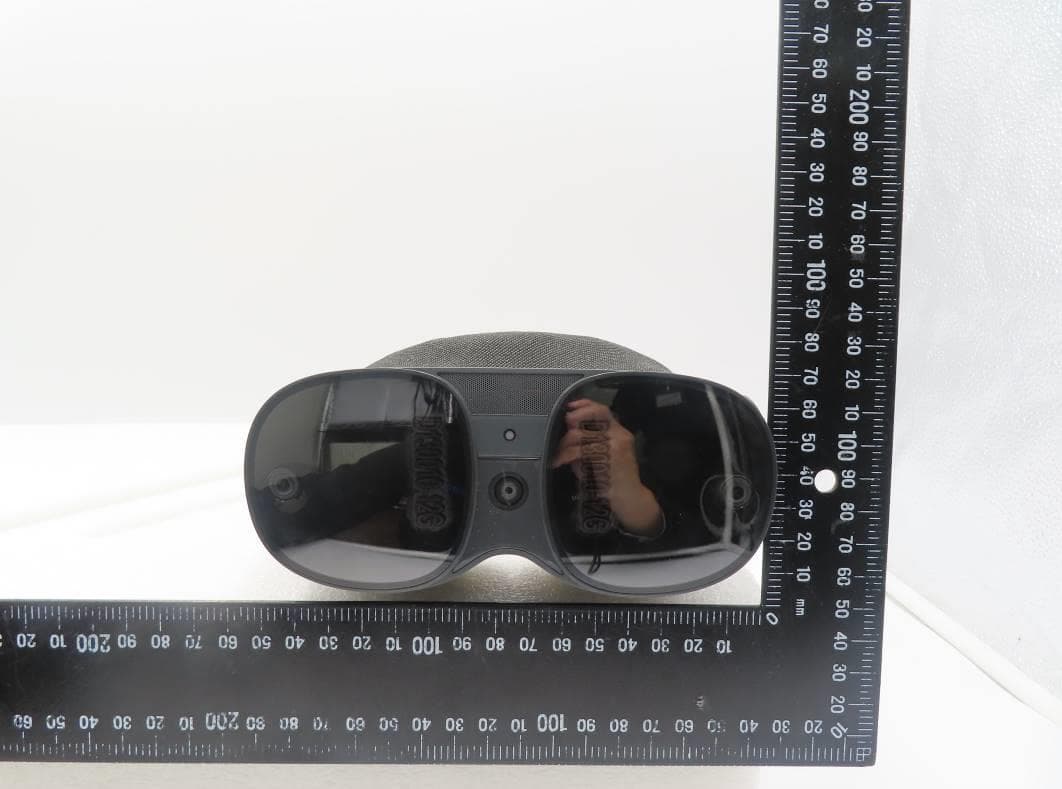
NM82QBB100
Jan 08, 2023Headset
Equipment Class
DTS - Digital Transmission System