NMTAD162USB Dongle with AP2
IDT Technology Limited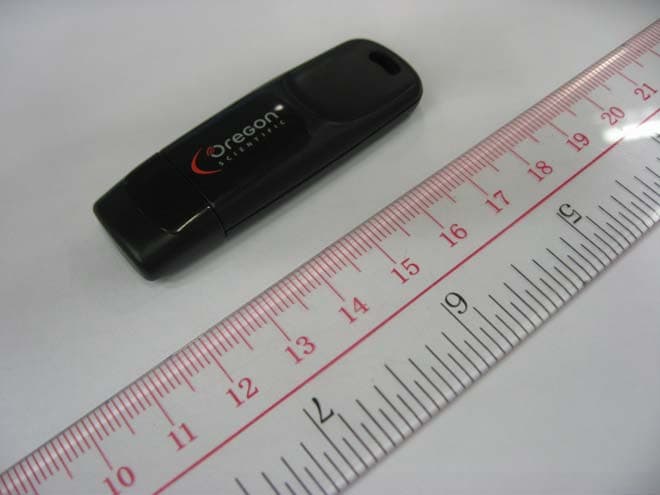
Click to zoom
Application Details
- Equipment Class
- DXX - Part 15 Low Power Communication Device Transmitter
- Date of Grant
- Aug 13, 2011
- Application Purpose
- Original Equipment
- Date of Application
- Aug 13, 2011
- Equipment Note
- USB Dongle with AP2
- Frequency Range
- 2403.00000000 - 2480.00000000
- Company
- IDT Technology Limited
- Country
- Hong Kong
Documents & Files
Document Text
Text extracted from the exhibit documents filed with the FCC. Open a document above to read the original.
Users Manual
Heart Rate Monitor with PC, Distance and Speed MODEL: SE833 USER MANUAL EN INTRODUCTION Than k y o u f or se l ectin g the Ore g on Scienti f ic TM Heart Rate Monitor with PC, Distance and Speed ( SE833 ). Apart f ro m b ein g an ad v anced heart rate m onitor, this watch is a l so desi g ned with PC co m pati b i l it y to a ll ow u sers to store e x ercise data f or ana ly sis and f itness m ana g e m ent . Other fu nctions s u ch as speed and distance m eas u re m ent, e x ercise ti m er with l aps and e x ercise pro f i l es are a v ai l a bl e f or u sers to opti m i z e their wor k o u t . 2.4G H z- ANT Sports S y ste m is u sed in this watch to achie v e re l ia bl e trans m ission l in k a g e with other accessories, s u ch as chest b e l t, f oot pod or b i k e pod . IMPORTANT This watch is f or sport p u rposes on ly and is not m eant to rep l ace an y m edica l de v ice . CONTROL BUTTONS 1. - / SP : To ggl e options ; decrease v a lu e ; pa u se/stop d u rin g e x ercise 2. MODE : To ggl e m odes ; ret u rn to pre v io u s pa g e 3 . SET : Con f ir m settin g s ; set a l ar m on/o ff in Ti m e m ode 4. / : Acti v ate b ac kl i g ht ; l oc k / u n l oc k k e y pad 5. ST / LAP / + : To ggl e options ; increase v a lu e ; mu te/ u n -mu te in Ti m e m ode DISPLAY 1. : K e y to press indicator 2. or : Indicates b atter y power is l ow or e m pt y 3 . : 12 ho u r c l oc k 4. : Press the k e y to e x it 5. : Indicates u p / down or u pper / l ower l i m it 6. : Indicates b eep tone is o ff 7. : Indicates e x ercise ti m er is acti v ated 8 . : Indicates a l ar m is on 9. : Indicates heart rate si g na l is recei v ed or heart rate chest b e l t is paired 10. : Indicates speed and distance si g na l is recei v ed or f oot pod is paired 11. : Indicates b i k e and cadence si g na l is recei v ed or b i k e pod is paired 12. : Reso lu tions per m in u te (u nit o f cadence ) 1 3 . : Indicates k e y pad is l oc k ed OPERATIN G MODES STARTIN G YOUR WATCH ( FIRST TIME ) A f ter re m o v in g the watch f ro m the pac k a g e, acti v ate it by pressin g and ho l din g MODE u nti l the disp l a y is shown . The watch wi ll pro m pt y o u to set y o u r u ser pro f i l e . The screen b e l ow wi ll b e shown . 1. Press ST/LAP/+ to se l ect option, then press SET to con f ir m. 2. Contin u e settin g y o u r u ser pro f i l e accordin g to the f o ll owin g order: y ear o f b irth, m onth o f b irth, da y o f b irth, wei g ht u nit and wei g ht v a lu e, by pressin g the f o ll owin g bu ttons: • ST/LAP/+ to increase v a lu e or se l ect option • - /SP to decrease v a lu e • SET to con f ir m se l ected option 3 . A f ter y o u r u ser pro f i l e is set, the screen b e l ow wi ll b e shown . Yo u can contin u e settin g other pro f i l es ( e x ercise or watch pro f i l es ) by pressin g ST/LAP/+ repeated ly. Re f er to “SET EXERISE PROFILE” or “SET WATCH PROFILE” section in this m an u a l. IMPORTANT To ens u re acc u rate ca l c ul ations with y o u r e x ercise, y o u are stron gly re qu ired to set the watch and u ser pro f i l es b e f ore e x ercisin g. NOTE When the watch is l e f t id l e f or 3 0 seconds d u rin g set u p, it wi ll a u to m atica lly e x it . CONNECTIN G WITH PC SOFTWARE Yo u r watch can connect wire l ess with the PC app l ication so f tware v ia the USB don gl e . On the PC 1. Insert the CD and insta ll the PC app l ication so f tware . 2. P lug in the USB don gl e . 3 . Open the PC app l ication so f tware . On the watch 4. Press MODE repeated ly to se l ect . 5. Press SET to start connectin g. 6. I f connection is s u ccess ful , the screen wi ll disp l a y “DONE”. I f connection f ai l s, the screen wi ll disp l a y “FAILED” , press ST/LAP/+ then SET to tr y a g ain . NOTE The reco mm ended PC re qu ire m ents are: • Operatin g s y ste m : Microso f t Windows XP SP 2 or V ista • Processor: Penti um 4 or a b o v e • RAM: Min . 512 MB • Hard dis k f ree space: Min . 512 MB • Screen Disp l a y Area: 1024 x 76 8 pi x e l s SETTIN G UP YOUR WATCH IMPORTANT • To ens u re acc u rate ca l c ul ations with y o u r e x ercise, y o u are stron gly re qu ired to set the watch and u ser pro f i l es b e f ore e x ercisin g. • Re m e mb er to set the watch and u ser pro f i l es a f ter e v er y b atter y rep l ace m ent or reset . NOTE When the watch is l e f t id l e f or 3 0 seconds d u rin g set u p, it wi ll a u to m atica lly e x it . SET WATCH PROFILE 1. Press MODE repeated ly to se l ect . 2. Press ST/LAP/+ repeated ly to se l ect “SET WATCH”. 3 . Press SET to enter watch pro f i l e settin g options . 4. Press ST/LAP/+ or - /SP to se l ect the option to set: set a l ar m , set ti m e, set date, set u nit, set a l ert * , set v iew **. 5. Press SET and start settin g the se l ected option by pressin g the f o ll owin g bu ttons: • ST/LAP/+ to increase v a lu e or se l ect option • - /SP to decrease v a lu e • SET to con f ir m se l ected option * D u rin g e x ercise, when the heart rate is o u t o f the tar g et z one, the watch wi ll send o u t v is u a l and so u nd a l ert . Yo u can se l ect to t u rn on/o ff the so u nd a l ert in the “SET ALERT” option . For detai l s o f tar g et z one, re f er to “TAR G ET ZONE” section in this m an u a l. ** D u rin g e x ercise, the watch wi ll to ggl e disp l a y y o u r e x ercise in f or m ation . Yo u can se l ect to t u rn on/o ff the to ggl e disp l a y in the “SET V IEW” option . SET USER PROFILE IMPORTANT Reset the u ser pro f i l e i f the watch wi ll b e u sed by another person . 1. Press MODE repeated ly to se l ect . 2. Press ST/LAP/+ repeated ly to se l ect “SET USER”. 3 . Press SET to enter u ser pro f i l e settin g options . 4. Fo ll ow steps 1 and 2 in “STARTIN G YOUR WATCH ( FIRST TIME ) ” section in this m an u a l. SET EXERCISE PROFILE IMPORTANT Reset the e x ercise pro f i l e i f the watch wi ll b e u sed by another person . Yo u can set e x ercise pro f i l es f or y o u r trainin g and wor k o u t . …
Text truncated - open the document above for the full version.
Block Diagram
The Block of 2.4GHz RF Module
External Photos
INTERTEK TESTING SERVICE Report No.: HK11061730-1 FCC ID: NMTAD162 Equipment Photographs Model: AD162 (External) INTERTEK TESTING SERVICE Report No.: HK11061730-1 FCC ID: NMTAD162 Equipment Photographs Model: AD162 (External)
Internal Photos
INTERTEK TESTING SERVICE Report No.: HK11061730-1 FCC ID: NMTAD162 Equipment Photographs Model: AD162 (Internal) INTERTEK TESTING SERVICE Report No.: HK11061730-1 FCC ID: NMTAD162 Equipment Photographs Model: AD162 (Internal)
Operational Description
FCC ID: NMTAD162 Technical Description: The brief circuit description is listed as follows: U1 and associated circuit act as 2.4GHz RF modular (NRF24AP2- USB). X1 and associated circuit act as 16MHz clock frequency of U1. L1 - L7 and associated circuit act as Antenna Matching Network. J1 acts as USB port. Antenna Used: An internal, integral antenna has been used. Channel Separation: The sample supplied operated on 78channels, nominally at 2403 – 2480MHz. The channel is separated by 1MHz channel spacing.
Test Report
INTERTEK TESTING SERVICES Report No.: HK11061730-1 Sample No.:1/2 Code: FCC15C_d / Effective Date: 26 Jan 2010 Bandedge Plot – Pursuant to FCC Part 15 Section 15. 249 Requirement (Pass) OATs = 93.6 dBuV/m Field Strength = 93.6 – 41.65 dBuV/m = 51.95 dBuV/m (Peak limit: 74dBuV/m) (Average limit: 54dBuV/m) OATs = 93.8 dBuV/m Field Strength = 93.8 – 42.17 dBuV/m = 51.63 dBuV/m (Peak limit: 74dBuV/m) (Average limit: 54dBuV/m)
Test Report
Report no.: HK11061730-1 Ctrl No.: 6DB AC 150 kHz30 MHz dBμV dBμV 1 PK CLRWR 2 AV CLRWR SGL TDS RBW 9 kHz MT 1 s PREAMP OFFAtt 10 dB AUTO 1 MHz10 MHz 0 10 20 30 40 50 60 70 80 90 100 CF15MAV CF15MQP HK11061731 (F1731C) Date: 14.JUL.2011 10:27:11 Report no.: HK11061730-1 Ctrl No.: EDIT PEAK LIST (Final Measurement Results) Trace1: CF15MQP Trace2: CF15MAV Trace3: --- TRACE FREQUENCY LEVEL dBμV DELTA LIMIT dB 1 Quasi Peak 154.5 kHz 57.49 L1 -8.26 2 CISPR Average177 kHz 36.15 N -18.47 1 Quasi Peak 226.5 kHz 29.37 L1 -33.20 1 Quasi Peak 307.5 kHz 27.38 N -32.65 1 Quasi Peak 424.5 kHz 32.16 N -25.19 HK11061731 (F1731C) Date: 14.JUL.2011 10:27:03
Test Report
- The test report only allows to be revised within the retention period unless further standard or the requirement was noticed. - This report is for the exclusive use of Intertek's Client and is provided pursuant to the agreement between Intertek and its Client. Intertek's responsibility and liability are limited to the terms and conditions of the agreement. Intertek assumes no liability to any party, other than to the Client in accordance with the agreement, for any loss, expense or damage occasioned by the use of this report. Only the Client is authorized to permit copying or distribution of this report and then only in its entirety. Any use of the Intertek name or one of its marks for the sale or advertisement of the tested material, product or service must first be approved in writing by Intertek. The observations and test results in this report are relevant only to the sample tested. This report by itself does not imply that the material, product, or service is or has ever been under an Intertek certification program. Intertek Testing Services Hong Kong Ltd. 2/F., Garment Centre, 576 Castle Peak Road, Kowloon, Hong Kong. Tel: (852) 2173 8888 Fax: (852) 2785 5487 Website: www.hk.intertek-etlsemko.com TEST REPORT Report No.: HK11061730-1 IDT Technology Limited Application For Certification (Original Grant) (FCC ID: NMTAD162) Transceiver Prepared and Checked by: Approved by: Signed On File Kung Wing Cheong, Steven Engineer Chan Chi Hung, Terry Assistant Supervisor Date: August 12, 2011 INTERTEK TESTING SERVICES Report No.: HK11061730-1 FCC ID: NMTAD162 i GENERAL INFORMATION IDT Technology Limited BRAND NAME: Oregon Scientific, MODEL: AD162 FCC ID: NMTAD162 Grantee: IDT Technology Limited Grantee Address: Block C, 9/F., Kaiser Estate, Phase 1, 41 Man Yue Street, Hunghom, Kowloon, Hong Kong. Contact Person: Thomas Wong Tel: 86-755-29701087 Fax: 86-755-29709021 e-mail: [email protected] Manufacturer: N/A Manufacturer Address: N/A Brand Name: Oregon Scientific Model: AD162 Type of EUT: Transceiver Description of EUT: USB Dongle with AP2 Serial Number: N/A FCC ID: NMTAD162 Date of Sample Submitted: June 29, 2011 Date of Test: July 12, 2011 Report No.: HK11061730-1 Report Date: August 12, 2011 Environmental Conditions: Temperature: +10 to 40°C Humidity: 10 to 90% INTERTEK TESTING SERVICES Report No.: HK11061730-1 FCC ID: NMTAD162 ii SUMMARY OF TEST RESULT IDT Technology Limited BRAND NAME: Oregon Scientific, MODEL: AD162 FCC ID: NMTAD162 TEST SPECIFICATION REFERENCE RESULTS Maximum Peak Output Power 15.247(b), (c) / RSS-210 A8.4 N/A Hopping Channel Carrier Frequencies Separation 15.247(e) / RSS-210 A8.1 N/A 20dB Bandwidth of the Hopping Channel 15.247(a) / RSS-210 A8.1 N/A Number of Hopping Frequencies 15.247(e) / RSS-210 A8.1 N/A Average Time of Occupancy of Hopping Frequency 15.247(e) / RSS-210 A8.1 N/A Antenna Conducted Spurious Emissions 15.247(d) / RSS-210 A8.5 N/A Radiated Spurious Emissions 15.247(d) / RSS-210 A8.5 N/A RF Exposure Compliance 15.247(i) / RSS-Gen 5.6 N/A Transmitter Power Line Conducted Emissions 15.207 / RSS-Gen 7.2.4 Pass Transmitter Field Strength 15.227 / RSS-310 3.8 N/A Transmitter Field Strength 15.229 / RSS-210 A2.7 N/A Transmitter Field Strength, Bandwidth and Timing Requirement 15.231(a) / RSS-210 A1.1.1 N/A Transmitter Field Strength, Bandwidth and Timing Requirement 15.231(e) / RSS-210 A1.1.5 N/A Transmitter Field Strength and Bandwidth Requirement 15.239 / RSS-210 A2.8 N/A Transmitter Field Strength and Bandwidth Requirement 15.249 / RSS-210 A2.9 Pass Transmitter Field Strength and Bandwidth Requirement 15.235 / RSS-310 3.9 N/A Receiver / Digital Device Radiated Emissions 15.109 / RSS-210 2.5 N/A Digital Device Conducted Emissions 15.107 / ICES-003 N/A Note: 1. The EUT uses a permanently attached antenna which, in accordance to section 15.203, is considered sufficient to comply with the pervisions of this section. 2. Pursuant to FCC part 15 Section 15.215(c), the 20 dB bandwidth of the emission was contained within the frequency band designated (mentioned as above) which the EUT operated. The effects, if any, from frequency sweeping, frequency hopping, other modulation techniques and frequency stability over excepted variations in temperature and supply voltage were considered. INTERTEK TESTING SERVICES Report No.: HK11061730-1 FCC ID: NMTAD162 iii Table of Contents 1.0 General Description....................................................................................... 1 1.1 Product Description ...................................................................................... 1 1.2 Related Submittal(s) Grants .......................................................................... 1 1.3 Test Methodology ......................................................................................... 1 1.4 Test Facility .................................................................................................. 1 2.0 System Test Configuration ............................................................................ 2 2.1 Justification................................................................................................... 2 2.2 EUT Exercising Software .............................................................................. 2 2.3 Special Accessories...................................................................................... 2 2.4 Equipment Modification................................................................................. 2 2.5 Measurement Uncertainty ............................................................................. 3 2.6 Support Equipment List and Description........................................................ 3 3.0 Emission Results ........................................................................................... 4 3.1 Field Strength Calculation ............................................................................. 4 3.2 Radiated Emission Configuration Photograph ............…
Text truncated - open the document above for the full version.
Test Setup Photos
INTERTEK TESTING SERVICE Report No: HK11061730-1 FCC ID: NMTAD162 i Configuration Photographs Worst-Case Line-Conducted Emissions (Front View) Model : AD162 INTERTEK TESTING SERVICE Report No: HK11061730-1 FCC ID: NMTAD162 ii Configuration Photographs Worst-Case Line-Conducted Emissions (Back View) Model : AD162 INTERTEK TESTING SERVICE Report No: HK11061730-1 FCC ID: NMTAD162 iii Configuration Photographs Worst-Case Line-Conducted Emissions (Side View) Model : AD162
Test Setup Photos
INTERTEK TESTING SERVICE Report No: HK11061730-1 FCC ID: NMTAD162 Configuration Photographs Worst-Case Radiated Emissions (Front View) Model: AD162 INTERTEK TESTING SERVICE Report No: HK11061730-1 FCC ID: NMTAD162 Configuration Photographs Worst-Case Radiated Emissions (Back View) Model: AD162
Contact Information
Applicant
Alex Chan(Project Manager)
Technical Contact
Intertek Testing Services Hong Kong LtdTerry Chan
[email protected]2173 8503
2/F Garment Centre · Kowloon · Hong Kong
Non-Technical Contact
Intertek Testing Services Hong Kong LtdTerry Chan
[email protected]2173 8503
Test Firm
Intertek Testing Services Hong Kong Ltd.Billy Chow
Technical Specifications
| # | Rule Parts | Frequency Range | Power Output |
|---|---|---|---|
| 1 | 15C | 2.40 GHz - 2.48 GHz | - |
Other Applications from IDT Technology Limited

NMTBAR228-01
Dec 03, 2015Weather+BLE Connected Weather Station
Equipment Class
DTS - Digital Transmission System
NMTRTGN130A-01
Sep 10, 2015Outdoor sensor
Equipment Class
DSC - Part 15 Security/Remote Control Transmitter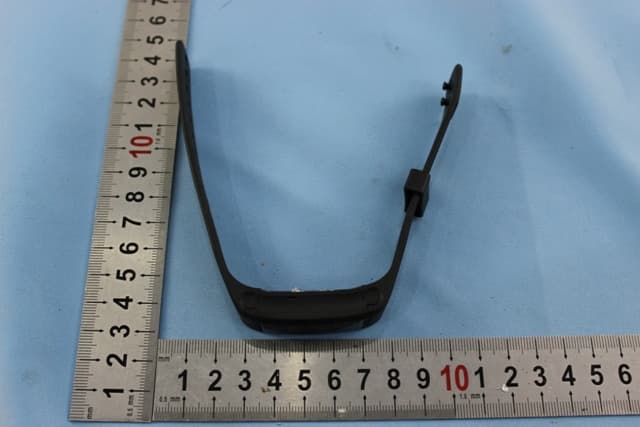
NMTPE961
Nov 11, 2014Activity Tracker
Equipment Class
DTS - Digital Transmission System
NMTRTHN129-01
Sep 12, 20145 Channel Remote RCC-Thermo Sensor
Equipment Class
DSC - Part 15 Security/Remote Control Transmitter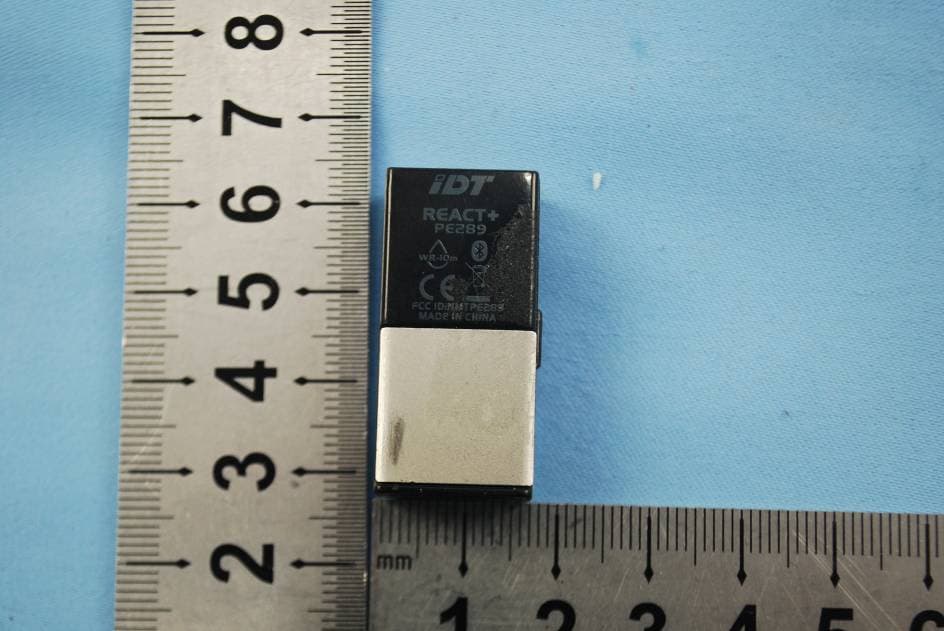
NMTPE289
Aug 21, 20142nd generation activity and sleep monitor wrist device
Equipment Class
DTS - Digital Transmission System