NMTRTGN130A-01Outdoor sensor
IDT Technology Limited
Click to zoom
Application Details
- Equipment Class
- DSC - Part 15 Security/Remote Control Transmitter
- Date of Grant
- Sep 10, 2015
- Application Purpose
- Original Equipment
- Date of Application
- Sep 10, 2015
- Equipment Note
- Outdoor sensor
- Frequency Range
- 433.92000000 - 433.92000000
- Company
- IDT Technology Limited
- Country
- Hong Kong
Documents & Files
Document Text
Text extracted from the exhibit documents filed with the FCC. Open a document above to read the original.
Users Manual
EN INtroductIoN Thank you for selecting the Oregon Scientific™ PRYSMAchrome Weather Station. This device bundles precise time keeping, alarm, and temperature monitoring features into a single tool you can use from the convenience of your home. Keep this manual handy as you use your new product. It contains practical step-by-step instructions, as well as technical specifications and warnings you should know. Lcd dIspLay Time Display Outdoor/Indoor temperature display Weather forecast display Outdoor/Indoor humidity display IconDescription In humidity display area ( ): Low battery in remote sensor In time display area ( ): Low battery in main unit backup battery (CR2032). Remote sensor channel number Temperature auto-loop indicator Indoor weather indicator Humidity display indicator (%) Temperature display indicator (°C/°F) Alarm is on. RCC signal reception indicator oVErVIEW top VIEW - Press to toggle the alarm display and alarm on/off. Press and hold to enter alarm setting. - Press to toggle between time and date display. Press and hold to enter the setting. - Tap to snooze an alarm or activate the brightest backlight for 5 seconds. - Press to increase the value in setting, or press and hold to increase a value rapidly in setting. Press to toggle the remote sensor channels in ascending order, or press and hold to search for the remote sensor. - Press to decrease the value in setting, or press and hold to decrease a value rapidly in setting. Press to toggle the remote sensor channels in descending order, or press and hold to remove selected remote sensor. rEar VIEW - Press to reset the unit to default. - Press to turn on the RCC signal reception. Press and hold to turn off. - Micro USB power jack - Press to toggle the temperature unit. - Press to toggle the backlight brightness level. Press and hold to set the back light color. remote sensor cH Channel 1-5. If more than one sensor is being used, make sure each one has a different channel number. sEarcH Press to search for RCC function. rEsEt Press if the sensor is not working correctly, after battery replacement or channel change. GEttING startEd connecting the main unit to power supply Connect the power cable to the Micro USB jack and plug the power adaptor into a suitable power outlet. Inserting batteries into remote thermo sensor 1. Slide down the battery compartment cover to open, then insert 2 “AAA” batteries, matching the polarity as shown. 2. Press . Slide to replace the battery compartment cover. NOTE The main unit can connect up to 5 sensor. Press and hold + on the main unit to search for the remote sensor every time after adding a new sensor. placement of the main unit • Place the device as far as possible from computers and microwaves to avoid any interference. • Only use this device indoors in a dry location. • Leave space around the device for ventilation purposes. • To ensure for good sound quality, do not cover the speaker. placement of the remote thermo sensor Min 5 ft (1.5 m) Max 164 ft (50 m) Place your sensor outside the home at a height of not more than 5 ft (1.5 m), shielded from direct sunlight or wet conditions. • The icon on the main unit flashes while searching the signal from the remote sensor. NOTE The radio signal reaches up to 164 ft (50 m) depending on conditions of surrounding. replacing cr2032 backup battery This unit is equipped with a CR2032 battery as a backup power source. When the main unit shows , replace the CR2032 backup battery. to replace a cr2032 backup battery 1. Open up the bottom left corner of the rubber cover, then gently push the arched part of the backup battery door downwards as shown above. 2. Replace the CR2032 backup battery to the compartment, then push the battery compartment back into the main unit. Connect the main unit to the power supply and then press . NOTE When replacing the backup battery, flip the bottom left corner rubber cover only. Do not remove the entire rubber cover. tEMpEraturE sENsItIVE Lcd dIspLay The LCD display changes colors according to the temperature of the first sensor with the lowest channel number available (e.g channel 1). If sensor channel 1 is not available, the LCD display will change its color according to the temperature of the next sensor channel (e.g. channel 2) available in ascending order. You may also set the LCD display color manually by press and hold , then press or to toggle between the desired color number, or choose auto to change colors according to the temperature. Outdoor Temperature (Channel 1)ColorColor number ≤ 5.9 °CPurple1 6 °C - 10.9 °CBlue2 11 °C - 15.9 °CPale blue3 16 °C - 20.9 °CGreen4 21 °C - 25.9 °CYellow5 26 °C - 30 °COrange6 ≥30.1°CRed7 • Tab to activate the brightest backlight display for 5 seconds. • Press repeatedly to toggle the desired backlight display brightness level. • The unit might take some time to change its LED display color. radIo rEcEptIoN This unit is designed to automatically synchronize its calendar and clock when brought within the range of the radio signal. The main unit is able to receive RF clock data in different RCC signal from the sensors depend on the region: RegionSignal EUDCF UKMSF USWWVB Depending on the strength of the signal, the connection process takes 2 to 10 minutes. If the signal is weak, it could take up to 24 hours to receive a valid signal. SymbolDescription RCC is off RCC Time is received No RCC signal received NOTE The default time zone setting is Central (c) for the US and +/- 0 for the EU/UK. Check your time zone setting before receiving the RCC signal. sEttING tIME MaNuaLLy 1. Press and hold . The screen displays and the number flashes. 2. Press once or press and hold or to adjust the setting. For EU/UK, the time-zone offset sets the clock up to +/- 23 hours from the received clock signal time. For US, the time-zone setting is Central (c); Eastern (E); Atlantic (a); Newfoundland (N); Pacific (p); Mountain (M). 3. Press to confirm. 4. Press once or press and hold or to adjust the s…
Text truncated - open the document above for the full version.
External Photos
1 Photographs - EUT Constructional Details Test model No.: RTGN130A
ID Label/Location Info
20mm 1mm
Internal Photos
1 Photographs - EUT Constructional Details Test model No.: RTGN130A
Test Report
SGS-CSTC Standards Technical Services Co., Ltd. Shenzhen Branch No. 1 Workshop, M-10, Middle section, Science & Technology Park, Nanshan District, Shenzhen, Guangdong, China 518057 Telephone: +86 (0) 755 2601 2053 Fax: +86 (0) 755 2671 0594 Email: [email protected] Report No.: SZEM150700473501 Page: 1 of 23 Authorized Signature: Jack Zhang EMC Laboratory Manager The manufacturer should ensure that all products in series production are in conformity with the product sample detailed in this report. If the product in this report is used in any configuration other than that detailed in the report, the manufacturer must ensure the new system complies with all relevant standards. Any mention of SGS International Electrical Approvals or testing done by SGS International Electrical Approvals in connection with, distribution or use of the product described in this report must be approved by SGS International Electrical Approvals in writing. The report must not be used by the client to claim product certification, approval, or endorsement by NVLAP, NIST, or any agency of the federal government. All test results in this report can be traceable to National or International Standards. ′′This document is issued by the Company subject to its General Conditions of Service printed overleaf, available on request or accessible at www.sgs.com/terms_and_conditions.htm and, for electronic format documents, subject to Terms and Conditions for Electronic Documents at www.sgs.com/terms_e-document.htm. Attention is drawn to the limitation of liability, indemnification and jurisdiction issues defined therein. Any holder of this document is advised that information contained hereon reflects the Company’s findings at the time of its intervention only and within the limits of Client’s instructions, if any. The Company’s sole responsibility is to its Client and this document does not exonerate parties to a transaction from exercising all their rights and obligations under the transaction documents. This document cannot be reproduced except in full, without prior written approval of the Company. Any unauthorized alteration, forgery or falsification of the content or appearance of this document is unlawful and offenders may be prosecuted to the fullest extent of the law. Unless otherwise stated the results shown in this test report refer only to the sample(s) tested and such sample(s) are retained for 90 days only.′′ Cover Page FCC TEST REPORT Application No.: SZEM1507004735CR Applicant: iDT Technology Limited Manufacturer/Factory: iDT Technology Limited Product Name: Outdoor sensor Model No.(EUT): RTGN130A Add Model No.: RTGN130, RTHN130, RTHN130A, RTGN129, RTGN129A Trade Mark: Oregon scientific FCC ID: NMTRTGN130A-01 Standards: 47 CFR Part 15, Subpart C (2014) Date of Receipt: 2015-08-04 Date of Test: 2015-08-18 to 2015-08-24 Date of Issue: 2015-08-31 Test Result: PASS * * In the configuration tested, the EUT complied with the standards specified above. SGS-CSTC Standards Technical Services Co., Ltd. Shenzhen Branch Report No.: SZEM150700473501 Page: 2 of 23 “This document is issued by the Company subject to its General Conditions of Service printed overleaf, available on request or accessible at www.sgs.com/terms_and_conditions.htm and, for electronic format documents, subject to Terms and Conditions for Electronic Documents at www.sgs.com/terms_e-document.htm. Attention is drawn to the limitation of liability, indemnification and jurisdiction issues defined therein. Any holder of this document is advised that information contained hereon reflects the Company’s findings at the time of its intervention only and within the limits of Client’s instructions, if any. The Company’s sole responsibility is to its Client and this document does not exonerate parties to a transaction from exercising all their rights and obligations under the transaction documents. This document cannot be reproduced except in full, without prior written approval of the Company. Any unauthorized alteration, forgery or falsification of the content or appearance of this document is unlawful and offenders may be prosecuted to the fullest extent of the law. Unless otherwise stated the results shown in this test report refer only to the sample(s) tested and such sample(s) are retained for 90 days only.” 1 Version Revision Record Version Chapter Date Modifier Remark 00 2015-08-31 Original Authorized for issue by: Tested By 2015-08-24 (Eric Fu) /Project Engineer Date Prepared By 2015-08-31 (Vivi Zhou) /Clerk Date Checked By 2015-08-31 (Chris Zhong) /Reviewer Date SGS-CSTC Standards Technical Services Co., Ltd. Shenzhen Branch Report No.: SZEM150700473501 Page: 3 of 23 “This document is issued by the Company subject to its General Conditions of Service printed overleaf, available on request or accessible at www.sgs.com/terms_and_conditions.htm and, for electronic format documents, subject to Terms and Conditions for Electronic Documents at www.sgs.com/terms_e-document.htm. Attention is drawn to the limitation of liability, indemnification and jurisdiction issues defined therein. Any holder of this document is advised that information contained hereon reflects the Company’s findings at the time of its intervention only and within the limits of Client’s instructions, if any. The Company’s sole responsibility is to its Client and this document does not exonerate parties to a transaction from exercising all their rights and obligations under the transaction documents. This document cannot be reproduced except in full, without prior written approval of the Company. Any unauthorized alteration, forgery or falsification of the content or appearance of this document is unlawful and offenders may be prosecuted to the fullest extent of the law. Unless otherwise stated the results shown in this test report refer only to the sample(s) tested and such sample(s) are retained for 90 days only.” 2 Test Summary Test Item Test Requirement Test method Result Antenna Requi…
Text truncated - open the document above for the full version.
Test Setup Photos
1 Photographs - Test setup Test model No.: RTGN130A 1.1 Radiated Emission 1.2 Radiated Spurious Emission
Contact Information
Applicant
Alex Chan(Project Manager)
Test Firm
SGS-CSTC Standards Technical Services Co.,Ltd.June Zhang
Technical Specifications
| # | Rule Parts | Frequency Range | Power Output |
|---|---|---|---|
| 1 | 15.231 | 433.92 MHz - 433.92 MHz | - |
Other Applications from IDT Technology Limited

NMTBAR228-01
Dec 03, 2015Weather+BLE Connected Weather Station
Equipment Class
DTS - Digital Transmission System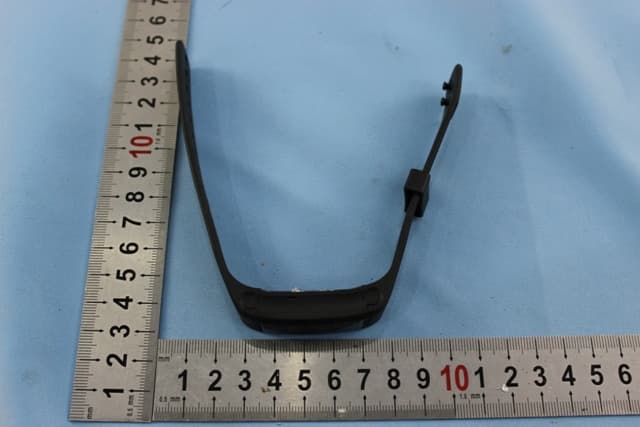
NMTPE961
Nov 11, 2014Activity Tracker
Equipment Class
DTS - Digital Transmission System
NMTRTHN129-01
Sep 12, 20145 Channel Remote RCC-Thermo Sensor
Equipment Class
DSC - Part 15 Security/Remote Control Transmitter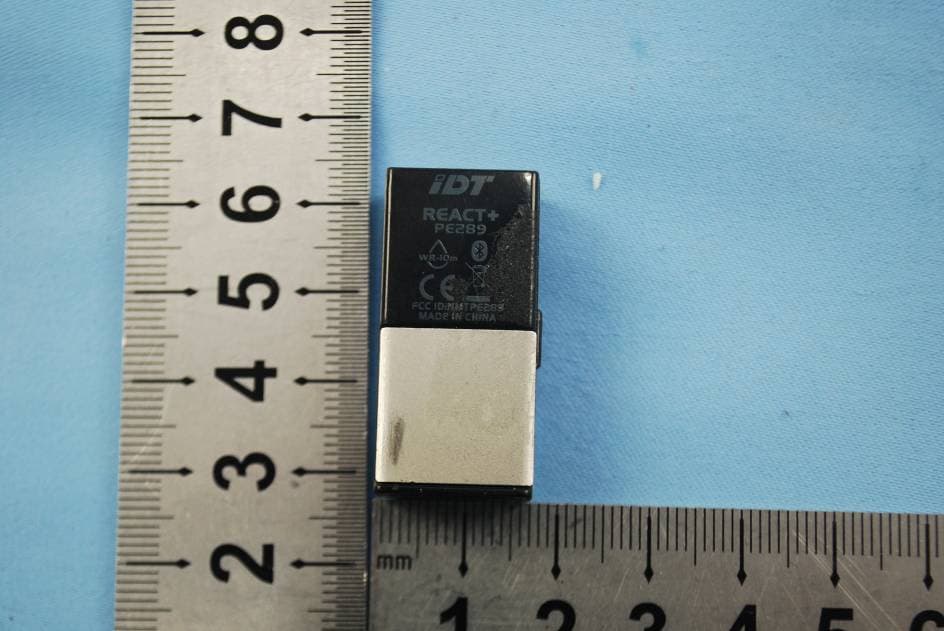
NMTPE289
Aug 21, 20142nd generation activity and sleep monitor wrist device
Equipment Class
DTS - Digital Transmission System
NMTTHN802-01
Aug 21, 2014Remote Rain Gauge with Outdoor Thermometer
Equipment Class
DSC - Part 15 Security/Remote Control Transmitter