NMTEMR211-01BLE connected IN/out thermometer
IDT Technology Limited
Click to zoom
Application Details
- Equipment Class
- DTS - Digital Transmission System
- Date of Grant
- May 20, 2014
- Application Purpose
- Original Equipment
- Date of Application
- May 20, 2014
- Equipment Note
- BLE connected IN/out thermometer
- Frequency Range
- 2402.00000000 - 2480.00000000
- Company
- IDT Technology Limited
- Country
- Hong Kong
Documents & Files
Document Text
Text extracted from the exhibit documents filed with the FCC. Open a document above to read the original.
Users Manual
Model: EMR211 User Manual EN inTRodUcTion Thank you for selecting our Oregon Scientific TM Weather@Home Bluetooth-enabled Thermometer. which has changeable display on indoor and outdoor temperature. Please keep this manual handy as you use your new product. It contains practical step-by-step instructions, as well as technical specifications and warnings you should know about. ovERviEW FRonT viEW 1 2 3 4 5 6 7 8 1. Outdoor temperature reading (°C/°F) 2. Sensor channel indicator 3. : Sensor reception indicator 4. : outdoor remote sensor battery low 5. Indoor temperature reading (°C/°F) 6. : indoor remote sensor / main unit battery low 7. : BLE connection indicator 8. Ice alert LED indicator REaR viEW RESETSET 1. 2. 3. 4 5 1. SET: select temperature unit (°C/°F); pair up Bluetooth function 2. : select outdoor channels (1-5); search remote sensor 3. : select outdoor channels (1-5); auto-scan among sensors 4. RESET: reset the unit to default settings 5. Battery compartment REMoTE SEnSoR (THn132n) 1 2 3 4 5 1. LED status indicator 2. Wall mount hole 3. Battery compartment 4. RESET hole 5. cHannEL switch REFERENCE Other supported sensors include models: THN132N, THGN328N, THGR328N, BTH sensor, THN318N. GETTinG STaRTEd inSERT BaTTERiES 1. Remove the battery compartment. 2. Insert the batteries, matching the polarities (+/-). 3. Press RESET after each battery change. LocaTion MEaninG Outdoor temperature area Outdoor sensor batteries low Indoor temperature area Indoor sensor batteries low / main unit batteries low REMoTE SEnSoR The main unit can collect data from up to 5 sensors. To set up the sensor: 1. Open the battery compartment. 2. Select a channel then press RESET. 3. Close the battery door. 4. Place the sensor within 98 ft (30 m) of the main unit using the table stand or wall mount. TIP Ideal placements for the sensor would be in any location on the exterior of the home at a height of not more than 5 ft (1.5 m); and can shield it from direct sunlight or wet conditions for an accurate reading. 1.5 m (5 ft) Use alkaline batteries for longer usage and consumer grade lithium batteries in temperatures below freezing. SEnSoR daTa TRanSMiSSion To search for a sensor: 1. Press or to select among 5 different outdoor channels of remote sensors. 2. Press and hold for 2 seconds to enforce researching for the selected sensor. To auto-scan among sensors: • Press and hold for 2 seconds to enable auto-scan function for all 5 channels. The temperatures will be displayed automatically in sequential order(Channel 1,2,3,4,5) The sensor reception icon at the front of the main unit shows the status: icondEScRiPTion Main unit is searching for sensor(s). A channel has been found. The sensor cannot be found. TIP The transmission range may vary depending on many factors. You may need to place the sensor(s) in different locations to get the best result(s). TEMPERaTURE To select temperature unit: • Press SET to select °c or °F for temperature readings. icE WaRninG If the channel 1 sensor falls from 37°F to 28°F (3°C to -2°C), LED indicator in the front of the main unit will flash continuously, and will stop flashing once the temperature is out of this range. • Press and at the same time to deactivate the ice alert warning. • The ice alert warning will be disable/enabl again when the temperature falls again from 37°F to 28°F (3°C to -2°C). As ice alert is only applicable to channel 1, to prevent flashing of LED, select channel 2-5 on outdoor sensor. RESET Press RESET at the rear of the main unit to return to the default settings. connEcT WiTH YoUR MoBiLE dEvicE You can remotely set the thermometer and read the weather information through Bluetooth 4.0 using your mobile device with the downloaded application from the Apple Store. To quickly find the application, type ‘Weather@Home’ as keyword in the search engine. Ensure your mobile device is compatible with iOS 5 or Android 4.3 with Bluetooth®v4.0. PaiRinG YoUR THERMoMETER First of all, you need to pair your thermometer with your mobile device. will flash on the screen of the weather station while pairing and be on after successful pairing. To pair up a sensor: At the rear of the main unit, press and hold SET for 2 seconds to enable a pair-up for the main unit. 1. Tap to enter SETTinGS screen. 2. Tap on STaTion area. 3. Tap Pair Up. Searching... displays. If you want to cancel the pairing, tap cancel. 4. Once the pairing is successful, it will return to STaTion screen. 5. Tap on each channel to rename it. (Up to 20 characters including space are allowed). Tap if completed. Tap to exit. To remove sensor: To remove any sensor from the weather station, Tap Remove station on STaTion screen, all the sensors will be removed at the same time. To reposition the sensors on screen: 1. On STaTion screen, tap . 2. Press and hold at the right side of a sensor. Drag it to your desired position. 3. Tap to confirm. SETTinGS You can set your weather station through the application, such as measurement units. The settings are as follows: • Temperature • Barometric (not available in EMR211) • Rainfall (not available in EMR211) • Wind speed (not available in EMR211) • Altitude (not available in EMR211) • Show unavailable sensor • Automatically sync time • Show Sea Level Pressure (not available in EMR211) To select the measurement unit: 1. Tap to view the measurement unit options. 2. Tap on your desired unit. 3. Tap to go back to the previous screen. viEW cURREnT REadinGS You can directly view all the temperature readings from different sensors through the application at a time. The readings are in the HoME screen. If low battery icon displays on the screen, please replace the batteries for the corresponding device. To show unavailable sensor: If the sensor is out of range, the readings are interrupted and - - (dash mode) displays on the screen. If you do not want to show the unavailable sensor: • On SETTinGS screen, touch and slide the button to right to turn on the function, or sliding t…
Text truncated - open the document above for the full version.
Cover Letter(s)
IDT Technology Limited Apr.28, 2014 Federal Communications Commission Authorization and Evaluation Division FCC ID:NMTRAR213HG-01 Confidentiality Request Pursuant to Sections 0.457 and 0.459 of the Commission’s Rules, the applicant hereby requests confidential treatment of information applied this application as outlined below: 1. Block Diagram 2. Circuit Diagram 3. Operational Description The above materials contain trade secrets and proprietary information not customarily released to the public. The public disclosure of these matters might be harmful to the applicant and provide unjustified benefits to its competitors. The Applicant understands that pursuant to Rule 0.457, disclosure of this Application and all accompanying documentation will not be made before the date of the Grant for this application Sincerely, Signature NMTEMR211-01 Name/Title: Alex Chan Applicant: IDT Technology Limited ADDRESS: Block C,9/F., Kaiser Estate,Phase1,41 Man Yue Street, Hunghom, Kowloon , Hong Kong TEL: (852)27647873 FAX : (852)27656620 Email: [email protected]
External Photos
External photos
Internal Photos
Internal photos Antenna
Test Report
Report Number: 60/790.14.003.01 Page 1 of 29 TÜV SÜD HONG KONG LTD., 3/F, West Wing, Lakeside 2, 10 Science Park West Avenue, Science Park, Shatin, HK. Tel: +852-2776 1323 Fax: +852-2776 1206 Rev. no.: 2.1 TÜV SÜD HONG KONG LTD., Unit 601, InnoCentre, 72 Tat Chee Avenue, Kowloon Tong, Hong Kong. Tel: +852-2776 1323 Fax: +852-2776 1206 FCC – Test report Report Number : 60/790.14.003.01 Date of Issue: 15 th May 2014 Model : EMR211 Product Type : BLE connected IN/out thermometer Applicant : IDT Technology Limited Address : Block C,9/F., Kaiser Estate,Phase1,41 Man Yue Street, Hunghom, Kowloon , Hong Kong Production Facility : IDT Technology Limited Address : Block C,9/F., Kaiser Estate,Phase1,41 Man Yue Street, Hunghom, Kowloon , Hong Kong Test Result : Positive Negative Total pages including Appendices : 29 TÜV SÜD Hong Kong Ltd. is a subcontractor to TÜV Product Service, GmbH according to the principles outlined in ISO 17025. TÜV SÜD Hong Kong Ltd. reports apply only to the specific samples tested under stated test conditions. Construction of the actual test samples has been documented. It is the manufacturer's responsibility to assure that additional production units of this model are manufactured with identical electrical and mechanical components. The manufacturer/importer is responsible to the Competent Authorities in Europe for any modifications made to the production units which result in non-compliance to the relevant regulations. TÜV SÜD Hong Kong Ltd. shall have no liability for any deductions, inferences or generalizations drawn by the client or others from TÜV SÜD Hong Kong Ltd. issued reports. This report is the confidential property of the client. As a mutual protection to our clients, the public and ourselves, extracts from the test report shall not be reproduced except in full without our written approval. Report Number: 60/790.14.003.01 Page 2 of 29 TÜV SÜD HONG KONG LTD., 3/F, West Wing, Lakeside 2, 10 Science Park West Avenue, Science Park, Shatin, HK. Tel: +852-2776 1323 Fax: +852-2776 1206 Rev. no.: 2.1 TÜV SÜD HONG KONG LTD., Unit 601, InnoCentre, 72 Tat Chee Avenue, Kowloon Tong, Hong Kong. Tel: +852-2776 1323 Fax: +852-2776 1206 1. Table of Contents 1. Table of Contents ................................................................................................................................................................. 2 2. Details about the Test Laboratory ................................................................................................................................... 3 3. Description of the Equipment Under Test ..................................................................................................................... 4 4. Summary of Test Standards.............................................................................................................................................. 5 5. Summary of Test Standards and Results ...................................................................................................................... 6 6. General Remarks .................................................................................................................................................................. 7 7. Emission Test Results ........................................................................................................................................................ 8 7.1 AC Line Conducted Emissions ................................................................................................................................ 8 7.2 Spurious Emissions at Antenna Terminals .......................................................................................................... 9 7.3 Spurious Radiated Emissions ............................................................................................................................... 12 7.4 6dB Bandwidth ........................................................................................................................................................... 16 7.5 Peak Output Power Measurements ...................................................................................................................... 19 7.6 100 kHz Bandwidth of Band Edges ..................................................................................................................... 22 7.7 Power Spectral Density ........................................................................................................................................... 24 7.8 Antenna Requirement .............................................................................................................................................. 27 8. Test Equipment List .......................................................................................................................................................... 28 9. System Measurement Uncertainty................................................................................................................................. 29 Report Number: 60/790.14.003.01 Page 3 of 29 TÜV SÜD HONG KONG LTD., 3/F, West Wing, Lakeside 2, 10 Science Park West Avenue, Science Park, Shatin, HK. Tel: +852-2776 1323 Fax: +852-2776 1206 Rev. no.: 2.1 TÜV SÜD HONG KONG LTD., Unit 601, InnoCentre, 72 Tat Chee Avenue, Kowloon Tong, Hong Kong. Tel: +852-2776 1323 Fax: +852-2776 1206 2. Details about the Test Laboratory Details about the Test Laboratory Test site 1 Company name: TÜV SÜD HONG KONG LTD. 3/F, West Wing, Lakeside 2, 10 Science Park West Avenue, Science Park, Shatin HK. Telephone: 852 2776 1323 Fax: 852 2776 1372 Test site 2 Company name: Audix Technology(Shenzhen) Co., Ltd. No.6,Ke Feng Road,Block 52,Shenzhen Science & Industy Park,Nanshan,Shenzhen,Guangdong,China(518057) Test site 3 Company name: TMC-Telecommunication Metrology Center of M.I.I.T No 52 Hua Yuanbei Road, Haidian District, Beijing, P.R.China Report Number: 60/790.14.003…
Text truncated - open the document above for the full version.
Test Setup Photos
Radiated Emission Below 1 GHz Above 1 GHz
Contact Information
Applicant
Alex Chan(Project Manager)
Test Firm
TMC-Telecommunication Metrology Center of M.I.I.TChongwen Song
Technical Specifications
| # | Rule Parts | Frequency Range | Power Output |
|---|---|---|---|
| 1 | 15C | 2.40 GHz - 2.48 GHz | 1.10 mW |
Other Applications from IDT Technology Limited

NMTBAR228-01
Dec 03, 2015Weather+BLE Connected Weather Station
Equipment Class
DTS - Digital Transmission System
NMTRTGN130A-01
Sep 10, 2015Outdoor sensor
Equipment Class
DSC - Part 15 Security/Remote Control Transmitter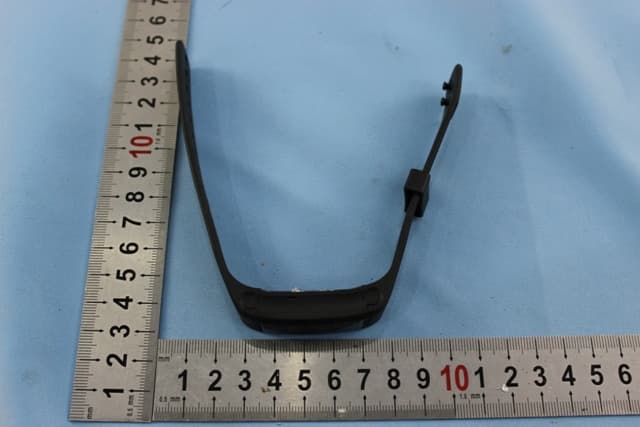
NMTPE961
Nov 11, 2014Activity Tracker
Equipment Class
DTS - Digital Transmission System
NMTRTHN129-01
Sep 12, 20145 Channel Remote RCC-Thermo Sensor
Equipment Class
DSC - Part 15 Security/Remote Control Transmitter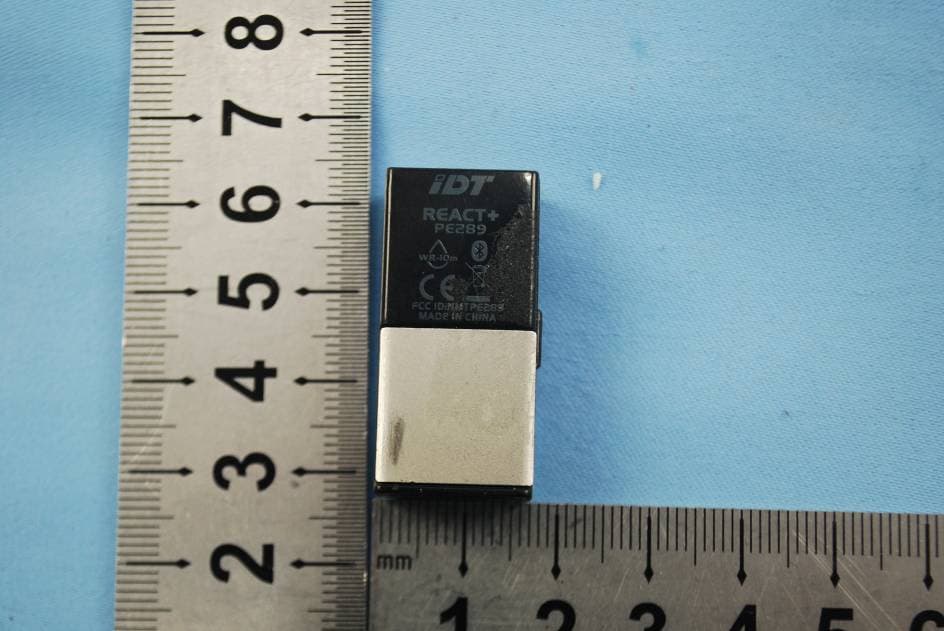
NMTPE289
Aug 21, 20142nd generation activity and sleep monitor wrist device
Equipment Class
DTS - Digital Transmission System