ODGBPX5ACL1Pager Receiver
Hantel Co., Ltd.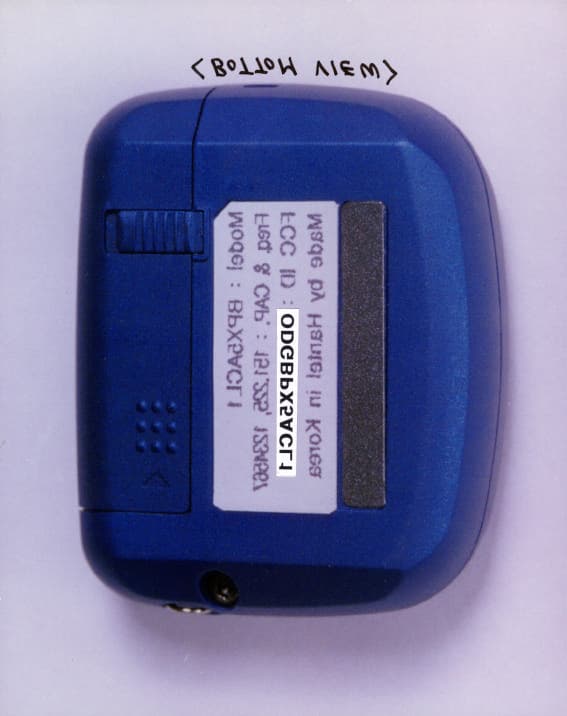
Click to zoom
Application Details
- Equipment Class
- CXX - Communications Rcvr for use w/ licensed Tx and CBs
- Date of Grant
- Apr 01, 1999
- Application Purpose
- Original Equipment
- Date of Application
- Jan 19, 1999
- Equipment Note
- Pager Receiver
- Frequency Range
- 137.00000000 - 174.70000000
- Company
- Hantel Co., Ltd.
- Country
- South Korea
Documents & Files
Document Text
Text extracted from the exhibit documents filed with the FCC. Open a document above to read the original.
Users Manual
HANTEL POCSAG PAGER Function button Read button Caution : Any changes or modifications in construction of this device which are not expressly approved by responsible for compliance could void the user’s authority to operate the equipment. This device complies with part 15 of the FCC Rules. Operation is subject to the condition that this device dose not harmful interference LCD display LCD is consist of 8 icons, small clock display area and main 12 digits display. Icons are; : In range indication : Licked message indication : Sound alert / Vibration mode : Unread message indication : Alarm clock enable indication : Duplicate message detection indication : Low battery indication : Additional message indication for more than 13digits. How to Operate 1. Power ON / OFF 1) Power ON When pressing any button for 2 seconds or longer while the receiver is in the OFF state. A ring tone is activated and at the same time the following is displayed. And then, power is turned on. < Receive Waiting State > 2) Power OFF < Receive Waiting State > Press the function button three times. Press the read button. < Power OFF State > 2. Initial Receive Waiting State The following 1) and 2) show the initial receive waiting state in each mode. 1) Ring Tone Mode < Initial State > 2) Vibration Mode < Initial State > °ÿ For the time indication in the initial receive waiting state, arrange “ - “ indication between time and minute in the interval of 0.5 seconds. In addition, adjust the current time in accordance with the time adjustment order. 3. Switch of Alert Status 1) When switching from the ring tone mode to the vibration mode, Press the function button. Press the read button. < Switching into the vibration mode > 2) When switching from the vibration mode to the ring tone mode, When pressing the read button once after pressing the function button, the status Changes into Tone1, Tone2, Tone3, and Tone4 sequentially. Then, When selecting your favorite tone and pressing the function button, the selected tone is designated as ring tone. Press the function button. Press the read button. Press the read button. Press the read button. Press the read button. Press the read button. < Switching into the ring tone mode > 4. Message Receive 1) In case a call is made, the received message is displayed on the screen and the call alert is activated at the same time. <Message receive while in the vibration mode > < Message receive while in the ring tone mode > 2) In the received messages are not read, the number of messages not red is displayed on the screen as follows (See “ Reading the Messages Not Read ” ) 3) Displaying the message with 13 characters or more In case the message with 13 characters or more received, the “ ” indication is displayed on the end part of the first screen to notify that the message continues on the next screen. < First Screen > Press the read button. < Next Screen > 4) Displaying Overlapped Message In case the received message is the same to the memorized message, “ ” which is The message overlap indication is displayed. Moreover, “ ”is displayed over the Message when reading this message again. < Displaying the Message Overlap > 5.Reading the Message 1) Reading the received Message When receiving the message the alert ( ring tone or vibration ) can be deactivated within the automatic recovery time by pressing function or read button. At this time, if a message with 13 digits or longer or longer is received, continuity indication is displayed. 2) Reading the Stored Message < Receive Waiting State > Press the read button. 1 : This means the first message. 4 : This means the total number of messages received. The message is displayed. The next message is displayed sequentially whenever pressing the read button once. In case there are no more data received, the state is changed into the receive waiting state. .3) Reading the Message Not Read In case there are messages not read, the following is displayed on the screen. Displays the total number of messages not read. Press the “ read ” button. 1: this means the first message. 4: This means the total number of messages received. : Message not red. The message is displayed. °ÿ The next message not read is displayed when pressing the read button after reading the current message. °ÿ In case the power that has been turned off, while the messages not read exist, is turned on, it is indicated that there are the messages not read. 6. Memory Capacity This receiver stores a total of 16 telephone numbers. When all the telephone numbers are stored, new messages are received. Since the messages are deleted sequentially, starting with the first memorized message, important telephone numbers can be prevented from being deleted by protecting them beforehand. 7. Erasing Signal Receiving Area Display In case the receiver goes out of the receiving area for 4 minutes or longer , the “ ” indication on the screen disappears as follows. During this state, the message receive is impossible. 8. Displaying Low Voltage In case the battery capacity falls below a tolerance value, the receive displays low voltage on the screen as follows and at the same tine low voltage alarm tone is activated. 9. Protection and Releasing of Received Message A maximum of 12 messages can be protected in order to prevent the received message from being deleted when receiving a new message. The following is displayed during the message protection operation after 12 messages are protected. < All the 12 messages gave been protected > °ÿ The user should be careful since the message is not protected without batteries. 1) Message Protection Select the message to be protected on the screen. Then, press the function button while pressing the read button, to display the “ ” indication. This is used to indicate that the message on the screen is protected. < Message Protection State > 2) Message Releasing Select the message to be erased from the screen and then, press the function button while pressing the read bu…
Text truncated - open the document above for the full version.
Users Manual
HANTEL POCSAG PAGER Function button Read button Caution : Any changes or modifications in construction of this device which are not expressly approved by responsible for compliance could void the user’s authority to operate the equipment. This device complies with part 15 of the FCC Rules. Operation is subject to the condition that this device dose not harmful interference LCD display LCD is consist of 8 icons, small clock display area and main 12 digits display. Icons are; : In range indication : Licked message indication : Sound alert / Vibration mode : Unread message indication : Alarm clock enable indication : Duplicate message detection indication : Low battery indication : Additional message indication for more than 13digits. How to Operate 1. Power ON / OFF 1) Power ON When pressing any button for 2 seconds or longer while the receiver is in the OFF state. A ring tone is activated and at the same time the following is displayed. And then, power is turned on. < Receive Waiting State > 2) Power OFF < Receive Waiting State > Press the function button three times. Press the read button. < Power OFF State > 2. Initial Receive Waiting State The following 1) and 2) show the initial receive waiting state in each mode. 1) Ring Tone Mode < Initial State > 2) Vibration Mode < Initial State > °ÿ For the time indication in the initial receive waiting state, arrange “ - “ indication between time and minute in the interval of 0.5 seconds. In addition, adjust the current time in accordance with the time adjustment order. 3. Switch of Alert Status 1) When switching from the ring tone mode to the vibration mode, Press the function button. Press the read button. < Switching into the vibration mode > 2) When switching from the vibration mode to the ring tone mode, When pressing the read button once after pressing the function button, the status Changes into Tone1, Tone2, Tone3, and Tone4 sequentially. Then, When selecting your favorite tone and pressing the function button, the selected tone is designated as ring tone. Press the function button. Press the read button. Press the read button. Press the read button. Press the read button. Press the read button. < Switching into the ring tone mode > 4. Message Receive 1) In case a call is made, the received message is displayed on the screen and the call alert is activated at the same time. <Message receive while in the vibration mode > < Message receive while in the ring tone mode > 2) In the received messages are not read, the number of messages not red is displayed on the screen as follows (See “ Reading the Messages Not Read ” ) 3) Displaying the message with 13 characters or more In case the message with 13 characters or more received, the “ ” indication is displayed on the end part of the first screen to notify that the message continues on the next screen. < First Screen > Press the read button. < Next Screen > 4) Displaying Overlapped Message In case the received message is the same to the memorized message, “ ” which is The message overlap indication is displayed. Moreover, “ ”is displayed over the Message when reading this message again. < Displaying the Message Overlap > 5.Reading the Message 1) Reading the received Message When receiving the message the alert ( ring tone or vibration ) can be deactivated within the automatic recovery time by pressing function or read button. At this time, if a message with 13 digits or longer or longer is received, continuity indication is displayed. 2) Reading the Stored Message < Receive Waiting State > Press the read button. 1 : This means the first message. 4 : This means the total number of messages received. The message is displayed. The next message is displayed sequentially whenever pressing the read button once. In case there are no more data received, the state is changed into the receive waiting state. .3) Reading the Message Not Read In case there are messages not read, the following is displayed on the screen. Displays the total number of messages not read. Press the “ read ” button. 1: this means the first message. 4: This means the total number of messages received. : Message not red. The message is displayed. °ÿ The next message not read is displayed when pressing the read button after reading the current message. °ÿ In case the power that has been turned off, while the messages not read exist, is turned on, it is indicated that there are the messages not read. 6. Memory Capacity This receiver stores a total of 16 telephone numbers. When all the telephone numbers are stored, new messages are received. Since the messages are deleted sequentially, starting with the first memorized message, important telephone numbers can be prevented from being deleted by protecting them beforehand. 7. Erasing Signal Receiving Area Display In case the receiver goes out of the receiving area for 4 minutes or longer , the “ ” indication on the screen disappears as follows. During this state, the message receive is impossible. 8. Displaying Low Voltage In case the battery capacity falls below a tolerance value, the receive displays low voltage on the screen as follows and at the same tine low voltage alarm tone is activated. 9. Protection and Releasing of Received Message A maximum of 12 messages can be protected in order to prevent the received message from being deleted when receiving a new message. The following is displayed during the message protection operation after 12 messages are protected. < All the 12 messages gave been protected > °ÿ The user should be careful since the message is not protected without batteries. 1) Message Protection Select the message to be protected on the screen. Then, press the function button while pressing the read button, to display the “ ” indication. This is used to indicate that the message on the screen is protected. < Message Protection State > 2) Message Releasing Select the message to be erased from the screen and then, press the function button while pressing the read bu…
Text truncated - open the document above for the full version.
Block Diagram
BLOCK DIAGRAM & SCHEMATIC DIAGRAM
Block Diagram
BLOCK DIAGRAM & SCHEMATIC DIAGRAM
ID Label/Location Info
ATTACHMENT 1 STATEMENT FOR SECTION 15.37 OF THE RULES Hantel Co., Ltd. #321-1, Shin Sung B/D 2F, Yangjae-dong, Seocho-Ku, Seoul, Korea Tel : (02) 571-4653 Fax : (02) 571-4654 Date : January 20, 1999 Statement for Section 15.37 of the Rules Equipment : Pager Receiver FCC ID. : ODGBPX5ACL1 Concerning the FCC Part 15, section 15.37 transition provision, we, Hantel Co., Ltd., hereby confirm above referenced device as follows. This device(Pager Receiver) subject to the regulations in FCC Part 15 that are manufactured on or after June 23, 1999 complies with new rules adopted under Docket 87-389. This Device is not associated with a transmitter that could not have been authorized under regulations in effect prior to June 23, 1989. e.q., a transmitter operating under the provisions of section 15.209 or section 15.249 (below 960MHz). This device is not scanning receivers or frequency converters designed or marketed for use with scanning receivers. Best Regards Hoe-Bum Kim, General Manager Hantel Co., Ltd. ATTACHMENT 2 PROPOSED FCC ID. LABEL AND MARKING ATTACHMENT 3 MANUAL FOR INSTALLATION AND OPERATING INSTRUCTION HANTEL POCSAG PAGER Function button Read button Caution : Any changes or modifications in construction of this device which are not expressly approved by responsible for compliance could void the user’s authority to operate the equipment. This device complies with part 15 of the FCC Rules. Operation is subject to the condition that this device dose not harmful interference LCD display LCD is consist of 8 icons, small clock display area and main 12 digits display. Icons are; : In range indication : Licked message indication : Sound alert / Vibration mode : Unread message indication : Alarm clock enable indication : Duplicate message detection indication : Low battery indication : Additional message indication for more than 13digits. How to Operate 1. Power ON / OFF 1) Power ON When pressing any button for 2 seconds or longer while the receiver is in the OFF state. A ring tone is activated and at the same time the following is displayed. And then, power is turned on. < Receive Waiting State > 2) Power OFF < Receive Waiting State > Press the function button three times. Press the read button. < Power OFF State > 2. Initial Receive Waiting State The following 1) and 2) show the initial receive waiting state in each mode. 1) Ring Tone Mode < Initial State > 2) Vibration Mode < Initial State > °ÿ For the time indication in the initial receive waiting state, arrange “ - “ indication between time and minute in the interval of 0.5 seconds. In addition, adjust the current time in accordance with the time adjustment order. 3. Switch of Alert Status 1) When switching from the ring tone mode to the vibration mode, Press the function button. Press the read button. < Switching into the vibration mode > 2) When switching from the vibration mode to the ring tone mode, When pressing the read button once after pressing the function button, the status Changes into Tone1, Tone2, Tone3, and Tone4 sequentially. Then, When selecting your favorite tone and pressing the function button, the selected tone is designated as ring tone. Press the function button. Press the read button. Press the read button. Press the read button. Press the read button. Press the read button. < Switching into the ring tone mode > 4. Message Receive 1) In case a call is made, the received message is displayed on the screen and the call alert is activated at the same time. <Message receive while in the vibration mode > < Message receive while in the ring tone mode > 2) In the received messages are not read, the number of messages not red is displayed on the screen as follows (See “ Reading the Messages Not Read ” ) 3) Displaying the message with 13 characters or more In case the message with 13 characters or more received, the “ ” indication is displayed on the end part of the first screen to notify that the message continues on the next screen. < First Screen > Press the read button. < Next Screen > 4) Displaying Overlapped Message In case the received message is the same to the memorized message, “ ” which is The message overlap indication is displayed. Moreover, “ ”is displayed over the Message when reading this message again. < Displaying the Message Overlap > 5.Reading the Message 1) Reading the received Message When receiving the message the alert ( ring tone or vibration ) can be deactivated within the automatic recovery time by pressing function or read button. At this time, if a message with 13 digits or longer or longer is received, continuity indication is displayed. 2) Reading the Stored Message < Receive Waiting State > Press the read button. 1 : This means the first message. 4 : This means the total number of messages received. The message is displayed. The next message is displayed sequentially whenever pressing the read button once. In case there are no more data received, the state is changed into the receive waiting state. .3) Reading the Message Not Read In case there are messages not read, the following is displayed on the screen. Displays the total number of messages not read. Press the “ read ” button. 1: this means the first message. 4: This means the total number of messages received. : Message not red. The message is displayed. °ÿ The next message not read is displayed when pressing the read button after reading the current message. °ÿ In case the power that has been turned off, while the messages not read exist, is turned on, it is indicated that there are the messages not read. 6. Memory Capacity This receiver stores a total of 16 telephone numbers. When all the telephone numbers are stored, new messages are received. Since the messages are deleted sequentially, starting with the first memorized message, important telephone numbers can be prevented from being deleted by protecting them beforehand. 7. Erasing Signal Receiving Area Display In case the receiver goes out of the receiving area for 4 minutes or lon…
Text truncated - open the document above for the full version.
ID Label/Location Info
ATTACHMENT 1 STATEMENT FOR SECTION 15.37 OF THE RULES Hantel Co., Ltd. #321-1, Shin Sung B/D 2F, Yangjae-dong, Seocho-Ku, Seoul, Korea Tel : (02) 571-4653 Fax : (02) 571-4654 Date : January 20, 1999 Statement for Section 15.37 of the Rules Equipment : Pager Receiver FCC ID. : ODGBPX5ACL1 Concerning the FCC Part 15, section 15.37 transition provision, we, Hantel Co., Ltd., hereby confirm above referenced device as follows. This device(Pager Receiver) subject to the regulations in FCC Part 15 that are manufactured on or after June 23, 1999 complies with new rules adopted under Docket 87-389. This Device is not associated with a transmitter that could not have been authorized under regulations in effect prior to June 23, 1989. e.q., a transmitter operating under the provisions of section 15.209 or section 15.249 (below 960MHz). This device is not scanning receivers or frequency converters designed or marketed for use with scanning receivers. Best Regards Hoe-Bum Kim, General Manager Hantel Co., Ltd. ATTACHMENT 2 PROPOSED FCC ID. LABEL AND MARKING ATTACHMENT 3 MANUAL FOR INSTALLATION AND OPERATING INSTRUCTION HANTEL POCSAG PAGER Function button Read button Caution : Any changes or modifications in construction of this device which are not expressly approved by responsible for compliance could void the user’s authority to operate the equipment. This device complies with part 15 of the FCC Rules. Operation is subject to the condition that this device dose not harmful interference LCD display LCD is consist of 8 icons, small clock display area and main 12 digits display. Icons are; : In range indication : Licked message indication : Sound alert / Vibration mode : Unread message indication : Alarm clock enable indication : Duplicate message detection indication : Low battery indication : Additional message indication for more than 13digits. How to Operate 1. Power ON / OFF 1) Power ON When pressing any button for 2 seconds or longer while the receiver is in the OFF state. A ring tone is activated and at the same time the following is displayed. And then, power is turned on. < Receive Waiting State > 2) Power OFF < Receive Waiting State > Press the function button three times. Press the read button. < Power OFF State > 2. Initial Receive Waiting State The following 1) and 2) show the initial receive waiting state in each mode. 1) Ring Tone Mode < Initial State > 2) Vibration Mode < Initial State > °ÿ For the time indication in the initial receive waiting state, arrange “ - “ indication between time and minute in the interval of 0.5 seconds. In addition, adjust the current time in accordance with the time adjustment order. 3. Switch of Alert Status 1) When switching from the ring tone mode to the vibration mode, Press the function button. Press the read button. < Switching into the vibration mode > 2) When switching from the vibration mode to the ring tone mode, When pressing the read button once after pressing the function button, the status Changes into Tone1, Tone2, Tone3, and Tone4 sequentially. Then, When selecting your favorite tone and pressing the function button, the selected tone is designated as ring tone. Press the function button. Press the read button. Press the read button. Press the read button. Press the read button. Press the read button. < Switching into the ring tone mode > 4. Message Receive 1) In case a call is made, the received message is displayed on the screen and the call alert is activated at the same time. <Message receive while in the vibration mode > < Message receive while in the ring tone mode > 2) In the received messages are not read, the number of messages not red is displayed on the screen as follows (See “ Reading the Messages Not Read ” ) 3) Displaying the message with 13 characters or more In case the message with 13 characters or more received, the “ ” indication is displayed on the end part of the first screen to notify that the message continues on the next screen. < First Screen > Press the read button. < Next Screen > 4) Displaying Overlapped Message In case the received message is the same to the memorized message, “ ” which is The message overlap indication is displayed. Moreover, “ ”is displayed over the Message when reading this message again. < Displaying the Message Overlap > 5.Reading the Message 1) Reading the received Message When receiving the message the alert ( ring tone or vibration ) can be deactivated within the automatic recovery time by pressing function or read button. At this time, if a message with 13 digits or longer or longer is received, continuity indication is displayed. 2) Reading the Stored Message < Receive Waiting State > Press the read button. 1 : This means the first message. 4 : This means the total number of messages received. The message is displayed. The next message is displayed sequentially whenever pressing the read button once. In case there are no more data received, the state is changed into the receive waiting state. .3) Reading the Message Not Read In case there are messages not read, the following is displayed on the screen. Displays the total number of messages not read. Press the “ read ” button. 1: this means the first message. 4: This means the total number of messages received. : Message not red. The message is displayed. °ÿ The next message not read is displayed when pressing the read button after reading the current message. °ÿ In case the power that has been turned off, while the messages not read exist, is turned on, it is indicated that there are the messages not read. 6. Memory Capacity This receiver stores a total of 16 telephone numbers. When all the telephone numbers are stored, new messages are received. Since the messages are deleted sequentially, starting with the first memorized message, important telephone numbers can be prevented from being deleted by protecting them beforehand. 7. Erasing Signal Receiving Area Display In case the receiver goes out of the receiving area for 4 minutes or lon…
Text truncated - open the document above for the full version.
ID Label/Location Info
ATTACHMENT 1 STATEMENT FOR SECTION 15.37 OF THE RULES Hantel Co., Ltd. #321-1, Shin Sung B/D 2F, Yangjae-dong, Seocho-Ku, Seoul, Korea Tel : (02) 571-4653 Fax : (02) 571-4654 Date : January 20, 1999 Statement for Section 15.37 of the Rules Equipment : Pager Receiver FCC ID. : ODGBPX5ACL1 Concerning the FCC Part 15, section 15.37 transition provision, we, Hantel Co., Ltd., hereby confirm above referenced device as follows. This device(Pager Receiver) subject to the regulations in FCC Part 15 that are manufactured on or after June 23, 1999 complies with new rules adopted under Docket 87-389. This Device is not associated with a transmitter that could not have been authorized under regulations in effect prior to June 23, 1989. e.q., a transmitter operating under the provisions of section 15.209 or section 15.249 (below 960MHz). This device is not scanning receivers or frequency converters designed or marketed for use with scanning receivers. Best Regards Hoe-Bum Kim, General Manager Hantel Co., Ltd. ATTACHMENT 2 PROPOSED FCC ID. LABEL AND MARKING ATTACHMENT 3 MANUAL FOR INSTALLATION AND OPERATING INSTRUCTION HANTEL POCSAG PAGER Function button Read button Caution : Any changes or modifications in construction of this device which are not expressly approved by responsible for compliance could void the user’s authority to operate the equipment. This device complies with part 15 of the FCC Rules. Operation is subject to the condition that this device dose not harmful interference LCD display LCD is consist of 8 icons, small clock display area and main 12 digits display. Icons are; : In range indication : Licked message indication : Sound alert / Vibration mode : Unread message indication : Alarm clock enable indication : Duplicate message detection indication : Low battery indication : Additional message indication for more than 13digits. How to Operate 1. Power ON / OFF 1) Power ON When pressing any button for 2 seconds or longer while the receiver is in the OFF state. A ring tone is activated and at the same time the following is displayed. And then, power is turned on. < Receive Waiting State > 2) Power OFF < Receive Waiting State > Press the function button three times. Press the read button. < Power OFF State > 2. Initial Receive Waiting State The following 1) and 2) show the initial receive waiting state in each mode. 1) Ring Tone Mode < Initial State > 2) Vibration Mode < Initial State > °ÿ For the time indication in the initial receive waiting state, arrange “ - “ indication between time and minute in the interval of 0.5 seconds. In addition, adjust the current time in accordance with the time adjustment order. 3. Switch of Alert Status 1) When switching from the ring tone mode to the vibration mode, Press the function button. Press the read button. < Switching into the vibration mode > 2) When switching from the vibration mode to the ring tone mode, When pressing the read button once after pressing the function button, the status Changes into Tone1, Tone2, Tone3, and Tone4 sequentially. Then, When selecting your favorite tone and pressing the function button, the selected tone is designated as ring tone. Press the function button. Press the read button. Press the read button. Press the read button. Press the read button. Press the read button. < Switching into the ring tone mode > 4. Message Receive 1) In case a call is made, the received message is displayed on the screen and the call alert is activated at the same time. <Message receive while in the vibration mode > < Message receive while in the ring tone mode > 2) In the received messages are not read, the number of messages not red is displayed on the screen as follows (See “ Reading the Messages Not Read ” ) 3) Displaying the message with 13 characters or more In case the message with 13 characters or more received, the “ ” indication is displayed on the end part of the first screen to notify that the message continues on the next screen. < First Screen > Press the read button. < Next Screen > 4) Displaying Overlapped Message In case the received message is the same to the memorized message, “ ” which is The message overlap indication is displayed. Moreover, “ ”is displayed over the Message when reading this message again. < Displaying the Message Overlap > 5.Reading the Message 1) Reading the received Message When receiving the message the alert ( ring tone or vibration ) can be deactivated within the automatic recovery time by pressing function or read button. At this time, if a message with 13 digits or longer or longer is received, continuity indication is displayed. 2) Reading the Stored Message < Receive Waiting State > Press the read button. 1 : This means the first message. 4 : This means the total number of messages received. The message is displayed. The next message is displayed sequentially whenever pressing the read button once. In case there are no more data received, the state is changed into the receive waiting state. .3) Reading the Message Not Read In case there are messages not read, the following is displayed on the screen. Displays the total number of messages not read. Press the “ read ” button. 1: this means the first message. 4: This means the total number of messages received. : Message not red. The message is displayed. °ÿ The next message not read is displayed when pressing the read button after reading the current message. °ÿ In case the power that has been turned off, while the messages not read exist, is turned on, it is indicated that there are the messages not read. 6. Memory Capacity This receiver stores a total of 16 telephone numbers. When all the telephone numbers are stored, new messages are received. Since the messages are deleted sequentially, starting with the first memorized message, important telephone numbers can be prevented from being deleted by protecting them beforehand. 7. Erasing Signal Receiving Area Display In cas…
Text truncated - open the document above for the full version.
Contact Information
Applicant
Gun Yong Kim(Manager)
Test Firm
Korea Testing LaboratoryJeong-Min Kim
Technical Specifications
| # | Rule Parts | Frequency Range | Power Output |
|---|---|---|---|
| 1 | 15B | 137 MHz - 174.7 MHz | - |
Other Applications from Hantel Co., Ltd.
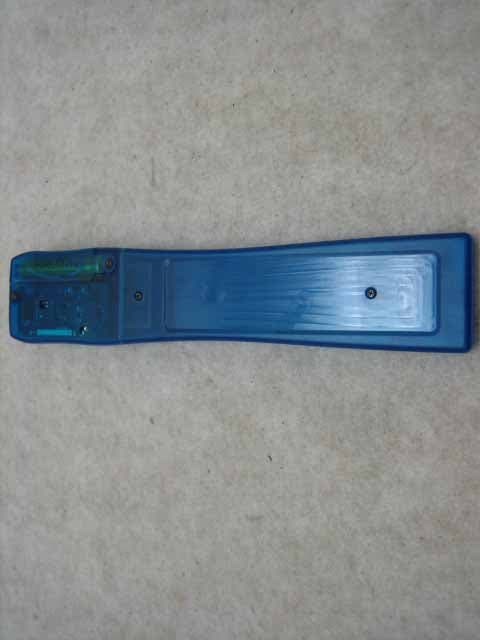
ODGCLIENTPAGER
Oct 12, 2006Client Pager
Equipment Class
CXX - Communications Rcvr for use w/ licensed Tx and CBs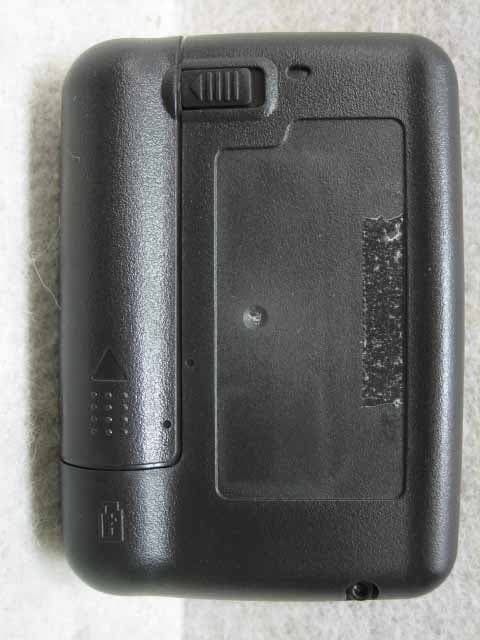
ODGT4POCSAGPLLUHF
Jul 12, 2006Alphanumeric 1Way Pager
Equipment Class
CXX - Communications Rcvr for use w/ licensed Tx and CBs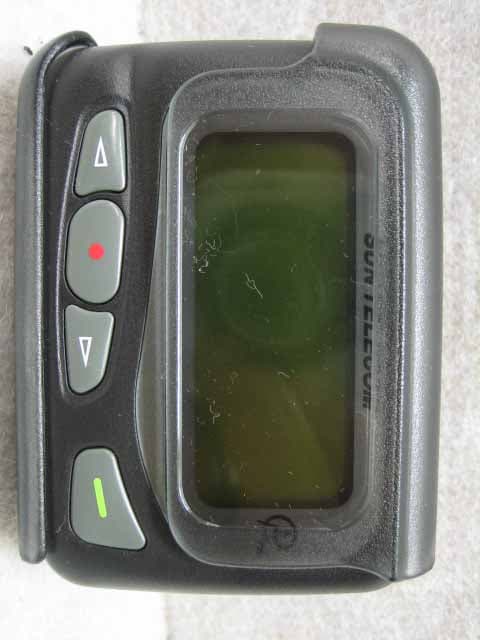
ODGT4POCSAGPLLVHF
Jul 12, 2006Alphanumeric 1WAY Pager
Equipment Class
CXX - Communications Rcvr for use w/ licensed Tx and CBs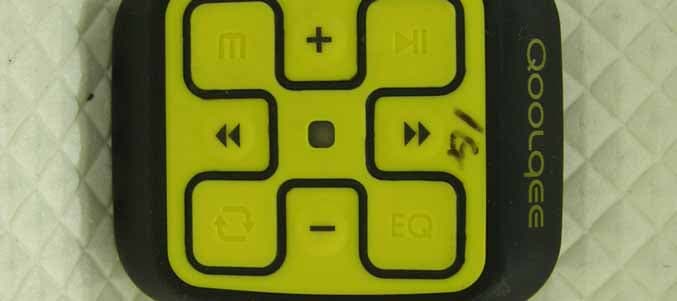
ODGQOOLQEEX
Jul 14, 2005Digital Audio Player
Equipment Class
JBP - Part 15 Class B Computing Device Peripheral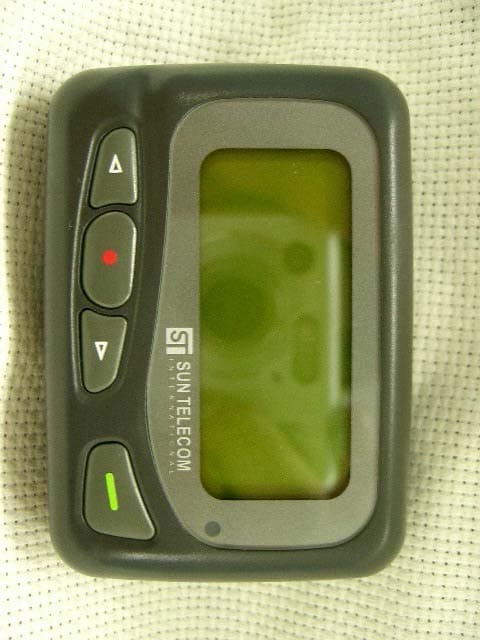
ODGT4
Feb 03, 2005Pager
Equipment Class
CXX - Communications Rcvr for use w/ licensed Tx and CBs