ODGST-800Numeric Pager
Hantel Co., Ltd.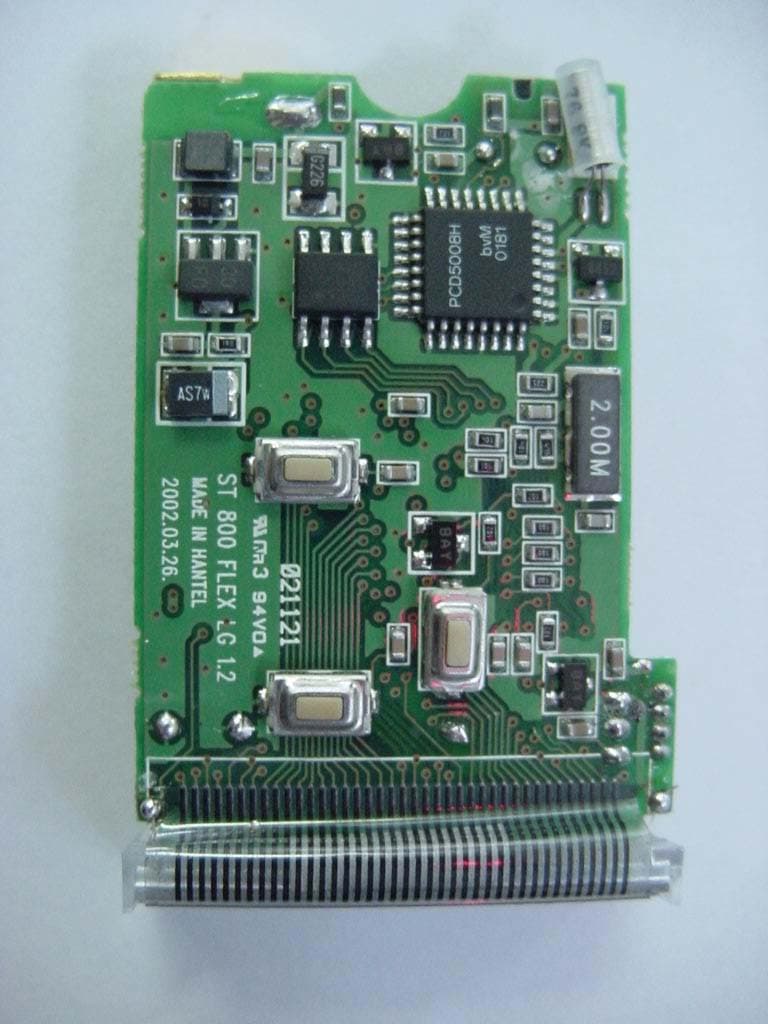
Click to zoom
Application Details
- Equipment Class
- CXX - Communications Rcvr for use w/ licensed Tx and CBs
- Date of Grant
- Feb 27, 2003
- Application Purpose
- Original Equipment
- Date of Application
- Feb 27, 2003
- Equipment Note
- Numeric Pager
- Frequency Range
- 929.00000000 - 932.00000000
- Company
- Hantel Co., Ltd.
- Country
- South Korea
Documents & Files
Document Text
Text extracted from the exhibit documents filed with the FCC. Open a document above to read the original.
Users Manual
FLEX Numeric Pager USER'S MANUAL SUN TELECOM INTERNATIONAL ST 800ST 800 TM ST 800ST 800 ST 800 Congratulations on your purchase of our pager. By incorporating some of the most advanced electronic paging technologies, the pager is reliable & easy to use. Best of all, the is affordable & will keep you in touch with those important to you. Please carefully read this manual before using your pager in order to fully understand the 's functions & capabilities. Once again, congratulations on your purchase. ST 800 ST 800 ST 800 ST 800 1. STANDARD FEATURES 2. BUTTONS 3. ICONS AND DESCRIPTIONS 4. TURNING THE PAGER ON 5. FUNCTION MENU 6. TURNING THE PAGER OFF 7. SETTING THE TIME AND DATE 8. SETTING VIBRATION / AUDIBLE ALERT 9. SETTING ALERT MODE 10. RECEIVING AND READING MESSAGES 11. LOCKING AND UNLOCKING MESSAGES 12. DELETING MESSAGES 13. SETTING THE ALARM 14. BACKLIGHTING 15. OTHER FEATURES 4 5 6 7 8 10 11 12 13 14 15 17 19 21 22 CONTENTS STANDARD FEATURES 1. STANDARD FEATURES ( Specifications are subject to change without prior notice ) 21 message slots capable of storing up to 20 digits per slot Backlight Read time clock (12hr) with calendar date display Reminder alert Message lock (Up to 10 message slots) Message time stamping Low battery indicator Individual delete or delete all In service range indicator Daily Alarm 5 Standard alert modes : Audio, Pleasing Melody, Chirp, Vibration and Silent 4 Standard tone alerts and 3 different pleasing melody alerts available for selection BUTTONS 2. BUTTONS FUNCTION BUTTON Use to enter the function menu mode Use to lock and unlock messages Use to turn the back lighting display on READ BUTTON Use to turn the pager on Use to read messages Use to select desired function Use to set the date and time, alarm and standard alert mode LAMP BUTTON Use to turn the light on or off ICONS AND DESCRIPTIONS 3. ICONS AND DESCRIPTIONS : Message lock icon : Low Battery indicator : Message continuation icon : In service range indicator : Audio alert icon : Alarm icon 4. TURNING THE PAGER ON < Standby Screen > Insert battery into battery compartment and close the battery door. Pager will power up with a full display of all LCD segments and emit a short audible alert with date and time display. To turn the pager on from the power off state, press and hold the READ button for at least 2 seconds. TURNING THE PAGER ON 5. FUNCTION MENU To access the function menu mode, press the FUNCTION button for at least 2 seconds. This mode allows the user to access the various functions and features of the pager through a series of menu prompts. Pressing the FUNCTION button allows you to scroll the menu prompts as illustrated(Page 9). Pressing the READ button allows you to select the function and takes you to the setting mode (depending on the function selected). The pager will return to the standby screen if no button is pressed within 8 seconds. FUNCTION MENU Note The menu prompt "CLEAR ALL?"will not appear if no message is received. FUNCTION MENU / TURNING THE PAGER OFF 6. TURNING THE PAGER OFF Press the FUNCTION button and hold for at least 2 seconds to enter the function menu mode. Press the FUNCTION button to display the "POWER OFF?"prompt, now press the READ button to turn off the pager. If the pager is off, the LCD will only display the date and time. Although the alarm icon is not displayed, the feature will operate normally. If the pager is OFF, it cannot receive any messages. The colon separating the hour from the minute will continue to blink to indicate that the clock is working. Press the FUNCTION button and hold for at least 2 seconds to enter the function menu mode. Press the function button to scroll through the menu prompts until the "SET TIME ?"prompt is displayed. Press the READ button to enter the set time mode. The pager will first display a blinking field for the year. Press the READ button to set correct year(Fig.7a). Press the FUNCTION button to move to the date and time field(Fig.7b). Press the READ button to set the digits for each field. Complete each field(hour, minute & AM/PM) in the same manner. The pager returns to standby upon completing all the fields. 7. SETTING THE TIME AND DATE SETTING THE TIME AND DATE < Fig.7a > < Fig.7b > 8. SETTING VIBRATION/AUDIBLE ALERT SETTING VIBRATION/AUDIBLE ALERT You can select the alert mode to vibrate or to produce an audible tone. Within the standby screen, press the FUNCTION button for at least 2 seconds to enter the function menu mode. The pager will display either <Fig.8a> of <Fig. 8b> depending on the initial state of the alert mode. Press the READ button to select the audible or vibration mode. In the audible mode, the pager will display the speaker icon . No speaker will be displayed in the vibration mode. < Fig.8a > < Fig.8b > SETTING ALERT MODE Enter this mode to select the different type of alerts: Standard Tone Melody Silent Press the FUNCTION button and hold for at least 2 seconds to enter the function menu mode. Press the FUNCTION button to scroll through the menu prompt until the "SET ALERT?" . Beep1/Beep2/Beep3/Beep4/Melody1/Melody2/ Melody3/Chirp/Silent In the silent mode, the pager continues to receive messages but will not emit an alert to prompt the user. Press the FUNCTION button to select the desired alert. The pager will return to standby. Chirp is displayed(Fig.9a).Press the READ button to enter the set alert mode(Fig9b). Press the READ button twice to scroll though the choice alerts available. < Fig.9a > < Fig.9b > 9. SETTING ALERT MODE 10. RECEIVING AND READING MESSAGES RECEIVING AND READING MESSAGES The pager will emit an audible alert or vibrate(depending on the alert setting mode) when a message is received. The pager will also display the number of unread messages. If there are two unread messages, the pager will display as <Fig.10a>. Press the READ button to display the first message(Fig.10b). Press the READ button to advance to the display the message arrival time(Fig.10c). If no message is rece…
Text truncated - open the document above for the full version.
Block Diagram
*Block Diagram
Internal Photos
FCC ID. : ODGST-800 File No. : E032R-042 This report shall not be reproduced except in full without our written approval. FCC-003 (Rev.0) HEAD OFFICE : #505 SK APT. Factory 223-28, Sangdaewon 1 Dong, Jungwon-Gu, Seongnam-City, Kyunggi-Do, 462-121, Korea (TEL: +82-31-746-8500, FAX: +82-31-746-8700) EMC Testing Dept : 426-1 Daessangryung-Ri, Chowol-Myun, Kwangju-City, Kyunggi-Do 464-860 Korea. (TEL: +82-31-765-8289, FAX: +82-31-766-2904) ONETECH Testing & Evaluation Lab. FCC ID. : ODGST-800 File No. : E032R-042 This report shall not be reproduced except in full without our written approval. FCC-003 (Rev.0) HEAD OFFICE : #505 SK APT. Factory 223-28, Sangdaewon 1 Dong, Jungwon-Gu, Seongnam-City, Kyunggi-Do, 462-121, Korea (TEL: +82-31-746-8500, FAX: +82-31-746-8700) EMC Testing Dept : 426-1 Daessangryung-Ri, Chowol-Myun, Kwangju-City, Kyunggi-Do 464-860 Korea. (TEL: +82-31-765-8289, FAX: +82-31-766-2904) ONETECH Testing & Evaluation Lab. FCC ID. : ODGST-800 File No. : E032R-042 This report shall not be reproduced except in full without our written approval. FCC-003 (Rev.0) HEAD OFFICE : #505 SK APT. Factory 223-28, Sangdaewon 1 Dong, Jungwon-Gu, Seongnam-City, Kyunggi-Do, 462-121, Korea (TEL: +82-31-746-8500, FAX: +82-31-746-8700) EMC Testing Dept : 426-1 Daessangryung-Ri, Chowol-Myun, Kwangju-City, Kyunggi-Do 464-860 Korea. (TEL: +82-31-765-8289, FAX: +82-31-766-2904) ONETECH Testing & Evaluation Lab. FCC ID. : ODGST-800 File No. : E032R-042 This report shall not be reproduced except in full without our written approval. FCC-003 (Rev.0) HEAD OFFICE : #505 SK APT. Factory 223-28, Sangdaewon 1 Dong, Jungwon-Gu, Seongnam-City, Kyunggi-Do, 462-121, Korea (TEL: +82-31-746-8500, FAX: +82-31-746-8700) EMC Testing Dept : 426-1 Daessangryung-Ri, Chowol-Myun, Kwangju-City, Kyunggi-Do 464-860 Korea. (TEL: +82-31-765-8289, FAX: +82-31-766-2904) ONETECH Testing & Evaluation Lab. FCC ID. : ODGST-800 File No. : E032R-042 This report shall not be reproduced except in full without our written approval. FCC-003 (Rev.0) HEAD OFFICE : #505 SK APT. Factory 223-28, Sangdaewon 1 Dong, Jungwon-Gu, Seongnam-City, Kyunggi-Do, 462-121, Korea (TEL: +82-31-746-8500, FAX: +82-31-746-8700) EMC Testing Dept : 426-1 Daessangryung-Ri, Chowol-Myun, Kwangju-City, Kyunggi-Do 464-860 Korea. (TEL: +82-31-765-8289, FAX: +82-31-766-2904) ONETECH Testing & Evaluation Lab.
Test Report
Page 1 of 10 FCC ID. : ODGST-800 File No. : E032R-042 This report shall not be reproduced except in full without our written approval. FCC-003 (Rev.0) HEAD OFFICE : #505 SK APT. Factory 223-28, Sangdaewon 1 Dong, Jungwon-Gu, Seongnam-City, Kyunggi-Do, 462-121, Korea (TEL: +82-31-746-8500, FAX: +82-31-746-8700) EMC Testing Dept : 426-1 Daessangryung-Ri, Chowol-Myun, Kwangju-City, Kyunggi-Do 464-860 Korea. (TEL: +82-31-765-8289, FAX: +82-31-766-2904) ONETECH Testing & Evaluation Lab. ELECTROMAGNETIC EMISSION C OMPLIANCE REPORT FOR FCC CERTIFICATION Test report file number : E032R-042 Applicant : HANTEL CO., LTD. Address : #518-8, YOO JIN B/D., Dogok-Dong, Kangnam-Ku, Seoul, 135-270, Korea Manufacturer : HANTEL CO., LTD. Address : #518-8, YOO JIN B/D., Dogok-Dong, Kangnam-Ku, Seoul, 135-270, Korea Type of Equipment : Numeric Flex Pager (All other receiver subject to Part 15) FCC ID : ODGST-800 Model Name : ST800 Multiple Model Name : N/A Serial number : N/A Total page of Report : 10 pages (including this page) Date of Incoming : January 23, 2003 Date of Issuing : February 21, 2003 SUMMARY The equipment complies with the requirements of FCC CFR 47 PART 15 SUBPART B, SECTION 15.101. This test report contains only the results of a single test of the sample supplied for the examination. It is not a general valid assessment of the features of the respective products of the mass-production. Prepared by: Reviewed by: G. W. Lee/ Chief Engineer Y. K. Kwon/ Director EMC Div. EMC Div. ONETECH Corp. ONETECH Corp. Page 2 of 10 FCC ID. : ODGST-800 File No. : E032R-042 This report shall not be reproduced except in full without our written approval. FCC-003 (Rev.0) HEAD OFFICE : #505 SK APT. Factory 223-28, Sangdaewon 1 Dong, Jungwon-Gu, Seongnam-City, Kyunggi-Do, 462-121, Korea (TEL: +82-31-746-8500, FAX: +82-31-746-8700) EMC Testing Dept : 426-1 Daessangryung-Ri, Chowol-Myun, Kwangju-City, Kyunggi-Do 464-860 Korea. (TEL: +82-31-765-8289, FAX: +82-31-766-2904) ONETECH Testing & Evaluation Lab. CONTENTS Page 1. VERIFICATION OF COMPLIANCE .............................................................................................................................3 2. GENERAL INFORMATION............................................................................................................................................4 2.1 PRODUCT DESCRIPTION.................................................................................................................................................4 2.2 RELATED SUBMITTAL(S) / GRANT(S)............................................................................................................................4 2.3 TEST SYSTEM DETAILS..................................................................................................................................................4 2.4 TEST METHODOLOGY....................................................................................................................................................4 2.5 TEST FACILITY...............................................................................................................................................................4 3. SYSTEM TEST CONFIGURATION...............................................................................................................................5 3.1 JUSTIFICATION...............................................................................................................................................................5 3.2 EUT EXERCISE SOFTWARE............................................................................................................................................5 3.3 CABLE DESCRIPTION.....................................................................................................................................................5 3.4 NOISE SUPPRESSION PARTS ON CABLE.........................................................................................................................5 3.5 EQUIPMENT MODIFICATIONS........................................................................................................................................5 3.6 CONFIGURATION OF TEST SYSTEM...............................................................................................................................5 4. PRELIMINARY TEST ......................................................................................................................................................6 4.1 AC POWER LINE CONDUCTED EMISSION TEST............................................................................................................6 4.2 RADIATED EMISSION TEST............................................................................................................................................6 5. FINAL RESULT OF MEASURMENT ............................................................................................................................7 5.1 RADIATED EMISSION TEST............................................................................................................................................7 6. FIELD STRENGTH CALCULATION ............................................................................................................................9 7. LIST OF TEST EQUIPMENT........................................................................................................................................10 Page 3 of 10 FCC ID. : ODGST-800 File No. : E032R-042 This report shall not be reproduced except in full without our written approval. FCC-003 (Rev.0) HEAD OFFICE : #505 SK APT. Factory 223-28, Sangdaewon 1 Dong, Jungwon-Gu, Seongnam-City, Kyunggi-Do, 462-121, Korea (TEL: +82-31-746-8500, FAX: +82-31-746-8700) EMC Testing Dept : 426-1 Daessangryung-Ri, Chowol-Myun, Kwangju-City, Kyunggi-Do 464-860 Korea. (TEL: +82-31-765-8289, FAX: +82-31-766-2904) ONETECH Testing & Evaluation Lab. 1. VERIFICATION OF COMP…
Text truncated - open the document above for the full version.
Test Setup Photos
FCC ID. : ODGST-800 File No. : E032R-042 This report shall not be reproduced except in full without our written approval. FCC-003 (Rev.0) HEAD OFFICE : #505 SK APT. Factory 223-28, Sangdaewon 1 Dong, Jungwon-Gu, Seongnam-City, Kyunggi-Do, 462-121, Korea (TEL: +82-31-746-8500, FAX: +82-31-746-8700) EMC Testing Dept : 426-1 Daessangryung-Ri, Chowol-Myun, Kwangju-City, Kyunggi-Do 464-860 Korea. (TEL: +82-31-765-8289, FAX: +82-31-766-2904) ONETECH Testing & Evaluation Lab. Radiated Emission Test FCC ID. : ODGST-800 File No. : E032R-042 This report shall not be reproduced except in full without our written approval. FCC-003 (Rev.0) HEAD OFFICE : #505 SK APT. Factory 223-28, Sangdaewon 1 Dong, Jungwon-Gu, Seongnam-City, Kyunggi-Do, 462-121, Korea (TEL: +82-31-746-8500, FAX: +82-31-746-8700) EMC Testing Dept : 426-1 Daessangryung-Ri, Chowol-Myun, Kwangju-City, Kyunggi-Do 464-860 Korea. (TEL: +82-31-765-8289, FAX: +82-31-766-2904) ONETECH Testing & Evaluation Lab.
Contact Information
Applicant
Gun Yong Kim(Manager)
Test Firm
ONETECH Corp.I. C. Kim
Technical Specifications
| # | Rule Parts | Frequency Range | Power Output |
|---|---|---|---|
| 1 | 15B | 929 MHz - 932 MHz | - |
Other Applications from Hantel Co., Ltd.
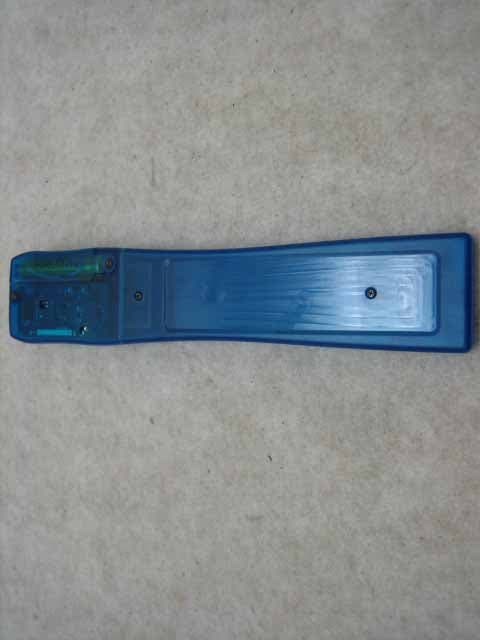
ODGCLIENTPAGER
Oct 12, 2006Client Pager
Equipment Class
CXX - Communications Rcvr for use w/ licensed Tx and CBs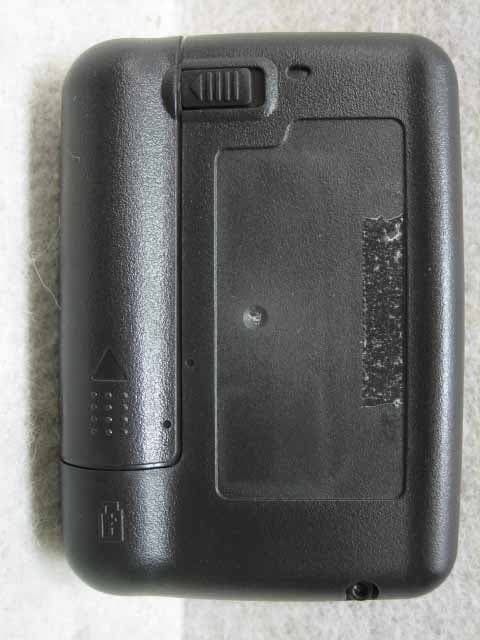
ODGT4POCSAGPLLUHF
Jul 12, 2006Alphanumeric 1Way Pager
Equipment Class
CXX - Communications Rcvr for use w/ licensed Tx and CBs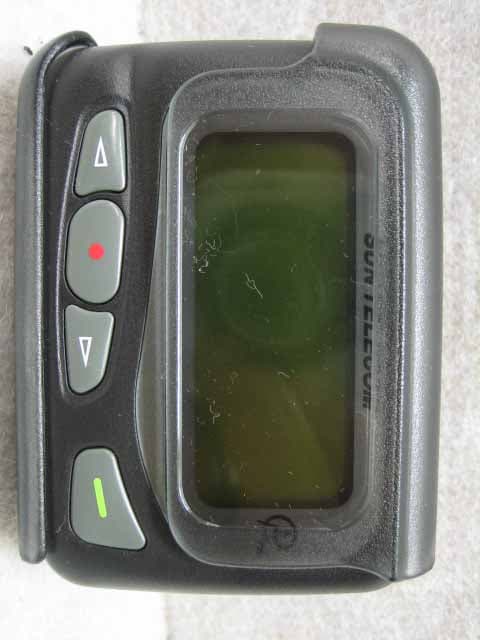
ODGT4POCSAGPLLVHF
Jul 12, 2006Alphanumeric 1WAY Pager
Equipment Class
CXX - Communications Rcvr for use w/ licensed Tx and CBs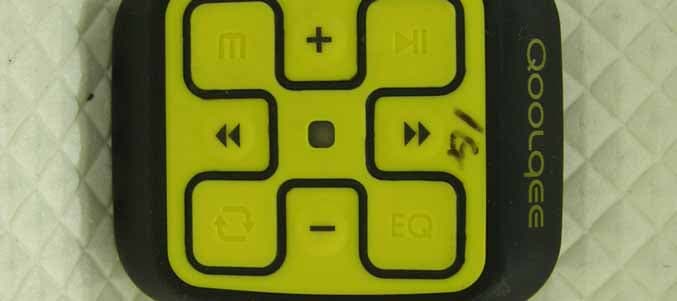
ODGQOOLQEEX
Jul 14, 2005Digital Audio Player
Equipment Class
JBP - Part 15 Class B Computing Device Peripheral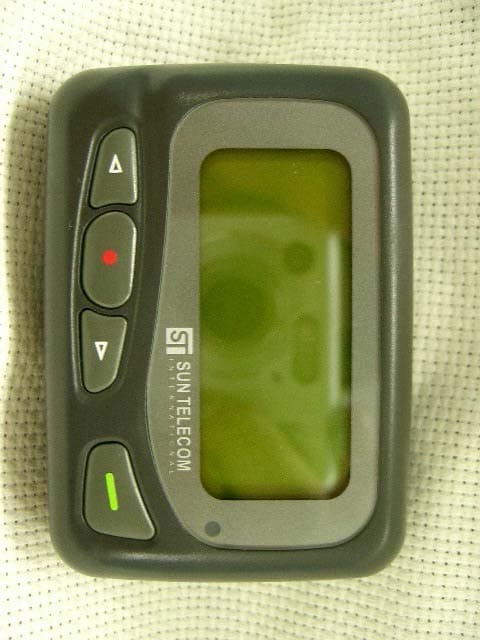
ODGT4
Feb 03, 2005Pager
Equipment Class
CXX - Communications Rcvr for use w/ licensed Tx and CBs