ODMCW720720P Wireless 150Mbps IPCAM
OvisLink Corp.
Click to zoom
Application Details
- Equipment Class
- DTS - Digital Transmission System
- Date of Grant
- Mar 19, 2013
- Application Purpose
- Original Equipment
- Date of Application
- Mar 18, 2013
- Equipment Note
- 720P Wireless 150Mbps IPCAM
- Frequency Range
- 2422.00000000 - 2452.00000000
- Company
- OvisLink Corp.
- Country
- Taiwan
Documents & Files
Document Text
Text extracted from the exhibit documents filed with the FCC. Open a document above to read the original.
Users Manual
i CW-720 720P Wireless 150Mbps IPCAM User’s Manual Copyright & Disclaimer i AirLive CW-720 User’s Manual Copyright & Disclaimer No part of this publication may be reproduced in any form or by any means, whether electronic, mechanical, photocopying, or recording without the written consent of OvisLink Corp. OvisLink Corp. has made the best effort to ensure the accuracy of the information in this user’s guide. However, we are not liable for the inaccuracies or errors in this guide. Please use with caution. All information is subject to change without notice All Trademarks are properties of their respective holders. Table of Contents iii AirLive CW-720 User’s Manual Table of Contents 1. Introduction ................................................................................................................... 1 1.1 Overview........................................................................................................................1 1.2 Features..........................................................................................................................1 1.3 System Requirements................................................................................................2 1.4 Package Contents........................................................................................................2 1.5 Physical Description...................................................................................................3 1.5.1 Front View...........................................................................................................3 1.5.2 Bottom View.......................................................................................................4 1.6 Hardware Installation..................................................................................................5 2. Getting Started ..............................................................................................................7 2.1 IP Wizard........................................................................................................................8 2.1.1 View......................................................................................................................9 2.1.2 LAN.......................................................................................................................9 2.1.3 Wireless.............................................................................................................12 2.2 UPnP for Windows.....................................................................................................15 2.3 Install the IP Camera behind NAT router.............................................................15 2.4 Configure IP Camera via Web UI............................................................................16 2.4.1 Login as User...................................................................................................18 2.4.2 Login as Administrator..................................................................................18 3. Configure the Camera ................................................................................................ 19 4. Monitor the Image Section......................................................................................... 22 4.1 Monitor the Image Section......................................................................................22 4.2 Configure via Web UI................................................................................................23 4.2.1 Network..............................................................................................................23 4.2.2 Wireless.............................................................................................................24 4.2.3 IPv6.....................................................................................................................28 4.2.4 HTTPS................................................................................................................28 4.2.5 DDNS..................................................................................................................29 4.2.6 PPPoE................................................................................................................31 4.2.7 Streaming..........................................................................................................32 4.2.8 UPnP...................................................................................................................33 4.2.9 Bonjour..............................................................................................................34 4.2.10 ONVIF.................................................................................................................35 4.2.11 IP Filter...............................................................................................................36 4.2.12 IP Notification...................................................................................................37 4.3 Camera – Adjust Camera Parameters..................................................................39 4.3.1 Picture................................................................................................................39 Table of Contents AirLive CW-720 User’s Manual iv 4.3.2 Privacy Mask....................................................................................................41 4.4 System – Configure and Maintain.........................................................................42 4.4.1 System...............................................................................................................42 4.4.2 Date & Time......................................................................................................44 4.4.3 Maintenance.....................................................................................................45 4.5 Video – Configure Profile...........…
Text truncated - open the document above for the full version.
Users Manual
i CW-720 720P Wireless 150Mbps IPCAM User’s Manual Copyright & Disclaimer i AirLive CW-720 User’s Manual Copyright & Disclaimer No part of this publication may be reproduced in any form or by any means, whether electronic, mechanical, photocopying, or recording without the written consent of OvisLink Corp. OvisLink Corp. has made the best effort to ensure the accuracy of the information in this user’s guide. However, we are not liable for the inaccuracies or errors in this guide. Please use with caution. All information is subject to change without notice All Trademarks are properties of their respective holders. Table of Contents iii AirLive CW-720 User’s Manual Table of Contents 1. Introduction ................................................................................................................... 1 1.1 Overview........................................................................................................................1 1.2 Features..........................................................................................................................1 1.3 System Requirements................................................................................................2 1.4 Package Contents........................................................................................................2 1.5 Physical Description...................................................................................................3 1.5.1 Front View...........................................................................................................3 1.5.2 Bottom View.......................................................................................................4 1.6 Hardware Installation..................................................................................................5 2. Getting Started ..............................................................................................................7 2.1 IP Wizard........................................................................................................................8 2.1.1 View......................................................................................................................9 2.1.2 LAN.......................................................................................................................9 2.1.3 Wireless.............................................................................................................12 2.2 UPnP for Windows.....................................................................................................15 2.3 Install the IP Camera behind NAT router.............................................................15 2.4 Configure IP Camera via Web UI............................................................................16 2.4.1 Login as User...................................................................................................18 2.4.2 Login as Administrator..................................................................................18 3. Configure the Camera ................................................................................................ 19 4. Monitor the Image Section......................................................................................... 22 4.1 Monitor the Image Section......................................................................................22 4.2 Configure via Web UI................................................................................................23 4.2.1 Network..............................................................................................................23 4.2.2 Wireless.............................................................................................................24 4.2.3 IPv6.....................................................................................................................28 4.2.4 HTTPS................................................................................................................28 4.2.5 DDNS..................................................................................................................29 4.2.6 PPPoE................................................................................................................31 4.2.7 Streaming..........................................................................................................32 4.2.8 UPnP...................................................................................................................33 4.2.9 Bonjour..............................................................................................................34 4.2.10 ONVIF.................................................................................................................35 4.2.11 IP Filter...............................................................................................................36 4.2.12 IP Notification...................................................................................................37 4.3 Camera – Adjust Camera Parameters..................................................................39 4.3.1 Picture................................................................................................................39 Table of Contents AirLive CW-720 User’s Manual iv 4.3.2 Privacy Mask....................................................................................................41 4.4 System – Configure and Maintain.........................................................................42 4.4.1 System...............................................................................................................42 4.4.2 Date & Time......................................................................................................44 4.4.3 Maintenance.....................................................................................................45 4.5 Video – Configure Profile...........…
Text truncated - open the document above for the full version.
Users Manual
i CW-720 720P Wireless 150Mbps IPCAM User’s Manual Copyright & Disclaimer i AirLive CW-720 User’s Manual Copyright & Disclaimer No part of this publication may be reproduced in any form or by any means, whether electronic, mechanical, photocopying, or recording without the written consent of OvisLink Corp. OvisLink Corp. has made the best effort to ensure the accuracy of the information in this user’s guide. However, we are not liable for the inaccuracies or errors in this guide. Please use with caution. All information is subject to change without notice All Trademarks are properties of their respective holders. Table of Contents iii AirLive CW-720 User’s Manual Table of Contents 1. Introduction ................................................................................................................... 1 1.1 Overview........................................................................................................................1 1.2 Features..........................................................................................................................1 1.3 System Requirements................................................................................................2 1.4 Package Contents........................................................................................................2 1.5 Physical Description...................................................................................................3 1.5.1 Front View...........................................................................................................3 1.5.2 Bottom View.......................................................................................................4 1.6 Hardware Installation..................................................................................................5 2. Getting Started ..............................................................................................................7 2.1 IP Wizard........................................................................................................................8 2.1.1 View......................................................................................................................9 2.1.2 LAN.......................................................................................................................9 2.1.3 Wireless.............................................................................................................12 2.2 UPnP for Windows.....................................................................................................15 2.3 Install the IP Camera behind NAT router.............................................................15 2.4 Configure IP Camera via Web UI............................................................................16 2.4.1 Login as User...................................................................................................18 2.4.2 Login as Administrator..................................................................................18 3. Configure the Camera ................................................................................................ 19 4. Monitor the Image Section......................................................................................... 22 4.1 Monitor the Image Section......................................................................................22 4.2 Configure via Web UI................................................................................................23 4.2.1 Network..............................................................................................................23 4.2.2 Wireless.............................................................................................................24 4.2.3 IPv6.....................................................................................................................28 4.2.4 HTTPS................................................................................................................28 4.2.5 DDNS..................................................................................................................29 4.2.6 PPPoE................................................................................................................31 4.2.7 Streaming..........................................................................................................32 4.2.8 UPnP...................................................................................................................33 4.2.9 Bonjour..............................................................................................................34 4.2.10 ONVIF.................................................................................................................35 4.2.11 IP Filter...............................................................................................................36 4.2.12 IP Notification...................................................................................................37 4.3 Camera – Adjust Camera Parameters..................................................................39 4.3.1 Picture................................................................................................................39 Table of Contents AirLive CW-720 User’s Manual iv 4.3.2 Privacy Mask....................................................................................................41 4.4 System – Configure and Maintain.........................................................................42 4.4.1 System...............................................................................................................42 4.4.2 Date & Time......................................................................................................44 4.4.3 Maintenance.....................................................................................................45 4.5 Video – Configure Profile...........…
Text truncated - open the document above for the full version.
Users Manual
i CW-720 720P Wireless 150Mbps IPCAM User’s Manual Copyright & Disclaimer i AirLive CW-720 User’s Manual Copyright & Disclaimer No part of this publication may be reproduced in any form or by any means, whether electronic, mechanical, photocopying, or recording without the written consent of OvisLink Corp. OvisLink Corp. has made the best effort to ensure the accuracy of the information in this user’s guide. However, we are not liable for the inaccuracies or errors in this guide. Please use with caution. All information is subject to change without notice All Trademarks are properties of their respective holders. Table of Contents iii AirLive CW-720 User’s Manual Table of Contents 1. Introduction ................................................................................................................... 1 1.1 Overview........................................................................................................................1 1.2 Features..........................................................................................................................1 1.3 System Requirements................................................................................................2 1.4 Package Contents........................................................................................................2 1.5 Physical Description...................................................................................................3 1.5.1 Front View...........................................................................................................3 1.5.2 Bottom View.......................................................................................................4 1.6 Hardware Installation..................................................................................................5 2. Getting Started ..............................................................................................................7 2.1 IP Wizard........................................................................................................................8 2.1.1 View......................................................................................................................9 2.1.2 LAN.......................................................................................................................9 2.1.3 Wireless.............................................................................................................12 2.2 UPnP for Windows.....................................................................................................15 2.3 Install the IP Camera behind NAT router.............................................................15 2.4 Configure IP Camera via Web UI............................................................................16 2.4.1 Login as User...................................................................................................18 2.4.2 Login as Administrator..................................................................................18 3. Configure the Camera ................................................................................................ 19 4. Monitor the Image Section......................................................................................... 22 4.1 Monitor the Image Section......................................................................................22 4.2 Configure via Web UI................................................................................................23 4.2.1 Network..............................................................................................................23 4.2.2 Wireless.............................................................................................................24 4.2.3 IPv6.....................................................................................................................28 4.2.4 HTTPS................................................................................................................28 4.2.5 DDNS..................................................................................................................29 4.2.6 PPPoE................................................................................................................31 4.2.7 Streaming..........................................................................................................32 4.2.8 UPnP...................................................................................................................33 4.2.9 Bonjour..............................................................................................................34 4.2.10 ONVIF.................................................................................................................35 4.2.11 IP Filter...............................................................................................................36 4.2.12 IP Notification...................................................................................................37 4.3 Camera – Adjust Camera Parameters..................................................................39 4.3.1 Picture................................................................................................................39 Table of Contents AirLive CW-720 User’s Manual iv 4.3.2 Privacy Mask....................................................................................................41 4.4 System – Configure and Maintain.........................................................................42 4.4.1 System...............................................................................................................42 4.4.2 Date & Time......................................................................................................44 4.4.3 Maintenance.....................................................................................................45 4.5 Video – Configure Profile...........…
Text truncated - open the document above for the full version.
Users Manual
i CW-720 720P Wireless 150Mbps IPCAM User’s Manual Copyright & Disclaimer i AirLive CW-720 User’s Manual Copyright & Disclaimer No part of this publication may be reproduced in any form or by any means, whether electronic, mechanical, photocopying, or recording without the written consent of OvisLink Corp. OvisLink Corp. has made the best effort to ensure the accuracy of the information in this user’s guide. However, we are not liable for the inaccuracies or errors in this guide. Please use with caution. All information is subject to change without notice All Trademarks are properties of their respective holders. Table of Contents iii AirLive CW-720 User’s Manual Table of Contents 1. Introduction ................................................................................................................... 1 1.1 Overview........................................................................................................................1 1.2 Features..........................................................................................................................1 1.3 System Requirements................................................................................................2 1.4 Package Contents........................................................................................................2 1.5 Physical Description...................................................................................................3 1.5.1 Front View...........................................................................................................3 1.5.2 Bottom View.......................................................................................................4 1.6 Hardware Installation..................................................................................................5 2. Getting Started ..............................................................................................................7 2.1 IP Wizard........................................................................................................................8 2.1.1 View......................................................................................................................9 2.1.2 LAN.......................................................................................................................9 2.1.3 Wireless.............................................................................................................12 2.2 UPnP for Windows.....................................................................................................15 2.3 Install the IP Camera behind NAT router.............................................................15 2.4 Configure IP Camera via Web UI............................................................................16 2.4.1 Login as User...................................................................................................18 2.4.2 Login as Administrator..................................................................................18 3. Configure the Camera ................................................................................................ 19 4. Monitor the Image Section......................................................................................... 22 4.1 Monitor the Image Section......................................................................................22 4.2 Configure via Web UI................................................................................................23 4.2.1 Network..............................................................................................................23 4.2.2 Wireless.............................................................................................................24 4.2.3 IPv6.....................................................................................................................28 4.2.4 HTTPS................................................................................................................28 4.2.5 DDNS..................................................................................................................29 4.2.6 PPPoE................................................................................................................31 4.2.7 Streaming..........................................................................................................32 4.2.8 UPnP...................................................................................................................33 4.2.9 Bonjour..............................................................................................................34 4.2.10 ONVIF.................................................................................................................35 4.2.11 IP Filter...............................................................................................................36 4.2.12 IP Notification...................................................................................................37 4.3 Camera – Adjust Camera Parameters..................................................................39 4.3.1 Picture................................................................................................................39 Table of Contents AirLive CW-720 User’s Manual iv 4.3.2 Privacy Mask....................................................................................................41 4.4 System – Configure and Maintain.........................................................................42 4.4.1 System...............................................................................................................42 4.4.2 Date & Time......................................................................................................44 4.4.3 Maintenance.....................................................................................................45 4.5 Video – Configure Profile...........…
Text truncated - open the document above for the full version.
Contact Information
Applicant
Sammy Chiu(Product Manager)
Technical Contact
Worldwide Testing Services (Taiwan) Co., Ltd.Tse-Ming Chang
[email protected]+886-2-6606-8877
6F., No. 58, Lane 188, Ruey Kuand Rd. · Taipei · Taiwan
Test Firm
Worldwide Testing Services (Taiwan) Co. Ltd.Chang Tse-Ming
Technical Specifications
| # | Rule Parts | Frequency Range | Power Output |
|---|---|---|---|
| 2 | 15C | 2.42 GHz - 2.45 GHz | 81.50 mW |
Other Applications from OvisLink Corp.
ODMAC1200R
Jun 04, 20151200Mbps 802.11AC AP Router
Equipment Class
DTS - Digital Transmission System
ODMAIRMAX5X
Apr 18, 20155G High Throughput Outdoor CPE with PoE Pass through
Equipment Class
NII - Unlicensed National Information Infrastructure TX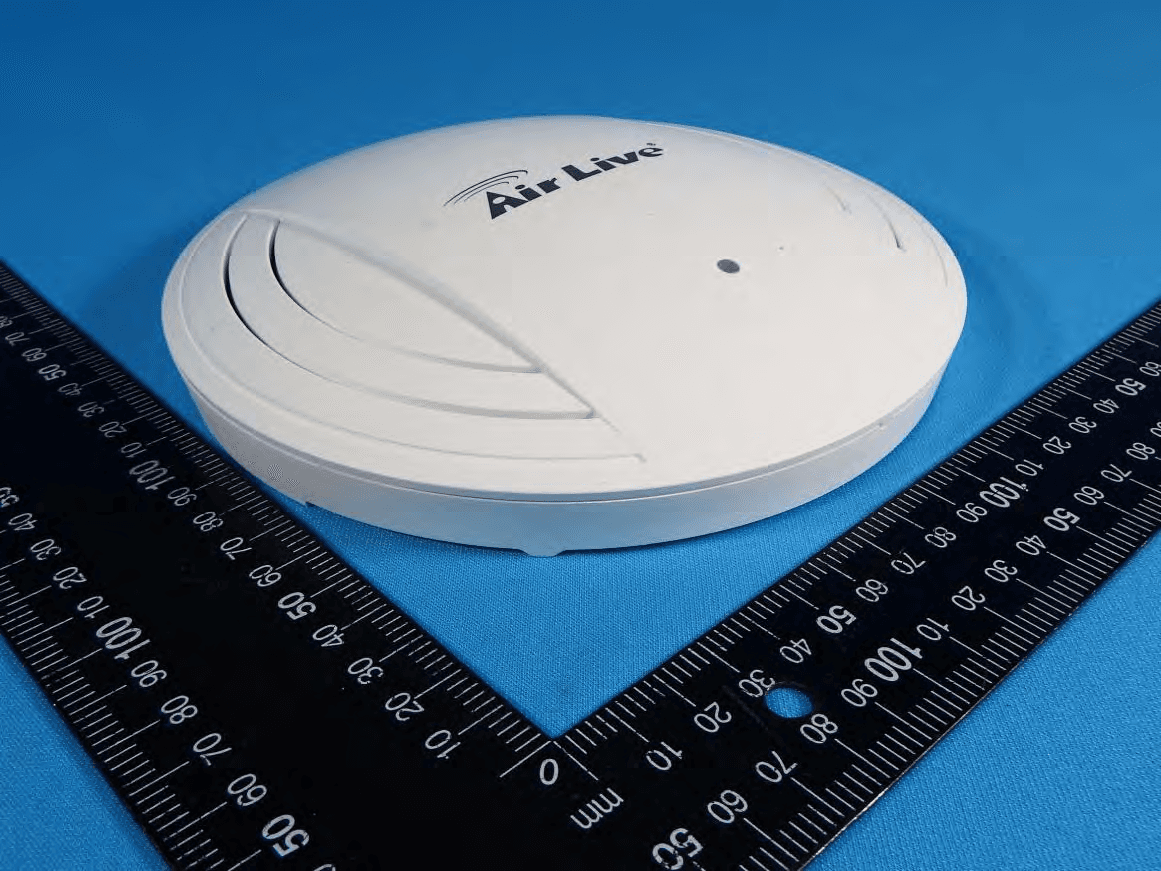
ODMACTOP
Apr 15, 201511 AC Wide Range Ceiling Mount PoE Access Point
Equipment Class
NII - Unlicensed National Information Infrastructure TX
ODMNPOWER
Jan 10, 2013Hi-Power Wireless-N PoE AP Router
Equipment Class
DTS - Digital Transmission System
ODMAM5N
Jan 08, 2013802.11a/n 1T1R Wireless Outdoor CPE
Equipment Class
DTS - Digital Transmission System