OGD10310308
No Wires Needed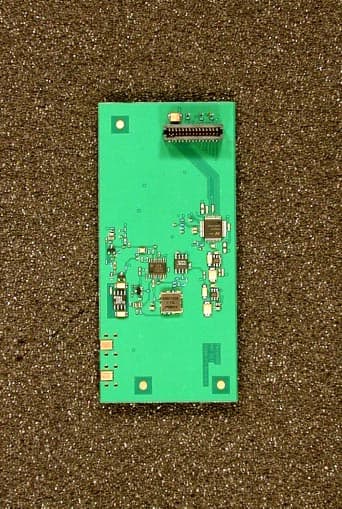
Click to zoom
Application Details
- Equipment Class
- DSS - Part 15 Spread Spectrum Transmitter
- Date of Grant
- Nov 04, 1999
- Application Purpose
- Original Equipment
- Date of Application
- Jul 14, 1999
- Frequency Range
- 2412.00000000 - 2462.00000000
- Company
- No Wires Needed
- Country
- Netherlands
Documents & Files
Document Text
Text extracted from the exhibit documents filed with the FCC. Open a document above to read the original.
Users Manual
No Wires Needed Parrot 1100 Access Point User Manual Version 2.1.0 – July 1999 User manual Parrot 1100 Access Point No Wires Needed Jan Steenlaan 3-5 3723 BS Bilthoven The Netherlands www.nwn.com Version 2.1.0 – July 1999 Trade marks Copyright © No Wires Needed The publisher reserves the right to revise this publication and to make changes to any or all parts of this manual at any time, without obligation to notify any person or entity of such revisions or changes. Swallow, Parrot, Pelican, AirLock, APCenter, ASBF and Connect are trademarks of No Wires Needed. Other product and company names are registered trademarks or trademarks of their respective holders. Copyright statement No part of this publication may be reproduced, stored in a retrieval system, or transmitted in any form or by any means, whether electronic, mechanical, photocopying, recording, or otherwise without the prior writing of the publisher. Printed in Amsterdam, July 1999 Warranty NWN undertakes a Product Warranty of 12 months from the date of Invoice. Within the warranty period NWN repairs a faulty device free of charge or replaces it in case of irreparable damage. Excluded from the warranty are malfunctions caused by operation outside the intended usage; by misuse or abuse; by service modifications or repairs performed by unauthorised persons or by other conditions not arising from defects in Product materials or workmanship. The costs associated with physically replacing the defective part and re- installing are to be borne by the Buyer. Statement of Year 2000 Compliance Detailed information about our statement is published on our website. http://www.nwn.com FCC Radiation Exposure Statement This equipment complies with FCC radiation exposure limits set forth for an uncontrolled environment. This equipment should be installed and operated with the minimum distance between your body and the antenna as shown in the table below: Low gain indoor antennas (≤6dBi) 4.5cm (1.8 inches) High gain outdoor antennas (>6dBi) 30cm (12 inches) Note: Detached antennas, whether installed indoors or out, should be installed ONLY by experienced antenna installation professionals who are familiar with local building and safety codes and, wherever applicable, are licensed by the appropriate government regulatory authorities. Failure to do so may void the No Wires Needed Product Warranty and may expose the end user to legal and financial liabilities. No Wires Needed and its resellers or distributors are not liable for injury, damage or violation of government regulations associated with the installation of detached antennas. 1 Contents 1Contents..............................................................................................8 2Introduction..........................................................................................9 3Installation..........................................................................................10 4APCenter™ Features.........................................................................12 4.1APCenter™ Main Window...........................................................13 4.2Quick Start to Wireless Networking..............................................15 4.3Managing WLANs.......................................................................16 4.4Managing Access Points.............................................................17 4.4.1Network Settings Dialog......................................................19 4.4.2Searching for Access Points................................................20 4.4.3Manually programming IP addresses...................................21 4.5Managing Security......................................................................22 4.5.1Access Control....................................................................23 4.6Updating Access Point Settings...................................................25 4.7IEEE 802.11 WEP Security.........................................................26 4.8AirLock™ Security Architecture...................................................26 4.9More about Cells........................................................................26 4.10Compatibility...............................................................................27 5Glossary............................................................................................28 6Technical specifications Parrot 1100...................................................29 6.1Standards supported...................................................................29 6.2Environmental............................................................................29 6.3Power specifications...................................................................29 6.4Radio specifications....................................................................30 6.5Specific features.........................................................................30 6.6Physical Dimensions...................................................................30 2 Introduction Thank you for purchasing your No Wires Needed Parrot 1100 Access Point. This manual will assist you with the installation procedure. The package you have received should contain the following items: • User manual • Parrot 1100 Access Point • Power adapter • Diskette containing APCenter™ Software Note: if anything is missing, please contact your vendor A wireless LAN is normally used in a predefined environment. In such a network, Access Points are mounted at assigned places, each covering its own area in which wireless nodes can operate. These Access Points are connected to a wired network to communicate with each other and with servers and clients on that network. The Parrot 1100 Access Point can be connected to a 10 Mbps Ethernet network through a RJ45 (UTP) connector. 3 Installation 1. Mount the Access Point firmly to the wall on the position that is determined during the site survey. A drill model is supplied as a separate sheet with t…
Text truncated - open the document above for the full version.
Users Manual
No Wires Needed WB-S1100 / WB-C1100 Wireless LAN to LAN bridge User Manual Version 1.0.0 – July 1999 User manual WB-S1100 / WB-C1100 Wireless LAN to LAN bridge No Wires Needed Jan Steenlaan 3-5 3723 BS Bilthoven The Netherlands www.nwn.com Version 1.0.0 – July 1999 Trade marks Copyright © No Wires Needed The publisher reserves the right to revise this publication and to make changes to any or all parts of this manual at any time, without obligation to notify any person or entity of such revisions or changes. Swallow, Parrot, Pelican, AirLock, APCenter, ASBF and Connect are trademarks of No Wires Needed. Other product and company names are registered trademarks or trademarks of their respective holders. Copyright statement No part of this publication may be reproduced, stored in a retrieval system, or transmitted in any form or by any means, whether electronic, mechanical, photocopying, recording, or otherwise without the prior writing of the publisher. Printed in Amsterdam, July 1999 Warranty NWN undertakes a Product Warranty of 12 months from the date of Invoice. Within the warranty period NWN repairs a faulty device free of charge or replaces it in case of irreparable damage. Excluded from the warranty are malfunctions caused by operation outside the intended usage; by misuse or abuse; by service modifications or repairs performed by unauthorised persons or by other conditions not arising from defects in Product materials or workmanship. The costs associated with physically replacing the defective part and re-installing are to be borne by the Buyer. Statement of Year 2000 Compliance Detailed information about our statement is published on our website. http://www.nwn.com FCC Radiation Exposure Statement This equipment complies with FCC radiation exposure limits set forth for an uncontrolled environment. This equipment should be installed and operated with the minimum distance between your body and the antenna as shown in the table below: Low gain indoor antennas (≤6dBi) 4.5cm (1.8 inches) High gain outdoor antennas (>6dBi) 30cm (12 inches) Warning: It is the responsibility of the professional installer to ensure that when using the outdoor antenna kits in the United States (or where FCC rules apply), only these antennas mentioned in this manual are used. The use of any antenna other than those listed is expressly forbidden in accordance with the FCC rules CFR47 part 15.204. Note: Detached antennas, whether installed indoors or out, should be installed ONLY by experienced antenna installation professionals who are familiar with local building and safety codes and, wherever applicable, are licensed by the appropriate government regulatory authorities. Failure to do so may void the No Wires Needed Product Warranty and may expose the end user to legal and financial liabilities. No Wires Needed and its resellers or distributors are not liable for injury, damage or violation of government regulations associated with the installation of detached antennas. Wireless LAN to LAN bridge Manual Page 716-07-99 1.0 INTRODUCTION.............................................................................................................8 2.0 HARDWARE INSTALLATION.......................................................................................10 2.1 THE ANTENNA INSTALLATION..........................................................................................11 2.1.1 radiation diagram.................................................................................................11 2.1.2 Multi path.............................................................................................................12 2.1.3 Free space losses................................................................................................14 2.1.4 Line of sight.........................................................................................................15 2.1.5 Mechanical installation of the antenna..................................................................16 2.1.6 Step by Step installation.......................................................................................17 2.1.7 Lighting protection................................................................................................18 2.2 BASIC ALIGNMENT OF THE ANTENNA...............................................................................19 2.3 CONFIGURATION OF THE BRIDGE UNITS...........................................................................22 2.4 FINE TUNING OF THE BRIDGE LINK..................................................................................24 2.5 INSTALLING THE BRIDGE UNIT.........................................................................................26 3.0 BCONFIG CONFIGURATION PROGRAM....................................................................27 3.1 INSTALLATION..............................................................................................................28 3.2 THE NETWORK CONFIGURATION.....................................................................................29 Community string..................................................................................................................30 Set a fixed IP address............................................................................................................30 Change write community.......................................................................................................30 3.3 THE DEVICE SETTINGS...................................................................................................31 Encrypt link using AirLock™ security......................................................................................31 Contention window................................................................................................................31 ACK window......................................................................................................................…
Text truncated - open the document above for the full version.
Users Manual
No Wires Needed Parrot 1100 Access Point User Manual Version 2.1.1 – October 1999 User manual Parrot 1100 Access Point No Wires Needed Jan Steenlaan 3-5 3723 BS Bilthoven The Netherlands www.nwn.com Version 2.1.1 – October 1999 Trade marks Copyright © No Wires Needed The publisher reserves the right to revise this publication and to make changes to any or all parts of this manual at any time, without obligation to notify any person or entity of such revisions or changes. Swallow, Parrot, Pelican, AirLock, APCenter, ASBF and Connect are trademarks of No Wires Needed. Other product and company names are registered trademarks or trademarks of their respective holders. Copyright statement No part of this publication may be reproduced, stored in a retrieval system, or transmitted in any form or by any means, whether electronic, mechanical, photocopying, recording, or otherwise without the prior writing of the publisher. Printed in Amsterdam, October 1999 Free Repair Period NWN undertakes a Free Repair Period of 12 months from the date of Invoice. Within the Free Repair Period NWN repairs a faulty device free of charge or replaces it in case of irreparable damage. Excluded from the Free Repair Period are malfunctions caused by operation outside the intended usage; by misuse or abuse; by service modifications or repairs performed by unauthorized persons or by other conditions not arising from defects in Product materials or workmanship. The costs associated with physically replacing the defective part and re- installing are to be borne by the Buyer. Statement of Year 2000 Compliance Detailed information about our statement is published on our website. http://www.nwn.com FCC Radiation Exposure Statement This equipment complies with FCC radiation exposure limits set forth for an uncontrolled environment. This equipment should be installed and operated with the minimum distance between your body, excluding hands, wrists, feet and ankles, and the antenna as shown in the table below: Access Points which use the attached low gain indoor antennas (1.9dBi) 20cm (7 inches) Declaration of Conformity This device complies with Part 15 of the FCC Rules. Operation is subject to the following two conditions: (1) this device may not cause harmful interference, and (2) this device must accept any interference received, including interference that may cause undesired operation. No Wires Needed Parrot, Pelican, WBS, WBC 1100 Tested To Comply With FCC Standards FOR HOME OR OFFICE USE No Wires Needed User Manual Parrot 1100 Access Point Page 9 of 9 1 Contents 1 Contents..............................................................................................9 2 Introduction........................................................................................10 3 Installation..........................................................................................11 4 APCenter™ Features.........................................................................13 4.1 APCenter™ Main Window...........................................................14 4.2 Quick Start to Wireless Networking..............................................16 4.3 Managing WLANs.......................................................................17 4.4 Managing Access Points.............................................................18 4.4.1 Network Settings Dialog......................................................20 4.4.2 Searching for Access Points................................................21 4.4.3 Manually programming IP addresses...................................22 4.5 Managing Security......................................................................23 4.5.1 Access Control....................................................................24 4.6 Updating Access Point Settings...................................................26 4.7 IEEE 802.11 WEP Security.........................................................27 4.8 AirLock™ Security Architecture...................................................27 4.9 More about Cells.........................................................................27 4.10 Compatibility...............................................................................28 5 Glossary............................................................................................29 6 Technical specifications Parrot 1100...................................................30 6.1 Standards supported...................................................................30 6.2 Environmental............................................................................30 6.3 Power specifications...................................................................30 6.4 Radio specifications....................................................................31 6.5 Specific features.........................................................................31 6.6 Physical Dimensions...................................................................31 No Wires Needed Page 10 of 10 Parrot 1100 Access Point User manual 2 Introduction Thank you for purchasing your No Wires Needed Parrot 1100 Access Point. This manual will assist you with the installation procedure. The package you have received should contain the following items: • User manual • Parrot 1100 Access Point • Power adapter • Diskette containing APCenter™ Software Note: if anything is missing, please contact your vendor A wireless LAN is normally used in a predefined environment. In such a network, Access Points are mounted at assigned places, each covering its own area in which wireless nodes can operate. These Access Points are connected to a wired network to communicate with each other and with servers and clients on that network. The Parrot 1100 Access Point can be connected to a 10 Mbps Ethernet network through a RJ45 (UTP) connector. No Wires Needed User Manual Parrot 1100 Access Point Page 11 of 11 3 Installation 1. Mount the Access Point firmly to the wall on t…
Text truncated - open the document above for the full version.
Users Manual
Wireless LAN to LAN bridge Manual Page 112-10-99 No Wires Needed WB-S1100 / WB-C1100 Wireless LAN to LAN bridge User Manual Version 2.1.1 – October 1999 Wireless LAN to LAN bridge Manual Page 212-10-99 User manual WB-S1100 / WB-C1100 Wireless LAN to LAN bridge No Wires Needed Jan Steenlaan 3-5 3723 BS Bilthoven The Netherlands www.nwn.com Version 2.1.1 – October 1999 Wireless LAN to LAN bridge Manual Page 312-10-99 Trade marks Copyright © No Wires Needed The publisher reserves the right to revise this publication and to make changes to any or all parts of this manual at any time, without obligation to notify any person or entity of such revisions or changes. Swallow, Parrot, Pelican, AirLock, APCenter, ASBF and Connect are trademarks of No Wires Needed. Other product and company names are registered trademarks or trademarks of their respective holders. Copyright statement No part of this publication may be reproduced, stored in a retrieval system, or transmitted in any form or by any means, whether electronic, mechanical, photocopying, recording, or otherwise without the prior writing of the publisher. Printed in Amsterdam, October 1999 Wireless LAN to LAN bridge Manual Page 412-10-99 Statement of Year 2000 Compliance Detailed information about our statement is published on our website. http://www.nwn.com Wireless LAN to LAN bridge Manual Page 512-10-99 FCC Radiation Exposure Statement This equipment complies with FCC radiation exposure limits set forth for an uncontrolled environment. This equipment should be installed and operated with no less then the minimum distance between your body, excluding hands, wrists, feet and ankles, and the antennas as shown in the table below: Effective Gain Omni antenna (2dBi)20cm (7 inches) Effective Gain Sector antenna (10dBi)20cm (7 inches) Effective Gain Dish Directional antenna (18dBi)20cm (7 inches) The above antennas are all to be mounted on the building exterior by professional antenna installers. Warning: It is the responsibility of the professional installer to ensure that when using the outdoor antenna kits in the United States (or where FCC rules apply), only these antennas mentioned in this manual are used. The use of any antenna other than those listed is expressly forbidden in accordance with the FCC rules CFR47 part 15.204. Note : Detached antennas, whether installed indoors or out, should be installed ONLY by experienced antenna installation professionals who are familiar with local building and safety codes and, wherever applicable, are licensed by the appropriate government regulatory authorities. Failure to do so may void the No Wires Needed Product Warranty and may expose the end user to legal and financial liabilities. No Wires Needed and its resellers or distributors are not liable for injury, damage or violation of government regulations associated with the installation of detached antennas. Wireless LAN to LAN bridge Manual Page 612-10-99 Declaration of Conformity This device complies with Part 15 of the FCC Rules. Operation is subject to the following two conditions: (1) this device may not cause harmful interference, and (2) this device must accept any interference received, including interference that may cause undesired operation. No Wires Needed Parrot, Pelican, WBS, WBC 1100 Tested To Comply With FCC Standards FOR HOME OR OFFICE USE Wireless LAN to LAN bridge Manual Page 712-10-99 1.0 INTRODUCTION ................................................................................................................. 8 2.0 HARDWARE INSTALLATION .......................................................................................... 10 2.1 T HE ANTENNA INSTALLATION ............................................................................................. 11 2.1.1 radiation diagram ..................................................................................................... 11 2.1.2 Multi path ................................................................................................................. 12 2.1.3 Free space losses.................................................................................................... 14 2.1.4 Line of sight .............................................................................................................15 2.1.5 The link budget ........................................................................................................ 16 2.1.6 Mechanical installation of the antenna .................................................................... 17 2.1.7 Step by Step installation .......................................................................................... 18 2.1.8 Lightening protection ............................................................................................... 19 2.2 B ASIC A LIGNMENT OF THE ANTENNA .................................................................................. 20 2.3 C ONFIGURATION OF THE BRIDGE UNITS .............................................................................. 23 Antenna settings......................................................................................................................... 24 2.4 F INE TUNING OF THE BRIDGE L INK ...................................................................................... 25 The alignment............................................................................................................................. 25 2.5 I NSTALLING THE BRIDGE UNIT ............................................................................................ 27 3.0 BCONFIG CONFIGURATION PROGRAM ....................................................................... 28 3.1 I NSTALLATION ................................................................................................................... 29 3.2 T HE NETWORK CONFIGURATION ......................................................................................... 30 Community string ......................…
Text truncated - open the document above for the full version.
Users Manual
No Wires Needed Pelican 1100 WLAN Hub User Manual Version 2.1.1 – October 1999 User manual Pelican 1100 WLAN Hub No Wires Needed Jan Steenlaan 3-5 3723 BS Bilthoven The Netherlands www.nwn.com Version 2.1.1 – October 1999 Trade marks Copyright © No Wires Needed The publisher reserves the right to revise this publication and to make changes to any or all parts of this manual at any time, without obligation to notify any person or entity of such revisions or changes. Swallow, Parrot, Pelican, AirLock, APCenter, ASBF and Connect are trademarks of No Wires Needed. Other product and company names are registered trademarks or trademarks of their respective holders. Copyright statement No part of this publication may be reproduced, stored in a retrieval system, or transmitted in any form or by any means, whether electronic, mechanical, photocopying, recording, or otherwise without the prior writing of the publisher. Printed in Amsterdam, October 1999 Free Repair Period NWN undertakes a Free Repair Period of 12 months from the date of Invoice. Within the Free Repair Period NWN repairs a faulty device free of charge or replaces it in case of irreparable damage. Excluded from the Free Repair Period are malfunctions caused by operation outside the intended usage; by misuse or abuse; by service modifications or repairs performed by unauthorised persons or by other conditions not arising from defects in Product materials or workmanship. The costs associated with physically replacing the defective part and re- installing are to be borne by the Buyer. Statement of Year 2000 Compliance Detailed information about our statement is published on our website. http://www.nwn.com FCC Radiation Exposure Statement This equipment complies with FCC radiation exposure limits set forth for an uncontrolled environment. This equipment should be installed and operated with the minimum distance between your body, excluding hands, wrists, feet and ankles, and the antenna as shown in the table below: WLAN Hubs which use the attached low gain indoor antennas (1.9dBi) 20cm (7 inches) Declaration of Conformity This device complies with Part 15 of the FCC Rules. Operation is subject to the following two conditions: (1) this device may not cause harmful interference, and (2) this device must accept any interference received, including interference that may cause undesired operation. No Wires Needed Parrot, Pelican, WBS, WBC 1100 Tested To Comply With FCC Standards FOR HOME OR OFFICE USE No Wires Needed User Manual Pelican 1100 WLAN Hub Page 9 of 9 1 Contents 1 Contents..............................................................................................9 2 Introduction........................................................................................10 3 Configuring the Pelican.......................................................................11 3.1 Installation of configuration software............................................11 3.2 Give the Pelican an IP-address...................................................12 3.2.1 Selecting a network.............................................................14 4 Connection the devices......................................................................15 4.1 Connect one device to the Pelican...............................................15 4.2 Connect 2-4 devices to the Pelican..............................................16 4.3 Continue installation....................................................................17 4.3.1 Resetting the Pelican...........................................................18 5 Technical specifications Pelican 1100.................................................19 5.1 Standards supported...................................................................19 5.2 Environmental............................................................................19 5.3 Power specifications...................................................................19 5.4 Radio specifications....................................................................19 5.5 Specific features.........................................................................20 5.6 Physical Dimensions...................................................................20 No Wires Needed Page 10 of 10 Pelican 1100 WLAN Hub User Manual 2 Introduction Thank you for purchasing your No Wires Needed Pelican 1100 WLAN Hub. This manual will assist you with the installation procedure. The package you have received should contain the following items: • User manual • Pelican 1100 WLAN Hub • Power adapter • Diskettes containing PConfig™ Software Note: if anything is missing, please contact your vendor No Wires Needed User Manual Pelican 1100 WLAN Hub Page 11 of 11 3 Configuring the Pelican The Pelican should be configured before it is actually installed. The settings contain the following parameters: • IP address • Network name • Community string (password) • Lock (remote management on/off) First install Pconfig from the diskette that is shipped with the Pelican. 3.1 Installation of configuration software To install the PConfig program, insert disk 1 into your local disk drive and run the PConfig setup.exe. The set-up wizard will guide you through the installation process. Figure 3.1 Select the directory you want to install PConfig in. Start the PConfig program after completion of the installation. No Wires Needed Page 12 of 12 Pelican 1100 WLAN Hub User Manual 3.2 Give the Pelican an IP-address The following settings should be done: • IP address • Network name • Community string (password) • Lock (remote management on/off) Therefore you should connect the Pelican directly to a computer were Pconfig is running on. Either use a cross cable, or a standard hub to accomplish this. Note: You should not attach the Pelican to the same wired backbone were the Access Points are connected to. This will result in a not-ending loop, and can cause network problems. After starting Pconfig the following scre…
Text truncated - open the document above for the full version.
Contact Information
Applicant
Peter Murray
Technical Contact
No Wires NeededRemi Blokker
[email protected]+31-30-229-6060
Jan Steenlaan 3-5a · Bilthoven · Netherlands
Non-Technical Contact
No Wires Needed USA Inc.Peter Murray
[email protected]908-232-9054
Test Firm
TUV Rheinland Nederland B.V.Ties E. T Koning
Technical Specifications
| # | Rule Parts | Frequency Range | Power Output |
|---|---|---|---|
| 1 | 15C | 2.41 GHz - 2.46 GHz | 54.00 mW |
Other Applications from No Wires Needed
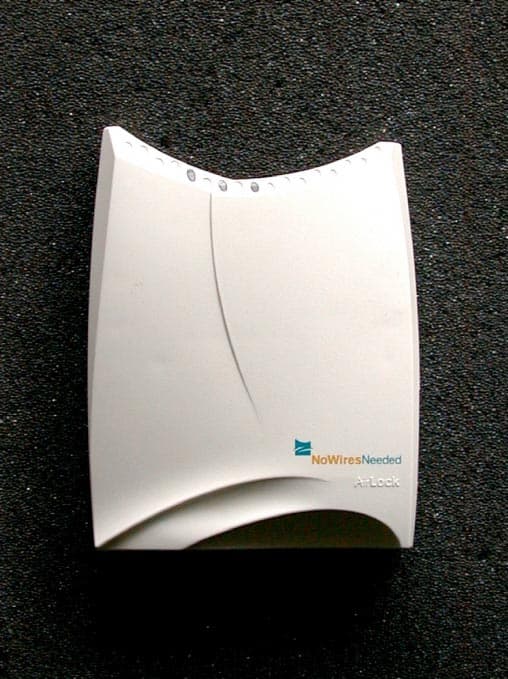
OGD10410208
Jun 25, 2000WLAN Access Point
Equipment Class
DSS - Part 15 Spread Spectrum Transmitter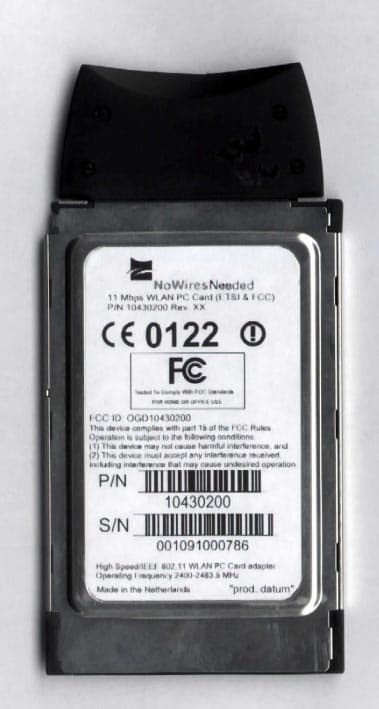
OGD10430200
Jun 07, 2000WLAN PCMCIA Card
Equipment Class
DSS - Part 15 Spread Spectrum Transmitter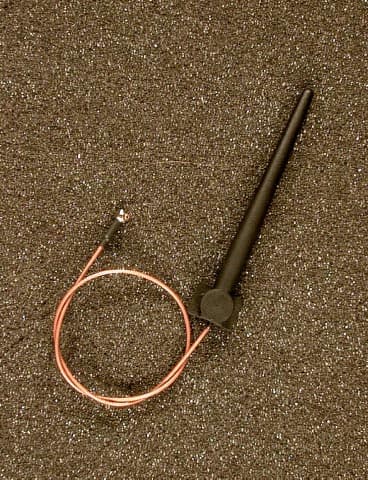
OGD10330209
Nov 04, 1999WLAN PCMCIA Card
Equipment Class
DSS - Part 15 Spread Spectrum Transmitter