OGXCVTD3XAndroid Dongle
Guangzhou Shiyuan Electronics Co., Ltd.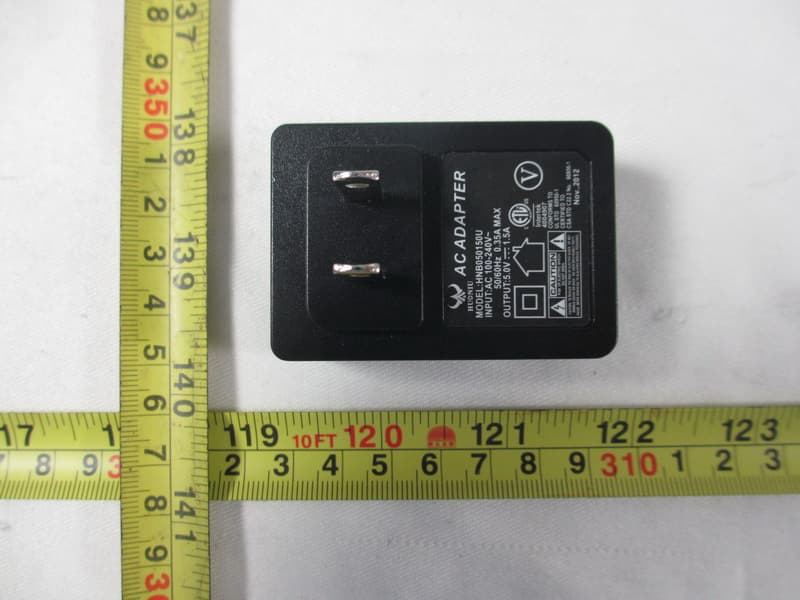
Click to zoom
Application Details
- Equipment Class
- DTS - Digital Transmission System
- Date of Grant
- Feb 25, 2013
- Application Purpose
- Original Equipment
- Date of Application
- Feb 25, 2013
- Equipment Note
- Android Dongle
- Frequency Range
- 2422.00000000 - 2452.00000000
- Country
- China
Documents & Files
Document Text
Text extracted from the exhibit documents filed with the FCC. Open a document above to read the original.
Users Manual
User Manual 2 FE ATURES Android Dongle is based on Android OS. You can use it: PRODUCT• &•ACCESSORIES 345 10987 QUICK INSTALL GUIDEINTERFACEREMOTE OPERATING Features Power Page up Page down Mouse/keypad Search Home button D i r ections & Call out menu noitacifitoN Bar Back Next Play/Pause Previous INSTALLING WIZARD •WELCOME PAGE - the device •INSTALLING WIZARD You can set your Dongle as below: Choose your language; Choose your Wi-Fi network access point; Adjust screen size, using the arrow buttons on remote control: (It needs to reboot the product after adjusting screen size) Product Remote Signal Receiver(80cm) USB Power Supply Wire(80cm) Mini Remote Controler User Manual •Normal Condition Insert Dongle into TV's HDMI input interface. Connect Dongle's miniUSB port to TV's USB port via USB supply line for power supply. (*ATTENTION:Make sure the USB power supply can offer 5V/1.5A.If not, please use a 5V/1.5A output AC adapter instead!) •Connected Condition (NO ENOUGH SPACE FOR DONGLE AROUND THE TV'S HDMI INPUT INTERFACE): Connect Dongle to TV's input interface needs to add another HDMI extended wire. HDMI extended wire *sketch map *Back Cover SAFETY WARNING PLACEMENT ●Do not place the unit on an unstable cart, stand, tripod, bracket, table, or shelf. ●Do not expose the unit to direct sun- light and other sources of heat. ●Do not handle liquids near or on the unit. ●Never spill liquid of any kind into the unit ●Do not put the unit near appliances ●Do not put heavy objects on top of the unit. POWER SUPPLY ●Make sure the USB power supply can offer 5V/at least 1.5A.If not, please use a 5V/at least 1.5A output AC adapter instead. ●Please unplug power supply and aerial plug when the weather is thunder-storm or lightning. ●Please unplug power supply, when there is nobody at home or didn’t use over a long period of time. ●Please keep power cord from physi- cal or mechanical damage. ●Please use exclusive power cord, don’t modify or lengthen it. ●Please check and ensure AC source is connected with the ground. SECURITY INFORMATION Before using the product, please read this manual throughly. The manual contains important security information and tutorials about the product. TEMPERATURE ●Do not place the unit near or over a radiator or a heater register. ●If your unit is suddenly moved from a cold to a warm place, unplug the power cord for at least two hours until moisture removed. HUMIDITY ●Do not expose machine in rain, damp or place near water. ●Ensure the indoor is dry and cool. VENTILATION ●Keep the ventilation openings clear. ●Ensure that the unit has enough space for ventilation around. BATTERY ●Please dispose used battery cor- rectly. ●Please don’t let kid touch battery, in case of dangerous don’t throw SOFTWARES ●Some softwares for smart phones or unique CPU solutions may not suit for this product. ●Some softwares need unique pe- ripherals to support, like G-sensor, may not suit for this product. SAFETY WARNING • Surf the Internet via Wi-Fi • Communicate with your friends via SNS applications • Enjoy movies, music and photos via media player 1112 version involved in this manual is for reference onl y . subject to change without prior notice. on remote control: (It needs to reboot the product after adjusting screen size) HDMI extention (Optional) Adaptor(Optional) *Attention: For a better experience when you play games or operating other complex application. We recommend that you can also use a mouse which is same as you used on a PC to use on this product: 1. Left click: 2. Right click: Back 3. MouseWheel: Flip over, Page up&down 4. Middle click: Menu NumberFeatures Remote signal receiver Power supply(Must be 5V/1.5A) Signal light(Red light during running,no light when shut down) USB2.0 input Micro SD card slot(up to 32GB) IR signal receiver(Paste on the front face of TV as picture) Android TM • Dongle FCC• Statement This equipment has been tested and found to comply with the limits for aClass B digital device,pursuant to part 15 of the FCC Rules. These limits are designed to provide reasonable protection against harmful interference in a residential installation. This equipment generates uses and can radiate radio frequency energy and, if not installed and used in accordance with the instructions, may cause harmful interference to radio communications. However, there is no guarantee that interference will not occur in a particular installation. If this equipment does cause harmful interference to radio or television reception, which can be determined by turning the equipment off and on, the user is encouraged to try to correct the interference by one or more of the following measures: —Reorient or relocate the receiving antenna. —Increase the separation between the equipment and receiver. —Connect the equipment into an outlet on a circuit different from that to which the receiver is connected. —Consult the dealer or an experienced radio/TV technician for help. FCC Radiation Exposure Statement Caution! The manufacturer is not responsible for any radio or TV interference caused by unauthorized modifications to this equipment. Such modifications could void the user authority to operate the equipment. 6 Statement To assure continued compliance, any changes or modifications not expressly approved by the party responsible for compliance could void the user's authority to operate this equipment. This equipment complies with Part 15 of the FCC Rules.Operation is subject to the following two conditions: (1) This device may not cause harmful interference, and (2) This device must accept any interference received, including interference that may cause undesired operation. This equipment should be installed and operated with a minimum distance of 20 centimeters between the radiator and your body. This equipment can only work with the TVs
Users Manual
1. Open the ApkInstaller 2. Find the icon of the application, and enter it 3. Press the install button 4. “Apps” after installation 14 BROWSER •Menu Key:Call out the menu of browser •Back key :Back to the last page •Search Key :Call out the search bar to search or input web address •Page +/- Key :Help you page up/down with just one click APPLICATIONS 13151617 2221 20 19 18 • Language & input Select language Android keyboard Remote controller input method • About device Status Model number Android version Kernel version Build number • System updates drive or Micro SD card Menu of Browser • Set a new window (At most 4) • Bookmarks • Refresh the Current Sheet • Forward • More:Add bookmark; Find on page; Select text; Page info; Downloads; Settings; Close 1. Open the“File manager” 2. other mass storage’s folder 3. Find you application, and press it 4. Press the install button 5. “Apps” after installation APPLICATIONS 1. Open the Browser. 2. Press search key and input your website address 3. there is a link for download (If you have problems with downloading, please make sure there is enough room in your internal storage) 4. card folder Remove Applications 1. Enter SETTINGS 2. Enter "Applications--Manage applications" 3. Find the application you want to remove in tab "All" 4. Enter the icon and press "Uninstall" ADVANCED FEATURES 1.Enter the APP MediaSharing. You will see a list of devices that support DLNA on the left. 2.Choose the device on the left, you will see a list picture play screenshots are as followed: 1) You can drag the progress bar during playing music or video. You can also have basic functions like forward/rewind and prev/next 2) Picture player can zoom in/out and rotate the 4.Menu of MediaSharing.Operating tips: 1) Refresh: Refresh the list of supported devices 2) Settings: Turn on/off the function of sharing, turn on/off when booting and set TV’s device name EXCEPTION HANDLING • S ystem r est or e UI ELEMENTUI ELEMENT The Browser tab contains bookmarks and search bar. It allows you enjoy can search for information and watch online TV etc. The Media Player tabs contain:Video/ Music/Pic Video tab & music tab lists information Pic tab shows a matrix of picture preview. The AppManager lets you view and launch selected application, such as Weather, Calendar ,News The Settings screen contains most of - tions, such as language, aspect ratio and network settings MEDIA PLAYER •V ideo You can play the video on the USB to control Play/Pause; Use to change Next/Prev video; Use arrow buttons to control menu. •Picture You can play the picture on the USB to control Play/Pause; Use to change Next/Prev picture; Use Up/Dowm but- tons to control menu, Use Right/Left buttons to zoom in/out. •Music You can play the music on the USB to control Play/Pause; Use to change Next/Prev music; Use arrow buttons to control menu. *sketch map SETTINGS • Wi-Fi settings Check to turn on Wi-Fi so you can connect to Wi-Fi networks Check to receive an alert when an open Wi-Fi network becomes available Opens a dialog where you can add a Wi-Fi network by entering its SSID (the name it broadcasts) and security type • Display Output mode:1080p;720p Set your display overscan ratio Font size • Applications Downloaded On SD/TF card Running All • Factor y data reset Erases all data on MediaBox • Storage Total space Available space Erase USB storage Available space of internal storage •DLNA SETTINGS MAIN LAUNCHER Main Laucher tab contains: Time information (You can set time information at settings) Function status contains: Wi-Fi;Micro SD card;USB connection (White for working, gray for standby) Often used Apps contains: 6 of the most used app icons in recent time You can put at most two often used widgets on the blank space.(*Attention: Not all apps have widgets!) Main launcher contains: Time information; Function status; Often used Apps; Widgets MAIN LAUNCHER • Date & time Automatic date & time(Need network) Set date Set time Select time zone Use 24-hour format Select date format *sketch map If the Android Dongle can not start successfully, please proceed as follows: *Please read carefully before operation! 1. Unplug your storage devices, such as: Micro SD card, USB 2. Unplug the power supply then plug in the power, release the RECOVERY but ton until the screen changes into updating status 4. Use Up/Down button to choose “wipe data/factory reset” and enter it 5.Use Up/Down button to choose “Yes -- delete all user data” and enter it (*Warning!: It will delete all of user’s information after 6.Use Up/Down button to choose “reboot system now” 7. The product will enter the system successfully *Attention: RECOVERY button only helps to enter factory recovery screen. It is different from RESET and user's misoperation will occur permanent loss of user data! *Attention: make sure that your power supply is over 5V/1.5A. For more stable experience, 5V/2A is better. Pointer speed Mouse Right Button Mouse Middle Button •Mouse/trackpad
Attestation Statements
Guangzhou Shiyuan Electronics Co., Ltd. No.192, Kezhu Road, Science Park, Guangzhou Guangdong, China Telephone: +8613926077990 Fax No.: +86(0)20 82075579 Declaration Letter Date: 2013-2-25 FCC ID: OGXCVTD3X To whom it may concern, We hereby declare that this device couldn’t work when it was used to connect the device to a standard laptop PC and this equipment can only work with the TVs. The device’s usage is limited by firmware for dedicated "fixed" installed host devices, such as TV. Sincerely yours, Applicant’s company name: Guangzhou Shiyuan Electronics Co., Ltd. Applicant’s company address: No.192, Kezhu Road, Science Park, Guangzhou Guangdong, China Signature: Mingfu He Job Title: Engineer Email: [email protected] Tel: +8613926077990
Attestation Statements
Guangzhou Shiyuan Electronics Co., Ltd. Ad Hoc Mode Declaration We, the undersigning company Company Name: Guangzhou Shiyuan Electronics Co., Ltd. Address: No.192, Kezhu Road, Science Park City: Guangzhou Guangdong Country: China Hereby confirm that the following products: Product description: Android Dongle Type designation: D31, D32, D33, D35, D36 Tra d e m a r k : N/A Doesn’t have Ad Hoc Mode function on “non-US frequencies”. In addition, the frequency selection feature is disabled by firmware for devices marketed to the US. For this product, only channels 1~11 will be used in USA. Country code selection is disabled. Signature: ________________________ Name: Mingfu He / Engineer
Cover Letter(s)
Guangzhou Shiyuan Electronics Co., Ltd. Federal Communications Commission 7435 Oakland Mills Road Columbia, MD 21046 Gentlemen: This letter is to comply with Sections 0.457 and 0.459 pertaining to confidential material. Guangzhou Shiyuan Electronics Co., Ltd. would like the following documents regarding this submission for FCC ID: OGXCVTD3X to be kept confidential. 1. Schematics. 2. Block diagram, 3. Operation description The above material contains trade secrets or technical data, which would customarily be guarded from competitors. We do not want these documents to be accessible to the general public. Sincerely, Contact person: Mingfu He, Engineer Date: 2013-01-25
Cover Letter(s)
Declaration of Authorization We Name: Guangzhou Shiyuan Electronics Co., Ltd. Address: No.192, Kezhu Road, Science Park City: Guangzhou Guangdong Country: China Declare that: Name Representative of agent: Cathy Wang Agent Company name: Neutron Engineering, Inc. Address: No.3 Jinshagang 1 st Road, Shixia, Dalang Town City: Dong Guan Country: China is authorized to apply for Certification of the following product(s): Product description: Android Dongle Type designation: D31, D32, D33, D35, D36 Trademark: N/A on our behalf. Date: 2013-01-25 City: Guangzhou Guangdong Name: Mingfu He Function: Engineer Signature: .
External Photos
Neutron Engineering Inc. Project No.: 1212C228 Page 2 of 14 Neutron Engineering Inc. Project No.: 1212C228 Page 3 of 14 Neutron Engineering Inc. Project No.: 1212C228 Page 4 of 14 Neutron Engineering Inc. Project No.: 1212C228 Page 5 of 14 Neutron Engineering Inc. Project No.: 1212C228 Page 6 of 14 Neutron Engineering Inc. Project No.: 1212C228 Page 7 of 14 Neutron Engineering Inc. Project No.: 1212C228 Page 8 of 14
ID Label/Location Info
FCC ID:OGXCVTD3X
Internal Photos
Neutron Engineering Inc. Project No.: 1212C228 Page 9 of 14 Neutron Engineering Inc. Project No.: 1212C228 Page 10 of 14 Neutron Engineering Inc. Project No.: 1212C228 Page 11 of 14 Neutron Engineering Inc. Project No.: 1212C228 Page 12 of 14 Neutron Engineering Inc. Project No.: 1212C228 Page 13 of 14 Neutron Engineering Inc. Project No.: 1212C228 Page 14 of 14
Test Report
Neutron Engineering Inc. Report No.: NEI-FCCP-1-1212C228 Page 1 of 122 FCC Radio Test Report FCC ID: OGXCVTD3X This report concerns (check one) : Original Grant Class II Change Issued Date : Feb. 04, 2013 Project No. : 1212C228 Equipment : Android Dongle Model Name : D31; D32; D33; D35; D36 Applicant : Guangzhou Shiyuan Electronics Co., Ltd. Address : No.192, Kezhu Road, Science Park, Guangzhou, Guangdong, China Manufacturer : Guangzhou Shiyuan Electronics Co., Ltd. Address : No.192, Kezhu Road, Science Park, Guangzhou, Guangdong, China Tested by: Neutron Engineering Inc. EMC Laboratory Date of Receipt: Jan. 09, 2013 Date of Test: Jan. 09, 2013 ~ Feb. 04, 2013 Testing Engineer : (David Mao) Technical Manager : (Leo Hung) Authorized Signatory : (Steven Lu) Neutron Engineering Inc. No.3,Jinshagang 1st Road, ShiXia, Dalang Town, Dong Guan, China. TEL : (0769) 8318-3000 FAX : (0769) 8319-6000 Neutron Engineering Inc. Report No.: NEI-FCCP-1-1212C228 Page 2 of 122 Declaration Neutron represents to the client that testing is done in accordance with standard procedures as applicable and that test instruments used has been calibrated with the standards traceable to National Measurement Laboratory (NML) of R.O.C, or National Institute of Standards and Technology (NIST) of U.S.A. Neutron's reports apply only to the specific samples tested under conditions. It is manufacture’s responsibility to ensure that additional production units of this model are manufactured with the identical electrical and mechanical components. Neutron shall have no liability for any declarations, inferences o r generalizations drawn by the client or others from Neutron issued reports. Neutron’s reports must not be used by the client to claim product endorsement by the authorities or any agency of the Government. This report is the confidential property of the client. As a mutual protection to the clients, the public and Neutron-self, extracts from the test report shall not be reproduced except in full with Neutron’s authorized written approval. Neutron’s laboratory quality assurance procedures are in compliance with the ISO Guide 17025 requirements, and accredited by the conformity assessment authorities listed in this test report. Limitation For the use of the authority's logo is limited unless the Test Standard(s)/Scope(s)/Item(s) mentioned in this test report is (are) included in the conformity assessment authorities acceptance respective. Neutron Engineering Inc. Report No.: NEI-FCCP-1-1212C228 Page 3 of 122 Table of Contents Page 1 . CERTIFICATION 5 2 . SUMMARY OF TEST RESULTS 6 2.1 TEST FACILITY 7 2.2 MEASUREMENT UNCERTAINTY 7 3 . GENERAL INFORMATION 8 3.1 GENERAL DESCRIPTION OF EUT 8 3.2 DESCRIPTION OF TEST MODES 10 3.3 TABLE OF PARAMETERS OF TEXT SOFTWARE SETTING 11 3.4 BLOCK DIAGRAM SHOWING THE CONFIGURATION OF SYSTEM TESTED 12 3.5 DESCRIPTION OF SUPPORT UNITS 13 4 . EMC EMISSION TEST 14 4.1 CONDUCTED EMISSION MEASUREMENT 14 4.1.1 POWER LINE CONDUCTED EMISSION LIMITS 14 4.1.2 MEASUREMENT INSTRUMENTS LIST AND SETTING 14 4.1.3 TEST PROCEDURE 15 4.1.4 DEVIATION FROM TEST STANDARD 15 4.1.5 TEST SETUP 15 4.1.6 EUT OPERATING CONDITIONS 15 4.1.7 TEST RESULTS 16 4.2 RADIATED EMISSION MEASUREMENT 19 4.2.1 RADIATED EMISSION LIMITS 19 4.2.2 MEASUREMENT INSTRUMENTS LIST ANS SETTING 20 4.2.3 TEST PROCEDURE 21 4.2.4 DEVIATION FROM TEST STANDARD 21 4.2.5 TEST SETUP 22 4.2.6 EUT OPERATING CONDITIONS 23 4.2.7 TEST RESULTS (BETWEEN 30 – 1000 MHZ) 24 4.2.8 TEST RESULTS (ABOVE 1000 MHZ) 31 5 . BANDWIDTH TEST 79 5.1 APPLIED PROCEDURES / LIMIT 79 5.1.1 MEASUREMENT INSTRUMENTS LIST 79 5.1.2 TEST PROCEDURE 79 5.1.3 DEVIATION FROM STANDARD 79 5.1.4 TEST SETUP 79 5.1.5 EUT OPERATION CONDITIONS 79 5.1.6 TEST RESULTS 80 6 . MAXIMUM OUTPUT POWER TEST 88 Neutron Engineering Inc. Report No.: NEI-FCCP-1-1212C228 Page 4 of 122 Table of Contents Page 6.1 APPLIED PROCEDURES / LIMIT 88 6.1.1 MEASUREMENT INSTRUMENTS LIST 88 6.1.2 TEST PROCEDURE 88 6.1.3 DEVIATION FROM STANDARD 88 6.1.4 TEST SETUP 88 6.1.5 EUT OPERATION CONDITIONS 88 6.1.6 TEST RESULTS 89 7 . ANTENNA CONDUCTED SPURIOUS EMISSION 91 7.1 APPLIED PROCEDURES / LIMIT 91 7.1.1 MEASUREMENT INSTRUMENTS LIST 91 7.1.2 TEST PROCEDURE 91 7.1.3 DEVIATION FROM STANDARD 91 7.1.4 TEST SETUP 91 7.1.5 EUT OPERATION CONDITIONS 91 7.1.6 TEST RESULTS 92 8 . POWER SPECTRAL DENSITY TEST 112 8.1 APPLIED PROCEDURES / LIMIT 112 8.1.1 MEASUREMENT INSTRUMENTS LIST 112 8.1.2 TEST PROCEDURE 112 8.1.3 DEVIATION FROM STANDARD 112 8.1.4 TEST SETUP 112 8.1.5 EUT OPERATION CONDITIONS 112 8.1.6 TEST RESULTS 113 9 . EUT TEST PHOTO 121 Neutron Engineering Inc. Report No.: NEI-FCCP-1-1212C228 Page 5 of 122 1. CERTIFICATION Equipment : Android Dongle Brand Name : N/A Model Name : D31; D32; D33; D35; D36 Applicant : Guangzhou Shiyuan Electronics Co., Ltd. Factory : Guangzhou Shiyuan Electronics Co., Ltd. Address : No.192, Kezhu Road, Science Park, Guangzhou, Guangdong, China Date of Test : Jan. 09, 2013 ~ Feb. 04, 2013 Test Item : ENGINEERING SAMPLE Standards : FCC Part15, Subpart C(15.247) / ANSI C63.4-2009 The above equipment has been tested and found compliance with the requirement of the relative standards by Neutron Engineering Inc. EMC Laboratory. The test data, data evaluation, and equipment configuration contained in our test report (Ref No. NEI-FCCP-1-1212C228) were obtained utilizing the test procedures, test instruments, test sites that has been accredited by the Authority of NVLAP and TAF according to the ISO-17025 quality assessment standard and technical standard(s). Neutron Engineering Inc. Report No.: NEI-FCCP-1-1212C228 Page 6 of 122 2. SUMMARY OF TEST RESULTS Test procedures according to the technical standards: FCC Part15 (15.247) , Subpart C Standard Section Test Item Judgment Remark 15.207 Conducted Emission PASS 15.247(d) Antenna conducted Spurious EmissionPASS 15.247(a)(2) 6dB Bandwidth PASS 15.247(b)(3) Peak Output Power PASS 15.209/15.205 Radiated Spurious Emission PASS 15.247(e) Power Spectral Densit…
Text truncated - open the document above for the full version.
Test Setup Photos
Neutron Engineering Inc. Report No.: NEI-FCCP-1-1212C228 Page 126 of 127 9. EUT TEST PHOTO Conducted Measurement Photos Neutron Engineering Inc. Report No.: NEI-FCCP-1-1212C228 Page 127 of 127 Radiated Measurement Photos
Contact Information
Applicant
Tina Ye(Engineer)
Test Firm
BTL Inc.Daisy Dai
Technical Specifications
| # | Rule Parts | Frequency Range | Power Output |
|---|---|---|---|
| 2 | 15C | 2.42 GHz - 2.45 GHz | 46.80 mW |
Other Applications from Guangzhou Shiyuan Electronics Co., Ltd.
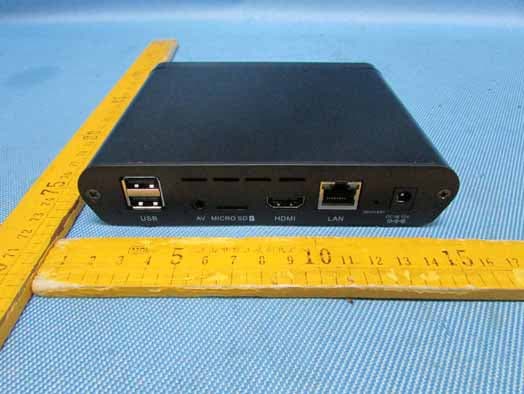
OGXA71A
Jan 13, 2014ANDROID BOX
Equipment Class
DTS - Digital Transmission System
OGX-D311
May 29, 2013ANDROID DONGLE
Equipment Class
DTS - Digital Transmission System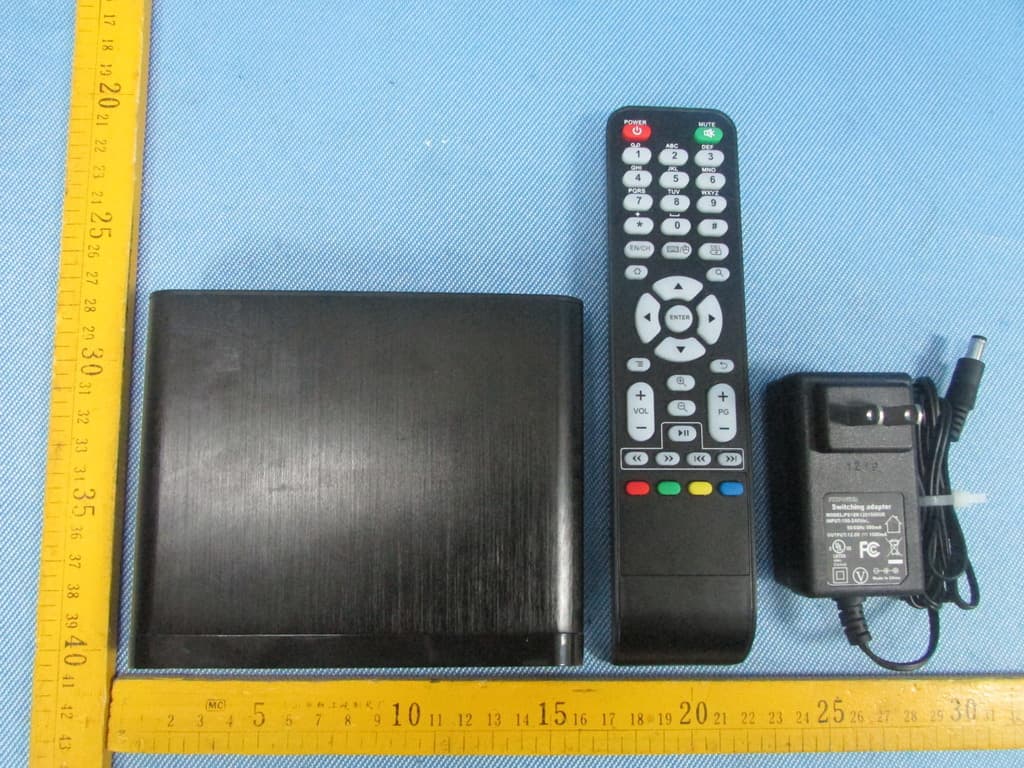
OGXANDROIDBOX
Feb 19, 2013ANDROID BOX
Equipment Class
DTS - Digital Transmission System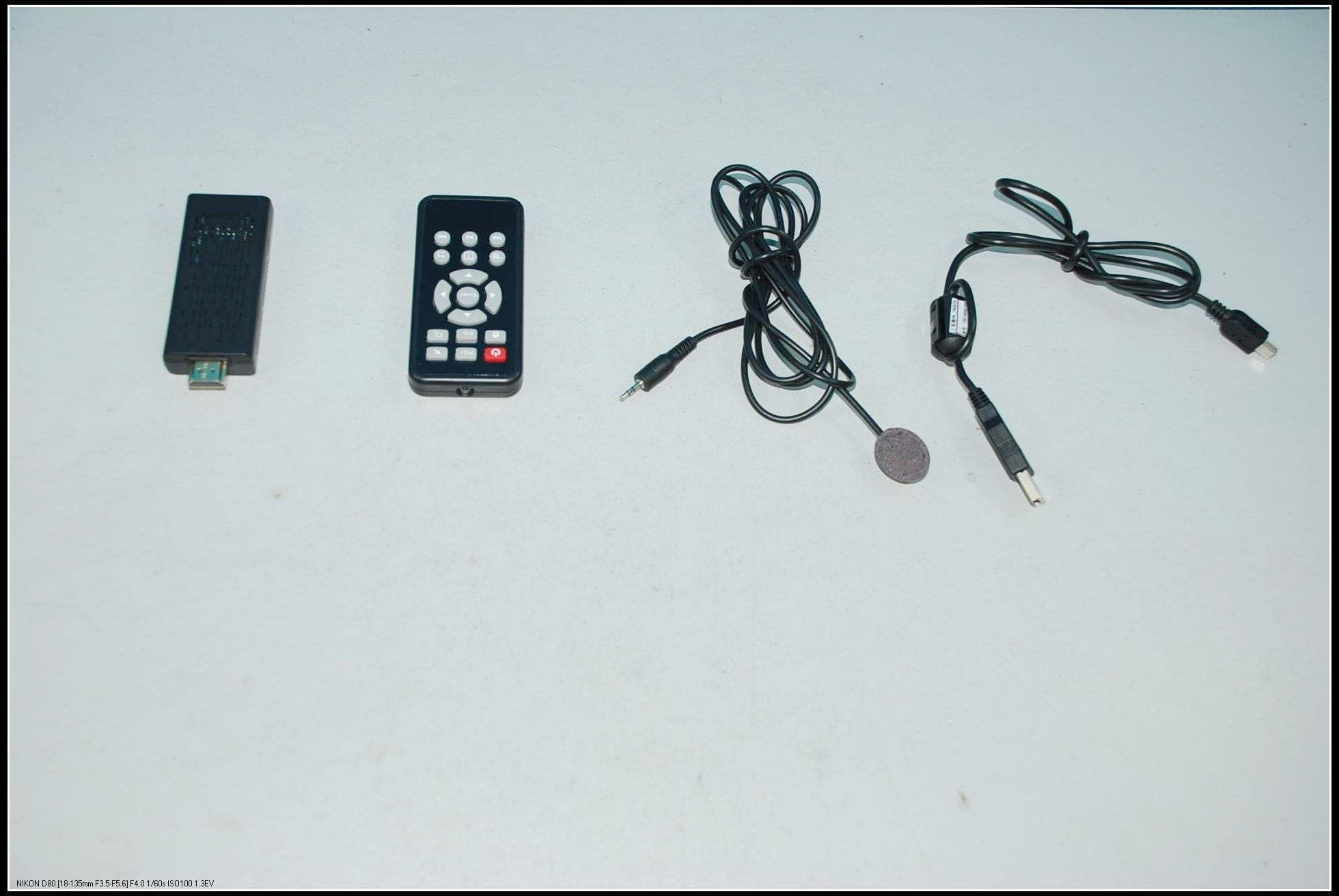
OGXCVTSTBDONGLE
Nov 14, 2012Android Dongle
Equipment Class
DTS - Digital Transmission System