OH27306CareLINK USB
Medtronic MiniMed, Inc.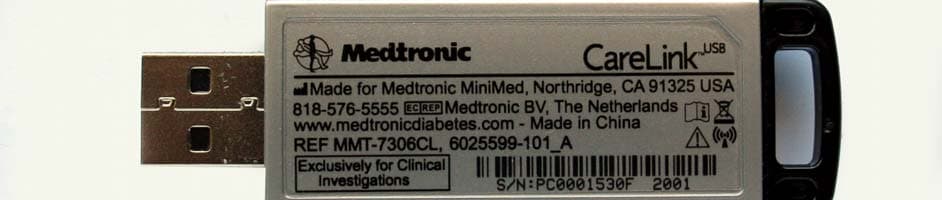
Click to zoom
Application Details
- Equipment Class
- DTS - Digital Transmission System
- Date of Grant
- Feb 08, 2015
- Application Purpose
- Original Equipment
- Date of Application
- Feb 05, 2015
- Equipment Note
- CareLINK USB
- Frequency Range
- 2405.00000000 - 2480.00000000
- Company
- Medtronic MiniMed, Inc.
- Country
- United States
Documents & Files
Document Text
Text extracted from the exhibit documents filed with the FCC. Open a document above to read the original.
Users Manual
1 CareLink™ USB User Guide Indications for use The Medtronic CareLink ™ USB (MMT-7306) is indicated for use by patients at home and clinicians in a medical office setting to facilitate communication between Medtronic diabetes therapy management devices (600-series) and a personal computer that uses Medtronic therapy management software for diabetes. Contraindications None known. Warnings Product may pose a choking hazard for young children. Getting Started IMPORTANT: If the CareLink USB drivers are not yet installed, or if you are not sure if the drivers are installed, do not connect the CareLink USB. See the instructions below for installing the CareLink USB drivers. Healthcare professionals: If you are a healthcare professional using CareLink ™ Pro Therapy Management Software for Diabetes, the CareLink USB drivers will be installed as part of the CareLink Pro program installation. Patients: If you are a patient using CareLink ™ Personal Therapy Management Software for Diabetes, you must follow these instructions BEFORE connecting the CareLink USB to your computer. Note: If you are not using Windows Vista, Windows 7, Windows 8 or Windows 8.1, continue directly with step 2. 1. Make sure that User Account Control is enabled. By default, User Account Control is already English 2 enabled, so it is likely that you do not have to enable it. a. Close Internet Explorer. (If you are using Windows 8 or 8.1, close Internet Explorer and do not use Internet Explorer from the start screen.) b. Navigate to Start > All Programs (or Programs). (If you are using Windows 8 or 8.1, from the Start screen, click on the Desktop tile.) c. Right-click on the Internet Explorer menu item. (If you are using Windows 8 or 8.1, right-click on the Internet Explorer icon from the task bar. Then right-click on Internet Explorer in the pull-up menu.) d. Select Run as Administrator. e. When the User Account Control window is displayed, click Allow or Ye s. Note: If you are not logged in as an administrator on your computer, you may be asked to enter an administrator user’s password. 2. Navigate to the CareLink Personal website and register. • U.S. residents, use https://carelink.minimed.com • Non-U.S. residents, use https://carelink.minimed.eu Once registered, you will be able to sign in and upload your device data. 3. Click the Upload tab or Upload data from My Device link and follow the on-screen instructions. 4. If you need more assistance, click the Help link near the top of the screen. 3 Connecting the CareLink USB to your computer Plug the CareLink USB into your computer when prompted by the CareLink software. It is recommended that the CareLink USB be plugged directly into a USB port on your computer, rather than into a peripheral device, such as a USB port on your monitor or keyboard. You can use a USB extension cable if you do not have easy access to the USB ports on your computer, but it is recommended that you use only a USB cable with a protected female end (see image). Troubleshooting • If you plug your CareLink USB into a USB port on your computer and it does not work, remove it and plug it into another USB port on your computer. If your CareLink USB does not work in any USB port on your computer, call the HelpLine for assistance or your local Medtronic representative. • Electrostatic discharge (ESD) may temporarily prevent the CareLink USB from functioning. If you touch the metal components of the CareLink USB or the uncovered end of a USB cable while it is connected to your computer, and your CareLink USB stops transmitting, remove it and plug it back in, being careful not to touch the metal parts. • If you are a healthcare professional, see the CareLink Pro User Guide for more information about supported devices, troubleshooting, or other instructions. • This device cannot be used to upload pumps other than the MiniMed 600-series pumps. Compliance information This device complies with the United States Federal Communications Commission (FCC) and international standards for electromagnetic compatibility. The CareLink USB (MMT-7306) conforms to the essential requirements of the Council Directive 1999/5/EC (R&TTE). The following information is provided in accordance with Federal Communications Commission (FCC) regulations. 4 This device complies with Part 15 of the FCC Rules. Operation is subject to the following two conditions: (1) This device may not cause harmful interference, and (2) this device must accept any interference received, including interference that may cause undesirable operation. This device does not interfere with any radio frequency signals transmitted from outside sources. These FCC standards are designed to provide reasonable protection against excessive radio frequency interference and prevent undesirable operation of the device from unwanted electromagnetic interference. IMPORTANT: Changes or modifications not expressly approved by Medtronic Minimed, Inc. could void the user’s authority to operate the equipment. RF interference from other wireless devices Common consumer electronic devices that transmit in the same frequency band used by the CareLink USB (MMT-7306) may prevent the CareLink USB from receiving the data sent by Medtronic diabetes therapy management devices. If significant RF interference is present, the CareLink USB and the device it is communicating with will switch to another channel and communications will continue. This equipment has been tested and found to comply with the limits for a Class B digital device, pursuant to part 15 of the FCC Rules. These limits are designed to provide reasonable protection against harmful interference in a residential installation. This equipment generates, uses and can radiate radio frequency energy and, if not installed and used in accordance with the instructions, may cause harmful interference to radio communications. However, there is no guarantee that interference will not occur in a particular installation. If this equipment do…
Text truncated - open the document above for the full version.
Cover Letter(s)
Agent Authorization Letter 1/8/2015 To Whom It May Concern: We hereby delegate CKC Certification Services, LLC (CKC CS) power of attorney to act on our behalf in matters pertaining to certification of products. The actions of CKC CS shall be considered the same as our own. Sincerely, Bob Vitti Bob Vitti Sr. Manager, Design Assurance/Reliability Engineering
Cover Letter(s)
1/30/2015 Federal Communications Commission 7435 Oakland Mills Road Columbia, MD 21046 Subject: Request for Permanent Confidentiality To whom it may concern: In accordance with 47CFR Section 0.457 and Section 0.459 pertaining to confidential material, we hereby request to hold permanently confidential all information contained within the below identified exhibits/document categories submitted pursuant to radio equipment certification requirements for FCC ID: OH2-7306 1. Block Diagram 2. Operational Description 3. Schematics 4. Parts List / Tune-Up Procedure The above material contains trade secrets and proprietary information as specified by 47CFR 0.457(d) and technical data, which would customarily be guarded from competitors. The public disclosure of this information might be harmful to our company and provide unjustified benefits to our competitors. Sincerely, Bob Vitti Bob Vitti Sr Manager, Design Assurance/ Reliability Engineering Medtronic MiniMed
External Photos
1 CARELINK USB 2.4 MMT‐7306 1. Internal Photos 2. External Photos 1. Internal Photos Carelink USB 2.4: Top PCB 2 Carelink USB 2.4: Bottom PCB 2. External Photos Carelink USB 2.4 Top 3 Carelink USB 2.4 Bottom Carelink USB 2.4 Front NGP Back side 4 NGP Right side NGP Left side 5
ID Label/Location Info
Sample showing bar code: Sample placement:
Internal Photos
1 CARELINK USB 2.4 MMT‐7306 1. Internal Photos 2. External Photos 1. Internal Photos Carelink USB 2.4: Top PCB 2 Carelink USB 2.4: Bottom PCB 2. External Photos Carelink USB 2.4 Top 3 Carelink USB 2.4 Bottom Carelink USB 2.4 Front NGP Back side 4 NGP Right side NGP Left side 5
RF Exposure Info
The output power of this product is below the threshold requiring RF exposure evaluation. This device is exempt from RF Exposure review.
Test Report
This report contains a total of 37 pages and may be reproduced in full only. Partial reproduction may only be done with the written consent of CKC Laboratories, Inc. Medtronic MiniMed ADDENDUM TO TEST REPORT 95094-9A Carelink USB 2.4 Model: MMT-7306CL Tested To The Following Standards: FCC Part 15 Subpart C Sections 15.207 and 15.247 Report No.: 95094-9B Date of issue: February 10, 2015 This test report bears the accreditation symbol indicating that the testing performed herein meets the test and reporting requirements of ISO/IEC 17025 under the applicable scope of EMC testing for CKC Laboratories, Inc. We strive to create long-term, trust based relationships by providing sound, adaptive, customer first testing services. We embrace each of our customers’ unique EMC challenges, not as an interruption to set processes, but rather as the reason we are in business. Page 2 of 37 Report No.: 95094-9B TABLE OF CONTENTS Administrative Information ........................................................................................................................................... 3 Test Report Information ............................................................................................................................................ 3 Revision History ......................................................................................................................................................... 3 Report Authorization ................................................................................................................................................. 3 Test Facility Information ............................................................................................................................................ 4 Software Versions ...................................................................................................................................................... 4 Site Registration & Accreditation Information .......................................................................................................... 4 Summary of Results ................................................................................................................................................... 5 Conditions During Testing.......................................................................................................................................... 5 Equipment Under Test ............................................................................................................................................... 6 Peripheral Devices ..................................................................................................................................................... 6 FCC Part 15 Subpart C .................................................................................................................................................... 7 15.207 AC Conducted Emissions ................................................................................................................................ 7 15.247(a)(2) 6dB Occupied Bandwidth .................................................................................................................... 15 15.247(b)(3) Maximum Output Power .................................................................................................................... 19 15.247(d) Radiated Spurious Emissions ................................................................................................................... 23 15.247(e) Power Spectral Density ........................................................................................................................... 32 Supplemental Information .......................................................................................................................................... 36 Measurement Uncertainty ...................................................................................................................................... 36 Emissions Test Details .............................................................................................................................................. 36 Page 3 of 37 Report No.: 95094-9B ADMINISTRATIVE INFORMATION Test Report Information REPORT PREPARED FOR: REPORT PREPARED BY: Medtronic MiniMed 18000 Devonshire Street Northridge, CA 91325-1219 Dianne Dudley CKC Laboratories, Inc. 5046 Sierra Pines Drive Mariposa, CA 95338 Representative: Bob Vitti Project Number: 95094 Customer Reference Number: 4500091834 DATE OF EQUIPMENT RECEIPT: November 4, 2013 DATE(S) OF TESTING: November 4-6, 2013 Revision History Original: Testing of Carelink USB 2.4, Model: MMT-7306CL to FCC Part 15 Subpart C Sections 15.207 and 15.247. Addendum A: To correct the labels in the Power Output 15.247(b)(3) table by removing the word “bandwidth” in the “Corrections due to bandwidth, cables, amplifiers & antennas (dB)” header and correcting the last column header from “ERP Watts” to “Conducted Power (Watts)”. Addendum B: To correct an error in the value description of LISN, Asset # 01311. The value listed was 5uH and it should have been 50uH. Report Authorization The test data contained in this report documents the observed testing parameters pertaining to and are relevant for only the sample equipment tested in the agreed upon operational mode(s) and configuration(s) as identified herein. Compliance assessment remains the client’s responsibility. This report may not be used to claim product endorsement by A2LA or any government agencies. This test report has been authorized for release under quality control from CKC Laboratories, Inc. Steve Behm Director of Quality Assurance & Engineering Services CKC Laboratories, Inc. Page 4 of 37 Report No.: 95094-9B Test Facility Information Our laboratories are configured to effectively test a wide variety of product types. CKC utilizes first class test equipment, anechoic chambe…
Text truncated - open the document above for the full version.
Contact Information
Applicant
Jonathan Tabalujan(Sr. Electrical Engineer)
Technical Contact
Medtronic MiniMed Inc.Robert Vitti
[email protected]818-576-4069
18000 Devonshire Street · Northridge, California · United States
Test Firm
CKC Laboratories, Inc.Steve Behm
Technical Specifications
| # | Rule Parts | Frequency Range | Power Output |
|---|---|---|---|
| 1 | 15C | 2.40 GHz - 2.48 GHz | 310.00 µW |
Other Applications from Medtronic MiniMed, Inc.
OH2BLEGST2
Jul 08, 2024Disposable glucose sensor transmitter
Equipment Class
DTS - Digital Transmission System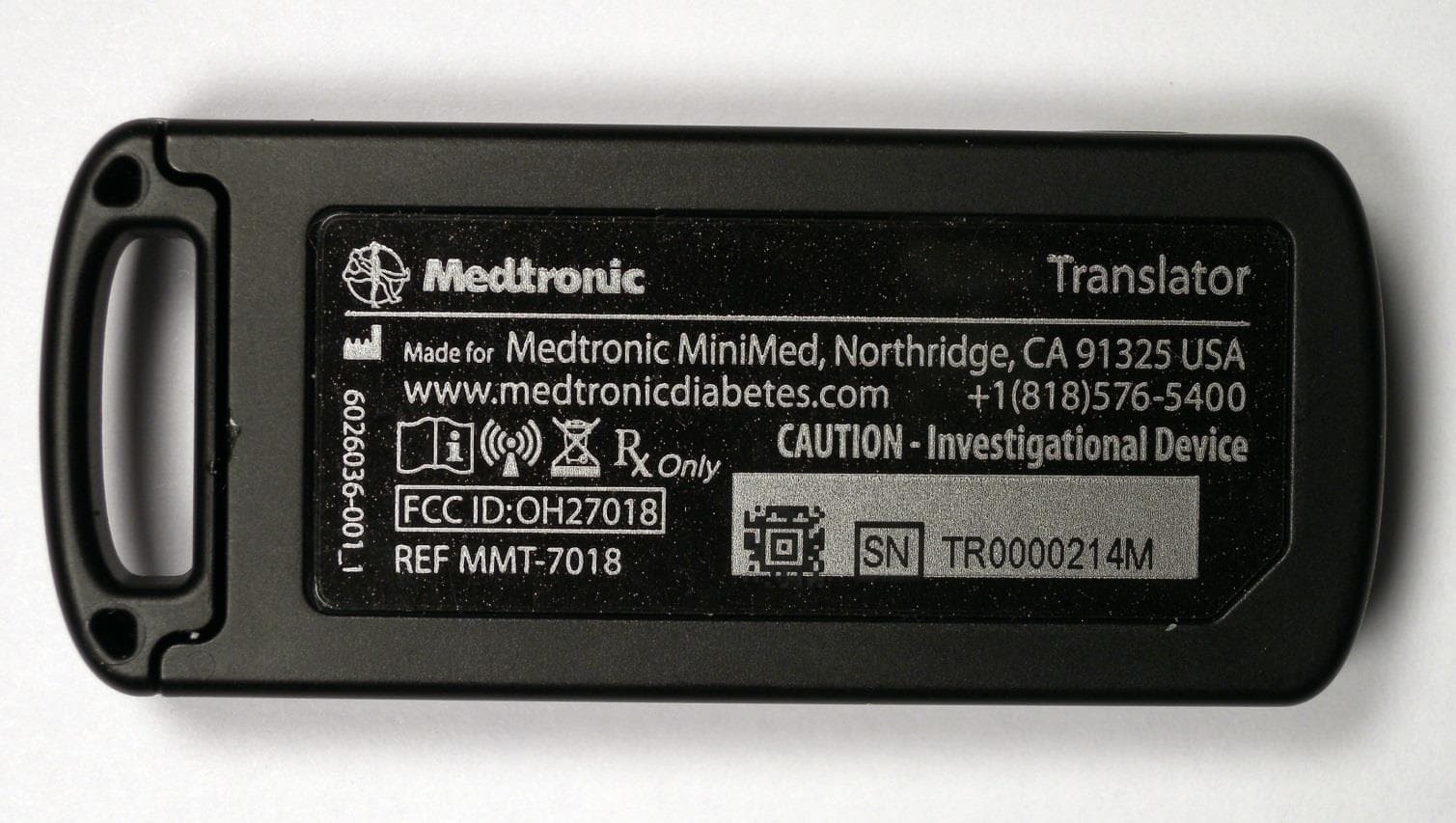
OH27018
Jul 09, 2015The Paradigm Translator allows RF intercommunication between Medtronic Minimed Paradigm series insulin pumps and commercially available smartphones running Medtronic application software.
Equipment Class
DXT - Part 15 Low Power Transceiver, Rx Verified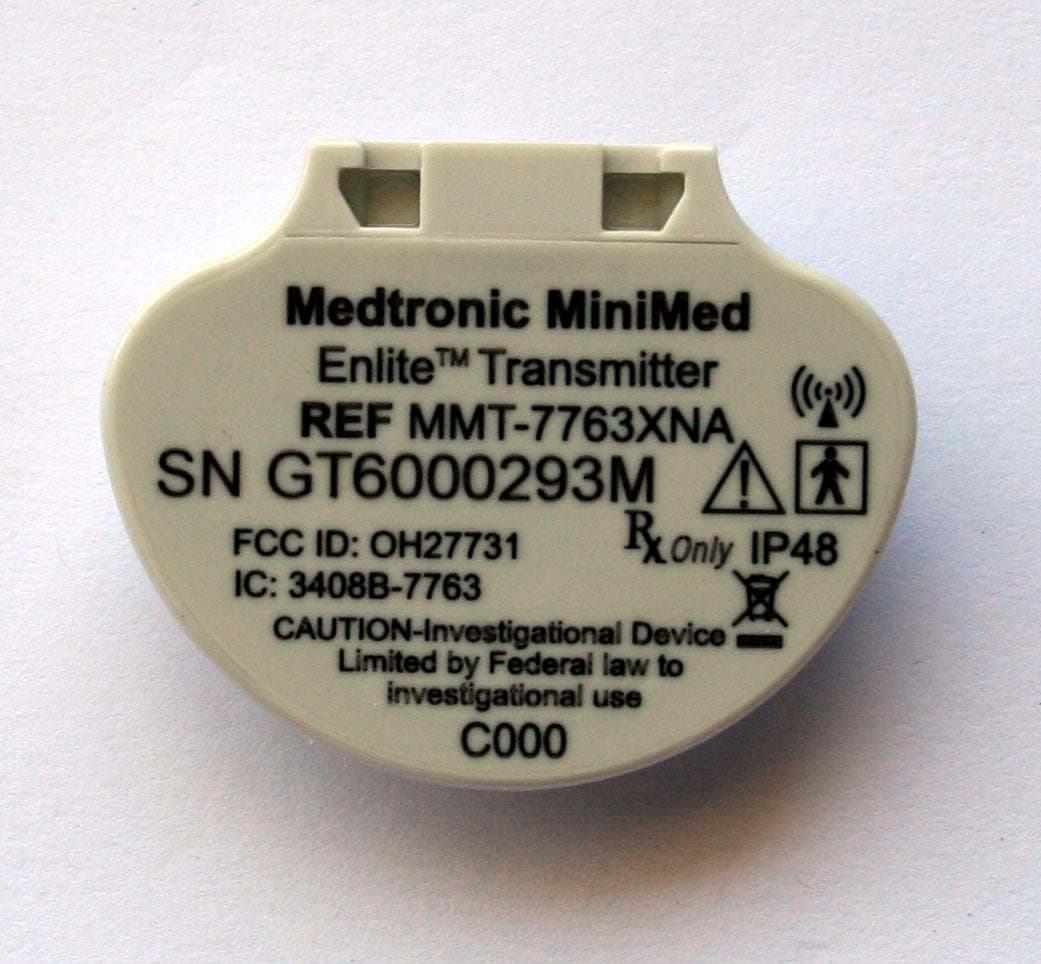
OH27731
Mar 10, 2015The Guardian Link transmitter is a component of the continuous glucose monitoring system for the MiniMed 600 series insulin pumps. The transmitter collects data from the glucose sensor and then wirelessly sends the data to the insulin pump.
Equipment Class
DTS - Digital Transmission System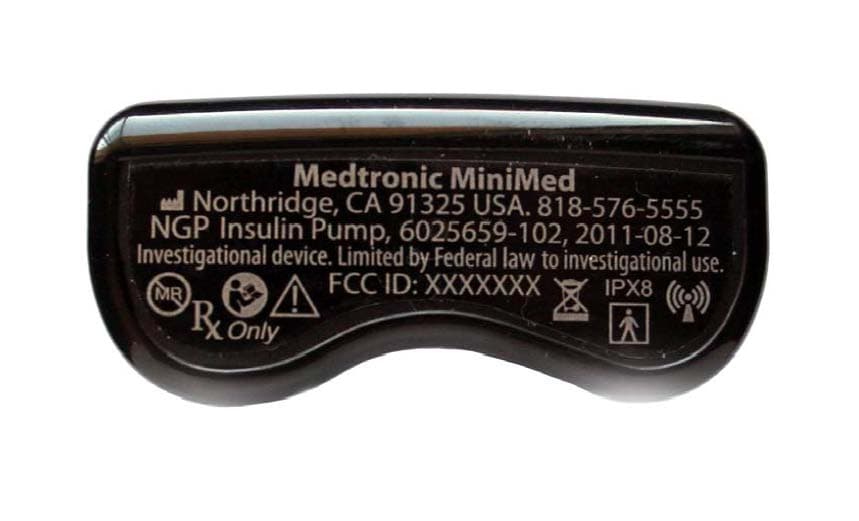
OH21510
Sep 24, 2014620G/630G/640G/670G Insulin Delivery Pump
Equipment Class
DTS - Digital Transmission System
OH27703
Apr 17, 2006Glucose Sensor Transmitter (GST1)
Equipment Class
DXX - Part 15 Low Power Communication Device Transmitter