OJFDMRUG22325digital Medium-power Remote Unit
Corning Optical Communication LLC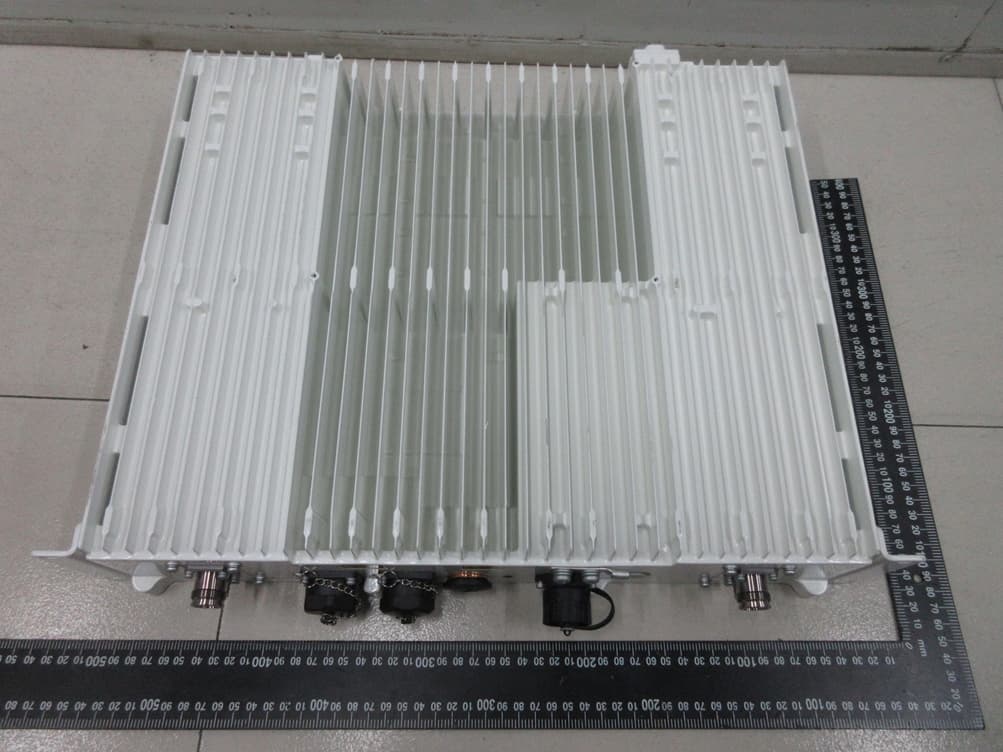
Click to zoom
Application Details
- Equipment Class
- B2I - Part 20 Industrial Booster (CMRS)
- Date of Grant
- Jul 31, 2023
- Application Purpose
- Original Equipment
- Date of Application
- Jul 31, 2023
- Equipment Note
- digital Medium-power Remote Unit
- Frequency Range
- 2496.00000000 - 2690.00000000
- Country
- United States
Documents & Files
Document Text
Text extracted from the exhibit documents filed with the FCC. Open a document above to read the original.
Users Manual
Everon™6000G2v1.1 User Manual CorningOpticalCommunicationsUserManualILAN‐3091‐AENIPage 2 PrefaceMaterial AboutthisManual Thismanualdescribeshowtoinstall,use,configureandmanagetheCorning®Everon™6000G2platform. Itincludesadescriptionofthefirstandongoingend‐to‐endconfiguration,management,andmaintenance ofthesystem. IntendedUsersandScope ThismanualisapplicabletoCorningsysteminstallationpersonnel,technicians,andusers.Itisassumed thattheuserisfamiliarwiththesystemanditsunitsandunderstandsthebasicfunctionalityofthesystem. ContactingTechnicalSupportHelpDesk Corningtechnicalsupportcontactinformation: Email:[email protected] Tel: +(1)8334CORNING(833‐426‐7646) LegalNotice Copyright Disclaimer Conventions Importantinformationishighlightedinaframeasfollows: Warning :Actionsrequiringspecialattentiontoavoidseriousphysicalinjury;forexample,pay attentionwhenworkingwithhighvoltagecomponents. Caution:Actionsrequiringspecialattentiontoavoidpossibledamagetodevice. Note:Tipsandsuggestionsforefficientwork CorningOpticalCommunicationsUserManualILAN‐3091‐AENIPage 3 Warranties HardwareWarranty CorningOpticalCommunications,LLC(“Corning”)warrantstotheoriginalpurchaser(“Customer”)thatforaperiodofone(1)year fromthedateofshipmentoftheHardware,unlessotherwiseagreedinwritingbyCorning(the“HardwareWarrantyPeriod”),the HardwarefurnishedbyCorningshallconforminallmaterialrespectswith,andperformthefunctionssetforthin,theSpecifications, asdefinedbelow(the“HardwareWarranty”).IfnotifiedbyCustomerofanynonconformitywithapplicableportionsofthe SpecificationswithintheHardwareWarrantyPeriod,Corningshallpromptly,atitsownelectionandexpense,repairorreplacethe affectedHardwarewithaproducthavingequivalentfunctionalityassuchnonconformingHardwareunderthetermsofthis HardwareWarranty.SuchrepairorreplacementshallbeCustomer’ssoleremedyandCorning’ssoleobligationintheeventthis HardwareWarrantyisinvoked.IftheHardwareoranycomponentscomprisingapartoftheHardwarearereplacedorrepaired duringtheHardwareWarrantyPeriod,theHardwareWarrantyPeriodforsuchrepairedorreplacedHardwareshallextendtothe longerof(i)thebalanceoftheHardwareWarrantyPeriodor(ii)three(3)monthsfromthedateofrepairorreplacement.For purposesofthisWarranty,“Specifications”shallmeanthespecificationsandperformancestandardsoftheHardwareassetforth indocumentsformallypublishedbyCorninganddeliveredtoCustomerwhichcontaintechnicalspecificationsfortheHardware.If CustomerinvokesthisHardwareWarranty,itshallnotifyCorningpromptlyoftheclaimeddefect.CustomerwillallowCorningto inspecttheHardwareatCustomer’slocationorshallreturntheHardwaretoCorning’sclosestrepairfacility,atCorning’soption. ForHardwarereturnedtoCorning’srepairfacility,Customershallberesponsibleforpaymentofalltransportationandfreightcosts (includinginsurance)toCorning’srepairfacility,andCorningshallberesponsibleforalltransportationandfreightcosts(including insurance)incurredinconnectionwiththeshipmentofsuchHardwaretootherrepairfacilitiesofCorningand/oritsreturnto Customer.FOBpointshallbethepointoforiginineithercase.Notwithstandingtheforegoing,innoeventwillCorningbeliablefor damagetoProductsresultingfromimproperhandlingduringoraftershipment,misuse,neglect,improperinstallation,operationor repair(otherthanbyauthorizedCorningpersonnel),alteration,accident,orforanyothercausenotattributableto nonconformancetotheSpecificationsonthepartofCorning.CorningshallnotreimburseormakeanyallowancetoCustomerfor anylaborchargesincurredbyCustomerforreplacementorrepairofanygoodsunlesssuchchargesareauthorizedinadvancein writingbyCorning. SoftwareWarranty CorningwarrantstoCustomerthat,foraperiodofone(1)yearfromthedateofshipmentoftheoriginalSoftware,unless otherwiseagreedinwritingbyCorning(the“SoftwareWarrantyPeriod”),theSoftwareshallconforminallmaterialrespectswith theSpecifications(the“SoftwareWarranty”).IntheeventtheSoftwareisproventofailtoconformtotheSpecificationduringthe SoftwareWarrantyPeriod,CorningshallcorrectsuchfailureandensurethattheSoftwareconformswiththeSpecifications. CustomerwillallowCorningtoinspecttheoperationoftheSoftwareatCustomer’slocationorwillprovideremoteaccessfor Corningstaff.Notwithstandingtheforegoing,CorningshallhavenoobligationundertheSoftwareWarrantyiftheSoftwareis modifiedorusedwithhardwareorsoftwarenotsuppliedorapprovedbyCorningoriftheSoftwareissubjectto,improper installation,application,oroperation.Third‐partysoftwaredistributedwiththeSoftwaremaycarrycertainwarrantieswhich,to themaximumextentallowedbylaw,Corningherebyassigns,transfers,andotherwiseconveystoCustomer,provided,however, thatCorningitselfprovidesnowarrantyofanykind,express,implied,statutoryorotherwise,foranythird‐partysoftwareprovided hereunder.Corningdoesnotwarrantanyhardware,softwareorservicesnotprovidedbyCorning. THISWARRANTYISTHEONLYWARRANTYMADEBYCORNINGANDISINLIEUOFALLOTHERWARRANTIES,EXPRESSORIMPLIED INCLUDING,BUTNOTLIMITEDTO,THEIMPLIEDWARRANTIESOFMERCHANTABILITYORFITNESSFORAPARTICULARPURPOSE, QUIETENJOYMENT,THEOPERATIONOFTHEHARDWAREORSOFTWAREWILLBEUNINTERRUPTEDORERRORFREE, NONINFRINGEMENTORANYEXPRESSORIMPLIEDWARRANTYARISINGOUTOFTRADEUSAGEOROUTOFCOURSEOFDEALINGOR COURSEOFPERFORMANCE.CORNINGSHALLNOTBELIABLEFORANYOTHERDAMAGEINCLUDING,BUTNOTLIMITEDTO, INDIRECT,SPECIALORCONSEQUENTIALDAMAGESARISINGOUTOFORINCONNECTIONWITHFURNISHINGOFHARDWARE, SOFTWARE,PARTS,ANDSERVICEHEREUNDER,ORTHEPERFORMANCE,USEOF,ORINABILITYTOUSETHEHARDWARE,SOFTWARE, PARTSANDSERVICE.CORNINGSALESAGENTSORREPRESENTATIVESARENOTAUTHORIZEDTOMAKECOMMITMENTSON WARRANTYRETURNS CorningOpticalCommunicationsUserManualILAN‐3091‐AENIPage 4 Returns IntheeventitisnecessarytoreturnanyHardwareforawarrantyclaim,thefollowingprocedureshallbefollowed: 1.CustomermustreceiveareturnauthorizationfromCorningpriortoreturninganyHardwareunit.CustomershalladviseCorning ofthemodel,serialnumber,originalshipdate,andclaimeddiscrepancy.HardwaremaythenbeforwardedtoCorning, transportationprepaid.AnyHardwarereturnedcollectorwithoutauthorizationmaynotbeaccepted.ReturnedHardwaremustbe packagedtoprotectitagainstphysicalorESD(static)damage,using…
Text truncated - open the document above for the full version.
Users Manual
CorningOpticalCommunicationsUserManualILAN‐3091‐AENIPage 73 Figure80. Generalsetting 3) Oncetheconnectionisestablished(canbeverifiedbyaccessingthroughcommandprompt:cmdà ipconfig),openabrowserandtypeintheLOCALportdefaultIPaddressintheaddressbar: https://192.168.8.101. 5. Commissioning ConfiguringtheCorning®Everon™6000_G2systemforeachfrequencyrequiresabasicunderstandingoflink, budgets,andRFtechnology.Mostsystemcommissioningshouldbeadjustedbasedonthesiterequirements andinstructionsofCorningSupport. webGUI Workflow Figure81.webGUIWorkflow *Note:Inordertoprotectthewholesystem,pleasekeepnosignalinjectionintoeNodeBbefore commissioning. SettheIPaddress accordingtothe defaultIPaddressof theLOCALportand thesubnetmask. CorningOpticalCommunicationsUserManualILAN‐3091‐AENIPage 74 HeadendUnits–ArchitectureExample:2x2MIMO,1Operator. Commissioningtools: ToolsDescription LaptopDebugtool NetworkcableConnectDCUOMTportwithlaptop Note:TheRIU‐G2‐7inputportsaredifferent,RIUinputport1,3,5,6for700Lbandandport2,4,6,7for700U band. Limitation1:Inthecurrentdesign,alltheSFPconnections(betweenDCUandDEU,DEUanddLRU)cannotbe crossconnected. Thefollowingconnectionissupported: DCUPort1<‐‐>DEUPortA DCUPort2<‐‐>DEUPortB DEUPort1<‐‐>dLRU‐3.5Port1 DEUPort2<‐‐>dLRU‐3.5Port2 CorningOpticalCommunicationsUserManualILAN‐3091‐AENIPage 75 DEUPort3<‐‐>dMRU‐3.5Port1 DEUPort4<‐‐>dMRU‐3.5Port2 IftheSFPiscrossconnectedbetweenDCUandDEU,thecrossstatuswillbeshownonDEUweb. 1. dLRUlru‐3.5anddMRU‐3.5support8carriersinonesub‐band,andtotally16carrierssupported. 2. Thisversionisbasedonbuild8fordLRU‐G2‐25anddMRU‐G2‐25upgrade. Case:takedLRUfiberconnectionasanexample. Note: DEU‐10Gisdefinedas4groups,eachgroupincludes6ports Eachgroupcanbesetto ‐1fiberisconnectedtoonedevice(dLRU‐678) ‐2fibersareconnectedtoonedevice(dLRU‐17192325) Connectthesamedevicestothesamegroup dLRU‐17192325needtobeconnectedtothesamepairSFP,suchasOP1&OP2,OP3&OP4,OP5&OP6,but cannotbeconnectedtounpairedportssuchasport1&5,2&3 Crossconnection(OP1<‐>OP2)isNOTsupportedinbuild8 Limitation2:TheEAWSchannelconfigurationofDCUshouldbeEAWS+EAWSorEAWS+1900B.Ifconfigurethe channelasEAWS+N/A,itmaycauseaspurioussignalinDL2155Mhz. dLRU –G2-17192325 * 3pcs dLRU –G2-678 * 6 pcs DEU-10G CorningOpticalCommunicationsUserManualILAN‐3091‐AENIPage 76 Recommendedconfiguration: Notrecommendedconfiguration(EAWS+N/A): CorningOpticalCommunicationsUserManualILAN‐3091‐AENIPage 77 5.1 RIUConfig 5.1.1 RIUWEBoverview ClickRIUontheleftsideshowninthefigurebelowtoentertheRIUoverviewcontrolinterfacewherethe information(e.g.,RIUalarm)canbeviewed.Dragthescrollbarundertheinformationlistboxorthearrowin inthecolumnofMoretoviewmore. Configurethefollowingparameters: Band:ReadOnly.ThisshowsthecurrentfrequencybandsupportedbytheRIU CombinerMode:8TO1/4TO1/2TO1 Figure82.RIUoverview Note:RIUsupports3workingmodes(2to1,4to1,8to1). 2to1,4x4MIMOforupto2groups.Duplexer(TX/RX1&2forMIMO1,TX/RX3&4forMIMO2,TX/RX5&6for MIMO3,TX/RX7&8forMIMO4),Simplexes(TX1/RX5forMIMO1,TX2/RX6forMIMO2,TX3/RX7for MIMO3,TX4/RX8forMIMO4) 4to1,2x2MIMOforupto4groups.Duplexer(TX/RX1&2&3&4forMIMO1,TX/RX5&6&7&8forMIMO2), Simplexes(TX1/RX5forMIMO1,TX2/RX6forMIMO2) 8to1,SISOforupto4groups.Duplexer(TX/RX1~8allforSISO),Simplexes(TX1/RX5forSISO) CorningOpticalCommunicationsUserManualILAN‐3091‐AENIPage 78 5.1.2 RIUParameterConfig RIUparameters: SNRIUParametersRangesDefaultValuesRemark 1WorkModeTxRx/Tx/RxTxRx 2HighGainMode ON/OFF DLgain=‐30dB/‐7 dB OFF(‐30dB gain) ON(‐7dBGain) Supportdownlink highgainmode 3DLP_inReadonlyReadonly Downlinkinput power 4RFSwitchOn/OffOn 5ULATT0~25dB20dBRIUuplinkATT 6DLATT 0~25dB20dBRIUdownlinkATT 7ALCSwitch ON/OFFON 8 HighGainMode = ON ALCLevelON:‐11~9dBm 7dBm DCInputOverloadTHR‐13~12dBm12dBm DCInputLowerTHR‐25~12dBm‐15dBm 9 HighGainMode=OFF ALCLevelOFF:12~32dBm30dBm DLInputOverloadTHR12~37dBm37dBm DLInputLowerTHR0~37dBm10dBm ToconfigureRIUparameters 1. Inthedashboard,clickRIUNEinthetopologyandenterRIUinfopage. 2. Inthemainmenuoptions,clickRIU‐RIU1andtheconfigurationpageappears. CorningOpticalCommunicationsUserManualILAN‐3091‐AENIPage 79 3. Inthedisplayedpage,clicktoconfigureeachfield(Workmode,HighGainMode,RFSwitch,UL ATT,DLATT,ALCSwitch,ALCLevel,DCInputOverloadTHR,DCInputLowerTHR). 4. ForUL/DLSlotConfiguration,SpecialSubConfiguration,SubCarrierSpacing,clickthearrowtoshow thelistedoptionalvaluesandselectone;ThenclickSave . 5. ForUserSetCF1~8andSSBAutoSearchSwitch,scrollthebarorclickthearrowunderMoretofill inrelevantvalueswithintherangeaccordingtotheparametersabove.NextclickFinish tocompletethesettings. Figure83.RIURFinformation CorningOpticalCommunicationsUserManualILAN‐3091‐AENIPage 80 5.2 DCUConfig Note:DCUstarconnectionisnotsupported,plannedinBuild10.Themaxnetworktopologywouldbe 4:16:192(DCUstarandDEUdaisychainconnection). 5.2.1 DCU‐>Dashboard ClicktheDashboardnavigationbuttontoenterthedashboardpageshowninthefigurebelow,whereyou canquerythefulltopologyofallthedependentNEconnectedtotheDCUunit.ClickNEIDinthetopology, andswitchtotheinfoqueryandconfigurationmanagementpageofotherNEtofacilitatetheuser. Figure84.DCUdashboard 5.2.1.1DCUAlarm OntheleftnavigationpageoftheDCUunit,clickDCU→Alarmshowninthefigurebelow.Onthispage,all alarmquantitiesofthedevicearedisplayedtofacilitatetheusertoqueryandmonitorthealarminfo. ToconfigureDCUalarmparameters 1. ClickDCU—AlarmInfotoentertheconfigurationpage. 2. Foralarms,click andDisableandEnablebuttoncanbeseen.SelectEnablethenthegreenicon willbedisplayed . 3. ForTemperatureTHR,PowerTemperatureTHR,OpticalModuleTemperatureTHR,SystemDelayTHR, click toenterthevalueswithintherangeaccordingtotheformabove. SNDCUparametersRangeDefaultvaluesRemark 1DLOverloadTHR‐40~10dBm10dBm Downlinkoverload threshold 2TemperatureTHR 0~125°C80°C Temperaturethreshold 3PowerTemperatureTHR 0~125°C80°C Powersupplyunit temperaturethreshold 4 OpticalModule TemperatureTHR 0~125 °C 80 °C OpticalModule Temperaturethreshold 5SystemDelayTHR‐999999999ns~999999999ns60000ns Systemdelaythreshold CorningOpticalCommunicationsUserManualILAN‐3091‐AEN…
Text truncated - open the document above for the full version.
Users Manual
CorningOpticalCommunicationsUserManualILAN‐3091‐AENIPage 128 Figure162.RUOPInfo Figure163.RUOPInfoMore CorningOpticalCommunicationsUserManualILAN‐3091‐AENIPage 129 5.4.2.4OtherInfo Figure164.RUOtherinfo 5.5 DLRUConfig 5.5.1 RU‐>Overview&Alarm ClickRUtoentertheOverviewinterfaceandviewthecurrentstatusofRUalarms(e.g.,LinkAlarm). Figure165.RUOverview Eachalarmisdefinedasfollows: LinkAlarm DigitalHWALM TemperatureAlarm LowTransmissionAlarm OverflowAlarm DCVoltageLowerAlarm OverPowerConsumptionAlarm FirmwareMismatchAlarm CorningOpticalCommunicationsUserManualILAN‐3091‐AENIPage 130 Dragthescrollbartoviewmoreinformation(e.g.,Temperature)asshowninthefigurebelow. Figure166.RUOverviewMore 5.5.2 RUParameterconfig 5.5.2.1RFinfo Figure167.RFInfo CorningOpticalCommunicationsUserManualILAN‐3091‐AENIPage 131 ClickRURU1toreadvariousRFinformationofRU,asshowninthefigurebelow: SNParameterRangeRecommendvalue 1RFSwitchON/OFFON 2DLATT(0~20)10 3ULATT(0~20)10 4WorkMode Normal DLforceuplink ULforceuplink Normal 5Serviceoffalarm Disable Enable Enable 6MIMO MIMO1 MIMO2 Figure167.RFinfo 5.5.2.2Carrierinfo Figure168.RURU4CarrierInfo 5.5.2.3OPinfo TheOPInfolistboxdisplaysthecurrentopticalportconnectionstatusandinformationreadingvolumeofthe device,asshowninthefigurebelow. CorningOpticalCommunicationsUserManualILAN‐3091‐AENIPage 132 Figure169.RURU1OPInfo Figure170.RURU1OPInfoMore CorningOpticalCommunicationsUserManualILAN‐3091‐AENIPage 133 5.6 Downlink/UplinkConfig 5.6.1 DownlinkOutputPowerConfig(PowerSharingProcess) Step1.SetCarrierInfoinChapter5.3.1.3,includingtheoperatorinfo,carrierinfo.TheDLATTcanbesetto defaultvalueinpowersharingconfig. Figure154.Powersharing Step2.Setthepowersharingparametersinchapter5.3.1.4 ‐ Assigneachoperator’spowershare(percentage). ‐ Selectthecarrier’spowerassignmentmodeforeachoperator(Density/Even). Densitymode:powerassignmentbasedoncarrierbandwidth. Evenmode:powerassignmentbasedonthecarriernumber. ‐ ConfigMIMO1andMIMO2channel. ‐ Selectthecalculatebuttontoactivethevalue,thentheDLATTvalueinStep1willbeautomatically calculated. ‐Selectthe‘PowerShareLock’buttontolocktheATTconfig. ‐ Thesystemwillautomaticallyemittheoutputtargetpowerbasedonpowersharingconfigurationif theDCUinputpoweriswithintheoperationrange. CorningOpticalCommunicationsUserManualILAN‐3091‐AENIPage 134 Step3.SetRIUATTtomeetDCUinputpowerrangeaccordingtochapter5.1.2 ‐ SetRIUhighgainmode(ON/OFF)andDLATTtosuitablevaluetomeetDCUinputoperationrange. HighGainModeDLATTTotalGain ON(Gain=‐7dB)0~25‐7~‐32dB OFF(Gain=‐30dB)0~25‐30~‐55dB ‐ TheDCUinputpowertargetis‐7dBm,andtheRIUsuggestedinputpowerrangeis10~37dBm,sothat pleaseconfigRIUhighgainmodeandDLATTaccordingtotheinputpower. RIUInput Power(dBm) HighGainMode (ON/OFF) DLATT (0~25) TotalGain(dB)TargetOutput Power 10~25ON(Gain=‐7dB)Gain=‐10~‐25‐17~‐32‐7dBm 25~37OFF(Gain=‐30dB)Gain=‐2~‐14‐32~‐44‐7dBm Inthiscase,pleaseconfigtheDCUtothefollowingconfig.Thedetailedconfigislistedinchapter5.2.2 HighGainmode=OFF DCUDLATTchangesfrom20dBto0dBafterantennaconnection. 5.6.2 UplinkGainConfig TheTotalUplinkGain=‐2dB‐RIUULATT‐DCUULATT‐RUULATT Step1.ConfigtheRIUULATTaccordingtochapter5.1.2 Step2.ConfigtheDCUULATTaccordingtochapter5.2.2.2 Step3.ConfigtheRUULATTaccordingtochapter5.4.2.2 TherangeofeachATTislistedasbelow. SNATTRange(dB)DefaultValue(dB)ConfigDescription 10~2520chapter2.1.2 20~2020chapter2.2.2.2 30~2010chapter2.4.2.2 CorningOpticalCommunicationsUserManualILAN‐3091‐AENIPage 135 5.7 Case 2TO1 2x2MIMOCase CorningOpticalCommunicationsUserManualILAN‐3091‐AENIPage 136 4TO1 2x2MIMOCase RefertothetablebelowforEveron™6000Parameters. Everon™ 6000 Parameters_Build CorningOpticalCommunicationsUserManualILAN‐3091‐AENIPage 137 ReleaseVersion SNUnitVersion 1 System version Everon_6000_SYSTEM_P2.V01.04.01.68build9 2RIUEveron_6000_RIU_P2.V01.00.00.10build9 3RIU‐FDDEveron_6000_RIU_P2.V02.00.00.04build9 4DEU‐25GEveron_6000_DEU_P2.V01.00.03.63build9 5DEU‐10GEveron_6000_DEU_P2.V02.00.02.15build9 6DCUEveron_6000_DCU_P2.V01.00.03.54build9 7DLRU‐3.5Everon_6000_DLRUH_P2.V01.00.04.55build9 8DLRU‐MEveron_6000_DLRUM_P2.V02.00.02.12build9 9DLRU‐LEveron_6000_DLRUL_P2.V02.00.02.10build9 10DMRU‐3.5Everon_6000_DMRUH_P2.V01.00.03.29build9 11DMRU‐FDDEveron_6000_DMRUF_P2.V02.00.00.16build9 CorningOpticalCommunicationsUserManualILAN‐3091‐AENIPage 138 6. APPENDIX:LEDFunctionalityandColorDefinition OpticalLEDdefinition GreenAmber (SYNC)(LOS) SFPPlugoutSFPPlugoutOFFOFF OpticLinkFail1.OpticcabledisconnectedOFFON 2.SFPfailOFFON 2.1SFPfaultOFFON 2.2SFPwarningOFFON 2.3SFPalarmOFFON 3.CPRIlinkdownOFFON OpticLinkOK1.OpticcableconnectedONON 2.SFPOKONON 3.CPRIlinkdownONON CPRILinkOK1.OpticcableconnectedONOFF 2.SFPOKONOFF 3.CPRIlinkupONOFF ALM/RUN/PowerLEDdefinition LEDDescriptionColor ALM 1.AlarmRed 2.Devicedetect(IdentifyandiscontrolledfromDCU)RedFlash(1Hz,10s) 3.NoalarmOFF RUN 1.ThesystemisupandrunningGreenFlash(1Hz) 2.SoftwareorhardwarefailureOFF Power 1.PoweronGreen 2.PoweroffOFF CorningOpticalCommunicationsUserManualILAN‐3091‐AENIPage 139 Corning Optical Communications LLC • 4200 Corning Place • Charlotte, NC 28216 USA 800-743-2675 • FAX: 828-325-5060 • International: +1-828-901-5000 • www.corning.com/opcomm Corning Optical Communications reserves the right to improve, enhance, and modify the features and specifications of Corning Optical Communications products without prior notification. A complete listingof the trademarks of Corning Optical Communications is available at www.corning.com/opcomm/trademarks. All other trademarks are the properties of their respective owners. Corning Optical Communications is ISO 9001 certified. © 2023 Corning Optical Communications. All rights reserved. LAN-3091-AEN / January 2023
Attestation Statements
Applicant Declaration QSF27-14-04 Rev 1.0 Rev. Feb 6, 2023 Page 1 of 2 Original Issue: Jan. 4, 2021 SGS North America Inc. 620 Old Peachtree Road SUITE 100 Suwanee, Georgia 30024 United States Confidential - Corning (L3) Applicant Legal Business Name Corning Optical Communication LLC Address 6 Concord Road, Shrewsbury, Massachusetts, 01545, United States Grantee Code OJF FCC ID OJFDMRUG2678, OJFDMRUG21719, OJFDMRUG22325 Authorized Contact Name Jyotin Basrur Contact Email [email protected] Contact Phone 817-431-7894 I, the undersigned, certify that I am an authorized signatory for the Applicant and therefore declare; a) in accordance with 47CFR2.911(d), all of the statements herein and the exhibits attached hereto are true and correct to the best of my knowledge and belief. b) in accepting a Grant of Equipment Authorization issued by a TCB, under the authority of the FCC, as a result of the representations made in this application, the Applicant is responsible for: (1) labeling the equipment with the exact FCC ID as specified in this application, (2) compliance statement labeling pursuant to the applicable rules, (3) compliance of the equipment with the applicable technical rules, c) if the Applicant is not the actual manufacturer of the equipment, appropriate arrangements have been made with the manufacturer to ensure that production units of this equipment will continue to comply with the FCC’s technical requirements. d) in accordance with 47 CFR 2.909 and KDB394321, the Applicant has read, understood and agrees to accept that they are the responsible party and agree to abide by their responsibilities as specified under 47 CFR 2.909 and KDB394321. e) in accordance with ISO 17065, FCC KDB641163, FCC KDB610077, KDB394321 and RSP-100, the Applicant has read, understood, accepts and agrees to abide by the post market surveillance requirements. (1) the Applicant understands, accepts and agrees that a sample may be requested for surveillance testing. (2) the Applicant shall make provisions to always have a production sample available upon request by SGS, FCC and/or ISED. (3) the Applicant shall, upon request by SGS, at the Applicant’s expense, provide a production sample of the requested product to SGS, FCC and/or ISED as instructed. The sample shall include all support devices, cables, software, accessories or other hardware or software required for evaluation, review, certification and audit surveillance of products certified by SGS. f) neither the Applicant nor any party to the application is subject to a denial of Federal benefits, that includes FCC benefits, pursuant to Section 5301 of the Anti-Drug Abuse Act of 1988, 21 U.S.C. §862 because of a conviction for possession or distribution of a controlled substance. See 47CFR 1.2002(b) for the definition of a “party” for these purposes. g) the Applicant has read, understood, accepts and agrees to abide by the SGS North America, Inc.(TCB) terms and conditions. Link to CFRs: https://www.fcc.gov/wireless/bureau-divisions/technologies-systems-and-innovation-division/rules-regulations-title-47 Link to KDBs: https://apps.fcc.gov/oetcf/kdb/index.cfm Link to RSP-100: https://www.ic.gc.ca/eic/site/smt-gst.nsf/eng/sf01130.html Link to the Covered List: Covered List Corning Optical Communication LLC (“the applicant”) certifies that the equipment for which authorization is sought is not “covered” equipment prohibited from receiving an equipment authorization pursuant to section 2.903 of the FCC rules. Corning Optical Communication LLC (“the applicant”) certifies that, as of the date of the filing of the application, the applicant is not identified on the Covered list, established pursuant to §1.50002, as an entity producing “covered” equipment. Applicant Signature: Date: 2023/6/25 Print Name: Jyotin Basrur Title: Senior Director, Product Line Management Applicant Declaration QSF27-14-04 Rev 1.0 Rev. Feb 6, 2023 Page 2 of 2 Original Issue: Jan. 4, 2021 SGS North America Inc. 620 Old Peachtree Road SUITE 100 Suwanee, Georgia 30024 United States Confidential - Corning (L3) *NOTE: This declaration cannot be signed by an Agent, it shall be signed by an authorized person listed in the FCC database
Attestation Statements
Confidential - Corning (L3) UNITED STATES DESIGNATED AGENT LETTER Date: 2023/6/25 TO: Federal Communication Commission Equipment Authorization Branch 7435 Oakland Mills Road Columbia, MID 21046 Applicant U.S. designated agent Company Name: Corning Optical Communication LLC Company Name: Corning Optical Communication LLC Grantee Code: OJF FRN: 0021095476 Contact Name: Jyotin Basrur Contact Name: Jyotin Basrur Address: 6 Concord Road Address: 6 Concord Road City/Province/Zip: Shrewsbury, Massachusetts, 01545 City/Province/Zip: Shrewsbury, Massachusetts, 01545 Telephone: 817-431-7894 Telephone: 817-431-7894 Fax: 817-431-7894 Fax: 817-431-7894 Email: [email protected] Email: [email protected] Applicable Equipment: FCC ID: OJFDMRUG2678 FCC ID: OJFDMRUG21719 FCC ID: OJFDMRUG22325 ATTN: Director of Certification: We, Corning Optical Communication LLC and Corning Optical Communication LLC understand and acknowledge the applicants consent and the designated agent’s obligation to accept service of process in the United States for matters related to the applicable equipment, and at the physical U.S. address and e- mail of the designated agent listed above. We, Corning Optical Communication LLC and Corning Optical Communication LLC acknowledge the applicant’s acceptance of its obligation to maintain an agent for service of process in the United States for no less than one year after either the grantee has permanently terminated all marketing and importation of the applicable equipment within the U.S., or the conclusion of any Commission-related administrative or judicial proceeding involving the equipment, whichever is later. Applicant U.S. designated agent Name: Jyotin Basrur Name: Jyotin Basrur Title: Senior Director, Product Line Management Title: Senior Director, Product Line Management Signature: Signature:
Attestation Statements
Corning Optical Communication LLC Attestation To whom it may concern, Regarding: Request application for FCC ID: OJFDMRUG22325 We Corning Optical Communication LLC declare that warning label messages will be also shown in online and point-of-sale marketing marterials and on outside packaging of device. WARNING! This is NOT a CONSUMER device. It is designed for installation by FCC LICENSEES and QUALIFIED INSTALLERS. You MUST have an FCC LICENSE or express consent of an FCC License to operate this device. Unauthorized use may result in significant forfeiture penalties, including penalties in excess of $100,000 for each continuing violation. Name (Printed): Jyotin Basrur Title: Senior Director, Product Line Management Signature: On behalf of Company: Corning Optical Communication LLC
Cover Letter(s)
Corning Optical Communication LLC Confidential - Corning (L3) Authority letter FCC Date: 2023/6/25 TO: Federal Communication Commission Equipment Authorization Branch 7435 Oakland Mills Road Columbia, MID 21046 Regarding: FCC ID: OJFDMRUG2678 FCC ID: OJFDMRUG21719 FCC ID: OJFDMRUG22325 To whom it may concern: We, the undersigned, hereby authorize SGS-CSTC Standards Technical Services Co., Ltd. (SGS) Guangzhou branch and Bonnie Liao in SGS-CSTC Standards Technical Services Co., Ltd. (SGS) Guangzhou branch to act on our behalf in all manners relating to application for equipment authorization with respect to the FCC ID above, including signing of all documents relating to these matters. Any and all acts carried out by the agent on our behalf shall have the same effect as acts of our own. We, the undersigned, hereby certify that we are not subject to a denial of federal benefits, that includes FCC benefits, pursuant to Section 5301 of the Anti-Drug Abuse Act of 1988, 21 U.S.C. 853(a). Where our agent signs the application for certification on our behalf, I acknowledge that all responsibility for complying with the terms and conditions for Certification, as specified by SGS North America, Inc., still resides with applicant company FCC. This authorization is valid until further written notice from the applicant. Name (Printed): Jyotin Basrur Title: Senior Director, Product Line Management Signature: On behalf of Company: Corning Optical Communication LLC
Cover Letter(s)
Corning Optical Communication LLC Confidential - Corning (L3) Confidential letter FCC To: SGS North America Inc. 620 Old Peachtree Road SUITE 100 Suwanee, Georgia United States From: Corning Optical Communication LLC 6 Concord Road, Shrewsbury, Massachusetts, 01545, United States Regarding: Confidentiality Request regarding application for FCC ID: OJFDMRUG2678 FCC ID: OJFDMRUG21719 FCC ID: OJFDMRUG22325 LONG TERM CONFIDENTIALITY Pursuant to 47 CFR Section 0.459 and 0.457 of the commission’s rules, the applicant hereby request confidential treatment of the documents listed below, associated with the certification application referenced above. Schematic(s) Block Diagrams Operational Descriptions Tune-up Procedure The documents above contain proprietary information not released to the public. Public disclosure of this information may prove harmful to the business of the applicant. Sincerely, Name (Printed): Jyotin Basrur Title: Senior Director, Product Line Management Signature: On behalf of Company: Corning Optical Communication LLC
External Photos
SGS-CSTC Standards Technical Services Co., Ltd. Guangzhou Branch EMC-ARF-04 Rev 1.1 Page: 1 of 4 FCC ID: OJFDMRUG22325 Appendix - External Photos for GZCR2306000569AT Test Model No.: dMRU-G2-2325 SGS-CSTC Standards Technical Services Co., Ltd. Guangzhou Branch EMC-ARF-01 Rev 1.1 Page: 2 of 4 EUT Constructional Details (EUT Photos) SGS-CSTC Standards Technical Services Co., Ltd. Guangzhou Branch EMC-ARF-01 Rev 1.1 Page: 3 of 4 SGS-CSTC Standards Technical Services Co., Ltd. Guangzhou Branch EMC-ARF-01 Rev 1.1 Page: 4 of 4 - End of the Appendix -
ID Label/Location Info
Label Design V0629 dMRU-G2-2325 dMRU-G2-2325 FCC warning and Product label Package label
Internal Photos
SGS-CSTC Standards Technical Services Co., Ltd. Guangzhou Branch EMC-ARF-04 Rev 1.1 Page: 1 of 4 FCC ID: OJFDMRUG22325 Appendix - Internal Photos for GZCR2306000569AT Test Model No.: dMRU-G2-2325 SGS-CSTC Standards Technical Services Co., Ltd. Guangzhou Branch EMC-ARF-01 Rev 1.1 Page: 2 of 4 EUT Constructional Details (EUT Photos) SGS-CSTC Standards Technical Services Co., Ltd. Guangzhou Branch EMC-ARF-01 Rev 1.1 Page: 3 of 4 SGS-CSTC Standards Technical Services Co., Ltd. Guangzhou Branch EMC-ARF-01 Rev 1.1 Page: 4 of 4 - End of the Appendix -
RF Exposure Info
SGS-CSTC Standards Technical Services Co., Ltd. Guangzhou Branch EMC-TRF-03 Rev 1.1 Report No.: GZCR230600056904 Page: 1 of 9 FCC ID: OJFDMRUG22325 Ricky Liu Manager RF EXPOSURE EVALUATION REPORT Application No.: GZCR2306000569AT Applicant: Corning Optical Communication LLC Address of Applicant: 6 Concord Road, Shrewsbury, Massachusetts, United States Manufacturer: Comba Network Systems Company Limited Address of Manufacturer: No. 10 Shenzhou Road, Guangzhou Science City, Guangzhou 510663, Guangdong, P.R.China Equipment Under Test (EUT): EUT Name: Digital Medium-power Remote Unit Model No.: dMRU-G2-2325 Trade Mark: Corning Standard(s) : 47 CFR Part 2.1091 47 CFR Part 1.1310, Part 1.1307 Date of Receipt: 2023-06-08 Date of Evaluation: 2023-07-17 Date of Issue: 2023-07-17 Test Result: Pass* * In the configuration tested, the EUT complied with the standards specified above. SGS-CSTC Standards Technical Services Co., Ltd. Guangzhou Branch EMC-TRF-03 Rev 1.1 Report No.: GZCR230600056904 Page: 2 of 9 Revision Record VersionChapterDateModifier Remark 01GZCR2306000569042023-07-17Original Authorized for issue by: Kevin Zhang /Project Engineer Jerry Chan /Reviewer SGS-CSTC Standards Technical Services Co., Ltd. Guangzhou Branch EMC-TRF-03 Rev 1.1 Report No.: GZCR230600056904 Page: 3 of 9 2Evaluation Summary Radio Spectrum Technical Requirement ItemStandardRequirementMethodResult RF Exposure 47 CFR Part 2.1091 47 CFR Part 1.1310 47 CFR Part 1.1307 47 CFR Part 1.131047 CFR Part 1.1310PASS SGS-CSTC Standards Technical Services Co., Ltd. Guangzhou Branch EMC-TRF-03 Rev 1.1 Report No.: GZCR230600056904 Page: 4 of 9 3Contents Page 1Covers Page...................................................................................................................…
Text truncated - open the document above for the full version.
Contact Information
Applicant
Dana Whitney(Director of Operations and Program)
Technical Contact
SGS-CSTC Standards Technical Services Co., LtdBonnie Liao
[email protected]82155379
No.198 Kezhu Road, · Guangzhou, Guangdong · China
Non-Technical Contact
SGS-CSTC Standards Technical Services Co., LtdBonnie Liao
[email protected]82155379
Test Firm
SGS-CSTC Standards Technical Services Co., Ltd.Bonnie Liao
[email protected]020-8215-5379
Technical Specifications
| # | Rule Parts | Frequency Range | Power Output | Emission | Tolerance |
|---|---|---|---|---|---|
| 4 | 27 | 2.50 GHz - 2.69 GHz | 375.84 W | W7D | Amp |
Other Applications from Corning Optical Communication LLC

OJFE62-N3-7US
Aug 29, 2024Remote Unit, Radio Node
Equipment Class
B2I - Part 20 Industrial Booster (CMRS)
OJFDHRU-G2-19
Apr 09, 2024HRU Digital High Power Amplifier Module supporting PCS
Equipment Class
B2I - Part 20 Industrial Booster (CMRS)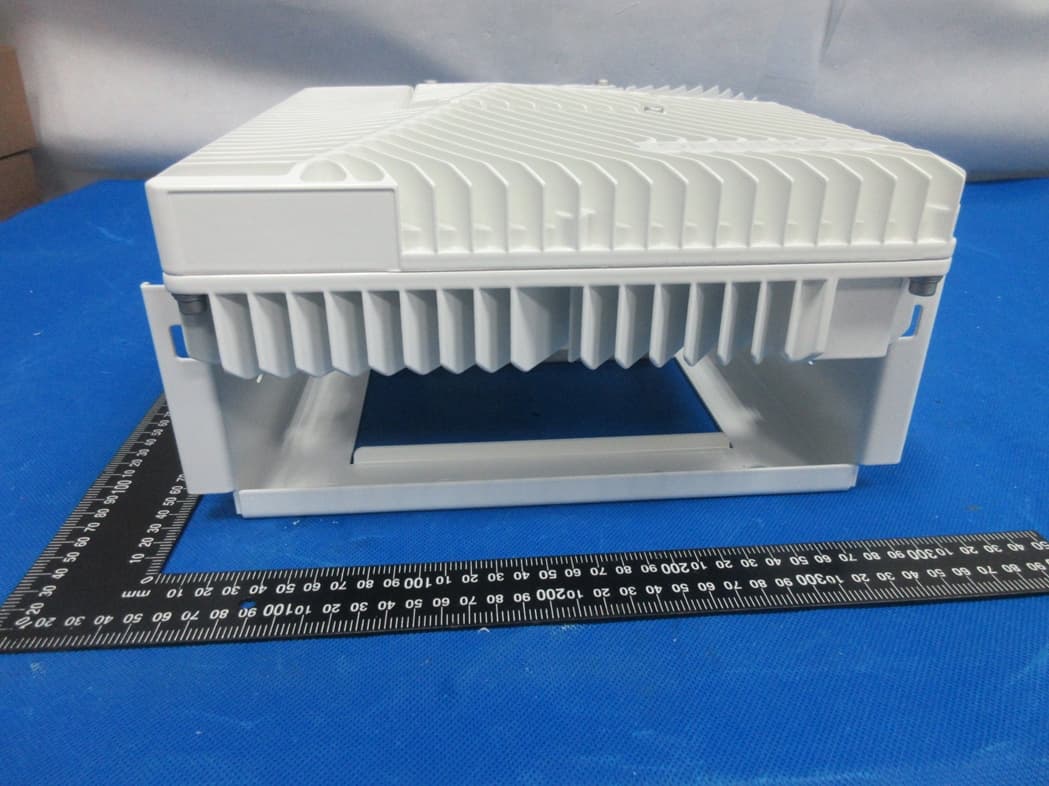
OJFDLRUG2678
Oct 17, 2023Low Band dRAU
Equipment Class
B2I - Part 20 Industrial Booster (CMRS)
OJFDMRUG2678
Jul 30, 2023digital Medium-power Remote Unit
Equipment Class
B2I - Part 20 Industrial Booster (CMRS)
OJFE62-M3-35
Jul 20, 2023Remote Unit
Equipment Class
B2I - Part 20 Industrial Booster (CMRS)