OKUCAB0111Bluetooth Speaker
Shenzhen Junlan Electronic Ltd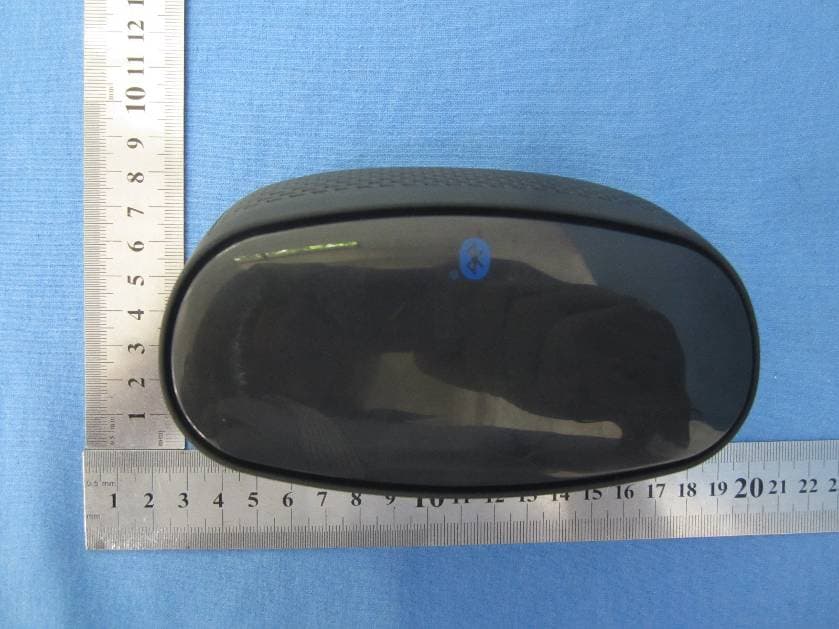
Click to zoom
Application Details
- Equipment Class
- DSS - Part 15 Spread Spectrum Transmitter
- Date of Grant
- Sep 19, 2012
- Application Purpose
- Original Equipment
- Date of Application
- Sep 19, 2012
- Equipment Note
- Bluetooth Speaker
- Frequency Range
- 2402.00000000 - 2480.00000000
- Country
- China
Documents & Files
Document Text
Text extracted from the exhibit documents filed with the FCC. Open a document above to read the original.
Users Manual
BLUETOOTH SPEAKER SYSTEM Instruction Manual Model: BT111GB Read these instructions carefully before use Safety instructions Please avoid placing the unit in places with high humidity, high temperature, grease, contamination, etc. Please do not place the unit in direct sunlight or rain. Avoid dropping the unit. When the unit gets dirty on the surface, please clean with damp cloth. Do not use any organic solvents, paint thinner or abrasive cleaners. Never privately dissemble, repair or modify unit. Contact our service center for repair information 1 LOCATION OF CONTROLS 2 1 2 1. Indicators 2. Speakers 3. Power ON/OFF switch 4. USB Charger: USB cable only for charging 5. Line in jack 6. Hands-off/Power button 7. Volume+- button 8. / Previous/Next button 345 6 7 8 USB CHARGER Bluetooth Connection 3 Line in connection 1. Connect an audio connection cable with 3.5mm stereo plug (not included) to the line in jack on the rear of the unit. 2. Connect the other end to the audio out jack/ phone jack on the MP3 or other external device. 3. Turn on the external device and press Play button to start playing the music. 4. Press + button to increase the volume. Press- button to decrease the volume. 1.Connect the Bluetooth speaker via USB cord (included). 2.Move the Power On/Off button on the rear of the unit to On position. The red indicator light will come on. 3.Press the Power Button on the right side of the unit to turn on the unit. The blue indicator light will turn on and flash. Press and hold Power Button to turn the unit to Standby mode. During playback, press Power Button to pause and press again to resume the playback. When the unit is powered on the Bluetooth indicator blue light will turn on and flash and the unit will enter Bluetooth mode. 4.Allow your cell phone to enter the Bluetooth connection mode. During searching, the blue Bluetooth indicator will keep flashing. When searching is completed, select BT111 as the target equipment. When connected, the Bluetooth indicator blue light will stay lit. 5. Press. to skip to the previous track. Press to skip to the next track. 6. Press + button to increase the volume. Press- button to decrease the volume. 7. The built-in Mic of this unit enables hands-free function in Bluetooth mode. When the call comes in press Hands-free button to answer the call. Press Hands-free button again to hang up. Press Hands-free button to redial the last outgoing call. Battery Charging The unit provides a built-in 3.7V 1000mAh Lithium battery. The standard voltage is 3.7V. The maximum voltage is 4.2V. 1. The minimum working voltage of the unit is 3.5V.When the battery voltage is under 3.5V, the red indicator will stay lit to indicate the low voltage status and the battery needs to be recharged. 2. Connect one end of the USB charging cable (included) to the DC in jack on the rear of the unit. Connect the other end to your PC. Or you can connect the other end to a 5V AC/DC adapter (not included) to power and charge the unit. Then the green indicator will stay lit to indicate that the battery is in charging status. 3. When the voltage reaches the Maximum voltage 4.2V, the green indicator will turn off to indicate that the charging process is completed. 4 SPECIFICATIONS Bluetooth technology 2.0+EDR RMS Output 2x 2W Effective distance of Bluetooth approximately 33 feet Speaker impedance 4 Ohm 3Wx2 Playback time ACCESSORIES User Manual 1PC USB charging cable 1PC 5 approximately 3 hours (With volume set to ½ of Maximum volume) TROUBLE SHOOTING GUIDE Check the followings before requesting service: SYMPTOMPOSSIBLE CAUSEPOSSIBLE SOLUTION No power No sound Bluetooth reception failure Hands free not working The built-in battery runs out Power switch is in OFF position Power button on the unit not pressed Recharge the battery Move the power switch on the rear of the unit to ON position Press the POWER button on the right side of the unit to turn on the unit Volume in minimum position of the unit The connected device is not in playback mode Sound output of the connected device weak Input source incorrect Raise volume by pressing the VOL+ button Play the music in the connected device Raise the volume level of the connected device Set input source as Line-in or Bluetooth mode Not in Bluetooth mode Line in cable in the Line in jack Set to Bluetooth mode and the blue indicator will turn on Disconnect the line in cable Not in Bluetooth mode Set as Bluetooth mode(Hands free function is only available in Bluetooth mode) 6 7 LIMITED WARRANTY FCC Statement NOTE: This equipment has been tested and found to comply with the limits for a Class B digital device, pursuant to Part 15 of the FCC Rules. These limits are designed to provide reasonable protection against harmful interference in a residential installation. This equipment generates, uses and can radiate radio frequency energy and, if not installed and used in accordance with the instructions, may cause harmful interference to radio communications. However, there is no guarantee that interference will not occur in a particular installation. If this equipment does cause harmful interference to radio or television reception, which can be determined by turning the equipment off and on, the user is encouraged to try to correct the interference by one or more of the following measures: -- Reorient or relocate the receiving antenna. -- Increase the separation between the equipment and receiver. -- Connect the equipment into an outlet on a circuit different from that to which the receiver is connected. -- Consult the dealer or an experienced radio/TV technician for help. This device complies with part 15 of the FCC Rules. Operation is subject to the following two conditions: (1) This device may not cause harmful interference, and (2) this device must accept any interference received, including interference that may cause undesired operation The antenna(s) used for this transmitter must not be co-located or operating in conjunction with any other…
Text truncated - open the document above for the full version.
Cover Letter(s)
BT111GB CAB-0111
ID Label/Location Info
Bluetooth Speaker with built-in battery External Power Source : DC 5V 2.5A MADE IN CHINA FCC ID:OKUCAB0111
ID Label/Location Info
Label location
Test Report
Global United Technology Services Co., Ltd. Report No: GTSE12090102601 Authorized Signature: Robinson Lo Laboratory Manager This report details the results of the testing carried out on one sample. The results contained in this test report do not relate to other samples of the same product and does not permit the use of the GTS product certification mark. The manufacturer should ensure that all products in series production are in conformity with the product sample detailed in this report. This report may only be reproduced and distributed in full. If the product in this report is used in any configuration other than that detailed in the report, the manufacturer must ensure the new system complies with all relevant standards. Any mention of GTS International Electrical Approvals or testing done by GTS International Electrical Approvals in connection with, distribution or use of the product described in this report must be approved by GTS International Electrical Approvals in writing. This document cannot be reproduced except in full, without prior written approval of the Company. Any unauthorized alteration, forgery or falsification of the content or appearance of this document is unlawful and offenders may be prosecuted to the fullest extent of the law. Unless otherwise stated the results shown in this test report refer only to the sample(s) tested and such sample(s) are retained for 90 days only.” 1 Cover Page FCC Report Applicant: Shenzhen Junlan Electronic Ltd Address of Applicant: District 2 type A plant in the second layer 1-4, NO.2 Industrial Fuyuan Tangwei Fuyong Baoan Shenzhen China Equipment Under Test (EUT) Product Name: Bluetooth Speaker Model No.: CAB-0111, BT111, BT111GB, BT11GBMO, BT111MO, BT0211, BT0211GB, BT0211GBMO, BT0211MO, BT4111, BT4111GB, BT4111GBMO, BT4111MO, CAB-0135, CAB-0112, CAB-0916, CAB-1431, CAB-1311, CAB-0211, CAB-0211M, CAB-0212, CAB-0504, CAB-0831, CAB-0731,CAB-0631, CAB-0431, CAB-0931, CAB-1031, CAB-1131, CAB-1231, CAB-0431 Trade Mark: iTrak by Encore Technology FCC ID: OKUCAB0111 Applicable standards: FCC CFR Title 47 Part 15 Subpart C Section 15.247:2010 Date of sample receipt: September 13, 2012 Date of Test: September 13-17, 2012 Date of report issued: September 18, 2012 Test Result : PASS * * In the configuration tested, the EUT complied with the standards specified above. Report No: GTSE12090102601 Global United Technology Services Co., Ltd. Project No.: GTSE120901026RF 2nd Floor, Block No.2, Laodong Industrial Zone, Xixiang Road Baoan District, Shenzhen, China 518102 Telephone: +86 (0) 755 2779 8480 Fax: +86 (0) 755 2779 8960 Page 2 of 52 2 Version Version No. Date Description 00 September 18, 2012 Original Prepared By: Date: September 18, 2012 Project Engineer Check By: Date: September 18, 2012 Reviewer Report No: GTSE12090102601 Global United Technology Services Co., Ltd. Project No.: GTSE120901026RF 2nd Floor, Block No.2, Laodong Industrial Zone, Xixiang Road Baoan District, Shenzhen, China 518102 Telephone: +86 (0) 755 2779 8480 Fax: +86 (0) 755 2779 8960 Page 3 of 52 3 Contents Page 1 COVER PAGE..............................................................................................................................................................1 2 VERSION.......................................................................................................................................................................2 3 CONTENTS...................................................................................................................................................................3 4 TEST SUMMARY.........................................................................................................................................................4 5 GENERAL INFORMATION........................................................................................................................................5 5.1 CLIENT INFORMATION............................................................................................................................................5 5.2 GENERAL DESCRIPTION OF E.U.T........................................................................................................................5 5.3 TEST MODE............................................................................................................................................................7 5.4 TEST FACILITY.......................................................................................................................................................7 5.5 TEST LOCATION.....................................................................................................................................................7 5.6 OTHER INFORMATION REQUESTED BY THE CUSTOMER.......................................................................................7 5.7 DESCRIPTION OF SUPPORT UNITS........................................................................................................................7 5.8 TEST INSTRUMENTS LIST.......................................................................................................................................8 6 TEST RESULTS AND MEASUREMENT DATA.....................................................................................................9 6.1 ANTENNA REQUIREMENT:......................................................................................................................................9 6.2 CONDUCTED EMISSIONS.....................................................................................................................................10 6.3 CONDUCTED PEAK OUTPUT POWER..................................................................................................................13 6.4 20DB EMISSION BANDWIDTH..............................................................................................................................17 6.5 CARRIER FREQUENCIE…
Text truncated - open the document above for the full version.
Test Setup Photos
Radiated Emission Conducted Emission
Contact Information
Applicant
peng xiao(safety engineer)
Technical Contact
Global United Technology Services Co., Ltd.Hans Hu
[email protected]+86-0755-27798480
2nd Floor, Block No.2, Laodong Industrial Zone · Shenzhen · China
Test Firm
Global United Technology Service Co., LtdRobinson Lo
Technical Specifications
| # | Rule Parts | Frequency Range | Power Output |
|---|---|---|---|
| 1 | 15C | 2.40 GHz - 2.48 GHz | 1.40 mW |
Other Applications from Shenzhen Junlan Electronic Ltd
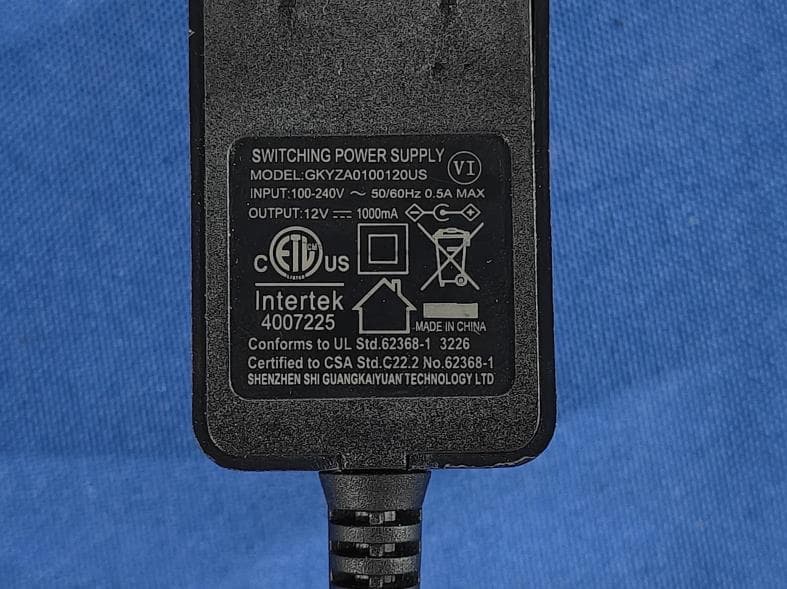
OKUJP2326
Sep 07, 2026Retro Bluetooth Turntable
Equipment Class
DSS - Part 15 Spread Spectrum Transmitter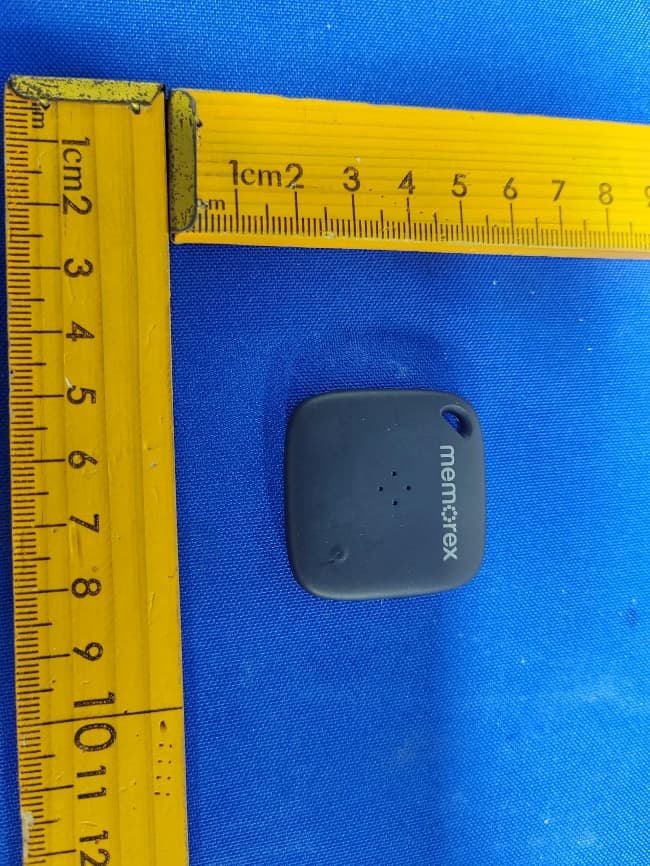
OKUBS6207S
Sep 01, 2026Smart Finder
Equipment Class
DTS - Digital Transmission System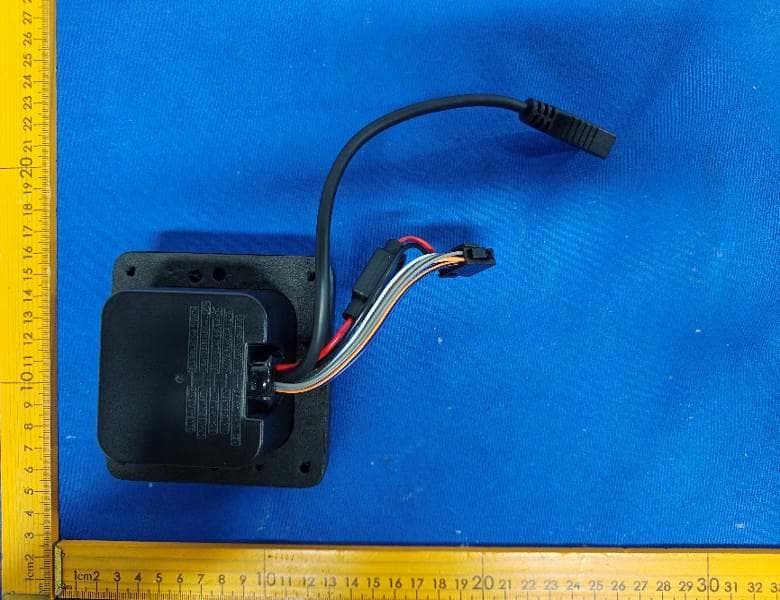
OKUBS2708EC
May 15, 2026STEREO
Equipment Class
DSS - Part 15 Spread Spectrum Transmitter
OKUJC9021
Apr 27, 2026BLUETOOTH TURNTABLE
Equipment Class
DSS - Part 15 Spread Spectrum Transmitter
OKUBS2708CA
Apr 17, 2026STEREO
Equipment Class
DSS - Part 15 Spread Spectrum Transmitter