OKURP3000BTCar DVD Player
Shenzhen Junlan Electronic Ltd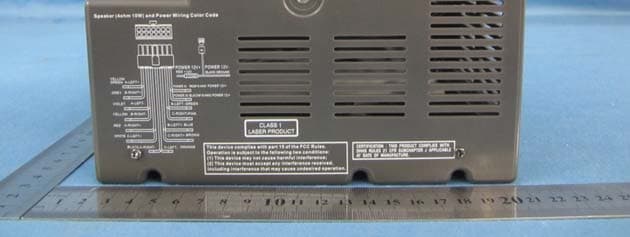
Click to zoom
Application Details
- Equipment Class
- DSS - Part 15 Spread Spectrum Transmitter
- Date of Grant
- Jul 16, 2013
- Application Purpose
- Original Equipment
- Date of Application
- Jul 16, 2013
- Equipment Note
- Car DVD Player
- Frequency Range
- 2402.00000000 - 2480.00000000
- Country
- China
Documents & Files
Document Text
Text extracted from the exhibit documents filed with the FCC. Open a document above to read the original.
Users Manual
(BT/DVD/CD/MP3/SD/USB/AM/FM/CLOCK) (Instruction Manual) BEFORE USING PLEASE READ THIS MANUAL CAREFULLY Receiver System RP-3000 USB A/B/C AUX BT 1 COMPATIBLE DISCS ACCESSORIES z 1 X Instruction manual z 1 X Remote control z 1 X FM-Antenna (Pig Tail) z One composite audio/video cable z 6 X Mounting Screws z Wire Harness for DC power and speakers z DC Power extension (Red and Black wire) wires z Optional AC/DC Adapter 4.72" 4.72" 4.72" 4.72" z 2 X Batteries 12 Play/ Pause button 2 Location of Controls 3 8 2 9 10 11 13 14 16 17 A/B/C 4 USB 1 5 15 6 7 12 AUX NOTE 4:This reset button is under screw cover.when unit is frozen for some reason,remove the left side screw cover,use a paper clip and reset. 3 Standby button 6 Volume - button 9 USB port 15 Volume+ button 4 Reset button 5 Audio channel switch (NOTE) 1 Tune-/Previous button 2 Function button 7 Disc loader 8 SD card slot 10 AUX 11 Tune+ / Next button 13 Eject button 14 Stop button 16 LED display 17 Remote sensor 3 DVD/USB/SD/RADIO/TV/AUX ICONS DISPLAY MOUNTING AND CUT OUT INSTRUCTIONS The 6X mounting screws are in the owner’s manual bag. Note: ·Remove screw caps and carefully take mounting covers off. ·Connect and test hareness and wiring before wiring. ·Screw the unit in place, replace screw caps. 4 REFERENCE DRAWING FOR REAR CABINET 2 Wire harness for 12V DC power and 6 speakers 3 CVBS(2 Video output) 4 Aux (L/R) TV audio input 5 HDMI OUTPUT 1 2 34 5 ( O U T P U T ) AUX TV 1 Automotive antenna socket (AM/FM/) 5 Wire harness for 12V DC power & 6 speakers guide diagram Basic Operations TIME SETUP 3. Once completed, the minute digit will be flashing, then press the UP or DOWN button to adjust minute. when finished, 1. When in standby mode, press the power button on the unit or remote to turn on the unit. MODE SHIFT Note -Once the disc is loaded, the unit will automatically shift to DVD mode. 2. Press FUNC button on the remote control or FUNC button on the unit to shift modes between bt /DVD/USB/SD/FM/AM/ TV/AUX. -Skip and play/pause functions may not be compatible with all connected bluetooth devices. 4. Press PREV and NEXT buttons to skip to the previous and next track.. 2. Activate the Bluetooth connection on the external device. find "RP3000BT" in your device pairing list and select it to pair and connect your device to the unit. 1. Press FUNC button on the remote control until " bt " appears on the screen. BLUETOOTH Note 5. Press button to select play or pause mode. 3. The unit will search and reconnect to previous bluetooth device that was connected if available. If it is your first time connecting, Carefully read wiring diagram: the wrong connections reversing polarity (positive and negative power wiring) can cause distortation and / or damage the power amplifiers. 1.Press to enter standby mode, press and hold CADJ/MEMO button on the remote control to enter time setup interface. The LED display will show the default time with the hour digit flashing. 2. Press UP and down to select 12 or 24 hours mode, then press CADJ/MEMO to confirm, after confirming, the hour digit will be flashing, press UP or DOWN button to adjust hour, press CADJ/MEMO again to confirm hour. Press CADJ/MEMO to confirm, time setting is over. 1. Use function button to cycle to either FM or AM which will be shown with indicator light on LED diaplay. 5. Press CH + and CH- buttons on the remote control to select and play the stored stations.. PLAY RADIO 2. Press and hold ( or ) button to seach stations automatically. To store a searched station, 4.. Press MEMO button on the remote control to display on the LED the preset for selected station. -A total of 30 AM stations and 30 FM stations can be stored into the unit's memory. Note - Fully extend and relocate the antenna to improve the reception. DISC PLAYBACK 1.One disc is inserted, unit will automactically shift to DVD mode and begin playback. 2.Press button to eject the disc. 3.Press buttons to go through the menu and press ENTER button to confirm the selections. 4.Press PREV and NEXT button to skip to the previous or next chapter / track.. 5.Press REV and FWD buttons to search through the chapter/track backward and forward at different speed. 6. Press ANGLE button to select different camera angles that available in the disc. 7. Press SUBTITLE button to select a different subtitle language if available on the disc. 8. Press TITLE button to enter title menu. -Function mentioned above may not be available on all the discs. Note 9. Press MENU button to enter disc root menu. USB/SD CARD PLAYBACK 1. Insert USB drive or USB card into appropriate slot. 2. Press FUNC button until indicator light shows USB or SD. 3. Press buttons to go through the menu and press ENTER button to confirm the selection. -The USB player supports MP3/ AVI /WMA/JPEG formats. Note TV/AUX PLAYBACK 1. Connect your external audio device (MP3 player/cell phones, etc.) to the AUX IN 2 jack in the front of the unit with an 3.5mm audio cable (not supplied). Or connect DVD player, VCR, DVR, etc to the AUX 1 jack in the rear of the unit with the RCA audio cable. 2. Press FUNC button on the remote control until desired indicator light, either TV or AUX is highlighted. 3. Activate your external device. -The TV can also connected to the VIDEO OUT in the rear of the unit with an AV cable to watch video files. Note 10. Press OSD button to display the disc inforamtion. 6 press MEMO button, the screen will diaplay the order, eg: P01, then press MEMO again to confirm. Press CH- and CH+ button to play the stored station. 3. when a station searched, press MEMO to display the storage, press CH+ or CH- to select a order, eg:select P20 as the storage position, press MEMO to confirm the position. next time, press CH+ or CH- to find P20 to play the station stored. 7 REFERENCE DIAGRAM AND KEY FOR REMOTE CONTROL 1 2 3 4 5 6 7 8 9 10 11 12 13 14 15 16 17 18 19 20 21 22 23 24 25 26 27 28 29 6 STOP 9 SEARCH- 8 SETUP 7 CH- 27 TONE SEARCH+ SEARCH- CADJ/MEO 1 POWER 2 TITLE 3 MENU 1…
Text truncated - open the document above for the full version.
Cover Letter(s)
Shenzhen Junlan Electronic Ltd Date (dd/mm/yyyy) 08/07/2013 BABT TCB Forsyth House, Churchfield Road, Walton-on-Thames, Surrey, KT12 2TD Dear Sir or Madam, We, Shenzhen Junlan Electronic Ltd (address: District 2 type A plant in the second layer 1-4, NO.2 Industrial Fuyuan Tangwei Fuyong Baoan Shenzhen China), hereby authorize Hans.hu (Company name: Global United Technology Services Co., Ltd. Address: 2nd Floor, Block No.2, Laodong Industrial Zone, Xixiang Road Baoan District Shenzhen Guangdong ) to act as our agent in all matters relating to applications for equipment authorization, including the signing of all documents relating to these matters. This authorization expires on 08/07/2014 Yours sincerely, Company Officer: safety engineer / Peng Xiao Telephone Number: 0755-27309169 Email: [email protected]
Cover Letter(s)
Shenzhen Junlan Electronic Ltd Date (dd/mm/yyyy) 08/07/2013 BABT TCB Forsyth House, Churchfield Road, Walton-on-Thames, Surrey, KT12 2TD Confidentiality Request FCC ID: OKURP3000BT Pursuant to Sections 0.457(d)(1)(ii) and 0.459 of the Commission’s Rules, Shenzhen Junlan Electronic Ltd hereby requests permanent confidential treatment of information accompanying this application as outlined below: Schematics Block Diagrams Theory of Operation The above materials contain trade secrets and proprietary information not customarily released to the public. The public disclosure of these matters might be harmful to the Applicant and provide unjustified benefits to its competitors. The Applicant understands that pursuant to Rule 0.457(d)(1)(ii), disclosure of this Application and all accompanying materials will not be made before the date of the Grant for this Application. Yours sincerely, Company Officer: safety engineer / Peng Xiao Telephone Number: 0755-27309169 Email: [email protected]
ID Label/Location Info
USB A/B/C 后壳喷油深灰色 SIZE:33.5*5.9MM 镜片灰色 跟机壳颜色一样 面壳喷油深灰色 面壳丝印:877C 订单号:JLE-13191 ENCORE 整机丝印图 张富兴 RP3000BT ( O U T P U T ) TV THIS DEVICE COMPLIES WITH DHHS RULES 2.1 CFR CHAPTER I SUBCHAPTER J MODEL#:RP3000 BT FCC ID: OKURP3000BT Made in China 2 修改整机丝印 and 蓝框内丝印 颜色:白色 蓝框内丝印外,其它内容雕刻 颜色:白色丝印
RF Exposure Info
FCC ID:OKURP3000BT RF Exposure Evaluation Limits The criteria listed in the following table shall be used to evaluate the environment impact of human exposure to radio frequency (RF) radiation as specified in 1.1307(b) Limits for Maximum Permissible Exposure (MPE) Frequency range (MHz) Electric field strength (V/m) Magnetic field strength (A/m) Power density (mW/cm 2 ) Averaging time (minutes) (A) Limits for Occupational/Controlled Exposures 0.3–3.0 614 1.63 *(100) 6 3.0–30 1842/f 4.89/f *(900/f 2 ) 6 30–300 61.4 0.163 1.0 6 300–1500 f/300 6 1500–100,000 5 6 (B) Limits for General Population/Uncontrolled Exposure 0.3–1.34 614 1.63 *(100) 30 1.34–30 824/f 2.19/f *(180/f 2 ) 30 30–300 27.5 0.073 0.2 30 300–1500 f/1500 30 1500–100,000 1.0 30 f = frequency in MHz Friis transmission formula: Pd = (Pout*G)/(4*pi*r 2 ) Where Pd = power density in mW/cm 2 , Pout = output power to antenna in mW; G = gain of antenna in linear scale, Pi = 3.1416; R = distance between observation point and center of the radiator in cm Pd id the limit of MPE, 1 mW/cm 2 . If we know the maximum gain of the antenna and the total power input to the antenna, through the calculation, we will know the distance r where the MPE limit is reached. Test Procedure Software provided by client enabled the EUT to transmit and receive data at lowest, middle and highest channel individually. Test Result of RF Exposure Evaluation Channel Output power to antenna (mW) Power Density at R=20cm (mW/cm 2 ) Limit (mW/cm 2 ) Result Lowest (2402MHz) 0.346 0.00011 1.0 PASS Middle (2441MHz) 0.330 0.00010 1.0 PASS Highest (2480MHz) 0.299 0.00009 1.0 PASS Remark: antenna gain=2.0 dBi
Test Report
Global United Technology Services Co., Ltd. Report No.: GTSE13050072701 Authorized Signature: Robinson Lo Laboratory Manager This report details the results of the testing carried out on one sample. The results contained in this test report do not relate to other samples of the same product and does not permit the use of the GTS product certification mark. The manufacturer should ensure that all products in series production are in conformity with the product sample detailed in this report. This report may only be reproduced and distributed in full. If the product in this report is used in any configuration other than that detailed in the report, the manufacturer must ensure the new system complies with all relevant standards. Any mention of GTS International Electrical Approvals or testing done by GTS International Electrical Approvals in connection with, distribution or use of the product described in this report must be approved by GTS International Electrical Approvals in writing. This document cannot be reproduced except in full, without prior written approval of the Company. Any unauthorized alteration, forgery or falsification of the content or appearance of this document is unlawful and offenders may be prosecuted to the fullest extent of the law. Unless otherwise stated the results shown in this test report refer only to the sample(s) tested and such sample(s) are retained for 90 days only.” FCC REPORT Applicant: Shenzhen Junlan Electronic Ltd Address of Applicant: District 2 type A plant in the second layer 1-4, NO.2 Industrial Fuyuan Tangwei Fuyong Baoan Shenzhen China Equipment Under Test (EUT) Product Name: CAR DVD PLAYER Model No.: RP3000BT Trade Mark: Connexx FCC ID: OKURP3000BT Applicable standards: FCC CFR Title 47 Part 15 Subpart C Section 15.249:2012 Date of sample receipt: May 22, 2013 Date of Test: May 24-July 01, 2013 Date of report issued: July 01, 2013 Test Result : PASS * * In the configuration tested, the EUT complied with the standards specified above. Report No.: GTSE13050072701 Global United Technology Services Co., Ltd. Project No.: GTSE130500727RF 2nd Floor, Block No.2, Laodong Industrial Zone, Xixiang Road Baoan District, Shenzhen, China 518102 Telephone: +86 (0) 755 2779 8480 Fax: +86 (0) 755 2779 8960 Page 2 of 28 2 Version Version No. Date Description 00 July 01, 2013 Original Prepared By: Date: July 01, 2013 Project Engineer Check By: Date: July 01, 2013 Reviewer Report No.: GTSE13050072701 Global United Technology Services Co., Ltd. Project No.: GTSE130500727RF 2nd Floor, Block No.2, Laodong Industrial Zone, Xixiang Road Baoan District, Shenzhen, China 518102 Telephone: +86 (0) 755 2779 8480 Fax: +86 (0) 755 2779 8960 Page 3 of 28 3 Contents Page 1 COVER PAGE............................................................................................................................................ 1 2 VERSION .................................................................................................................................................. 2 3 CONTENTS .............................................................................................................................................. 3 4 TEST SUMMARY ..................................................................................................................................... 4 5 GENERAL INFORMATION ...................................................................................................................... 5 5.1 CLIENT INFORMATION......................................................................................................................... 5 5.2 GENERAL DESCRIPTION OF EUT ......................................................................................................... 5 5.3 TEST MODE........................................................................................................................................ 7 5.4 DESCRIPTION OF SUPPORT UNITS....................................................................................................... 7 5.5 TEST FACILITY.................................................................................................................................... 7 5.6 TEST LOCATION................................................................................................................................. 7 5.7 OTHER INFORMATION REQUESTED BY THE CUSTOMER......................................................................... 7 6 TEST INSTRUMENTS LIST ..................................................................................................................... 8 7 TEST RESULTS AND MEASUREMENT DATA...................................................................................... 9 7.1 ANTENNA REQUIREMENT:.................................................................................................................... 9 7.2 RADIATED EMISSION METHOD........................................................................................................... 10 7.2.1 Field Strength of The Fundamental Signal ................................................................................ 12 7.2.2 Spurious emissions.................................................................................................................... 13 7.2.3 Bandedge emissions.................................................................................................................. 17 7.3 20DB OCCUPY BANDWIDTH.............................................................................................................. 18 8 TEST SETUP PHOTO ............................................................................................................................ 20 9 EUT CONSTRUCTIONAL DETAILS .....................................................................................................21 Report No.: GTSE13050072701 Global United Technology Services Co., Ltd. Project No.: GTSE130500727RF 2nd Floor, Block N…
Text truncated - open the document above for the full version.
Test Setup Photos
Radiated Emission
Contact Information
Applicant
peng xiao(safety engineer)
Test Firm
Global United Technology Service Co., LtdRobinson Lo
Technical Specifications
| # | Rule Parts | Frequency Range | Power Output |
|---|---|---|---|
| 1 | 15C | 2.40 GHz - 2.48 GHz | 346.00 µW |
Other Applications from Shenzhen Junlan Electronic Ltd
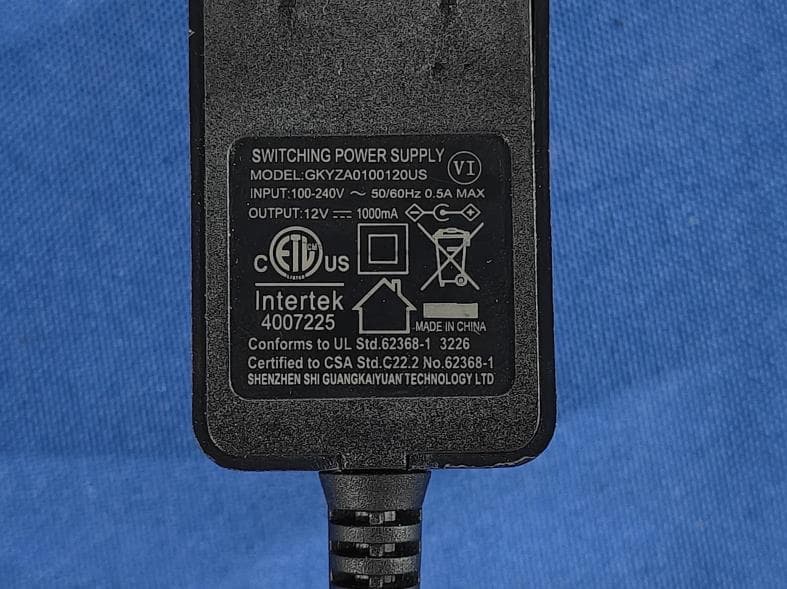
OKUJP2326
Sep 07, 2026Retro Bluetooth Turntable
Equipment Class
DSS - Part 15 Spread Spectrum Transmitter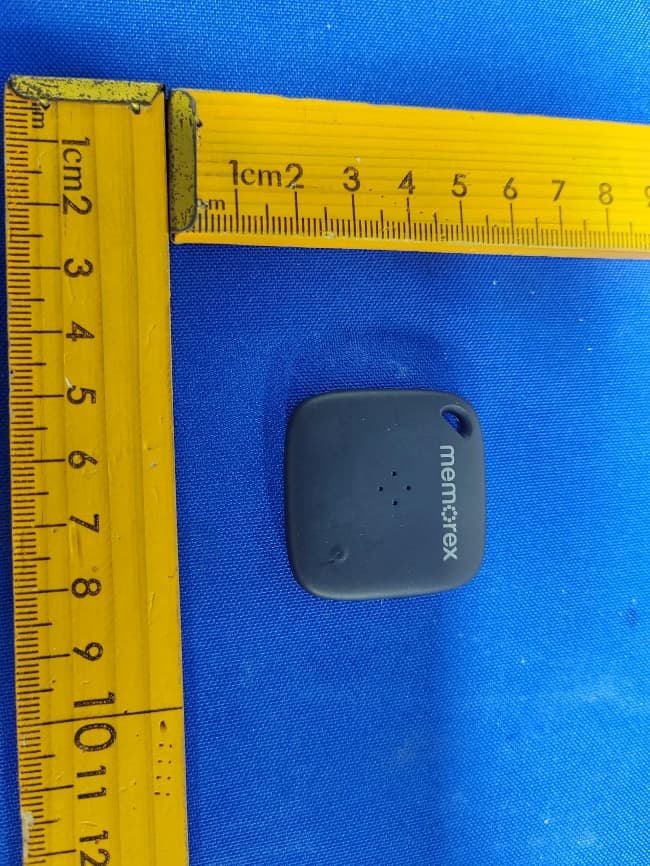
OKUBS6207S
Sep 01, 2026Smart Finder
Equipment Class
DTS - Digital Transmission System
OKUBS2708EC
May 15, 2026STEREO
Equipment Class
DSS - Part 15 Spread Spectrum Transmitter
OKUJC9021
Apr 27, 2026BLUETOOTH TURNTABLE
Equipment Class
DSS - Part 15 Spread Spectrum Transmitter
OKUBS2708CA
Apr 17, 2026STEREO
Equipment Class
DSS - Part 15 Spread Spectrum Transmitter