OKUTSB9933BLUETOOTH DIGIITOWER SPEAKER
Shenzhen Junlan Electronic Ltd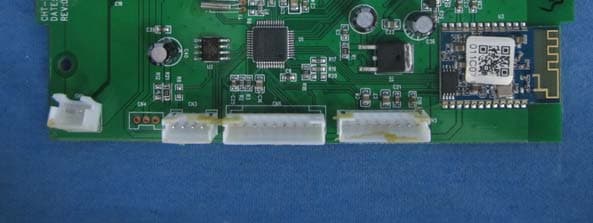
Click to zoom
Application Details
- Equipment Class
- DXX - Part 15 Low Power Communication Device Transmitter
- Date of Grant
- Apr 02, 2013
- Application Purpose
- Original Equipment
- Date of Application
- Apr 02, 2013
- Equipment Note
- BLUETOOTH DIGIITOWER SPEAKER
- Frequency Range
- 2402.00000000 - 2480.00000000
- Country
- China
Documents & Files
Document Text
Text extracted from the exhibit documents filed with the FCC. Open a document above to read the original.
Users Manual
TOWER STEREO SYSTEM USER MANUAL Model:PSP288-PL PLEASE READ BEFORE OPERATING THIS EQUIPMENT. T h e l i g ht n i n g f l a s h w it h arrowhead symbol, wit hin an equilateral triangle, is in tended t o a l e rt t h e u s e r t o t h e p r es e nc e o f uninsulated “dangerous voltage” wi thi n the product’s enclosure that may be of su fficient magnitude to constitute a risk of electric shock to persons. The exc lamation point wi thin an equilateral triangle is intended to alert the user to the presence of importa nt operating and maintenance (servicing) instru ct ions in the li teratur e accompanying the appliance. DANGER: Invisible and hazardous la ser radiation when open and interlock failed or defeated. Avoid direct exposure to beam. Thi s sy mbol indicates that thi s p r o d u ct i n c o r p o r at e s d o u b le insulation between hazardous mains voltage and user accessible parts. • CAUTION: TO PREVENT ELECTRIC SHOCK, MATCH WIDE BLADE OF PLUG TO WIDE SLOT, FULLY INSERT. • WARNING: To reduce the risk of fir e or electric shock, do not expose this apparatus to rain or moisture. • CAUTION: Use of c on trols or adjust ment s or performance of procedures other than those specified may result in hazardous radiation exposure. • WARNING: Changes or modifications to this unit not expressl y approved by th e party responsible for compliance could void the user’s authority to operate the equipment. • WARNING: Do not place the unit on to p of any so ft , porous, or sensitive surfaces to avoid damaging the surface. Use a protective barrier between the unit and surface to protect the surface. • WA R NI N G : U s e o f t h i s u n i t n e ar fluorescent lighting may cause interference regar ding use of the remote. If th e unit is di splaying er rati c behavio r move away from any fluorescent lighting, as it may be the cause. • CAUTION: Danger of explosion if battery is incorrectly replaced. Replace only wi th the same or equivalent type. • WA R NI N G : T h e r e i s a d a n g e r o f explosion if you attempt to charge standard Al kaline batterie s in the unit. Only use rechargeable NiMH batteries. • WARNING: Li thium batt eries, li ke al l rechargeable batt eries are re cyclable and should be re cycled or disposed of in normal household waste. Contact your local government for disposal or recycling practices in your area. They should never be incinerated since they might explode. • WARNING: Shock hazard - Do Not Open. Main plug is used as disconnect device and it should remain readily operable during intended use. In order to disconnect the apparatus from the main completel y, the main plug should be disconnected form the main socket outlet completely. CAUTION RISK OF ELECTRIC SHOCK DO NOT OPEN WARNINGS AND PRECAUTIONS 1 2 1. Read these Instructions. 2. Keep these Instructions. 3. Heed all warnings. 4. Follow all instructions. 5. Do not use this apparatus near water. 6. Clean only with a dry cloth. 7.Do not block any ventilation openings. Install in accordance with the manufacturer’s instructions. 8. Do not in stall near any heat sources such as radiators, heat registers, stoves, or other apparatus (including amplifier s) that produce heat. 9. Do not defeat the safety purpose of the polarized or grounding - ty pe plug. A polarized plug has two blades wi th one wider than the other. A grounding type plug has two blades and a third grounding prong. The wide blade or the thi rd prong are provided for your safety. When th e provided plug does not fit in to your outle t, consult an elect rician for replacement of the obsolete outlet. 10. Protect the power cord from being walked on or pinched particularly at plugs, convenience receptacles, and th e poin t where they exit from the apparatus. 11. Only use attachments/accessories specified by the manufacturer. 12. Use only with a cart, s t a n d , t r i p o d , b r a c ke t, o r t a b l e s p ec i f i e d b y t h e manufacturer, or sold w it h the apparatus. When a car t is used, use caution when moving the cart/ apparatus combination to avoid injury from tip-over. 13.Unplug this apparatus during lightning storms or when unused for long periods of time. 14. Refer all servicing to qualified service personnel. Servicing is required when the apparatus has been damaged in any way, such as power-supply cord or plug is damaged, liquid has been spilled or objects have fallen into the apparatus, the apparatus has been exposed to rain or moisture, does no t operate normally, or ha s been dropped. Additional Warnings • The appara tu s shall not be exp ose d to dripping or splashing and that no objects filled wi th liquids, such as vases, shall be placed on apparatus. • Main plug is us ed as disconnect device and it should remain readily operable during intended use. In order to disconnect the apparatus from the main completel y, the main plug should be disconnected from the main socket outlet completely. • Battery shall not be exposed to excessive heat such as sunshine, fire or the like. • Caution marking is located at the rear or bottom of the apparatus. • The marking information is located at the rear or bottom of apparatus. FCC Warnings Thi s device complies wi th part 15 0f the FCC Rules. Operation is subject to the following two conditions: 1) this devic e may not cause harmful interference, and 2) Thi s device must acc ept any in ter ference re cei ved, in cluding in ter ference that may cause undesired operation. Warning: Changes or modifications to this unit not expressly approved by the party responsible for compliance could void the user’s authority to operate the equipment. NOTE: This equipment has been tested and found to comply wi th the limits for a Class B digital device, pursuant to Part 15 of the FCC Rules. IMPORTANT SAFETY INSTRUCTION 3 When you unpack your new unit, make sure that you have removed all the accessories and information papers: -Speaker tower -User manual -Remote Control -1 piece of Stereo audio connection cable with 3.5 stereo plug -2…
Text truncated - open the document above for the full version.
Users Manual
TOUR SYSTÈME STÉRÉO TOUR SYSTÈME STÉRÉO MANUEL DU PROPRIÉTAIRE Modèle: PSP288-PL VEUILLEZ LIRE AVANT DE FAIRE FONCTIONNER CET APPAREIL. 1 2 -Unité principale -Manuelle -Télécommande infrarouge - - INSTALLATION Assemblez la base en bois au corps par des vis et des rondelles. 1. 2. Tweeters 3. Haut parleurs 4. Base 5. Vis 6. Rondelle Note: 3 CONTENU DE L'EMBALLAGE Quand vous déballez votre nouvelle unité, assurez-vous que le youhave a enlevé tous accessoires et papiers de l'information 1 x Câble audio de 3,5 mm avec fiche stéréo 4×Vis d'installation / rondelles 1 32 4 5 6 4 TUNE- touche 9. 10. / TUNE+ touche 11. 12. STANDBY button Unité principal 1 2 3. 4. 5 6. / Lecture/PAUSE/FM balayage touche MODE Touche / 7. Touche VOL+(Augmenter volume) 13. Aaccessoire sac 15 EMPLACEMENT DES CONTRÔLES .ANT (Antenne pour radio FM) 14 .Commutateur d'alimentation ON / OFF .INDICATEUR Prise AUX IN .Port USB . Fente pour carte SD Chargeur USB 8. Touche VOL-(Augmenter volume) 1234 5 6 7 8 9 10 11 12 ANT OFF ON POWER 13 14 15 5 6 ou appuyez sur la touche pour passer en revue 2.Appuyez sur le bouton SCAN FM ou appuyez et maintenez enfoncé le bouton et ensuite l'unité commencera à rechercher toutes les stations disponibles, puis stockées dans la mémoire automatiquement. impossible de sélectionnerle bouton MODE. Remarque : Si aucun périphérique USB ou la carte a été insérée, mode USB ou la carte s'allume en vert en conséquence. 3.Appuyez sur le bouton MODE pour sélectionner la source de lecture. L'indicateur de source MISE EN GRADE: RADIO station 1. pressing “2” + “0” means preset station 20. Or press to cycle through and listen to the preset stations. Insérez la fiche ca dans une prise de courant idéalement située ayant AC 120V ~ 60Hz. Cet appareil a un cordon long qui peut facilement être déclenché sur ou tiré, provoquer des blessures. Veuillez vous assurer que c'est arrangé donc ne devra pas encombrer un dessus de table, etc. où il peut être tiré par des enfants ou trébuche accidentellement. SOURCE D'ALIMENTATION FONCTI ONNEMENT GÉNÉRAL 1.Appuyer sur l'interrupteur d'alimentation à l'arrière de l'appareil afin de l'allumer (ON). 2.Appuyer sur le bouton POWER( ) sur l'appareil ou sur la télécommande afin de le sortir du mode veille. 4. Appuyez sur la VOL(Volume) touches pour ajuster le niveau du volume +/-. 5.Appuyez sur le bouton EQ pour définir ou redéfinir le mode EQ (Égalisateur) comme 6.Appuyez sur le bouton SOURDINE sur la télécommande pour couper le son, Appuyez de nouveau pour le ré tablir. 8.Si l'appareil n'est pas utilisé pendant une longue période de temps, éteindre l'appareil en appuyant sur l'interrupteur d'alimentation (OFF). Mettre l'appareil sous tension selon les procédures précédentes. 1.Appuyez sur le bouton MODE jusqu'à ce que l'indicateur FM passe au vert. / 3.Après un SCAN FM fini, appuyez sur les touches du clavier numérique, puis attendez pendant environ 3 secondes ,vous pouvez sélectionner des stations préréglées 1-20. et d'écouter les stations préréglées. Capacité de réception de radio enchance Allonger le cable de l'antenne. voyant AUX vert. 2. Appuyez sur le bouton d'alimentation pour allumer l'appareil. Appuyez sur le bouton À L'ÉCOUTE DE LA SOURCE AUXILIAIRE 1.Connectez votre source auxiliaire (p. ex. iPod / iPad / lecteur MP3) à la prise AUX. 3.Démarrer la lecture de la source auxiliaire. 4.Régler le volume au niveau désiré. 5.Pour arrêter la lecture, débranchez votre source auxiliaire de la prise AUX. Chargeur USB pour iPhone/iPod/iPad Il y a un chargeur USB sur le dessus de l'appareil pour recharger l'iPhone/iPod/iPad. Remarque : Ce chargeur USB est pour iPod/iPhone/iPad seulement. vous le souhaitez. 7 2. Appuyez sur le bouton pour passer au morceau suivant et pour remonter à la piste précédente. pour reprendre la lecture. 1. Appuyez sur la touche Play/Pause pour interrompre momentanément la lecture piste. Appuyez à nouveau 7. Une fois votre appareil et le PSP288-PL ont relié entre eux, vous entendrez un son " Du ". à expiration, s'il vous plait continuer le jumelage procédure à nouveau (voir les étapes 2-6) Si votre appareil vous invite à entrer un code d'accès, entrez 0000. Si la tentative de pairage échoue ou arrive appareil. Il va commencer à chercher. Une fois " PSP288-PL " présente sur votre périphérique, sélectionnez-le. 6. Choisir " ajouter un nouveau périphérique Bluetooth" ou " configurer un périphérique Bluetooth " sur votre 4. Allumez la fonctionnalité Bluetooth sur votre périphérique Bluetooth. En général, Bluetooth controles sont Tournez sur la connectivité Bluetooth et que votre appareil puisse être détecté. trouvent sur les outils ou le menu paramètres du périphérique (consultez votre manuel de l'utilisateur). tous les différents modèles. Veuillez essayer un autre périphérique USB si votre appareil n'est pas pris en charge. -Il y a de nombreux périphériques USB sur le marché. Nous ne pouvons pas garantir pour prendre en charge le mode de carte USB ou SD. lorsque l'appareil est en mode veille. Mettre sous le bouton MODE unitaire et utilisation pour sélectionner -Pour lire des fichiers sur un lecteur flash USB ou carte SD, vous devez brancher la clé USB ou carte SD suivre 1. appuyant sur " 2 " + " 0 " + " 9 " signifie suivre 209. 4.Appuyez sur les touches numériques de votre piste désirée. par exemple: en appuyant sur " 1", signifie précédente. Appuyez et maintenez or pour rechercher rapidement dans une piste. 3. Appuyez sur le bouton de à sauter vers l'avant à la prochaine piste et pour remonter à la piste reprendre la lecture. 2. Appuyez sur la touche pour interrompre momentanément la lecture piste. Appuyez à nouveau pour indicateur de l'USB ou SD vert. Attendez quelques secondes, l'appareil jouera automatiquement les fichiers de musique. 1. Appuyez sur le bouton pour allumer l'appareil. Appuyez sur le bouton MODE jusqu'à ce que le voyant (non incluse) à l'emplacement pour carte mémoire expansion sur l'appareil pour lire des fichiers MP3. Vous pouvez connecter …
Text truncated - open the document above for the full version.
Cover Letter(s)
Shenzhen Junlan Electronic Ltd District 2 type A plant in the second layer 1-4, NO.2 Industria Fuyuan Baoan Shenzhen China DATE :2013-03-04 Nemko Canada Inc 303 River Road Ottawa, Ontario, Canada K1V 1H2 Attn: Director of Certification Authority to Act as Agent On our behalf, I appoint Hans.Hu of Global United Technology Services Co., Ltd. 2nd Floor, Block No.2, Laodong Industrial Zone, Xixiang Road Baoan District Shenzhen Guangdong to act as our agent in the preparation of this application for equipment certification. I certify that submitted documents properly describe the device or system for which equipment certification is sought. I also certify that each unit manufactured, imported or marketed, as defined in the Federal Communications Commission’s regulations will have affixed to it a label identical to that submitted for approval with this application. For instances where our authorized agent signs the application for certification on our behalf, I acknowledge that all responsibility for complying with the terms and conditions for certification, as specified by Nemko Canada Inc, still resides with Shenzhen Junlan Electronic Ltd and District 2 type A plant in the second layer 1-4, NO.2 Industria Fuyuan Baoan Shenzhen China Dated this / Day of 03/04/2013 / Agency agreement expiration date: 03/04/2014 By: Peng Xiao Signature Printed Title: safety engineer On behalf of : Shenzhen Junlan Electronic Ltd Telephone: 0755-27309169
Cover Letter(s)
Differences Declaration To whom concern, We Shenzhen Junlan Electronic Ltd hereby declares: The product model(s) TSB-9933, SBB-9933, PSP288, SP288, PSP288-PL, SP288-PL, PSP288-P, SP288-P, AR1001SK, AR1001BK, AR1001RD, AR1001WH, SP386,TSB-9933K, PSP386, PSP386-PL, PSP386-P, SP386-PL, SP386-P are identical in the same PCB layout, interior structure and electrical circuits with the model DTB-1/5789 which tested in Global United Technology Services Co., Ltd., the only differences are the model name for commercial purpose. Authorized signature: Date: 2013-03-04
Cover Letter(s)
Shenzhen Junlan Electronic Ltd District 2 type A plant in the second layer 1-4, NO.2 Industria Fuyuan Baoan Shenzhen China 2013-03-04 Equipment Autorisation Division Federal Communications Commission 7435 Oakland Mills Road Columbia, MD 21046 FCC ID: OKUTSB9933 Product Name: BLUETOOTH DIGIITOWER SPEAKER Request for Confidentiality Pursuant to Sections 0.457 and 0.459 of the commissions rules, we hereby request that the following documents be held confidential: • Schematics • Block diagram • Operational Description These materials contain trade secrets and proprietary information and are not customarily released to the public. The public disclosure of this information might be harmful to the company and provide unjustified benefits to our competitors. Dated this 03/04/2013 By: Peng Xiao Signature Printed Title: safety engineer On behalf of : Shenzhen Junlan Electronic Ltd Telephone: 0755-27309169
ID Label/Location Info
贴纸位置图 贴纸位置图 ACTIVE 批准 JLE-13097 DTB-1/5789 张富兴 TSB-9933 1 MODEL NO: DTB-1/5789 POWER CONSUMPTION: 45W POWER SUPPLY: AC 120V~ 60HZ FM FREQUENCY RANGE:87.5-108MHZ FCC ID: OKUTSB9933 BLUETOOTH DIGI ITOWER SPEAKER This device complies with part 15 of the FCC Rules. Operation is subject to the following two conditions: (1) This device may not cause harmful interference, and (2) this device must accept any interference received, including interference that may cause undesired operation. MADE IN CHINA
Test Report
Global United Technology Services Co., Ltd. Report No.: GTSE13020018601 Authorized Signature: Robinson Lo Laboratory Manager This report details the results of the testing carried out on one sample. The results contained in this test report do not relate to other samples of the same product and does not permit the use of the GTS product certification mark. The manufacturer should ensure that all products in series production are in conformity with the product sample detailed in this report. This report may only be reproduced and distributed in full. If the product in this report is used in any configuration other than that detailed in the report, the manufacturer must ensure the new system complies with all relevant standards. Any mention of GTS International Electrical Approvals or testing done by GTS International Electrical Approvals in connection with, distribution or use of the product described in this report must be approved by GTS International Electrical Approvals in writing. This document cannot be reproduced except in full, without prior written approval of the Company. Any unauthorized alteration, forgery or falsification of the content or appearance of this document is unlawful and offenders may be prosecuted to the fullest extent of the law. Unless otherwise stated the results shown in this test report refer only to the sample(s) tested and such sample(s) are retained for 90 days only.” Page FCC REPORT Applicant: Shenzhen Junlan Electronic Ltd Address of Applicant: District 2 type A plant in the second layer 1-4, NO.2 Industria Fuyuan Baoan Shenzhen China Equipment Under Test (EUT) Product Name: BLUETOOTH DIGIITOWER SPEAKER Model No.: DTB-1/5789, TSB-9933, SBB-9933, PSP288, SP288, PSP288- PL, SP288-PL, PSP288-P, SP288-P, AR1001SK, AR1001BK, AR1001RD, AR1001WH, SP386,TSB-9933K, PSP386, PSP386-PL, PSP386-P, SP386-PL, SP386-P Trade Mark: 1. AR+SOUND; 2. SOUNDLOGIC; 3. PROSCAN; 4. CURTIS; 5. SYLVANIA FCC ID: OKUTSB9933 Applicable standards: FCC CFR Title 47 Part 15 Subpart C Section 15.249:2012 Date of sample receipt: February 26, 2013 Date of Test: February 27-28, 2013 Date of report issued: March 04, 2013 Test Result : PASS * * In the configuration tested, the EUT complied with the standards specified above. Report No.: GTSE13020018601 Global United Technology Services Co., Ltd. Project No.: GTSE130200186RF 2nd Floor, Block No.2, Laodong Industrial Zone, Xixiang Road Baoan District, Shenzhen, China 518102 Telephone: +86 (0) 755 2779 8480 Fax: +86 (0) 755 2779 8960 Page 2 of 33 2 Version Version No. Date Description 00 March 04, 2013 Original Prepared By: Date: March 04, 2013 Project Engineer Check By: Date: March 04, 2013 Reviewer Report No.: GTSE13020018601 Global United Technology Services Co., Ltd. Project No.: GTSE130200186RF 2nd Floor, Block No.2, Laodong Industrial Zone, Xixiang Road Baoan District, Shenzhen, China 518102 Telephone: +86 (0) 755 2779 8480 Fax: +86 (0) 755 2779 8960 Page 3 of 33 3 Contents Page 1 COVER PAGE............................................................................................................................................ 1 2 VERSION .................................................................................................................................................. 2 3 CONTENTS .............................................................................................................................................. 3 4 TEST SUMMARY ..................................................................................................................................... 4 5 GENERAL INFORMATION ...................................................................................................................... 5 5.1 CLIENT INFORMATION......................................................................................................................... 5 5.2 GENERAL DESCRIPTION OF EUT ......................................................................................................... 5 5.3 TEST MODE........................................................................................................................................ 7 5.4 DESCRIPTION OF SUPPORT UNITS....................................................................................................... 7 5.5 TEST FACILITY.................................................................................................................................... 7 5.6 TEST LOCATION................................................................................................................................. 7 5.7 OTHER INFORMATION REQUESTED BY THE CUSTOMER......................................................................... 7 6 TEST INSTRUMENTS LIST ..................................................................................................................... 8 7 TEST RESULTS AND MEASUREMENT DATA...................................................................................... 9 7.1 ANTENNA REQUIREMENT:.................................................................................................................... 9 7.2 CONDUCTED EMISSIONS................................................................................................................... 10 7.3 RADIATED EMISSION METHOD........................................................................................................... 13 7.3.1 Field Strength of The Fundamental Signal ................................................................................ 15 7.3.2 Spurious emissions.................................................................................................................... 16 7.3.3 Bandedge emissions.................................................................................................................. 20 7.4 20DB OCCUPY BANDWIDTH.............................................................................................................. 21 8 TEST S…
Text truncated - open the document above for the full version.
Test Setup Photos
Radiated Emission Conducted Emission
Contact Information
Applicant
peng xiao(safety engineer)
Technical Contact
Global United Technology Services Co., Ltd.Hans Hu
[email protected]+86-0755-2779 8480
2nd Floor, Block No.2, Laodong Industrial Zone · Shenzhen · China
Test Firm
Global United Technology Service Co., LtdRobinson Lo
Technical Specifications
| # | Rule Parts | Frequency Range | Power Output |
|---|---|---|---|
| 1 | 15C | 2.40 GHz - 2.48 GHz | - |
Other Applications from Shenzhen Junlan Electronic Ltd
OKUJP2326
Sep 07, 2026Retro Bluetooth Turntable
Equipment Class
DSS - Part 15 Spread Spectrum Transmitter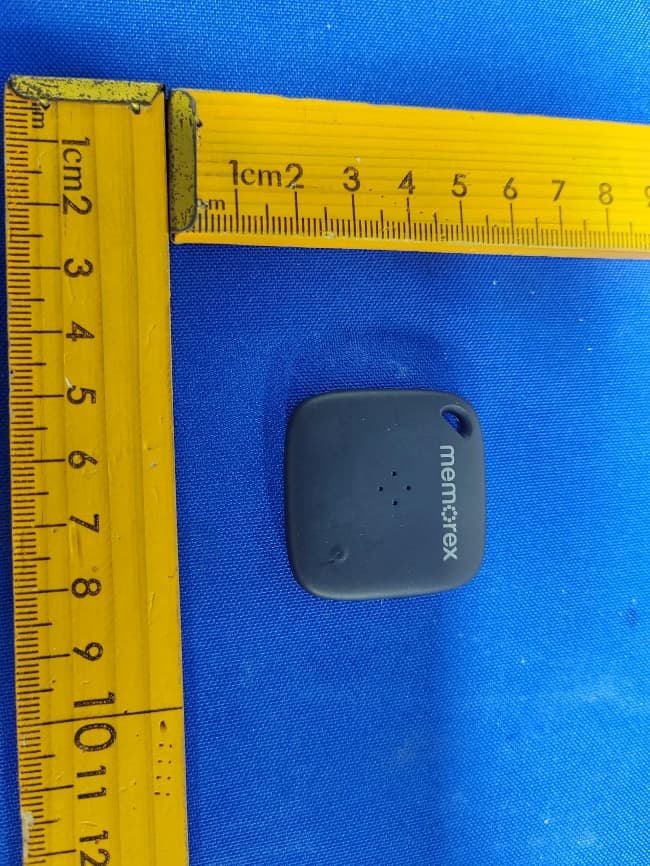
OKUBS6207S
Sep 01, 2026Smart Finder
Equipment Class
DTS - Digital Transmission System
OKUBS2708EC
May 15, 2026STEREO
Equipment Class
DSS - Part 15 Spread Spectrum Transmitter
OKUJC9021
Apr 27, 2026BLUETOOTH TURNTABLE
Equipment Class
DSS - Part 15 Spread Spectrum Transmitter
OKUBS2708CA
Apr 17, 2026STEREO
Equipment Class
DSS - Part 15 Spread Spectrum Transmitter