OO9P2301SWireless Mouse
G.Tech Technology Ltd.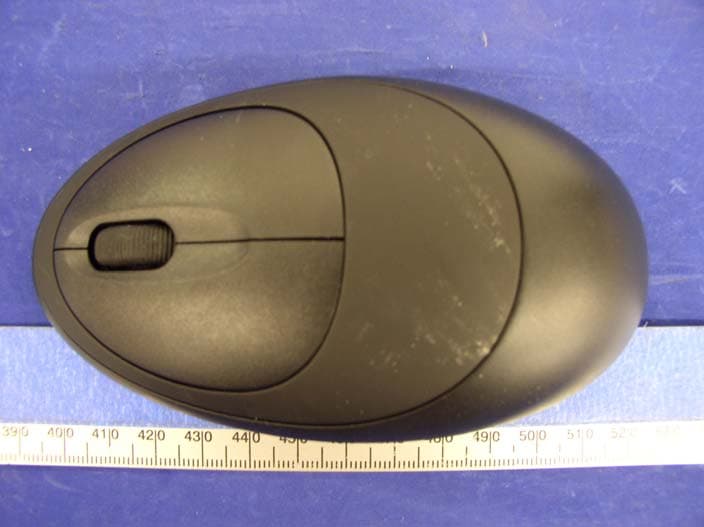
Click to zoom
Application Details
- Equipment Class
- DXX - Part 15 Low Power Communication Device Transmitter
- Date of Grant
- Oct 27, 2004
- Application Purpose
- Original Equipment
- Date of Application
- Oct 27, 2004
- Equipment Note
- Wireless Mouse
- Frequency Range
- 27.14500000 - 27.14500000
- Company
- G.Tech Technology Ltd.
- Country
- China
Documents & Files
Document Text
Text extracted from the exhibit documents filed with the FCC. Open a document above to read the original.
Users Manual
PDF created with FinePrint pdfFactory trial version http://www.fineprint.com Wireless Keyboard Slim English - 1 - Wireless radio keyboard and radio mouse The wireless keyboard and optical mouse operate with digital radio technology. There is no connecting cable to hinder communication between the keyboard, the mouse and your computer. The keyboard and mouse need not be in the line of sight to the receiver. The keyboard and mouse use radio frequencies to send data to the receiver, which forwards these to your computer. You can use the keyboard and mouse on any computer equipped with a free USB interface. CE marking This equipment complies with the requirements of Directive 1999/5/EC of the European Parliament and Commission from 9 March 1999 governing Radio and Telecommunications Equipment and mutual recognition of conformity. This device is approved for use in Belgium, Denmark, Germany, Finland, France, Greece, Great Britain, Ireland, Iceland, Italy, Luxembourg, the Netherlands, Norway, Austria, Portugal, Sweden and Spain. Installing the batteries i Under all circumstan ces only use batteries and rechargeable batteries of the same type. The cordless optical mouse uses 2×AAA rechargeable batteries. 1. Remove the battery compartment cover on the bottom of the mouse. 2. Insert 2×AAA rechargeable batteries in the battery compartment. A diagram in the battery compartment shows correct installation. 3. Carefully place the cover back into place. The cordless keyboard uses 2×AAA batteries. PDF created with FinePrint pdfFactory trial version http://www.fineprint.com Wireless Keyboard Slim English - 2 - 1. Remove the battery compartment cover on the bottom of the cordless keyboard. 2. Insert 2× AAA batteries. A diagram in the battery compartment shows the correct installation. 3. Carefully place the cover back into place. Connecting the receiver 1. Connect the receiver's cable to the USB port of your computer and follow the instructions displayed on screen. 2. Set up the receiver at least 20 cm away from other electronic devices, such as the computer monitor or external storage drives to achieve optimum performance. i Maintain a distance – even in office environments – with the keyboard, mouse and receiver of at least 5 meter from other radio device to prevent interference during transmission of the signals. Setting up the ID wireless link – Keyboard and Mouse ID wireless link will be set up separately SLIM KEYBOARD 1. Press the connection button “CONNECT” on the receiver after booting the system. Indicator RX lights. 2. To set up the keyboard wireless link, press the RESET button on the bottom of the slim keyboard. Indicator RX light will be off. OPTICAL MOUSE 1. Press the connection button “CONNECT” on the receiver after booting the system. Indicator RX lights. 2. To set up the mouse wireless link, press the RESET button on the bottom of the mouse. Indicator RX light will be off. i The setup must be completed within 30 seconds. If setup time exceeds 30 seconds, repeat procedure. Change communication code CHRG CONNECT RX PDF created with FinePrint pdfFactory trial version http://www.fineprint.com Wireless Keyboard Slim English - 3 - The desktop has communication code to the computer to avoid the interference with other desktop. You have to change the code if there is any interference. The interference only exists when many sets of mouse & keyboard used at the same time. Keyboard and Mouse ID wireless link will be changed separately. i l For the primary setup, both two wireless linkages, one for receiver and mouse, another for receive and keyboard, should be completed. l The communication ID for mouse and keyboard can be changed separately. l The setup must be completed within 30 seconds. If setup time exceeds 30 seconds, repeat procedure. SLIM KEYBOARD 1. Press the connection button “CONNECT” on the receiver, Indicator RX lights. 2. Press the “RESET” button on the bottom of the slim keyboard. Indicator RX light will be off as soon as the linkage is completed. OPTICAL MOUSE 1. Press the connection button “CONNECT” on the receiver, Indicator RX lights. 2. Press the “RESET” button on the bottom of the mouse. Indicator RX light will be off as soon as the linkage is completed. Charging the rechargeable batteries- Quickly Charging Before using the mouse for the first time, place it in the charging unit of the receiver for approximately 2 hours to charge the rechargeable batteries. i Caution: For recharging do not use dis- rechargeable batteries, only use rechargeable batteries. 1. Make sure the adaptor is connected with the power. 2. Put the mouse into the charging-stand (see pictures). 3. The “CHAG” light color is red when battery is being recharged, and it will turn into green when the PDF created with FinePrint pdfFactory trial version http://www.fineprint.com Wireless Keyboard Slim English - 4 - battery is fully recharged. 4. The recharge power is available during the power off state of the computer, only if the input electricity is available. Installing the software To take advantage of all the features of your mouse and keyboard, please install the software that comes with the product. The software provided offers you several advantages: − Activation of the multimedia keys of your keyboard and operating display on the screen when the multimedia keys are pressed. − Various functions for the mouse. − Icons in the taskbar. 1. Turn on your computer and start Windows. 2. Insert the CD in the corresponding drive. The CD starts automatically. If this is not the case, start the “Setup” program from the CD. 3. Follow the on-screen instructions. Displaying keyboard modes In the Windows taskbar icons indicate which keyboard mode is active. They match the displays on ordinary keyboards. The symbol is green when the respective mode is activated and light grey when it is deactivated. A Uppercase mode (CapsLock) 1 Virtual numeric keypad (NumLock) Stop screen output (ScrollLock) Using your mouse The mouse has th…
Text truncated - open the document above for the full version.
Block Diagram
123456 A B C D 654321 D C B A Key Input Left Right Middle Scroll Input Up Down Data output VCC Data out Oscillator Power Amplification ANT Tx Power control Tx Power Control Connect key Sensor Detecting Movement Connect Movement VCC DC/DC Convertor BATTERY Crystal Annunciator Memory Memory TX 27.145MHz Charge BUZZER BUZZER Charge BATTERY BATTERY 27.145MHz P2301S Mouse Block Diagram PDF created with FinePrint pdfFactory trial version http://www.fineprint.com
External Photos
EXHIBIT C - EUT EXTERNAL PHOTOGRAPHS EUT – Top View EUT – Bottom View
ID Label/Location Info
EXHIBIT A - FCC PRODUCT LABELING AND WARNING STATEMENT Proposed Label Location on EUT Rear View of EUT/FCC ID Label Proposed Location
Internal Photos
EXHIBIT C - EUT INTERNAL PHOTOGRAPHS EUT – Cover Off View EUT – Component 1 View EUT – Solder 1 View EUT – Component 2 View EUT – Solder 2 View
Operational Description
Description of the P2301S Mouse Circuit’s Operation Principle This circuit is mainly consisted of DC-DC convertor (IC-U4), MCU (IC-U3), photoelectric processor (IC-U1) and RF FSK circuit (Q1). Supply Battery, IC-U4 provides the circuit with a stable 3.9V volts d.c. to keep the circuit working. When the mouse is moving on the desktop, photoelectric processor IC-U1 collect optical signals reflected by the desktop, and transfer them into electric signals, then input the electric signals into the MCU (IC-U3) to have these signals processed and managed. After that, these processed signals are outputted from the 9 th feet of the IC-U3to meet a control simultaneous signal produced by the 2 rd & 7 rd feet. Together, they are sent to the RF FSK circuit (Q1). to have transmitting modulation management. Similarly, when any key of the mouse is being operated, IC-U3 of MCU will make identification for the operation. Then, similarly, the IC-U3 in the MCU output data and control signal to the RF FSK circuit (Q1). to carry out transmitting modulation management. IC-U2 is an E-P ROM storage that makes sure the circuit will keep working, by the way of keeping the ID code unchanged, when being out of power, changing the battery or being re-electrified. SW5 is a switch for ID code varying. When Battery low voltage 2.35V, the Buzzer is sound。 PDF created with FinePrint pdfFactory trial version http://www.fineprint.com
Schematics
123456 A B C D 654321 D C B A GND 10 GND 12 PD 15 SDIO 16 SCLK 1 X A 2 X B 3 Y B 4 Y A 5 R_BIN 14 REFA 7 REFB 8 OSC_OUT 11 OSC_IN 9 XY_LED 6 V D D 1 3 U1 ADNS-2051 2 1 3 SW1 L 2 1 3SW2 R 2 1 3SW3 M A0 1 A1 2 A2 3 VSS 4 SDA 5 SCL 6 WP 7 VCC 8 U2 S524A40X21-SCBO C1 0.1uF V+3.9 C16 100uF/16V C2 0.1uF X1 18.432MHZ C3 0.1uF R9 22K V+3.9 SW5 Reset L1 PK0608-221K C20 100uF/16V D1 1N5819 R16 100K T3 C4 0.1uF C21 10uF LED1 HLMP-ED80 C24 CD288H-47uF/25V D3 1N372R0 T8 T9 T10 T13 LX 3 G N D 1 OUT 2 U4 RT9261-33CX V+3.9 V+3.9 ZW3 5.1V T1 T12 T4 T6 R21 27K T7 R22 10M RF_TXD/Tdet CHAR_PWR R4 51K R23 220K C5 R24 12K V+3.9 /RESET XTAL1 XTAL2 A C B SW4 SW WHEEL R25 220K R26 220K V+3.9 C26 100P C27 100P WHL1 WHL2 C28 10pF C29 10pF Y1 6.0MHz B1 AT-12*8.5 1 2 3 Q5 9015 V+3.9 R27 000R BUZZER R28 2.2K R29 470R PB5/AN5 1 PB4/AN4 2 PA3/PFD 3 PA2 4 PA1 5 PA0 6 PB3/AN3 7 PB2/AN2 8 PB1/AN1 9 PB0/AN0 10 VSS 11 PC0 12 PC1 13 PD0/PWM 14 /RES 15 VDD 16 OSC1 17 OSC2 18 PA7/SCL 19 PA6/SDA 20 PA5/INT 21 PA4/TMR 22 PB7/AN7 23 PB6/AN6 24 U3 HT46R22/HT46C22 C6 0.1uF /RESET XTAL2 XTAL1 RF_TXD/Tdet RF_CH1 RF_CH2 FIF_KEY FOR_KEY R_KEY M_KEY L_KEYID_KEY WHL2 WHL1 CHARGE EPSCLK SCLKPD BUZZER CHAR_LED V+3.9 SDA T2 T16 T17 Q6 S8550 CHARGE CHAR_PWR R17 470 R31 10R VB+ R32 220R T18 PD SDA SCLK EPSCLK SDA ID_KEY R_KEY M_KEY L_KEY VB+RF_CH1 R34 10R RF_CH2 R35 10R Q7 8550 R36 10R T19 1 2 3Q8 9014 R37 10K R38 10K R30 10K C30 VB+ C31 C32 1uF 1 2 J1 CHARGE_IN T11 V+3.9 R14 CHAR_LED R15 R20 BUZZER LED2 1 2 3 4 5 P1 SIP5 1 2 3 4 5 P2 SIP5 RF_CH1 RF_CH2 RF_TXD/Tdet 1 2 3 4 P3 SIP4 1 2 3 4 P4 SIP4 VB+ CHARGE Q9 9014 R39 10K R40 47K D6 1N4007 CHAR_PWR Zyy C35 1uF R41 10R R33 10K R6 22K C7 100pF C8 100pF R19 220R C11 0.1uF 1 2 3 Q1 KSC2223Y C12 15pF R43 47R R1 22K R11 68K R10 470R R12 47K C17 1000pF RF_CH2 RF_CH1 1 2 3 Q2 KSC2223Y C23 33pF C34 18pF C18 1000pF R5 150K V+3.9 X2 27.145M RF_TXD/Tdet C37 22uF C38 0.1uF L3 2.2uH L4 8.2uH C14 220pF C15 30pF C13 30pF L2 2.2uH R7 R8 10R C9 R3 150K C10 1 2 3 Q10 KSC2223Y R42 1 ANT1 ANT=180mm 1 2 3 Q3 R2 R13 R18 C19 1 2 3 Q4 C33 C36 C22 X3 R44 4.7K R46 4.7K R45 000R CHAR_RX CHAR_RX CHAR_RX D4 1N4148 Q11 9015 R47 100K D5 1N4148 T5 T14 P2301S-SCH PDF created with FinePrint pdfFactory trial version http://www.fineprint.com
Test Report
Note: The test report is specially limited to the above company and the product model only. It may not be duplicated without prior written consent of Bay Area Compliance Laboratory Corporation. This report must not be used by the client to claim product certification, approval, or endorsement by NVLAP, NIST or any agency of the US Government. FCC PART 15.227 EMI MEASUREMENT AND TEST REPORT For G.tech Technology Ltd. NO.21, JINDING INDUSTRIAL PARK, WEST JINFENG ROAD, TANGJIAWAN TOWN, XIANGZHOU DISTRICT ZHUHAI GUANGDON CHINA FCC ID: OO9P2301S This Report Concerns: Original Report Equipment Type: Transmitter, Wireless Mouse Test Engineer: Jerry Wang Report No.: R0409078 Report Date: 2004-10-12 Reviewed By: Hang Tan Prepared By: Bay Area Compliance Laboratory Corporation 230 Commercial Street Sunnyvale, CA 94085 Tel: (408) 732-9162 Fax: (408) 732-9164 G.tech Technology Ltd. FCC ID: OO9P2301S Report # R0409078Rpt.doc Page 2 of 10 FCC ID Per 15.227 Report TABLE OF CONTENTS GENERAL INFORMATION.......................................................................................................................................3 PRODUCT DESCRIPTION FOR EQUIPMENT UNDER TEST (EUT) ....................................................................................3 OBJECTIVE...................................................................................................................................................................3 RELATED SUBMITTAL(S)/GRANT(S).............................................................................................................................3 TEST METHODOLOGY..................................................................................................................................................3 TEST FACILITY.............................................................................................................................................................3 SYSTEM TEST CONFIGURATION ..........................................................................................................................4 JUSTIFICATION.............................................................................................................................................................4 SCHEMATICS AND BLOCK DIAGRAM............................................................................................................................4 EQUIPMENT MODIFICATIONS.......................................................................................................................................4 TEST SETUP CONFIGURATION......................................................................................................................................4 SUMMARY OF TEST RESULTS ...............................................................................................................................5 §15.203 - ANTENNA REQUIREMENT......................................................................................................................6 STANDARD APPLICABLE..............................................................................................................................................6 §15.205, §15.209, §15.227(B) - RADIATED EMISSIONS TEST ..............................................................................7 MEASUREMENT UNCERTAINTY....................................................................................................................................7 EUT SETUP..................................................................................................................................................................7 TEST EQUIPMENT LIST AND DETAILS...........................................................................................................................7 TEST PROCEDURE........................................................................................................................................................7 CORRECTED AMPLITUDE & MARGIN CALCULATION...................................................................................................9 SUMMARY OF TEST RESULTS.......................................................................................................................................9 RADIATED EMISSIONS TEST RESULT DATA.................................................................................................................9 §15.227(B) - OUT OF BAND EMISSION .................................................................................................................10 TEST EQUIPMENT LIST AND DETAILS.........................................................................................................................10 TEST RESULT.............................................................................................................................................................10 G.tech Technology Ltd. FCC ID: OO9P2301S Report # R0409078Rpt.doc Page 3 of 10 FCC ID Per 15.227 Report GENERAL INFORMATION Product Description for Equipment Under Test (EUT) The G.tech Technology Ltd.’s product, model number:P2301S or the "EUT" as referred to in this report is the Transmitter, Wireless mouse. The EUT measures approximately 12.0cm L x 6.5cm W x 3.2cm H. The EUT operates at the frequency of 27.145MHz. * The test data gathered are from production sample, serial number: PK0029506, provided by the manufacturer. Objective This Type approval report is prepared on behalf of G.tech Technology Ltd. in accordance with Part 2, Subpart J, and Part 15, Subparts A, B and C of the Federal Communication Commissions rules. The objective to determine compliance with FCC rules, sec 15.203, 15.205, 15.209 and sec 15.227. Related Submittal(s)/Grant(s) No Related Submittals. Test Methodology All measurements contained in this report were conducted with ANSI C63.4-2001, American National Standard for Methods of Measurement of Radio-Noise Emissions from Low-Voltage Electri…
Text truncated - open the document above for the full version.
Test Setup Photos
EXHIBIT B - TEST SETUP PHOTOGRAPHS Transmitter Radiated Emission
Contact Information
Applicant
Sulia Li(Certified Associate)
Test Firm
Bay Area Compliance LaboratoryJohn Chan
Technical Specifications
| # | Rule Parts | Frequency Range | Power Output |
|---|---|---|---|
| 1 | 15C | 27.145 MHz - 27.145 MHz | - |
Other Applications from G.Tech Technology Ltd.
OO9P729
Aug 06, 2026WIRELESS GAMING MOUSE
Equipment Class
DTS - Digital Transmission System
OO9P714
May 09, 2024GAMING MOUSE
Equipment Class
DTS - Digital Transmission System
OO9GK381
Jun 17, 20152.4GHz Wirteless Keyboard
Equipment Class
DXX - Part 15 Low Power Communication Device Transmitter
OO9MA105W
May 06, 20152.4GHz Wireless Mouse
Equipment Class
DXX - Part 15 Low Power Communication Device Transmitter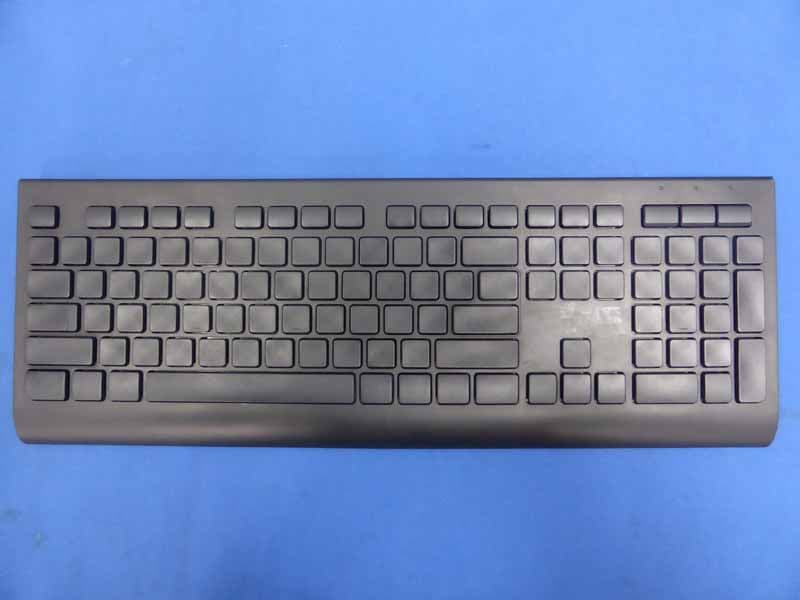
OO9KB313W
May 06, 20152.4GHz Wireless Keyboard
Equipment Class
DXX - Part 15 Low Power Communication Device Transmitter