OO9TX908Wireless Mouse Transmitter
G.Tech Technology Ltd.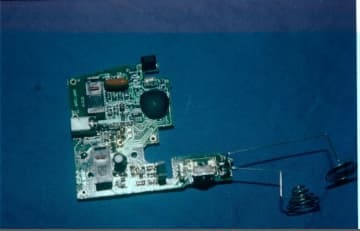
Click to zoom
Application Details
- Equipment Class
- DXX - Part 15 Low Power Communication Device Transmitter
- Date of Grant
- Jan 17, 2000
- Application Purpose
- Original Equipment
- Date of Application
- Dec 05, 1999
- Equipment Note
- Wireless Mouse Transmitter
- Frequency Range
- 918.00000000 - 918.00000000
- Company
- G.Tech Technology Ltd.
- Country
- China
Documents & Files
Document Text
Text extracted from the exhibit documents filed with the FCC. Open a document above to read the original.
Users Manual
Page 1 EXHIBIT 5FCC ID : EXHIBIT 5 User’s Manual User’s Manual Page 2 EXHIBIT 5FCC ID : NetLink AutoScroll 3-Button Cordless Mouse USER’S GUIDE Important Facts First time in the advancement of wireless pointing device, Trimax and its suppliers are able to bring you the only RF cordless mouse we know that‘s hassle-free and no-driver-installation setup- a true advanced Plug and Play feature for Windows 95/98/NT or later applications. Also, the only RF cordless mouse we know that works on most Laptops! Easy 1-2-3 Step in Setup! 1. Turn off your computer and disconnect your present mouse. 2. Install the supplied batteries in Cordless NetLink. 3. Connect the NetLink receiver to the computer’s 6-pin mouse port or it its 9-pin serial port using the supplied RS232 9-pin adapter. Auto Link Once you turn on the computer, NetLink mouse will automatically link with its receiver and ready to use. If NetLink mouse is not ready; 1. Press the connecting button on its receiver’s (see picture on p.2) 2. Move the mouse. And if you decide to use more than one NetLink mouse in one room, follow the above process, if needed, in order to instantly regenerate new security code in each mouse. Auto Scroll Auto scrolling side button features Variable Speed Cursor Control ‘VSCC’ and auto scrolls, both horizontal and vertical directions, on Windows documents and Internet browsing in Windows 98/NT or later applications. The only auto scrolling button we know that can auto scrolls on most Laptops! Sleep Mode Smart Energy Management allows NetLink mouse to be temporarily in sleep mode when not moved for an extended period of time, thus, its batteries last longer than usual under normal use. Mouse Care If the cursor moves abnormally and skips occasionally, it’s time to clean the mouse’ ball. 1. Remove the ball. 2. Wipe and clean the ball with a clean lint-free tissue paper or cloth. 3. If dirty, blow the ball cage and clean the rollers with isopropyl alcohol-dipped swab Troubleshooting Computer Can’t Detect Mouse • Check and make sure the mouse receiver is plugged into the correct port. * Remove the present mouse driver by; 1. From Windows ‘Start’ menu, select the ‘Settings’, then select ‘Control Panel’. 2. In ‘Control Panel’, select ‘System’ icon, then select ‘Device Manger’ in the ‘System Properties’ screen. 3. From ‘Device Manager’ screen, highlight the “+” in front of the ‘Mouse’ item. A list of preset mouse drivers will be shown under the ‘Mouse’ item. 4. Highlight the chosen mouse driver and select to remove it. 5. Restart your computer. Mouse Cursor Does Not Move • Move the mouse receiver closer to the mouse or to a different location. • If the batteries is more than six months, replace them. When changing the batteries, click the buttons of the mouse to discharge the mouse before installing the new ones. 1999, Trimax Inc.USA, All Rights Reserved Page 3 EXHIBIT 5FCC ID :
Block Diagram
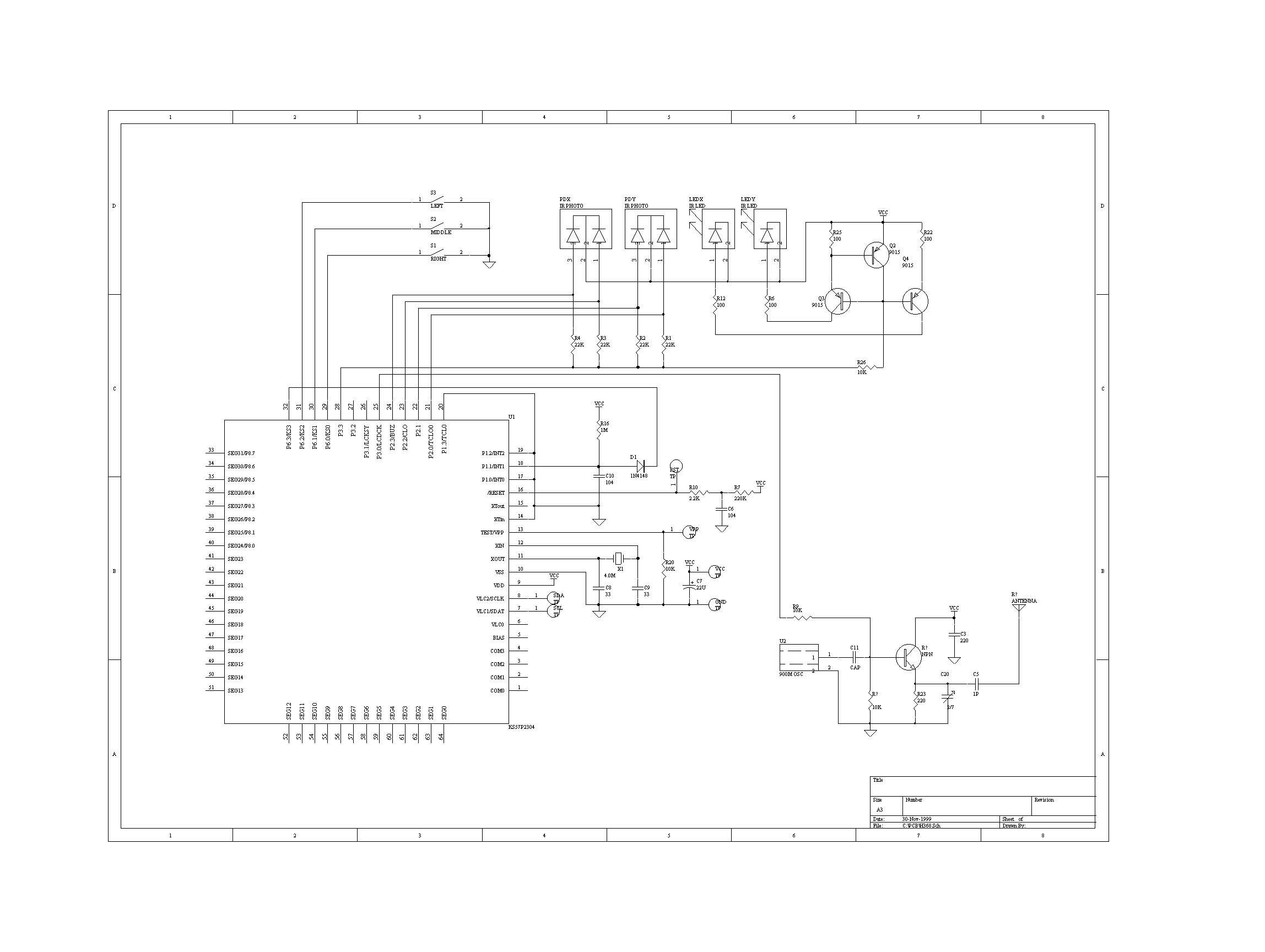
Block Diagram B908 Recever FCC DoC Block Diagram H908 Transmitter FCC ID: OO9TX9O8 RF Receiver 918MHz Digital Signal Decoder Micro-controller KS57C2302-44 PC interface PS/2RS232 LED Panel Connect button PC CABLE Micro-controller KS57C2302-44 3V Battery Photo Coupler Mouse Buttons 4MHz OSC.. RF OSC 918MHz ASK MODULATOR 4MHz OSC. 5VDC REGULATOR
Block Diagram
Block Diagram B908 Recever FCC DoC Block Diagram H908 Transmitter FCC ID: OO9TX9O8 RF Receiver 918MHz Digital Signal Decoder Micro-controller KS57C2302-44 PC interface PS/2RS232 LED Panel Connect button PC CABLE Micro-controller KS57C2302-44 3V Battery Photo Coupler Mouse Buttons 4MHz OSC.. RF OSC 918MHz ASK MODULATOR 4MHz OSC. 5VDC REGULATOR
Cover Letter(s)
G.TECH TECHNOLOGY LTD 7 A Unit A, 7F, Dong Qu Bld., 7, Hai Hong Rd., Xiang Zhou, Zhuhai Sze, P.R.C. TEL: +86-756-2121673 FAX: +86-756-2121671 Web: www.zhgtech.com. EMAIL: zhgtech @ pub. zhuhai. gd. cn APPLICATION FOR CERTIFICATION on Behalf of G.TECH TECHNOLOGY LTD RF Cordless Mouse Model No. : GT908 FCC ID. :OO9TX908 Application No. : ACS-F99006 Nov. 18, 1999 G.TECH TECHNOLOGY LTD 7 A Unit A, 7F, Dong Qu Bld., 7, Hai Hong Rd., Xiang Zhou, Zhuhai Sze, P.R.C. TEL: +86-756-2121673 FAX: +86-756-2121671 Web: www.zhgtech.com. EMAIL: zhgtech @ pub. zhuhai. gd. cn APPLICATION FOR FCC CERTIFICATION Applicant:G.TECH TECHNOLOGY LTD Equipment:RF Cordless Mouse Model No.:GT908 FCC ID.:OO9TX908 EMC Report No.: ACS-F99068 Document List : LETTER OF AUTHORIZATION..................................3 EXHIBIT 1.....................ERROR! BOOKMARK NOT DEFINED. LABEL DRAWING............................. MODEL NO: GT908ERR EXHIBIT 2.....................ERROR! BOOKMARK NOT DEFINED. PHOTOGRAPHS....................ERROR! BOOKMARK NOT DEFINED. EXHIBIT 3.....................ERROR! BOOKMARK NOT DEFINED. DESCRIPTION OF EUT..............ERROR! BOOKMARK NOT DEFINED. B LOCK DIAGRAM........................ MODEL NO.: OO9TX908ERR EXHIBIT 4.....................ERROR! BOOKMARK NOT DEFINED. TEST REPORT.....................ERROR! BOOKMARK NOT DEFINED. EXHIBIT 5.....................ERROR! BOOKMARK NOT DEFINED. USER’S MANUAL...................ERROR! BOOKMARK NOT DEFINED. G.TECH TECHNOLOGY LTD 7 A Unit A, 7F, Dong Qu Bld., 7, Hai Hong Rd., Xiang Zhou, Zhuhai Sze, P.R.C. TEL: +86-756-2121673 FAX: +86-756-2121671 Web: www.zhgtech.com. EMAIL: zhgtech @ pub. zhuhai. gd. cn Letter of Authorization Federal Communications Commission Date: Nov. 18, 1999 Authorization and Evaluation Division 7435 Oakland Mills Road, Columbia, MD 21046 Dear Sir, This is your letter of authorization to accept our appointment of Richard Mullen, Manager / Safety & Compliance Consulting as agent for the following company : Company Name :G.TECH TECHNOLOGY LTD Address :7/F, dongqu Bld., 7, Hai Hong Rd., Xiang Zhou, Zhuhai Sze, Guangdong, China. From now on, Richard Mullen will sign applications before the commission on our behalf, and receive exchange data between our company and the commission in connection with certification of the following: G.TECH TECHNOLOGY LTD Equipment :RF Cordless Mouse Model No. :GT908 FCC ID :OO9TX908 Under FCC Docket Number 20780 and General Docket Number 89-103 pursuant to Part 15 Subpart C, of the Rules and Regulations of the FCC. This authorization will expire one year from the date of this letter. Sincerely Yours, _______________________________________ Rex Lai G.TECH TECHNOLOGY LTD
Cover Letter(s)
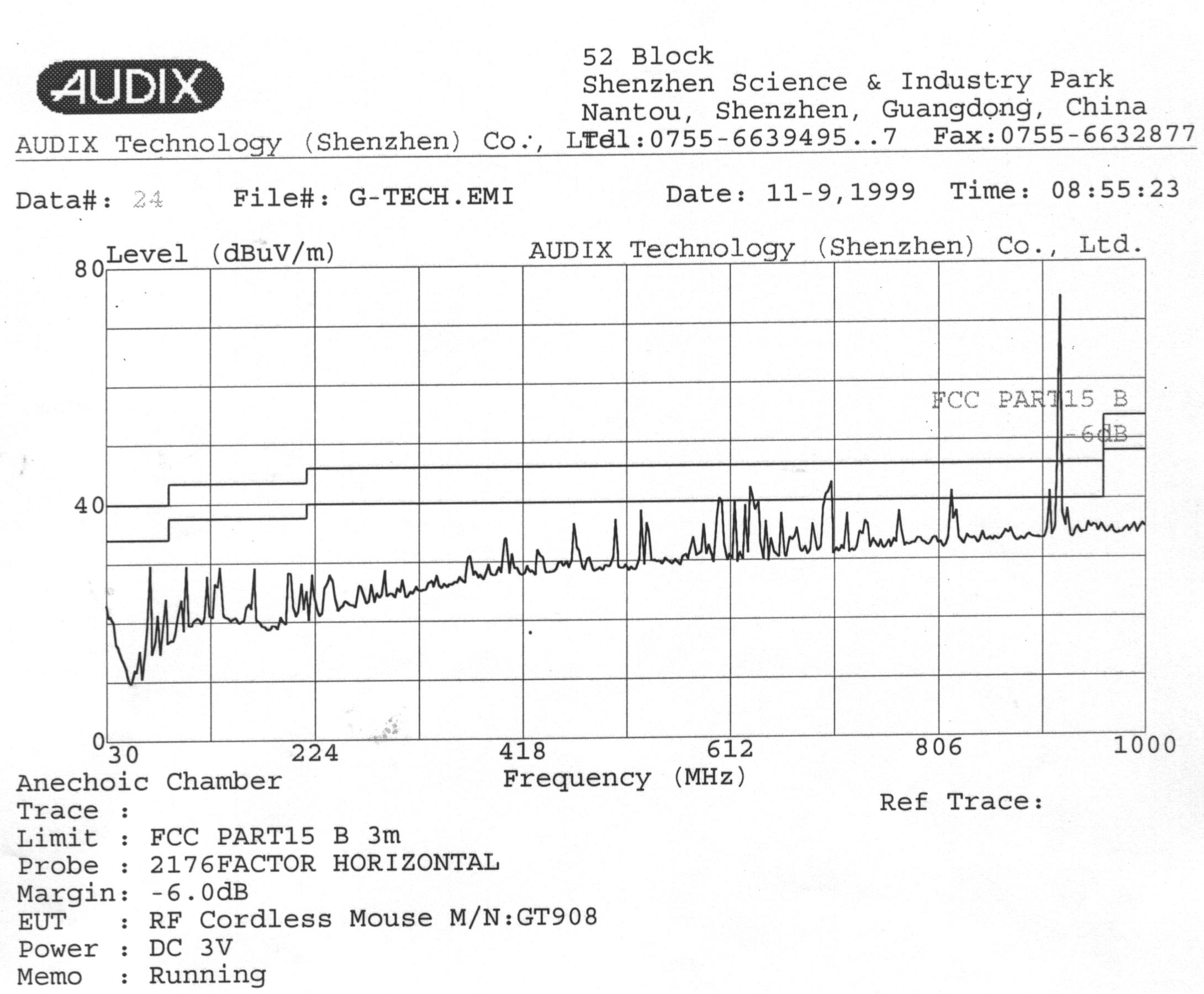
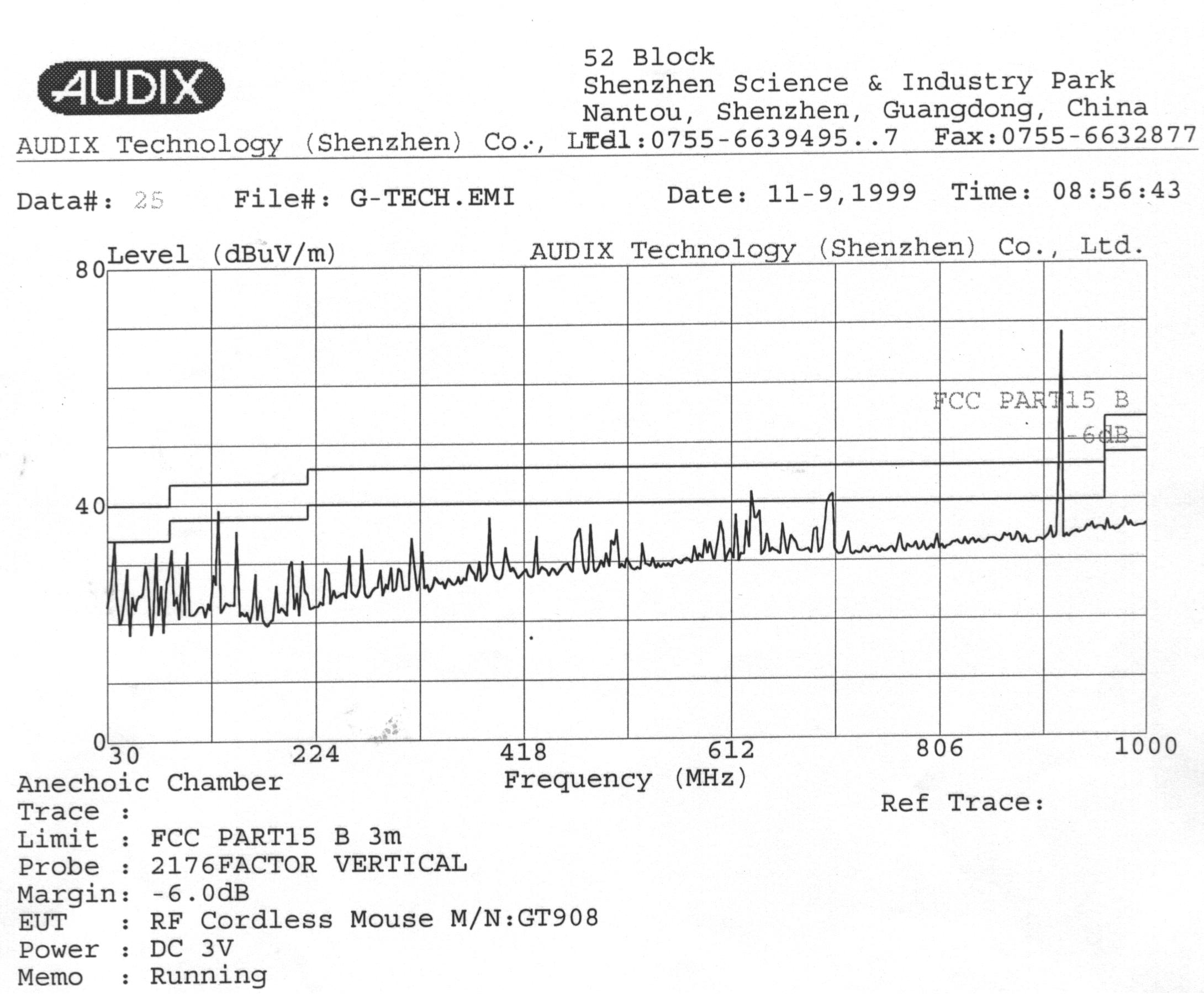
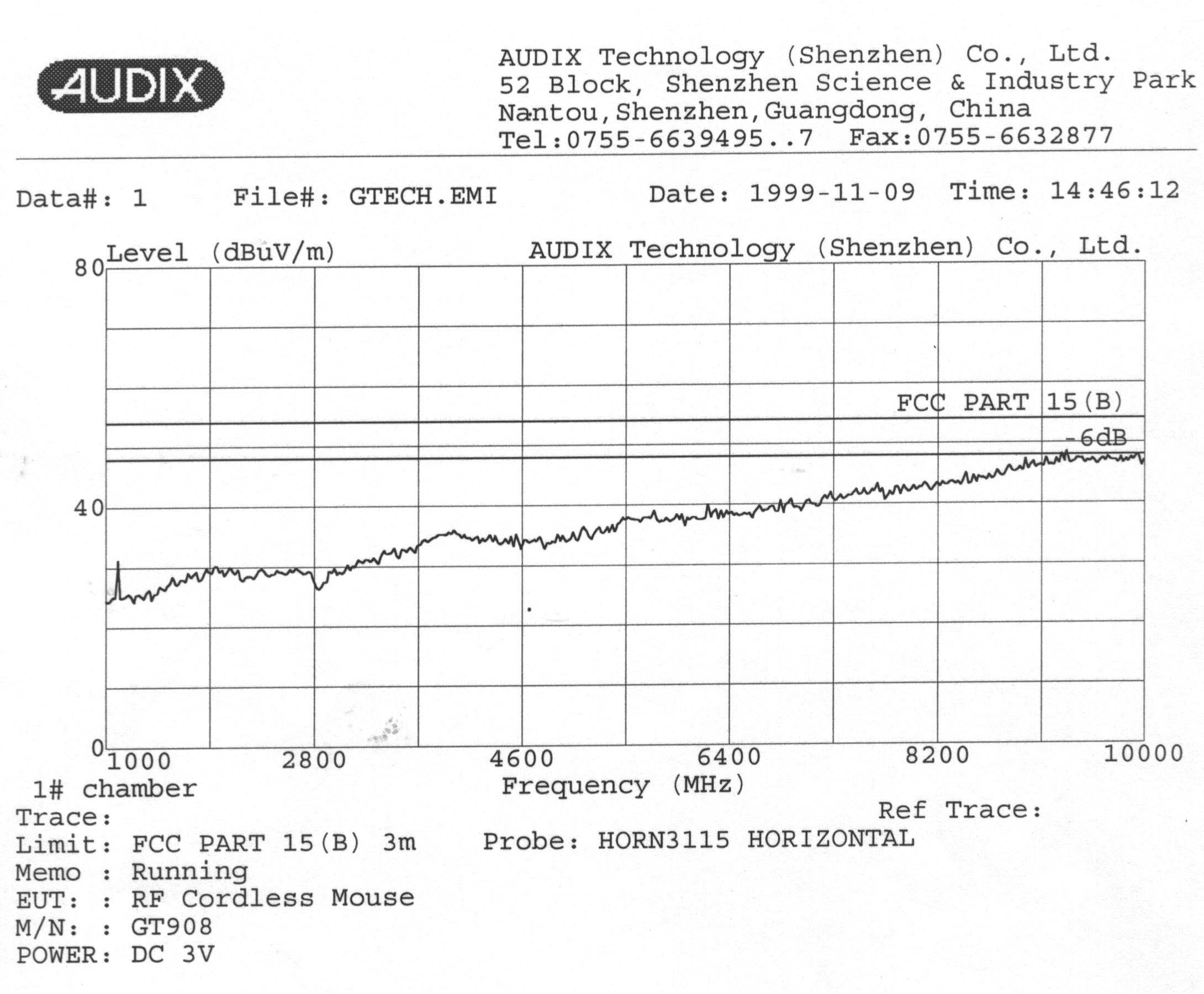
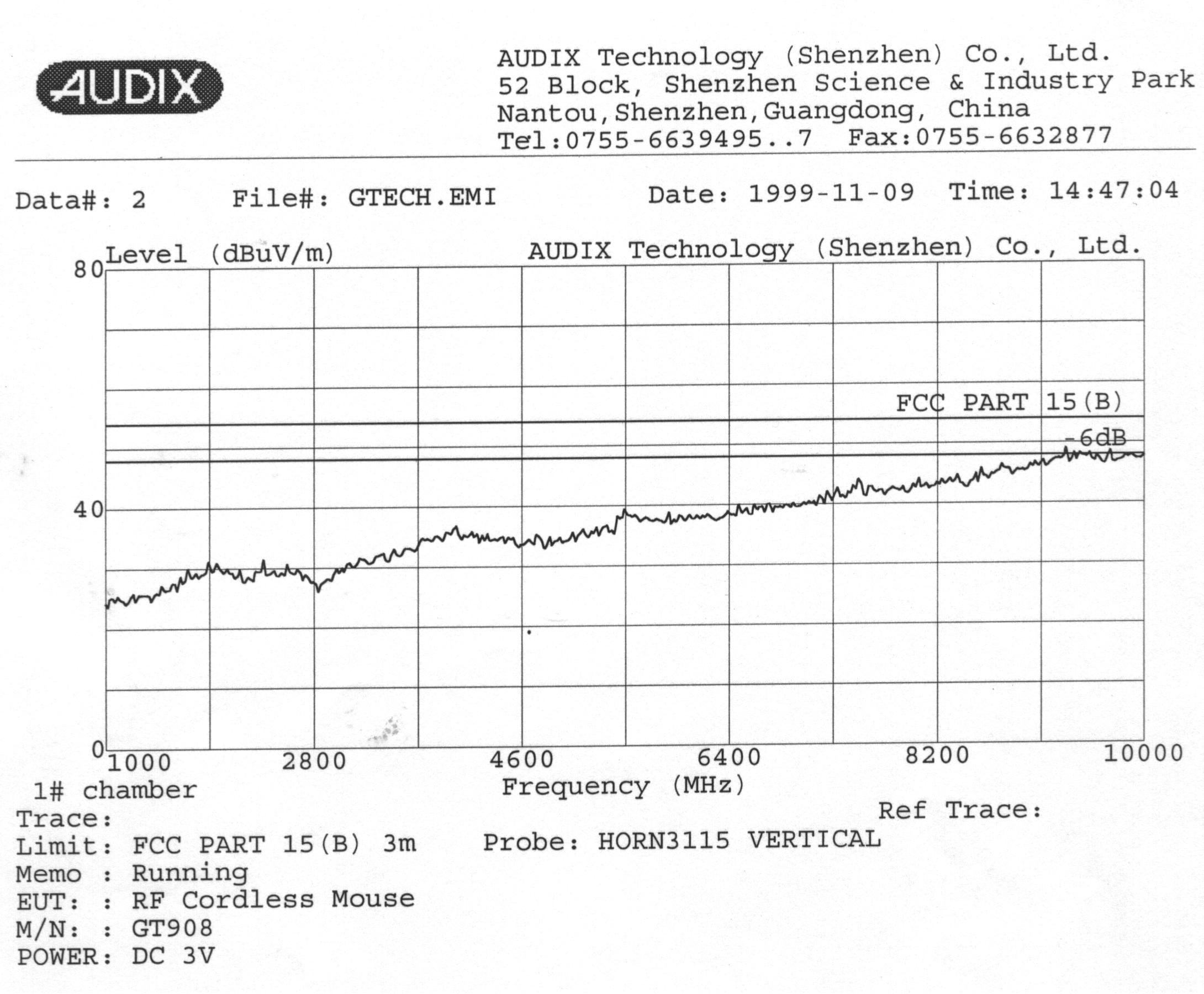
Safety & Compliance Consulting 29 Sweetman Lane West Milford, NJ 07480-2932 Tel/Fax: (973) 728-5141 December 6, 1999 ACS99-F006 731 Confirmation Number: EA96173 Federal Communications Commission Equipment Approval Services P.O. Box 358315 Pittsburgh, PA 15251-5315 Subject: Original Application for Certification of Low Power Communication Device Transmitter FCC ID: OO9TX908 / 900 MHz Wireless Mouse Transmitter, Model GT908 Gentlemen: Enclosed, please find G.Tech’ application for equipment authorization dated November 18, 1999. This device is in compliance with Part 15, Subpart C and in accordance with Section 15.249 of the FCC Rules. The subject device is a 900 MHz Wireless Mouse Non-Spread Spectrum Transmitter. This device uses amplitude shift keying and will transmit on single frequency channel within 915-921 MHz frequency band with maximum rated field strength less than 50mW/V @ 3 meter. This device contains microprocessor type KS57C2302-44 that operates at 4 MHz. Also, this wireless mouse will be marketed with its associated Wireless Mouse Receiver (composite Receiver and Class B Computing Device Peripheral) that will be authorized under FCC DoC. Tests were performed in accordance with ANSI C63.4-1992 to show compliance with Sections 15.209 and 15.249. The test site advised peak radiated harmonic emissions were well below maximum limits so they judged not to perform average measurements up to the 10 th harmonic. Refer to the provided waveform test results. Should you have any questions or comments, please contact the undersigned. Thank you for your attention and cooperation in this matter. Sincerely yours, Richard Mullen Manager Safety & Compliance Consulting
Cover Letter(s)
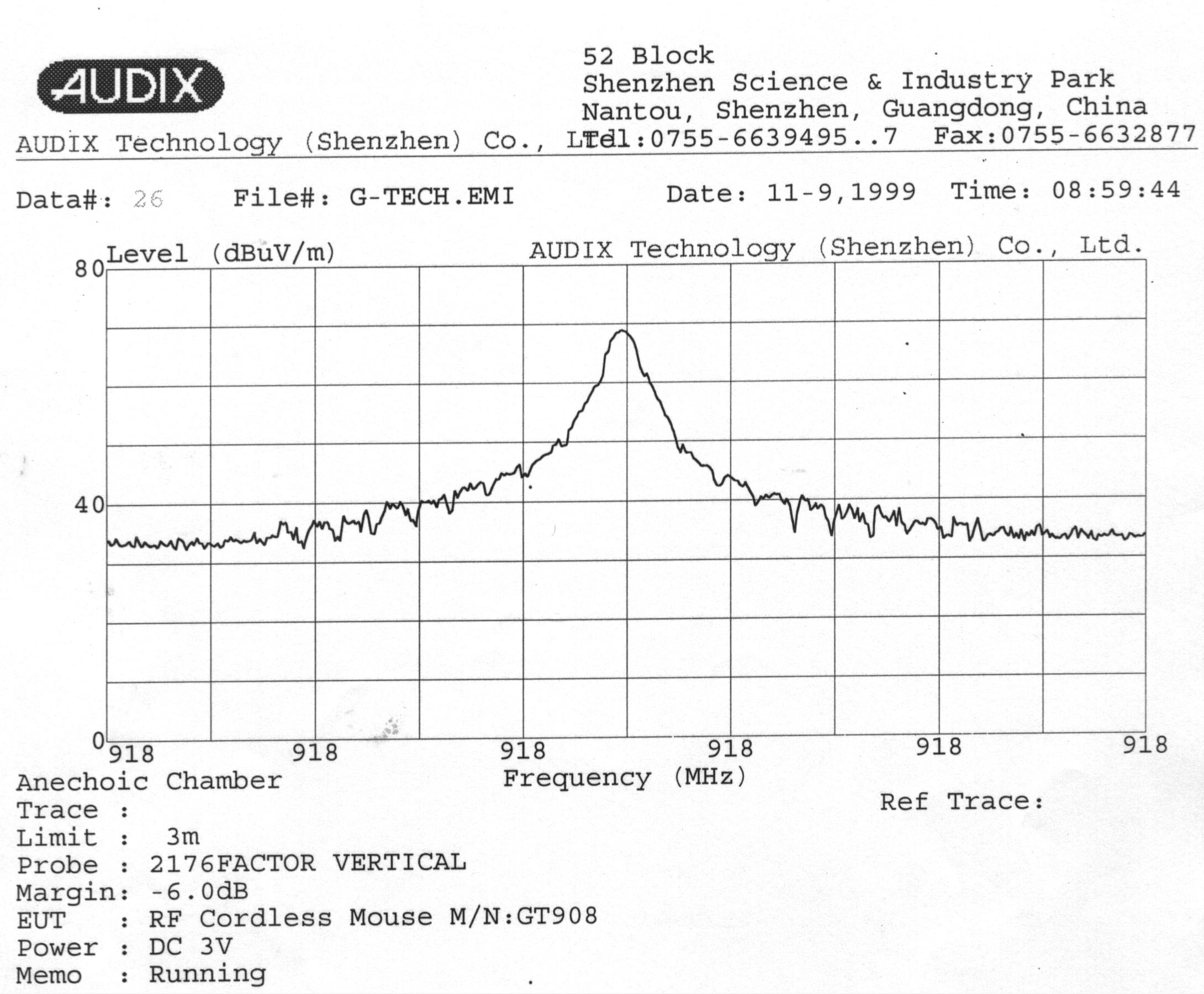
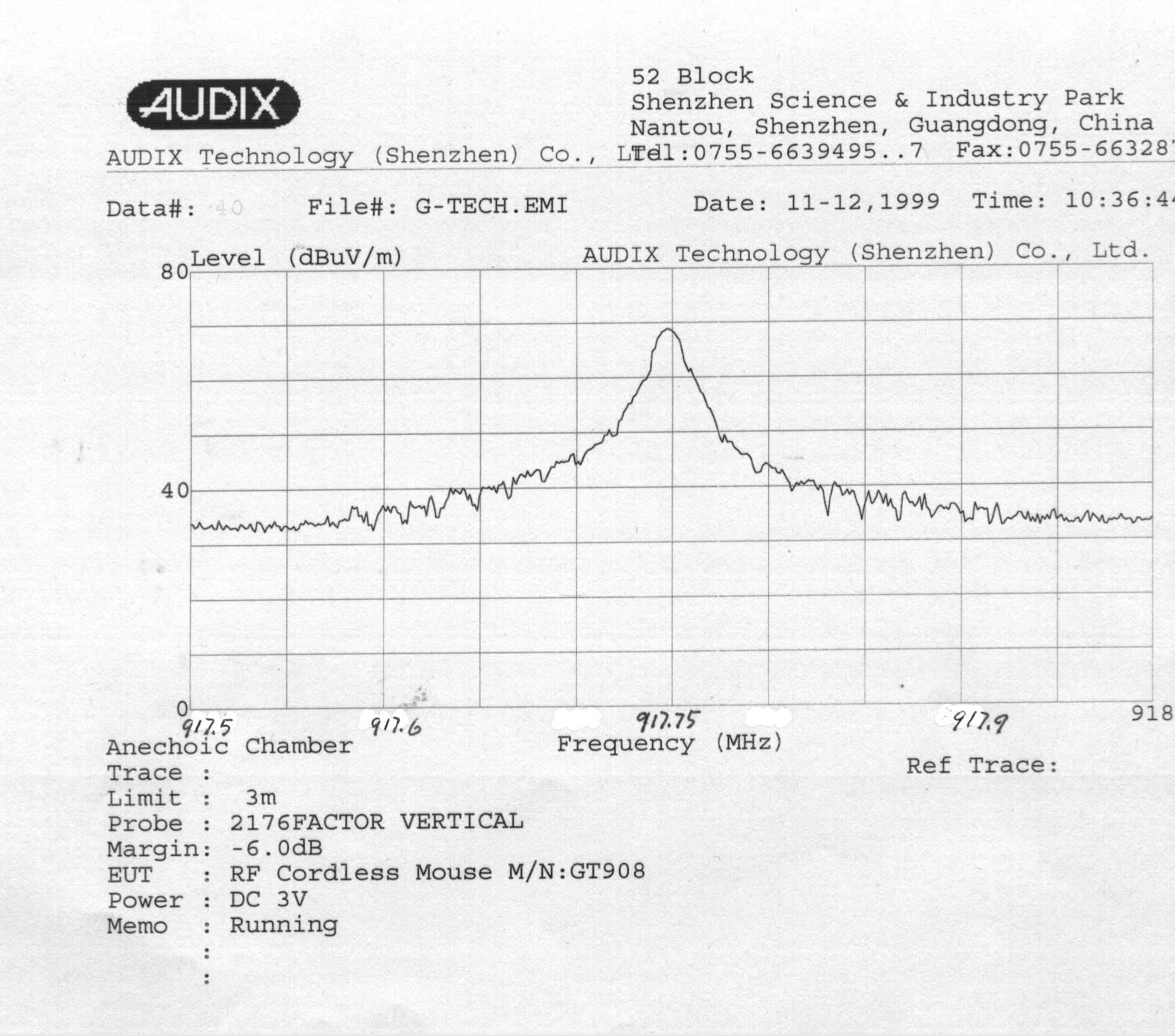
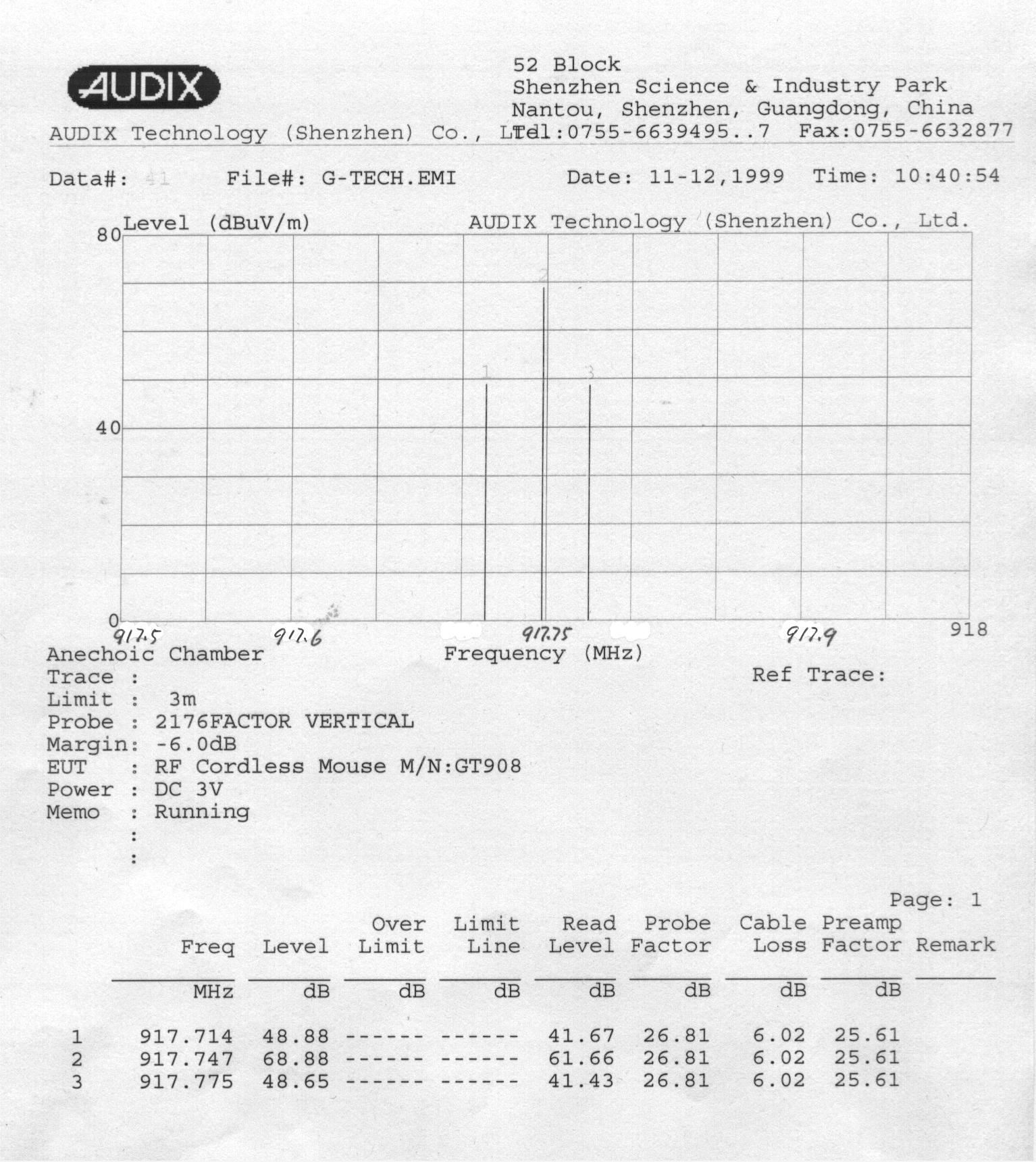
To:Diane Poole / FCC Application Processing Branch From:Richard Mullen / Safety & Compliance Consulting ([email protected]) Ref No:ACS99-F006 Date:December 22, 1999 FCC ID:OO9TX908 Applicant:G.Tech Technology Ltd. Correspondence Reference Number: 11063 731 Confirmation Number:EA96173 Type Product:918 MHz Wireless Mouse Transmitter This is in response to your email message dated 12/16/99. Please be advised the subject transmitter will operate on only one channel at 918 MHz. As such, we would like to amend the original filing that declared operation would be within the 915-921 MHz to declare operation would only be on 918 MHz. Also, the provided graph and table test results on test page 4-2 is for the fundamental frequency’s bandwidth. The test table indicates the sample tested center frequency was at 917.747 and the measured side band frequencies were 917.714 and 917.775 MHz. The graph shows this measurement, but the horizontal scale contained typo error for these frequencies. Attached find the amended block diagram that shows the RF oscillator and single channel transmission is 918 MHz. Please advise if you need any additional information and/or test data to support the subject application. Thank you for your time and attention in this matter. Best regards, Richard Mullen Safety & Compliance Consulting [email protected]
Cover Letter(s)
To:Diane Poole / FCC Application Processing Branch From:Richard Mullen / Safety & Compliance Consulting ([email protected]) Ref No:ACS99-F006B Date:January 10, 2000 FCC ID:OO9TX908 Applicant:G.Tech Technology Ltd. Correspondence Reference Number: 11343 731 Confirmation Number:EA96173 Type Product:918 MHz Wireless Mouse Transmitter This is in response to your email message dated 01/05/2000. Please be advised the past provided bandwidth plotted test results indicated the sample tested center frequency was at 917.747 and the measured side band frequencies were 917.714 and 917.775 MHz. As you noticed, the provided graph showed this measurement, but the horizontal scale contained typo error for these frequencies. This was because test software design. When we set the measurement range from 917.5 to 918.5 MHz, the spectrum analyzer showed the graph and horizontal scale (917.5 to 918.5 MHz), but when the PC reads this graph data, the horizontal scale showed 918 MHz in the total range. Attached find the graph amended with hand written frequency range for the horizontal scale. Thank you for your time and attention in this matter. Best regards, Richard Mullen Safety & Compliance Consulting [email protected]
External Photos
Photographs Figure 1. General Appearance, Front View Figure 2. General Appearance, Rear View Figure 3. Cover Opened Figure 4. Inside View Figure 5. Inside View
ID Label/Location Info
USER’S GUIDE Net Link AutoScroll 3-Button Cordless Mouse This equipment has been tested and found to comply with the limits for a Class Bdigital device, pursuant to Part 15 of the FCC Rules. These limits are designed toprovide reasonable protection against harmful interference in a residential installation.This equipment generates, uses and can radiate radio frequency energy and, if notinstalled and used in accordance with the instructions, may cause harmful interferenceto radio communications. However, there is no guarantee that interference will not Model: GT908 Model No.: GT908 This device complies with part 15 of FCC Rules, Operation is subject to the following two conditions (1) this device may not cause harmful interference, and (2) this device must accept any interference received, including interference that may cause undesired operation. SERIAL NO.:The windows logo is a registered trademark of Microsoft Corporation. FCC ID : OO9TX908 occur in a particular installation. If this equipment does cause harmful interference toradio or television reception, which can be determined by turning the equipment offand on, the user is encouraged to try to correct the interference by one of the followingmeasures:- Reorient or relocate the receiving antenna. - Increase the separation between the equipment and receiver. - Connect the equipment into an outlet on a circuit different from thatto which the receiver is connected - Consult the dealer or an experienced radio/TV technician for help. FCC Caution: To assure continued compliance, (example-use only shielded interfacecables when connection to computer or peripheral devices). Any changed ormodifications not expressly approved by the party responsible for compliance couldvoid the user’s authority to operate this equipment.This device complies with Part 15 of the FCC Rules. Operation is subject to thefollowing two conditions: (1) This device may not cause harmful interference, and (2)this device must accept any interference received, including interference that maycause undesired operation.Responsible Party: Trimax Inc. USA 14042-106 NE 8TH STREET, BELLEVUE, WA 98007 Telephone No: (425) 957-3559 Important FactsFirst time in the advancement of wireless pointing device, Trimax and itssuppliers are able to bring you the only RF cordless mouse we know that‘shassle-free and no-driver-installation setup- a true advanced Plug and Playfeature for Windows 95/98/NT or later applications. Also, the only RF cordlessmouse we know that works on most Laptops!Easy 1-2-3 Step in Setup!1. Turn off your computer and disconnect your present mouse.2. Install the supplied batteries in Cordless NetLink.3. Connect the NetLink receiver to the computer’s 6-pin mouse port or it its 9- pin serial port using the supplied RS232 9-pin adapter. Auto LinkOnce you turn on the computer, NetLink mouse will automatically link with itsreceiver and ready to use. If NetLink mouse is not ready; 1. Press the connecting button on its receiver’s (see picture on p.2)2. Move the mouse. And if you decide to use more than one NetLink mouse in one room, follow theabove process, if needed, in order to instantly regenerate new security code ineach mouse. Auto ScrollAuto scrolling side button features Variable Speed Cursor Control ‘VSCC’ andauto scrolls, both horizontal and vertical directions, on Windows documentsand Internet browsing in Windows 98/NT or later applications. The only autoscrolling button we know that can auto scrolls on most Laptops!Sleep ModeSmart Energy Management allows NetLink mouse to be temporarily in sleepmode when not moved for an extended period of time, thus, its batteries lastlonger than usual under normal use.Mouse CareIf the cursor moves abnormally and skips occasionally, it’s time to clean themouse’ ball. 1. Remove the ball.2. Wipe and clean the ball with a clean lint-free tissue paper or cloth.3. If dirty, blow the ball cage and clean the rollers with isopropyl alcohol-dipped swab TroubleshootingComputer Can’t Detect Mouse • Check and make sure the mouse receiver is plugged into the correct port. * Remove the present mouse driver by; 1. From Windows ‘Start’ menu, select the ‘Settings’, then select ‘Control Panel’. 2. In ‘Control Panel’, select ‘System’ icon, then select ‘Device Manger’ in the ‘System Properties’ screen. 3. From ‘Device Manager’ screen, highlight the “+” in front of the ‘Mouse’ item. A list of preset mouse drivers will be shown under the ‘Mouse’ item. 4. Highlight the chosen mouse driver and select to remove it.5. Restart your computer. Mouse Cursor Does Not Move • Move the mouse receiver closer to the mouse or to a different location. • If the batteries is more than six months, replace them. When changing the batteries, click the buttons of the mouse to dischargethe mouse before installing the new ones.
Test Report
FCC ID:OO9TX908 Audix Technology (Shenzhen) Co., Ltd. Report No. ACS-F99068 APPLICATION FOR CERTIFICATION On Behalf of G.Tech Technology. Ltd. RF Cordless Mouse Model : GT908 Prepared for : G.Tech Technology. Ltd. 7/F, Dongqu Bld., 7, Hai Hong Rd., Xiang Zhou, Zhuhai Sze, Guangdong, China. Prepared By : Audix Technology (Shenzhen) Co., Ltd. No. 6 Ke Feng Rd., 52 Block, Shenzhen Science & Industrial Park, Nantou, Shenzhen, Guangdong, China Tel: (0755)663-9496 Report Number ACS-F99068 Date of Test Nov. 02/13, 1999 Date of Report Nov. 15, 1999 FCC ID:OO9TX908 Audix Technology (Shenzhen) Co., Ltd. Report No. ACS-F99068 TABLE OF CONTENTS DescriptionPage Test Report Certification 1.GENERAL INFORMATION ............................................................................................................. 1-1 1.1. Description of Device (EUT) .................................................................................................................... 1-1 1.2. Tested Supporting System Details ............................................................................................................ 1-1 1.3. Test Facility............................................................................................................................................... 1-3 1.4. Measurement Uncertainty ......................................................................................................................... 1-3 2.POWER LINE CONDUCTED MEASUREMENT.......................................................................... 2-1 2.1. Test Equipment ......................................................................................................................................... 2-1 2.2. Block Diagram of Test Setup .................................................................................................................... 2-1 2.3. Power Line Conducted Emission Measurement Limits (Class B)............................................................ 2-2 2.4. Configuration of EUT on Measurement ................................................................................................... 2-2 2.5. Operating Condition of EUT..................................................................................................................... 2-2 2.6. Test Procedure........................................................................................................................................... 2-2 2.7. Power Line Conducted Emission Measurement Results ..........................................................................2-2 3.RADIATED EMISSION MEASUREMENT .................................................................................... 3-1 3.1. Test Equipment ......................................................................................................................................... 3-1 3.2. Block Diagram of Test Setup .................................................................................................................... 3-1 3.3. Radiated Emission Limit (Class B)........................................................................................................... 3-2 3.4. EUT Configuration on Measurement........................................................................................................ 3-2 3.5. Operating Condition of EUT..................................................................................................................... 3-3 3.6. Test Procedure........................................................................................................................................... 3-3 3.7. Radiated Emission Noise Measurement Result ........................................................................................ 3-4 4.FUNDENNENT FREQUENCY BANDWIDTH MEASUREMENT .............................................. 4-1 4.1. Test results ................................................................................................................................................ 4-1 5.PHOTOGRAPH................................................................................................................................... 5-1 5.1. Photos of Power Line Conducted Measurement ....................................................................................... 5-1 5.2. Photos of Radiated Measurement.............................................................................................................. 5-2 APPENDIX I(2 Pages) APPENDIX II(6 Pages) FCC ID:OO9TX908 Audix Technology (Shenzhen) Co., Ltd. Report No. ACS-F99068 TEST REPORT CERTIFICATION Applicant G.Tech Technology. Ltd. Manufacturer G.Tech Technology. Ltd. EUT Description RF Cordless Mouse (A) MODEL NO. : GT908 (B) SERIAL NO. : N/A (C) POWER SUPPLY : +3V DC Measurement Procedure Used: FCC Rules and Regulations Part 15 Subpart C October 1998 & ANSI C63.4-1992 The device described above is tested by AUDIX TECHNOLOGY (SHENZHEN) CO., LTD. to determine the maximum emission levels emanating from the device. The maximum emission levels are compared to the FCC Part 15 Subpart C limits both radiated and conducted emissions. The measurement results are contained in this test report and AUDIX TECHNOLOGY (SHENZHEN) CO., LTD. is assumed full responsibility for the accuracy and completeness of these measurements. Also, this report shows that the Equipment Under Test (EUT) is to be technically compliant with the FCC requirements. This report applies to above tested sample only. This report shall not be reproduced in part without written approval of AUDIX TECHNOLOGY (SHENZHEN) CO., LTD. FCC ID:OO9TX908 Page Audix Technology (Shenzhen) Co., Ltd. Report No. ACS-F99068 1-1 1. GENERAL INFORMATION 1.1. Description of Device (EUT) Description : RF Cordless Mouse (This report is about transmitter and the receiver FCC DOC report please refer to AUDIX Number F99070.) Model Number : GT908 Applicant : G.Tech Technology. Ltd. 7/F, Dongqu Bld., 7, Hai Hong …
Text truncated - open the document above for the full version.
Test Setup Photos
FCC ID: Page 1 1. PHOTOGRAPH 1.1. Photos of Power Line Conducted Measurement FRONT VIEW OF CONDUCTED MEASUREMENT SIDE VIEW OF CONDUCTED MEASUREMENT FCC ID: Page 2 1.2. Photos of Radiated Measurement FRONT VIEW OF RADIATED MEASUREMENT BACK VIEW OF RADIATED MEASUREMENT
Contact Information
Applicant
Sulia Li(Certified Associate)
Technical Contact
Safety & COmpliance ConsultingRichard Mullen
[email protected](973) 728-5141
29 Sweetman Lane · West Milford, New Jersey · United States
Test Firm
Audix Technology (Shenzhen) Co.Smart Tsai
Technical Specifications
| # | Rule Parts | Frequency Range | Power Output |
|---|---|---|---|
| 1 | 15C | 918 MHz - 918 MHz | - |
Other Applications from G.Tech Technology Ltd.
OO9P729
Aug 06, 2026WIRELESS GAMING MOUSE
Equipment Class
DTS - Digital Transmission System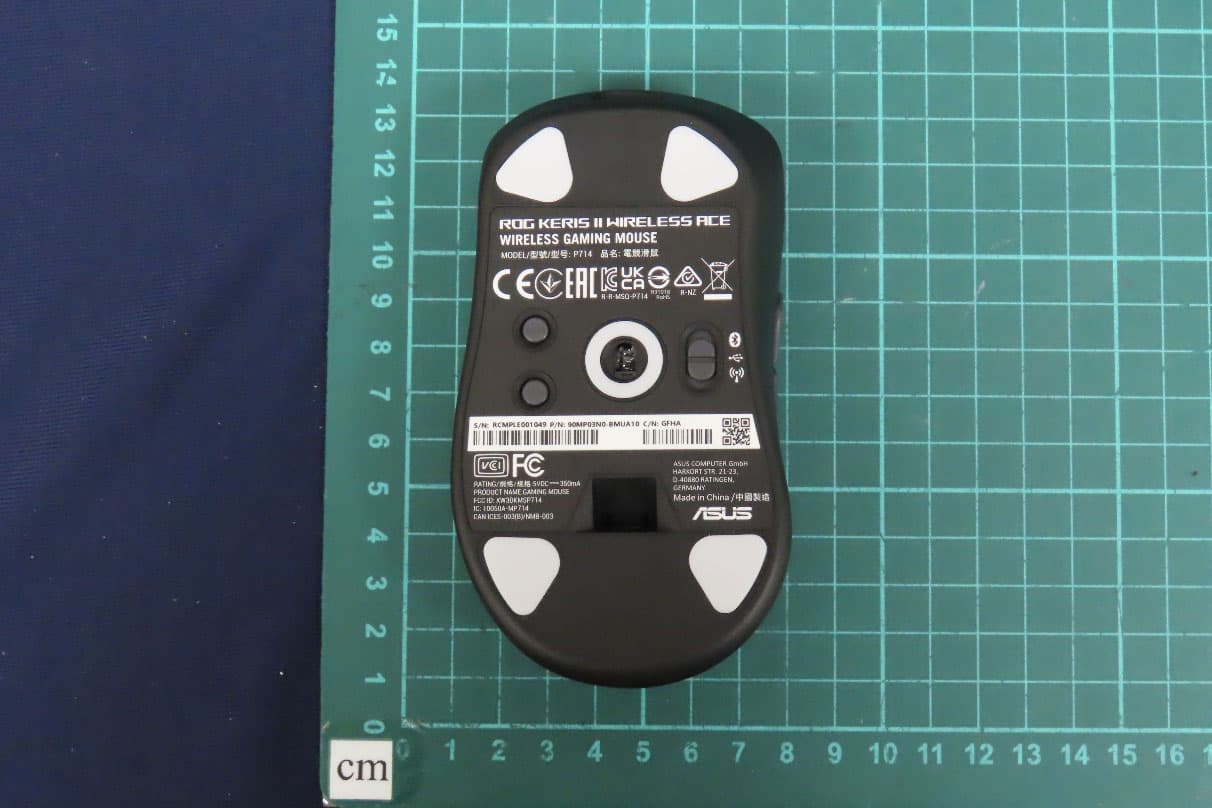
OO9P714
May 09, 2024GAMING MOUSE
Equipment Class
DTS - Digital Transmission System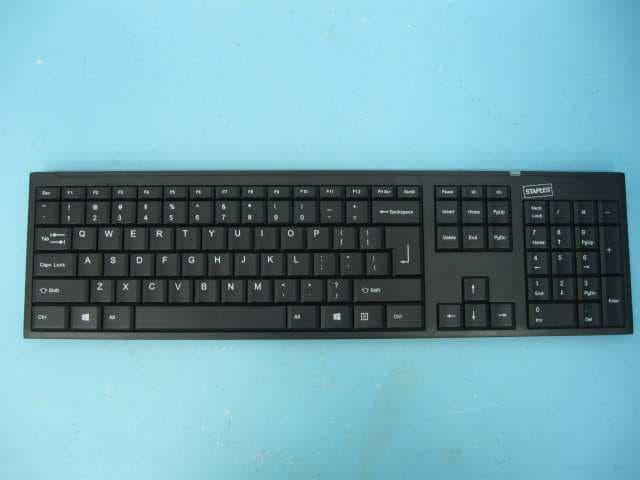
OO9GK381
Jun 17, 20152.4GHz Wirteless Keyboard
Equipment Class
DXX - Part 15 Low Power Communication Device Transmitter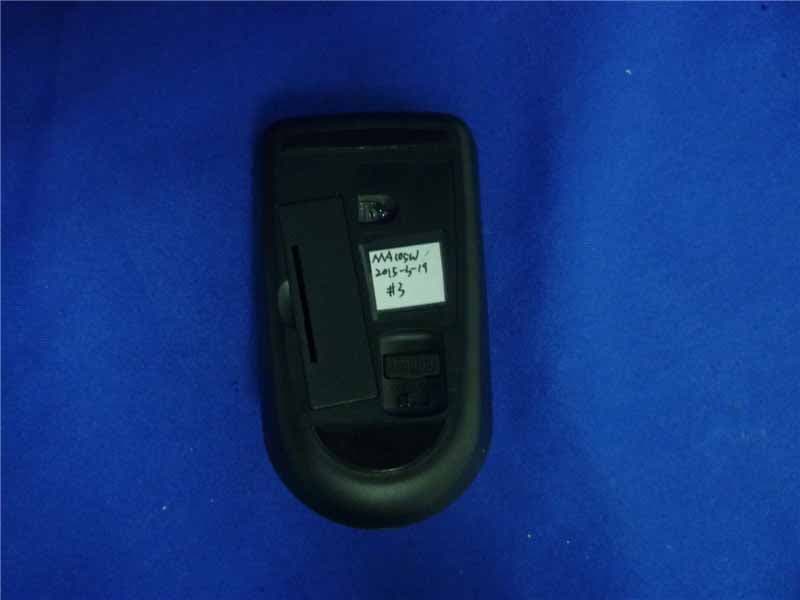
OO9MA105W
May 06, 20152.4GHz Wireless Mouse
Equipment Class
DXX - Part 15 Low Power Communication Device Transmitter
OO9KB313W
May 06, 20152.4GHz Wireless Keyboard
Equipment Class
DXX - Part 15 Low Power Communication Device Transmitter