P2DBTU97UFD+Bluetooth
Fu Kuang Hui Electronics Co., Ltd (Shenzhen)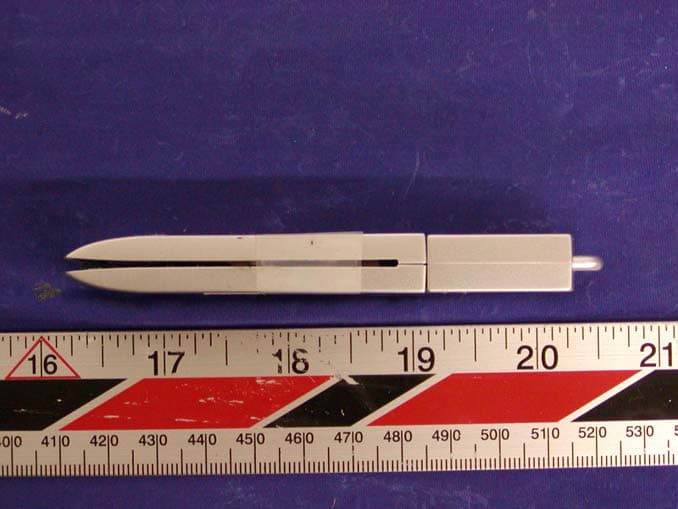
Click to zoom
Application Details
- Equipment Class
- DSS - Part 15 Spread Spectrum Transmitter
- Date of Grant
- Oct 30, 2003
- Application Purpose
- Original Equipment
- Date of Application
- Oct 30, 2003
- Equipment Note
- UFD+Bluetooth
- Frequency Range
- 2402.00000000 - 2480.00000000
- Country
- China
Documents & Files
Document Text
Text extracted from the exhibit documents filed with the FCC. Open a document above to read the original.
Users Manual
USB Bluetooth/Flash Disk User’s manual V1.0 USB Bluetooth/Flash Disk User’s manual -1- Content 1. Introduction 1.1 USB Bluetooth/Flash Disk 1.2 What’s in the box? 1.3 Function 1.4 Specification 1.5 System requirements 2. Installation 2.1 Install “BlueManager” and “USB Bluetooth/Flash Disk” 3. Regarding manual of USB Bluetooth/Flash Disk USB Bluetooth/Flash Disk User’s manual -2- 1. Introduction 1.1 USB Bluetooth/Flash Disk Thank you for purchasing USB Bluetooth/Flash Disk that is the solution for the seamless integration of Bluetooth technology and portable mass storage into one device. It utilizes short-distance radio link technology, replaces the traditional cable connections to enable wireless connections between desktop and laptop computers, cellular phones, scanners, digital cameras, printers, and other devices. You can now easily transfer files between two computers, dial up to the Internet using the host computer’s modem or a cell phone, or even share a network connection without literally attaching your cables to a device. USB Bluetooth/Flash Disk is a portable USB hard drive used store and transport data safely and easily between computers through USB interface. Installation of the USB Bluetooth/Flash Disk is easy. USB Bluetooth/Flash Disk User’s manual -3- This user’s guide will guide you through the process of making wireless connection between your devices. 1.2 What’s in the box? Check if the following items are included in the package. If there are any items missing, please contact your dealer. ¾ Bluetooth USB adapter ¾ USB extension cable ¾ Use’s manual ¾ Driver CD 1.3 Function ¾ Automatic discovery another Bluetooth device’s resources and services. ¾ File transfer: Transfer file from one Bluetooth device to another. ¾ Wireless device synchronization: Exchange information among computers, mobile phones and PDAs. USB Bluetooth/Flash Disk User’s manual -4- ¾ Dial-up networking: Access Internet wirelessly through a modem on another Bluetooth device or a cellular phone. ¾ Bluetooth Serial Port: Establishes a Bluetooth wireless connection between two devices. ¾ LAN Access: Allow Bluetooth-enabled devices to access the services of a LAN using Point-to-Point Protocol ¾ Mass storage device: Store data to integrated Flash memory through USB interface. 1.4 Specification ¾ Compliant with the Bluetooth TM V1.1 specification, Class 2 ¾ Fully Bluetooth TM Version 1.1 qualified ¾ Powered by USB bus directly ¾ Full speed USB interface, compliant with USB 1.1 ¾ LED indicator when the device is in use. ¾ Built-in Antenna USB Bluetooth/Flash Disk User’s manual -5- ¾ Frequency band: 2.4GHZ ISM band ¾ Maximum date rate: 1Mbps ¾ 10 meter working distance ¾ Integrated Flash memory (32MB~512MB) ¾ Read and Write Speed: Read: 1.1MB/S; Write: 700KB/S ¾ Support Windows98SE/2000/ME/XP operating system or higher 1.5 System requirements ¾ IBM PC or compatible PC with USB port; ¾ Notebook or laptop; ¾ Windows 98/Me/2000/XP。 2. Installation (Attention: You need to install the BlueManager Software before plugging in the USB Bluetooth/Flash Disk) USB Bluetooth/Flash Disk User’s manual -6- 2.1 Install “BlueManager” and “USB Bluetooth/Flash Disk” 1. Insert the driver CD and run “BlueManager.exe” then the following picture will show up on your desktop: Fig-1 2. System will install software automatically; 3. In the dialog of “License Agreement”please USB Bluetooth/Flash Disk User’s manual -7- click [Yes]; 4. In the dialog of “Choose Destination Location”, select directory of files and click [N ext]; 5. In the dialog of“Select Program Folder”, click [N ext]; During installation, some system prompts out warning message as below Fig-2. (Because Bluetooth is not a standard built-in device on most operation system yet. Please click “[Continue(C )] till pass authentication) USB Bluetooth/Flash Disk User’s manual -8- Fig-2 6. Then system will prompt to reboot computer. Please select [Yes, I want to restart my computer now..],and finish to reboot computer. USB Bluetooth/Flash Disk User’s manual -9- Fig-3 7. After rebooting, system will run “Blue manager” automatically. 8. Then please insert “USB Bluetooth/Flash Disk” into USB port, and system will find new hardware and install its driver automatically (Attention: 1. If your system is Windows XP, please select [Install automatically (Recommend)(I)] from dialog of “Find New Hardware USB Bluetooth/Flash Disk User’s manual -10- Wizard”;Click Next to install automatically. Refer to Fig-4) Fig-4 2. If your system is Windows98, the system will find new mass storage device, please cancel it then run “ufddriver/setup. exe” in driver CD to install the mass storage device’s driver ) 9. After completed BlueManager installation. USB Bluetooth/Flash Disk User’s manual -11- You will find LED of device will flash; There are series of Bluetooth virtual added in computer hardware; “Bluetooth LAN Connection Client” and “GPRS Bluetooth Connection” are created in network connection; Shortcut of “BlueManager” and “GPRS Bluetooth connection.” 3. Regarding manual of USB Bluetooth/Flash Disk Application range of USB Bluetooth/Flash Disk includes: 1、 Use USB Bluetooth/Flash Disk to fulfill wireless connecting between PC and Bluetooth cell phone. 2、 Use USB Bluetooth/Flash Disk to fulfill wireless connecting between two PCs, exchanging data and sharing Internet and so on. 3、 Use USB Bluetooth/Flash Disk to fulfill USB Bluetooth/Flash Disk User’s manual -12- wireless connecting with other Bluetooth devices, such as Bluetooth printer. Please read “Application Guide” in CD about operation of above functions. Regarding the connection and operation with other Bluetooth device, please refer to manual of other Bluetooth devices. Caution: Any changes or modifications not expressly approved by the party responsible for compliance will void the user's authority to operate the equipment. Note: This equipment has been tested and found to comply with the limits for a Class B digital device, pursuant to part 1…
Text truncated - open the document above for the full version.
Block Diagram
Bluetootb Module (Frequency: 2.4GHz) NAND Flash 16-512MB LED USB HUB AU9254 Microcontroller Write Protection TGE6680 USB Port 12MHz crystal Power supply (Built-in MCU) RESET Circuit (Built-in MCU) USB Port (pC Side) UGPZ2 Block Diagram UART_RxD (#6) UART_TxD (#7) UART_CTS (#14) UART_RTS (#12) PIO2(#4) USB_D- /PIO3(#17) LED Flash(#19) USB_D+ /PIO5(#16) DAC LNA Demodulator ADC PA Clock generation Physical layer hardware engine DSP Burst mode controller Memory management unit RAM Memory mapped control / status USB Syncronous Serial Interface UART Audio PCM Interface Extended Memory Driver 18 16 Programmable PIO RISC micro- controller Interrupt controller Event timer RF Synthesizer /N/N+1 Fref Tune -45 +45 AUX DAC VDD_MEM VDD_PADS VDD_RADIO VDD_VCO VDD_ANA VDD_CORE VSS_MEM VSS_PADS VSS_PIO VSS_RADIO VSS_VCO VSS_ANA VSS_CORE X'tal (16MHz) 1.8V Voltage Regrlator Baseband and Logic Microcontroller RF Synthesizer RF Transmitter RF Receiver IQ Demod. IQ mod. RSSI 4Mb Flash ROM BlueCore TM 2-EXT Loop Filter PCM_CLK (#18) PCM_OUT (#2) PCM_SYNC (#15) PCM_IN (#3) PIO[2] PIO[3] PIO[4] PIO[5] UART_RX UART_TX UART_CTS UART_RTS PCM_CLK PCM_OUT PCM_SYNC PCM_IN SPI_CLK SPI_MISO SPI_MOSI SPI_CSB USB_D+ PIO[6] PIO[7] PIO[8] PIO[9] PIO[10] PIO[11] PIO[1]/TXEN AUX_DAC PIO[0]/RXEN RF-BPF RF IN/OUT VCC 3.3V±0.2V (#20) RESET GND (#1,#11) RF front-end TXEN RESET (#8) USB_D- ON/OFF CTL(#10) Test PIN OnBoard Antenna or External Antenna UGXZ2 ALPS PROPRIETARY INFORMATION CONFIDENTIAL REQUESTED Copyright(c) 2002 ALPS Electric Co., Ltd.
External Photos
EXHIBIT C - EUT EXTERNAL PHOTOGRAPHS EUT –Front View 1 EUT – Front View 2 EUT – Side View
ID Label/Location Info
EXHIBIT A - FCC ID LABEL INFORMATION Proposed FCC ID Label Proposed Label Location on EUT Rear Side of EUT/Proposed Label Location FCC Statement: The following statement will be placed in the user manual: “This device complies with Part 15 of the FCC Rules. Operation is subject to the following two conditions: (1) this device may not cause harmful interference, and (2) this device must accept any interference received, including interference that may cause undesired operation.” FCC ID: P2DBTU97 Label Here
Internal Photos
EXHIBIT C - EUT INTERNAL PHOTOGRAPHS EUT – Cover Off View EUT – Component View EUT – Solder View EUT – Port View EUT – PCB Top View with Shield EUT – PCB Top View without Shield EUT – PCB Solder View
Operational Description
ALPS Bluetooth Transceiver Module, UGPZ series Theory of Operation Bluetooth is an open standard developed by four OEM’s (Ericsson, Nokia, IBM, and Toshiba) and one semiconductor company (Intel). The standard aims to define a globally accepted short distance (10m/30ft) radio communication protocol using a part of the radio frequency that is unlicensed (i.e. free to use) in most parts of the world. Bluetooth’s key characteristic is that enabled devices can detect and communicate with other enabled devices within range – all without conscious user intervention. The ALPS Bluetooth transceiver module is a PWB type that plugs into motherboard of personal computer, PDA etc. It contains an interface that meets of the USB/UART. The module operates like an I/O device to the host processor. It also contains a radio transmitter and receiver that meets the requirements defined in the standards published by the Bluetooth Special Interest Group. The combination of the module interface, radio, along with associated Bluetooth software stack, and application software provides a convenient way for the host platform to wirelessly interact with various devices such as mobile phones, printers, etc. The radio part of the ALPS Bluetooth module is specified in the Bluetooth open standard. It operates in the frequency band of 2402 to 2480 Mhz at a radiated power level of 0.011 watt (typ.) for UGPZ1 and 0.001 watt (typ.) for UGPZ2. It radiates using Gaussian Frequency shift keying and uses frequency hopping spread spectrum on 79 equally spaced channels. All channels are 1 MHz apart and hop through the channels using a pseudo-random hopping sequence. The device hops from channel to channel at a rate of 1600 hops per second. The radio is completely controlled by the associated software stack and application program. The stack controls the hopping sequence, and protocols for establishing a connection with other Bluetooth devices in the near vicinity. 1. Derivation of the pseudorandom hopping sequence. Hopping sequence selection for a system is controlled by the master unit within a specific system. The sequence is selected by a combination of address codes and master unit system clock. The pseudo-random sequence is generated in a nine-stage shift register whose 5 th and 9 th stage outputs are added in a modulo-two addition stage with the result fed back to the input of the first stage. This produces a pseudo-random sequence length of 31 bits for page and inquiry modes and provides for transition to a 511 bits pseudorandom sequence length for data mode of operation. The following are two examples of possible 79 channel hopping sequences with channels identified as 1 through 79. The channel numbering scheme starts with channel 2 at 2402 MHz with the 79 th channel then appearing at 2480 MHz as channel 80. Sequence a: 2,17,68,55,4,77,56,27,70,80,22,33,57,34,29,79,44,50,3,71,66,36,78,20,67,30,24,11,37,69, 23,7,41,38,63,14,31,59,40,13,6,25,65,15,61,73,58,47,19,28,54,76,74,48,52,75,5,42,64,72, 62,51,60,18,45,53,16,39,46,32,49,43,8,21,9,12,10,26,35 Sequence b: 50,6,41,57,64,14,42,33,79,3,20,38,56,69,75,21,80,23,31,40,45,68,32,28,4,15,34,59,71,61, 70,5,72,13,48,70,39,54,78,7,77,62,30,2,8,55,10,63,12,16,37,11,43,66,25,51,58,74,17,47, 9,29,65,19,53,18,52,36,27,26,44,22,49,24,35,60,73,76,67 2. Use of each frequency equally on average. The FHS (frequency hop selection) packet is transmitted by a sending unit. It contains UAP (upper address part)/LAP (lower address part) as well as clock information which is updated before retransmission in the inquiry state. When in hybrid substate, the UAP/LAP is used together with the clock to select the sequence. The output from the selection box constitutes a pseudo-random sequence covering 79 hops for US operation. For inquiry mode, the selection scheme chooses a segment of 32 hop frequencies from the 79 hops spanning about 64 MHz and visits these hops once in a random order. Next, a different 32-hop segment is chosen, etc. Refer to chapter 11 of the Bluetooth specification for a more through explanation of the hopping structure. 3. Receiver matching bandwidth and synchronization. The receiver bandwidth is 1 MHz in the data mode. During connection establishment, the master identity and clock are transferred to the slave unit so it can synchronize to the channel. The master clock in a slave unit is obtained by adding an offset to the internal clock of the slave. Also see above item 1 for details on the master clock and pseudo-random hopping channel selection. 4. Antenna. RF energy is radiated from the module through an antenna (internal antenna) that is completely mounted onto the PWB of the module, or an external antenna that is connected by unique connector of the module. 5. More information. The current BlueTooth specification version 1.1 is available to anyone at no cost from the BlueTooth SIG, Inc. website at http://www.bluetooth.com/ . The specification is in two sections, the CORE specification and the Profile specification. Both sections together are approximately 1500 pages. Operation description: 1. Purpose: The purpose of this document is to describe key component operations on Bluetooth. The BTU** Series are the advanced USB Flash Disk (UFD) with Bluetooth communication system. ( UFD is a developed mobile storage device. It stores data in flash memory ICs. UFD can be re-used for 100,000 times and data retention for 10 years. Transfer rate is 15 times faster than floppy disk. The UFD is an easy-to- use, reliable, security mobile mass storage device. ) 2. Key components: ALPS ELECTRIC CO., LTD. Bluetooth Module: UGPZ2-109A; Alcor Micro Corp USB HUB: AU9254 and mass storage microprocessor AU6680; K9FXXXXUOM, SAMSUNG Flash Memory, Matsushita narrow-pitch 20 pin high reliability connectors 3. Operation Principle: UGPZ2-109A, Bluetooth Module contains CSR BC2-EXT (BC212013/BC212015), which has complete radio part and base band controller section (16bits RISC processor, ram and flash me…
Text truncated - open the document above for the full version.
Test Report
Note: This test report is specially limited to the above client company and product model only. It may not be duplicated without prior written consent of Bay Area Compliance Laboratory Corporation. This report must not be used by the client to claim product endorsement by NVLAP or any agency of the U.S. Government. FCC PART 15 SUBPART C EMI MEASUREMENT AND TEST REPORT For FU KUANG HUI ELECTRONICS CO., LTD.(SHEN ZHEN) The second Industrial Park of Xia Village, Gongming Baoan District, Shenzhen City, Guongdong Province, China FCC ID: P2DBTU97 2003-09-25 This Report Concerns: Original Report Equipment Type: UFD+Bluetooth Test Engineer: Jerry Wang / Ming Jing Report No.: R0308085 Test Date: 2003-08-22 / 2003-09-24 Reviewed By: Ling Zhang / Prepared By: Bay Area Compliance Laboratory Corporation (BACL) 230 Commercial Street Sunnyvale, CA 94085 Tel: (408) 732-9162 Fax: (408) 732 9164 Fu Kuang Hui Electronics Co., Ltd. (Shen Zhen). FCC ID: P2DBTU97 Report # R0308085Rpt.doc Page 2 of 42 FCC Part 15.247 Test Report TABLE OF CONTENTS 1 - GENERAL INFORMATION..................................................................................................................................4 1.1 PRODUCT DESCRIPTION FOR EQUIPMENT UNDER TEST (EUT) ..............................................................................4 1.2 OBJECTIVE.............................................................................................................................................................4 1.3 RELATED SUBMITTAL(S)/GRANT(S).......................................................................................................................4 1.4 TEST METHODOLOGY............................................................................................................................................4 1.5 TEST FACILITY.......................................................................................................................................................5 1.6 TEST EQUIPMENT LIST...........................................................................................................................................5 1.7 LOCAL SUPPORT EQUIPMENT LIST AND DETAILS...................................................................................................6 1.8 EXTERNAL I/O CABLING........................................................................................................................................6 2 - SYSTEM TEST CONFIGURATION.....................................................................................................................7 2.1 JUSTIFICATION.......................................................................................................................................................7 2.2 EUT EXERCISE SOFTWARE....................................................................................................................................7 2.3 SPECIAL ACCESSORIES...........................................................................................................................................7 2.4 SCHEMATICS / BLOCK DIAGRAM...........................................................................................................................7 2.5 EQUIPMENT MODIFICATIONS.................................................................................................................................7 2.6 CONFIGURATION OF TEST SYSTEM.........................................................................................................................8 2.7 TEST SETUP BLOCK DIAGRAM...............................................................................................................................8 3 - SUMMARY OF TEST RESULTS..........................................................................................................................9 4 - MAXIMUM PEAK OUTPUT POWER...............................................................................................................10 4.1 STANDARD APPLICABLE......................................................................................................................................10 4.2 MEASUREMENT PROCEDURE................................................................................................................................10 4.3 TEST EQUIPMENT.................................................................................................................................................10 4.4 MEASUREMENT RESULT......................................................................................................................................10 4.5 PLOTS OF MAXIMUM PEAK OUTPUT POWER........................................................................................................10 5 - CHANNEL BANDWIDTH ...................................................................................................................................13 5.1 STANDARD APPLICABLE......................................................................................................................................13 5.2 MEASUREMENT PROCEDURE................................................................................................................................13 5.3 TEST EQUIPMENT.................................................................................................................................................13 5.4 MEASUREMENT RESULT......................................................................................................................................13 5.5 PLOT OF CHANNEL BANDWIDTH..........................................................................................................................13 6 - NUMBER OF HOPPING FREQUENCY USED ................................................................................................16 6.1 STANDARD APPLICABLE.....................................................................................…
Text truncated - open the document above for the full version.
Test Setup Photos
EXHIBIT B - TEST SETUP PHOTOGRAPHS Conducted Emission - Front View Conducted Emission - Side View Radiated Emission - Front View Radiated Emission - Rear View
Contact Information
Applicant
Lin Wen Long(PCC Supervisor)
Test Firm
Bay Area Compliance LaboratoryJohn Chan
Technical Specifications
| # | Rule Parts | Frequency Range | Power Output |
|---|---|---|---|
| 1 | 15C | 2.40 GHz - 2.48 GHz | 2.20 mW |
Other Applications from Fu Kuang Hui Electronics Co., Ltd (Shenzhen)
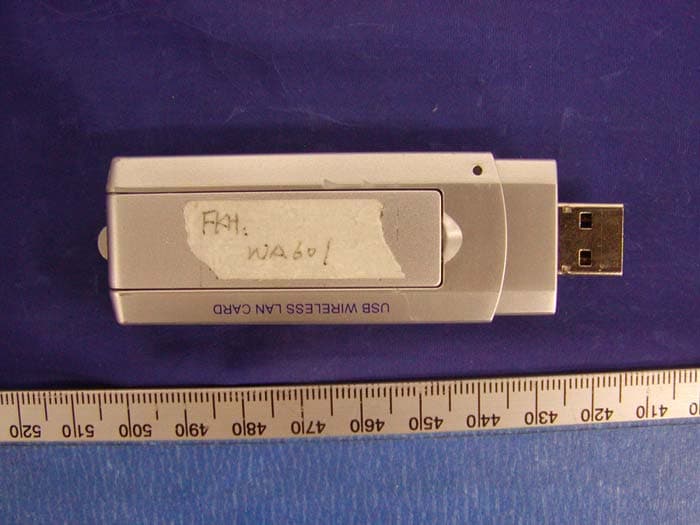
P2DWA601
Jul 03, 2004USB Wireless LAN Adapter
Equipment Class
DTS - Digital Transmission System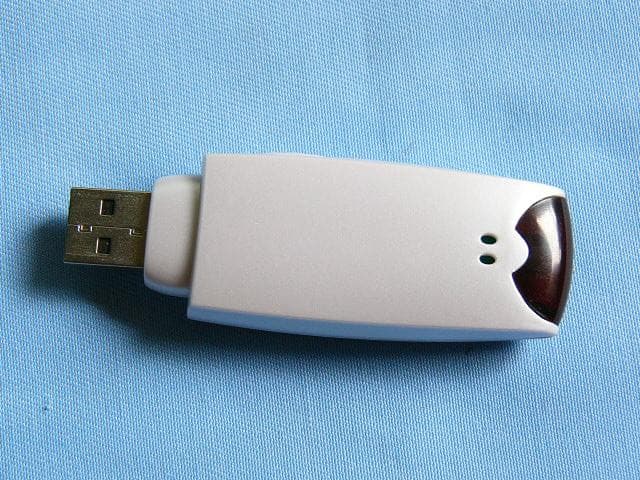
P2DBTU9X
Sep 28, 2003UFD + Bluetooth
Equipment Class
DSS - Part 15 Spread Spectrum Transmitter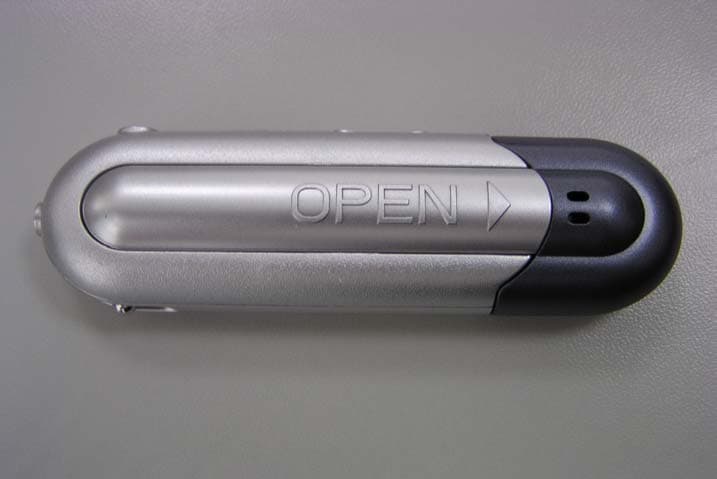
P2DMP309
Apr 23, 2003Digital Media Player
Equipment Class
JBP - Part 15 Class B Computing Device Peripheral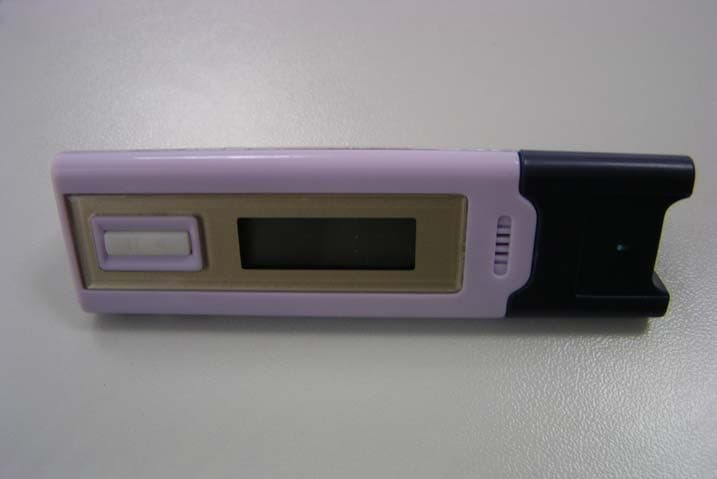
P2DMP308
Apr 23, 2003Digital Media Player
Equipment Class
JBP - Part 15 Class B Computing Device Peripheral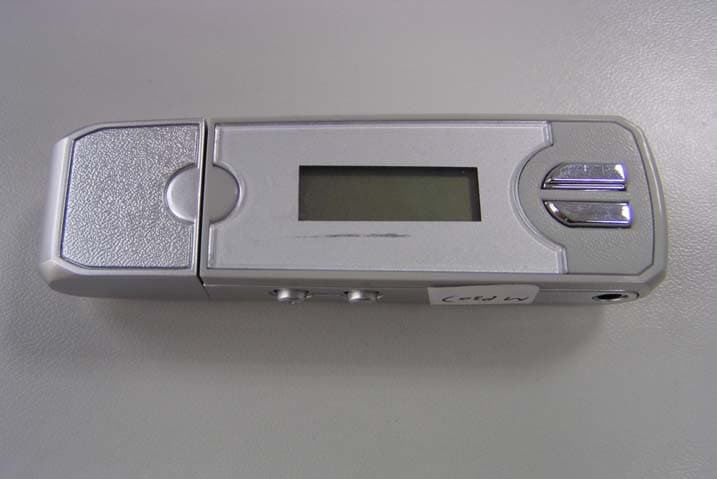
P2DMP307
Apr 23, 2003Digital Media Player
Equipment Class
JBP - Part 15 Class B Computing Device Peripheral