P5FSPC658Alarm Clock with Bluetooth Speaker
Digital Gallery Global Limited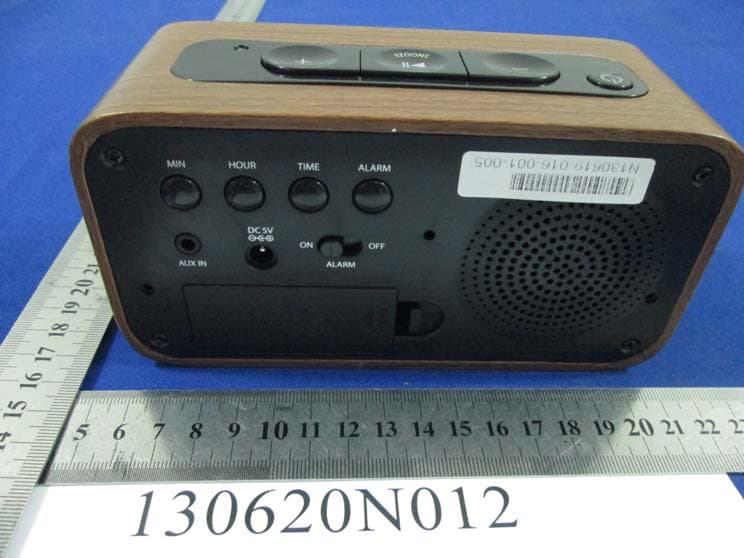
Click to zoom
Application Details
- Equipment Class
- DXX - Part 15 Low Power Communication Device Transmitter
- Date of Grant
- Jul 25, 2013
- Application Purpose
- Original Equipment
- Date of Application
- Jul 25, 2013
- Equipment Note
- Alarm Clock with Bluetooth Speaker
- Frequency Range
- 2402.00000000 - 2480.00000000
- Country
- Hong Kong
Documents & Files
Document Text
Text extracted from the exhibit documents filed with the FCC. Open a document above to read the original.
Users Manual
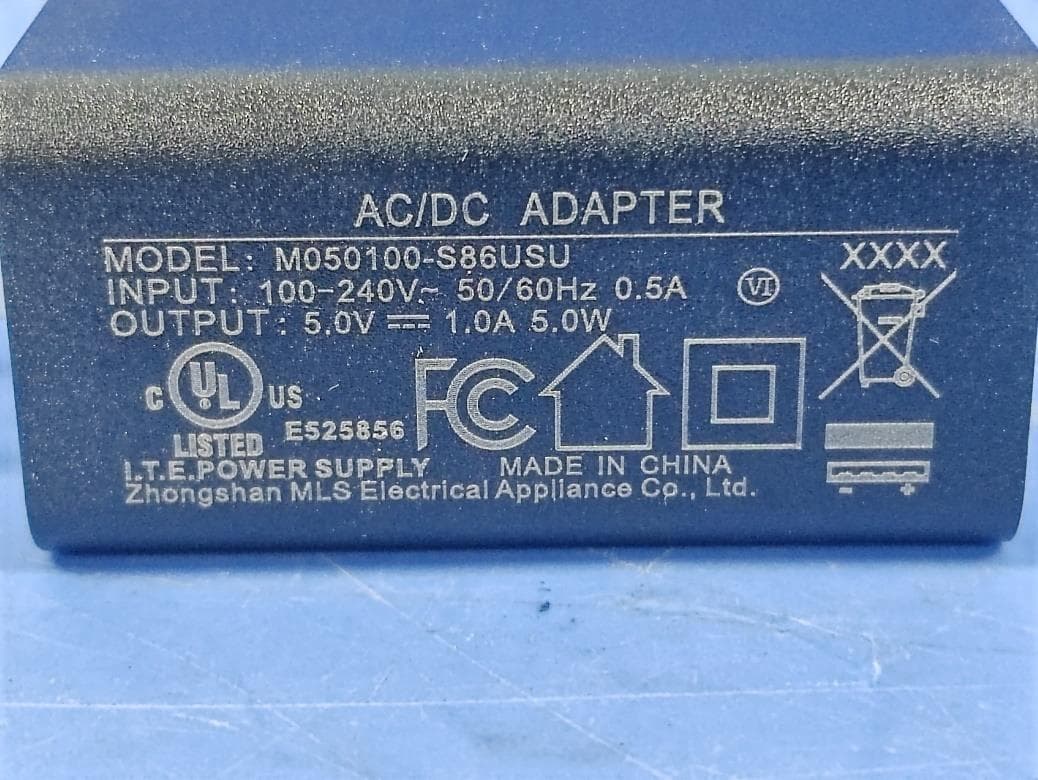
SPC658 LED Alarm Clock with Bluetooth Instruction Manual & Warranty Thank you for your purchase of this quality clock. The utmost care has gone into the design and manufacture of your clock. Please read these instructions and store them in a safe place for future reference. FEATURES 1. PM indicator 2. POWER ON/OFF button 3. VOL - button 4. PLAY/PAUSE/ SNOOZE button 5. VOL + button 6. Bluetooth indicator 7. Alarm indicator 8. HOUR button 9. MIN button 10. AUX IN jack 11. DC 5V jack 12. Battery compartment 13. ALARM ON/OFF switch 14. ALARM button 15. Speaker 16. TIME button CONNECTING TO THE POWER SUPPLY Insert the AC adaptor into a 120V AC ~ 60Hz mains outlet and the other end of the cord into the DC 5V jack on the back of the unit. INSTALLING THE CLOCK & ALARM BACK UP BATTERIES The clock time and alarm time (if set) can be maintained during a power failure by 2 x AAA/ LR03 batteries (not supplied). However, once the power is restarted, check the time to make sure it is accurate and reset if necessary. INSERTING THE BATTERIES 1. Open the battery compartment at the back of the unit by pressing on the catch and removing the cover. 2. Insert 2 x AAA/ LR03 batteries (preferably alkaline batteries) into the battery compartment, following the polarity as shown on the diagram inside the compartment. 3. Replace the battery compartment cover. SETTING THE CLOCK - Press and hold the TIME button down to activate time setting. - While holding down the TIME button, press the HOUR button to advance to the correct hour. The PM indicator will light when the hour is advanced into the PM time. - While holding down the TIME button, press the MIN button to advance to the correct minute. - Release the TIME button when the correct time is shown on the display. SETTING THE ALARM - Press and hold the ALARM button down to activate alarm setting. - While holding down the ALARM button, press the HOUR button to advance to the correct hour. The PM indicator will light when the hour is advanced into the PM time. - While holding down the ALARM button, press the MIN button to advance to the correct minute. - Release the ALARM button when the correct alarm time is shown on the display. USING THE ALARM FUNCTION - Slide the ALARM ON/OFF button to ON to activate the alarm and the alarm indicator will be lit. - Slide the ALARM ON/OFF button to OFF to deactivate the alarm and the alarm indicator no longer be visible. SNOOZE FUNCTION - Pressing the SNOOZE button after the alarm sounds will cause the alarm to stop and the alarm will sound again in 9 minutes. This will happen each time the SNOOZE button is pressed. USING BLUETOOTH FUNCTION - Press the POWER ON button to enter Bluetooth mode. The Pairing Indicator will flash blue quickly. - Using the native controls on your Bluetooth device, select the “SPC658” in your Bluetooth settings to pair. When pairing, remain within 3 feet of the unit. 1 2 3 4 5 6 7 8 9 10 11 1213 14 15 16 SPC658 - When successfully paired and connected, the Pairing Indicator will display a solid blue light and a beep will sound from the unit. - Use the native controls on the connected Bluetooth device to select a track. - To play or skip the selected track, use the native controls on the connected Bluetooth device. - To pause the track, use the PLAY/PAUSE button on the alarm clock. - Audio played through the connected Bluetooth device will now be heard through the speakers. - To adjust the volume, press the VOL+/- button on the alarm clock. After initial pairing, the unit will stay paired unless unpaired manually by the user or erased due to a reset of the device. FCC WARNINGS Warning: Changes or modifications to this unit not expressly approved by the party responsible for compliance could void the user’s authority to operate the equipment. NOTE: This equipment has been tested and found to comply with the limits for a Class B digital device, pursuant to Part 15 of the FCC Rules. These limits are designed to provide reasonable protection against harmful interference in a residential installation. This equipment generates, uses and can radiate radio frequency energy and, if not installed and used in accordance with the instructions, may cause harmful interference to radio communications. However, there is no guarantee that interference will not occur in a particular installation. If this equipment does cause harmful interference to radio or television reception, which can be determined by turning the equipment off and on, the user is encouraged to try to correct the interference by one or more of the following measures: - Reorient or relocate the receiving antenna. - Increase the separation between the equipment and receiver. - Connect the equipment into an outlet on a circuit different from that to which the receiver is connected. - Consult the dealer or an experienced radio/TV technician for help. USING AUX IN FUNCTION - Connect the 3.5mm audio cable (not included) to the AUX IN jack on the unit and an audio output on an MP3 player or other audio source. - Press the POWER ON button to enter AUX IN mode. - Use the native controls on the connected MP3 player or other audio source to play and control audio played through the alarm clock.
Cover Letter(s)
Digital Gallery Global Limited Flat A, 12/F, World Tech Centre, 95 How Ming Street, Kwun Tong, Kowloon, HK Tel: 852-2797 2308 Fax: 852-2797 2337 Date: 15 Jun 2013 Federal Communications Commission Authorization and Evaluation Division FCC ID: P5FSPC658 Confidentiality Request Pursuant to Sections 0.457 and 0.459 of the Commission’s Rules, the Applicant hereby requests confidential treatment of information accompanying this application as outlined below: 1. Block diagram 2. Schematics 3. Operation Description The above materials contain trade secrets and proprietary information not customarily released to the public. The public disclosure of these matters might to harmful to the applicant and provide unjustified benefits to its competitors. The applicant understands that pursuant to Rule 0.457, disclosure of this application and all accompanying documentation will not be made before the date of the grant for this application. Sincerely, Name:Will Pang Company name: Digital Gallery Global Limited Tel.:852-2797 2308 Fax:852-2797 2337
Cover Letter(s)
Digital Gallery Global Limited Flat A, 12/F, World Tech Centre, 95 How Ming Street, Kwun Tong, Kowloon, HK Tel: 852-2797 2308 Fax: 852-2797 2337 AGENCY AUTHORIZATION LETTER FCC ID: P5FSPC658 Date: 15-06-2013 To whom it may concern: We, the undersigned, hereby authorize Bureau Veritas Shenzhen Co. Ltd Dongguan Branch., to act on our behalf, as our agent, in the following matters related to the FCC approval of our products: report submittal, related correspondence, the signing of all documents relating to these matters, and any other lawful activity necessary to obtain such certification. Any act carried out by BVDG within the scope of this authorization shall have the same effects as our own. This authorization shall expire 6 months form original date. If you have any Questions regarding the authorization, please don’t hesitate to contact us. Thank you. Sincerely, Name:Will Pang Company name: Digital Gallery Global Limited Tel.:852-2797 2308 Fax:852-2797 2337
External Photos
Bureau Veritas Shenzhen Co., Ltd. Dongguan Branch No. 34, Chenwulu Section, Guantai Rd., Houjie Town, Dongguan City, Guangdong 523942, China Tel.: +86 769 8593 5656 Fax: +86 769 8593 1080 Email: [email protected] Page 1 of 4 Report Version 1 Test Report No.: RF130620N012 PHOTOGRAPHS OF THE EUT Bureau Veritas Shenzhen Co., Ltd. Dongguan Branch No. 34, Chenwulu Section, Guantai Rd., Houjie Town, Dongguan City, Guangdong 523942, China Tel.: +86 769 8593 5656 Fax: +86 769 8593 1080 Email: [email protected] Page 2 of 4 Report Version 1 Test Report No.: RF130620N012 Bureau Veritas Shenzhen Co., Ltd. Dongguan Branch No. 34, Chenwulu Section, Guantai Rd., Houjie Town, Dongguan City, Guangdong 523942, China Tel.: +86 769 8593 5656 Fax: +86 769 8593 1080 Email: [email protected] Page 3 of 4 Report Version 1 Test Report No.: RF130620N012 Bureau Veritas Shenzhen Co., Ltd. Dongguan Branch No. 34, Chenwulu Section, Guantai Rd., Houjie Town, Dongguan City, Guangdong 523942, China Tel.: +86 769 8593 5656 Fax: +86 769 8593 1080 Email: [email protected] Page 4 of 4 Report Version 1 Test Report No.: RF130620N012
ID Label/Location Info
FCC ID: P5FSPC658 This device complies with Part 15 of the FCC Rules. Operation is subject to the following two conditions: (1) this device may not cause harmful interference, and (2) this device must accept any interference received, including interference that may case undesired operation. FCC ID: P5FSPC658 This device complies with Part 15 of the FCC Rules. Operation is subject to the following two conditions: (1) this device may not cause harmful interference, and (2) this device must accept any interference received, including interference that may case undesired operation. Size: 54.5 x 4.9mm
Internal Photos
Bureau Veritas Shenzhen Co., Ltd. Dongguan Branch No. 34, Chenwulu Section, Guantai Rd., Houjie Town, Dongguan City, Guangdong 523942, China Tel.: +86 769 8593 5656 Fax: +86 769 8593 1080 Email: [email protected] Page 1 of 4 Report Version 1 Test Report No.: RF130620N012 PHOTOGRAPHS OF THE EUT Bureau Veritas Shenzhen Co., Ltd. Dongguan Branch No. 34, Chenwulu Section, Guantai Rd., Houjie Town, Dongguan City, Guangdong 523942, China Tel.: +86 769 8593 5656 Fax: +86 769 8593 1080 Email: [email protected] Page 2 of 4 Report Version 1 Test Report No.: RF130620N012 Bureau Veritas Shenzhen Co., Ltd. Dongguan Branch No. 34, Chenwulu Section, Guantai Rd., Houjie Town, Dongguan City, Guangdong 523942, China Tel.: +86 769 8593 5656 Fax: +86 769 8593 1080 Email: [email protected] Page 3 of 4 Report Version 1 Test Report No.: RF130620N012 LED CLOCK DISPLAY Bureau Veritas Shenzhen Co., Ltd. Dongguan Branch No. 34, Chenwulu Section, Guantai Rd., Houjie Town, Dongguan City, Guangdong 523942, China Tel.: +86 769 8593 5656 Fax: +86 769 8593 1080 Email: [email protected] Page 4 of 4 Report Version 1 Test Report No.: RF130620N012 ANT ANT
Test Report
Bureau Veritas Shenzhen Co., Ltd. Dongguan Branch No. 34, Chenwulu Section, Guantai Rd., Houjie Town, Dongguan City, Guangdong 523942, China Tel: +86 769 8593 5656 Fax: +86 769 8593 1080 Email: [email protected] Page 1 of 33 Report Version 1 Test Report No.: RF130620N012 TEST REPORT Applicant Digital Gallery Global Limited Address Flat A, 12/F, World Tech Centre, 95 How Ming Street, Kwun Tong, KLN, HK Manufacturer or Supplier Nosanky Electronic Technology Co. Ltd Address 3/F, No. 12, Silianhuamao Industrial zone, Henggang Street, Longgang District, Shenzhen, China Product: Alarm Clock with Bluetooth Speaker Brand Name: SHARP Model: SPC658 Additional Model & Model Difference: N/A Date of tests: Jun. 20, 2013 ~ Jul. 04, 2013 the tests have been carried out according to the requirements of the following standard: FCC Part 15, Subpart C (Section 15.249) CONCLUSION: The submitted sample was found to COMPLY with the test requirement Tested by Glyn He Project Engineer / EMC Department Approved by Sam Tung Manager / EMC Department This report is for your exclusive use. Any copying or replication of this report to or for any other person or entity, or use of our name or trademark, is permitted only with our prior written permission. This report sets forth our findings solely with respect to the test samples identified herein. The results set forth in this report are not indicative or representative of the quality or characteristics of the lot from which a test sample was taken or any similar or identical product unless specifically and expressly noted. Our report includes all of the tests requested by you and the results thereof based upon the information that you provided to us. You have 60 days from date of issuance of this report to notify us of any material error or omission caused by our negligence, provided, however, that such notice shall be in writing and shall specifically address the issue you wish to raise. A failure to raise such issue within the prescribed time shall constitute your unqualified acceptance of the completeness of this report, the tests conducted and the correctness of the report contents. Unless specific mention, the uncertainty of measurement has been explicitly taken into account to declare the compliance or non-compliance to the specification Bureau Veritas Shenzhen Co., Ltd. Dongguan Branch No. 34, Chenwulu Section, Guantai Rd., Houjie Town, Dongguan City, Guangdong 523942, China Tel: +86 769 8593 5656 Fax: +86 769 8593 1080 Email: [email protected] Page 2 of 33 Report Version 1 Test Report No.: RF130620N012 TABLE OF CONTENTS RELEASE CONTROL RECORD .............................................................................................................. 3 1 SUMMARY OF TEST RESULTS ..................................................................................................... 4 2 MEASUREMENT UNCERTAINTY................................................................................................... 4 3 GENERAL INFORMATION .............................................................................................................. 5 3.1 GENERAL DESCRIPTION OF EUT ................................................................................................ 5 3.2 DESCRIPTION OF TEST MODES .................................................................................................. 6 3.3 GENERAL DESCRIPTION OF APPLIED STANDARDS ................................................................. 7 3.4 DESCRIPTION OF SUPPORT UNITS ............................................................................................ 7 4. TEST TYPES AND RESULTS ......................................................................................................... 8 4.1 CONDUCTED EMISSION MEASUREMENT .................................................................................. 8 4.1.1 LIMITS OF CONDUCTED EMISSION MEASUREMENT ............................................................... 8 4.1.2 TEST INSTRUMENTS..................................................................................................................... 8 4.1.3 TEST PROCEDURES ..................................................................................................................... 9 4.1.4 DEVIATION FROM TEST STANDARD ........................................................................................... 9 4.1.5 TEST SETUP................................................................................................................................. 10 4.1.6 EUT OPERATING CONDITIONS .................................................................................................. 10 4.1.7 TEST RESULTS .............................................................................................................................11 4.2 RADIATED EMISSION MEASUREMENT ..................................................................................... 13 4.2.1 LIMITS OF RADIATED EMISSION MEASUREMENT .................................................................. 13 4.2.2 TEST INSTRUMENTS................................................................................................................... 14 4.2.3 TEST PROCEDURES ................................................................................................................... 15 4.2.4 DEVIATION FROM TEST STANDARD ......................................................................................... 15 4.2.5 TEST SETUP................................................................................................................................. 16 4.2.6 EUT OPERATING CONDITIONS .................................................................................................. 16 4.2.7 TEST RESULTS ............................................................................................................................ 17 4.3 20DB BANDWIDTH MEASUREMENT .............…
Text truncated - open the document above for the full version.
Test Setup Photos
Bureau Veritas Shenzhen Co., Ltd. Dongguan Branch No. 34, Chenwulu Section, Guantai Rd., Houjie Town, Dongguan City, Guangdong 523942, China Tel.: +86 769 8593 5656 Fax: +86 769 8593 1080 Email: [email protected] Page 1 of 3 Report Version 1 Test Report No.: RF130620N012 SET-UP FOR CONDUCTED EMISSION TEST Bureau Veritas Shenzhen Co., Ltd. Dongguan Branch No. 34, Chenwulu Section, Guantai Rd., Houjie Town, Dongguan City, Guangdong 523942, China Tel.: +86 769 8593 5656 Fax: +86 769 8593 1080 Email: [email protected] Page 2 of 3 Report Version 1 Test Report No.: RF130620N012 SET-UP FOR RADIATED EMISSION TEST Frequency Range< 30MHz~1GHz > Bureau Veritas Shenzhen Co., Ltd. Dongguan Branch No. 34, Chenwulu Section, Guantai Rd., Houjie Town, Dongguan City, Guangdong 523942, China Tel.: +86 769 8593 5656 Fax: +86 769 8593 1080 Email: [email protected] Page 3 of 3 Report Version 1 Test Report No.: RF130620N012 Frequency Range< Above 1GHz >
Contact Information
Applicant
Will Pang
Test Firm
Bureau Veritas Shenzhen Co., Ltd. Dongguan BranchAlec Hu
Technical Specifications
| # | Rule Parts | Frequency Range | Power Output |
|---|---|---|---|
| 1 | 15C | 2.40 GHz - 2.48 GHz | - |
Other Applications from Digital Gallery Global Limited
P5FSPC5165
Dec 03, 2025RGB Alarm Clock
Equipment Class
DSS - Part 15 Spread Spectrum Transmitter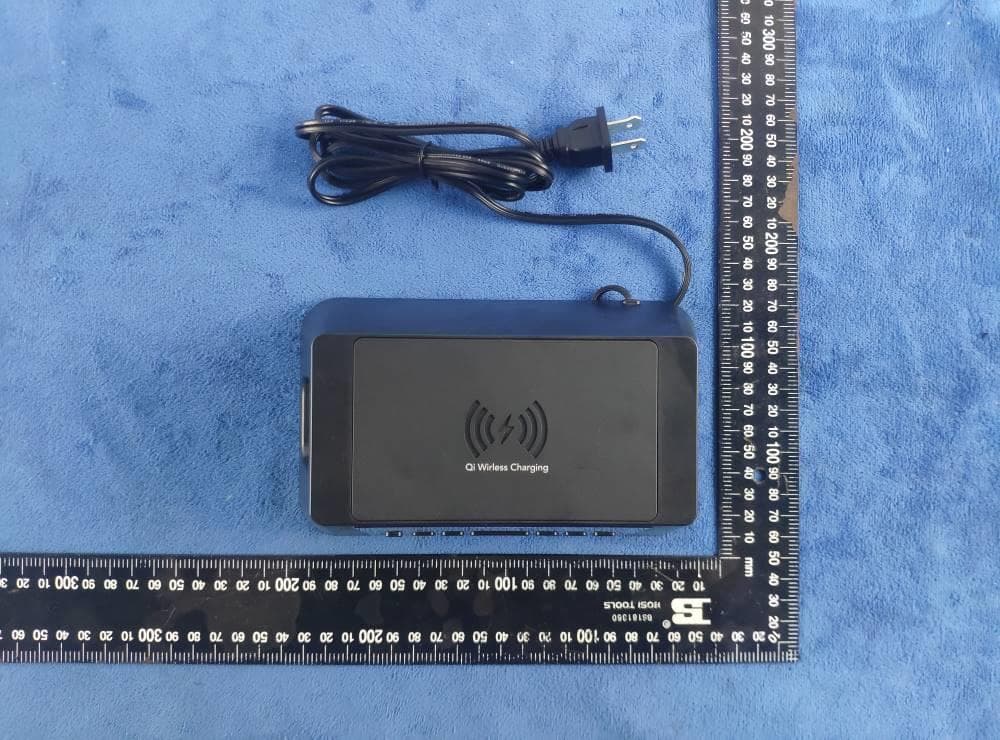
P5FSPC237A
Aug 13, 2020Qi Wireless Charging Power Station Alarm Clock
Equipment Class
DCD - Part 15 Low Power Transmitter Below 1705 kHz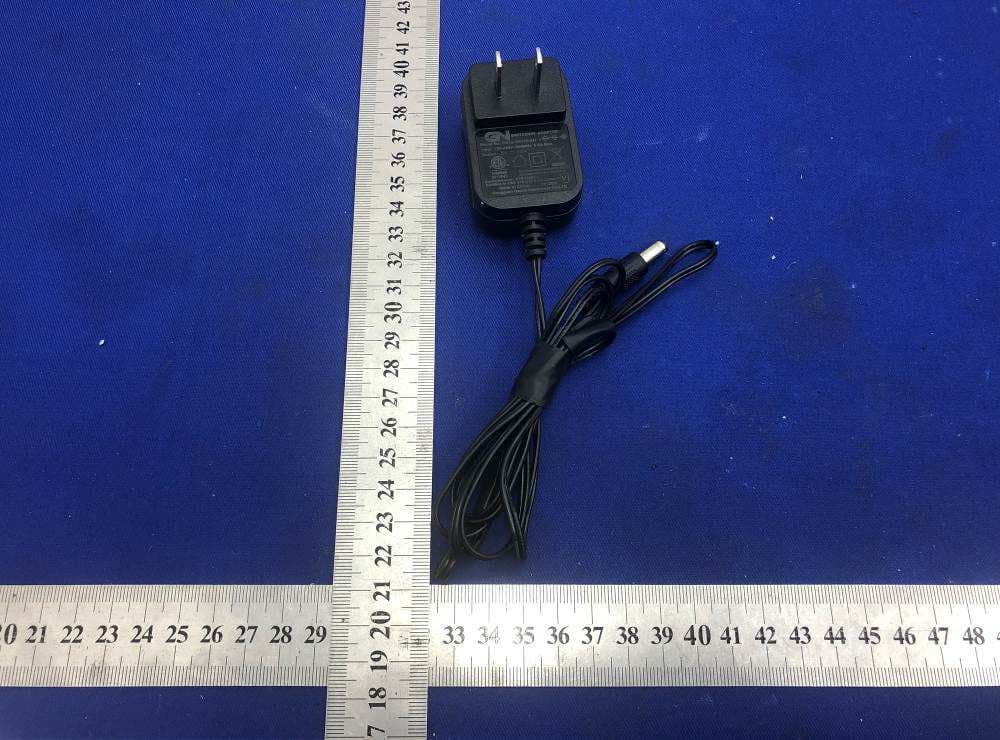
P5F71042WM
May 27, 2020Bluetooth Clock Radio
Equipment Class
DSS - Part 15 Spread Spectrum Transmitter
P5FSXE86002
Aug 23, 2015Bluetooth Clock Radio
Equipment Class
DSS - Part 15 Spread Spectrum Transmitter
P5FSPC1038
Nov 02, 2014Atomic Wall Clock
Equipment Class
DSC - Part 15 Security/Remote Control Transmitter