P9BPSD-64NUSB Storage Device
Jungsoft Co., Ltd.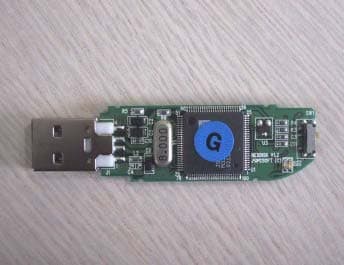
Click to zoom
Application Details
- Equipment Class
- JBP - Part 15 Class B Computing Device Peripheral
- Date of Grant
- Oct 27, 2002
- Application Purpose
- Original Equipment
- Date of Application
- Oct 27, 2002
- Equipment Note
- USB Storage Device
- Company
- Jungsoft Co., Ltd.
- Country
- South Korea
Documents & Files
Document Text
Text extracted from the exhibit documents filed with the FCC. Open a document above to read the original.
Users Manual
NEXDISK User Manual ¾ Product Materials and Detailed Part Description ¾ Product Features ¾ Product Specification ¾ Product Installation ¾ Program Use ¾ Product Usage ¾ Caution ¾ FCC Compliance Statements - NEXDISK - USB Extension Cable - Portable Neck Strap - Application CD - User Manual 1. Write Protect Switch: To prevent NEXTDISK to write, switch to ±. 2. Portable Neck Strap: NEXDISK Portable Neck Strap hook. 3. Pocket Clip: To securely clip to pocket or backpack, etc. 4. CAP : To protect USB connection head. 5. LED Indicator: (1) Green LED : Lit when NEXDISK is connected to PC (2) Red LED : Lit when NEXDISK is in activity. Driver not necessary NEXDISK can Plug & Play without any software. (However, Windows 98 requires specific driver that is provided by JUNGSOFT) Power Adapter not necessary By using USB BUS Power NEXDISK does not need extra power source. Bootable Media Just like making Floppy into bootable diskette, NEXDISK is able to make itself a bootable media. Like FDD, CDR, HDD is independently capable of booting the system. (*Motherboard that supports USB booting) Write Protect Switch User is able to read the contents of the disk, however, is prohibited from unauthorized writing or misuse. Software Security (PASSWORD) NEXDISK has ability to lock itself with password. Competitor products require other media such as Floppy or CD to unlock device, however, NEXDISK is already installed with software that handles this capability and therefore does not require extra media. Dual Colored LED Indicate power going through the USB disk and monitor activity of the disk. Product Code PSD-32N / PSD-64N / PSD-28N Interface USB 1.1 Data Transfer Rate Write : 900 KB/Sec Ready : 600 KB/Sec Size 80 * 20 * 9.5mm( Cap included ) 70 * 20 * 9.5mm ( Cap Excluded ) Weight 15g Power USB bus power O.S Support MS-DOS, Windows 98SE/Me/2000/XP or higher, Mac 9.0 or higher, Linux2.4.0 or higher, WinCE3.0 or higher Application Desktop PC, Notebook PC, PDA etc, All PCs that support USB Standard Certification MIC, FCC, CE, USB Operating Environment Operating Temp: 0c or higher Maintained Temp : -20c ~ 80c Maintained Humidity : 5% ~ 90% A. Hardware Installation - Connect NEXDISK to PC. - Or Connect extended USB cable to PC and connect NEXDISK through it. - Comes up in My Computer as Removable Media. [ Caution] In encrypted password mode contents of the information does not appear. B . Installing Driver( For Windows98 Users Only) - Other OS do not need installation drivers. - Installation with Installation CD or Download from our Website (www.jungsoftusa.com) - Select “\DRIVER98\PSDUA.INF”and install. A. Format & Mode Selection Program All contents of the information is formatted and initialized. - Connect NEXDISK to USB Port. - Run“NEXDISK.exe” in installation CD. - In order to use Password Lock Mode check “Password Mode”or else leave the check box empty. - In order to use Bootable Media option, check “Make Bootable Media” - Select Format type. “Quick Format”, “Format” - When you press “Start”, Format is initiated. Indicated below is progress of the format. - When format is completed the following window appears. Caution : Bootable Media selection is only available in Windows 98 or ME. B. To Disable Password Lock - In order to access NEXDISK that has a password lock mode enabled Use program “NEXPASS.exe” and input password. - Default password is “1234”. Password can be up to 20 alphanumeric characters. - After password is input, NEXDISK is enabled for use. CAUTION : Please do not forget your password. Only people that have the password can use the media. A. Typical Usage - Use just like a regular Hard Disk. B. Booting Mode Option - Configure CMOS Setup, 1 ST BOOT DEVICE to be USB ZIP. - When system is rebooted computer will boot from USB. C. NEXDISK Usage in MS-DOS - After copying MS-DOS boot files to the NEXDISK and boots from it, user is able to access contents of the files from A:\ prompt. 1. Things that you need to remember while using NEXDISK A. If you remove NEXDISK while the LED indicator is red, data might be lost or corrupted . B. It is impossible to use NEXDISK again if you lose your password, so please take caution not to forget passwords. C. JUNGSOFT is not responsible for lost data even if product is defective. Please test the product initially. 2. Service A. After purchase, Jungsoft will provide users with one year of tech support and product replacement. However, mis-use of the product or damage caused by natural disaster will not be covered and users will be charged. B. Damage caused by impact, water, and disassembly of the product is not covered by the service. NOTE : This equipment has been tested and found to comply with the limits for a Class B digital device, pursuant to part 15 of the FCC Rules. These limits are designed to provide reasonable protection against harmful interference in a residential installation. This equipment generates ,uses and can radiate radio frequency energy and ,if not installed and used in accordance with the instruction , may cause harmful interference to radio communication. However , there is no guarantee that interference will not occur in a particular installation. If this equipment dose harmful interference to radio or television reception, which can be determined by turning the equipment off and on. The user is encouraged to try to correct the interference by one or more of the following measures : -- Reorient or relocate the receiving antenna -- Increase the separation between the equipment and receiver. -- Connect the equipment into an outlet on a circuit different from that to which the receiver is connected. -- Consult the dealer or an experienced radio / TV technician for help. Warning : Your are cautioned that any change or modifications to the equipment not expressly approved by the party responsible for compliance could void your authority to operate such equipment. NOTE : This unit was tested with shielded cables on the peripheral device .…
Text truncated - open the document above for the full version.
External Photos
Photos of EuT Model No. : PSD-64N Test Report No.:BWS-02-EF-0035 APPENDIX 1 PHOTOs of EUT BWS Tech., Inc. Page Number : 1 of 3 pages http://www.bws.co.kr FCC ID : P9BPSD-64N Issue Date : Oct. 24, 2002 Photos of EuT Model No. : PSD-64N Test Report No.:BWS-02-EF-0035 A1-1 Photo of EUT( ) A1-2 External Photo of EUT() BWS Tech., Inc. Page Number : 2 of 3 pages http://www.bws.co.kr FCC ID : P9BPSD-64N Issue Date : Oct. 24, 2002 Photos of EuT Model No. : PSD-64N Test Report No.:BWS-02-EF-0035 A1-3 Internal Photo of EUT BWS Tech., Inc. Page Number : 3 of 3 pages http://www.bws.co.kr FCC ID : P9BPSD-64N Issue Date : Oct. 24, 2002
ID Label/Location Info
ID Label and Location Model No. : PSD-64N Test Report No.:BWS-02-EF-0035 APPENDIX 2 ID Label and Location BWS Tech., Inc. Page Number : 1 of 3 pages http://www.bws.co.kr FCC ID : P9BPSD-64N Issue Date : Oct. 24, 2002 ID Label and Location Model No. : PSD-64N Test Report No.:BWS-02-EF-0035 A2-1 Label Requirements A Class B digital equipment subject to certification by the FCC shall carry a warning label which includes the following statements: This device complies with part 15 of the FCC Rules. Operation is subject to the following two conditions: (1) This device may not cause harmful interference, and (2) this device must accept any interference received, including interference that may cause undesired operation. This statement should be stuck in a conspicuous location on the device. If impossible, this warning label should be placed in a prominent location in the user’s manual. A2-2 Label Drawing : This device complies with part 15 of the FCC rules. Operation is subject to the following conditions: (1) This devices may not cause harmful interference, and (2) this device must accept any interference received including interference that may cause undesired operation. Model No : PSD-64N FCC ID : P9BPSD-64N Made in Korea Jungsoft Co., Ltd. A2-3 Label Location : Bottom side of EUT BWS Tech., Inc. Page Number : 2 of 3 pages http://www.bws.co.kr FCC ID : P9BPSD-64N Issue Date : Oct. 24, 2002 ID Label and Location Model No. : PSD-64N Test Report No.:BWS-02-EF-0035 A2-4 Warning Labels Operation manuals for Class B computing devices shall contain the following statements or their equivalent : Note: This equipment has been tested and found to comply with the limits for a Class B digital device, pursuant to part 15 of the FCC Rules. These limits are designed to provide reasonable protection against harmful interference in a residential installation. This equipment generates, uses and can radiate radio frequency energy and, if not installed and used in accordance with the instructions, may cause harmful interference to radio communications. However, there is no guarantee that interference will not occur in a particular installation. If this equipment does cause harmful interference to radio or television reception, which can be determined by turning the equipment off and on, the user is encouraged to try to correct the interference by one or more of the following measures: - Reorient or relocate the receiving antenna. - Increase the separation between the equipment and receiver. - Connect the equipment into an outlet on a circuit different from that to which the receiver is connected. - Consult the dealer or an experienced radio/TV technician for help. y NOTE: You are cautioned that any change or modifications to the equipment not expressly approved by the party responsible for compliance could void your authority to operate such equipment. In case that shielded cables were used on the test, operation manuals shall contain the following statements or their equivalent : y NOTE: This unit was tested with shielded cables on the peripheral devices. Shielded cables must be used with the unit to insure compliance. BWS Tech., Inc. Page Number : 3 of 3 pages http://www.bws.co.kr FCC ID : P9BPSD-64N Issue Date : Oct. 24, 2002
Internal Photos
Photos of EuT Model No. : PSD-64N Test Report No.:BWS-02-EF-0035 APPENDIX 1 PHOTOs of EUT BWS Tech., Inc. Page Number : 1 of 3 pages http://www.bws.co.kr FCC ID : P9BPSD-64N Issue Date : Oct. 24, 2002 Photos of EuT Model No. : PSD-64N Test Report No.:BWS-02-EF-0035 A1-1 Photo of EUT( ) A1-2 External Photo of EUT() BWS Tech., Inc. Page Number : 2 of 3 pages http://www.bws.co.kr FCC ID : P9BPSD-64N Issue Date : Oct. 24, 2002 Photos of EuT Model No. : PSD-64N Test Report No.:BWS-02-EF-0035 A1-3 Internal Photo of EUT BWS Tech., Inc. Page Number : 3 of 3 pages http://www.bws.co.kr FCC ID : P9BPSD-64N Issue Date : Oct. 24, 2002
Operational Description
Moving large files from one PC to another can be a thorny problem, especially if the computers in question aren't on the same local network, or on any network at all. Some new PCs, especially laptops, no longer come with a floppy disk drive, and in any case, a floppy disk can hold only 1.4 MB of data. That's fine for most word-processing files, but too small to hold a typical music file, a presentation, or more than a few high-resolution photos. If your PC has a CD-RW drive, you can burn the files onto a blank CD, but that can be a slow process, and most PCs still can't burn CDs. Most also lack a Zip drive, which uses high-capacity disks. You could e-mail the files to the other PC, but many e-mail providers limit the size of attached files and the total size of e-mail boxes Then what we have got to do ? NEXDISK will solve this problem. 1. Password Function. NEXDISK has ability to lock itself with password. Competitor products require other media such as Floppy or CD to unlock device, however, NEXDISK's already installed with software that handles this capability and therefore does not require extra media. 2. Bootable Disk Function Just like making Floppy into bootable diskette, NEXDISK is able to make itself a bootable media. Like FDD, CDR and HDD, it is independently capable of booting system. Copyright (c) 2002 by Jungsoft Co.,Ltd. All rights reserved. :: Perfect Compatibility with USB Interface 1.1 USB 1.1 registered, as International Standardization is included in Pentium PC as a default. That is, it is possible to use NEXDISK without any other cards or devices in computers. Also, USB 2.0 will be included from the 3rd quarter 2002. The speed of USB 2.0 Standardization gets to 480Mbps. :: Support Various Operating System MS-DOS, Windows 98/98 SE/Windows ME/2000/XP Above Mac 8.6/Linux 2.4.0/Win CE 3.0 Many computer devices and peripherals are used in specific OSes. However, NEXDISK can support almost all OSes used in Personal Computers. NEXDISK can also support widely spread Win CE for PDA. :: Install / Uninstall without Driver Hot plugging in Windows ME/2000/XP, Above Mac 8.6/ Linux 2.4.0/ Win CE 3.0 with any other drivers. Other computer devices need the related software for installation. But for the NEXDISK's portability and compatibility, it is designed that it does not need any software fo r installation. :: Write Protection Switch Function Users are able to read the contents of the disk, however, is prohibited from unauthorized writing or misuse. :: Data Retention Time 10 years (Data Retention) NEXDISK is resistant to electromagnetism whereas magnetic HDD, Floppy, a n ZIP D rive are not resistant to electromagnetism, :: No External Power is required (Powered by USB bus) By using USB Bus power, NEXDISK does not need extra power source. :: Shock Resistance HDD is not resistant to impact since there are mechanical parts such as motor, head, and arm in HDD. However, NEXDISK has good impact-resistance. :: Compact and Portable 80 x 20 x 0.5㎜ (with CAP), 70 x 20 x 9.5㎜ (without CAP), Weight : 12g :: Speed of USB Interface To Read: 900KB/sec, To Write: 600KB/sec, Full Speed of USB1.1 is 12Mbps :: Support Various Storage Capacity 16MB/32MB/64MB/128MB/256MB(512MB/1GB can be produced by orders) :: LED Indicator Green LED ; Lit when NEXDISK's connected to PC Red LED ; Lit when NEXDISK is in activity :: Environment Operating Temperature ; ~ 45 ° c Storage Temperature ; 0°C ~ 45°C Humidity; 5% ~ 90% :: Certification MIC, FCC, CE, WHQL :: Boot Up Function Just like making Floppy into bootable diskette, NEXDISK is able to make itself a bootable media. Like F D CDR and HDD, it is independently capable of booting system. :: Password Lock Function NEXDISK has ability to lock itself with password. Competitor products require other media such as Flo p or CD to unlock device, however, NEXDISK's already installed with software that handles this capability and therefore d o not require extra media. :: Choice of Operating Mode We provide an application program for this function. Normal/Password Mode After inputting password, y can use NEXDISK just like you use HDD. * Notice : It operates only in board that new BIOS (Released Board after 2002) has been mounted on. It is also possible to use if there is USB-ZIP booting Mode in BIOS. Copyright (c) 2002 by Jungsoft Co.,Ltd. All rights reserved. 1. Pocket Clip To securely clip to pocket or backpack, etc. 2. CAP To protect USB connection head. 3. LED Indicator (1) Green LED : Lit when NEXDISK is connected to PC (2) Red LED : Lit when NEXDISK is in activity. 4. Write Protect Switch To prevent NEXTDISK to write, switch to 5. Hole NEXDISK Portable Neck Strap hook. Product Code PSD-32N / PSD-64N / PSD-128N Interface USB 1.1 / 2.0 support Data Transfer Rate Write 900 KB/Sec Ready : 600 KB/Sec Size 80 * 20 * 9.5mm (Cap Included) 70 * 20 * 9.5mm (Cap Excluded) Weight 12g Power USB power O.S Support MS-DOS, Windows 98 /SE/ME/ 2000/XP or higher, Mac 8.6 or higher, Linux2.4 or higher, WinCE 3.0 or higher Application Desktop PC, Notebook, PDA etc, All PCs that support USB Standard Certification MIC, FCC, CE, WHQL Operating Environment Operating Temp: 0 ° c ~ 45 ° c Maintained Temp -20°c ~ 80°c Maintained Humidity 5%~90% Copyright (c) 2002 by Jungsoft Co.,Ltd. All rights reserved. A. Hardware Installation - Connect NEXDISK to PC. - Or Connect extended USB cable to PC and connect NEXDISK through it. - Comes up in My Computer as Removable Media. ★ Caution : In encrypted password mode contents of the information does not appear. B. Installing Driver (For Windows98 Users Only) - Other OS do not need installation drivers. - Installation with Installation CD or Download from our Website (www.jungsoft.com) - Select "\DRIVER98\PSDUA.INF"and install. 1. Format & Mode Selection Program All contents of the information is formatted and initialized. - Connect NEXDISK to USB Port. - Run"NEXDISK.exe" in installation CD. - In order to use Password Lock Mode check "Password Mode"or else l…
Text truncated - open the document above for the full version.
Test Report
FCC TEST REPORT Model No. : PSD-64N Test Report No. : BWS-02-EF-0035 BWS Tech, Inc. 294-9, Jungdae-Dong, Gwangju-City, Gyeoeonggi-Do 464-080 Korea TEL: 82 31 764 0125 FAX: 82 31 764 0126 FCC EMI TEST REPORT Date of Test : October 15, 2002 Test Report No. : BWS-02-EF-0035 Test Site : BWS Tech., Inc. (Registration No. : 553281) Trade Name : N/A Manufacturer : Jungsoft Co., Ltd. Address : #274-5, Seohyun-Dong, Bundang-Gu, Seongnam-City, Gyeonggi-Do, Korea Contact Person : Shin, Dong-Ho Tel No. : 82-31-788-5270 Fax No. : 82-31-708-3477 Product Name : NEXDISK Model Name : PSD-64N FCC Rule Part(s) : FCC Part 15 Subpart B Classification : Class B The device bearing the trade name and model specified above has been shown to comply with the applicable technical standards as indicated in the measurement report and was tested in accordance with the measurement procedures specified in ANSI C.63.4-2000. I attest to the accuracy of data and all measurement reported herein were performed by me or were made under my supervision. I assume full responsibility for the completeness of these measurements and vouch for the qualification of all personnel conducting this testing. Oct. 24, 2002 Choi, Jae-Ho EMC Manager of BWS Tech., Inc. BWS Tech., Inc. Page Number : 1 of 14 pages http://www.bws.co.kr FCC ID : P9BPSD-64N Issue Date : Oct. 24, 2002 FCC TEST REPORT Model No. : PSD-64N Test Report No. : BWS-02-EF-0035 TABLE OF CONTENTS PAGE 1. Description of device 3 1.1 General 3 1.2 EUT Description 3 2. Test facility 4 3. Summary of results 4 3.1 Electromagnetic Emission 4 3.2 Modifications to the EUT 4 4. Tested system details 5 4.1 Peripherals and Others 5 4.2 Type of Cables Used 5 4.3 System layout on EUT and peripherals 6 5. Test result 7 5.1 RFI Voltage Measurement 7 5.2 RFI Field Strength Measurement 9 5.3 Minimum Margin 13 5.4 Sample Calculations 13 6. Test Equipments 14 BWS Tech., Inc. Page Number : 2 of 14 pages http://www.bws.co.kr FCC ID : P9BPSD-64N Issue Date : Oct. 24, 2002 FCC TEST REPORT Model No. : PSD-64N Test Report No. : BWS-02-EF-0035 1. DESCRIPTION OF DEVICE 1.1 General Responsible Party Jungsoft Co., Ltd. Contact Person Shin, Dong-Ho Tel No. : 82-31-788-5200 Fax No. : 82-31-708-3477 Manufacturer Jungsoft Co., Ltd. #274-5, Seohyun-Dong, Bundang-Gu, Seongnam-City, Gyeonggi-Do, Korea • Trade name N/A • Model name PSD-64N • EUT Type NEXDISK • Classification FCC Part 15 Subpart B Class B • Clock Speed 8.000 MHz • Rule Part(s) FCC Part 15 & Part 2 • Test Procedure(s) ANSI C63.4-2000 • Date of Tests October 15, 2002 • Test Lab BWS Tech, Inc. 1.2 EUT Descriptions This equipment is portable storage device with USB interface and Flash Memory. As you can read or write data on this equipment when plug in this equipment USB port of any personal computer, you don’t need any additive cable or power. 5 Note. This report may be reproduced in full pages. Partial reproduction may only be made with the written permission of BWS Tech laboratory. The test results in this report are only applied to the sample(s) tested. BWS Tech., Inc. Page Number : 3 of 14 pages http://www.bws.co.kr FCC ID : P9BPSD-64N Issue Date : Oct. 24, 2002 FCC TEST REPORT Model No. : PSD-64N Test Report No. : BWS-02-EF-0035 5 Note. Please refer to the duties and responsibilities of the Responsible Party attached. 2. TEST FACILITY The open field test site and conducted measurement facility used for this measurement, is located following address. This site was fully described in a report dated Dec. 26, 2001 that was submitted to the FCC. Our site and facility had been accepted in a letter dated Dec. 26, 2001(Registration No. : 553281) : BWS Tech, Inc. Address : 294-9, Jungdae-Dong, Gwangju-City, Gyeonggi-Do 464-080 Korea The detailed description of the measurement facility was found to be in compliance with the requirements of 2.948 according to ANSI C63.4 on Dec. 08, 2000. 3. SUMMARY OF RESULTS 3.1 Electromagnetic Emission RFI Voltage Measurement PASS RFI Field Strength Measurement PASS Although the measured emissions indicate that the EUT complies with the required limits, some measurement s are close to these limits. When the uncertainty of measurement is considered, there is a possibility that the EUT may not be compliant. 3.2 Modifications to the EUT : None BWS Tech., Inc. Page Number : 4 of 14 pages http://www.bws.co.kr FCC ID : P9BPSD-64N Issue Date : Oct. 24, 2002 FCC TEST REPORT Model No. : PSD-64N Test Report No. : BWS-02-EF-0035 4. TESTED SYSTEM DETAILS 4.1 Peripherals and Others : Description Model Name Serial No. Manufacturer FCC ID Computer BWS TEST-7 - Dell - Monitor M782 BH68-00440P-08 SAMSUNG - Printer C6464C TH11RH70Q7 Calcomp Elec - Keyboard SK-8110 04N730 SILITEK AQ6-22K15 PS2 Mouse M-SAW34 LZE21070672 SUZHOU DZL211029 Serial Mouse #1 OK-720 - A4 TECH DoC Serial Mouse #2 OK-520 - A4 TECH FSUGMZC7 Joystick Plug & Play GamePad - Microsoft DoC NEXDISK PSD-64N - Jungsoft Co., Ltd. EUT 4.2 Type of Cables Used: Device from Device to Type of Cable Length Type of shield Computer PS/2 (Keyboard) Signal cable 1.0 Shielded Computer PS/2 (Mouse) Signal cable 1.0 Shielded Computer SERIAL (Mouse #1, #2) Signal cable 1.0 Shielded Computer MIDI (Joystick) Signal cable 1.2 Shielded Computer PARALLEL (Printer) Signal cable 1.5 Shielded Computer VIDEO (Monitor) Signal cable 1.0 Shielded Power Cable Power - 1.5 Unshielded EuT USB (Computer) - - - BWS Tech., Inc. Page Number : 5 of 14 pages http://www.bws.co.kr FCC ID : P9BPSD-64N Issue Date : Oct. 24, 2002 FCC TEST REPORT Model No. : PSD-64N Test Report No. : BWS-02-EF-0035 4.3 System layout on EUT and peripherals Interface cable Power cable Monitor PC Printer EUT MouseJoystick Keyboard Mouse Mouse <Figure 4-1 System layout> BWS Tech., Inc. Page Number : 6 of 14 pages http://www.bws.co.kr FCC ID : P9BPSD-64N Issue Date : Oct. 24, 2002 FCC TEST REPORT Model No. : PSD-64N Test Report No. : BWS-02-EF-0035 5. TEST RESULT 5.1 RFI Voltage Measurement 5.1.1 Measurement Instrumentation Used Measurem…
Text truncated - open the document above for the full version.
Test Setup Photos
TEST SET UP PHOTOS Model No. : PSD-64N Test Report No.:BWS-02-EF-0035 APPENDIX 3 TEST SET UP PHOTOS BWS Tech., Inc. Page Number : 1 of 2 pages http://www.bws.co.kr FCC ID : P9BPSD-64N Issue Date : Oct. 24, 2002 TEST SET UP PHOTOS Model No. : PSD-64N Test Report No.:BWS-02-EF-0035 A3-1. Setup with the Maximized RFI Voltage Emission Level A3-2 Setup with the Maximized RFI Field Strength Emission Level BWS Tech., Inc. Page Number : 2 of 2 pages http://www.bws.co.kr FCC ID : P9BPSD-64N Issue Date : Oct. 24, 2002
Contact Information
Applicant
GyooHo Kim(Director)
Test Firm
BWS TECH INCCheol-Ho Lee
Technical Specifications
| # | Rule Parts | Frequency Range | Power Output |
|---|---|---|---|
| 1 | 15B | - | - |
Other Applications from Jungsoft Co., Ltd.
P9BPSD401
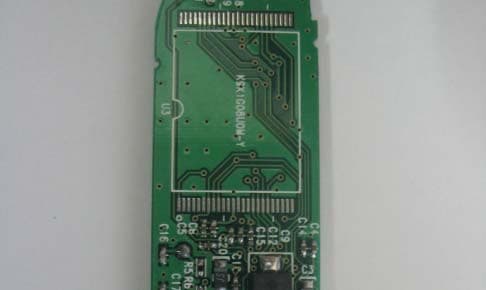
Jun 20, 2004USB Storage Device
Equipment Class
JBP - Part 15 Class B Computing Device Peripheral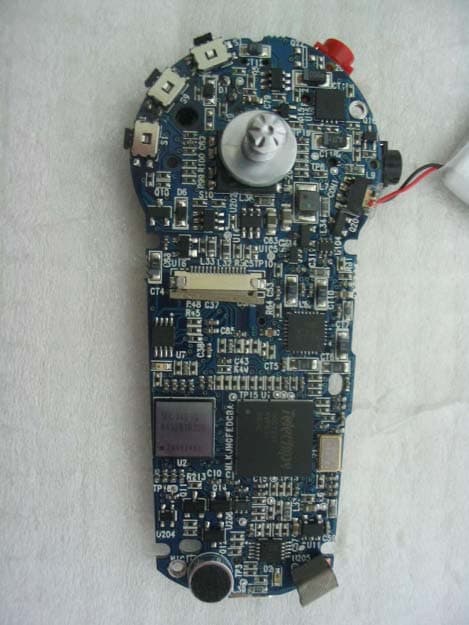
P9BJM-200
May 13, 2004MP3 Player
Equipment Class
JBP - Part 15 Class B Computing Device Peripheral
P9BTX-1000
Dec 22, 2003FM Transmitter
Equipment Class
DXX - Part 15 Low Power Communication Device Transmitter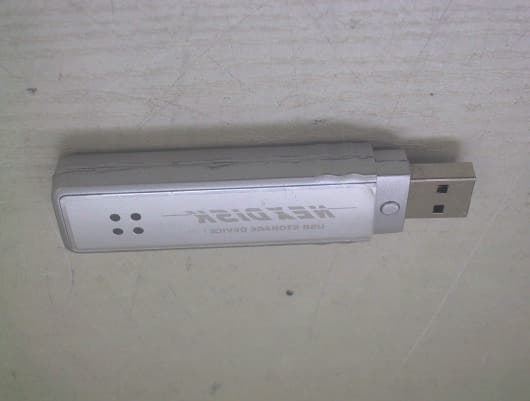
P9BPSD301
Aug 10, 2003USB Storage Device
Equipment Class
JBP - Part 15 Class B Computing Device Peripheral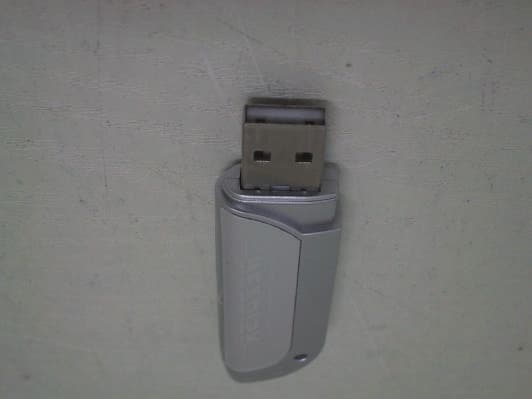
P9BPSD303
Aug 03, 2003USB Storage Device
Equipment Class
JBP - Part 15 Class B Computing Device Peripheral