PBY8505001Bluetooth Headset
Ericsson Mobile Communications AB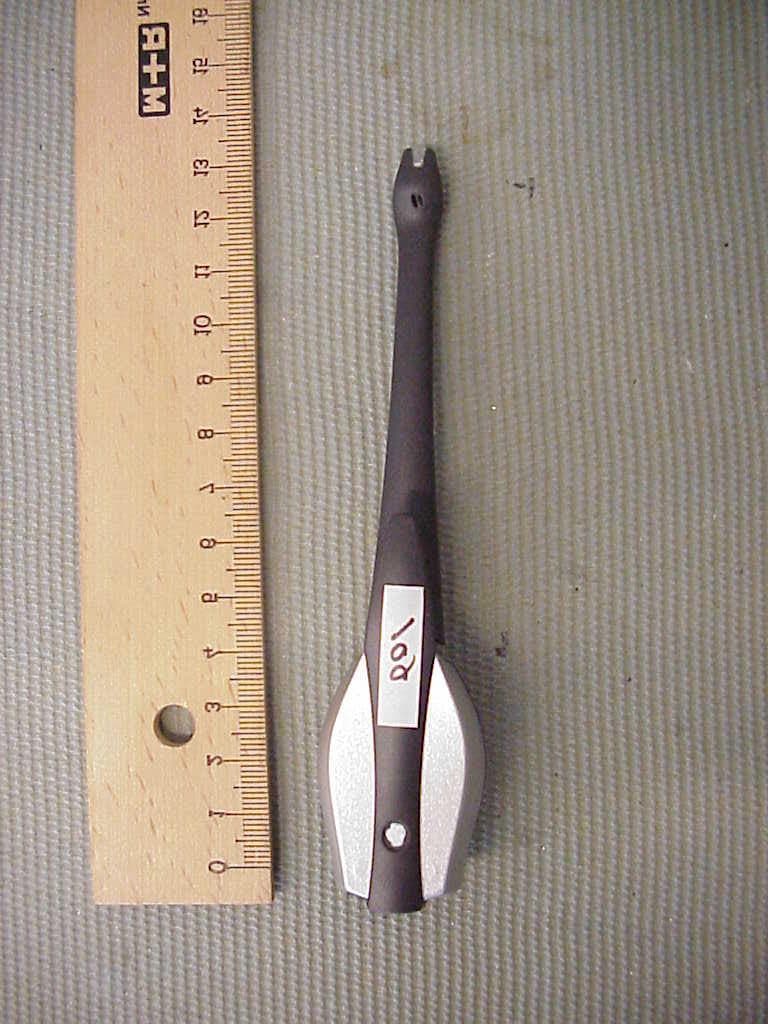
Click to zoom
Application Details
- Equipment Class
- DSS - Part 15 Spread Spectrum Transmitter
- Date of Grant
- Feb 08, 2001
- Application Purpose
- Original Equipment
- Date of Application
- Nov 23, 2000
- Equipment Note
- Bluetooth Headset
- Frequency Range
- 2402.00000000 - 2480.00000000
- Country
- Sweden
Documents & Files
Document Text
Text extracted from the exhibit documents filed with the FCC. Open a document above to read the original.
Users Manual
English ............................................. 3 Deutsch .......................................... 29 Español .......................................... 57 Français ......................................... 85 Italiano.......................................... 113 ........................................141 HBH10-R3A-PRINT.BOOK Page 1 Tuesday, October 3, 2000 2:26 PM HBH10-R3A-PRINT.BOOK Page 2 Tuesday, October 3, 2000 2:26 PM English3 English Contents 3 Introduction4 Using Your Headset5 Overview ....................................... 5 Looking After the Headset ............ 6 Getting Started ............................... 6 Putting On the Headset .................. 7 Right or Left Ear............................ 7 Charging ........................................ 9 Turning the Headset On or Off.... 11 Pairing the Headset ...................... 11 Resetting the Headset .................. 13 Adjusting the Volume.................. 14 Making and Receiving Calls ....... 14 Using the Phone’s Extras Menu17 Right or Left Ear.......................... 17 Selecting Which Device to Use ... 17 Adjusting the Volume.................. 18 Headset Battery Status................. 19 Changing the Passkey .................. 19 Changing the Headset Name ....... 19 Additional Information20 Troubleshooting........................... 20 Ericsson Mobile Internet ............. 21 Guidelines for Safe and Efficient Use ................................ 21 Bluetooth Capability Statement... 26 Important Information ................. 26 Declaration of Conformity ........ 164 Index27 Ericsson HBH-10 Third edition (September 2000) This User’s Guide is published by Ericsson Mobile Communications AB, without any warranty. Improvements and changes to this User’s Guide necessitated by typographical errors, inaccuracies of current information, or improvements to programs and/or equipment, may be made by Ericsson Mobile Communications AB at any time and without notice. Such changes will, however, be incorporated into new editions of this User’s Guide. All rights reserved. ©Ericsson Mobile Communications AB, 2000 Publication number: LZT 108 3758/1 R3A INNOVATRON PATENTS. BLUETOOTH is a trademark owned by Telefonaktiebolaget L M Ericsson, Sweden. HBH10-R3A-PRINT.BOOK Page 3 Tuesday, October 3, 2000 2:26 PM 4Introduction Introduction The Bluetooth™ Headset HBH-10 is a cordless portable handsfree solution based on Bluetooth wireless technology. Please read the “Guidelines for Safe and Efficient Use” and “Limited Warranty” chapters before using your Headset. What is Bluetooth Wireless Technology? The Bluetooth wireless technology makes it possible to connect any compatible portable and stationary communications device without using cables. The technology is based on a radio link that offers fast and reliable transmission of voice and data information. It does not require a line-of-sight connection in order to establish communication. The Bluetooth wireless technology uses a globally available frequency range intended to ensure communication compatibility worldwide. Please refer to the section “Product Care and Maintenance” on page 21 for any exceptions to availability. How Can I Use My Headset? You can connect your Headset to your mobile phone or PC – or any device with Bluetooth wireless technology that supports the Headset Profile – to keep your hands free for more important tasks when you are at the office or in the car. This User's Guide focuses on how to use the Headset with your mobile phone. When the Headset is connected to your mobile phone, you can use voice control to make calls (if your phone supports this function). The phone can be tucked away in your pocket or in a bag. You can handle incoming and outgoing calls, and adjust the volume using a single three-way button on the Headset. HBH10-R3A-PRINT.BOOK Page 4 Tuesday, October 3, 2000 2:26 PM Using Your Headset5 Using Your Headset Overview Any device that you want to use with the Bluetooth Headset has to be compatible with Bluetooth wireless technology and support the Headset Profile. To be able to use the Headset together with a mobile phone, you need to have a phone with built-in Bluetooth capability, or a phone with a Bluetooth adapter connected to it. Front Back Indicator light Lever Microphone Headset button Charging connectors Speaker Ear hook Decrease volume Increase volume On/Off and Answer/End calls HBH10-R3A-PRINT.BOOK Page 5 Tuesday, October 3, 2000 2:26 PM 6Using Your Headset The Headset comes with a cradle, which holds the Headset during charging. The Cradle Looking After the Headset Always keep the Headset in a case or in the cradle when not wearing it on your ear. You can keep the Headset in the cradle even when not charging it. Note: Always handle the Headset with care! Getting Started Before you start using the Headset with a phone or other device for the first time, you should do the following: •Decide on which ear you want to wear the Headset (it is delivered for right-ear use). •Charge the Headset in the cradle using an appropriate Ericsson charger. •Pair the Headset with a device, for example, a mobile phone. These three stages are described in turn below. Release catch HBH10-R3A-PRINT.BOOK Page 6 Tuesday, October 3, 2000 2:26 PM Using Your Headset7 Putting On the Headset Right or Left Ear If you want to wear the Headset on your left ear, you have to change the orientation of the ear hook. To adjust the ear hook for left-ear use: 1.Gently pull the ear hook from the Headset as shown above. Always hold the hook as shown. •Press down the lever as shown. •Put on the Headset with the ear hook behind your ear. •Make sure the microphone is pointing towards your mouth. HBH10-R3A-PRINT.BOOK Page 7 Tuesday, October 3, 2000 2:26 PM 8Using Your Headset 2.Turn the hook 180 degrees. 3.Attach the ear hook by gently pressing it into place. You also have to change the orientation of the volume button. You can do this either using the Headset, or, if usin…
Text truncated - open the document above for the full version.
Users Manual
Utilisation du casque87 Utilisation du casque Généralités Tout périphérique que vous souhaitez utiliser avec le casque Bluetooth doit être compatible avec la technologie sans fil Bluetooth et prendre en charge le profil du casque. Pour que le casque puisse être utilisé avec un téléphone mobile, celui-ci doit être doté des fonctionnalités Bluetooth intégrées, ou un adaptateur Bluetooth doit lui être connecté. Avant Arrière Voyant lumineux Levier Micro Bouton du casque Connecteurs de charge Haut-parleur Contour d’oreille Diminuer le volume Allumer/Eteindre et Répondre/Raccrocher Augmenter le volume HBH10-R3A-PRINT.BOOK Page 87 Tuesday, October 3, 2000 2:26 PM 88Utilisation du casque Le casque est livré avec un support sur lequel il repose pendant la charge. Le support Protection du casque Placez toujours le casque dans sa boîte ou son support lorsque vous ne le portez pas à l’oreille. Vous pouvez laisser le casque dans le support en dehors des périodes de charge. Remarque : Manipulez toujours le casque avec précaution ! Démarrage Avant d’utiliser le casque avec un téléphone ou un autre périphérique pour la première fois, effectuez les interventions suivantes : •Choisissez l’oreille sur laquelle vous porterez le casque (il est configuré d’origine pour une utilisation à l’oreille droite). •Chargez le casque dans le support en utilisant un chargeur Ericsson approprié. •Jumelez le casque à un périphérique, par exemple, un téléphone mobile. Ces trois étapes sont décrites successivement dans les pages suivantes. Cliquet de dégagement HBH10-R3A-PRINT.BOOK Page 88 Tuesday, October 3, 2000 2:26 PM Utilisation du casque89 Positionnement du casque Oreille droite ou gauche Si vous souhaitez porter le casque sur l’oreille gauche, vous devez changer l’orientation du contour d’oreille. •Appuyez sur le levier tel qu’indiqué. •Mettez en place le casque, le contour d’oreille derrière l’oreille. •Vérifiez que le micro est orienté vers votre bouche. HBH10-R3A-PRINT.BOOK Page 89 Tuesday, October 3, 2000 2:26 PM 90Utilisation du casque Pour ajuster le contour d’oreille en vue d'une utilisation sur l’oreille gauche 1.Tirez délicatement le contour d’oreille pour l’extraire du casque de la façon indiquée ci-dessus. Veillez à saisir le contour de la façon indiquée. 2.Faites-lui subir une rotation de 180 degrés. 3.Pour fixer le contour d’oreille, enclenchez-le délicatement. Vous devez également changer l’orientation du bouton de volume. Pour cela, vous pouvez utiliser le casque ou, si vous employez un téléphone Ericsson, le système de menus de ce dernier. HBH10-R3A-PRINT.BOOK Page 90 Tuesday, October 3, 2000 2:26 PM Utilisation du casque91 Pour changer l’orientation du bouton de volume 1.Lorsque le casque est hors tension, maintenez enfoncé le bouton du casque pendant 10 secondes jusqu'à ce que le voyant lumineux du casque clignote en vert et en rouge. 2.Faites glisser le bouton de volume dans la direction souhaitée (vers le haut ou vers le bas) pour augmenter le volume. 3.Maintenez enfoncé le bouton du casque jusqu’à ce que le casque s’éteigne. Reportez-vous à la section « Oreille droite ou gauche » à la page 101 si vous souhaitez changer l’orientation du bouton de volume en utilisant le système de menus du téléphone. Charge Le casque est livré avec une batterie rechargeable intégrée. Celle-ci n’est pas entièrement chargée lors de l’achat initial du casque. Avant d’utiliser le casque pour la première fois, nous vous conseillons de le charger jusqu’à ce que le voyant lumineux devienne vert. Pour charger le casque, placez-le dans son support. •Pour indiquer que la batterie devra bientôt être rechargée, le voyant lumineux du casque clignote en rouge lorsque le casque est sous tension. •Il faut compter entre 1 heure et 1 heure 30 pour charger complètement la batterie. •Pendant la charge, le voyant lumineux s’allume en rouge lorsque le casque est hors tension, et clignote en rouge lorsqu’il est sous tension. •Lorsque la batterie est entièrement chargée, le voyant lumineux s’allume en vert lorsque le casque est hors tension, ou clignote en vert lorsqu’il est sous tension. Quels chargeurs utiliser ? Les chargeurs suivants peuvent être connectés au support : •Chargeur de voyage Ericsson CTR-10 •Adaptateur pour allume-cigare Ericsson CLA-10 Remarque : Si vous possédez un téléphone Ericsson, vous avez peut-être déjà l'un de ces chargeurs. HBH10-R3A-PRINT.BOOK Page 91 Tuesday, October 3, 2000 2:26 PM 92Utilisation du casque Charge de la batterie •Connectez le chargeur au support et à une prise secteur. L'éclair imprimé sur la fiche doit être orienté vers le haut. •Insérez le casque dans le support de charge tel qu’indiqué dans l’illustration. Vérifiez que les broches du connecteur sont alignées sur les contacts correspondants du casque. Broches du connecteur HBH10-R3A-PRINT.BOOK Page 92 Tuesday, October 3, 2000 2:26 PM Utilisation du casque93 •Appuyez délicatement sur le casque pour l’enclencher. •Pour retirer le casque du support, faites glisser le cliquet de dégagement vers l’arrière et soulevez le casque pour l’extraire. Déconnexion du chargeur •Inclinez la fiche vers le haut pour la retirer. HBH10-R3A-PRINT.BOOK Page 93 Tuesday, October 3, 2000 2:26 PM 94Utilisation du casque Mise sous tension ou hors tension du casque Pour mettre le casque sous tension •Maintenez enfoncé le bouton du casque jusqu’à ce que vous entendiez une courte tonalité grave, suivie d’une courte tonalité aiguë. Le voyant lumineux du casque clignote en vert. Si la batterie est faible, le voyant lumineux clignote en rouge. Pour mettre le casque hors tension •Maintenez enfoncé le bouton du casque jusqu’à ce que vous entendiez une courte tonalité aiguë, suivie d’une courte tonalité grave. Le voyant du casque s’éteint. Jumelage du casque Avant d’utiliser le casque pour la première fois, vous devez le jumeler au périphérique avec lequel vous souhaitez l’utiliser, par exemple, un téléphone mobile. Cette section décrit trois procédures de jumelage du casque …
Text truncated - open the document above for the full version.
External Photos
CETECOM ICT Services GmbH Test report nr..: 2_2100-D/00Issue Date: 13.07.2000Page 31 (36) 8505001 PHOTOGRAPHS OF THE EQUIPMENT Photograph no.: 1 CETECOM ICT Services GmbH _____________________________________________________________________________________________________ Test report nr.: 2_2100-D/00Issue Date: 13.07.2000Page 32 (36) ___________________________________________________________________________________________________________________________________________________________________________________________________________ 8505001 PHOTOGRAPHS OF THE EQUIPMENT Photograph no.: 2
ID Label/Location Info
Application PBY8505001 EXHIBIT 1: FCC ID Label & Location Info APPLICANT: FCC ID No.: Ericsson Mobile Communications ABPBY 8505001 Label Placement: Label Information: FCC ID: PBY 8505001 TYPE: 8505001 Enlarged Label: S61 BDA 012345678902 Made in FI ! 0682 KRY 901 28/01 R1C type&FCC ID:PBY8505001 N173 S61 BDA 012345678902 Made in FI ! 0682 KRY 901 28/01 R1C type&FCC ID:PBY8505001 N173
Internal Photos
CETECOM ICT Services GmbH Test report nr..: 2_2100-D/00Issue Date: 13.07.2000Page 33 (36) 8505001 PHOTOGRAPHS OF THE EQUIPMENT Photograph no.: 3 CETECOM ICT Services GmbH Test report nr..: 2_2100-D/00Issue Date: 13.07.2000Page 34 (36) 8505001 PHOTOGRAPHS OF THE EQUIPMENT Photograph no.: 4 CETECOM ICT Services GmbH Test report nr..: 2_2100-D/00Issue Date: 13.07.2000Page 35 (36) 8505001 PHOTOGRAPHS OF THE EQUIPMENT Photograph no.: 5 CETECOM ICT Services GmbH Test report nr..: 2_2100-D/00Issue Date: 13.07.2000Page 36 (36) 8505001 PHOTOGRAPHS OF THE EQUIPMENT Photograph no.: 6
Operational Description
Application PBY 8505001 Additional information for the FCC approval of Ericsson headset PBY8505001 ref: channel separation in data mode (1) The entire band is shown in the plot titled 'modulation spectrum' on page 22 of the FCC15.247 testreport “Testreport PBY8404003-BV”. A small part of the band with 3 MHz span is plotted below to show the hopping channel carrier frequency separation. A RBW 30 kHz * VBW 30 kHz SWT 10 ms * 1 PK MAXH Ref 10 dBmAtt 40 dB Center2.442 GHzSpan3 MHz300 kHz/ channel separation PRN -90 -80 -70 -60 -50 -40 -30 -20 -10 0 10 Delta 2 [T1] -0.22 dB -1.002000000 MHz Delta 3 [T1] -23.97 dB -516.000000000 kHz Marker 1 [T1] -0.04 dBm 2.442018000 GHz 2 3 1 Comment A: equal freq use peak inquiry hs Date: 26.JAN.2001 14:43:49 This is evidence the device has hopping channel carrier frequencies separated by 20 dB bandwidth of the hopping channel.
Operational Description
Application PBY8505001 Additional information for the FCC approval of Ericsson headset PBY8505001 ref: pseudorandom hop sequence in data mode (2) In the data mode the device uses a pseudorandom hopping sequence of 79 channels. Each unit will synchronize to the hopping sequence defined, but randomly selected, by the master unit. The hop selection kernel for the 79 hop system is shown in the figure below. The X input determines the phase in the 32-hop segment, whereas Y1 and Y2 selects between master-to-slave and slave-to-master transmission. The inputs A to D determine the ordering within the segment, the inputs E and F determine the mapping onto the hop frequencies. In this way a pseudo random hopping sequence is generated. list of channel frequencies in data mode Channel 0 : 2402 MHz Channel 1 : 2403 MHz Channel n : 2402 + n Mhz Channel 78: 2480 MHz sample of a few hop sequences in data mode 31, 62, 49, 24, 17, 16, 33, 48, 02, 42, 18, 64, 49, 34, 65, 66, 06, 58, 22, 11, 53, 50, 69, 03, 08, 44, 24, 76, 55, 36, 71, 68, 12, 60, 28, 13, 59, 52, 75, 05, 10, 46, 78, 57, 38, 73, 70, 14, 62, 30, 15, 20, 09, 46, 45, 58, 43, 62, 47, 42, 41, 78, 41, 72, 75, 13, 77, 15, 00, 76, 73, 45, 24, 43, 28, 47, 32, 41, 20, 75 63, 01, 10, 17, 26, 76, 57, 13, 72, 03, 18, 19, 78, 15, 02, 33, 12, 28, 45, 75, 35, 20, 51, 36, 31, 47, 04, 72, 06, 09, 22, 53, 69, 14, 70, 61, 07, 77, 55, 71, 58, 53, 12, 69, 26, 59, 50, 75, 66, 57, 18, 73, 34, 31, 40, 47, 56, 29, 08, 45, 24, 35, 48, 51, 64, 33, 16, 49, 32, 63, 44, 00, 60, 61, 12, 77, 28, 67, 52, 04 68, 43, 62, 20, 17, 04, 13, 36, 21, 67 PERM5 A 5 X O R 5 mod32 B 4 E 7 D 9 F 7 Y1 XOR C 5 5 557 X 5 mod79 9 ADDADD Y2 | 3 | 1 | 77 4 2 0 | 78
Operational Description
Application PBY 8505001 Additional information for the FCC approval of Ericsson headset PBY8505001 ref: short burst requirement in data mode Ref 0 dBmAtt 30 dB RBW 100 kHz VBW 100 kHz SWT 100 ms * A * Center2.442 GHzSpan100 MHz10 MHz/ 1 PK MAXH * idle connection PRN -100 -90 -80 -70 -60 -50 -40 -30 -20 -10 0 Date: 28.JAN.2001 17:25:42
Operational Description
Application PBY8505001 Additional information for the FCC approval of Ericsson headset PBY8505001 ref: channel separation in inquiry mode (17) Ref 0 dBmAtt 30 dB A SWT 10 ms 1 PK MAXH Center2.442 GHzSpan3 MHz300 kHz/ RBW 30 kHz VBW 30 kHz * * * ch separation inq PRN -100 -90 -80 -70 -60 -50 -40 -30 -20 -10 0 Marker 1 [T1] -2.80 dBm 2.441004000 GHz Delta 2 [T1] -41.50 dB 1.002000000 MHz 1 2 Date: 28.JAN.2001 17:57:04
Operational Description
Application PBY 8505001 Additional information for the FCC approval of Ericsson headset PBY8505001 ref: equal frequency use in inquiry mode Ref 0 dBmAtt 30 dB A SWT 100 ms Center2.442 GHzSpan100 MHz10 MHz/ RBW 100 kHz VBW 100 kHz * * 1 PK MAXH * equal freq use peak PRN -100 -90 -80 -70 -60 -50 -40 -30 -20 -10 0 Date: 28.JAN.2001 18:01:41 Ref 0 dBmAtt 30 dB A SWT 100 ms Center2.442 GHzSpan100 MHz10 MHz/ RBW 100 kHz VBW 100 kHz * * 1 SA AVG * equal freq use averag PRN -100 -90 -80 -70 -60 -50 -40 -30 -20 -10 0 SWP 200 of 200 Date: 28.JAN.2001 18:04:05
Test Report
CETECOM ICT Services GmbH Radio Satelite Communication Untertürkheimer Straße 6-10 . D-66117 SaarbrückenTelefon: +49 (0)681 598-9100Telefax: -9075 RSC11issue test report consist of 36 PagesPage 1 (36) Test report no.: 2_2100-D/00 FCC Part 15.247 8505001 Akkreditiertes Prüflaboratorium DAR-Registriernummer: TTI-P-G 166/98-00 vom 18.09.98 CETECOM ICT Services GmbH Test report nr.: 2_2100-D/00Issue date: 13.07.2000Page 2 (36) Table of Contents 1 General information 1.1 Notes 1.2 Testing laboratory 1.3 Details of applicant 1.4 Application details 1.5 Test item 1.6 Test standards 2 Technical test 2.1 Summary of test results 2.2 Test report 1 General information 1.1 Notes The test results of this test report relate exclusively to the test item specified in 1.5. The CETECOM ICT Services GmbH does not assume responsibility for any conclusions and generalisations drawn from the test results with regard to other specimens or samples of the type of the equipment represented by the test item. The test report may only be reproduced or published in full. Reproduction or publication of extracts from the report requires the prior written approval of the CETECOM ICT Services GmbH. 1.2Testing laboratory CETECOM ICT Services GmbH 66117 Saarbrücken Untertürkheimer Straße 6 - 10 Deutschland Telefone: + 49 681 598 - 9100 Telefax : + 49 681 598 - 9075 E-mail: [email protected] Internet: www.cetecom.de Accredited testing laboratory DAR-registration number : TTI-P-G 166/98-00 CETECOM ICT Services GmbH Test report nr.: 2_2100-D/00Issue date: 13.07.2000Page 3 (36) 1.3Details of applicant Name :Ericsson Radio Systems BV Street :Nieuw Amsterdamsestraat 40 City :7801 CA Emmen Country :The Netherlands Telephone:+31 591 637 777 Telefax :+31 591 632 001 Contact :Mr. Ron Linde Telephone:+31 591 637 777 1.4Application details Date of receipt of application : 06.05.00 Date of receipt of test item : 11.07.00 Date of test : 11.-12.07.00 1.5Test item Type of equipment : RLAN Type designation: 8505001 Manufacturer:applicant Street: City: Country: Serial number:HW# KRY 901 28/01 R1 ; S/N: 0080370F2580 Additional informations:: Frequency:2402 – 2480 MHz Type of modulation:24M0FXD (FHSS) Number of channels :79 Antenna:integral antenna Power supply:1.1 – 1.6 V DC NiMH accu Output power:max. 1 mW Type of equipment:Temperature range : -10°C - +55°C Average time of occupancy within a 30 second period: < 0.4 second 1.6Test standards: FCC Part 15 §15.247 CETECOM ICT Services GmbH Test report nr.: 2_2100-D/00Issue date: 13.07.2000Page 4 (36) 2 Technical test 2.1Summary of test results No deviations from the technical specification(s) were ascertained in the course of the tests performed. Technical responsibility for area of testing : 18.07.00RSC 8411Berg DateSectionNameSignature Technical responsibility for area of testing : 18.07.00RSC8414Ames DateSectionNameSignature CETECOM ICT Services GmbH Test report nr.: 2_2100-D/00Issue date: 13.07.2000Page 5 (36) 2.2Testreport TEST REPORT Testreport no. : 2_2100-D/00 CETECOM ICT Services GmbH Test report nr.: 2_2100-D/00Issue date: 13.07.2000Page 6 (36) TEST REPORT REFERENCE LIST OF MEASUREMENTS ParagraphPARAMETER TO BE MEASUREDPAGE Transmitter parameters § 15.247 (a)(1)20 dB Bandwidth7 § 15.247 (b)(1)Maximum peak output power11 § 15.247 (c)(1)Emission limitations 12 § 15.207Conducted emissions21 Modulation spectrum22 Band edge limits23 Receiver parameters § 15.209Spurious radiations - Radiated24 Test equipment listing27 Photographs of the equipment29 CETECOM ICT Services GmbH Test report nr..: 2_2100-D/00Issue Date: 13.07.2000Page 7 (36) Equipment under test : 8505001 Ambient temperature: 23°C Relative humidity : 50% REFERENCE NUMBER(S) OF TEST EQUIPMENT USED (for reference numbers see test equipment listing) 64 20 dB BANDWIDTHSUBCLAUSE § 15.247 (a)(1) TEST CONDITIONS20 dB BANDWIDTH ( kHz ) Frequency (MHz)240224402480 T nom ( 23 )°C V nom ( 1.3 )V961.92905.81945.89 Measurement uncertainty±3dB LIMIT SUBCLAUSE §15.247(a) (1) (ii) Occupied bandwith shall not exceed 1000 kHz CETECOM ICT Services GmbH Test report nr..: 2_2100-D/00Issue Date: 13.07.2000Page 8 (36) Equipment under test : 8505001 Ambient temperature: 23°C Relative humidity : 50% REFERENCE NUMBER(S) OF TEST EQUIPMENT USED (for reference numbers see test equipment listing) 64 20 dB BANDWIDTHSUBCLAUSE § 15.247 (a)(1) 2402 MHz LIMIT SUBCLAUSE §15.247(a) (1) (ii) Occupied bandwith shall not exceed 1000 kHz A UnitdBm RBW 10 kHz VBW 30 kHz SWT 100 ms Ref Lvl 0 dBm Ref Lvl 0 dBm RF Att 30 dB Center2.402 GHzSpan4 MHz400 kHz/ 1VIEW1MA -100 -90 -80 -70 -60 -50 -40 -30 -20 -10 0 1 1 Delta 1 [T1] -0.29 dB 961.92384769 kHz D1 -25.72 dBm Date: 11.JUL.2000 10:34:23 CETECOM ICT Services GmbH Test report nr..: 2_2100-D/00Issue Date: 13.07.2000Page 9 (36) Equipment under test : 8505001 Ambient temperature: 23°C Relative humidity : 50% REFERENCE NUMBER(S) OF TEST EQUIPMENT USED (for reference numbers see test equipment listing) 64 20 dB BANDWIDTHSUBCLAUSE § 15.247 (a)(1) 2440 MHz LIMIT SUBCLAUSE §15.247(a) (1) (ii) Occupied bandwith shall not exceed 1000 kHz A UnitdBm RBW 10 kHz VBW 30 kHz SWT 100 ms Ref Lvl 0 dBm Ref Lvl 0 dBm RF Att 30 dB Center2.44 GHzSpan4 MHz400 kHz/ 1VIEW1MA -100 -90 -80 -70 -60 -50 -40 -30 -20 -10 0 1 1 Delta 1 [T1] -4.08 dB 905.81162324 kHz D1 -25.81 dBm Date: 11.JUL.2000 10:32:42 CETECOM ICT Services GmbH Test report nr..: 2_2100-D/00Issue Date: 13.07.2000Page 10 (36) Equipment under test : 8505001 Ambient temperature: 23°C Relative humidity : 50% REFERENCE NUMBER(S) OF TEST EQUIPMENT USED (for reference numbers see test equipment listing) 64 20 dB BANDWIDTHSUBCLAUSE § 15.247 (a)(1) 2480 MHz LIMIT SUBCLAUSE §15.247(a) (1) (ii) Occupied bandwith shall not exceed 1000 kHz A UnitdBm RBW 10 kHz VBW 30 kHz SWT 100 ms Ref Lvl 0 dBm Ref Lvl 0 dBm RF Att 30 dB 400 kHz/Center2.48 GHzSpan4 MHz 1VIEW1MA -100 -90 -80 -70 -60 -50 -40 -30 -20 -10 0 11 Delta 1 [T1] 0.09 dB 945.89178357 kHz D1 -26.39 dBm Date: 11.JUL.2000 10:31:04 CET…
Text truncated - open the document above for the full version.
Test Report
Application PBY8505001 Additional information for the FCC approval of Ericsson headset PBY8505001 ref: 10 dB bandwidth in data mode Ref 0 dBmAtt 30 dB A SWT 100 ms 10 dB BW Center2.442 GHzSpan4 MHz400 kHz/ RBW 10 kHz VBW 30 kHz * * 1 PK MAXH * PRN -100 -90 -80 -70 -60 -50 -40 -30 -20 -10 0 Delta 2 [T1] -7.71 dB -248.000000000 kHz Delta 4 [T1] -20.78 dB -464.000000000 kHz Marker 1 [T1] -2.94 dBm 2.442000000 GHz Delta 3 [T1] -12.02 dB 136.000000000 kHz 4 2 1 3 Date: 28.JAN.2001 13:47:09
Test Report
Application PBY 8505001 Additional information for the FCC approval of Ericsson headset PBY8505001 ref: dwell time limit in data mode (7) The plot below shows how often a frequency is used in a 30 s period. The second plot shows the packet used. The longest possible in a Bluetooth connection is 2.8 ms. The analyser was set to zero span. The upper plot shows 122 occurences x 2.8 ms (worst case) = 341.6 ms dwell time (limit = 400 ms). The plot below shows how often a frequency is used in a 30 s period. The second plot shows the packet used. The longest possible in a Bluetooth connection is 2.8 ms. The upper plot shows 105 occurences x 2.8 ms = 294 ms dwell time (worst case). Limit = 400 ms. A RBW 100 kHz 1 AP CLRWR SGL Ref 0 dBmAtt 30 dBSWT 30 s Center 2.442 GHz3 s/ VBW 1 kHz * dwell time PRN -100 -90 -80 -70 -60 -50 -40 -30 -20 -10 0 Date: 28.JAN.2001 16:16:22 A RBW 100 kHz VBW 3 kHz * 1 AP CLRWR SGL Ref 0 dBmAtt 30 dBSWT 100 ms Center 2.442 GHz10 ms/ slot length PRN -100 -90 -80 -70 -60 -50 -40 -30 -20 -10 0 Date: 28.JAN.2001 15:58:21
Test Report
CONFIDENTIAL REPORT1 (122) Uppgjord (även faktaansvarig om annan) - Prepared (also subject responsible if other)Nr - No. ELN/TA/ Frank Hooijschuur ELN/TG/ Ger Bar gerbos ELN/TG/8404003BV/A1 Dokansv/Godk - Doc respons/ApprovedKontr – CheckedDatum - DateRevFile 2001-24-01A18404003BVprocgain.doc V:\PROJEKTE\00\Eri_all_2000\FCC Approval\PBY\8404003-BV\Filing 270101\8404003bvprocgain.doc EN/FAD 109 251 R1B PROCESSING GAIN MEASUREMENT RESULTS OF ERICSSON’S BLUETOOTH RADIO MODULE USING THE CW-JAMMING MARGIN METHOD Abstract This paper presents results concerning the processing gain (PG) for Ericsson’s Bluetooth radio module when measured according to FCC’s CW-jamming margin method. The PG from the direct sequence spreading caused by the access code in page and inquiry mode is found to be about 4 dB for three different access codes, with considerably different properties. Therefore, since Bluetooth in page and inquiry is considered as a hybrid system which is required to have a total PG of 17 dB, and the PG from the frequency hopping part is 15 dB, it is concluded that Ericsson’s radio module passes the test with a margin of about 2 dB. CONFIDENTIAL REPORT2 (122) Uppgjord (även faktaansvarig om annan) - Prepared (also subject responsible if other)Nr - No. ELN/TA/ Frank Hooijschuur ELN/TG/ Ger Bar gerbos ELN/TG/8404003BV/A1 Dokansv/Godk - Doc respons/ApprovedKontr – CheckedDatum - DateRevFile 2001-24-01A18404003BVprocgain.doc V:\PROJEKTE\00\Eri_all_2000\FCC Approval\PBY\8404003-BV\Filing 270101\8404003bvprocgain.doc EN/FAD 109 251 R1B Contents 1 Introduction 2 Description of the Method 3 Measurement results 4 Conclusions CONFIDENTIAL REPORT3 (122) Uppgjord (även faktaansvarig om annan) - Prepared (also subject responsible if other)Nr - No. ELN/TA/ Frank Hooijschuur ELN/TG/ Ger Bar gerbos ELN/TG/8404003BV/A1 Dokansv/Godk - Doc respons/ApprovedKontr – CheckedDatum - DateRevFile 2001-24-01A18404003BVprocgain.doc V:\PROJEKTE\00\Eri_all_2000\FCC Approval\PBY\8404003-BV\Filing 270101\8404003bvprocgain.doc EN/FAD 109 251 R1B 1 INTRODUCTION FCC has expressed that they preferably would like the processing gain obtained from the DS part to be measured by a (possibly modified) CW jamming margin method. Ericsson has performed such a measurement, and in this paper it is described how this measurement is performed together with the result showing that the PG from the DS part is about 4 dB. Consequently, it is concluded that Ericsson’s radio module has a PG from the DS part which exceeds the required 2 dB, and thus a total PG exceeding 17 dB, so that it indeed fulfils the by FCC imposed requirements. The remaining part of the paper is organized as follows. In Section 2, the CW- jamming method is recapitulated, and all parameter values that have to be determined for an measurement are given. Measurement method and results are given in Section 3. Finally, in Section 4, conclusions are drawn. 2 DESCRIPTION OF THE METHOD Referring to FCC §15.247 (e)(2), the processing gain may be determined as measured using the CW jamming margin method, which, for the sake of completeness, is repeated here: A signal generator is stepped in 50 kHz increments across the passband of the system, recording at each point the generator level required to produce the recommended Bit Error Rate (BER). This level is the jammer level. The output power of the intentional radiator is measured at the same point. The jammer to signal ratio (J/S) is then calculated, discarding the worst 20 % of the J/S data points. The lowest remaining J/S ratio is used to calculate the processing gain, as follows: Gp = S/N + Mj + Lsys, where Gp = the processing gain of the system, S/N = signal to noise ratio required for the chosen BER, Mj =J/S ratio, and Lsys = system losses. Note that total losses in a system, including intentional radiator and receiver, should be assumed to be no more than 2 dB. In Bluetooth, the despreading is accomplished by correlating the received bit stream with the bit pattern of the access code. Then the value of this correlation determines whether or not the access code should be considered as present. For Bluetooth, a “bit error” corresponds to that either the access code is present, but falsely rejected, or that the access code is absent but falsely accepted. The probability of the latter is negligible when compared to the former for any reasonable user scenario, and thus the false rejection ratio (FRR) is the figure of merit when evaluating the PG of the system. To reflect this, the CW jamming margin method, when applied to the Bluetooth system is interpreted as follows: CONFIDENTIAL REPORT4 (122) Uppgjord (även faktaansvarig om annan) - Prepared (also subject responsible if other)Nr - No. ELN/TA/ Frank Hooijschuur ELN/TG/ Ger Bar gerbos ELN/TG/8404003BV/A1 Dokansv/Godk - Doc respons/ApprovedKontr – CheckedDatum - DateRevFile 2001-24-01A18404003BVprocgain.doc V:\PROJEKTE\00\Eri_all_2000\FCC Approval\PBY\8404003-BV\Filing 270101\8404003bvprocgain.doc EN/FAD 109 251 R1B A signal generator is…
Text truncated - open the document above for the full version.
Contact Information
Applicant
Mats Hansson(Senior Staff Engineer)
Technical Contact
Ericsson Mobile Communications ABH�kan Sj�berg
[email protected]+46 46 193 000
Im Teelbruch 122 · Lund · Germany
Non-Technical Contact
Ericsson Mobile Communications ABMats Hansson
[email protected]+46 46 193 000
Test Firm
Cetecom ICT Services GmbHRalf Hoehn
Technical Specifications
| # | Rule Parts | Frequency Range | Power Output |
|---|---|---|---|
| 1 | 15C | 2.40 GHz - 2.48 GHz | 1.67 mW |
Other Applications from Ericsson Mobile Communications AB

PBY6130201-BV
Nov 25, 2001PCMCIA card for Laptop Computer
Equipment Class
TNB - Licensed Non-Broadcast Station Transmitter
PBY1130401
Nov 12, 2001Licensed Portable
Equipment Class
PCE - PCS Licensed Transmitter held to ear
PBY8505002
Sep 27, 2001Bluetooth Headset
Equipment Class
DSS - Part 15 Spread Spectrum Transmitter
PBY1130201
Jul 10, 2001Licensed Portable
Equipment Class
PCE - PCS Licensed Transmitter held to ear
PBY1130102
May 10, 2001Licensed Portable
Equipment Class
PCE - PCS Licensed Transmitter held to ear