PCMOTISDigital Audio Player
Hyun Won Inc.
Click to zoom
Application Details
- Equipment Class
- JBP - Part 15 Class B Computing Device Peripheral
- Date of Grant
- Aug 20, 2001
- Application Purpose
- Original Equipment
- Date of Application
- Aug 20, 2001
- Equipment Note
- Digital Audio Player
- Company
- Hyun Won Inc.
- Country
- South Korea
Documents & Files
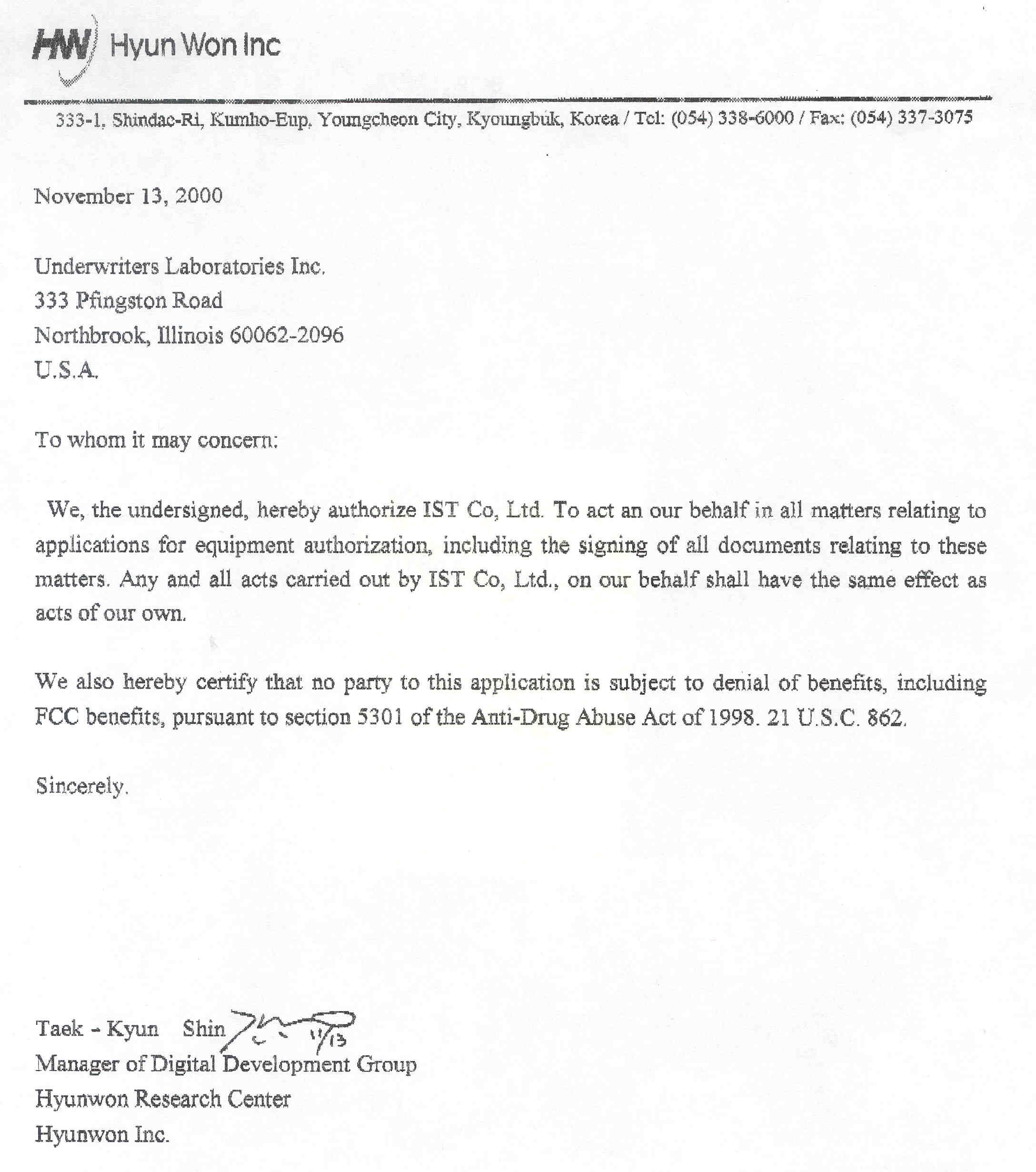
Document Text
Text extracted from the exhibit documents filed with the FCC. Open a document above to read the original.
Users Manual
Audible® Otis™ User Manual and Quick Start Guide Finished Size: 4 7/8” x 4 7/8” (Same size as CD cover) Quick Start section 1. Included with Your Otis™ 2. Quick Setup of the Otis™ 3. Hardware Overview 4. Operating the Otis™ 5. LCD Display Overview User Manual section 1. Introduction 2. PC System Requirements 3. Device Specifications 4. Memory Card Instructions 5. Software CD Components 6. How to Install AudibleManager® 7. How to Use AudibleManager® 8. How to Download Content from “My Library” at audible.com® 9. How to Install and Use the Windows Media™ Player 10. How to use Microsoft® Windows Media ™ Player to Prepare Music on Your Personal CDs for Playback on Your Otis™ 11. Using the Otis™ with Audible® and Music Content 12. Handling and Storage 13. Warranty 14. FCC Compliance Statement 15. Miscellaneous Legal disclaimers (not listed in Table of Contents) Quick Start 1. Included with your Otis™ are the following parts and components: • Otis™ digital audio player • Quick Start Guide / User Manual • USB cable • Software installation CD-ROM • Two (2) AAA batteries • Cassette adapter • Carrying case • Earphone 2. Quick Setup of the Otis™ Do not try to connect your Otis™ to the computer via the USB cable until prompted to do so during installation of AudibleManager®. • Turn on your computer and establish an Internet connection. • Insert batteries into your Otis™ device; press and hold the “Play” button for 2 seconds to turn the Otis™ on. Insert the CD-ROM into your computer’s CD- ROM drive. • At the startup screen, click the first button, “AudibleManager.” • Follow the on-screen prompts to install the AudibleManager® software allowing download and transfer of Audible®, MP3 and Windows Media™ Audio to your Otis™. 3. Hardware Overview (Pictures and button layout here From Don) 4. Operating the Otis™: • Turn Otis™ on: press and hold the “Play” button for 2 seconds. • Turn Otis™ off: press and hold the “Stop” button for 2 seconds. Note that your Otis™ is designed to automatically power off if left idle for 5 minutes. • Skip to next track or Audible® program: press the “Fast-Forward” button one time. • Reverse to last track or previous Audible® program: press the “Rewind” button one time. • Fast-forward within a music file or Audible® program: press and hold the “Fast- Forward” button. • Rewind within a music file or Audible® program: press and hold the “Rewind” button. 5. LCD Display Overview 1) Indicates MODE function has been enabled 2) Indicates an AUDIBLE® program is being played 3) EQUALIZER option music settings 4) Indicates HOLD switch is enabled 5) Indicates MulitMediaCard™ is inserted into digital audio player (not ncluded) 6) Information display; title of file, play-through time 7) Current Program Number Display, Current Section number if Audible® file containing multiple sections 8) Repeat indicator 9) Battery status 10) Total Program Number, Total Section Number User’s Manual Table of Contents: 1. Introduction 2. PC System Requirements 3. Device Specifications 4. Memory Card Instructions 5. Software CD Components 6. How to Install AudibleManager® 7. How to Use AudibleManager® 8. How to Download Content from “My Library” at audible.com® 9. How to Install and Use the Windows Media™ Player 10. How to use Microsoft® Windows Media ™ Player to Prepare Music from Your Personal CDs for Playback on Your Otis™ 11. Using the Otis™ with Audible® and Music Content 12. Handling and Storage 13. Warranty 14. FCC Compliance Statement 15. Miscellaneous Legal Disclaimers (not listed in TOC) 1. Introduction Congratulations on your purchase of the Otis™! We believe your Otis™ is the best device for playback of audible.com® spoken audio files as well as MP3 and Windows Media™ Audio files. Your Otis™ comes with 64 MB of on-board memory and can be expanded to 128 MB with a MultiMediaCard™ (MMC) (sold separately). You are now ready to begin listening to the best audio on the Web! For your convenience, you can always find the latest information and answers to common questions online at www.audible.com/helpcenter. 2. PC System Requirements • Microsoft® Windows® 98, 98 SE, ME, or 2000 operating system • Pentium® (or compatible) 200 Mhz or higher PC • 32 MB available RAM • 40+ MB RAM recommended for storing audio files • USB compatible • Internet connection for downloading Audible® content • CD-ROM drive with digital audio extraction support 3. Device Specifications • Size: 75 x 56 x19 mm • Flash Memory: 64 MB on-board, expandable to 128 MB through MultiMediaCard™ (MMC) slot • File Download Speed: Up to 2.5 Mbps internal memory, 900Kbps MMC • Battery: Two (2) AAA, 1.5V alkaline • Signal to Noise Ratio: 90 dB • Interface Port: Universal Serial Bus (USB) • Play Time (64 MB): Up to 2 hours of music or 20 hours of Audible® content • Battery Life: Approximately 10 hours of playback time • Audio Formats: Audible® formats 2 and 3, MP3 (8-320 Kbps, 8-48KHz), and Windows Media™ Audio files (64-128 Kbps, 16-48KHz) 4. Memory Card Instructions The Otis™ is compatible with MultiMediaCard™ (MMC) removable flash memory (sold separately). MMC cards enable you to expand your device's memory capacity so it can store more audio programming. When inserting a MMC card, make sure the device is powered off to prevent possible damage to the memory card. MMC cards are inserted completely into the unit with the gold contacts facing down and towards the front of the device. 5. Software CD Components The enclosed CD-ROM contains all the components necessary to download, playback, and transfer Audible® files and music files to your Otis™. AudibleManager® is capable of transferring Audible®, MP3, and Windows MediaAudio files to the Otis™. Windows Media™ Player allows you to put your music in Windows Media™ Audio format for transfer to your Otis™ device. BEFORE USING THE SOFTWARE ASSOCIATED WITH THIS PRODUCT, YOU MUST ACCEPT AND AGREE TO BE BOUND BY THE TERMS AND CONDITIONS OF THE LICENSE AGREEMENT ACCOMPANYING SUCH SOFTWARE. USE OF THE SOFTW…
Text truncated - open the document above for the full version.
Users Manual
Audible® Otis™ User Manual and Quick Start Guide Finished Size: 4 7/8” x 4 7/8” (Same size as CD cover) Quick Start section 1. Included with Your Otis™ 2. Quick Setup of the Otis™ 3. Hardware Overview 4. Operating the Otis™ 5. LCD Display Overview User Manual section 1. Introduction 2. PC System Requirements 3. Device Specifications 4. Memory Card Instructions 5. Software CD Components 6. How to Install AudibleManager® 7. How to Use AudibleManager® 8. How to Download Content from “My Library” at audible.com® 9. How to Install and Use the Windows Media™ Player 10. How to use Microsoft® Windows Media ™ Player to Prepare Music on Your Personal CDs for Playback on Your Otis™ 11. Using the Otis™ with Audible® and Music Content 12. Handling and Storage 13. Warranty 14. FCC Compliance Statement 15. Miscellaneous Legal disclaimers (not listed in Table of Contents) Quick Start 1. Included with your Otis™ are the following parts and components: • Otis™ digital audio player • Quick Start Guide / User Manual • USB cable • Software installation CD-ROM • Two (2) AAA batteries • Cassette adapter • Carrying case • Earphone 2. Quick Setup of the Otis™ Do not try to connect your Otis™ to the computer via the USB cable until prompted to do so during installation of AudibleManager®. • Turn on your computer and establish an Internet connection. • Insert batteries into your Otis™ device; press and hold the “Play” button for 2 seconds to turn the Otis™ on. Insert the CD-ROM into your computer’s CD- ROM drive. • At the startup screen, click the first button, “AudibleManager.” • Follow the on-screen prompts to install the AudibleManager® software allowing download and transfer of Audible®, MP3 and Windows Media™ Audio to your Otis™. 3. Hardware Overview (Pictures and button layout here From Don) 4. Operating the Otis™: • Turn Otis™ on: press and hold the “Play” button for 2 seconds. • Turn Otis™ off: press and hold the “Stop” button for 2 seconds. Note that your Otis™ is designed to automatically power off if left idle for 5 minutes. • Skip to next track or Audible® program: press the “Fast-Forward” button one time. • Reverse to last track or previous Audible® program: press the “Rewind” button one time. • Fast-forward within a music file or Audible® program: press and hold the “Fast- Forward” button. • Rewind within a music file or Audible® program: press and hold the “Rewind” button. 5. LCD Display Overview 1) Indicates MODE function has been enabled 2) Indicates an AUDIBLE® program is being played 3) EQUALIZER option music settings 4) Indicates HOLD switch is enabled 5) Indicates MulitMediaCard™ is inserted into digital audio player (not ncluded) 6) Information display; title of file, play-through time 7) Current Program Number Display, Current Section number if Audible® file containing multiple sections 8) Repeat indicator 9) Battery status 10) Total Program Number, Total Section Number User’s Manual Table of Contents: 1. Introduction 2. PC System Requirements 3. Device Specifications 4. Memory Card Instructions 5. Software CD Components 6. How to Install AudibleManager® 7. How to Use AudibleManager® 8. How to Download Content from “My Library” at audible.com® 9. How to Install and Use the Windows Media™ Player 10. How to use Microsoft® Windows Media ™ Player to Prepare Music from Your Personal CDs for Playback on Your Otis™ 11. Using the Otis™ with Audible® and Music Content 12. Handling and Storage 13. Warranty 14. FCC Compliance Statement 15. Miscellaneous Legal Disclaimers (not listed in TOC) 1. Introduction Congratulations on your purchase of the Otis™! We believe your Otis™ is the best device for playback of audible.com® spoken audio files as well as MP3 and Windows Media™ Audio files. Your Otis™ comes with 64 MB of on-board memory and can be expanded to 128 MB with a MultiMediaCard™ (MMC) (sold separately). You are now ready to begin listening to the best audio on the Web! For your convenience, you can always find the latest information and answers to common questions online at www.audible.com/helpcenter. 2. PC System Requirements • Microsoft® Windows® 98, 98 SE, ME, or 2000 operating system • Pentium® (or compatible) 200 Mhz or higher PC • 32 MB available RAM • 40+ MB RAM recommended for storing audio files • USB compatible • Internet connection for downloading Audible® content • CD-ROM drive with digital audio extraction support 3. Device Specifications • Size: 75 x 56 x19 mm • Flash Memory: 64 MB on-board, expandable to 128 MB through MultiMediaCard™ (MMC) slot • File Download Speed: Up to 2.5 Mbps internal memory, 900Kbps MMC • Battery: Two (2) AAA, 1.5V alkaline • Signal to Noise Ratio: 90 dB • Interface Port: Universal Serial Bus (USB) • Play Time (64 MB): Up to 2 hours of music or 20 hours of Audible® content • Battery Life: Approximately 10 hours of playback time • Audio Formats: Audible® formats 2 and 3, MP3 (8-320 Kbps, 8-48KHz), and Windows Media™ Audio files (64-128 Kbps, 16-48KHz) 4. Memory Card Instructions The Otis™ is compatible with MultiMediaCard™ (MMC) removable flash memory (sold separately). MMC cards enable you to expand your device's memory capacity so it can store more audio programming. When inserting a MMC card, make sure the device is powered off to prevent possible damage to the memory card. MMC cards are inserted completely into the unit with the gold contacts facing down and towards the front of the device. 5. Software CD Components The enclosed CD-ROM contains all the components necessary to download, playback, and transfer Audible® files and music files to your Otis™. AudibleManager® is capable of transferring Audible®, MP3, and Windows MediaAudio files to the Otis™. Windows Media™ Player allows you to put your music in Windows Media™ Audio format for transfer to your Otis™ device. BEFORE USING THE SOFTWARE ASSOCIATED WITH THIS PRODUCT, YOU MUST ACCEPT AND AGREE TO BE BOUND BY THE TERMS AND CONDITIONS OF THE LICENSE AGREEMENT ACCOMPANYING SUCH SOFTWARE. USE OF THE SOFTW…
Text truncated - open the document above for the full version.
ID Label/Location Info
ID Label Sample & Location Information FCC ID : PCMOTIS FCCD is marked at the equipment. The statement required of FCC are noted at the User’s Manual.
ID Label/Location Info
ID Label Sample & Location Information FCC ID : PCMOTIS MEMORY: 64M BATT: AAAx2 Input: DC 2.4V This device complies with Part 15 of the FCC Rules. Operation is subject to the following two conditions: (1) this device may not cause harmful interference, and (2) this device must accept any interference received, including interference that may cause undesired operation. Made in Korea
Operational Description
Description of Circuit Function & Device Operation 1. DC-DC Converter 1) This circuit performs DC to DC conversion. 2) The circuit converts 1.8V charged voltage (in battery) to 3V Vcc. 2. PC Interface 1) Personal computer have the extracted data file. 2) Data files are saved flash memory by USB (Universal Serial Bus) type connection, using the software by Hyun Won Inc. 3. Data Storage 1) This equipment has a flash memory (32/64/128 MB), in capable of the extracted data files. 4. DSP (Digital Signal Processor) 1) This circuit is DSP unit, processing digital signal. 2) Basic clock speed (on normal mode) is 22.5792 MHz. 5. CODEC 1) This circuit converts decoded digital to analog signal. 6. Amplifier 1) This circuit is a amplifier, matching impedance of output signal with impedance of earphone. 7. Extended Memory (Optional) 1) This model is capable of adding extended memory. 8. Operation Frequency 1) Output frequency (Analog signal) : 20 Hz ~ 20 kHz. 2) CPU clock speed (Digital signal) : 22.5792 MHz.
Parts List/Tune Up Info
Parts List of Otis June 7, 2001 ItemQuantityReferenceNamePart 30BC1,BC2,BC3,BC4,C5,BC5,C CHIP CERA0.1uF BC6,BC7,BC8,BC9,BC10, BC11,BC12,BC13,C15,BC15, BC16,BC17,BC18,BC22,BC24, BC26,BC27,C32,C33,C35, C37,C55,C100,C104 9C18,C21,BC21,BC23,BC25,C CHIP TANTAL10uF C36,C39,C43, C3 18B1,B2,B3,B4,B5,B6,B7,B8,EMI-Filter102 B9,B10,B11,B12, B16,B19,B20,R31,R59, R63 42R2,B18EMI-Filter301 7C1,C2,C10,C12,C38,C40,C CHIP CERA22pF C41 62C6,C14C CHIP TANTAL22uF 71C8C CHIP TANTAL220uF 83C9,C11,C13C CHIP CERA0.33uF 92C16,C25C CHIP CERA680pF 5C17,C20,C28,C31,C CHIP CERA1uF C54, 113C19,C23,C24C CHIP TANTAL4.7uF 122C22,C34C CHIP CERA5pF 134C26,C27,C44,C45C CHIP TANTAL100uF 142C30,C105C CHIP TANTAL47uF 36R3,R4,R5,R14,R15,R17,R18,Chip-Res100k ohm R19,R20,R23,R24,R26,R37, R38,C42,R45,R52,R56,R67, R68,R69,R81,R82,R83,R84, R85,R86,R87,R88,R92,R96, R97,R98,R99,R105,R118, 16R13,R16,R25,R40,R42,C46,Chip-Res10k ohm R101,R102,R103,R104, R113,R114,R115,R116,R117, R122 172D2,D6DiodeKDS193 182D5,D7Shottky DiodeRB411D 191JP2Earphone JackPHONEJACK 212J1,J2Board to Board Con.60P Connector 221J3LCD CONLCD CON 231J4BAT+BAT+ 241J5BAT-BAT- 251J6DC-JACKDC-JACK 261J8SDCARD 2.5MM CONNSDCARD 2.5MM CONN 271J9USB JACKUSB JACK 281L1Power Inductor10uH 292Q1,Q2PNP Tr2n3906 301Q3NPN TrKTC3879 317R6,R7,R8,R11,R61,R62,R76Chip-Res33 323R12,R9,R100Chip-Res0 331R10Chip-Res1k 342R29,R27Chip-Res133K ,1% 351R28Chip-Res20K ,1% 362R32,R34Chip-Res100K ,1% 371R33Chip-Res18K ,1% 385R35,R36,R57,R90,R91Chip-Res4.7K 392R39,R46Chip-Res56K 404R41,R43,R47,R48,Chip-Res2.7K 415R44,R49,R50,R51,R123Chip-Res20k 422R55,R53Chip-Res100 3R54,R64,R65,Chip-Res1M 10 15 16 43 1 2 3 5 ItemQuantityReferenceNamePart 441R60Chip-Res1.5K 451R93Chip-Res15k 471S1Tact S/WPLAY 481S2Tact S/WSTOP 491S3Angle Tact S/WUP 501S4Angle Tact S/WDOWN 511S5Tact S/WFF 521S6Tact S/WREW 531S7Angle Tact S/WSEC+(Mode) 541S8Angle Tact S/WSEC-(B-Mark) 551S9Angle Tact S/WMode(REC) 561S10Slide S/WHold 571U1DSP CORETMX320VC5416 581U2HEX Inverter74LVC14A 591U4RESET ICKIA7025 601U5Demultiplexer74LVC139A 611U6EEPROM25LC320 621U7Tranceiver74LVC245 631U8AD converterTLC549 641U9DCDCMAX1705 652U10,U11FLASH MEMORYFLASH MEMORY 661U12CodecPCM3002 671U13Audio ampTPA6610 681U14USB DriverGDS30C6001 691U15RegulatorAIC1722-33CX 701U19MOS FETSSD2019 711U20Buffer74LVC126 731Y1Crystal22.5792MHz 741Y2Crystal48MHz
RF Exposure Info
RF Exposure Info “ Not Applicable”
Test Report
File No. 01-IST-081/FB IST EMC LAB. Page 1 of 15 IST EMC Lab. San 21-8 Goan-Ri, Baekam-Myun, Yongin-Si, Kyunggi-Do, KOREA International - Tel : 82-31 - 333 - 4093. Fax : 82-31 - 333 - 4094. Domestic - Tel : 031 - 333 - 4093. Fax : 031 - 333 - 4094. IST EMC LAB. EMISSION TEST REPORT Test report file No. : 01-IST-081/FB Date of issue : July. 02, 2001. Model / Type No. Brand name Kind of product Applicant Manufacturer Address : Otis : Otis : MP3 Player : Hyun Won Inc. : Hyun Won Inc. : 333-1, Shindae-Ri, Kumho-Eup, Youngcheon-City, Kyoungbuk, Korea. Test result according to the regulation(s) n Positive o Negative at page 3. This test report without appendix consists of 15 pages. It is not allowed to copy this report even partly without the allowance of the Test Laboratory. This equipment is complied with the applicable technical standards as indicated in the measurement report and was tested in accordance with the measurement procedures specified in ANSI C63.4-1992. File No. 01-IST-081/FB IST EMC LAB. Page 2 of 15 IST EMC Lab. San 21-8 Goan-Ri, Baekam-Myun, Yongin-Si, Kyunggi-Do, KOREA International - Tel : 82-31 - 333 - 4093. Fax : 82-31 - 333 - 4094. Domestic - Tel : 031 - 333 - 4093. Fax : 031 - 333 - 4094. DIRECTORY A) Documentation. Page Directory Test regulations Environmental Conditions Test Conditions Equipment under Test Test Result Test-setup (Figures) Summary 2 3 3 4 ~ 5 6 7 8 ~ 9 15 B) Test Data. Conducted emissions (Mains) Radiated emissions : 450 kHz - 30 MHz : 30 MHz – 1 GHz 10~12 13~14 C) Appendix File No. 01-IST-081/FB IST EMC LAB. Page 3 of 15 IST EMC Lab. San 21-8 Goan-Ri, Baekam-Myun, Yongin-Si, Kyunggi-Do, KOREA International - Tel : 82-31 - 333 - 4093. Fax : 82-31 - 333 - 4094. Domestic - Tel : 031 - 333 - 4093. Fax : 031 - 333 - 4094. TEST REGULATIONS The tests were performed according to the following regulations ; z - FCC Part 15, Subpart B (Unintentional Radiators, Class B) Information of Test Laboratory IST EMC Lab. San 21-8 Goan-Ri, Baekam-Myun, Yongin-Si, Kyunggi-Do, Korea International - Tel : 82-31 - 333 - 4093. Fax : 82-31 - 333 - 4094. Domestic - Tel : 031 - 333 - 4093. Fax : 031 - 333 - 4094. Product Information - Power rating : DC 2.4V [AAA size 1.5V x 2. Alkaline battery] - Brand name : Otis - Manufactured by : Hyun Won Inc. - Contact person : Taek Kyun, Shin / General Manager ENVIRONMENTAL CONDITIONS Temperature Humidity Atmospheric pressure 27 46 % 1000 mbar File No. 01-IST-081/FB IST EMC LAB. Page 4 of 15 IST EMC Lab. San 21-8 Goan-Ri, Baekam-Myun, Yongin-Si, Kyunggi-Do, KOREA International - Tel : 82-31 - 333 - 4093. Fax : 82-31 - 333 - 4094. Domestic - Tel : 031 - 333 - 4093. Fax : 031 - 333 - 4094. TEST CONDITIONS The measurement of the conducted emissions (Interference voltage) was performed in a shielded room. Test location : z - Shielded room. No.1 - Compact chamber 2 Used testing instruments : Name TypeManufacturerCalibration. DateSerial Number z ESH 3Test ReceiverRohde & SchwarzOct. 08, 2000861742/018 z 3725/2LISNEMCOOct. 08, 20009102-1788 z 3825/2LISNEMCODec. 20, 20009103-1788 z ESH 3-Z2Pulse LimiterRohde & SchwarzJun. 16, 2001357.8810.52 Test - accessories : TypeManufacturer z Aneroid BarometerSato z HygrometerSato Measurement Procedures : Conducted emissions measurments were made in accordance with ANSI C-63.4-1992,“Method of Measurement of Radio-Noise Emissions from Low-Voltage Electrical and Electronic Equipment in the Range of 9 kHz to 40 GHz”. The measurement were performed over the frequency range of 0.45MHz to 30MHz using a 50Ω/ 50uH LISN as the input transducer to an EMI/Field Intensity Meter. The measurements were made with the detector set for “Peak” amplitude within an IF bandwidth of 10kHz or for “quasi-peak” within a bandwidth of 9kHz. All used test-instruments as well as the test-accessories are calibrated regularly. Test engineer : B. K, Bae. / Research Engineer IST EMC Lab. File No. 01-IST-081/FB IST EMC LAB. Page 5 of 15 IST EMC Lab. San 21-8 Goan-Ri, Baekam-Myun, Yongin-Si, Kyunggi-Do, KOREA International - Tel : 82-31 - 333 - 4093. Fax : 82-31 - 333 - 4094. Domestic - Tel : 031 - 333 - 4093. Fax : 031 - 333 - 4094. The measurement of the radiated emissions (Electric field) in the frequency range from 30 MHz to 1GHz was performed in horizontal and vertical antenna polarization at a open-site which meet the site attenuation requirement of ANSI C63.4-1992 and a test distance of : z - Open-site 1 - Compact chamber z - 3 meters - 10 meters Used testing instruments : NameTypeManufacturerCalibration. DateSerial Number z ESVPTest ReceiverRohde & Schwarz July. 21, 2000 861744/004 z VULB 9160AntennaSchwarzbeckJuly. 11, 20003048 Test - accessories : TypeManufacturer z Aneroid BarometerSato z HygrometerSato Measurement procedures Radiated measurements were in accordance with ANSI C63.4-1992 “Method of Measurement of Radio- Noise Emissions from Low-Voltage Electrical and Electronic Equipment in the Range of 9 kHz to 40 GHz”. The measurements were performed over the frequency range of 30MHz to 1GHz using antenna as the input transducer to a EMI/Field Intensity Meter. The measurements were made with the detector set for “quasi-peak” within a bandwidth of 120kHz. All used test-instruments as well as the test-accessories are calibrated regularly. Test engineer : B. K, Bae. / Research Engineer IST EMC Lab. File No. 01-IST-081/FB IST EMC LAB. Page 6 of 15 IST EMC Lab. San 21-8 Goan-Ri, Baekam-Myun, Yongin-Si, Kyunggi-Do, KOREA International - Tel : 82-31 - 333 - 4093. Fax : 82-31 - 333 - 4094. Domestic - Tel : 031 - 333 - 4093. Fax : 031 - 333 - 4094. EQUIPMENT UNDER TEST Equipment Description The Equipment Under Test (EUT) is the MP3 Player of Hyun Won Inc. Flash Memory64MB On-board(expandable to 128MB though) MultiMediaCard(MMC) Slot Size75X 56 X 19 (mm) BatteryDC 2.4V [AAA size 1.5V x 2, alkaline battery] Signal to Noise Ratio90dB Interface PortUniversal Serial Bus(USB) File Download SpeedUp to 2.5 Mbps internal memory, 900Kbps MMC Ope…
Text truncated - open the document above for the full version.
Test Setup Photos
File Download Mode Conducted Emission 0.45MHz ~ 30MHz File Download Mode Radiated Emission 30MHz ~ 1GHz Play Mode Radiated Emission 30MHz ~ 1GHz
Test Setup Photos
File Download Mode Conducted Emission 0.45MHz ~ 30MHz File Download Mode Radiated Emission 30MHz ~ 1GHz Play Mode Radiated Emission 30MHz ~ 1GHz
Test Setup Photos
File Download Mode Conducted Emission 0.45MHz ~ 30MHz File Download Mode Radiated Emission 30MHz ~ 1GHz Play Mode Radiated Emission 30MHz ~ 1GHz
Contact Information
Applicant
Ki-jung Lee(Assistant Manager)
Technical Contact
Hyun Won Inc.Taek Kyun Shin
[email protected]82-54-338-6000
333-1, Shindae-Ri, Kumho-Eup · Kyongbuk · South Korea
Non-Technical Contact
IST Co., Ltd.Joon H Lee
[email protected]82-31-333-4093
Test Firm
IST Co., LtdBong Kyoon Bae
Technical Specifications
| # | Rule Parts | Frequency Range | Power Output |
|---|---|---|---|
| 1 | 15B | - | - |
Other Applications from Hyun Won Inc.
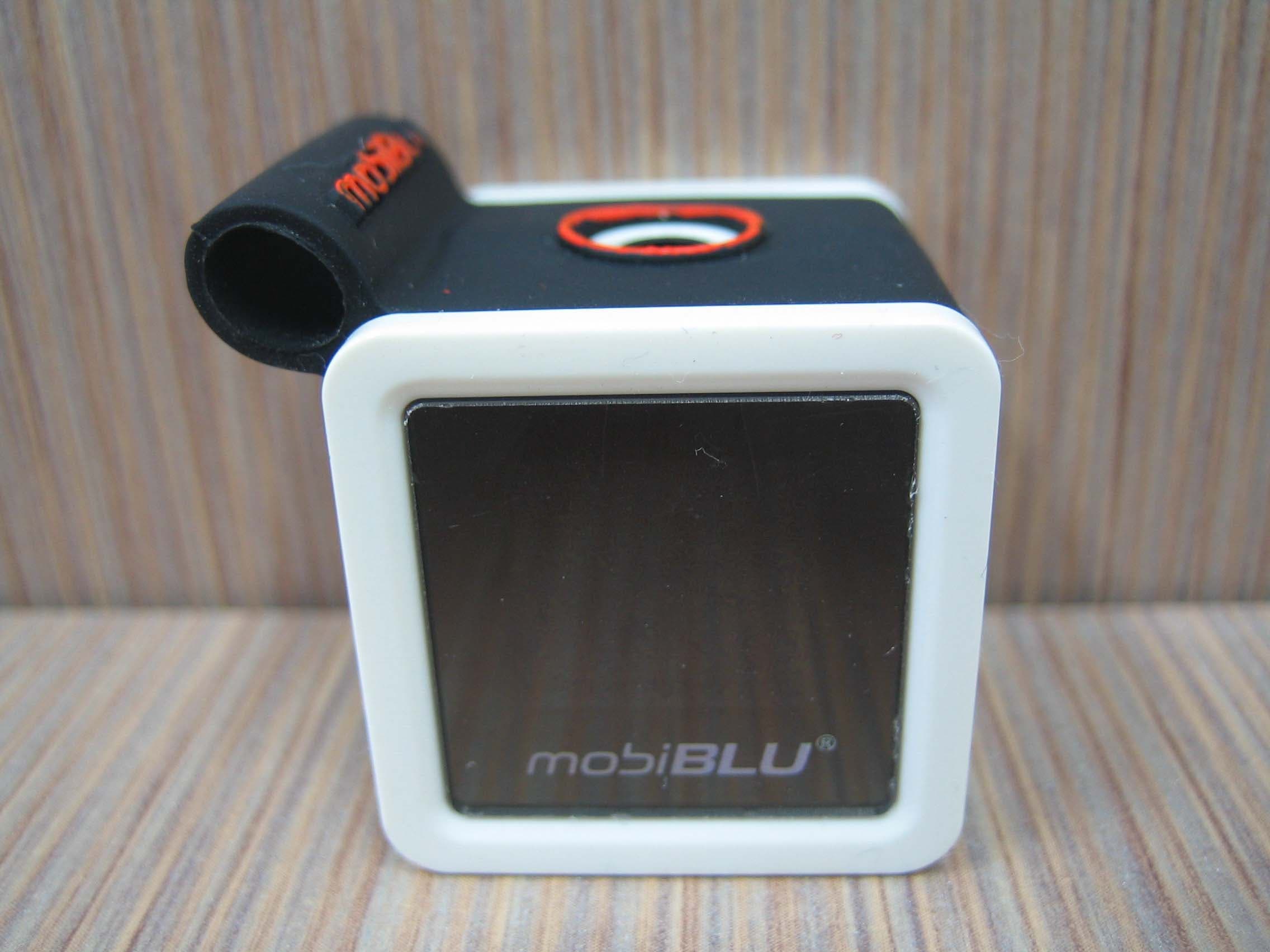
PCMCUBISTO
Sep 24, 2006Digital Audio Player
Equipment Class
JBP - Part 15 Class B Computing Device Peripheral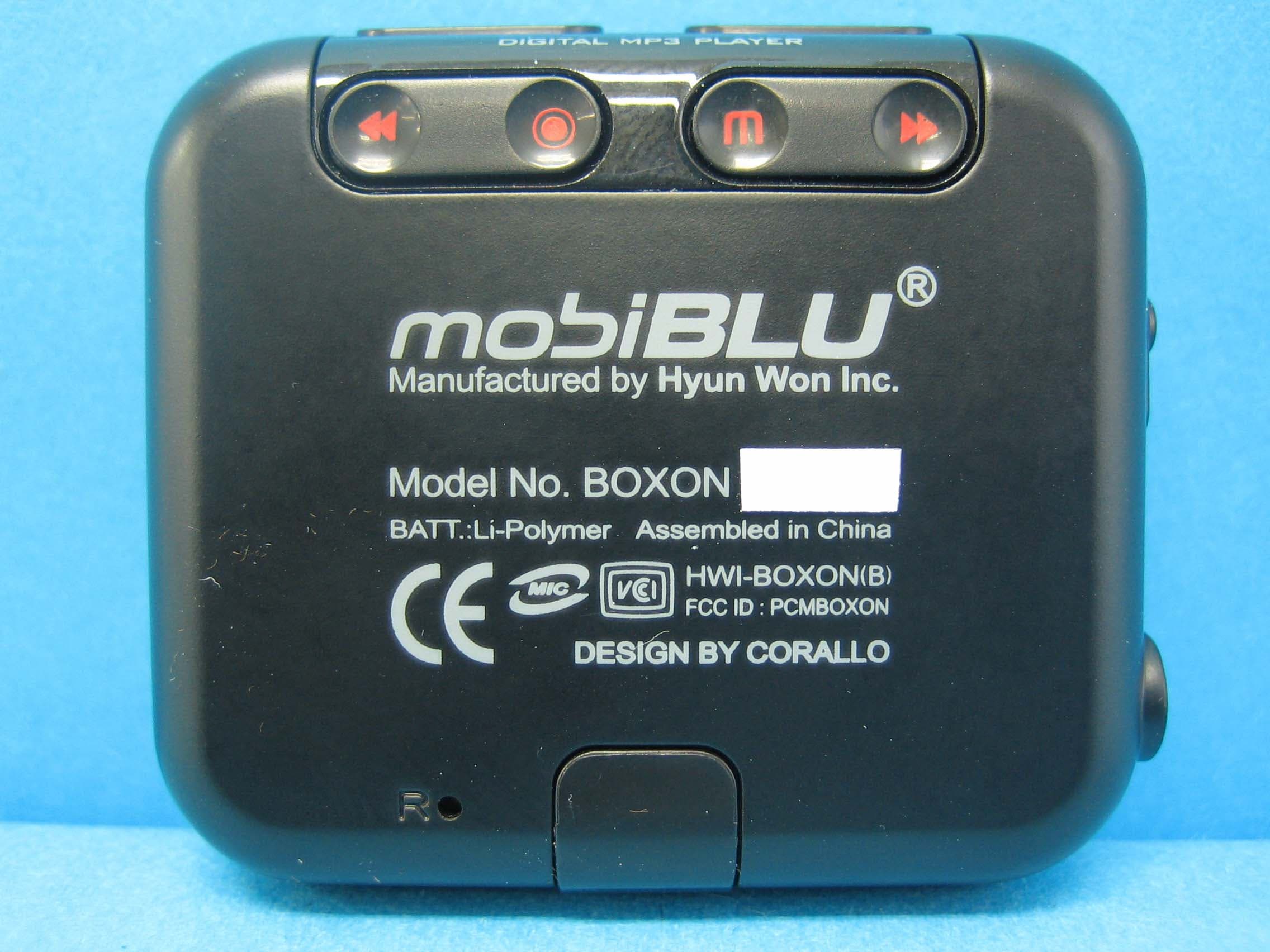
PCMBOXON
Sep 14, 2006Digital Audio Player
Equipment Class
JBP - Part 15 Class B Computing Device Peripheral
PCMDFM-100
Jul 31, 2006FM Transmitter
Equipment Class
DXX - Part 15 Low Power Communication Device Transmitter
PCMDAH-2100
Jun 15, 2006Digital Audio Player
Equipment Class
JBP - Part 15 Class B Computing Device Peripheral
PCMUS2
Jun 11, 2006MP3 PLAYER
Equipment Class
JBP - Part 15 Class B Computing Device Peripheral