PG4SD20XSD200 Access Appliance
Arris International, Inc.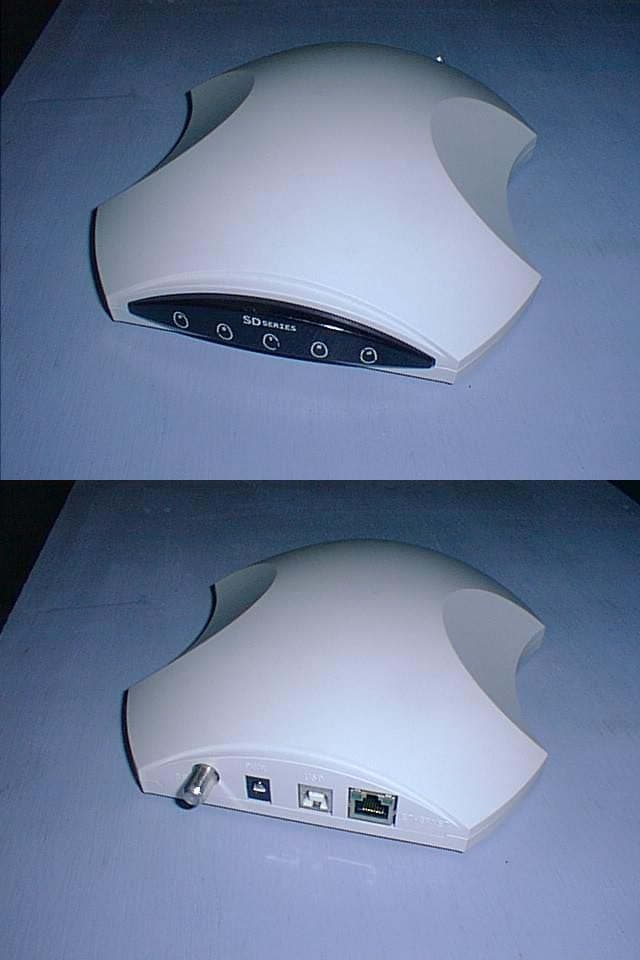
Click to zoom
Application Details
- Equipment Class
- JBP - Part 15 Class B Computing Device Peripheral
- Date of Grant
- Dec 19, 2001
- Application Purpose
- Original Equipment
- Date of Application
- Dec 19, 2001
- Equipment Note
- SD200 Access Appliance
- Company
- Arris International, Inc.
- Country
- United States
Documents & Files
Document Text
Text extracted from the exhibit documents filed with the FCC. Open a document above to read the original.
Users Manual
Installation Guide P/N 601002-001 SD200 Access Appliance This document is intended to provide instructions on installing the coaXmedia SD200 Access Appliance. Through the use of our SD200 Access Appliance and your PC, you can take advantage of the many high-speed Internet services which are available. The SD200 Access Appliance is designed to insure a fast, easy installation. Once this product is installed, using this product is as easy as clicking on an icon. A more detailed version of the Installation Guide is available on the Install CD. Introduction 1220 Oak industrial Lane, Suite B, Cumming, GA 30041, USA Port Selection Setup Wizard Launchpad The computer port you select for connection to the SD200 Access Appliance depends on your computer’s Operating System and the available ports. Check which ports are not in use and refer to the table below when making your selection. USBWindows 98, Me, 2000, XP Parallel Windows 98, ME, 2000, XP The CD supplied with your SD200 Access Appliance contains a Setup Wizard to simplify the setup process. Use the following procedure to use the Setup Wizard: 1. Switch your computer ON. 2. Load the coaXmedia Setup Wizard CD into your CD ROM drive. 3. Follow the Setup Wizard instructions. Once the Setup Wizard starts, follow the on-screen instructions. The Wizard sets up the necessary PC interface support, as well as installs a Launchpad application. End of Procedure Once the Setup Wizard runs successfully to completion, your computer reboots. When the system restarts, there is a coaXmedia icon added to your desktop. The Access Appliance has been designed to use serial, parallel, and USB interfaces. The Setup Wizard provides the option of installing software support for each of these port types. If you have chosen USB to use with the Access Appliance, you can connect the PC cable at this time. Launchpad is a connection manager which provides a central location that controls and configures your Access Appliance Internet connection. The Launchpad user interface allows you to connect or disconnect from the Internet, modify Internet connection parameters, and provides up-to-date connection information, as shown below. The following table explains the Launchpad screen selections. PortOS Changing Port Type Persistent Connection To change the port type used by Launchpad, use the following procedure: 1. Double-click on the coaXmedia icon on your desktop. Notice theicon in the tray. 2. Right-click on theicon in the system tray. 3. Selectfrom the menu. The following screen is displayed. 4. Select thetab. 5. Click on the desiredradio button. In the example, parallel is selected. 6. Clickto save the port selection and to close the dialog box. If the new device type is displayed as the currentin Launchpad’s main dialog, the port was properly selected, as shown below. End of Procedure The Launchpad option can be used to help maintain an active connection to the Internet. When the option is selected, Launchpad automatically attempts to reconnect your session to the Internet, if for any reason it goes down. 1.Right-click the X icon and select 2. Select thetab. 3. Check thebox. End of Procedure X X Properties Device Type Device Type OK Device Type Properties Users Persistent Connection SD SERIES P S T R D Connection Status Connected - connection to Internet is active. Idle - you are not connected to Internet. Up Time Device How long a connection has been active. The currently selected PC interface device type. Connect Disconnect Help This button is available when the current Connection Status is Idle. Use this button to establish an Internet connection. The button changes to once a connection is established. Disconnect This button is available when the current Connection Status is Connected. Use this button to disconnect from the Internet. The button should be used every time you are finished using the Internet, as a security measure against unauthorized access. Displays helpful information about using Launchpad. ! XLaunchpad Connection Status Idle... Connect Up Time: 00:00:00 Device: Parallel Help x XLaunchpad Connection Status Connected Connect Up Time: 10:01:30 Device: Parallel Help x Device Type Device Type User OK Cancel Apply Apply Help Debug RAS Parallel Port USB Port Launchpad Properties x FCC Statement Industry Canada Statement NEC Statement Support Information Warning Notice The coaXmedia SD200 Access Appliance has been tested and found to comply with the limits for a Class B personal computer and peripherals, pursuant to Part 15 of the FCC Rules. These limits are designed to provide reasonable protection against harmful interference in a residential installation.This equipment generates, uses, and can radiate radio frequency energy, and, if not installed and used in accordance with the instructions, may cause harmful interference to radio communications. However, there is no guarantee that interference will not occur in a particular installation. If this unit does cause harmful interference to radio or television reception, which can be determined by turning the unit off and on, the user is encouraged to try to correct the interference by one of more of the following measures: reorient or relocate the receiving antenna, increase the separation between the equipment and the receiver, connect the equipment into an outlet on a circuit different from that to which the receiver is connected, or consult the dealer or experienced radio/TV technician for help. "This Class B digital apparatus complies with Canadian ICES-003." "Cet appareil numérique de la classe B est conforme la norme NMB-003 du Canada." Theis intended to be connected to a cable system which has been properly grounded in accordance with the National Electric Code. If you require technical support, contact your equipment dealer or coaXmedia . The Support staff can be reached by phone at the following numbers, from 8:30 a.m. to 5:00 p.m. Eastern time, Monday through Friday. coaXmediaand the coaXmedialogo a…
Text truncated - open the document above for the full version.
ID Label/Location Info
408010-001 Product Label 4.00 2.00 1220 Oak Industrial Lane CUMMING GA 30041 ACCESS APPLIANCE MADE IN USA coaXmedia ACCESS APPLIANCE: Note: 1.Silver metalized polyester material with non glare finish and pressure sensitive adhesive on back. BRADY THT-55-428 or equivalent. 2.Labels to be supplied in form specified by Purchase Order (Roll, Sheet..etc). 3.Printing to be black permanent color except "X" in coaXmedia which is PMS208. 4.The font for all UL markings is Helvetica Condensed Black except for the trademark R, which is Helvetica Condensed Medium 5.The minimum height of the UL registered trademark R shall be 3/64 of an inch. When the overall diameter of the UL Mark is less than 3/8 of an inch, the trademark may be omitted if it is not legible to the naked eye. 7.Camera ready UL mark can be downloaded from http://www.ul.com/mark/index.html 1:1 Scale Rev A, 12-10-01 This device works ONLY where coaXmedia services are provided E218190 1220 Oak Industrial Lane, Cumming, GA 30041 408010-001 SD20X-001 Unit Label This device complies with Part 15 of the FCC Rules. Operation is subject to the following two conditions: (1) this device may not cause harmful interference, and (2) must accept any interference received, including interference that may cause undesired operation. Model :SD20X This class B digital apparatus complies with Canadian ICES-003. Cet appareil numérique de classe B est conforme à la norme Canadienne n o NMB-003 . FCC ID: PG4SD20X Label Information Label Location Note: SD20X Housing Bottom View coaXmedia ACCESS APPLIANCE: BarCode Code 39 FIG 1 1220 Oak Industrial Lane CUMMING GA 30041 ACCESS APPLIANCE MADE IN USA This device works ONLY where coaXmedia services are provided E218190 This device complies with Part 15 of the FCC Rules. Operation is subject to the following two conditions: (1) this device may not cause harmful interference, and (2) must accept any interference received, including interference that may cause undesired operation. This class B digital apparatus complies with Canadian ICES-003. Cet appareil numérique de classe B est conforme à la norme Canadienne n o NMB-003 . S/N XXXXXXXXXXXXXXMAC XXXXXXXXXXXX Model :SD20X FCC ID: PG4SD20X
Operational Description
Theory of operation: The user’s computer is connected to the Access Appliance through its Ethernet or USB port. After processing by the digital section, the data from the user’s computer is BPSK or QPSK modulated on a 915MHz carrier. The resulting upstream signal is amplified, filtered and then transmitted over the coaxial cable. The upstream symbol rate is 12MS/s. simultaneously the access appliance receives and demodulates the downstream signal from coaXmedia’s broadband gateway. The 22.5MS/s QPSK downstream signal is centered at 980MHz. The demodulated data is decoded by the Access appliance digital section and sent to the user’s computer via the Ethernet or USB interface.
Test Report
RF Emissions Test Report To Determine Compliance With: FCC, Part 15 Rules and Regulations Model number: SD200 December 13, 2001 Manufacturer: coaXmedia 1220 Oak Industrial Lane Suite B Cumming, GA 30041 EMC Testing Laboratories, Inc. authorizes the above company to reproduce this report provided it is reproduced in its entirety EMC Testing Lab. (770) 781-9228 Test report no. 01-239A Page 2 2 o o f f 2 2 1 1 Contents Section General Information ....................................................................... 1 Test Summary.................................................................................. 2 Standard Reference ........................................................................ 3 Test Method .......................................................................... 4 Radiated Emissions Measurements ................................................ 5 Conducted Emissions Measurements .............................................. 6 Test Configuration ...................................................................... 7 EMC Testing Lab. (770) 781-9228 Test report no. 01-239A Page 3 3 o o f f 2 2 1 1 Section 1 General Information Manufacturer: coaXmedia 1220 Oak Industrial Lane Suite B Cumming, GA 30041 Manufacturer representative: Mr. Dave Collins Equipment covered by this report: Model no. SD200 Options covered by this report: None Equipment serial no. Prototype Test specifications: To determine compliance with: FCC, Part 15, Subpart B Rules and Regulations, Class B Test report number: 01-239A Test commenced: November 27, 2001 Test completed: November 29, 2001 Test engineer: Kent Stewart Test Facility: The test facility used to perform these tests is on file with the FCC under file 31040/SIT, 1300F2 and located at: EMC Testing Laboratories, Inc. 2420 Oak Street West Cumming, GA. 30041-6456 EMC Testing Lab. (770) 781-9228 Test report no. 01-239A Page 4 4 o o f f 2 2 1 1 Section 2 Test report summary sheet 1 of 4 Summary: Tests Results FCC, Part 15, Class B, Radiated emissions: Pass FCC, Part 15, Class B, Conducted emissions: Pass 1- The product(s) covered by this report was found to comply with the Class B limits of the FCC, Part 15, Subpart B Rules and Regulations. 2- The minimum margin of compliance was –5.0 dBμv/m at 386.1 Mhz followed by –5.7 dBμv/m at 225.6 Mhz for configuration 1 and –2.0 dBμv/m at 17.7 Mhz followed by –3.0 dBμv/m at 18.2 Mhz for configuration 2. 3- The test results apply only to the products identified on the test report. Product description: The product(s) covered by this report consisted of a model SD200, is an Internet access appliance (modem) allowing high speed Internet connectivity over existing building coaxial distribution systems. The EUT connects to a personal computer via USB or Ethernet connection. The enclosure is constructed of plastic, (shaped as shown) with overall dimensions measuring 18.2cm wide by 4cm high by 20.3cm deep and houses the following components judged as critical: 1. A printed wiring board, manufactured by coaXmedia, part no. 311004-001, Rev. B. NOTE: During testing the unit’s plastic enclosure was not utilized. Test configuration: The equipment under test (EUT) was set-up and configured as specified by the manufacturer as follows. To test both the Ethernet and USB communication circuits, two configurations were tested. Additionally, two AC to DC adapters one manufactured by EMC Testing Lab. (770) 781-9228 Test report no. 01-239A Page 5 5 o o f f 2 2 1 1 Test report summary sheet 2 of 4 Ventronics Ins., part number R48W051000-14/1 and the other manufactured by Globtek Inc., part number WR1A1000LCP-N were tested for both configurations during conducted emissions testing. 1- The EUT was connected to the following support peripherals: A) A mouse, manufactured by Logitech, model no. M-S34-6MD, serial number LZA60347350, FCC ID: DZL210472. B) A printer, manufactured by Hewlett Packard, model 660C, serial number SG5BE1C151, FCC ID: B94C2164X. C) A laptop computer, manufactured by Toshiba, part no. PS171U-11K93H, serial no. Y024923CU, FCC DOC marked. (NOTE: The laptop computer has no means for connecting a serial device other than the mouse noted above.) NOTE: The following peripheral equipment was positioned away from the EUT: D) A Broadband Gateway, manufactured by coaXmedia, model no. BG-200, serial no. 014. E) A laptop computer, manufactured by Toshiba, part no. PRS408U-T2CW8, serial no. 59668335A, FCC DOC marked. 2- The EUT utilized the following cables and were connected as indicated below: A) A shielded cable, (integral to the mouse) was connected to the computer’s mouse port. B) A shielded printer cable was connected from the computer’s parallel printer port to the printer. C) A 75 ohm coaxial cable with a 40 ohm attenuater was connected from the EUT’s RF port to the IN port of a typical 2-way splitter, manufactured by Signal Vision Inc., part no. SV-2G. The OUT ports of the splitter were connected to the Broadway Gateway’s RFI and RFO ports by two 75 ohm coaxial cables. EMC Testing Lab. (770) 781-9228 Test report no. 01-239A Page 6 6 o o f f 2 2 1 1 Test report summary sheet 3 of 4 D) An unshielded category 5 cable was connected from the EUT’s Ethernet port to the laptop (Toshiba, part no. PS171U-11K93H, serial no. Y024923CU) computer’s Ethernet port. E) An unshielded category 5 cable was connected from the laptop (Toshiba, part no. PRS408U-T2CW8, serial no. 59668335A) computer’s Ethernet port to the Broadband Gateway Ethernet port. Test configuration 2 is identical to test configuration 1 except that the Ethernet cable (item D above) is removed and the following cable is used: A) A shielded USB cable was connected from the EUT’s USB port to the laptop (Toshiba, part no. PRS408U-T2CW8, serial no. 59668335A) computer’s USB port. Test operation: For all measurements, the equipment under test was caused to function in a continuous mode of operation for maximum electrical activity as specified by the manufacturer…
Text truncated - open the document above for the full version.
Contact Information
Applicant
Ed Champion
Test Firm
EMC Testing Laboratories, Inc.Gene Bailey
Technical Specifications
| # | Rule Parts | Frequency Range | Power Output |
|---|---|---|---|
| 1 | 15B | - | - |
Other Applications from Arris International, Inc.
PG4SD230
Oct 16, 2003SD230 WLAN Access Modem
Equipment Class
DTS - Digital Transmission System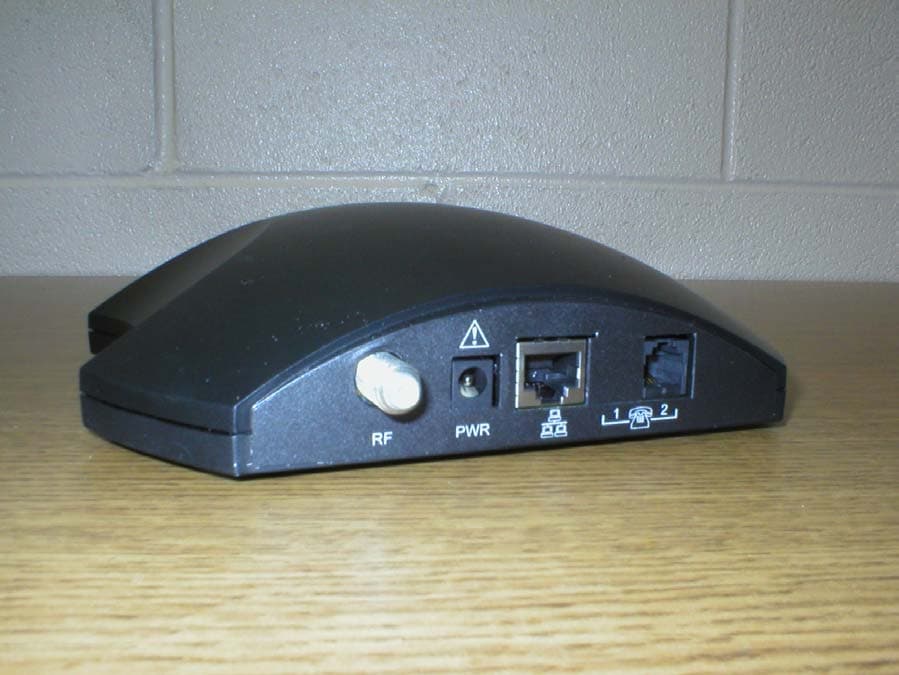
PG4SD220
Aug 14, 2003Cable Modem
Equipment Class
JBP - Part 15 Class B Computing Device Peripheral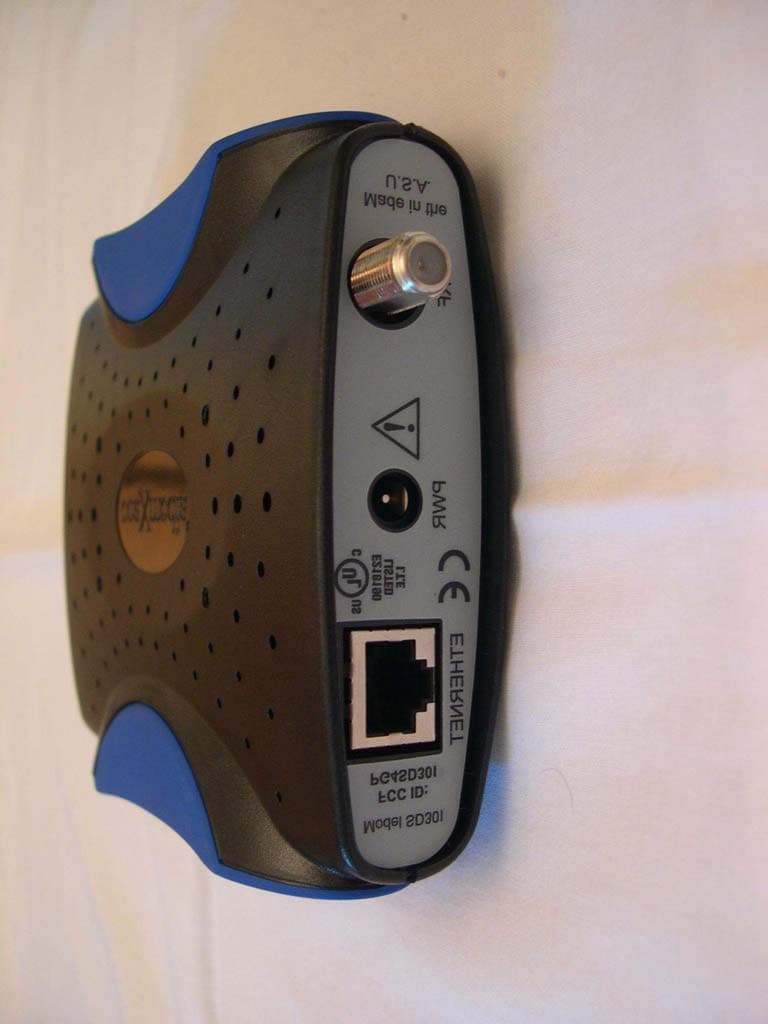
PG4SD301
Jul 10, 2003Cable Modem
Equipment Class
JBP - Part 15 Class B Computing Device Peripheral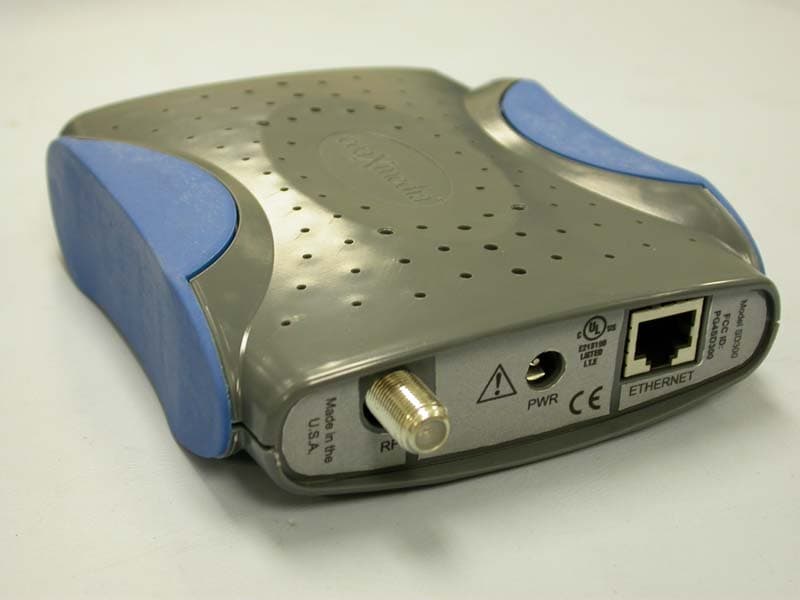
PG4SD300
May 14, 2003Cable Modem
Equipment Class
JBP - Part 15 Class B Computing Device Peripheral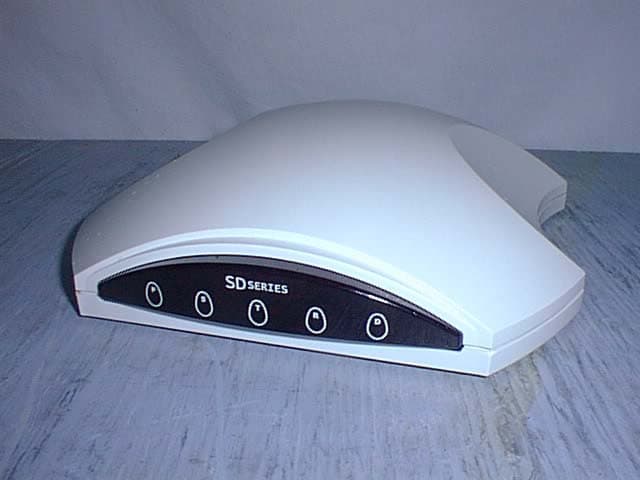
PG4SD201
Apr 18, 2002SD201 Acess Applicance
Equipment Class
JBP - Part 15 Class B Computing Device Peripheral