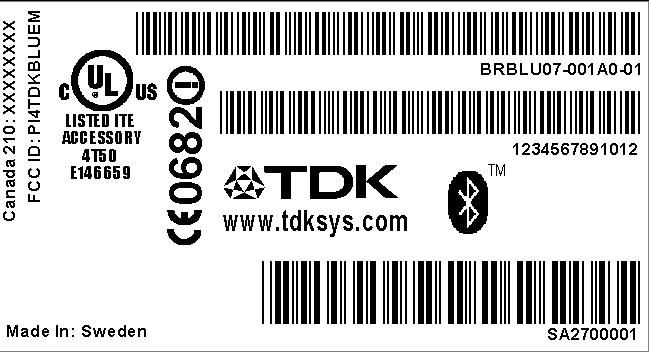
PI4TDKBLUEMBluetooth PDA Adapter
Laird Connectivity, LLC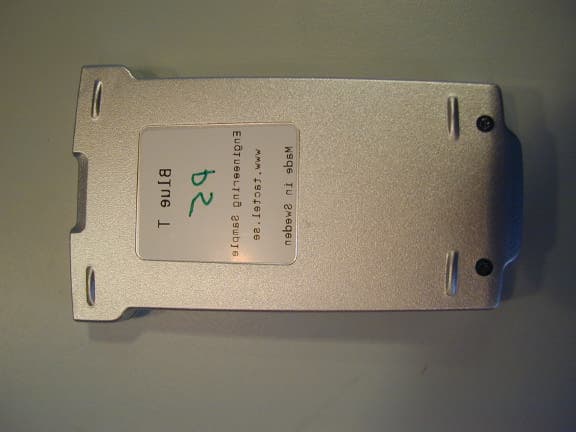
Click to zoom
Application Details
- Equipment Class
- DSS - Part 15 Spread Spectrum Transmitter
- Date of Grant
- Oct 30, 2001
- Application Purpose
- Original Equipment
- Date of Application
- Oct 30, 2001
- Equipment Note
- Bluetooth PDA Adapter
- Frequency Range
- 2402.00000000 - 2480.00000000
- Company
- Laird Connectivity, LLC
- Country
- United States
Documents & Files
Document Text
Text extracted from the exhibit documents filed with the FCC. Open a document above to read the original.
Users Manual
Bluetooth Enabler for Palm m500 and m505 1 Contents Introduction Box contents....................................................................................................................... 2 Getting Started Attaching the blueM........................................................................................................... 3 Removing the blueM .......................................................................................................... 4 Installing the blueM Software............................................................................................. 5 Using blueM Controlling Bluetooth with Preferences................................................................................. 6 Connecting with other devices............................................................................................. 7 Discovering other devices.......................................................................................... 7 Being discovered by other devices ............................................................................. 9 Pairing two Palm/blueM devices.............................................................................. 9 Viewing device properties......................................................................................... 9 Removing Bluetooth devices from the list................................................................. 9 Network (Internet) settings................................................................................................ 10 HotSync over Bluetooth (BlueSyncô)............................................................................... 11 Bluetooth Profiles .............................................................................................................12 The blueM button.............................................................................................................. 13 The blue indicator................................................................................................... 13 Menu Items....................................................................................................................... 14 Settings............................................................................................................................ 14 Troubleshooting and Information Pairing and Guides........................................................................................................... 15 Troubleshooting and Technical Information........................................................................ 23 Regulatory Information and Safety Statements.................................................................. 24 Glossary........................................................................................................................... 25 Warranty........................................................................................................................... 26 2 Introduction When you need to share Palm files with another computer, what is required? When you want to browse the Internet from your Palm using a mobile phone, what do you do? The answer is usually to connect them together using cables. As more connec- tions become necessary between mobile devices, so too does the number of cables required to make it all possible. Bluetoothô provides a way for devices to communicate without the need for cables or connectors. Using low power radio waves and a standard vocabulary, any device with Bluetooth wireless technology is able to make a connection with any other Bluetooth device to share information and resources. The TDK blueM is a sleek device that connects to the back of your Palm m125, m500, m505 or IBM WorkPad c500 series and provides a range of Bluetooth capabilities. blueM uses small amounts of power from your Palm battery and adds only 29g to the overall weight. Once the supplied software is loaded into your Palm, you are ready to connect with an ever-increasing range of smart, wireless devices. Next steps ïAttach the blueM ïInstall the Software ïUse Palm Preferences ïConnect with other Bluetooth devices ïMake network settings for Internet access ïReprogram the blueM button Box contents Your blueM package should contain the following items: ï blueM device ï Installation CD-ROM ï Instruction Guide 3 Getting Started Attaching the blueM Note: You must remove any other peripheral devices connected to your Palm handheld before attaching the blueM. 1 With the Palm switched off, line up the black connector on the blueM with the socket at the base of your Palm. 2 Slide the blueM onto your Palm until the connector fully mates with the socket and you feel it clipping into place. Next steps ïInstall the Software ïUse Palm Preferences 4 Removing the blueM 1 With the Palm switched off, gently lift the blueM away, roughly half a centimetre, from the back of the Palm. 2 Slide the blueM towards the base of the Palm until it fully disengages. 5 Installing the blueM Software 1 Place the Palm into the HotSync cradle as usual. 2 Insert the installation CD-ROM into the CD drive of your PC. The CD should automatically start and (if it does not start automatically: click the Win- dows Start button, click Run then click Browse, locate the CD-ROM drive and choose the file setup.exe.) 3 Follow the on screen instructions given in order to transfer the required applications from the CD-ROM, through the PC and onto the Palm. 4 Once the application transfer is complete, you can remove your Palm from the cradle and (if not already done) attach the blueM device. Next steps ïUse Palm Preferences ïConnect with other Bluetooth devices ïMake network settings for Internet access ïReprogram the blueM button 6 Using blueM Once the blueM software is installed on your Palm, you are ready to begin making connections to other Bluetooth equipped devices. There are two main stages in getting Bluetooth devices to work together: ï Firstly, one device must disco…
Text truncated - open the document above for the full version.
Cover Letter(s)
October 23, 2001 CONFIDENTIALITY REQUEST CKC Certification Services, 4933 Sierra Pines Dr., Mariposa, CA 95338, Re: TDK application for Hybrid Spread Spectrum System, FCC ID:PI4TDKBLUEM Gentlemen: TDK Systems EuropeLtd, 126 Colindale Avenue, Colindale, London NW9 5HD, UK requests, pursuant to 47CFR 0.459, post grant confidentiality for portions of the material contained in this application such that the identified material will be withheld from public inspection following the grant of this authorization. This material, as indicated by request for confidentiality of the item during the electronic submission process and further identified below, includes: Circuit diagrams , block diagram, bill of material and all schematics Regards, Gerald Schmidt, Cetecom ICT Services GmbH, Germany Untertuerkheimer Strasse 6-10 D-66117 Saarbruecken
Internal Photos
BlueT-TCF, version 1.0 Page 29 of 42 Date: 8/21/2001 5 Annex A: Pictures
Operational Description
BlueT TCF Page 3 of 42 Date: 8/7/2001 1 Introduction The BlueT is an add-on device for the Palm500/505 that enables your PDA to communicate over Bluetooth with other Bluetooth devices. The BlueT uses pre-qualified components to implement lower layers of the Bluetooth stack, that is the radio, baseband, link manager, HCI, L2CAP, SDP and RFCOMM. It supports the Bluetooth profiles GAP, SDAP, SPP and DUN. These profiles are implemented by Tactel as software running on the BlueT unit. Tactel also presents software running on the Palm, which enables the Palm to control mobile phone functions over the Bluetooth link. 2 Architecture Application Program Interface (TTConnectLib API) VDRV, Dialup Networking Profile, incoming VDRV, Dialup Networking Profile, outgoing Radio (RF) Baseband (BB) Link Manager (LM) L2CAP RFCOMM SDP Tactel application implementing (DUN, SPP) Tactel protocol Inside Blue5 Inside Palm Bluetooth preferences screen VDRV, Serial Port Profile out AT-commands PPP TCP/IP Web-/WAP- browser Terminal programs/Games and other applications Prequalified Implemented by tactel Implemented in PalmOS VDRV, Serial Port Profile in Figure 2-1 The architecture of the BlueT BlueT-TCF, version 1.0 Page 4 of 42 Date: 8/21/2001 2.1 Radio The BlueT radio is implemented by the “Ericsson Bluetooth Radio ROK 101 002/1”. This component is a Bluetooth pre-qualified component. 2.2 Baseband and Link Manager The BlueT baseband and Link Manager are implemented by the Bluetooth pre- qualified Ericsson component “IrmaB HCI R1A” (BB Controller: ROP 101 1112/C P5A and LM FW: P11A). This component is unchanged and the functionality of the BlueT for those layers is the same as for the Bluetooth pre-qualified component. 2.3 L2CAP, SDP and RFCOMM The L2CAP, SDP and RFCOMM layers are implemented by the Bluetooth pre- qualified Ericsson component “Bluetooth HOST Stack CNX 901 184” compiled for the ARM7TDMI processor that is used inside the BlueT. The BlueT functionality of these layers is the same as for the Bluetooth pre-qualified component. 2.4 GAP, SDAP, SPP and DUN As seen in figure 2-1 (page 4) there is a Tactel application inside the BlueT. This application implements the supported profiles GAP, SDAP, SPP and DUN. It also handles the communication protocol with the software inside the Palm. This protocol is a packet-based protocol developed at Tactel to be optimized for the special environment. The protocol supports multiplexing of data flowing from other Bluetooth devices and simultaneous control of Bluetooth links. This enables several RFCOMM Bluetooth connections between two devices and in future versions easy support for multipoint connections. The protocol is designed so that most critical Bluetooth functions are implemented inside the BlueT. The electrical interface is RS232 with ESD protected drivers (±15KV Human Body model, ±15KV IEC1000-4- 2 Air Discharge, ±8KV IEC1000-4-2 Contact Discharge). 2.5 The applications inside the Palm The software written by Tactel inside the Palm consists of three layers. The lowest layer is the TTConnectLib, which is a Palm OS library (see appendix-API reference for TTConnectLib section 2.6). This library allows other applications to take advantage of Bluetooth. The library implements the Tactel protocol and also handles multiplexing with several applications. The next layer is “virtual drivers”. The following “virtual drivers” are implemented: Dialup networking, outgoing: This is used to establish a normal dial-up networking connection to a dial-up networking gateway. BlueT-TCF, version 1.0 Page 5 of 42 Date: 8/21/2001 Dialup networking, incoming: This is used to establish a dial-up networking connection to a dial-up networking gateway, when an incoming call is expected. Serial Port Profile Out: This is used to establish a Serial port profile connection when (Role Device A). Serial Port Profile In: This is used to wait for an incoming Serial Port Profile connection (Role Device B). These “virtual drivers” uses the TTConnectLib to establish connections with other Bluetooth devices. The “virtual drivers” is a Palm OS 3.3 and later concept that enables existing applications, like dialup networking, to work with Bluetooth without modifications. The third layer is the “Bluetooth preferences screen” which uses the TTConnectLib directly to search for other Bluetooth devices and configure the behavior (passkey mode, Bluetooth device address) of the virtual drivers. BlueT-TCF, version 1.0 Page 6 of 42 Date: 8/21/2001 3 Hardware Description 3.1 General Hardware Description The hardware is based on Ericsson Bluetooth chipset. The main components are the Bluetooth Radio (U2, see section 3.5 Component Placement-Top and section 3.7 Bill of Material), the Baseband processor (U1) and flash memory (U3). A reset component (U12) is used for reset the Bluetooth components when needed. The RS-232 Transceiver (U4) handles the connection to the Palm, i.e. translates the signal to meet the RS-232 standard. The power supply to the device is taken from the Palm and is regulated to 2.8 and 3.0V, this is done by the Dual LDO (U11). The 2.8V is used to power the Bluetooth components (U1, U2 and U3) and the switch regulator (U9) which provides the necessary voltage for the Blue LED (D2). All other components are supplied with the 3.0V voltage. The voltage is shut of when no RS232 signals are detected on the Palm connector (J1). The antenna is integrated with the PCB (U8).
Test Report
CETECOM ICT Services GmbH Radio Satellite Communication Untertürkheimer Straße 6-10 . D-66117 SaarbrückenTelefon: +49 (0)681 598-9100Telefax: -9075 RSC14issue test report consist of 61 PagesPage 1 (61) Test report no.: 5_3020_4-A/00 FCC Part 15.247 / CANADA RSS-210 BlueT Accredited Testing Laboratory DAR-Registration number: TTI-P-G 166/98-20 CETECOM ICT Services GmbH Test report nr.:5_3020_4-A/00Issue date:05.03.01Page 2 (61) Table of Contents 1 General information 1.1 Notes 1.2 Testing laboratory 1.3 Details of applicant 1.4 Application details 1.5 Test item 1.6 Test standards 2 Technical test 2.1 Summary of test results 2.2 Test report 1 General information 1.1 Notes The test results of this test report relate exclusively to the test item specified in 1.5. The CETECOM ICT Services GmbH does not assume responsibility for any conclusions and generalisations drawn from the test results with regard to other specimens or samples of the type of the equipment represented by the test item. The test report may only be reproduced or published in full. Reproduction or publication of extracts from the report requires the prior written approval of the CETECOM ICT Services GmbH. 1.2Testing laboratory CETECOM ICT Services GmbH Untertürkheimer Straße 6 - 10 66117 Saarbrücken Germany Telefone: + 49 681 598 - 9100 Telefax : + 49 681 598 - 9075 E-mail: [email protected] Internet: www.cetecom.de Accredited testing laboratory DAR-registration number : TTI-P-G 166/98-20 CETECOM ICT Services GmbH Test report nr.:5_3020_4-A/00Issue date:05.03.01Page 3 (61) 1.3Details of applicant Name :Tactel AB Street :Norra Vallgatan 64 City :SE-21122 Malmö Lomma Country :Sweden Telephone:+46 (0)40 250 600 Telefax :+46 (0)40 250 601 Contact :Mr. Ulf Estberg Telephone:+46 (0)40 250 640 1.4Application details Date of receipt of application : 12.06.01 Date of receipt of test item : 04.07.01 Date of test : 04.07.01 1.5Test item Type of equipment :Radio LAN Type designation:BlueT Manufacturer:applicant Street: City: Country: Serial number:HW/SW: PBA 313 01/23 R2A , ROK 101 002/1 P9A Additional informations:: Frequency:2400 – 2483.5 MHz Type of modulation:1M00FXD / 79M8FXD (FHSS) Number of channels :79 Antenna:integral antenna Power supply:3,6 V DC from PalmTop Output power:EIRP: 0,71 mW Type of equipment:Temperature range : 0°C - +40°C 1.6Test standards: FCC Part 15 §15.247 CANADA RSS-210 CETECOM ICT Services GmbH Test report nr.:5_3020_4-A/00Issue date:05.03.01Page 4 (61) 2 Technical test 2.1Summary of test results The radiated measurements were performed verticalyand horizontal The antenna gain measurement was performed by the difference between conducted and radiated output measurement. All measurement settings are according to FCC 15.35, 15.205, 15.209, 15.247 and the „Measurement guidelines for FHSS systems“. The product fullfills also the requirements for CANACA RSS-210 No deviations from the technical specification(s) were ascertained in the course of the tests performed. Final verdict : PASS Technical responsibility for area of testing : 05.07.01RSC 8411Berg M. DateSectionNameSignature Technical responsibility for area of testing : 05.07.01RSC8412Hausknecht D. DateSectionNameSignature CETECOM ICT Services GmbH Test report nr.:5_3020_4-A/00Issue date:05.03.01Page 5 (61) 2.2Testreport TEST REPORT Testreport no. : 5_3020_4-A/00 CETECOM ICT Services GmbH Test report nr.:5_3020_4-A/00Issue date:05.03.01Page 6 (61) TEST REPORT REFERENCE LIST OF MEASUREMENTS ParagraphPARAMETER TO BE MEASUREDPAGE Transmitter parameters § 15.204Antenna gain 7 § 15.247 (a) Carrier frequency separation8 § 15.247 (a)Number of hopping channels9 § 15.247 (a)Time of occupancy (dwell time)13 § 15.247 (d) Power spectral density (Inquiry/Page mode)18 § 15.247 (a)(1)Spectrum bandwidth of a FHSS System19 § 15.247 (b)(2)Maximum peak output power23 §15.247Band edge compliance28 § 15.247 (c)(1)Emission limitations 36 Receiver parameters § 15.209Spurious radiations - Radiated49 Test equipment listing54 Photographs of the equipment56 CETECOM ICT Services GmbH Test report nr..: 5_3020_4-A/00Issue Date: 05.03.01Page 7 (61) Equipment under test : BlueT Ambient temperature: 23°C Relative humidity : 41% REFERENCE NUMBER(S) OF TEST EQUIPMENT USED (for reference numbers see test equipment listing) - Antenna GainSUBCLAUSE § 15.204 The gain is –1,2 dBi (measured effectiv radiated power over dipol– measured conducted power with a temporary RF- connector) CETECOM ICT Services GmbH Test report nr..: 5_3020_4-A/00Issue Date: 05.03.01Page 8 (61) Equipment under test : BlueT Ambient temperature: 23°C Relative humidity : 41% REFERENCE NUMBER(S) OF TEST EQUIPMENT USED (for reference numbers see test equipment listing) 64 Carrier frequency separation §15.247(a) A UnitdBm Ref Lvl 5 dBm Ref Lvl 5 dBm RF Att 30 dB 1MAX1MA 300 kHz/Center2.441 GHzSpan3 MHz RBW 10 kHz VBW 10 kHz SWT 76 ms -90 -80 -70 -60 -50 -40 -30 -20 -10 0 1 1 2 Marker 1 [T1] -9.01 dBm 2.43999900 GHz 1 [T1] -9.01 dBm 2.43999900 GHz 1 [T1] 0.10 dB 1.00400802 MHz 2 [T1] 0.01 dB 2.00200401 MHz Date: 4.JUL.2001 11:38:14 CETECOM ICT Services GmbH Test report nr..: 5_3020_4-A/00Issue Date: 05.03.01Page 9 (61) Equipment under test : BlueT Ambient temperature: 23°C Relative humidity : 41% REFERENCE NUMBER(S) OF TEST EQUIPMENT USED (for reference numbers see test equipment listing) 64 Number of hopping channels§15.247(a) Channel 1 - 21 A UnitdBm Ref Lvl 5 dBm Ref Lvl 5 dBm RF Att 30 dB 1MAX1MA 2.7 MHz/Center2.409 GHzSpan27 MHz RBW 300 kHz VBW 300 kHz SWT 5 ms -90 -80 -70 -60 -50 -40 -30 -20 -10 0 1 1 Delta 1 [T1] 0.30 dB 20.00801603 MHz 1 [T1] -0.66 dBm 2.40195090 GHz 1 [T1] 0.30 dB 20.00801603 MHz Date: 4.JUL.2001 11:40:47 The number of hopping channels is 79. CETECOM ICT Services GmbH Test report nr..: 5_3020_4-A/00Issue Date: 05.03.01Page 10 (61) Equipment under test : BlueT Ambient temperature: 23°C Relative humidity : 41% REFERENCE NUMBER(S) OF TEST EQUIPMENT USED (for reference numbers see test equipment listi…
Text truncated - open the document above for the full version.
Test Report
REPORT1 (11) Uppgjord (även faktaansvarig om annan) - Prepared (also subject responsible if other)Nr - No. EMN/ERH/TA Frank Hooijschuur, ECS/UT/UV Leif Wilhelmsson EMN/ERH/TA-00:2502 Dokansv/Godk - Doc respons/ApprovedKontr – CheckedDatum - Date RevFile ECS/UM/VC Anders Svensson2000-06-21R1procgainresults.doc EN/FAD 109 251 R1B PROCESSING GAIN MEASUREMENT RESULTS OF ERICSSON’S BLUETOOTH RECEIVER USING THE CW- JAMMING MARGIN METHOD Abstract This paper presents results concerning the processing gain (PG) for Ericsson’s Bluetooth receiver when measured according to FCC’s CW- jamming margin method. The PG from the direct sequence spreading caused by the access code in page and inquiry mode is found to be about 4 dB for three different access codes, with considerably different properties. Therefore, since Bluetooth in page and inquiry is considered as a hybrid system which is required to have a total PG of 17 dB, and the PG from the frequency hopping part is 15 dB, it is concluded that Ericsson’s receiver passes the test with a margin of about 2 dB. REPORT2 (11) Uppgjord (även faktaansvarig om annan) - Prepared (also subject responsible if other)Nr - No. EMN/ERH/TA Frank Hooijschuur, ECS/UT/UV Leif Wilhelmsson EMN/ERH/TA-00:2502 Dokansv/Godk - Doc respons/ApprovedKontr – CheckedDatum - Date RevFile ECS/UM/VC Anders Svensson2000-06-21R1procgainresults.doc EN/FAD 109 251 R1B Contents 1 Introduction 2 Description of the Method 3 Measurement results 4 Conclusions REPORT3 (11) Uppgjord (även faktaansvarig om annan) - Prepared (also subject responsible if other)Nr - No. EMN/ERH/TA Frank Hooijschuur, ECS/UT/UV Leif Wilhelmsson EMN/ERH/TA-00:2502 Dokansv/Godk - Doc respons/ApprovedKontr – CheckedDatum - Date RevFile ECS/UM/VC Anders Svensson2000-06-21R1procgainresults.doc EN/FAD 109 251 R1B 1 INTRODUCTION FCC has expressed that they preferably would like the processing gain obtained from the DS part to be measured by a (possibly modified) CW jamming margin method. Ericsson has performed such a measurement, and in this paper it is described how this measurement is performed together with the result showing that the PG from the DS part is about 4 dB. Consequently, it is concluded that Ericsson’s receiver has a PG from the DS part which exceeds the required 2 dB, and thus a total PG exceeding 17 dB, so that it indeed fulfils the by FCC imposed requirements. The remaining part of the paper is organized as follows. In Section 2, the CW- jamming method is recapitulated, and all parameter values that have to be determined for an measurement are given. Measurement method and results are given in Section 3. Finally, in Section 4, conclusions are drawn. 2 DESCRIPTION OF THE METHOD Referring to FCC §15.247 (e)(2), the processing gain may be determined as measured using the CW jamming margin method, which, for the sake of completeness, is repeated here: A signal generator is stepped in 50 kHz increments across the passband of the system, recording at each point the generator level required to produce the recommended Bit Error Rate (BER). This level is the jammer level. The output power of the intentional radiator is measured at the same point. The jammer to signal ratio (J/S) is then calculated, discarding the worst 20 % of the J/S data points. The lowest remaining J/S ratio is used to calculate the processing gain, as follows: Gp = S/N + Mj + Lsys, where Gp = the processing gain of the system, S/N = signal to noise ratio required for the chosen BER, Mj =J/S ratio, and Lsys = system losses. Note that total losses in a system, including intentional radiator and receiver, should be assumed to be no more than 2 dB. In Bluetooth, the despreading is accomplished by correlating the received bit stream with the bit pattern of the access code. Then the value of this correlation determines whether or not the access code should be considered as present. For Bluetooth, a “bit error” corresponds to that either the access code is present, but falsely rejected, or that the access code is absent but falsely accepted. The probability of the latter is negligible when compared to the former for any reasonable user scenario, and thus the false rejection ratio (FRR) is the figure of merit when evaluating the PG of the system. To reflect this, the CW jamming margin method, when applied to the Bluetooth system is interpreted as follows: REPORT4 (11) Uppgjord (även faktaansvarig om annan) - Prepared (also subject responsible if other)Nr - No. EMN/ERH/TA Frank Hooijschuur, ECS/UT/UV Leif Wilhelmsson EMN/ERH/TA-00:2502 Dokansv/Godk - Doc respons/ApprovedKontr – CheckedDatum - Date RevFile ECS/UM/VC Anders Svensson2000-06-21R1procgainresults.doc EN/FAD 109 251 R1B A signal generator is stepped in 50 kHz increments across the passband of the system, recording at each point the generator level required to produce the recommended false rejection ratio (FRR). This level is the jammer level. The output power of the intentional radiator is measured at the same point. The jammer to signal ratio (J/S) is then calculated, discarding the worst 20\% of the J/S data points. The lowest remaining J/S ratio is used to calculate the processing gain, as follows: Gp = S/N + Mj + Lsys, where Gp = the processing gain of the system, S/N = signal to noise ratio required for the chosen FRR, Mj =J/S ratio, and Lsys = system losses. Note that total losses in a system, including intentional radiator and receiver, should be assumed to be no more than 2 dB. It should here be noted that in order for the above test to be meaningful, the correct sampling time must have been found. If this is not the case, the BER would of course not be at an interesting level. For Bluetooth, the access code, whether in page, inquiry, or connection mode, is used to actually find the a suitable sampling point. 2.1 SYSTEM LOSSES In the calculation of Gp, it is stated that one may include a term to account for the system losses. For Bluetooth, the two major causes for system loss are by E…
Text truncated - open the document above for the full version.
Test Setup Photos
CETECOM ICT Services GmbH Test report nr..: 5_3020_4-A/0001Issue Date:05.03.01Page 56 (61) Test site
Contact Information
Applicant
Brian Petted(Technology Leader)
Technical Contact
Cetecom ICT Services GmbHGerald Schmidt
[email protected]+49681598
Untertuerkheimer Str. 6-10 · Saarbrueken · Germany
Non-Technical Contact
Cetecom ICT Services GmbHGerald Schmidt
[email protected]+49681598
Test Firm
Cetecom ICT Services GmbHRalf Hoehn
Technical Specifications
| # | Rule Parts | Frequency Range | Power Output |
|---|---|---|---|
| 1 | 15C | 2.40 GHz - 2.48 GHz | 1.00 mW |
Other Applications from Laird Connectivity, LLC
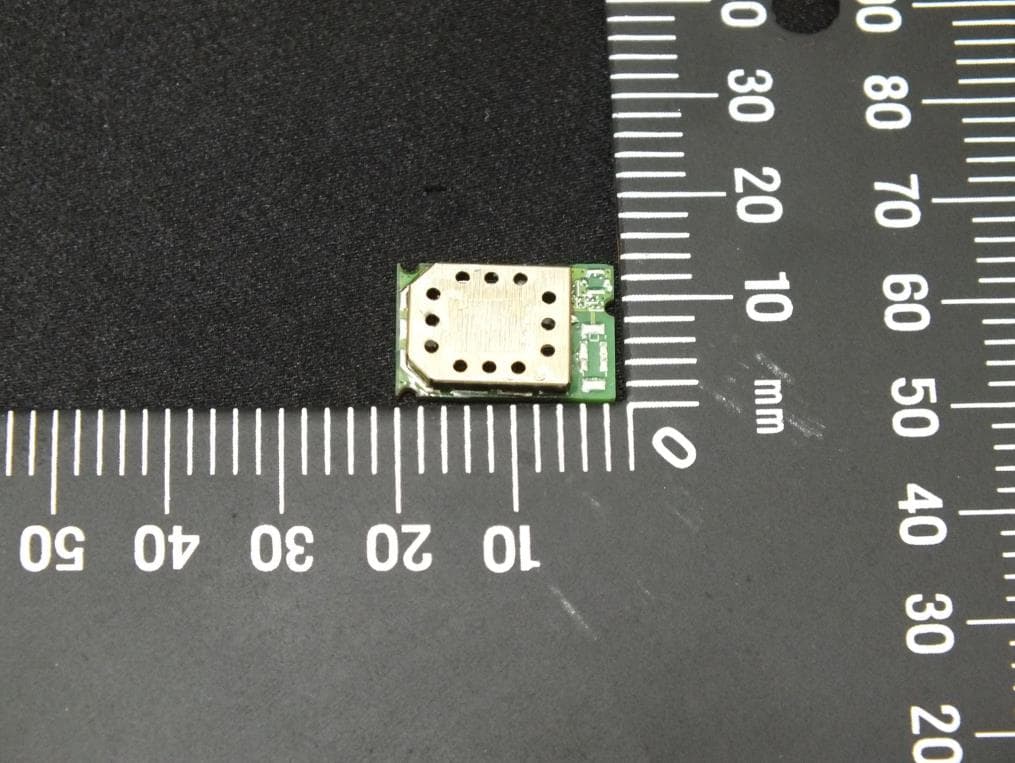
PI4BL600T
Apr 18, 2013BL600 Series Bluetooth Low Energy Module
Equipment Class
DTS - Digital Transmission System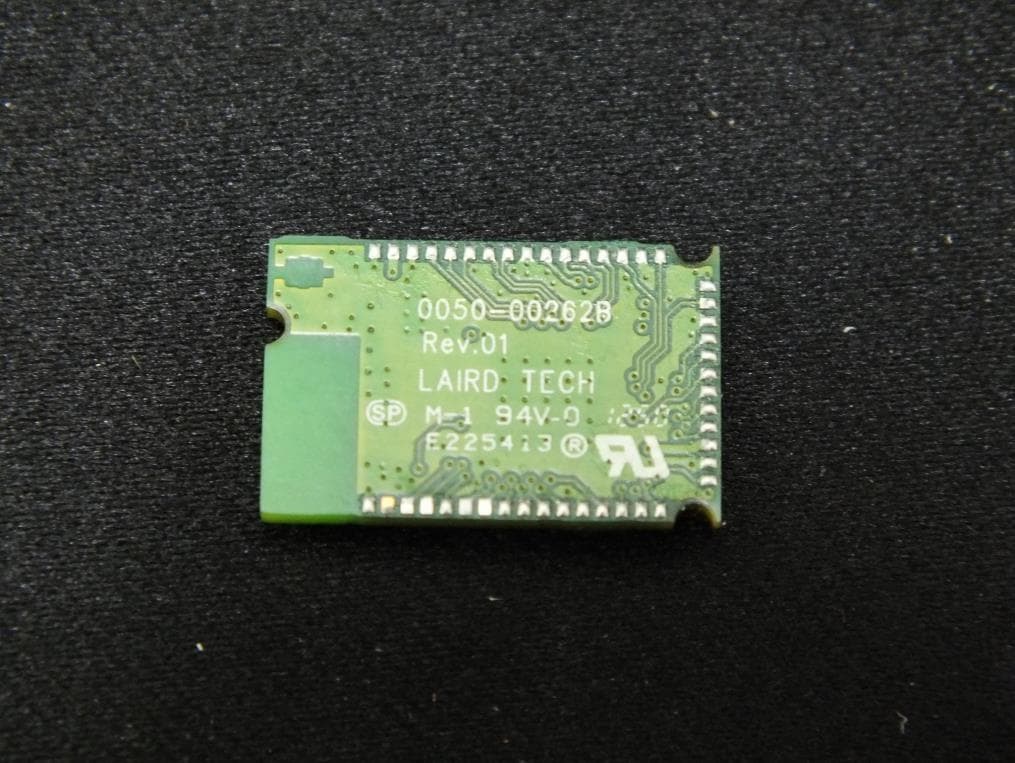
PI4BL600
Apr 11, 2013BL600 Series Bluetooth Low Energy Module
Equipment Class
DTS - Digital Transmission System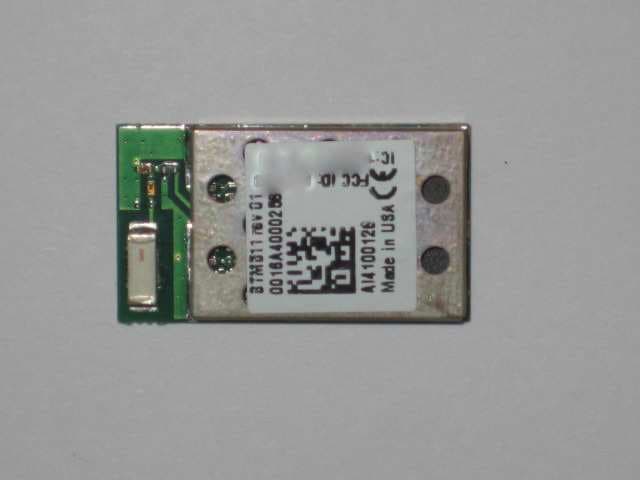
PI4511B
Dec 17, 2009Bluetooth Multimedia Module
Equipment Class
DSS - Part 15 Spread Spectrum Transmitter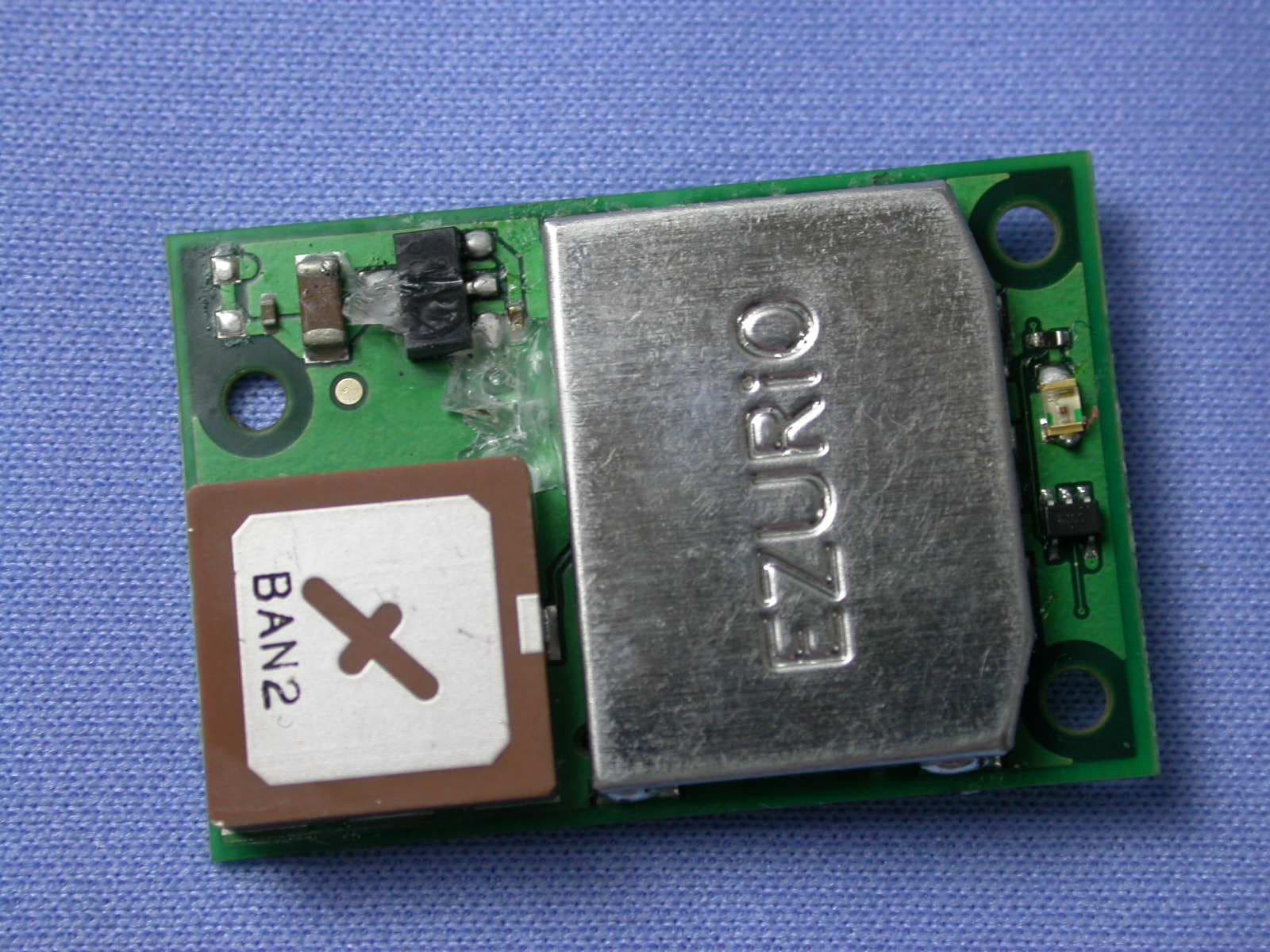
PI407B
Jan 12, 2008Bluetooth Intelligent Serial Module Version II
Equipment Class
DSS - Part 15 Spread Spectrum Transmitter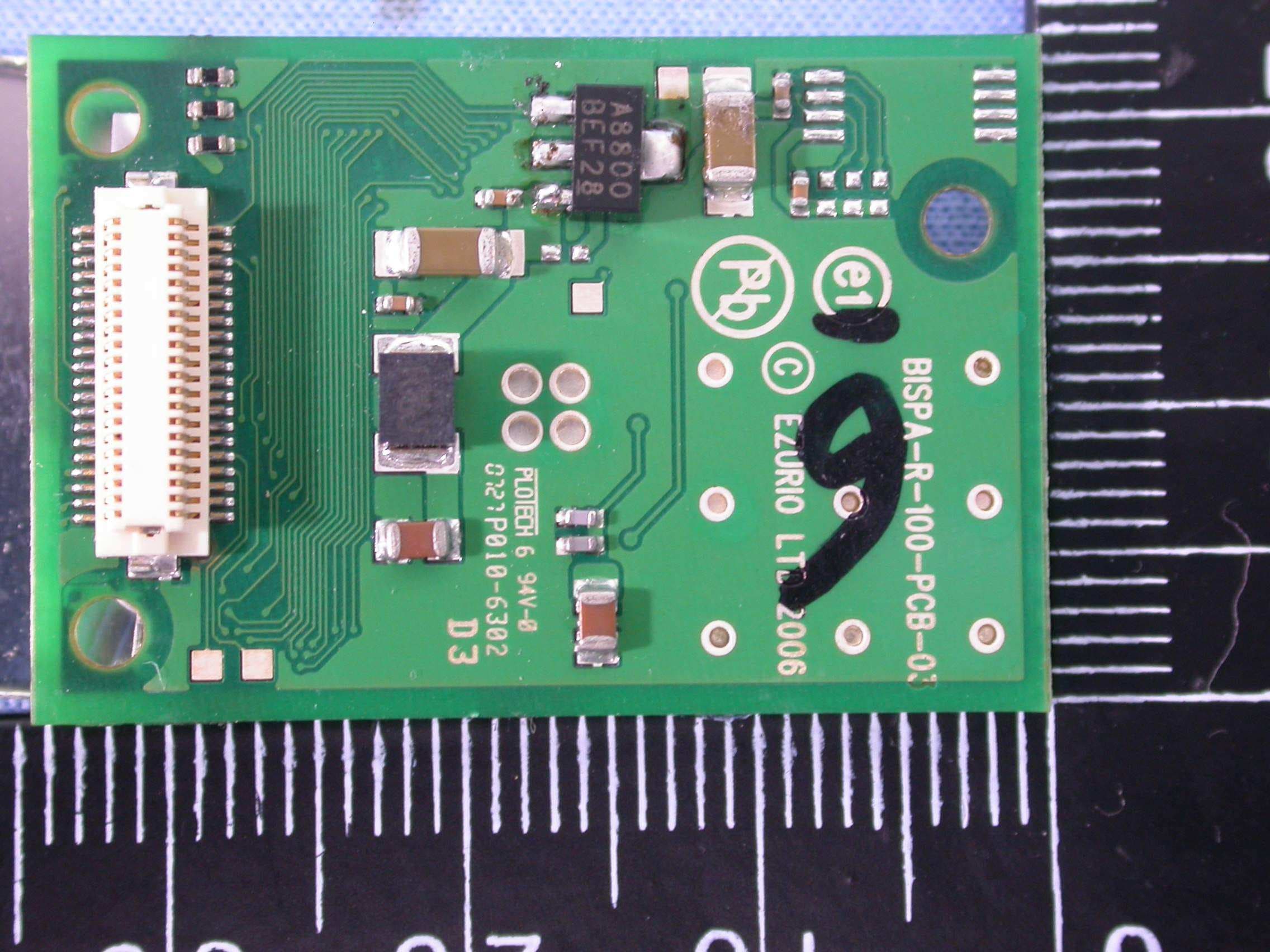
PI409B
Dec 16, 2007BISM PA 3V3
Equipment Class
DSS - Part 15 Spread Spectrum Transmitter