PJO90023.5G PDA WLAN
Arima Communication Corporation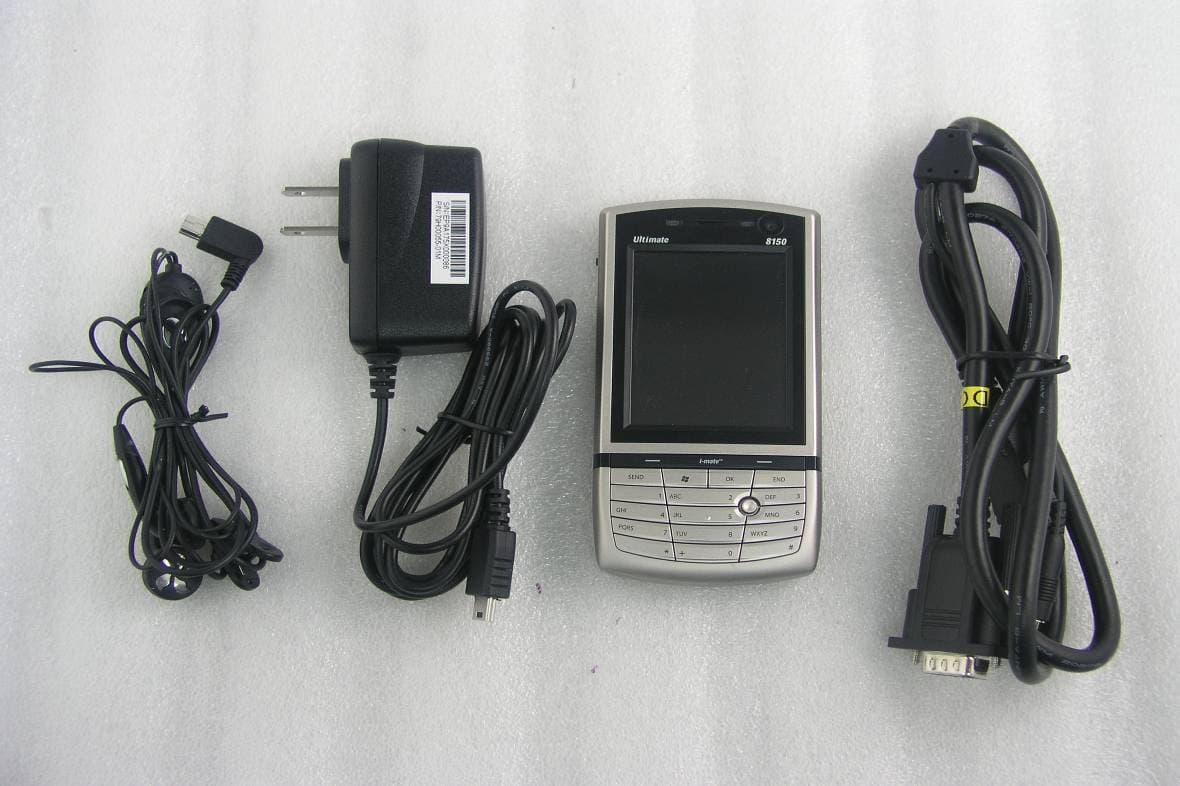
Click to zoom
Application Details
- Equipment Class
- DTS - Digital Transmission System
- Date of Grant
- Oct 18, 2007
- Application Purpose
- Original Equipment
- Date of Application
- Aug 06, 2007
- Equipment Note
- 3.5G PDA WLAN
- Frequency Range
- 2412.00000000 - 2462.00000000
- Country
- Taiwan
Documents & Files
Document Text
Text extracted from the exhibit documents filed with the FCC. Open a document above to read the original.
Users Manual
Chapter 1 1.1 Views of the Device 1.2 Get Started 1.3 Status Indicators 1.4 Enter Information Chapter 2 2.1 Today Screen 2.2 Start Menu 2.3 Ring tones and Notifications 2.4 General Settings 2.5 Security Chapter 3 3.1 Make a Call 3.2 Receive a Call 3.3 Video Telephony 3.4 In-Call Options 3.5 Special Dialling Requirements 3.6 Additional Settings Chapter 4 4.1 Automatic Setup of Your Data Connections 4.2 Manual Setup of Your Data Connections 4.3 Bluetooth 4.4 Beams 4.5 Connect to a Wireless LAN Chapter 5 5.1 Text Messaging 5.2 MMS 5.3 E-mail 5.4 Windows Live Messenger Chapter 6 6.1 Introduction to ActiveSync 6.2 Install and Configure ActiveSync Chapter 7 7.1 Contacts 7.2 Calendar 7.3 Tasks 7.4 Camera and Video Recorder 7.5 Pictures and Videos 7.6 Windows Media Player 7.7 Internet Explorer Mobile 7.8 Java 7.9 Wireless Manager 7.10 Notes 7.11 Office Mobile 7.12 Internet Sharing 7.13 File Explorer 7.14 Windows Live 7.15 Remote Desktop Mobile 7.16 ClearVue PDF 7.17 Voice Speed Dial 7.18 FM Radio 7.19 Monitor and Projector Connection 7.20 Nyditot Virtual display 7.21 Add More Programs to your device Chapter 8 8.1 Maintain Your Phone 8.2 Reset Your Phone 8.3 Manage Your Program Memory Appendix A.1 Battery Information A.2 PC Requirement to Run ActiveSync 4.5 A.3 Regulatory Notices A.4 Specifications 1.1 Views of the Device No. Item Function 1 Stylus Use the stylus to write, draw or select items on the touch screen. 2 Jog Wheel Scroll up or down to move through menus and program instructions. Press for 3 seconds then scroll up or down to adjust the volume. 3 OK Button Press to confirm your data entries or to exit the program in use. 4 Micro SD Card Slot Insert micro SD memory card with metal contacts facing downwards. 5 Wi-Fi Button Press to access the Wireless Manager application. 6 Reset Use the stylus to soft reset the device. 7 LED Displays the status of the phone. 8 Left Soft Key Open the Calendar from the Today screen and perform the command shown in the label above the button. 9 Call / Send Key Press this key to answer an incoming phone call or dial a number. 10 Windows Start Menu Button Press to bring up the Start menu. 11 Earpiece For use during phone calls. 12 Video Camera For making video telephone calls with another party who has a 3G phone with this feature. 13 Right Soft Key Open the Contacts list from the Today screen and perform the command shown in the label above the button. 14 End Key Press to end a phone call. 15 Action Button/ Navigation Controller Action button - confirm the selection from the Navigation controller by pressing the centre button. Navigation controller - press this multi-directional control up, down, left, or right to move through menus or programs. 16 OK Key Short Press – Backspace when typing. Long Press – Confirm your data entries or exit the program in use. 17 Keypad Use for typing and dialling 18 Infrared Port Enable you to exchange files or data with other devices without cables or wires or use the device as a remote control. 19 Power Button Press and hold for 2 seconds and then release to put the device in Standby mode. Press and hold for 5 seconds to shut down and turn off the device. 20 Wi-Fi Plug External Wi-Fi antenna plug. 21 Mini-USB Connector Connect the USB data cable to a PC for synchronization of information, data transmission and battery charging or use the device as an earphone jack or use the hands-free kit. 22 Multimedia Connector To send image and sound to a projector or monitor. 23. Camera & Video Button Press to launch the camera function and take a picture or record high quality video. 24 GSM/UMTS Plug External GSM/UMTS antenna plug. 25 Video Microphone Microphone for recording sound whilst recording a video. 26 Flash White LED strobe flash. 27 Camera Lens The CMOS camera supports a 2 mega-pixel resolution with auto-focus function for high quality colour photos or high quality video recording. 28 Battery Cover To remove or replace the battery, push and slide out the battery cover. 1.2 Get Started Install the SIM/USIM Card Follow these steps to install the SIM/USIM card provided by your local network service provider. The SIM/USIM card contains your phone number, service details and phonebook/message memory. Your device supports both 3V and 1.8V SIM/USIM cards. Some legacy SIM/USIM cards will not function within this device. Consult with your service provider for a replacement SIM card. There might be a fee for this service. 1. Make sure your device is turned off. 2. Pull the battery cover catch up (away from the battery cover) and lift the battery cover up to remove it. 3. Lift the battery to remove it. Then, insert the SIM/USIM card into the SIM card slot with its gold contacts facing down (the cut-off corner of the SIM/USIM card should match the cut-off corner in the slot). 4. Replace the battery and gently push down to fit it into place. 5. Replace the battery cover. Turn on the device To turn ON the device, press and hold the Power button for 4 seconds. When you turn on the device for the first time, you will be asked to complete the screen calibration process. Calibrating the device screen involves tapping the centre of a cross with the stylus as the cross moves around the screen. This process ensures that when you tap the screen with your stylus, the tapped item is activated. The Today screen displays important information, such as upcoming appointments and status indicators. You can tap a section on the screen to open the associated program. If at any point you need to access the Today screen, just tap Start > Today. No. Description No.Description 1 Tap to open the Start menu. 9 Displays the current owner information. Tap to change the details. 2 Tap to view the connectivity status. 10Tap to open the related messages, tasks and appointments. 3 Indicates the radio signal strength. Tap to configure the phone settings. 11 Tap to sign into Windows Live.* 4 Tap to control device/ringer volume level. 12Enter the word to search for and y…
Text truncated - open the document above for the full version.
Users Manual
Chapter 1 1.1 Views of the Device 1.2 Get Started 1.3 Status Indicators 1.4 Enter Information Chapter 2 2.1 Today Screen 2.2 Start Menu 2.3 Ring tones and Notifications 2.4 General Settings 2.5 Security Chapter 3 3.1 Make a Call 3.2 Receive a Call 3.3 Video Telephony 3.4 In-Call Options 3.5 Special Dialling Requirements 3.6 Additional Settings Chapter 4 4.1 Automatic Setup of Your Data Connections 4.2 Manual Setup of Your Data Connections 4.3 Bluetooth 4.4 Beams 4.5 Connect to a Wireless LAN Chapter 5 5.1 Text Messaging 5.2 MMS 5.3 E-mail 5.4 Windows Live Messenger Chapter 6 6.1 Introduction to ActiveSync 6.2 Install and Configure ActiveSync Chapter 7 7.1 Contacts 7.2 Calendar 7.3 Tasks 7.4 Camera and Video Recorder 7.5 Pictures and Videos 7.6 Windows Media Player 7.7 Internet Explorer Mobile 7.8 Java 7.9 Wireless Manager 7.10 Notes 7.11 Office Mobile 7.12 Internet Sharing 7.13 File Explorer 7.14 Windows Live 7.15 Remote Desktop Mobile 7.16 ClearVue PDF 7.17 Voice Speed Dial 7.18 FM Radio 7.19 Monitor and Projector Connection 7.20 Nyditot Virtual display 7.21 Add More Programs to your device Chapter 8 8.1 Maintain Your Phone 8.2 Reset Your Phone 8.3 Manage Your Program Memory Appendix A.1 Battery Information A.2 PC Requirement to Run ActiveSync 4.5 A.3 Regulatory Notices A.4 Specifications 1.1 Views of the Device No. Item Function 1 Stylus Use the stylus to write, draw or select items on the touch screen. 2 Jog Wheel Scroll up or down to move through menus and program instructions. Press for 3 seconds then scroll up or down to adjust the volume. 3 OK Button Press to confirm your data entries or to exit the program in use. 4 Micro SD Card Slot Insert micro SD memory card with metal contacts facing downwards. 5 Wi-Fi Button Press to access the Wireless Manager application. 6 Reset Use the stylus to soft reset the device. 7 LED Displays the status of the phone. 8 Left Soft Key Open the Calendar from the Today screen and perform the command shown in the label above the button. 9 Call / Send Key Press this key to answer an incoming phone call or dial a number. 10 Windows Start Menu Button Press to bring up the Start menu. 11 Earpiece For use during phone calls. 12 Video Camera For making video telephone calls with another party who has a 3G phone with this feature. 13 Right Soft Key Open the Contacts list from the Today screen and perform the command shown in the label above the button. 14 End Key Press to end a phone call. 15 Action Button/ Navigation Controller Action button - confirm the selection from the Navigation controller by pressing the centre button. Navigation controller - press this multi-directional control up, down, left, or right to move through menus or programs. 16 OK Key Short Press – Backspace when typing. Long Press – Confirm your data entries or exit the program in use. 17 Keypad Use for typing and dialling 18 Infrared Port Enable you to exchange files or data with other devices without cables or wires or use the device as a remote control. 19 Power Button Press and hold for 2 seconds and then release to put the device in Standby mode. Press and hold for 5 seconds to shut down and turn off the device. 20 Wi-Fi Plug External Wi-Fi antenna plug. 21 Mini-USB Connector Connect the USB data cable to a PC for synchronization of information, data transmission and battery charging or use the device as an earphone jack or use the hands-free kit. 22 Multimedia Connector To send image and sound to a projector or monitor. 23. Camera & Video Button Press to launch the camera function and take a picture or record high quality video. 24 GSM/UMTS Plug External GSM/UMTS antenna plug. 25 Video Microphone Microphone for recording sound whilst recording a video. 26 Flash White LED strobe flash. 27 Camera Lens The CMOS camera supports a 2 mega-pixel resolution with auto-focus function for high quality colour photos or high quality video recording. 28 Battery Cover To remove or replace the battery, push and slide out the battery cover. 1.2 Get Started Install the SIM/USIM Card Follow these steps to install the SIM/USIM card provided by your local network service provider. The SIM/USIM card contains your phone number, service details and phonebook/message memory. Your device supports both 3V and 1.8V SIM/USIM cards. Some legacy SIM/USIM cards will not function within this device. Consult with your service provider for a replacement SIM card. There might be a fee for this service. 1. Make sure your device is turned off. 2. Pull the battery cover catch up (away from the battery cover) and lift the battery cover up to remove it. 3. Lift the battery to remove it. Then, insert the SIM/USIM card into the SIM card slot with its gold contacts facing down (the cut-off corner of the SIM/USIM card should match the cut-off corner in the slot). 4. Replace the battery and gently push down to fit it into place. 5. Replace the battery cover. Turn on the device To turn ON the device, press and hold the Power button for 4 seconds. When you turn on the device for the first time, you will be asked to complete the screen calibration process. Calibrating the device screen involves tapping the centre of a cross with the stylus as the cross moves around the screen. This process ensures that when you tap the screen with your stylus, the tapped item is activated. The Today screen displays important information, such as upcoming appointments and status indicators. You can tap a section on the screen to open the associated program. If at any point you need to access the Today screen, just tap Start > Today. No. Description No.Description 1 Tap to open the Start menu. 9 Displays the current owner information. Tap to change the details. 2 Tap to view the connectivity status. 10Tap to open the related messages, tasks and appointments. 3 Indicates the radio signal strength. Tap to configure the phone settings. 11 Tap to sign into Windows Live.* 4 Tap to control device/ringer volume level. 12Enter the word to search for and y…
Text truncated - open the document above for the full version.
External Photos
Report No.: EH/2007/60006~7 FCC ID: PJO9002 Issue Date: Jul. 12, 2007 This document is issued by the Company subject to its General Conditions of Service printed overleaf or available on request and accessible at www.sgs.com. Atten- tion is drawn to the limitations of liability, indemnification, and Jurisdictional issued defined therein. Unless otherwise stated, the results shown in this test report refer only to the sample(s) tested. This document cannot be reproduced except in full, without prior approval of Company. Any unauthorized alteration, forgery or falsification of the content or appearance of this report is unlawful and offenders may be prosecuted to the fullest extent of the law. 此報告是遵循本公司訂定之通用服務條款所製作 發放, 請注意此條款列印於背面,亦可在www.sgs.com 中查閱。將本公司之義務,免責,管轄權皆明確規範之。除非另有說明,此報告結果僅對檢驗之樣品負責。本報告 未經本公司書面許可,不可部份複製。對本報告內容或外觀之任何未經授權之變更、偽造、竄改皆屬非法,違犯者將會被依法追訴。 SGS Taiwan Ltd. No. 134, Wu Kung Rd., Wuku Industrial Zone, Taipei Country, Taiwan. / 台北縣五股工業區五工路134號 台灣檢驗科技股份有限公司 t (886-2) 2299-3939 f (886-2) 2298-2698 www.sgs.com.tw APPENDIX 2 EXTERNAL PHOTOGRPHS OF EUT Report No.: EH/2007/60006~7 FCC ID: PJO9002 Issue Date: Jul. 12, 2007 This document is issued by the Company subject to its General Conditions of Service printed overleaf or available on request and accessible at www.sgs.com. Atten- tion is drawn to the limitations of liability, indemnification, and Jurisdictional issued defined therein. Unless otherwise stated, the results shown in this test report refer only to the sample(s) tested. This document cannot be reproduced except in full, without prior approval of Company. Any unauthorized alteration, forgery or falsification of the content or appearance of this report is unlawful and offenders may be prosecuted to the fullest extent of the law. 此報告是遵循本公司訂定之通用服務條款所製作 發放, 請注意此條款列印於背面,亦可在www.sgs.com 中查閱。將本公司之義務,免責,管轄權皆明確規範之。除非另有說明,此報告結果僅對檢驗之樣品負責。本報告 未經本公司書面許可,不可部份複製。對本報告內容或外觀之任何未經授權之變更、偽造、竄改皆屬非法,違犯者將會被依法追訴。 SGS Taiwan Ltd. No. 134, Wu Kung Rd., Wuku Industrial Zone, Taipei Country, Taiwan. / 台北縣五股工業區五工路134號 台灣檢驗科技股份有限公司 t (886-2) 2299-3939 f (886-2) 2298-2698 www.sgs.com.tw All of EUT Front View of EUT Report No.: EH/2007/60006~7 FCC ID: PJO9002 Issue Date: Jul. 12, 2007 This document is issued by the Company subject to its General Conditions of Service printed overleaf or available on request and accessible at www.sgs.com. Atten- tion is drawn to the limitations of liability, indemnification, and Jurisdictional issued defined therein. Unless otherwise stated, the results shown in this test report refer only to the sample(s) tested. This document cannot be reproduced except in full, without prior approval of Company. Any unauthorized alteration, forgery or falsification of the content or appearance of this report is unlawful and offenders may be prosecuted to the fullest extent of the law. 此報告是遵循本公司訂定之通用服務條款所製作 發放, 請注意此條款列印於背面,亦可在www.sgs.com 中查閱。將本公司之義務,免責,管轄權皆明確規範之。除非另有說明,此報告結果僅對檢驗之樣品負責。本報告 未經本公司書面許可,不可部份複製。對本報告內容或外觀之任何未經授權之變更、偽造、竄改皆屬非法,違犯者將會被依法追訴。 SGS Taiwan Ltd. No. 134, Wu Kung Rd., Wuku Industrial Zone, Taipei Country, Taiwan. / 台北縣五股工業區五工路134號 台灣檢驗科技股份有限公司 t (886-2) 2299-3939 f (886-2) 2298-2698 www.sgs.com.tw Back View of EUT Side View of EUT – 1 Report No.: EH/2007/60006~7 FCC ID: PJO9002 Issue Date: Jul. 12, 2007 This document is issued by the Company subject to its General Conditions of Service printed overleaf or available on request and accessible at www.sgs.com. Atten- tion is drawn to the limitations of liability, indemnification, and Jurisdictional issued defined therein. Unless otherwise stated, the results shown in this test report refer only to the sample(s) tested. This document cannot be reproduced except in full, without prior approval of Company. Any unauthorized alteration, forgery or falsification of the content or appearance of this report is unlawful and offenders may be prosecuted to the fullest extent of the law. 此報告是遵循本公司訂定之通用服務條款所製作 發放, 請注意此條款列印於背面,亦可在www.sgs.com 中查閱。將本公司之義務,免責,管轄權皆明確規範之。除非另有說明,此報告結果僅對檢驗之樣品負責。本報告 未經本公司書面許可,不可部份複製。對本報告內容或外觀之任何未經授權之變更、偽造、竄改皆屬非法,違犯者將會被依法追訴。 SGS Taiwan Ltd. No. 134, Wu Kung Rd., Wuku Industrial Zone, Taipei Country, Taiwan. / 台北縣五股工業區五工路134號 台灣檢驗科技股份有限公司 t (886-2) 2299-3939 f (886-2) 2298-2698 www.sgs.com.tw Side View of EUT – 2 Side View of EUT – 3 Report No.: EH/2007/60006~7 FCC ID: PJO9002 Issue Date: Jul. 12, 2007 This document is issued by the Company subject to its General Conditions of Service printed overleaf or available on request and accessible at www.sgs.com. Atten- tion is drawn to the limitations of liability, indemnification, and Jurisdictional issued defined therein. Unless otherwise stated, the results shown in this test report refer only to the sample(s) tested. This document cannot be reproduced except in full, without prior approval of Company. Any unauthorized alteration, forgery or falsification of the content or appearance of this report is unlawful and offenders may be prosecuted to the fullest extent of the law. 此報告是遵循本公司訂定之通用服務條款所製作 發放, 請注意此條款列印於背面,亦可在www.sgs.com 中查閱。將本公司之義務,免責,管轄權皆明確規範之。除非另有說明,此報告結果僅對檢驗之樣品負責。本報告 未經本公司書面許可,不可部份複製。對本報告內容或外觀之任何未經授權之變更、偽造、竄改皆屬非法,違犯者將會被依法追訴。 SGS Taiwan Ltd. No. 134, Wu Kung Rd., Wuku Industrial Zone, Taipei Country, Taiwan. / 台北縣五股工業區五工路134號 台灣檢驗科技股份有限公司 t (886-2) 2299-3939 f (886-2) 2298-2698 www.sgs.com.tw Adaptor
ID Label/Location Info
FCC ID LABEL FORMAT AND LOCATION Applicant: ARIMA COMMUNICATIONS CORP. FCC ID: PJO9002
Internal Photos
Report No.: EH/2007/60006~7 FCC ID: PJO9002 Issue Date: Jul. 12, 2007 This document is issued by the Company subject to its General Conditions of Service printed overleaf or available on request and accessible at www.sgs.com. Atten- tion is drawn to the limitations of liability, indemnification, and Jurisdictional issued defined therein. Unless otherwise stated, the results shown in this test report refer only to the sample(s) tested. This document cannot be reproduced except in full, without prior approval of Company. Any unauthorized alteration, forgery or falsification of the content or appearance of this report is unlawful and offenders may be prosecuted to the fullest extent of the law. 此報告是遵循本公司訂定之通用服務條款所製作 發放, 請注意此條款列印於背面,亦可在www.sgs.com 中查閱。將本公司之義務,免責,管轄權皆明確規範之。除非另有說明,此報告結果僅對檢驗之樣品負責。本報告 未經本公司書面許可,不可部份複製。對本報告內容或外觀之任何未經授權之變更、偽造、竄改皆屬非法,違犯者將會被依法追訴。 SGS Taiwan Ltd. No. 134, Wu Kung Rd., Wuku Industrial Zone, Taipei Country, Taiwan. / 台北縣五股工業區五工路134號 台灣檢驗科技股份有限公司 t (886-2) 2299-3939 f (886-2) 2298-2698 www.sgs.com.tw APPENDIX 3 INTERNAL PHOTOGRPHS OF EUT Report No.: EH/2007/60006~7 FCC ID: PJO9002 Issue Date: Jul. 12, 2007 This document is issued by the Company subject to its General Conditions of Service printed overleaf or available on request and accessible at www.sgs.com. Atten- tion is drawn to the limitations of liability, indemnification, and Jurisdictional issued defined therein. Unless otherwise stated, the results shown in this test report refer only to the sample(s) tested. This document cannot be reproduced except in full, without prior approval of Company. Any unauthorized alteration, forgery or falsification of the content or appearance of this report is unlawful and offenders may be prosecuted to the fullest extent of the law. 此報告是遵循本公司訂定之通用服務條款所製作 發放, 請注意此條款列印於背面,亦可在www.sgs.com 中查閱。將本公司之義務,免責,管轄權皆明確規範之。除非另有說明,此報告結果僅對檢驗之樣品負責。本報告 未經本公司書面許可,不可部份複製。對本報告內容或外觀之任何未經授權之變更、偽造、竄改皆屬非法,違犯者將會被依法追訴。 SGS Taiwan Ltd. No. 134, Wu Kung Rd., Wuku Industrial Zone, Taipei Country, Taiwan. / 台北縣五股工業區五工路134號 台灣檢驗科技股份有限公司 t (886-2) 2299-3939 f (886-2) 2298-2698 www.sgs.com.tw Open View of EUT – 1 Open View of EUT – 2 Report No.: EH/2007/60006~7 FCC ID: PJO9002 Issue Date: Jul. 12, 2007 This document is issued by the Company subject to its General Conditions of Service printed overleaf or available on request and accessible at www.sgs.com. Atten- tion is drawn to the limitations of liability, indemnification, and Jurisdictional issued defined therein. Unless otherwise stated, the results shown in this test report refer only to the sample(s) tested. This document cannot be reproduced except in full, without prior approval of Company. Any unauthorized alteration, forgery or falsification of the content or appearance of this report is unlawful and offenders may be prosecuted to the fullest extent of the law. 此報告是遵循本公司訂定之通用服務條款所製作 發放, 請注意此條款列印於背面,亦可在www.sgs.com 中查閱。將本公司之義務,免責,管轄權皆明確規範之。除非另有說明,此報告結果僅對檢驗之樣品負責。本報告 未經本公司書面許可,不可部份複製。對本報告內容或外觀之任何未經授權之變更、偽造、竄改皆屬非法,違犯者將會被依法追訴。 SGS Taiwan Ltd. No. 134, Wu Kung Rd., Wuku Industrial Zone, Taipei Country, Taiwan. / 台北縣五股工業區五工路134號 台灣檢驗科技股份有限公司 t (886-2) 2299-3939 f (886-2) 2298-2698 www.sgs.com.tw Open View of EUT – 3 Internal of EUT – 1 BT Antenna WLAN Antenna GSM Antenna Report No.: EH/2007/60006~7 FCC ID: PJO9002 Issue Date: Jul. 12, 2007 This document is issued by the Company subject to its General Conditions of Service printed overleaf or available on request and accessible at www.sgs.com. Atten- tion is drawn to the limitations of liability, indemnification, and Jurisdictional issued defined therein. Unless otherwise stated, the results shown in this test report refer only to the sample(s) tested. This document cannot be reproduced except in full, without prior approval of Company. Any unauthorized alteration, forgery or falsification of the content or appearance of this report is unlawful and offenders may be prosecuted to the fullest extent of the law. 此報告是遵循本公司訂定之通用服務條款所製作 發放, 請注意此條款列印於背面,亦可在www.sgs.com 中查閱。將本公司之義務,免責,管轄權皆明確規範之。除非另有說明,此報告結果僅對檢驗之樣品負責。本報告 未經本公司書面許可,不可部份複製。對本報告內容或外觀之任何未經授權之變更、偽造、竄改皆屬非法,違犯者將會被依法追訴。 SGS Taiwan Ltd. No. 134, Wu Kung Rd., Wuku Industrial Zone, Taipei Country, Taiwan. / 台北縣五股工業區五工路134號 台灣檢驗科技股份有限公司 t (886-2) 2299-3939 f (886-2) 2298-2698 www.sgs.com.tw Internal of EUT – 2 Internal of EUT – 3 Report No.: EH/2007/60006~7 FCC ID: PJO9002 Issue Date: Jul. 12, 2007 This document is issued by the Company subject to its General Conditions of Service printed overleaf or available on request and accessible at www.sgs.com. Atten- tion is drawn to the limitations of liability, indemnification, and Jurisdictional issued defined therein. Unless otherwise stated, the results shown in this test report refer only to the sample(s) tested. This document cannot be reproduced except in full, without prior approval of Company. Any unauthorized alteration, forgery or falsification of the content or appearance of this report is unlawful and offenders may be prosecuted to the fullest extent of the law. 此報告是遵循本公司訂定之通用服務條款所製作 發放, 請注意此條款列印於背面,亦可在www.sgs.com 中查閱。將本公司之義務,免責,管轄權皆明確規範之。除非另有說明,此報告結果僅對檢驗之樣品負責。本報告 未經本公司書面許可,不可部份複製。對本報告內容或外觀之任何未經授權之變更、偽造、竄改皆屬非法,違犯者將會被依法追訴。 SGS Taiwan Ltd. No. 134, Wu Kung Rd., Wuku Industrial Zone, Taipei Country, Taiwan. / 台北縣五股工業區五工路134號 台灣檢驗科技股份有限公司 t (886-2) 2299-3939 f (886-2) 2298-2698 www.sgs.com.tw Internal of EUT – 4 Internal of EUT – 5
RF Exposure Info
Report No. : ES/2007/60012 Page : 1 of 99 SAR TEST REPORT Equipment Under Test 3.5G PDA phone Model Name Ultimate 8150 Company Name Arima Communications Corp. Company Address No.16, Lane 658, Ying Tao Road, Yingko, Taipei Hsien, Ta i w a n , R . O . C Date of Receipt 2007.06.26 Date of Test(s) 2007.07.14-2007.07.22 Date of Issue 2007.07.25 Standards: FCC OET Bulletin 65 supplement C, ANSI/IEEE C95.1, C95.3, IEEE 1528 In the configuration tested, the EUT complied with the standards specified above. Remarks: This report details the results of the testing carried out on one sample, the results contained in this test report do not relate to other samples of the same product. The manufacturer should ensure that all products in series production are in conformity with the product sample detailed in this report. This report may only be reproduced and distributed in full. If the product in this report is used in any configuration other than that detailed in the report, the manufacturer must ensure the new system complies with all relevant standards. Any mention of SGS Taiwan EC Services or testing done by SGS Taiwan EC Services in connection with distribution or use of the product described in this report must be approved by SGS Taiwan EC Services in writing. Tested by : LEO HSU Date : 2007.07.24 Approved by : DIKIN YANG Date : 2007.07.25 Report No. : ES/2007/60012 Page : 2 of 99 Contents 1. General Information 1.1 Testing Laboratory 5 1.2 Details of Applicant 5 1.3 Description of EUT(s) 5 1.4 Test Environment 6 1.5 Operation description 6 1.6 The SAR Measurement System 7 1.7 System Components 8 1.8 SAR System Verification 10 1.9 Tissue Simulant Fluid for the Frequency Band 11 1.10 Test Standards and Limits 11 2. Summary of Results 14 3. Instruments List 19 4. Measurements 20 GSM 850MHz 4.1.1 Right-head, cheek, lowest channel 20 4.1.2 Right-head, cheek, middle channel 21 4.1.3 Right-head, cheek, highest channel 22 4.1.4 Left-head, cheek, lowest channel 23 4.1.5 Left-head, cheek, middle channel 24 4.1.6 Left-head, cheek, highest channel 25 4.1.7 Right-head, tilt 15°, lowest channel 26 4.1.8 Right-head, tilt 15°, middle channel 27 4.1.9 Right-head, tilt 15°, highest channel 28 4.1.10 Left-head, tilt 15°, lowest channel 29 4.1.11 Left-head, tilt 15°, middle channel 30 4.1.12 Left-head, tilt 15°, highest channel 31 4.1.13 Body worn, lowest channel 32 4.1.14 Body worn, middle channel 33 4.1.15 Body worn, highest channel 34 4.1.16 Body worn, lowest channel_ repeated in EUT front to Phantom 35 4.1.17 Body worn, lowest channel_ repeated with Headset 36 4.1.18 Body worn, lowest channel_ repeated with Memory Card 37 4.1.19 Body worn, lowest channel_ repeated with Bluetooth active 38 4.1.20 Body worn, lowest channel_ repeated with WIFI B active 39 4.1.21 Body worn, lowest channel_ repeated with WIFI G active 40 PCS 1900MHz 4.2.1 Right-head, cheek, lowest channel 42 4.2.2 Right-head, cheek, middle channel 43 4.2.3 Right-head, cheek, highest channel 44 4.2.4 Left-head, cheek, lowest channel 45 Report No. : ES/2007/60012 Page : 3 of 99 4.2.5 Left-head, cheek, middle channel 46 4.2.6 Left-head, cheek, highest channel 47 4.2.7 Right-head, tilt 15°, lowest channel 48 4.2.8 Right-head, tilt 15°, middle channel 49 4.2.9 Right-head, tilt 15°, highest channel 50 4.2.10 Left-head, tilt 15°, lowest channel 51 4.2.11 Left-head, tilt 15°, middle channel 52 4.2.12 Left-head, tilt 15°, highest channel 53 4.2.13 Body worn, lowest channel 54 4.2.14 Body worn, middle channel 55 4.2.15 Body worn, highest channel 56 WCDMA B2 4.3.1 Right-head, cheek, lowest channel 57 4.3.2 Right-head, cheek, middle channel 58 4.3.3 Right-head, cheek, highest channel 59 4.3.4 Left-head, cheek, lowest channel 60 4.3.5 Left-head, cheek, middle channel 61 4.3.6 Left-head, cheek, highest channel 62 4.3.7 Right-head, tilt 15°, lowest channel 63 4.3.8 Right-head, tilt 15°, middle channel 64 4.3.9 Right-head, tilt 15°, highest channel 65 4.3.10 Left-head, tilt 15°, lowest channel 66 4.3.11 Left-head, tilt 15°, middle channel 67 4.3.12 Left-head, tilt 15°, highest channel 68 4.1.13 Right-head, cheek, highest channel_ repeated with Memory Card 69 4.1.14 Right-head, cheek, highest channel_ repeated with Bluetooth active 70 4.1.15 Right-head, cheek, highest channel_ repeated with WIFI B active 71 4.1.16 Right-head, cheek, highest channel_ repeated with WIFI G active 72 4.3.17 Body worn, lowest channel 74 4.3.18 Body worn, middle channel 75 4.3.19 Body worn, highest channel 76 WCDMA B5 4.4.1 Right-head, cheek, lowest channel 77 4.4.2 Right-head, cheek, middle channel 78 4.4.3 Right-head, cheek, highest channel 79 4.4.4 Left-head, cheek, lowest channel 80 4.4.5 Left-head, cheek, middle channel 81 4.4.6 Left-head, cheek, highest channel 82 4.4.7 Right-head, tilt 15°, lowest channel 83 4.4.8 Right-head, tilt 15°, middle channel 84 4.4.9 Right-head, tilt 15°, highest channel 85 4.4.10 Left-head, tilt 15°, lowest channel 86 4.4.11 Left-head, tilt 15°, middle channel 87 Report No. : ES/2007/60012 Page : 4 of 99 4.4.12 Left-head, tilt 15°, highest channel 88 4.4.13 Body worn, lowest channel 89 4.4.14 Body worn, middle channel 90 4.4.15 Body worn, highest channel 91 System Verification 4.4.1 900MHz Head 92 4.4.2 900MHz Body 94 4.4.3 1900MHz Head 96 4.4.4 1900MHz Body 98 Report No. : ES/2007/60012 Page : 5 of 99 1. General Information 1.1 Testing Laboratory SGS Taiwan Ltd. EC Lab 134, Wu Kung Road, Wuku industrial zone Taipei county, Taiwan, R.O.C. Telephone +886-2-2299-3279 Fax +886-2-2298-0488 Internet http://www.tw.sgs.com/ 1.2 Details of Applicant Company Name Arima Communications Corp. Company Address No.16, Lane 658, Ying Tao Road, Yingko, Taipei Hsien, Taiwan, R.O.C Telephone +886-3-5722211 #3861 Fax +886-3-5729922 Contact Person Kent Wu E-mail [email protected] Website http://www.arimacomm.com.tw/ 1.3 Description of EUT EUT Name 3.5G PDA phone Brand Name i-mate TM FCC ID Ultimate 8150 Model Name i-mate TM Marketing Name 355686010030556 IMEI Code GSM /…
Text truncated - open the document above for the full version.
RF Exposure Info
Report No. : ES/2007/60012 Page : 1 of 25 Contents APPENDIX 1. Photographs of Test Setup 02 2. Photographs of EUT 06 3. Photographs of Accessories of EUT 08 4. DAE & Probe Calibration certificate 11 5. Uncertainty Analysis 20 6. Phantom Description 21 7. System Validation from Original equipment supplier 22 Report No. : ES/2007/60012 Page : 2 of 25 Appendix 1. Photographs of Test Setup Fig.1 Photograph of the SAR measurement System Fig.2.1 Photograph of the Tissue Simulant Fluid liquid depth 15cm for Left-head Side Fig.2.2 Photograph of the Tissue Simulant Fluid liquid depth 15cm for Right-head Side 15 cm 900MHz 15 cm 1900MHz Report No. : ES/2007/60012 Page : 3 of 25 Fig.2.3 Photograph of the Tissue Simulant Fluid liquid depth 15cm for Flat (Body) Fig.2.4 Photograph of the Tissue Simulant Fluid liquid depth 15cm for Flat (Body) Fig.3 Right Head Section / Cheek-Touch Position Fig.4 Right Head Section / Ear-Tilt Position(15°) 15° Tilt Touch 15 cm 900MHz 15 cm 1900MHz Report No. : ES/2007/60012 Page : 4 of 25 Fig.5 Left Head Section / Cheek-Touch Position Fig.6 Left Head Section / Ear-Tilt Position(15°) Fig.7 Body worn- EUT front to flat phantom (testing in GPRS Mode) …
Text truncated - open the document above for the full version.
Contact Information
Applicant
Jay Chiang(Senior Engineer)
Technical Contact
SGS Taiwan Ltd.Vincent Su
[email protected]886-2-22993279
134, Wu Kung Road, Wuku Industrial Zone · Taipei County · Taiwan
Non-Technical Contact
AmericanTCB Inc.Doug Noble
[email protected]703-847-4700
Test Firm
SGS TAIWAN LTD.NELSON BAI
Technical Specifications
| # | Rule Parts | Frequency Range | Power Output |
|---|---|---|---|
| 1 | 15C | 2.41 GHz - 2.46 GHz | 24.15 mW |
Other Applications from Arima Communication Corporation
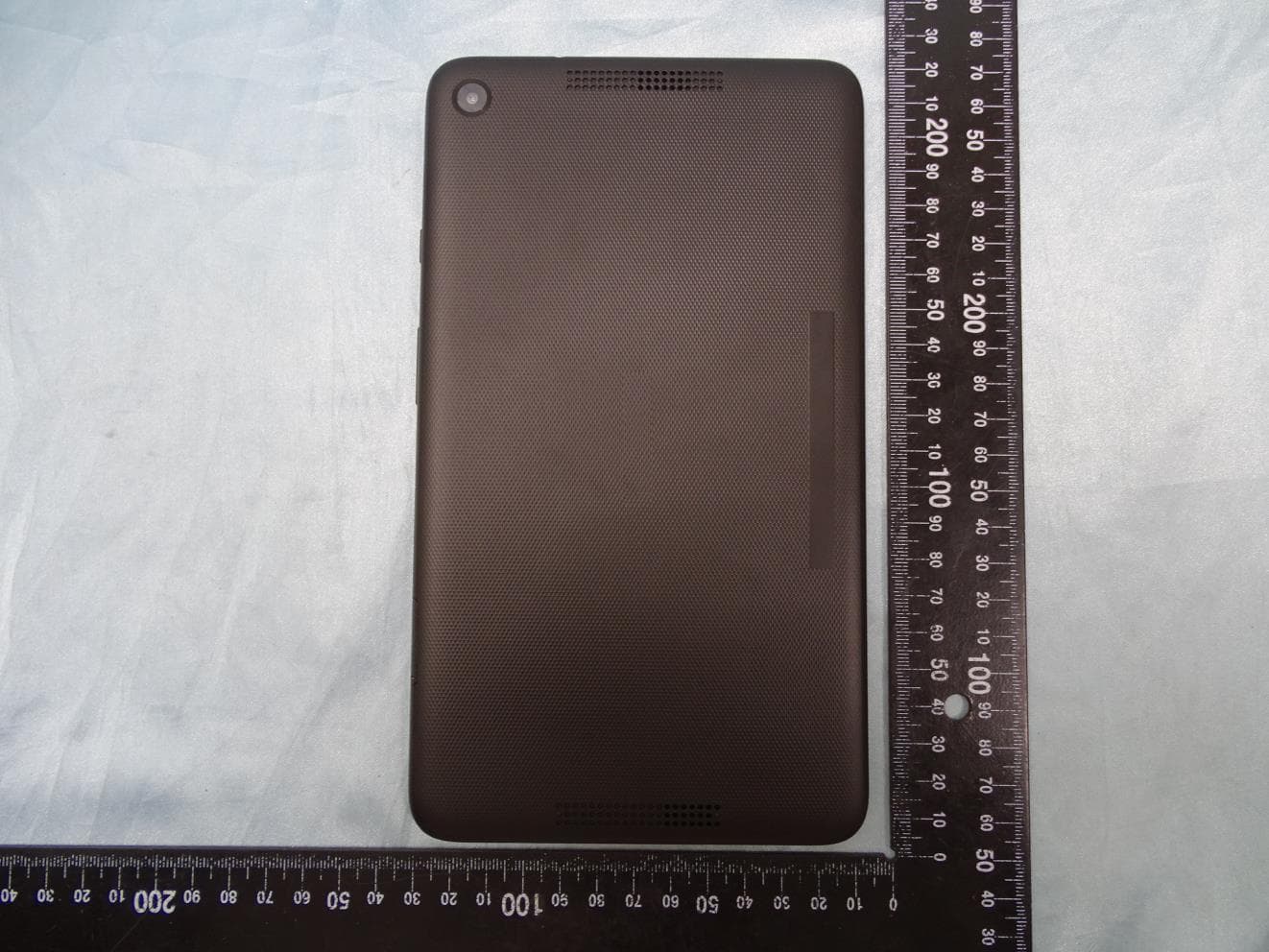
PJO6901
Jun 23, 2020MT-T800
Equipment Class
DTS - Digital Transmission System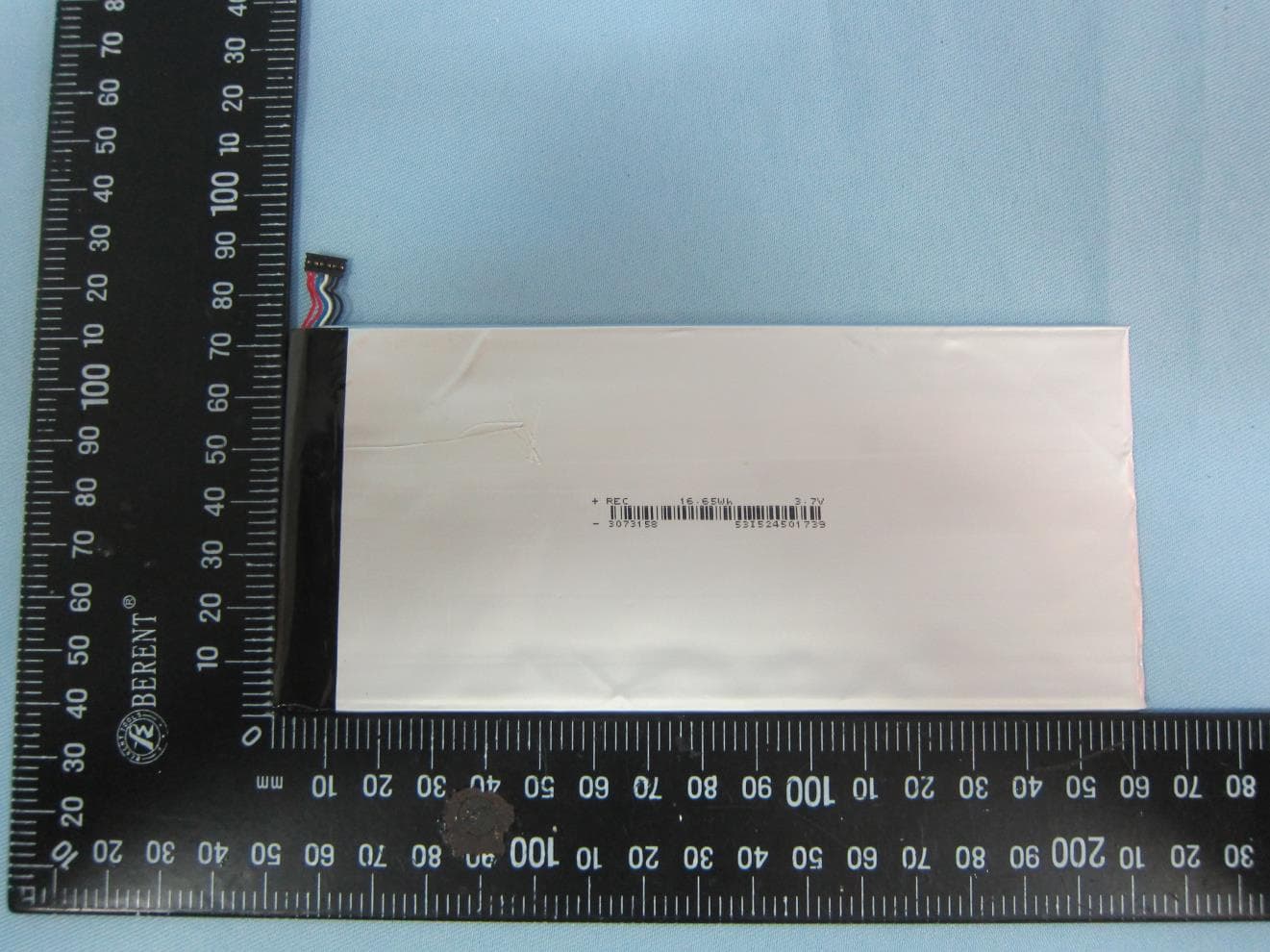
PJONBX208HQCG
Aug 17, 2015tablet
Equipment Class
DXX - Part 15 Low Power Communication Device Transmitter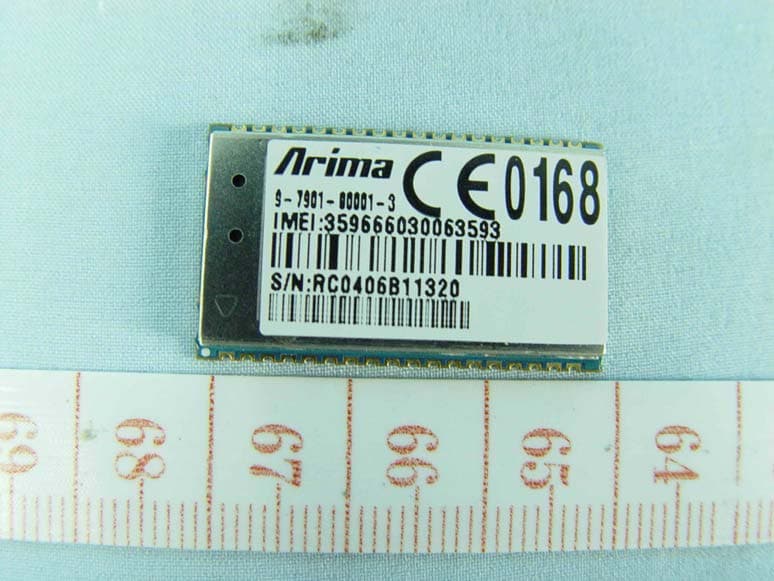
PJO7902
May 04, 2010GPRS 850/1900 module
Equipment Class
PCB - PCS Licensed Transmitter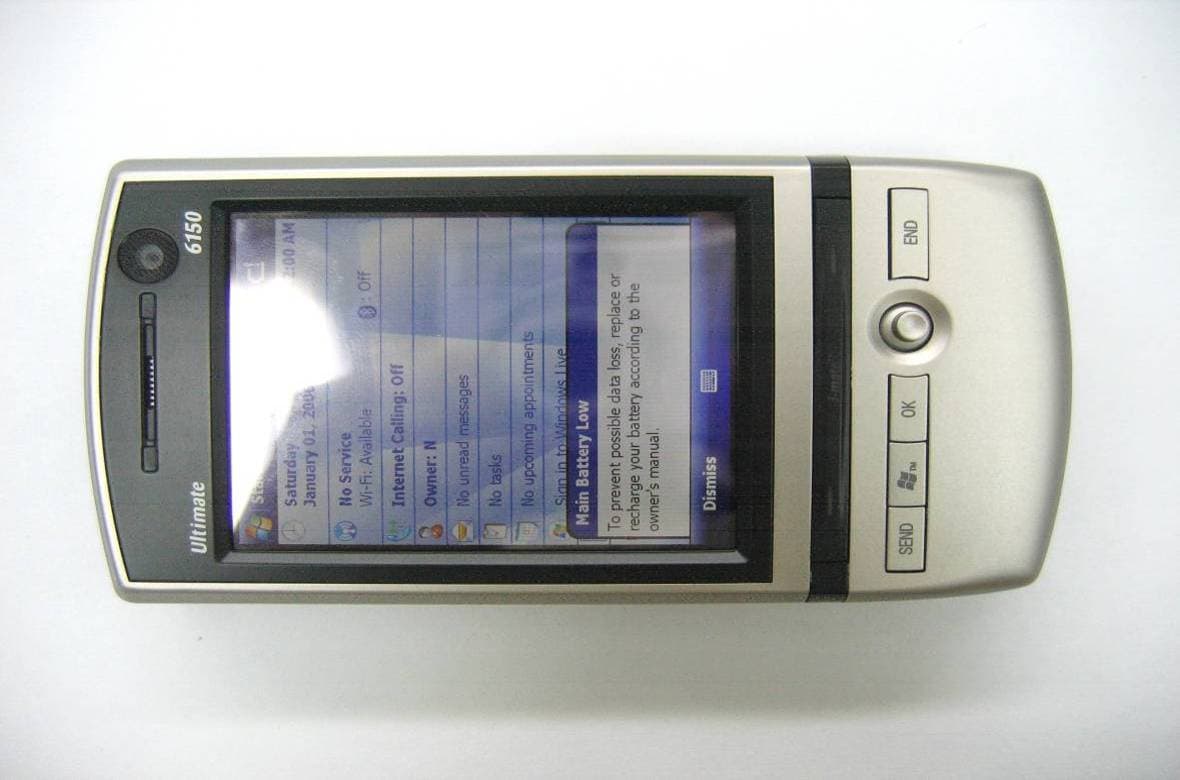
PJO9001
Aug 29, 20073.5G PDA Bluetooth
Equipment Class
DSS - Part 15 Spread Spectrum Transmitter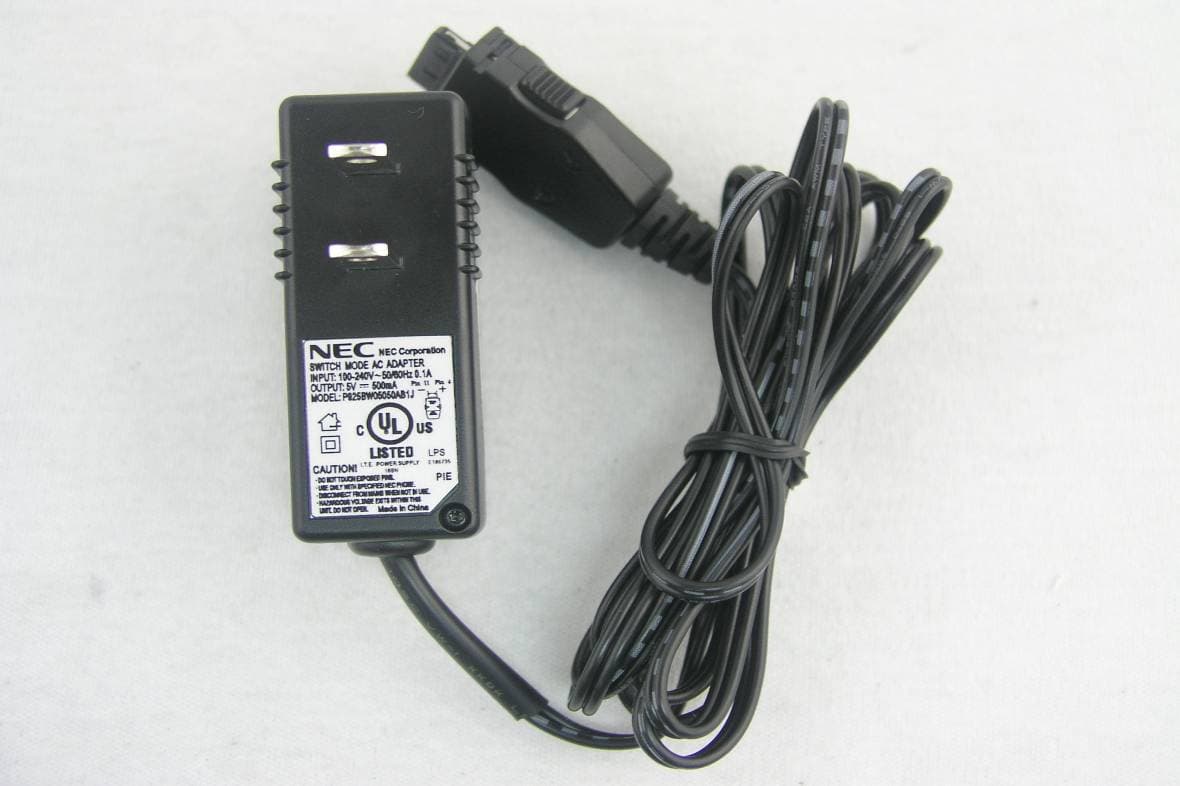
PJO2718
Nov 14, 2006Arima 2718
Equipment Class
PCE - PCS Licensed Transmitter held to ear