PN7MDP-130HDTV Receiving PC Card
Macro Image Technology, Inc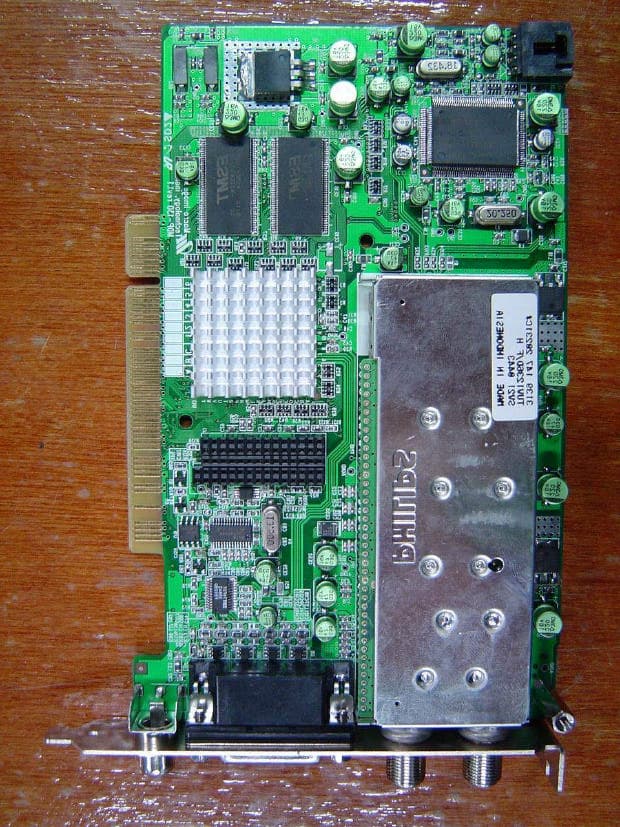
Click to zoom
Application Details
- Equipment Class
- JBP - Part 15 Class B Computing Device Peripheral
- Date of Grant
- Jan 31, 2005
- Application Purpose
- Original Equipment
- Date of Application
- Jan 31, 2005
- Equipment Note
- HDTV Receiving PC Card
- Company
- Macro Image Technology, Inc
- Country
- South Korea
Documents & Files
Document Text
Text extracted from the exhibit documents filed with the FCC. Open a document above to read the original.
Users Manual
FCC RF INTERFERENCE STATEMENT NOTE: This equipment has been tested and found to comply with the limits for a Class B digital device, pursuant to Part 15 of the FCC Rules. These limits are designed to provide reasonable protection against harmful interference in a residential installation. This equipment generates, uses and can radiate radio frequency energy and, if not installed and used in accordance with the instructions, may cause harmful interference to radio communications. However, there is no guarantee that interference will not occur in a particular installation. If this equipment does cause harmful interference to radio or television reception which can be determined by turning the equipment off and on, the user is encouraged to try to correct the interference by one or more of the following measures. - Reorient or relocate the receiving antenna. - Increase the separation between the equipment and receiver. - Connect the equipment into an outlet on a circuit different from that to which the receiver is connected. - Consult the dealer or an experienced radio, TV technical for help. - Only shielded interface cable should be used. Finally, any changes or modifications to the equipment by the user not expressly approved by the grantee or manufacturer could void the users authority to operate such equipment, To achieve optimum performance of the MyHD Board, your PC requires a following minimum configuration. CPU : Pentium-II 333MHz or faster DRAM : 64 Megabytes or more System Bus : PCI OS : Windows 98SE, Windows ME , Windows 2000, Windows XP Other Software : DirectX Media 7.0 or Higher Graphic Card : DirectX compatible VGA card(8 MB memory or more recommended) One Available PCI Slot One 9-pin serial port *For digital transport stream(ATSC) recording and playback, minimum system requirements are as follows: CPU : Pentium-III 800MHz or faster All the other requirements are the same as the above configuration. This package is including : - MyHD PCI Card - Quick Installation Guide - VGA Loop through Cable with External A/V Connector - Remote Control Handset - Remote Control Receiver - Installation CD - Audio Card Jumper Cable - Two 1.5V AAA Batteries To install MyHD on your Windows 98SE, Windows ME, Windows 2000, or Windows XP system: Turn off your PC, install the MyHD PCI card, connect the audio jumper cable as needed, and connect the Remote Control Receiver to a serial port on your PC. Connect the MyHD PCI card to an external video source and display devices as desired. Turn on your PC and install the MyHD Windows device driver from the installation CD, then install the MyHD application software. If DirectX 7.0 or higher version is not installed on your PC, install the latest version of DirectX before the installation of the MyHD device driver. Antenna 1 Recommend to connect the antenna lead from your rooftop antenna Antenna 2 Recommend to connect the antenna lead from your cable antenna A/V Connector Connector to connect A/V cable SPDIF Output Allows the digital audio output of the MyHD card to be connected to an external audio amplifier. Audio Output Allows the analog audio output of the MyHD card to be connected to the LINE IN, AUX or CD input of your PC sound card or motherboard (using the enclosed jumper cable). VIP 1.1 Connector This connector is not currently working. Warning - Static Sensitive Components To avoid possible damage to MyHD Board and/or other system components from static discharge, always discharge your body's static electricity prior to handling MyHD Board or other system components. Discharging can be done either by using a properly grounded anti-static wrist strap or by simply touching the chassis of a grounded (plugged-in) computer. In addition, always handle the card by its edges whenever possible, to avoid mechanical damage to delicate components on the board. To install the MyHD board, follow the steps listed below: 1. With the power off, remove your computer cover and locate an available PCI slot. 2. Remove the screw attached to the slot cover and remove the slot cover plate. 3. Before handling the MyHD card, ground yourself by touching the power supply box inside your computer 4. Position your card directly above the PCI slot and insert the card firmly into the slot. Care should be taken to press it evenly and snugly into its slot. 5. Use the enclosed jumper cable to connect the audio output of the MyHD card to the LINE IN, AUX or CD input of your PC sound card or motherboard. **If the audio output is set by the jumper cable in the MyHD application program, you have to connect the jumper cable between the MyHD card and a sound card. However, you do not need to do it when the audio output is set by wave in the MyHD application program.(Refer to Audio Configuration ). 6. Replace the cover on the computer. 7. Attach the antenna lead from your rooftop antenna or cable system to the antenna input of the MyHD card. Choose your display configuration 8. Connect the remote control receiver to 9-pin serial port. A dual monitor configuration displays the standard Windows desktop on your PC monitor along with full-screen output from your MyHD card on a separate HDTV or VGA monitor. MyHD supports the following resolutions and horizontal frequencies on any monitor equipped with standard RGBHV or YPbPr inputs: - 1080i(1920x1080 interlaced, 33.7kHz) - 1024p(1024x768 progressive, 48.3kHz) - 720p(1280x720 progressive, 44.9kHz) - 480p(720x480 progressive, 31.5kHz) - 480i(720x480 interlaced, 15.75kHz) A single monitor configuration displays the output of your MyHD card in either a resizable window or full-screen(giving you the ability to switch between the regular Windows desktop and MyHD's full-screen display), by using the enclosed VGA loop through cable with external A/V connector as shown(connecting the VGA output of your PC to the MyHD card, which then passes the combined video signals to your PC monitor). You can watch and capture video from any external source (includ…
Text truncated - open the document above for the full version.
Cover Letter(s)
Helen Zhao Subject: FW: Macro Image Technology, Inc., FCC ID: PN7MDP-130, Assessment NO.: AN05T4511, Notice#2 1/28/2005 From: schong Sent: Tuesday, February 1 , 2005 5:14 PM To: Helen Zhao Cc: Y. K. Kwon Subject: Re: Macro Image Technology, Inc., FCC ID: PN7MDP-130, Assessment NO.: AN05T4511, Notice#2 Dear Ms. Helen Zhao, Thank you for your cooperation and kindess. 1) Please provide one more photo when DVI card is attached to DTV card. --> Please refer to attached photo. 2) The FCC ID can not be on the DVI card, please resubmit FCC ID label format to show the FCC ID location on the DTV card. --> Please refer to attached revised FCC ID label format. Thank you and have a nice day! Best Regards, S. C. Hong / Project Engineer Dear Ms. Helen Zhao Thank you for your cooperation and kindness. Regarding your e-mail dated January 28, 2005, we would like to inform you as follows, Question #1: The user manual indicated there is an optional External hardware connector. But the test report does not show this option has been investigated. Please explain. --> We checked two operating modes, one is broadcast receiving mode and the other is external A/V source input mode. And the data of broadcast receiving mode is recorded because that was worst operating condition. Please refer to the page 8 of the revised report. Question #2: The Block Diagram is marked as "Confidential". But there is no Request for Confidentiality letter in the filing. Please either remove Confidential from the block diagram, or provide Request for Confidentiality letter. --> Please refer to attached tha confidential letter for the block diagram. Question #3: Please submit one external photos exhibit, one internal photos exhibit. The photos with shielding removed belong to internal photos. --> Please refer to attached one external photos exhibit, one internal photos exhibit. Question #4: The test report and the external photos indicate there are two PCB boards: DVI board and DTV board. But the user manual only mentioned DTV board which is a PCI card, never mentioned DVI board at all, but the FCC ID label format shows the FCC ID was actually marked on the DVI board. Please explain what is the EUT that seeks FCC cerrtification this time. Please explain why DVI was included in this filing. Is it a supporting equipment? If it is part of EUT, please provide DVI installation guide in the user manual. --> The DVI board is part of EUT, so we attached the user maual of DVI board. If you have any question or need more information, please feel free to contact us. Thank you and have a nice day! Best Regards, S. C. Hong / Project Engineer -------------------------------------------- ONETECH Corp. Tel: +82-31-765-8289 Fax: +82-31-766-2904 1/28/2005
External Photos
FCC ID. : PN7MDP-130 Report No. : E051R-022 It should not be reproduced except in full, without the written approval of ONETECH. FCC-003 (Rev.0) HEAD OFFICE : #505 SK APT. Factory 223-28, Sangdaewon 1 Dong, Jungwon-Gu, Seongnam-City, Kyunggi-Do, 462-121, Korea (TEL: +82-31-746-8500, FAX: +82-31-746-8700) EMC Testing Dept : 426-1 Daessangryung-Ri, Chowol-Myun, Kwangju-City, Kyunggi-Do 464-860 Korea. (TEL: +82-31-765-8289, FAX: +82-31-766-2904) ONETECH Testing & Evaluation Lab. FCC ID. : PN7MDP-130 Report No. : E051R-022 It should not be reproduced except in full, without the written approval of ONETECH. FCC-003 (Rev.0) HEAD OFFICE : #505 SK APT. Factory 223-28, Sangdaewon 1 Dong, Jungwon-Gu, Seongnam-City, Kyunggi-Do, 462-121, Korea (TEL: +82-31-746-8500, FAX: +82-31-746-8700) EMC Testing Dept : 426-1 Daessangryung-Ri, Chowol-Myun, Kwangju-City, Kyunggi-Do 464-860 Korea. (TEL: +82-31-765-8289, FAX: +82-31-766-2904) ONETECH Testing & Evaluation Lab. FCC ID. : PN7MDP-130 Report No. : E051R-022 It should not be reproduced except in full, without the written approval of ONETECH. FCC-003 (Rev.0) HEAD OFFICE : #505 SK APT. Factory 223-28, Sangdaewon 1 Dong, Jungwon-Gu, Seongnam-City, Kyunggi-Do, 462-121, Korea (TEL: +82-31-746-8500, FAX: +82-31-746-8700) EMC Testing Dept : 426-1 Daessangryung-Ri, Chowol-Myun, Kwangju-City, Kyunggi-Do 464-860 Korea. (TEL: +82-31-765-8289, FAX: +82-31-766-2904) ONETECH Testing & Evaluation Lab. FCC ID. : PN7MDP-130 Report No. : E051R-022 It should not be reproduced except in full, without the written approval of ONETECH. FCC-003 (Rev.0) HEAD OFFICE : #505 SK APT. Factory 223-28, Sangdaewon 1 Dong, Jungwon-Gu, Seongnam-City, Kyunggi-Do, 462-121, Korea (TEL: +82-31-746-8500, FAX: +82-31-746-8700) EMC Testing Dept : 426-1 Daessangryung-Ri, Chowol-Myun, Kwangju-City, Kyunggi-Do 464-860 Korea. (TEL: +82-31-765-8289, FAX: +82-31-766-2904) ONETECH Testing & Evaluation Lab. FCC ID. : PN7MDP-130 Report No. : E051R-022 It should not be reproduced except in full, without the written approval of ONETECH. FCC-003 (Rev.0) HEAD OFFICE : #505 SK APT. Factory 223-28, Sangdaewon 1 Dong, Jungwon-Gu, Seongnam-City, Kyunggi-Do, 462-121, Korea (TEL: +82-31-746-8500, FAX: +82-31-746-8700) EMC Testing Dept : 426-1 Daessangryung-Ri, Chowol-Myun, Kwangju-City, Kyunggi-Do 464-860 Korea. (TEL: +82-31-765-8289, FAX: +82-31-766-2904) ONETECH Testing & Evaluation Lab. FCC ID. : PN7MDP-130 Report No. : E051R-022 It should not be reproduced except in full, without the written approval of ONETECH. FCC-003 (Rev.0) HEAD OFFICE : #505 SK APT. Factory 223-28, Sangdaewon 1 Dong, Jungwon-Gu, Seongnam-City, Kyunggi-Do, 462-121, Korea (TEL: +82-31-746-8500, FAX: +82-31-746-8700) EMC Testing Dept : 426-1 Daessangryung-Ri, Chowol-Myun, Kwangju-City, Kyunggi-Do 464-860 Korea. (TEL: +82-31-765-8289, FAX: +82-31-766-2904) ONETECH Testing & Evaluation Lab.
ID Label/Location Info
FCC ID. : PN7MDP-130 Report No. : E051R-022 It should not be reproduced except in full, without the written approval of ONETECH. FCC-003 (Rev.0) HEAD OFFICE : #505 SK APT. Factory 223-28, Sangdaewon 1 Dong, Jungwon-Gu, Seongnam-City, Kyunggi-Do, 462-121, Korea (TEL: +82-31-746-8500, FAX: +82-31-746-8700) EMC Testing Dept : 426-1 Daessangryung-Ri, Chowol-Myun, Kwangju-City, Kyunggi-Do 464-860 Korea. (TEL: +82-31-765-8289, FAX: +82-31-766-2904) ONETECH Testing & Evaluation Lab. IDENTIFICATION LABEL: PROPOSED FCC ID LABEL Due to the product size, only the FCC ID shall be permanently affixed to the rear side of the equipment and other information shall be placed in the instruction manual. FCC ID: PN7MDP-130
Internal Photos
FCC ID. : PN7MDP-130 Report No. : E051R-022 It should not be reproduced except in full, without the written approval of ONETECH. FCC-003 (Rev.0) HEAD OFFICE : #505 SK APT. Factory 223-28, Sangdaewon 1 Dong, Jungwon-Gu, Seongnam-City, Kyunggi-Do, 462-121, Korea (TEL: +82-31-746-8500, FAX: +82-31-746-8700) EMC Testing Dept : 426-1 Daessangryung-Ri, Chowol-Myun, Kwangju-City, Kyunggi-Do 464-860 Korea. (TEL: +82-31-765-8289, FAX: +82-31-766-2904) ONETECH Testing & Evaluation Lab. FCC ID. : PN7MDP-130 Report No. : E051R-022 It should not be reproduced except in full, without the written approval of ONETECH. FCC-003 (Rev.0) HEAD OFFICE : #505 SK APT. Factory 223-28, Sangdaewon 1 Dong, Jungwon-Gu, Seongnam-City, Kyunggi-Do, 462-121, Korea (TEL: +82-31-746-8500, FAX: +82-31-746-8700) EMC Testing Dept : 426-1 Daessangryung-Ri, Chowol-Myun, Kwangju-City, Kyunggi-Do 464-860 Korea. (TEL: +82-31-765-8289, FAX: +82-31-766-2904) ONETECH Testing & Evaluation Lab. FCC ID. : PN7MDP-130 Report No. : E051R-022 It should not be reproduced except in full, without the written approval of ONETECH. FCC-003 (Rev.0) HEAD OFFICE : #505 SK APT. Factory 223-28, Sangdaewon 1 Dong, Jungwon-Gu, Seongnam-City, Kyunggi-Do, 462-121, Korea (TEL: +82-31-746-8500, FAX: +82-31-746-8700) EMC Testing Dept : 426-1 Daessangryung-Ri, Chowol-Myun, Kwangju-City, Kyunggi-Do 464-860 Korea. (TEL: +82-31-765-8289, FAX: +82-31-766-2904) ONETECH Testing & Evaluation Lab. FCC ID. : PN7MDP-130 Report No. : E051R-022 It should not be reproduced except in full, without the written approval of ONETECH. FCC-003 (Rev.0) HEAD OFFICE : #505 SK APT. Factory 223-28, Sangdaewon 1 Dong, Jungwon-Gu, Seongnam-City, Kyunggi-Do, 462-121, Korea (TEL: +82-31-746-8500, FAX: +82-31-746-8700) EMC Testing Dept : 426-1 Daessangryung-Ri, Chowol-Myun, Kwangju-City, Kyunggi-Do 464-860 Korea. (TEL: +82-31-765-8289, FAX: +82-31-766-2904) ONETECH Testing & Evaluation Lab. FCC ID. : PN7MDP-130 Report No. : E051R-022 It should not be reproduced except in full, without the written approval of ONETECH. FCC-003 (Rev.0) HEAD OFFICE : #505 SK APT. Factory 223-28, Sangdaewon 1 Dong, Jungwon-Gu, Seongnam-City, Kyunggi-Do, 462-121, Korea (TEL: +82-31-746-8500, FAX: +82-31-746-8700) EMC Testing Dept : 426-1 Daessangryung-Ri, Chowol-Myun, Kwangju-City, Kyunggi-Do 464-860 Korea. (TEL: +82-31-765-8289, FAX: +82-31-766-2904) ONETECH Testing & Evaluation Lab. FCC ID. : PN7MDP-130 Report No. : E051R-022 It should not be reproduced except in full, without the written approval of ONETECH. FCC-003 (Rev.0) HEAD OFFICE : #505 SK APT. Factory 223-28, Sangdaewon 1 Dong, Jungwon-Gu, Seongnam-City, Kyunggi-Do, 462-121, Korea (TEL: +82-31-746-8500, FAX: +82-31-746-8700) EMC Testing Dept : 426-1 Daessangryung-Ri, Chowol-Myun, Kwangju-City, Kyunggi-Do 464-860 Korea. (TEL: +82-31-765-8289, FAX: +82-31-766-2904) ONETECH Testing & Evaluation Lab. FCC ID. : PN7MDP-130 Report No. : E051R-022 It should not be reproduced except in full, without the written approval of ONETECH. FCC-003 (Rev.0) HEAD OFFICE : #505 SK APT. Factory 223-28, Sangdaewon 1 Dong, Jungwon-Gu, Seongnam-City, Kyunggi-Do, 462-121, Korea (TEL: +82-31-746-8500, FAX: +82-31-746-8700) EMC Testing Dept : 426-1 Daessangryung-Ri, Chowol-Myun, Kwangju-City, Kyunggi-Do 464-860 Korea. (TEL: +82-31-765-8289, FAX: +82-31-766-2904) ONETECH Testing & Evaluation Lab.
Test Report
Page 1 of 13 FCC ID. : PN7MDP-130 Report No. : E051R-022 It should not be reproduced except in full, without the written approval of ONETECH. EMC-004 (Rev.0) HEAD OFFICE : #505 SK APT. Factory 223-28, Sangdaewon 1 Dong, Jungwon-Gu, Seongnam-City, Kyunggi-Do, 462-121, Korea (TEL: +82-31-746-8500, FAX: +82-31-746-8700) EMC Testing Dept : 426-1 Daessangryung-Ri, Chowol-Myun, Kwangju-City, Kyunggi-Do 464-860 Korea. (TEL: +82-31-765-8289, FAX: +82-31-766- 2904) ONETECH Testing & Evaluation Lab. ELECTROMAGNETIC EMISSION C OMPLIANCE REPORT FOR FCC CLASS B CERTIFICATION Test Report No. : E051R-022 Applicant : Macro Image Technology, Inc. Address : East Bldg., 6th Floor, IT Venture Tower, 78, Garakbon-Dong, Songpa-Gu, Seoul, 138-803, Korea Manufacturer : Macro Image Technology, Inc. Address : East Bldg., 6th Floor, IT Venture Tower, 78, Garakbon-Dong, Songpa-Gu, Seoul, 138-803, Korea Type of Equipment : HDTV Receiving PC Card FCC ID : PN7MDP-130 Model Name : MDP-130 Serial number : N/A Total page of Report : 13 pages (including this page) Date of Incoming : November 29, 2004 Date of Issuing : January 10, 2005 SUMMARY The equipment complies with the regulation; FCC CFR 47 PART 15 SUBPART B, Class B. This test report contains only the result of a single test of the sample supplied for the examination. It is not a general valid assessment of the features of the respective products of the mass-production Prepared by: Reviewed by: Seung-Hyun, Nam / Project Engineer Gea-Won, Lee / Chief Engineer EMC Div. EMC Div. Page 2 of 13 FCC ID. : PN7MDP-130 Report No. : E051R-022 It should not be reproduced except in full, without the written approval of ONETECH. EMC-004 (Rev.0) HEAD OFFICE : #505 SK APT. Factory 223-28, Sangdaewon 1 Dong, Jungwon-Gu, Seongnam-City, Kyunggi-Do, 462-121, Korea (TEL: +82-31-746-8500, FAX: +82-31-746-8700) EMC Testing Dept : 426-1 Daessangryung-Ri, Chowol-Myun, Kwangju-City, Kyunggi-Do 464-860 Korea. (TEL: +82-31-765-8289, FAX: +82-31-766- 2904) ONETECH Testing & Evaluation Lab. ONETECH Corp. ONETECH Corp. Page 3 of 13 FCC ID. : PN7MDP-130 Report No. : E051R-022 It should not be reproduced except in full, without the written approval of ONETECH. EMC-004 (Rev.0) HEAD OFFICE : #505 SK APT. Factory 223-28, Sangdaewon 1 Dong, Jungwon-Gu, Seongnam-City, Kyunggi-Do, 462-121, Korea (TEL: +82-31-746-8500, FAX: +82-31-746-8700) EMC Testing Dept : 426-1 Daessangryung-Ri, Chowol-Myun, Kwangju-City, Kyunggi-Do 464-860 Korea. (TEL: +82-31-765-8289, FAX: +82-31-766- 2904) ONETECH Testing & Evaluation Lab. CONTENTS Page 1. VERIFICATION OF COMPLIANCE ............................................................................................................................4 2. GENERAL INFORMATION...........................................................................................................................................5 2.1 PRODUCT DESCRIPTION................................................................................................................................................5 2.2 MODEL DIFFERENCES...................................................................................................................................................5 2.3 RELATED SUBMITTAL(S) / GRANT(S)...........................................................................................................................5 2.4 TEST SYSTEM DETAILS.................................................................................................................................................5 2.5 TEST METHODOLOGY...................................................................................................................................................6 2.6 TEST FACILITY..............................................................................................................................................................6 3. SYSTEM TEST CONFIGURATION..............................................................................................................................7 3.1 JUSTIFICATION..............................................................................................................................................................7 3.2 EUT EXERCISE SOFTWARE...........................................................................................................................................7 3.3 CABLE DESCRIPTION....................................................................................................................................................7 3.4 NOISE SUPPRESSION PARTS ON CABLE........................................................................................................................8 3.5 EQUIPMENT MODIFICATIONS.......................................................................................................................................8 3.6 CONFIGURATION OF TEST SYSTEM..............................................................................................................................8 4. PRELIMINARY TEST .....................................................................................................................................................9 4.1 AC POWER LINE CONDUCTED EMISSION TEST...........................................................................................................9 4.2 RADIATED EMISSION TEST...........................................................................................................................................9 5. FINAL RESULT OF MEASURMENT .........................................................................................................................10 5.1 CONDUCTED EMISSION TEST......................................................................................................................................10 5.2 RADIATED EMISSION TEST..............................................................................................................................…
Text truncated - open the document above for the full version.
Test Setup Photos
FCC ID. : PN7MDP-130 Report No. : E051R-022 It should not be reproduced except in full, without the written approval of ONETECH. FCC-003 (Rev.0) HEAD OFFICE : #505 SK APT. Factory 223-28, Sangdaewon 1 Dong, Jungwon-Gu, Seongnam-City, Kyunggi-Do, 462-121, Korea (TEL: +82-31-746-8500, FAX: +82-31-746-8700) EMC Testing Dept : 426-1 Daessangryung-Ri, Chowol-Myun, Kwangju-City, Kyunggi-Do 464-860 Korea. (TEL: +82-31-765-8289, FAX: +82-31-766-2904) ONETECH Testing & Evaluation Lab. Conducted Emission Test FCC ID. : PN7MDP-130 Report No. : E051R-022 It should not be reproduced except in full, without the written approval of ONETECH. FCC-003 (Rev.0) HEAD OFFICE : #505 SK APT. Factory 223-28, Sangdaewon 1 Dong, Jungwon-Gu, Seongnam-City, Kyunggi-Do, 462-121, Korea (TEL: +82-31-746-8500, FAX: +82-31-746-8700) EMC Testing Dept : 426-1 Daessangryung-Ri, Chowol-Myun, Kwangju-City, Kyunggi-Do 464-860 Korea. (TEL: +82-31-765-8289, FAX: +82-31-766-2904) ONETECH Testing & Evaluation Lab. Radiated Emission Test
Contact Information
Applicant
S. C Ryu(Researcher)
Test Firm
ONETECH Corp.Gea-Won Lee
Technical Specifications
| # | Rule Parts | Frequency Range | Power Output |
|---|---|---|---|
| 1 | 15B | - | - |
Other Applications from Macro Image Technology, Inc
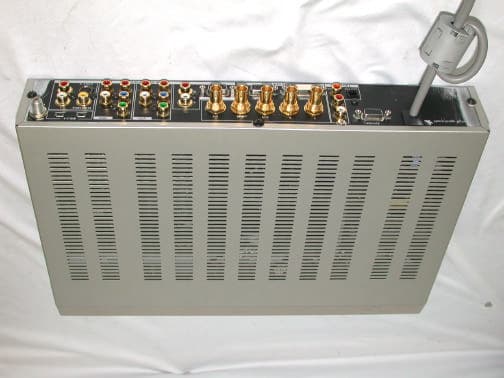
PN7MVS-500
Dec 26, 2002Digital Video Station
Equipment Class
JBP - Part 15 Class B Computing Device Peripheral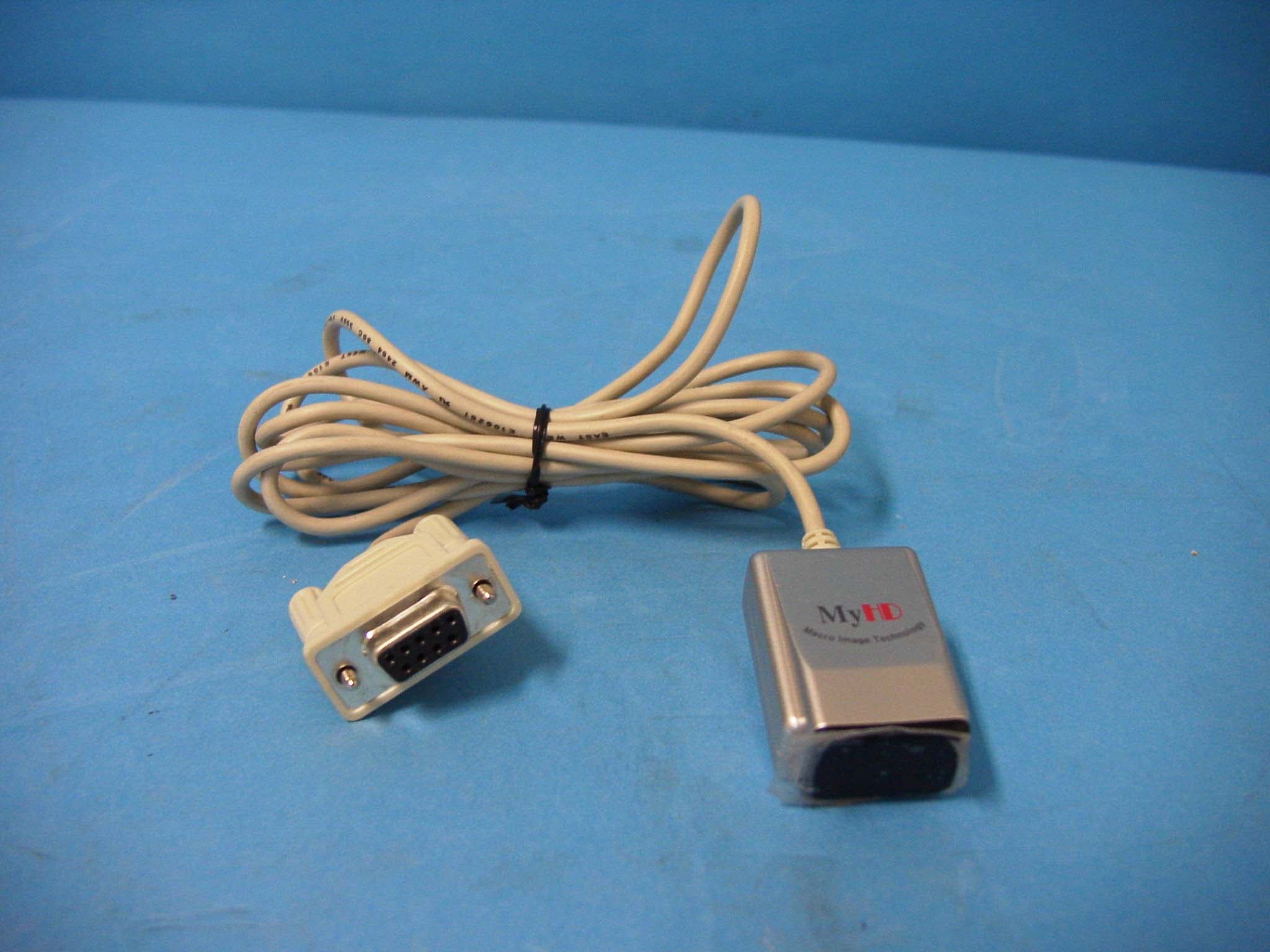
PN7MDP-110L
Jun 02, 2002HD-TV Reception PCI Card
Equipment Class
JBP - Part 15 Class B Computing Device Peripheral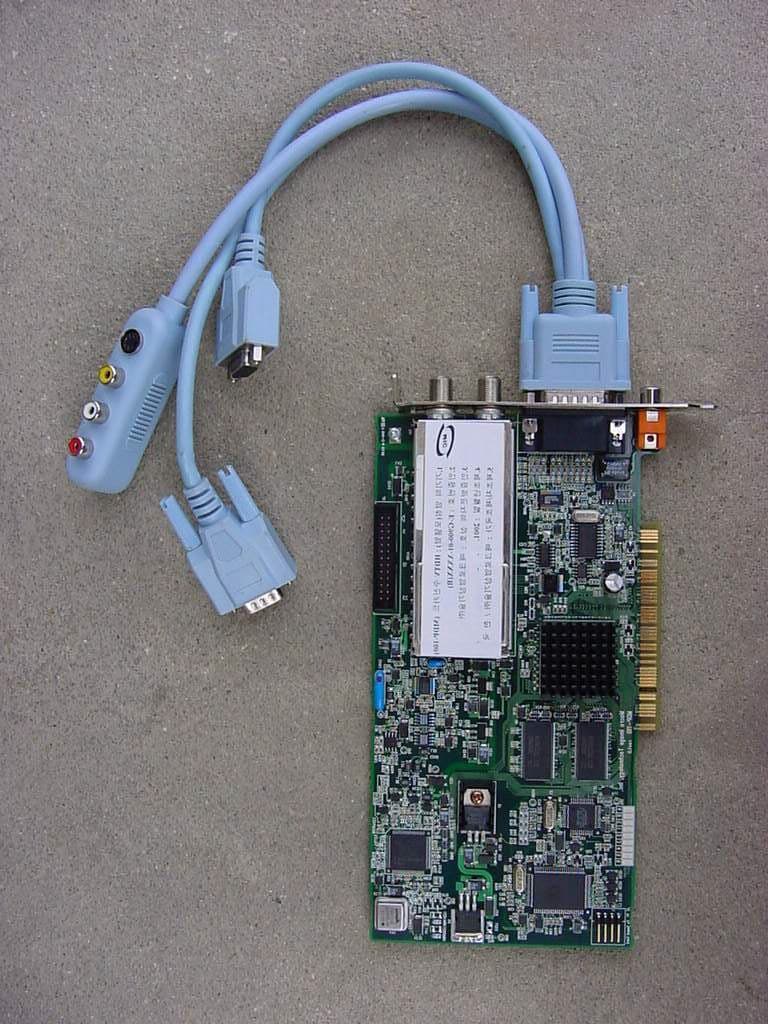
PN7MDP-100
Oct 25, 2001HDTV Receiving PC Card
Equipment Class
JBP - Part 15 Class B Computing Device Peripheral