PSJMX4350RFWireless Optical Mouse
Memorex Products, Inc.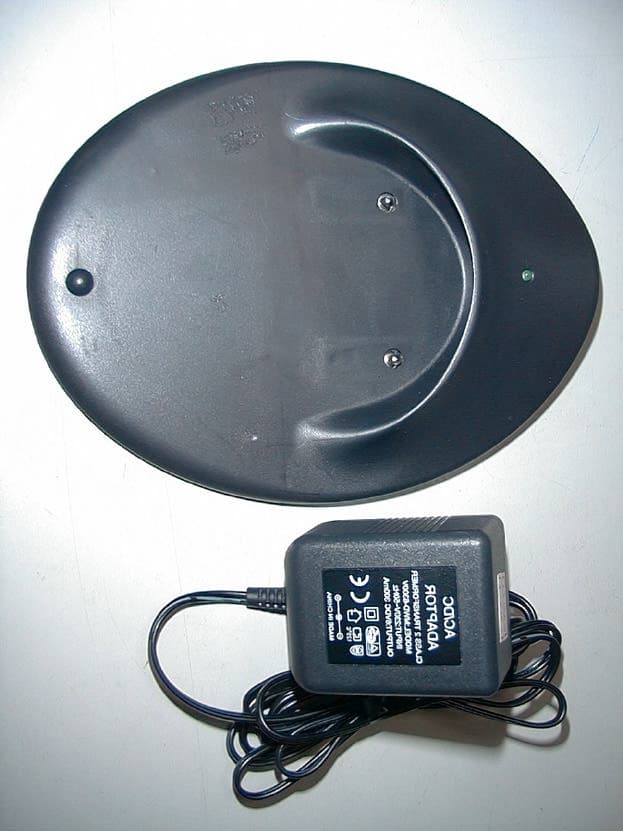
Click to zoom
Application Details
- Equipment Class
- DXX - Part 15 Low Power Communication Device Transmitter
- Date of Grant
- Sep 12, 2001
- Application Purpose
- Original Equipment
- Date of Application
- Sep 12, 2001
- Equipment Note
- Wireless Optical Mouse
- Frequency Range
- 27.03000000 - 27.10000000
- Company
- Memorex Products, Inc.
- Country
- United States
Documents & Files
Document Text
Text extracted from the exhibit documents filed with the FCC. Open a document above to read the original.
Users Manual
1 1994-2001 Copyright All Rights Reserved FCC Statement on CLASS B Dear Memorex Consumer Congratulations! You just purchased the perfect Wireless Mouse! Please take some time to read the following instructions carefully. The Memorex RF ScrollPro Optical Mouse signal is transmitted through electromagnetic energy from transmitter to the receiver. The output power is low but strong enough to have a good detection for the receiver. Therefore, the harm from radioactivity to the human body is negligent. Note: This equipment has been tested and found to comply with the limits for a CLASS B digital device, pursuant to Part 15 of the FCC Rules. These limits are designed to provide reasonable protection against harmful interference when the equipment is operated in a residential installation. This equipment generates, uses, and can radiate radio frequency energy and if not installed and used in accordance 2 with the instruction manual may cause harmful interference to radio communications. However, there is no guarantee that interference will not occur in a particular Installation .If this equipment does cause interference to radio or television reception, which can be determined by turning the equipment off and on, the user is encouraged to try to correct the interference by one or more of the following measures: * Reorient or relocate the receiving antenna. * Increase the separation between the equipment and receiver. * Connect the equipment into an outlet on a circuit different from that to which the receiver is connected. * Consult the dealer or an experienced radio TV technician for help. This device complies with Part 15 of the FCC Rules. Operation is subject to the following two conditions: (1) this device may not cause harmful interference. (2) this device must accept any interference received, including interference that may cause undesired operation. 3 Quick Installation Guide for the Memorex RF ScrollPro Optical Mouse: Hardware Installation 1. Open the battery compartment on the mouse and set the channel switch to either “1” or “2” 2. Insert the 2AAA batteries into the battery compartment and close the cover. • If the Red LED display light is on, the mouse batteries have power; otherwise plug the AC adapter into an appropriate power source and plug the connector into the port located on the charging station. After you’ve completed this step, slide the mouse into the charging station to charge the batteries. While the mouse is charging the scroll wheel will illuminate. • To completely charge the batteries allow the mouse to remain in the charging station for a minimum of 6-8 hours. *Note the initial 4 charge will take approximately 24 hours. When fully charged the batteries will last for approximately 6-8 hours. 3. Set Receiver channel switch (located on the bottom of the receiver) to the same channel selected in step 1. The default for both is channel 1. 4. Connect the Receiver to your computers mouse port (either via the PS/2 connector and your available PS/2 mouse port or by applying the PS/2 to USB adapter and plugging it into your computers USB port). The LED illuminator should light. 5. Press ID Link Button (which is located on the receiver bottom), the LED light should begin to flash slowly at this time. 6. Press ID Link Button of the Mouse, the LED light blinking should begin to flash rapidly. 5 7. Once the frequency is set, the LED light on the receiver will remain steadily lit. However when the mouse is in motion the LED will flash rapidly. Note 1. When there is low/no power in mouse, the scrolling wheel will illuminate. Charge the mouse immediately. 2. While charging the mouse, the Receiver LED light will blink quickly. After charging is complete the LED will flash slowly. The mouse is then ready for use. 3. The Memorex RF ScrollPro Optical Mouse comes equipped to conserve battery life. The mouse will enter “Sleep” mode after 90+ seconds of non- use. To “Wake” the mouse simply press any mouse button or move the scroll wheel.
Block Diagram
1234 A B C D 4321 D C B A 1 150 16 . ,235 , , , 2 A 18-Jun-200115:40:01D:\WIN_BACK\CHIC\MOUSE\C140\\C140CH.SCH Title Size:Number: Date:File: Revision: SheetofTime: A4 C-140 CHARGE-BLOCK DIAGRAM Chic CHARGE LED CHARGE CIRCUIT AC/DC ADAPTOR ACIN B A 1234 A B C D 4321 D C B A 1 150 16 . ,235 , , , 2 A 18-Jun-200115:38:59D:\WIN_BACK\CHIC\MOUSE\C140\\C140RX.SCH Title Size:Number: Date:File: Revision: SheetofTime: A4 C-140 RX-BLOCK DIAGRAM Chic ANTENNA MIXER IF FILTER DETECTOR CRYSTAL OSC 455KHz (RF RX PARTS) DATA S1 CHANNEL SW MICRO CONTROLLER RF LED LINK BUTTON EEPROM PS2/USB ADAPTOR PS2 USB 27.5Mhz27.55Mhz 1234 A B C D 4321 D C B A 1 150 16 . ,235 , , , 2 A 18-Jun-200115:41:32D:\WIN_BACK\CHIC\MOUSE\C140\\C140TX.SCH Title Size:Number: Date:File: Revision: SheetofTime: A4 C-140 TX-BLOCK DIAGRAM Chic ANTENNA BATTERY 2.4V 12MHz VCC VCC DC-DC CONVERTER RF TX PARTS ENABLE X AXIS SENSER ENCODER ENCODER SENSER Y AXIS CONTROLLER MICRO S1 CHANNEL SW BATTERY LOW DETECTOR VCC RECHARGE ABLE 5 BUTTON A B ENCODER Z AXIS VCC VCC VCC VCC DATA OUT 27.095Mhz 27.045Mhz
Cover Letter(s)
From: report [[email protected]] Sent: Monday, September 10, 2001 12:11 AM To: Barbara Judge Subject: Re: FCC ID: PSJMX4350RF Follow Up Flag: Follow up Due By: Thursday, September 13, 2001 5:00 PM Flag Status: Flagged Dear Barbara, In response to your e-mail on 2001/08/30. Q1. See attachment e-file for 4350-Q1.pdf Q2. See attachment e-file for 4350-Q2.pdf Best regards, Jack Tsai Traning Research Co., Ltd. e-mail: [email protected] ----- Original Message ----- From: Barbara Judge <[email protected]> To: <[email protected]> Sent: Thursday, August 30, 2001 5:30 AM Subject: FCC ID: PSJMX4350RF > Dear Mr. Tsai, > > Thank you for your recent application for Equipment Authorization on behalf > of your client, Memtek Products. The following issues must be addressed > before processing can be completed. > > 1. Please provide revised Users Manual which includes a cautionary > statement to the user, in accordance with 15.21, that changes or > modifications not expressly approved by the party responsible for compliance > could void the user's authority to operate the equipment. > > 2. The test report indicates that a Bi-Log antenna was used to make all > radiated measurements. The FCC requires that measurements made below > 30MHz be made with a loop antenna. Please submit data accordingly. > > Please provide the above detailed items so that processing on your > application may proceed. > > The items indicated above must be submitted before processing can > continue > on the above referenced application. Failure to provide the > requested > information within 60 days of the original e-mail date may result in > > application dismissal and forfeiture of the filing fee. Also, please > note > that partial responses increase processing time and should not be > submitted. > Any questions about the content of this correspondence should > be directed to the e-mail address listed below the name of the > sender. > > > Best Regards, > Barbara > _______________________________________ > Barbara L. Judge > Vice President > Compliance Certification Services > Designated TCB and CAB > 561F Monterey Road > Morgan Hill, CA 95037 > 408-463-0885 ext.104 > Fax: 408-463-0888 > e-mail: [email protected] > http://www.ccsemc.com
ID Label/Location Info
LABEL Format: This device complies with Part 15 of the FCC Rules Operation is subject to the following two conditions: (1) This device may not cause harmful interference, and (2) This device must accept any interference received, including interference that may cause undesired operation Model No.:MX4350RF FCC ID:PSJMX4350RF LABEL Size: 39 x 34 mm LABEL Position:
Test Report
Test Report -------------------------------------------------------------------------------- 2/19 Report No.: C3115299 Training Research Co., Ltd., TEL: 886-2-26935155, Fax: 886-2-26934440 Contents Chapter 1 Introduction Description of EUT...................................................................................................................3 Configuration of Test Setup......................................................................................................4 List of Support Equipment........................................................................................................6 Chapter 2 Conducted Emission Test Test Condition and Setup..........................................................................................................9 Conducted Test Placement.......................................................................................................10 Chapter 3 Radiated Emission Test Test Condition and Setup.........................................................................................................11 Radiated Test Placement..........................................................................................................13 Appendix A : Radiated test result...................................................................................................................15 Appendix B : Radiated test result...................................................................................................................16 Appendix C : Band Edge of Measurement.....................................................................................................19 Test Report -------------------------------------------------------------------------------- 3/19 Report No.: C3115299 Training Research Co., Ltd., TEL: 886-2-26935155, Fax: 886-2-26934440 Chapter 1Introduction Description of EUT: EUT:Wireless Optical Mouse Model No.:MX4350RF FCC ID:PSJMX4350RF Frequency Range:27.03 – 27.10 MHz Power Type:Powered by two 1.2VDC batteries This wireless mouse use advancing transmission technology to allow comfortable use. However, occasionally outside sources may cause interference. Test method: All measurements contained in this report were performed according to the techniques described in Measurement procedure ANSI C63.4 – 1992. Pretest was found that the emission of operating mode is worse than standby (charging) mode. So, The final test is made at the operating mode. While testing, the EUT was made to transmit continuously, which transmitted the maximum emission. The test placement as the photographs showed is the worst case emission placed. (If the emission is close to the ambient, the resolution BW and view resolution will be reduced and the data will be recorded by detection of maximum hold peak mode.) The testing configuration of test setup is showing in the next page. Test Report -------------------------------------------------------------------------------- 4/19 Report No.: C3115299 Training Research Co., Ltd., TEL: 886-2-26935155, Fax: 886-2-26934440 Configuration of Test Setup (Operating mode) Connections: EUT: Put two AAA size, 1.2V batteries into the battery cell of EUT, powers the subject device. The EUT does not be connected with any product. Located Remotely Rx USB Joystick USB Mouse Keyboard Monitor Modem PrinterPC Power EUT (Tx) Test Report -------------------------------------------------------------------------------- 5/19 Report No.: C3115299 Training Research Co., Ltd., TEL: 886-2-26935155, Fax: 886-2-26934440 Configuration of Test Setup (Charging mode) Connections: Charger: *Power Jack --- connected with a power adapter that the power cable is 1.85m long, non-shielded, no ferrite bead EUT: *Put two AAA size, 1.2V batteries into the battery cell of EUT. *Put EUT into the charging slot of receiver Charger Rx USB Mouse Mouse Keyboard Monitor Modem PrinterPC Power Test Report -------------------------------------------------------------------------------- 6/19 Report No.: C3115299 Training Research Co., Ltd., TEL: 886-2-26935155, Fax: 886-2-26934440 List of Support Equipment Conducted (Radiated) test: PC:HP Brio 85xx 6/350 Model No.:D6928A Serial No. :SG91801552 FCC ID:N/A, Doc Approved :3872H013 Power type:100 ~ 230VAC / 50 ~ 60Hz, 5A, Switching Power cord :Non-shielded, 2.33m long, Plastic, No ferrite core Monitor :HP 15’ Color Monitor Model No.:D2832A Serial No.:KR91379759 FCC ID:N/A, Doc Approved :4872A167 Power type:100 ~ 240 VAC / 50 ~ 60 Hz, Switching Power cord:Shielded, 1.80m long, No ferrite core Data cable :Shielded, 1.50m long, with two ferrite cores Printer:HP Model No.:C2184A Serial No.:SG55T1P1KY FCC ID:N/A, Doc Approved Power type:Linear Power cord:Non-shielded, 1.90m long, No ferrite core Data cable :Shielded, 1.8m long, No ferrite core Test Report -------------------------------------------------------------------------------- 7/19 Report No.: C3115299 Training Research Co., Ltd., TEL: 886-2-26935155, Fax: 886-2-26934440 Keyboard:HP Model No.:SK-2501K Serial No.:MR81008879 FCC ID:GYUR38SK :3862A621 Power type:By PC Data cable :Shielded, 1.73m long, with ferrite core Mouse:HP Model No.:M-S34 Serial No.:LZB90910464 FCC ID:DZL211029 :4862A011 Power type:By PC Power cord:Non-shielded, 1.88m long, No ferrite core Modem:ACEEX Model No.:XDM41414 Serial No.:964111217 FCC ID:IFAXDM1414 Power type:Linear Power cord:Non-shielded, 1.9m long, No ferrite cord Data cable :RS232, Shielded, 1.2m long, No ferrite core RJ11C x 2, 7’ long non-shielded, No ferrite core Test Report -------------------------------------------------------------------------------- 8/19 Report No.: C3115299 Training Research Co., Ltd., TEL: 886-2-26935155, Fax: 886-2-26934440 USB Mouse:Logitech Model No.:M-BA47 Serial No.:LZE92250027 FCC ID:N/A, Doc Approved :4872A220 Power type:Powered by PC Data Cable:Shielded, 1.5m long, Plastic hoods, No ferrite bead USB Joystick:Padix Model No.:QF-305U Serial No.:8100848 FCC ID: N/A, Doc Approval Pow…
Text truncated - open the document above for the full version.
Test Report
FCC ID : PSJMX4350RF Peak Power Measurement (Frequency Band: 26.96 ~ 27.28) 1. Test Setup 3M EUT 1M Ground Plane HP 8546A Spectrum Analyzer Figure 1 2. Test Procedure a. The EUT was setup in the anechoic chamber as shown above. b. The loop antenna was located upon its plane vertical, 3-meter distance from the EUT. The center of the loop is 1-meter above the ground plane. c. In order to find the maximum radiation, the EUT was rotated 360 . The measuring antenna was rotated about its axis at each azimuth about the EUT. 3. List of Test Instruments Instrument Name Model No. Brand Serial No. Last time Next time EMI Receiver 8546A H P 3520A00242 10/01/00 10/01/01 RF Filter Section 85460A H P 3448A00217 10/01/00 10/01/01 Active Loop Antenna 6502 EMCO 2777 07/20/01 07/20/02 4. Test Results Frequency: 27.03 MHz (CH 1) Antenna Polarity Reading Amplitude Correction Factors Corrected Amplitude Limit Margin dBμV dB/m dBμV/m dBμV/m dB Horizontal -13.00 51.75 80 Horizontal > Vertical Frequency: 27.10 MHz (CH 2) Antenna Polarity Reading Amplitude Correction Factors Corrected Amplitude Limit Margin dBμV dB/m dBμV/m dBμV/m dB Vertical -13.00 51.80 80 Horizontal < Vertical Band Edge of Measurement: (Frequency Band: 26.96 ~ 27.28) Test Result: CH1 CH2
Test Setup Photos
Test Report -------------------------------------------------------------------------------- 10/19 Report No.: C3115299 Training Research Co., Ltd., TEL: 886-2-26935155, Fax: 886-2-26934440 Conducted Test Placement: (Photographs, Charging Mode) Test Report -------------------------------------------------------------------------------- 13/19 Report No.: C3115299 Training Research Co., Ltd., TEL: 886-2-26935155, Fax: 886-2-26934440 Radiated Test Placement: (Photographs, Operating Mode)
Contact Information
Applicant
Angela Thomas(Product Manager)
Technical Contact
Training Research Co., Ltd.Jack Tsai
[email protected]886-2-26935155
No. 2, Lane 194, Huan Ho Street, · Taipei Hsien, · Taiwan
Test Firm
Training Research Co., Ltd.Jack Tsai
Technical Specifications
| # | Rule Parts | Frequency Range | Power Output |
|---|---|---|---|
| 1 | 15C | 27.03 MHz - 27.1 MHz | - |
Other Applications from Memorex Products, Inc.
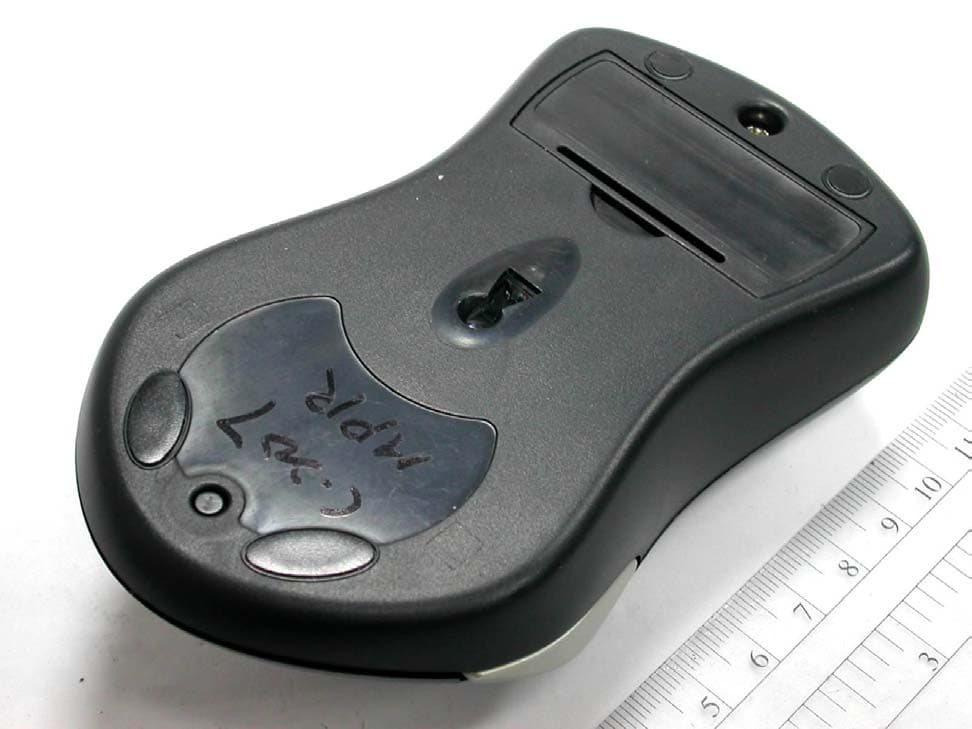
PSJMX4420RF
Mar 21, 2004WIRELESS OPTICAL MOUSE
Equipment Class
DXX - Part 15 Low Power Communication Device Transmitter
PSJMX4350RF-1
May 26, 2003Wireless Mouse
Equipment Class
DXX - Part 15 Low Power Communication Device Transmitter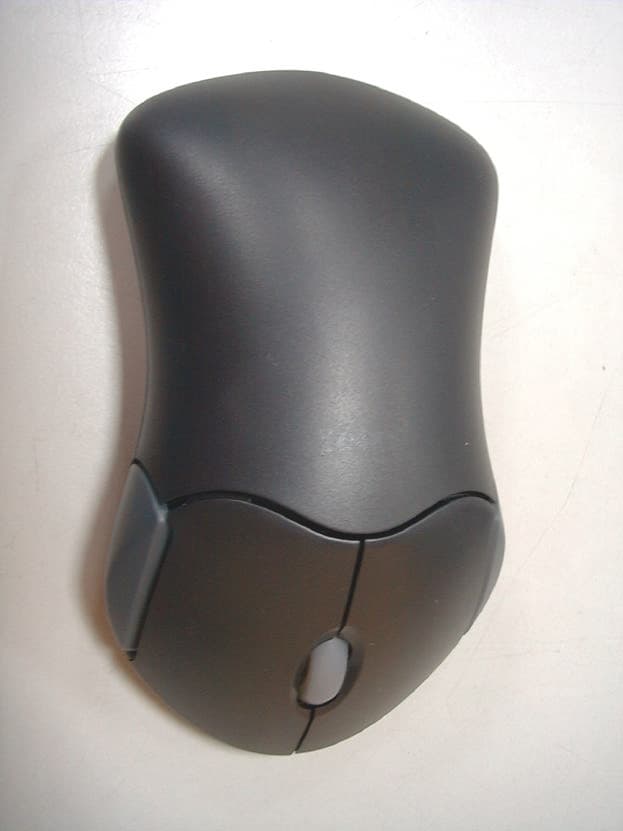
PSJMX4300RF
Sep 12, 2001Wireless Mouse
Equipment Class
DXX - Part 15 Low Power Communication Device Transmitter