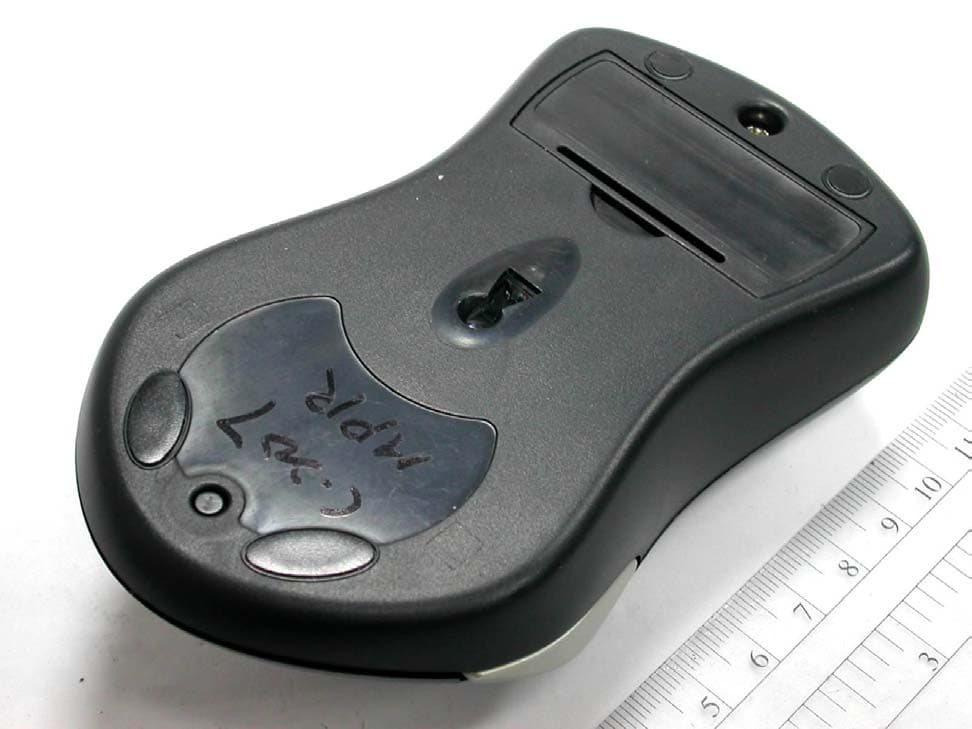
PSJMX4350RF-1Wireless Mouse
Memorex Products, Inc.
Click to zoom
Application Details
- Equipment Class
- DXX - Part 15 Low Power Communication Device Transmitter
- Date of Grant
- May 26, 2003
- Application Purpose
- Original Equipment
- Date of Application
- May 26, 2003
- Equipment Note
- Wireless Mouse
- Frequency Range
- 26.96000000 - 27.28000000
- Company
- Memorex Products, Inc.
- Country
- United States
Documents & Files
Document Text
Text extracted from the exhibit documents filed with the FCC. Open a document above to read the original.
Users Manual
Additional and updated information can be found directly on our fully interactive website www.memorexlive.com 1 Cordless Optical Mouse Index Next Other options GB IntroductionPage 2 Hardware InstallationPage 3 Driver InstallationPage 5 TroubleshootingPage 6 Comfort GuidelinesPage 8 NoticesPage 10 Copyright Statements This manual is copyright Memorex Products Europe with all rights reserved. Under the copyright laws, this manual cannot be reproduced in any form without the prior written permission of Memorex. No patent liability is assumed, however, with respect to the information contained herein. Disclaimer This manual has been validated and reviewed for accuracy. The included sets of instructions and descriptions were accurate at the time of this manual’s production. However succeeding products and manuals are subject to change without notification. Therefore, Memorex assumes no liability for damages incurred directly or indirectly from errors, omissions or discrepancies between the product and the manual. MX4350RF MX4350RFMX4350RF Additional and updated information can be found directly on our fully interactive website www.memorexlive.com 2 Cordless Optical Mouse Introduction Next Back Other options GB Introduction Congratulations on your decision to purchase the Memorex MX4350RF cordless optical mouse. Please take the time to read the following instructions carefully. They will ensure you get full use out of your mouse and keep it working reliably for many years. The Memorex cordless optical mouse has a receiver with a PS/2 connector and also comes with a PS/2 to USB adapter. Being IBM compatible, it can run on nearly all modern PCs. The key features of the mouse include the combination of the latest cordless and optical technologies and an innovative, ergonomic design with the unique Memorex Mouseport TM desktop charger. With cordless technology you can free your desktop from cables and enjoy the flexibility of being able to work where it suits you. No more worries about how long your cable is or if it is getting tangled! As the Memorex cordless mouse is moved, it transmits signals of electromagnetic energy to the receiver, providing a very precise cursor control. The output power is low and harmless, but strong enough to have a good detection by the receiver. And with Memorex 360° technology, don’t worry which way your mouse is pointing, or if a cup or book is in the way. You’ll still get trouble free performance every time. Combined with optical technology, as soon as the mouse is moved, a light beam from within the mouse illuminates the surface on which the mouse is resting. At the same time, an optical sensor tracks the movement of the mouse across the surface. There’s no mouse ball and no internal rollers, so no cleaning is required and you don’t even need a mousemat! The mouse is perfect for both right and left-handed people. Using the supplied Memorex mouse software, you can specify your own scroll and zoom function settings as well as configure the additional right and left mouse buttons from a range of other predefined functions. These buttons allow you, for example, to scroll effortlessly while you’re surfing the internet or working with a text editing program. You don’t need to use the scrollbar or the arrow keys. The scrolling direction depends on the direction in which the mouse is moved and the way the scrolling function has been configured. And of course, the usual Window settings such as cursor speed and mouse pointer display can still be selected via the Control Panel and Mouse Properties menu. MX4350RF MX4350RFMX4350RF Additional and updated information can be found directly on our fully interactive website www.memorexlive.com 3 Cordless Optical Mouse Hardware Installation Next Back Other options GB Getting Started To use the Memorex cordless optical mouse with your PC, you will need to have a free USB port or PS2 mouse port. The USB port or PS2 mouse port can be recognized on most modern computers by a symbol next to the corresponding socket. Note: Please note that the USB port is currently only supported by Windows 98, ME & 2000. If you are using Windows 95 or NT 4.0, you will only be able to use the PS2 connection. Hardware Installation 1. Connection to your PC PS2 Connection a. Shut down your PC and turn it off b. Disconnect any existing mouse completely and then gently insert the PS2 connector of your Memorex receiver cable directly into the mouse port of your PC USB Connection a. Connect the PS2 to USB adapter to the PS2 plug of the receiver b. Disconnect any existing mouse completely and then gently insert the USB connector of your Memorex receiver cable directly into the USB port of your PC 2. Connect the Mouseport TM to the mains power supply using the supplied power cable and ensure the power is turned on. The LED at the front of the Mouseport TM should be on. 3. Open the battery compartment of the mouse and set the mouse ID with the channel switch to either “1” or “2” 4. Insert the 2 rechargeable AAA batteries into the battery compartment and close the cover. Take care to insert the batteries correctly. Position the mouse onto the Mouseport TM charging station so that it is in the charging position. The first time you charge the mouse, to allow the batteries to charge completely you should allow it stand in the Mouseport TM for 8 hours. When you start charging, the Mouseport TM LED will be on. As charging of the batteries nears completion, the LED will start to flash with increasing speed until the batteries are fully charged, when the LED will go off. 5. Locate the channel switch on the bottom of the receiver and set the receiver ID to be the same as selected for the mouse in step 2 above. The default setting for both is channel 1. MX4350RF MX4350RFMX4350RF Additional and updated information can be found directly on our fully interactive website www.memorexlive.com 4 Cordless Optical Mouse Hardware Installation Next Back Other options GB 6. Now turn on …
Text truncated - open the document above for the full version.
Cover Letter(s)
Request for Confidentiality Federal Communications Commission Authorization and Evaluation Division Sub.: Confidentiality Request regarding application for certification of FCC ID: PSJMX4350RF-1 Pursuant to Sections 0.457 and 0.459 of the Commission’s Rules, we hereby request confidential treatment of information accompanying this application as outlined below: l Schematics l Part List l Block diagram l Operational description The above materials contain trade secrets and proprietary information not customarily released to the public. The public disclosure of these materials may be harmful to the applicant and provide unjustified benefits to its competitors. The applicant understands that pursuant to Section 0.457 of the Rules, disclosure of this application and all accompanying documentation will not be made before the date of the Grant for this application. Sincerely, Melarrie Lukesh, Product Manager Memorex Products, Inc.
ID Label/Location Info
100mA FCC ID:PSJMX4350RF-1 R&D DEPT. Designer Sales Dept. Material Dept. Manuf. Dept. QA Dept. R&D Manager Document No.: Model No.:C140 (2051) Material: Adhesive Label / Coated Press Color: Black (background), White (type) Final Size (mm): mm Date: 26 / Mar. / 2003 Special Instructions:
Test Report
Test Report ------------------------------------------------------------------------------- 2/18 Report No.: C3115342 Training Research Co., Ltd., TEL: 886-2-26461146, Fax: 886-2-26461778 Contents Chapter 1 Introduction Description of EUT...................................................................................................................3 Configuration of Test Setup......................................................................................................4 List of Support Equipment........................................................................................................7 Chapter 2 Conducted Emission Test Test Condition and Setup..........................................................................................................9 Conducted Test Placement.......................................................................................................10 Chapter 3 Peak Power Measurement (Frequency Band: 26.96 ~ 27.28) Test Setup.................................................................................................................................11 Test Procedure..........................................................................................................................11 Chapter 4 Radiated Emission Test Test Condition and Setup.........................................................................................................12 Radiated Test Placement..........................................................................................................13 Appendix A: Conducted test result................................................................................................................14 Appendix B: Peak Power and Radiated test result........................................................................................15 Appendix C: Band Edge of Measurement.....................................................................................................17 Test Report ------------------------------------------------------------------------------- 3/18 Report No.: C3115342 Training Research Co., Ltd., TEL: 886-2-26461146, Fax: 886-2-26461778 Chapter 1 Introduction Description of EUT: EUT : Wireless Optical Mouse Model No. : MX4327RCV, MX4350RF, MX5600RF, MX6000RF, MX4650RF Product name : Wireless Optical Mouse Frequency Range : 26.96 – 27.28 MHz Power Type : Transmitter: Powered by two 1.5VDC AA batteries *This EUT has two channels (each with 256 IDs): 1. 27.0450 MHz 2. 27.0950 MHz Test method: Pretest was found that the emission of operating mode is worse than standby mode. So, The final test is made at the operating mode. During the measurement, there are two channel and six modes tested: “Channel 1 by PS/2 Interface“, “Channel 2 by PS/2 Interface “, “Channel 1 by USB Interface”, “Channel 2 by USB Interface” and “Charging” modes. The radiation pretest was found out the testing mode: “Channel 1 by USB Interface” was the worst case and we only recorded worse cases in this report. While testing, the EUT was made to transmit continuously and adjusted at a position, which transmitted the maximum emission. The test placement as the photographs showed is the worst emission placed. (If the emission is close to the ambient, the resolution BW and view resolution will be reduced and the data will be recorded by detection of maximum hold peak mode.) The testing configuration of test setup is showing in the next page. Test Report ------------------------------------------------------------------------------- 4/18 Report No.: C3115342 Training Research Co., Ltd., TEL: 886-2-26461146, Fax: 886-2-26461778 Configuration of Test Setup (Test mode: PS/2 Interface) Connections: PC: *Serial Port --- via a 110cm shielded RS-232 cable to an external modem. *Monitor Port --- a monitor with 1.5m length data cable. *Keyboard port --- a keyboard with 1.5m length data cable. *Mouse port --- EUT(Rx). *USB port A --- a USB joystick with 1.8m long, shielded, no ferrite bead data cable. *USB port B --- a USB mouse with 1.88m long, shielded, no ferrite bead data cable. (Each port on PC is connected with suitable device) EUT(Tx): *Put two AA size, 1.5V battery into the battery cell of EUT, powers the subject device. The EUT does not be connected with any product. Support Equipment (Rx): *PS/2 Jack --- via a 142cm length shielded data cable to the Mouse port of PC. EUT (Tx) Power Support Equipment (Rx) Printer Modem PC Monitor Keyboard USB Joystick USB Mouse Test Report ------------------------------------------------------------------------------- 5/18 Report No.: C3115342 Training Research Co., Ltd., TEL: 886-2-26461146, Fax: 886-2-26461778 Configuration of Test Setup (Test mode: USB Interface) Connections: PC: *Serial Port --- via a 110cm shielded RS-232 cable to an external modem. *Monitor Port --- a monitor with 1.5m length data cable. *Keyboard port --- a keyboard with 1.5m length data cable. *Mouse port --- a mouse with 1.9m length data cable. *USB port A --- a USB joystick with 1.8m long, shielded, no ferrite bead data cable. *USB port B --- EUT(Rx). (Each port on PC is connected with suitable device) EUT(Tx): *Put two AA size, 1.5V battery into the battery cell of EUT, powers the subject device. The EUT does not be connected with any product. Support Equipment (Rx): *PS/2 Jack --- via a PS/2 to USB adapter with a 142cm length data cable to the USB port B of PC. Mouse Power Printer Modem PC Monitor Keyboard EUT (Tx) USB Joystick Support Equipment (Rx) Test Report ------------------------------------------------------------------------------- 6/18 Report No.: C3115342 Training Research Co., Ltd., TEL: 886-2-26461146, Fax: 886-2-26461778 Configuration of Test Setup (Test mode: Charging) Connections: EUT(Tx): *Put two AA size, 1.5V battery into the battery cell of EUT, powers the subject device. Put the EUT(Tx) on the EUT(Charging Base) to charge. EUT(Charging Base): *Power Jack --- via a 1.86m long power cable with a adapter…
Text truncated - open the document above for the full version.
Test Setup Photos
Conducted Test Placement: (Photographs)(Test mode: Charging) Radiated Test Placement: (Photographs)
Contact Information
Applicant
Angela Thomas(Product Manager)
Test Firm
Training Research Co., LtdJack Tsai
Technical Specifications
| # | Rule Parts | Frequency Range | Power Output |
|---|---|---|---|
| 1 | 15C | 26.96 MHz - 27.28 MHz | - |
Other Applications from Memorex Products, Inc.
PSJMX4420RF
Mar 21, 2004WIRELESS OPTICAL MOUSE
Equipment Class
DXX - Part 15 Low Power Communication Device Transmitter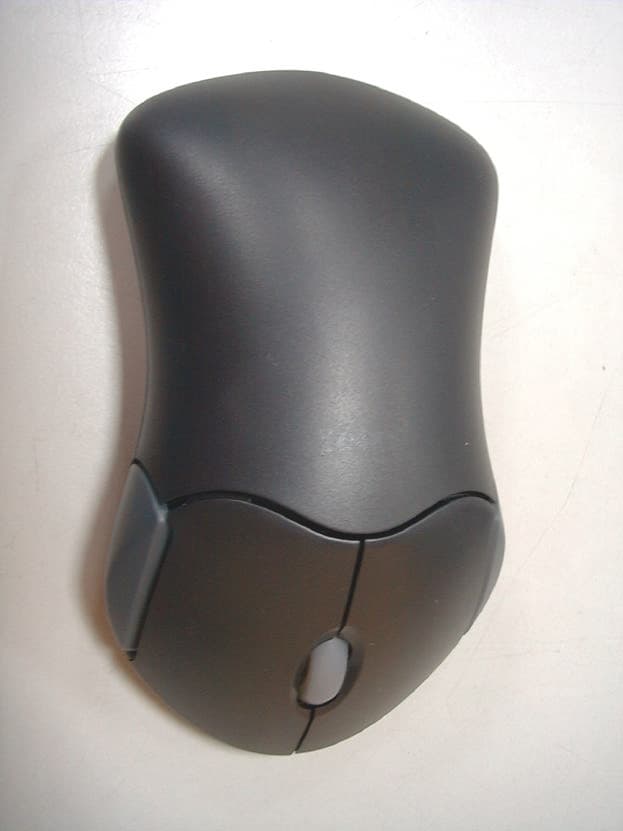
PSJMX4300RF
Sep 12, 2001Wireless Mouse
Equipment Class
DXX - Part 15 Low Power Communication Device Transmitter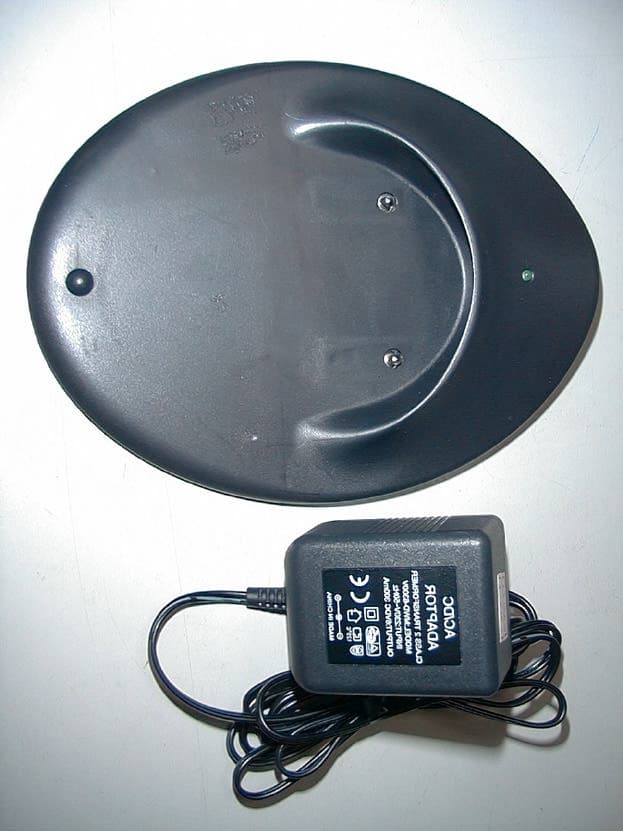
PSJMX4350RF
Sep 12, 2001Wireless Optical Mouse
Equipment Class
DXX - Part 15 Low Power Communication Device Transmitter