PT5TSU501Entertainment Device Remote Control
Philips Consumer Lifestyle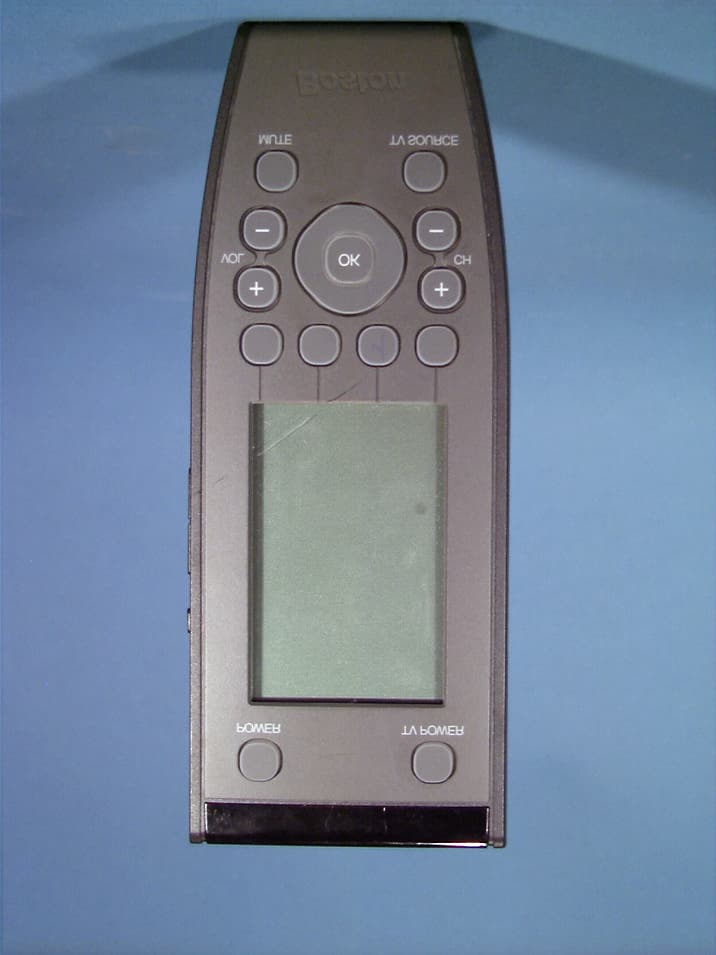
Click to zoom
Application Details
- Equipment Class
- DSC - Part 15 Security/Remote Control Transmitter
- Date of Grant
- Apr 02, 2003
- Application Purpose
- Original Equipment
- Date of Application
- Apr 02, 2003
- Equipment Note
- Entertainment Device Remote Control
- Frequency Range
- 418.00000000 - 418.00000000
- Company
- Philips Consumer Lifestyle
- Country
- Belgium
Documents & Files
Document Text
Text extracted from the exhibit documents filed with the FCC. Open a document above to read the original.
Users Manual
REMOTE CONTROL USER MANUAL www.bostonacoustics.com Boston Acoustics, Inc. 300 jubilee drive peabody ma 01960 USA t: 978.538.5000 f: 978.538.5100 USER MANUAL TABLE OF CONTENTS Taking a First Look2 The Batteries3 The Remote Control4 The Touch Screen5 Using the Freedom Remote6 Activating the Freedom Remote6 Operating Devices8 Working with Modes10 Adjusting the Settings11 Defining the Brands of Your Devices17 Learning Commands20 Labeling Buttons and Devices23 Recording Macros25 NEOedit29 Maintaining Freedom Remote31 Important Notices31 Cleaning Freedom Remote31 FAQ32 Troubleshooting33 General Problems33 Programming Problems35 Specifications36 Table of Brands37 Index44 USER MANUAL 3 TAKING A FIRST LOOK USER MANUAL 2 TAKING A FIRST LOOK The Batteries When you use the Freedom Remote for the first time, you have to install the batteries. The Freedom Remote requires 3 AA-batteries (3 x 1.5 V) to function. You can use either the supplied batteries or purchase rechargeable batteries. 1Remove the battery cover by releasing the tab and lifting. 2Place the batteries in the battery compartment. 3Replace the battery cover. After a few seconds, the Freedom Remote starts up automatically and an introduction screen appears. The Freedom Remote beeps twice to indicate that it has started up successfully. USER MANUAL 2 This manual is intended to give you specific information on the use of your Freedom Remote Control. More detailed information regarding the use of your Boston Acoustics Freedom System can be found in the Freedom Home Theater System Setup and Use Guide. The Freedom Remote is an intelligent remote control that operates the Freedom Control Center via radio frequencies (RF). For that reason, the Freedom Remote does not need to be aimed at the Control Center. The Freedom Remote also can control virtually all audio and video devices that respond to infrared (IR) remote control signals. Its easy-to-use LCD touch screen and its intuitive interface make it a perfect remote control for every user. IR codes are stored in the memory of the Freedom Remote, to activate different brands of video and audio devices. The Freedom Remote is set up by default to operate your Boston Acoustics Freedom System. When you have other brands of external devices connected, you simply define the brands when you use the Freedom Remote for the first time. See ‘Defining the Brands of Your Devices’ on p. XX for more details. The Freedom Remote can also learn IR codes from your existing remote controls. The Freedom Remote can receive and store the IR codes by means of its learning eye. See ‘Learning Commands’ on p. XX for more details. You can label the touch screen buttons on the Freedom Remote. Characters and numbers are available for labeling as well as various audio and video symbols. See ‘Labeling Buttons and Devices’ on p. XX for more details. Recording macros is another feature of the Freedom Remote. If you wish to assign a sequence of commands to a single button, you can record a macro. See ‘Recording Macros’ on p. XX for more details. With the Freedom Edit software for a PC you can create your own screens and create an individualized look for your remote. Freedom Edit’s on line help system will guide you through the process. In the future Freedom Edit will also allow you to upgrade your Freedom Remote. You can find Freedom Edit on the included CD-ROM and on the Boston Acoustics website www.bostonacoustics.com/freedom. See ‘Freedom Edit’ on p. XX for more details. USER MANUAL 5 USING THE FREEDOM REMOTEUSING THE FREEDOM REMOTE USER MANUAL 4 Activating the Remote Control Turning on the Display and the Backlight The Remote Control’s display can be activated in four different ways: Tilting the unit more than 50 degrees as illustrated. The display as well as the backlight will be activated. Pressing the backlight button on the left side. The display as well as the backlight will be activated. Tapping the screen gently with your finger or a blunt, soft object like a pencil eraser. The display will be activated, but not the backlight. Pressing any button will activate the display, but not the backlight. When the Freedom Remote is switched on for the first time or when it is reset, the Introduction screen appears for a few seconds. The Freedom Remote then automatically switches to the Device Overview that displays all potential devices on your Freedom Remote. You can return to this Device Overview from within other screens by pressing the Device button. See ‘Activating the Device Overview’ on p. XX for more details. Fig 1: Device Overview The Remote Control Layout On the Freedom Remote you can perform numerous actions by means of soft and hard buttons. •Soft buttons are the buttons you can tap on the LCD touch screen. •Hard buttons are the buttons located above, below and on the left side of the LCD touch screen. •The hard buttons located above the touch screen are the Freedom System Power and the TV Power. •The 4 hard buttons just below the touch screen are the Mode button, 2 context specific buttons and the Device button. Their label is displayed at the bottom of the touch screen. •The hard buttons located at the bottom of the Freedom Remote are Volume Up/Down, Channel Up/Down, Mute and TV source. •The hard buttons located on the left side of the Freedom Remote are the Backlight button and the Page Up/Down buttons. Freedom System PowerTV power Serial port for connecting to a PC Backlight button to activate the display Page Up button Page Down button LCD touch screen Soft buttons OSD(On Screen Display) Close(closes On Screen Display) Device button to go to the Device Overview Navigation buttons Freedom Mute Mode button to switch to another mode Freedom System Volume Up/Down Channel Up/Down TV source Learning eye USER MANUAL 7 USING THE FREEDOM REMOTE Using the Hard Buttons Hard Buttons can be operated at any time, even without turning on the LCD touch screen. Using the Page Up and Page Down Buttons The controls to operate your d…
Text truncated - open the document above for the full version.
Cover Letter(s)
12 N.V. Phil i ps Ind ust r ia I Activities Fabrieken te Leuven lnterleuvenlaan 74-76 B-3001 Leuven Tel +3216390611l811 Confidentiality Request Letter 12/03/2003 TCB CETECOM Benelux bvba Hector HENNEAULAAN ,97 BELGIUM B-1930 ZAVENTEM Request of Confidentiality Pursuant to Sections 0.457(d)(I )(ii) and 0.459 of the Commission's Rules, the Applicant hereby requests confidential treatment of information accompanying as outlined below: Schematics, Parts List, Technical Description, Block Diagram The above materials contain trade secrets and proprietary information not customarily released to the public. The public disclosure of these matters might be harmful to the Applicant and provide unjustified benefits to its competitors. The Applicant understands that pursuant to Rule O,457(d)(l)(ii), disclosure of this Application and all accompanying documentation will not be made before the date of the Grant for this Application. Sincerely, NGeorges Blauwet Operations Manager RCS Leuven +32'(0) 16 394 605 Fax +32 (0) 16 394 601 B T W 435 787 742 H R Leuven 73 471 FACSIMILE lTCL +32 16 3906001601 Facsimile RCS +32 16 8001801 Teieyramadres PHILELEC Leuven MaatschaDpel(ke zelel de Brouck4repleln 2 (B 121 8-1000 BrYSSel G B 230-0054000-88
External Photos
PHILIPS FCC ID: PT5TSU501 EUT Photographs © 2003 PCTEST Lab. Remote Control Model: TSU501 PHILIPS FCC ID: PT5TSU501 EUT Photographs © 2003 PCTEST Lab. Remote Control Model: TSU501 PHILIPS FCC ID: PT5TSU501 EUT Photographs © 2003 PCTEST Lab. Remote Control Model: TSU501 PHILIPS FCC ID: PT5TSU501 EUT Photographs © 2003 PCTEST Lab. Remote Control Model: TSU501 PHILIPS FCC ID: PT5TSU501 EUT Photographs © 2003 PCTEST Lab. Remote Control Model: TSU501
ID Label/Location Info
FCC ID Label and Location Bottom of unit FCC ID:PT5TSU501 This device complies with Part 15 of the FCC Rules. Operation is subject to the following two conditions: (1) this device may not cause harmful interference, and (2) this device must accept any interference received, including interference that may cause undesired operation.
Internal Photos
PHILIPS FCC ID: PT5TSU501 EUT Photographs © 2003 PCTEST Lab. Remote Control Model: TSU501 PHILIPS FCC ID: PT5TSU501 EUT Photographs © 2003 PCTEST Lab. Remote Control Model: TSU501 PHILIPS FCC ID: PT5TSU501 EUT Photographs © 2003 PCTEST Lab. Remote Control Model: TSU501 PHILIPS FCC ID: PT5TSU501 EUT Photographs © 2003 PCTEST Lab. Remote Control Model: TSU501 PHILIPS FCC ID: PT5TSU501 EUT Photographs © 2003 PCTEST Lab. Remote Control Model: TSU501
Test Report
PCTEST PT. 15.231 REPORT Measurement Report Reviewed By: Quality Manager Test Report S/N: TX.230313159.PT5 Test Dates: APRIL 1-2, 2003 EUT Type: PHILIPS Remote Control FCC ID: PT5TSU501 Page 1 of 16 PCTEST Engineering Laboratory, Inc. 6660-B Dobbin Road • Columbia, MD 21045 • U.S.A. TEL (410) 290-6652 • FAX (410) 290-6654 http://www.pctestlab.com CERTIFICATE OF COMPLIANCE FCC Part 15.231 Certification Philips Industrial Activities Dates of Tests: April 1-2, 2003 Interleuvenlaan 74-76 Test Report S/N: TX.230313159.PT5 B-3001 Leuven, Belgium Test Site: PCTEST Lab, MD U.S.A. Attention: Pierre Ingenbleek FCC ID PT5TSU501 APPLICANT Philips Industrial Activities FCC Rule Part(s): § 15.231 Subpart C – Intentional Radiator Classification: Remote Control Transmitter (DSC) EUT Type: RF Transmitter Remote Control Tx Frequency: 418MHz Trade Name: Boston Acoustic Universal Model No.: TSU501 This device has been shown to be capable of compliance with the applicable technical standards as indicated in the measurement report and was tested in accordance with the measurement procedures specified is ANSI C63.4-1992. I attest to the accuracy of data. All measurements reported herein were performed by me or were made under my supervision and are correct to the best of my knowledge and belief. I assume full responsibility for the completeness of these measurements and vouch for the qualifications of all persons taking them. PCTEST certifies that no party to this application has been denied the FCC benefits pursuant to Section 5301 of the Anti-Drug Abuse Act of 1988, 21 U.S.C. 862. 230114054R1.OZ5 PCTEST PT. 15.231 REPORT Measurement Report Reviewed By: Quality Manager Test Report S/N: TX.230313159.PT5 Test Dates: APRIL 1-2, 2003 EUT Type: PHILIPS Remote Control FCC ID: PT5TSU501 Page 2 of 13 TABLE OF CONTENTS ATTACHMENT A: COVER LETTER(S) ATTACHMENT B: ATTESTATION STATEMENT(S) ATTACHMENT C: TEST REPORT SCOPE 3 INTRODUCTION (SITE DESCRIPTION) 4 PRODUCTION INFORMATION 5 DESCRIPTION OF TESTS (CONDUCTED) 6 DESCRIPTION OF TESTS (RADIATED) 7 ANTENNA REQUIREMENT / BANDWIDTH MEASUREMENT 8 FREQUENCY MEASUREMENTS (SPURIOUS) 9 FREQUENCY MEASUREMENTS (HARMONICS) 10 LIST OF SUPPORT EQUIPMENT 11 PLOTS OF EMISSION 12 SAMPLE CALCULATIONS 13 ACCURACY OF MEASUREMENT 14 LIST OF TEST EQUIPMENT 15 CONCLUSION 16 ATTACHMENT D: TEST PLOTS ATTACHMENT E: FCC ID LABEL & LOCATION ATTACHMENT F: TEST SETUP PHOTOGRAPHS ATTACHMENT G: EXTERNAL PHOTOGRAPHS ATTACHMENT H: INTERNAL PHOTOGRAPHS PCTEST PT. 15.231 REPORT Measurement Report Reviewed By: Quality Manager Test Report S/N: TX.230313159.PT5 Test Dates: APRIL 1-2, 2003 EUT Type: PHILIPS Remote Control FCC ID: PT5TSU501 Page 3 of 13 MEASUREMENT REPORT Scope - Measurement and determination of electromagnetic emissions (EME) of radio frequency devices including intentional and/or unintentional radiators for compliance with the technical rules and regulations of the Federal Communications Commission. Company Name: Philips Industrial Activities Address: Interleuvenlaan 74-76 B-3001 Leuven, Belgium Attention: Pierre Ingenbleek • FCC ID: PT5TSU501 • Model: TSU501 • Trade Name: Boston Acoustic Universal • EUT Type: RF Transmitter Remote Control • Application Type: Transmitter Certification • Tx Frequency: 418MHz • FCC Rule Part(s): § 15.231 Subpart C – Intentional Radiator • Dates of Tests: April 1-2, 2003 • Place of Tests: PCTEST Lab, Columbia, MD U.S.A. • Test Report S/N: TX. 230313159.PT5 PCTEST PT. 15.231 REPORT Measurement Report Reviewed By: Quality Manager Test Report S/N: TX.230313159.PT5 Test Dates: APRIL 1-2, 2003 EUT Type: PHILIPS Remote Control FCC ID: PT5TSU501 Page 4 of 16 1.1 INTRODUCTION The measurement procedure described in American National Standard for Methods of Measurement of Radio- Noise Emissions from Low-Voltage Electrical and Electronic Equipment in the Range of 9kHz to 40GHz (ANSI C63.4-1992) was used in determining radiated and conducted emissions emanating from PHILIPS (Model: TSU501) RF Transmitter Remote Control FCC ID: PT5TSU501. These measurement tests were conducted at PCTEST Engineering Laboratory, Inc. facility in New Concept Business Park, Guilford Industrial Park, Columbia, Maryland. The site address is 6660-B Dobbin Road, Columbia, MD 21045. The test site is one of the highest points in the Columbia area with an elevation of 390 feet above mean sea level. The site coordinates are 39° 11'15" N latitude and 76° 49'38" W longitude. The facility is 1.5 miles North of the FCC laboratory, and the ambient signal and ambient signal strength are approximately equal to those of the FCC laboratory. There are no FM or TV transmitters within 15 miles of the site. The detailed description of the measurement facility was found to be in compliance with the requirements of § 2.948 according to ANSI C63.4 on October 19, 1992. 1.2 PCTEST Location The map at right shows the location of the PCTEST Lab, its proximity to the FCC Lab, the Columbia vicinity area, the Baltimore-Washington International (BWI) airport, and the city of Baltimore, and the Washington, D.C. area. (see Figure1). Figure 1. Map of the Greater Baltimore and Metropolitan Washington, D.C. area. PCTEST PT. 15.231 REPORT Measurement Report Reviewed By: Quality Manager Test Report S/N: TX.230313159.PT5 Test Dates: APRIL 1-2, 2003 EUT Type: PHILIPS Remote Control FCC ID: PT5TSU501 Page 5 of 16 2.1 Product Information 2.2 Equipment Description The Equipment Under Test (EUT) is the PHILIPS (Models: TSU501) RF Transmitter Remote Control FCC ID: PT5TSU501. * Tx Frequency: 418MHz * Oscillator(s): 418MHz * Antenna: Built-in internal looped antenna on-board * Power Supply: (3) AAA Batteries * Weight: 8.0 oz (not including batteries) * Dimensions (WxHxD): 9.0” x 3.0” x 1.3” PCTEST PT. 15.231 REPORT Measurement Report Reviewed By: Quality Manager Test Report S/N: TX.230313159.PT5 Test Dates: APRIL 1-2, 2003 EUT Type: PHILIPS Remote Control FCC ID: PT5TSU501 Page 6 of 16 3.1 Description of Tests 3.2 Conducted Emissions…
Text truncated - open the document above for the full version.
Test Setup Photos
PHILIPS FCC ID: PT5TSU501 EUT Photographs © 2003 PCTEST Lab. Remote Control Model: TSU501 PHILIPS FCC ID: PT5TSU501 EUT Photographs © 2003 PCTEST Lab. Remote Control Model: TSU501 PHILIPS FCC ID: PT5TSU501 EUT Photographs © 2003 PCTEST Lab. Remote Control Model: TSU501 PHILIPS FCC ID: PT5TSU501 EUT Photographs © 2003 PCTEST Lab. Remote Control Model: TSU501 PHILIPS FCC ID: PT5TSU501 EUT Photographs © 2003 PCTEST Lab. Remote Control Model: TSU501 PHILIPS FCC ID: PT5TSU501 EUT Photographs © 2003 PCTEST Lab. Remote Control Model: TSU501 PHILIPS FCC ID: PT5TSU501 EUT Photographs © 2003 PCTEST Lab. Remote Control Model: TSU501 PHILIPS FCC ID: PT5TSU501 EUT Photographs © 2003 PCTEST Lab. Remote Control Model: TSU501
Contact Information
Applicant
Luuk Bartelet(Approbation, Safety and Regulatory Affairs Manager)
Technical Contact
TRP/Cetecom bvbaPhillip Inglils
[email protected]410 531 3439
14085 Howard Rd · Dayton, Maryland · United States
Non-Technical Contact
TRP/Cetecom bvbaPhillip Inglis
[email protected]410 531 3439
Test Firm
PCTEST Engineering Laboratory, Inc.Randy Ortanez
Technical Specifications
| # | Rule Parts | Frequency Range | Power Output |
|---|---|---|---|
| 1 | 15.231 | 418 MHz - 418 MHz | - |
Other Applications from Philips Consumer Lifestyle
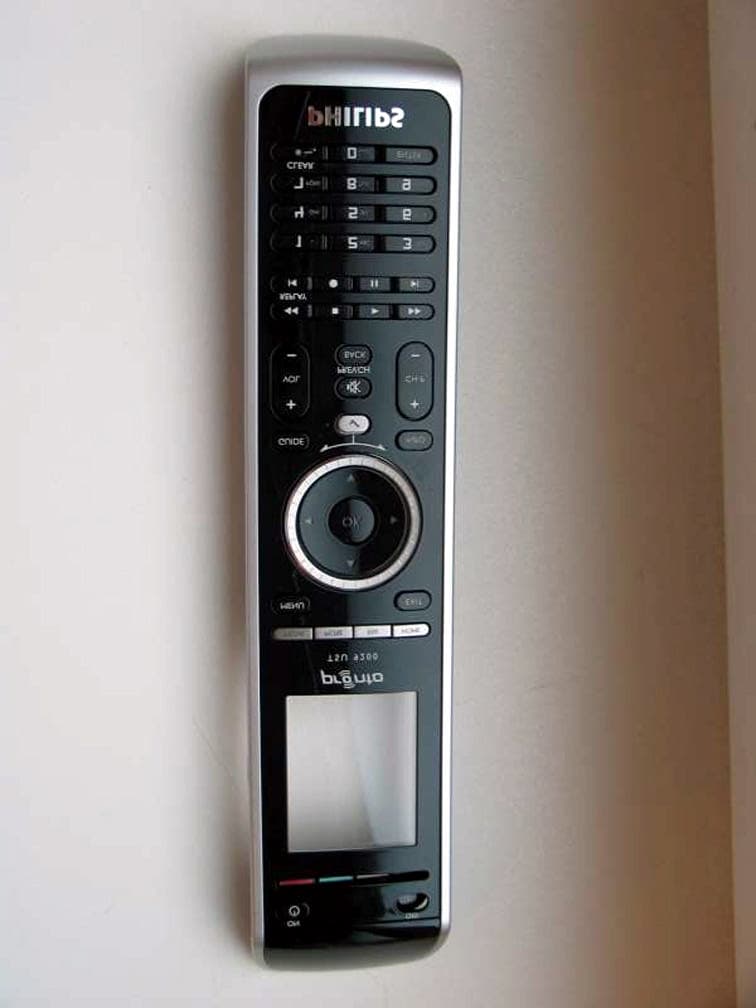
PT5TSU9200
Nov 11, 2007Wireless Remote Control
Equipment Class
DTS - Digital Transmission System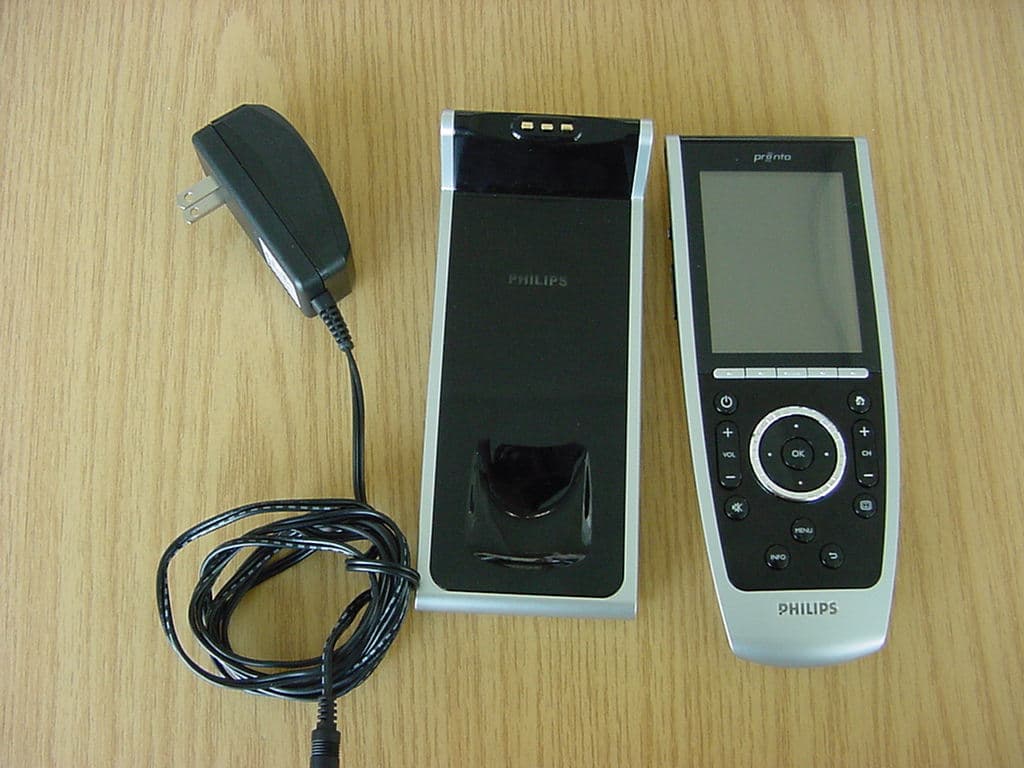
PT5TSU9400
Jul 09, 2007WLAN Remote Control
Equipment Class
DTS - Digital Transmission System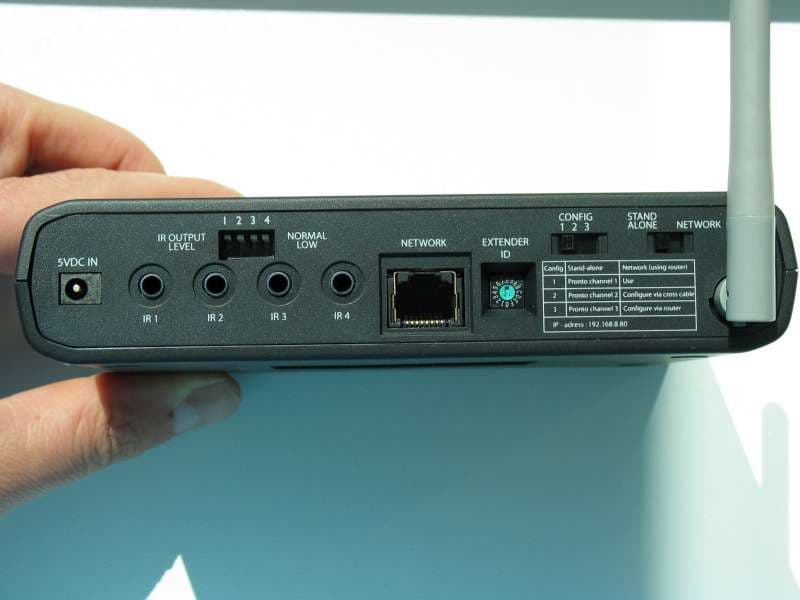
PT5RFX9400
Sep 27, 2006WLAN Transmitter
Equipment Class
DTS - Digital Transmission System
PT5TSU9600
Sep 21, 2006WLAN Remote Control
Equipment Class
DTS - Digital Transmission System
PT5TSU3500
Nov 29, 2005Entertainment device Remote Control
Equipment Class
DSC - Part 15 Security/Remote Control Transmitter