PT5TSU9200Wireless Remote Control
Philips Consumer Lifestyle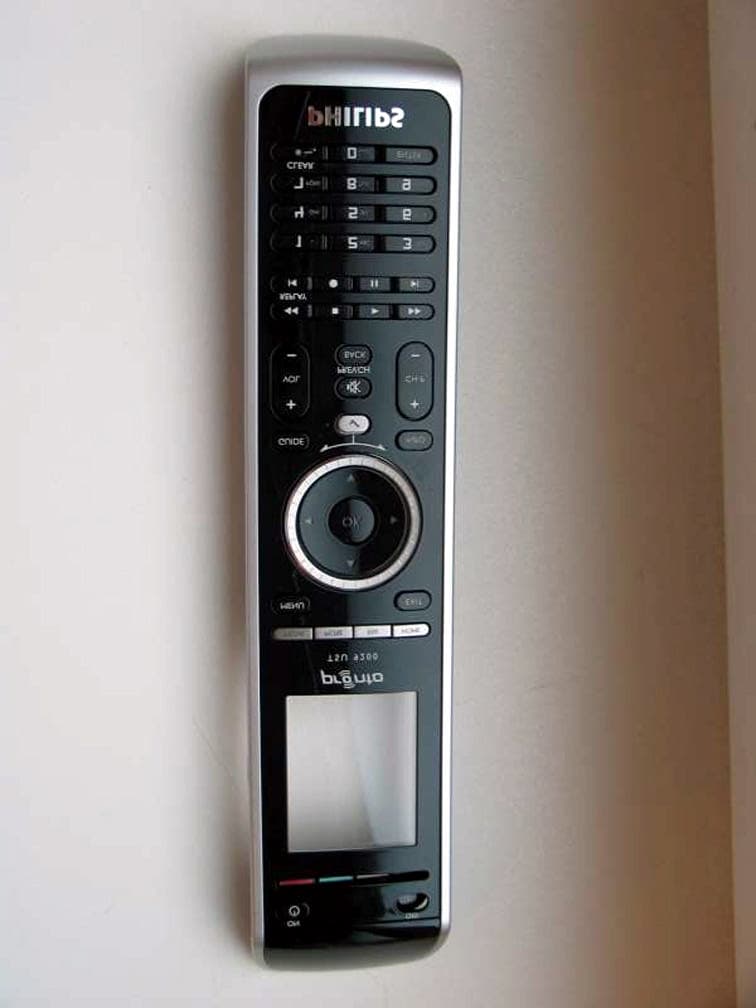
Click to zoom
Application Details
- Equipment Class
- DTS - Digital Transmission System
- Date of Grant
- Nov 11, 2007
- Application Purpose
- Original Equipment
- Date of Application
- Nov 11, 2007
- Equipment Note
- Wireless Remote Control
- Frequency Range
- 2405.00000000 - 2475.00000000
- Company
- Philips Consumer Lifestyle
- Country
- Belgium
Documents & Files
Document Text
Text extracted from the exhibit documents filed with the FCC. Open a document above to read the original.
Users Manual
TSU9200 www.pronto.philips.com EN Starter’s Guide 3 ES Manual de inicio 14 FR Guide de démarrage 25 TSU9200_END_EN-ES-FR.indb 114-09-2007 12:04:47 Concept and realisation of the Guide: Concepto y elaboración de este Manual de inicio: Documentation et élaboration de ce Guide de démarrage : Human Interface Group, De Regenboog 11, 2800 Mechelen (Belgium) www.higroup.com Pronto Remote Control Starter’s Guide © Copyright 2007 Philips Innovative Applications N.V., Interleuvenlaan 74-76, 3001 Leuven (Belgium) Remarks: All rights are reserved. Reproduction in whole or in part is prohibited without prior consent of the copyright owner. Royal Philips Electronics is not liable for omissions or for technical or editorial errors in this manual or for damages directly or indirectly resulting from the use of the Pronto Remote Control. The information in this Starter’s Guide may be subject to change without prior notice. All brand or product names are trademarks or registered trademarks of their respective companies or organizations. TSU9200_END_EN-ES-FR.indb 214-09-2007 12:04:47 ENGLISH 3Contents Contents 1 Getting to Know Your Pronto Remote Control 4 1.1 Taking a First Look 4 1.2 Installing the Docking Station 5 1.3 Charging the Remote Control 5 2 Enjoying Your Pronto Remote Control 6 2.1 Controlling Your Home Theater: The Basics 6 2.2 Selecting Activities 7 2.3 Changing Channels by making use of Favorites 8 2.4 Accessing Extra Functions for the Selected Activity 9 2.5 Browsing Your Music on Your PC 9 2.6 Changing the Pronto Settings 11 3 Support 11 3.1 Maintaining the Remote Control 11 3.2 Troubleshooting 11 4 Specifications 13 Approbation & safety content TSU9200 36 FCC Compliancy 36 TSU9200_END_EN-ES-FR.indb 314-09-2007 12:04:48 4Getting to Know Your Pronto Remote Control Docking contacts 1 Getting to Know Your Pronto Remote Control The TSU9200 Remote Control has been designed and manufactured with great care to offer you a reliable and easy operation of your home theater system. It has been prepro grammed by your installer so that you can immediately start enjoying your home theater. The TSU9200 ergonomic button layout provides access to the most used functions to operate your equipment. On the bright LCD display you can easily select your activities and choose your favorite channels by using channel icons. Optionally you might have chosen for the PCX9200, an interactive PC control which allows you to select the audio content on your PC via the TSU9200 display. This makes it possible to control your media player without having to turn on your PC screen. 1.1 Taking a First Look Remote ControlDocking Station Navigation keys: Media - More - Fav - Home Cursor keys Rotary wheel Check mark key Transport keys Alphanumeric keys Clear key TSU9200_END_EN-ES-FR.indb 414-09-2007 12:04:50 ENGLISH 5Getting to Know Your Pronto Remote Control 1.2 Installing the Docking Station 1 Turn the docking station upside-down. 2 Plug in the wire as shown. 3 Press and twist the wire into place. 4 Plug the adapter of the docking station into the wall outlet. 2 1.3 Charging the Remote Control When the Battery level icon on your screen turns red and starts blinking, it is time to charge the Remote Control. In normal conditions, the Remote Control can be operated for several weeks. When you place the Remote Control in the docking station, the red Charging LED on the front of the docking station lights up. D Note If the docking station does not light up, the Remote Control is not placed correctly in the docking station and it will not charge. When the Charging LED fades out, the Remote Control is fully charged. This can take 3 to 4 hours. E Tip It is advised to place the Remote Control in the docking station after use so that you can always locate it easily. 1 4 3 12 34 TSU9200_END_EN-ES-FR.indb 514-09-2007 12:04:57 6Enjoying Your Pronto Remote Control 2 Enjoying Your Pronto Remote Control 2.1 Controlling Your Home Theater: The Basics To activate the screen of the Remote Control: Pick up the Remote Control. -or- Turn the rotary wheel. -or- Press one of the silver navigation keys: The screen will be automatically activated. To control your activities and favorites: Your installer has already programmed your activities, favorites and optionally your media. They all can be controlled with the navigation keys: Press the button of your choice to start enjoying the TSU9200. TSU9200_END_EN-ES-FR.indb 614-09-2007 12:04:58 ENGLISH 7Enjoying Your Pronto Remote Control To make a selection: 1 Turn the rotary wheel clockwise to scroll down and counterclockwise to scroll up. 2 Press to execute the selection. 2.2 Selecting Activities Your installer has programmed your TSU9200 with activities, based on the equipment you own. An activity is a sequence of commands that your installer has programmed for you. For example, to watch a DVD, you would normally have to: 1. Turn on the TV; 2. Turn on the DVD; 3. Turn on the surround sound system; 4. Select the right input on your TV and surround sound system; 5. Press the Play button to start the DVD. Not so with the TSU9200! Your installer has programmed your TSU9200 to automatically activate your TV, DVD and surround system when you select Watch DVD. So by selecting an activity, it executes all these steps with just one press! The Remote Control’s hard buttons are set to control the active devices: the transport keys (play, fast forward, stop...) operate your DVD; the volume keys operate your surround system, and so on. TSU9200_END_EN-ES-FR.indb 714-09-2007 12:04:59 8Enjoying Your Pronto Remote Control To select your activities: 1 Press . The list of activities appears. 2 Select an activity with the rotary wheel. The buttons of the remote control are automatically set to operate the device that is lin - ked to the activity. 3 Press to start the activity. The TSU9200 sends out a sequence of commands for the selected activity. 2.3 Changing Channels by making use of Favorites Your installer has programmed…
Text truncated - open the document above for the full version.
Cover Letter(s)
TRP Inc. Philips Industrial Activities Louvain Interleuvenlaan 74-82 Leuven, 3001 Belgium Date: November 5, 2007 Federal Communications Commission Authorization and Evaluation Division 7435 Oakland Mills Road, Columbia, MD 21046 RE: Request of Confidentiality for FCC ID: PT5TSU9200 To Whom It May Concern: Pursuant to Sections 0.457 and 0.459 of the Commission’s Rules (CFR 47), and Section 552 (b) (4) of the Freedom of Information Act, Philips Industrial Activities Louvain hereby requests confidential treatment of certain information accompanying this application. The materials contain trade secrets and proprietary information not customarily released to the public. The public disclosure of these matters would be harmful to the Applicant and provide unjustified benefits to its competitors. We are also hereby requesting Short-Term Confidentiality for 180 days after the grant as outlined in Public Notice DA 04-1705. This provision will give Philips Industrial Activities Louvain temporary confidentiality of commercially sensitive information prior to product release. We also confirm that this product (FCC ID:PT5TSU9200) has not been marketed. The requested Confidential and Temporary Confidential exhibits are listed as follows: CONFIDENTIAL AND SHORT-TERM CONFIDENTIAL LIST Exhibit Description 1 Block Diagram 2 Operational Description CONFIDENTIAL 3 Schematics 4 Internal Photos 5 External Photos 6 Test site photos SHORT-TERM CONFIDENTIAL 7 User manual The Applicant understands that pursuant to Rule 0.457, disclosure of this application and all accompanying documentations, where applicable, will not be made public before the date of the Grant for this application. Sincerely, Signature Phillip Inglis, Agent Consultant to Philips TRP Inc.
Cover Letter(s)
Subject: RE: Follow-up Questions Regarding FCC ID: PT5TSU9200 Subject: Re: Follow-up Questions Regarding FCC ID: PT5TSU9200 As consultant to Philips Louvain, I am authorized to confirm that each box sold will have a separate FCC ID label included in the box. Please issue the grant as soon as possible. The matter is urgent. Regards, Phillip Inglis Consultant to Philip Louvain PCTEST TCB wrote: To: Mr. Phil Inglis / TRP From: Mr. Gregory Czumak/ PCTEST TCB RE: FCC ID: PT5TSU9200 Applicant: PHILIPS Correspondence Reference Number: PT57840-A Confirmation Number: 709270840 Date of Original Email: November 12, 2007 Subject: Request for additional information In regards to your recent TCB application referenced above, we kindly request that you provide the following additional information. 1. Thank you for your response. Regarding your response to question #1, please verify that a separate label will be placed in the box of every unit sold. The items indicated above must be submitted before processing can continue on the above referenced application. This communication and its attachments contain information from PCTEST Engineering Laboratory, Inc., and is intended for the exclusive use of the recipient (s) named above. It may contain information that is confidential and/or legally privileged. Any unauthorized use that may compromise that confidentiality via distribution or disclosure is prohibited. Please notify the sender immediately if you receive this communication in error, and delete it from your computer system. Usage of PCTEST email addresses for non-business related activities is strictly prohibited. No warranty is made that the e-mail or attachment(s) are free from computer virus or other defect. Thank you.
External Photos
PHILIPS FCC ID: PT5TSU9200 EUT Photographs © 2007 PCTEST Lab. Wireless Remote Control Model: TSU9200 PHILIPS FCC ID: PT5TSU9200 EUT Photographs © 2007 PCTEST Lab. Wireless Remote Control Model: TSU9200 PHILIPS FCC ID: PT5TSU9200 EUT Photographs © 2007 PCTEST Lab. Wireless Remote Control Model: TSU9200 PHILIPS FCC ID: PT5TSU9200 EUT Photographs © 2007 PCTEST Lab. Wireless Remote Control Model: TSU9200
ID Label/Location Info
3104 200 0731 Approbation sticker TSU9200/00/05 CLASS NO SCALE SCHAAL PROJ EUROP GENERAL ROUGHNESS ALGEMENE RUWHEID UNIT EENH. mm ITEM POST ASSEMBLY NO. SAMENSTELLINGSNR. QUANT. AANTAL NAME NAAM CHECK CONTR. DAT. SUPERS. VERV. Property of Eigendom van N.V. PHILIPS GLOEILAMPENFABRIEKEN EINDHOVEN - NEDERLAND 2822 100 02501 TOLERANCES UNLESS OTHERWISE STATED TOLERANTIES TENZIJ ANDERS VERMELD DIMENSION MAAT ANGLE HOEK MATERIAL MATERIAAL TREATMENT BEHANDELING . . . . . . UN-D 28 . . R a in um , A A UN-D 603 PATTERN NO./MODELNR. ORDER NO./ORDERNR. QUANT. AANTAL PHILIPS TSU9200/00 Heysse Gert PL2007-06-01 01 110 0110 1 2007-06-01 ENVIRONMENTAL REQUIREMENT : NO BANNED SUBSTANCES ACC. TO UAW-0480/100 A4 ALL RIGHTS ARE RESERVED, REPRODUCTION INWHOLE OR IN PART IS PROHIBITED WITHOUT THEWRITTEN CONSENT OF THE COPYRIGHT OWNER. Polypropylene both sides high gloss Thickness 0.125 mm. 6NE100 PRINTING REQUIREMENTS - Frontside : no printing - Rearside : acc. to UAN-D1235 : App30 - Clim1 -ADHESIVE REQUIREMENTS - Rearside has to be self adhesive and adhesive and protected with an easely removable layer - Adhesive specification equivalent to Mactac-Macband B1148 PRINTING - Print on back side acc. to OUTLINE ARTWORK version on this drawing. color text : Black 80007 color background : Bright Silver acc to 11126 Color of rectangular area: No printing, it will be transparent. 2007-0-29 +/-0.2 DELIVER - Approbation sticker to be delevered on sheet R2 +/-0.2 Thickness inclusive adhesive = 0,4 max Front side Punching direction Rear side self adhesive < Outline artwork version to use for printing on the product. 3104-200-0731-2-110 (2007-07-18).eps GENERAL REQUIREMENTS - PCB and PCT free acc. to UAN-D1675 - Cadmium free acc. to UAN-D1597 - Product must be free from scratches and damages 32 1 This area free of self adhesive 27 +0,1 -0,2 1,5 14 1,5 13 40 +0,1 -0,2 31 2,5 Transparent area ! Made in Portugal Voltage Rating: 3.7 V 1A ____ _ _ _ Model:TSU9200 Print rectangle Made in Portugal Voltage Rating: 3.7 V 1A ____ _ _ _ Model:TSU9200 .2 Change : “Made inBelgium” replaced by “Made in Portugal” 2 2007-07-18 3104 200 0732 Approbation sticker TSU9200/37 CLASS NO SCALE SCHAAL PROJ EUROP GENERAL ROUGHNESS ALGEMENE RUWHEID UNIT EENH. mm ITEM POST ASSEMBLY NO. SAMENSTELLINGSNR. QUANT. AANTAL NAME NAAM CHECK CONTR. DAT. SUPERS. VERV. Property of Eigendom van N.V. PHILIPS GLOEILAMPENFABRIEKEN EINDHOVEN - NEDERLAND 2822 100 02501 TOLERANCES UNLESS OTHERWISE STATED TOLERANTIES TENZIJ ANDERS VERMELD DIMENSION MAAT ANGLE HOEK MATERIAL MATERIAAL TREATMENT BEHANDELING . . . . . . UN-D 28 . . R a in um , A A UN-D 603 PATTERN NO./MODELNR. ORDER NO./ORDERNR. QUANT. AANTAL PHILIPS TSU9200/37 Heysse Gert PL2007-06-01 01 110 0110 1 2007-06-01 ENVIRONMENTAL REQUIREMENT : NO BANNED SUBSTANCES ACC. TO UAW-0480/100 A4 ALL RIGHTS ARE RESERVED, REPRODUCTION INWHOLE OR IN PART IS PROHIBITED WITHOUT THEWRITTEN CONSENT OF THE COPYRIGHT OWNER. Polypropylene both sides high gloss Thickness 0.125 mm. 6NE100 PRINTING REQUIREMENTS - Frontside : no printing - Rearside : acc. to UAN-D1235 : App30 - Clim1 -ADHESIVE REQUIREMENTS - Rearside has to be self adhesive and adhesive and protected with an easely removable layer - Adhesive specification equivalent to Mactac-Macband B1148 PRINTING - Print on back side acc. to OUTLINE ARTWORK version on this drawing. color text : Black 80007 color background : Bright Silver acc to 11126 Color of rectangular area: No printing, it will be transparent. 2007-0-29 +/-0.2 DELIVER - Approbation sticker to be delevered on sheet R2 +/-0.2 Thickness inclusive adhesive = 0,4 max Front side Punching direction Rear side self adhesive < Outline artwork version to use for printing on the product. 3104-200-0732-1-110 (2007-06-01).eps GENERAL REQUIREMENTS - PCB and PCT free acc. to UAN-D1675 - Cadmium free acc. to UAN-D1597 - Product must be free from scratches and damages 32 1 This area free of self adhesive 27 +0,1 -0,2 1,5 14 1,5 13 40 +0,1 -0,2 31 2,5 Transparent area ! Print rectangle Made in Portugal Voltage Rating: 3.7 V 1A ____ _ _ _ Model:TSU9200 FCC ID : PT5TSU9200 IC: 135P-TSU9200 Made in Portugal Voltage Rating: 3.7 V 1A ____ _ _ _ Model:TSU9200 FCC ID : PT5TSU9200 IC: 135P-TSU9200 .2 Change : “Made inBelgium” replaced by “Made in Portugal” 2 2007-07-18
Internal Photos
PHILIPS FCC ID: PT5TSU9200 EUT Photographs © 2007 PCTEST Lab. Wireless Remote Control Model: TSU9200 PHILIPS FCC ID: PT5TSU9200 EUT Photographs © 2007 PCTEST Lab. Wireless Remote Control Model: TSU9200 PHILIPS FCC ID: PT5TSU9200 EUT Photographs © 2007 PCTEST Lab. Wireless Remote Control Model: TSU9200 PHILIPS FCC ID: PT5TSU9200 EUT Photographs © 2007 PCTEST Lab. Wireless Remote Control Model: TSU9200 PHILIPS FCC ID: PT5TSU9200 EUT Photographs © 2007 PCTEST Lab. Wireless Remote Control Model: TSU9200 PHILIPS FCC ID: PT5TSU9200 EUT Photographs © 2007 PCTEST Lab. Wireless Remote Control Model: TSU9200
Test Report
Reviewed by: FCC ID: PT5TSU9200 FCC Pt. 15.247 MEASUREMENT REPORT (CERTIFICATION) Quality Manager Test Report S/N: Test Dates: EUT Type: 0709271127.PT5 October 10-11, 18, 2007 Wireless Remote Control Page 1 of 34 © 2007 PCTEST Engineering Laboratory, Inc. REV 1.0FMT 05/14/07 Applicant Name: Date of Testing: Philips Industrial Activities Louvain October 10-11, 18, 2007 Interleuvenlaan 74-82 Test Site/Location: B-3001 Leuven PCTEST Lab, Columbia, MD, USA Belgium Test Report Serial No.: 0709271127.PT5 FCC ID: PT5TSU9200 APPLICANT: Philips Industrial Activities Louvain Model(s): TSU9200 EUT Type: Wireless Remote Control Frequency Range: 2405 – 2475 MHz FCC Classification: Digital Transmission System (DTS) FCC Rule Part(s): FCC Part 15 Subpart C (15.247) The device bearing the FCC Identifier specified above has been shown to comply with the applicable technical standards as indicated in the measurement report and has been tested in accordance with the measurement procedures specified in ANSI C63.4-2003 (See Test Report). These measurements were performed with no deviation from the standards. I authorize and attest to the accuracy of data. All measurements reported herein were performed by me or were made under my supervision and are correct to the best of my knowledge and belief. I assume full responsibility for the completeness of these measurements and vouch for the qualifications of all persons taking them. NVLAP accreditation does not constitute any product endorsement by NVLAP or any agency of the United States Government. PCTEST certifies that no party to this application has been denied the FCC benefits pursuant to Section 5301 of the Anti-Drug Abuse Act of 1988, 21 U.S.C. 862. PCTEST ENGINEERING LABORATORY, INC. 6660-B Dobbin Road, Columbia, MD 21045 USA Tel. 410.290.6652 / Fax 410.290.6554 http://www.pctestlab.com CERTIFICATE OF COMPLIANCE FCC Part 15.247 Certification Reviewed by: FCC ID: PT5TSU9200 FCC Pt. 15.247 MEASUREMENT REPORT (CERTIFICATION) Quality Manager Test Report S/N: Test Dates: EUT Type: 0709271127.PT5 October 10-11, 18, 2007 Wireless Remote Control Page 2 of 34 © 2007 PCTEST Engineering Laboratory, Inc. REV 1.0FMT 05/14/07 TABLE OF CONTENTS FCC Part 15.247 MEASUREMENT REPORT...............................................................................3 1.0 INTRODUCTION ..............................................................................................................................4 1.1 EVALUATION PROCEDURE................................................................................................................ 4 1.2 SCOPE .................................................................................................................................................. 4 1.3 PCTEST TEST LOCATION ................................................................................................................... 4 2.0 PRODUCT INFORMATION..............................................................................................................5 2.1 EQUIPMENT DESCRIPTION ................................................................................................................ 5 2.2 OPERATION MODE.............................................................................................................................. 6 2.3 EMI SUPPRESSION DEVICE(S)/MODIFICATIONS ............................................................................. 6 2.4 LABELING REQUIREMENTS ............................................................................................................... 6 3.0 DESCRIPTION OF TEST.................................................................................................................7 3.1 CONDUCTED EMISSIONS ................................................................................................................... 7 3.2 RADIATED EMISSIONS........................................................................................................................ 8 4.0 ANTENNA REQUIREMENTS ..........................................................................................................9 5.0 SAMPLE CALCULATIONS ............................................................................................................10 5.1 CONDUCTED EMISSION MEASUREMENT SAMPLE CALCULATION ............................................. 10 5.2 RADIATED EMISSION MEASUREMENT SAMPLE CALCULATION.................................................. 10 6.0 TEST EQUIPMENT CALIBRATION DATA ....................................................................................11 7.0 ENVIRONMENTAL CONDITIONS .................................................................................................12 8.0 TEST DATA ....................................................................................................................................13 8.1 SUMMARY .......................................................................................................................................... 13 8.2 6DB BANDWIDTH MEASUREMENT – DTS (802.15.4)...................................................................... 14 8.3 OUTPUT POWER MEASUREMENT – 802.15.4................................................................................. 17 8.4 POWER SPECTRAL DENSITY (802.15.4)......................................................................................... 18 8.5 OUT OF BAND EMISSIONS – BAND EDGE ...................................................................................... 21 8.6 OUT OF BAND EMISSIONS – 20DBC................................................................................................ 22 8.7 RADIATED SPURIOUS EMISSION MEASUREMENTS..................................................................... 26 8.8 RADIATED SPURIOUS EMISSION MEASUREMENTS..................................................................... 27 8.9 RADIATED RESTRICTED BAND EDGE MEASUREMENTS .........................................…
Text truncated - open the document above for the full version.
Test Setup Photos
PHILIPS FCC ID: PT5TSU9200 EUT Photographs © 2007 PCTEST Lab. Wireless Remote Control Model: TSU9200 PHILIPS FCC ID: PT5TSU9200 EUT Photographs © 2007 PCTEST Lab. Wireless Remote Control Model: TSU9200 PHILIPS FCC ID: PT5TSU9200 EUT Photographs © 2007 PCTEST Lab. Wireless Remote Control Model: TSU9200 PHILIPS FCC ID: PT5TSU9200 EUT Photographs © 2007 PCTEST Lab. Wireless Remote Control Model: TSU9200
Contact Information
Applicant
Luuk Bartelet(Approbation, Safety and Regulatory Affairs Manager)
Technical Contact
PCTEST Engineering Laboratory, Inc.Randy Ortanez
[email protected]410-290-6652
6660-B Dobbin Road · Columbia, Maryland · United States
Test Firm
PCTEST Engineering Laboratory, Inc.Randy Ortanez
Technical Specifications
| # | Rule Parts | Frequency Range | Power Output |
|---|---|---|---|
| 1 | 15C | 2.40 GHz - 2.48 GHz | 700.00 µW |
Other Applications from Philips Consumer Lifestyle
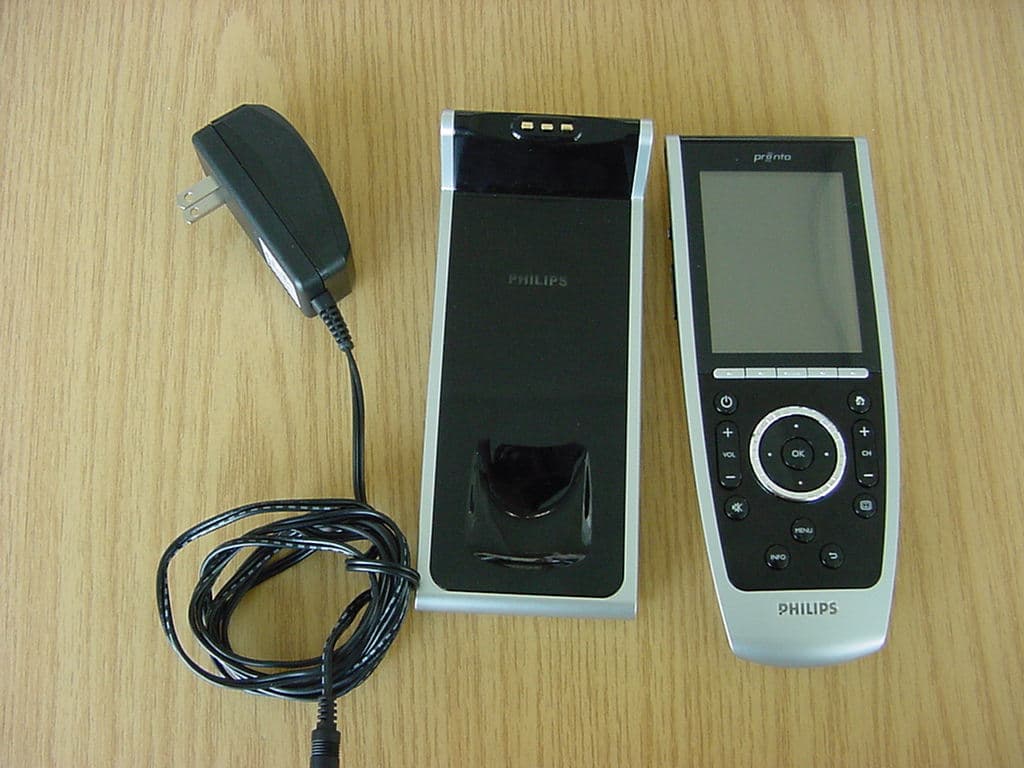
PT5TSU9400
Jul 09, 2007WLAN Remote Control
Equipment Class
DTS - Digital Transmission System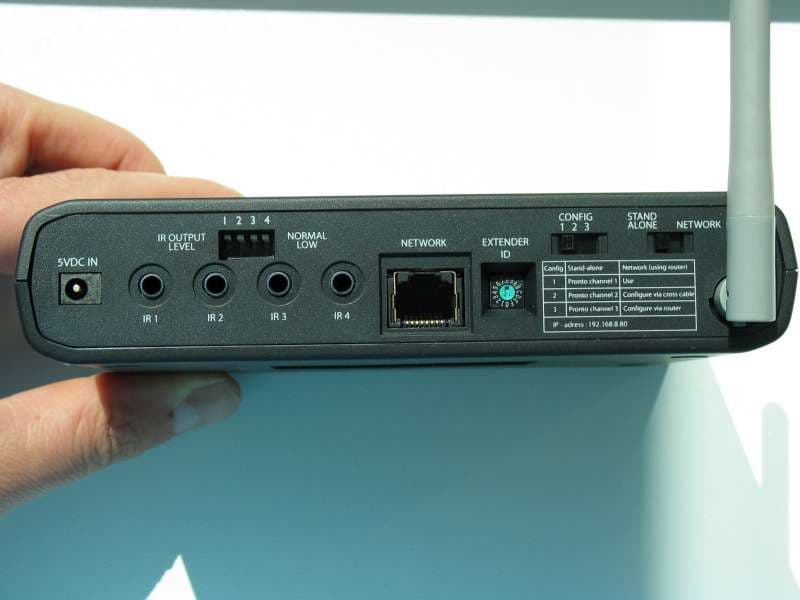
PT5RFX9400
Sep 27, 2006WLAN Transmitter
Equipment Class
DTS - Digital Transmission System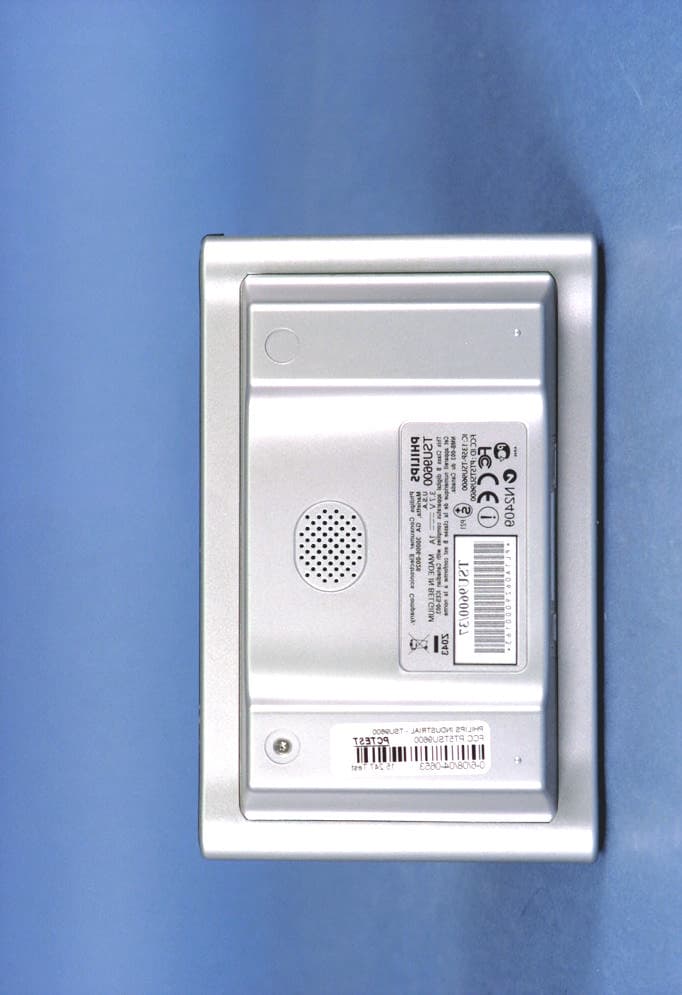
PT5TSU9600
Sep 21, 2006WLAN Remote Control
Equipment Class
DTS - Digital Transmission System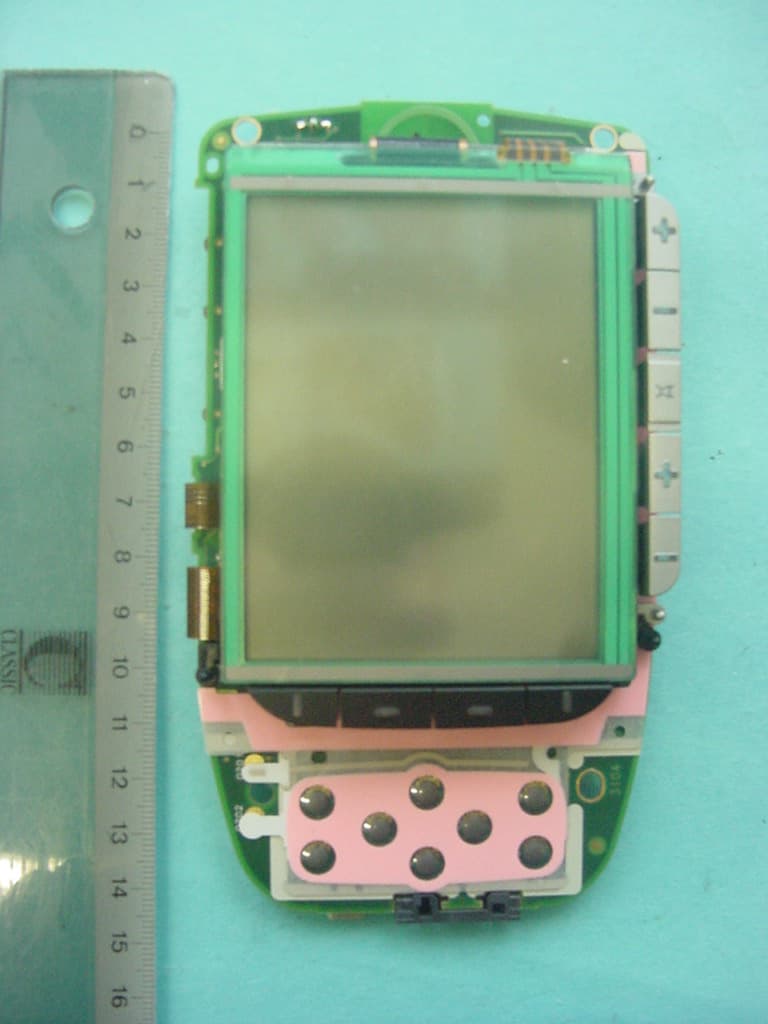
PT5TSU3500
Nov 29, 2005Entertainment device Remote Control
Equipment Class
DSC - Part 15 Security/Remote Control Transmitter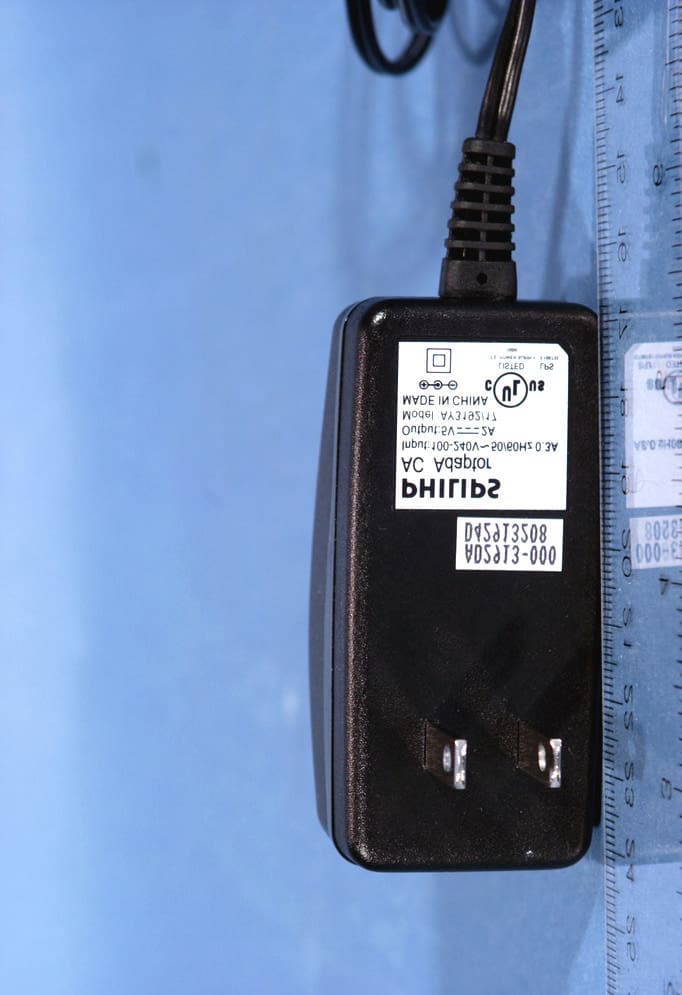
PT5RC9800I
Aug 10, 2004Entertainment System Remote Control
Equipment Class
DTS - Digital Transmission System