PWVW202ER-4adsl modem
Wellink Corporation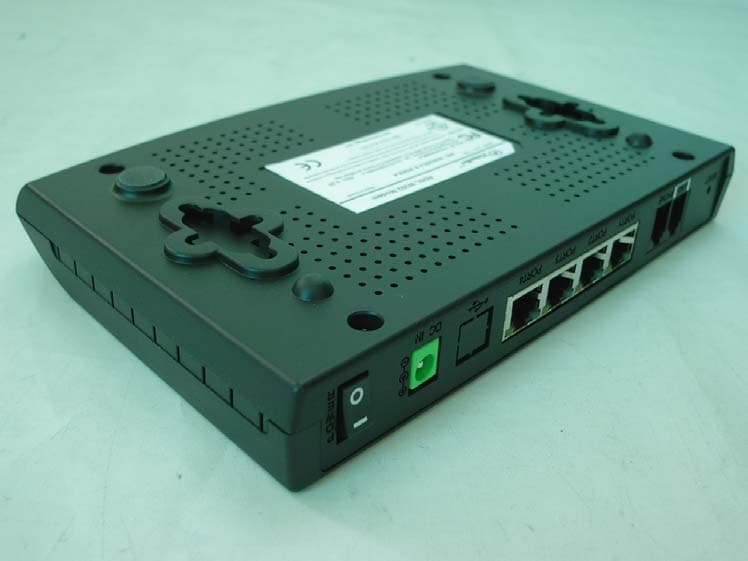
Click to zoom
Application Details
- Equipment Class
- JBP - Part 15 Class B Computing Device Peripheral
- Date of Grant
- May 11, 2004
- Application Purpose
- Original Equipment
- Date of Application
- May 11, 2004
- Equipment Note
- adsl modem
- Company
- Wellink Corporation
- Country
- South Korea
Documents & Files
Document Text
Text extracted from the exhibit documents filed with the FCC. Open a document above to read the original.
Users Manual
VisionNet 202ER-4 ADSL Ethernet Router User’s Manual Revision 1.0 November 01, 2002 VisionNet 202ER-4 ADSL Ethernet Router User’s Guide iii Table of Contents 1 FCC NOTICE Introduction........................................................9 Features ..............................................................................11 System Requirements ........................................................11 Using this Document...........................................................12 Notational conventions ................................................12 Typographical conventions..........................................12 Special messages........................................................12 2 Getting to Know the VisionNet 202ER-4...........13 Parts Check.........................................................................13 Front Panel..........................................................................14 Rear Panel ..........................................................................15 3 Quick Start.........................................................17 Part 1 — Connecting the Hardware ...................................17 Step 1. Connect the ADSL cable and optional telephone. .................................................................18 Step 2. Connect the Ethernet cable. ...........................19 Step 3. Attach the power connector. ...........................19 Step 4. Turn on the VisionNet 202ER-4 and power up your systems. ...........................................19 Part 2 — Configuring Your Computers ..............................20 Before you begin..........................................................20 Windows 95, 98 PCs: ...............................................20 Windows NT 4.0 workstations: ....................................21 Windows 2000 PCs: ....................................................22 Windows Me PCs ........................................................23 Assigning static Internet information to your PCs ...........................................................................24 Part 3 — Configuring the VisionNet 202ER-4오류! 책갈피가 정의되어 있지 않습니 Logging in to the VisionNet 202ER-4 Quick Setup.........................................................................25 VisionNet 202ER-4 ADSL Ethernet Router User’s Guide iv Operation Mode ...........................................................26 DNS Settings................................................................26 PPP Settings ................................................................26 Default Router Settings................................................27 Testing Your Installation .....................................................28 Using VisionNet’s Diagnostic Utilities.................................29 4 Getting Started with the Configuration Manager.........................................................31 Accessing the Configuration Manager ...............................31 Functional Layout................................................................33 Commonly used buttons..............................................33 The Home Tab and System View Table ............................34 Changing the System Date and Time ................................36 Changing the System Date and Time ................................36 Changing Your Login Password.........................................37 Committing Your Changes and Rebooting the Device ..............................................................................38 Committing your changes............................................38 Rebooting the device using Configuration Manager....................................................................39 5 Setting the LAN IP Address ..............................41 Ethernet, USB, or Both? .....................................................41 Configuring the LAN IP Address ........................................42 Configuring the USB Port IP Address ................................45 6 Viewing System IP Information and Performance Statistics ...................................47 Viewing the VisionNet 202ER-4’s IP addresses................47 Viewing IP Global Statistics ................................................48 7 Configuring Dynamic Host Configuration Protocol ..........................................................49 Overview of DHCP..............................................................49 VisionNet 202ER-4 ADSL Ethernet Router User’s Guide v What is DHCP?............................................................49 Why use DHCP?..........................................................49 VisionNet 202ER-4 DHCP modes ..............................50 Configuring DHCP Server ..................................................51 Viewing, modifying, and deleting address pools, and excluding IP addresses from a pool ...........................................................................54 Viewing current DHCP address assignments.............54 Configuring DHCP Relay....................................................56 Setting the DHCP Mode .....................................................57 8 Configuring Network Address Translation ........59 Overview of NAT.................................................................59 Your Default NAT Setup .....................................................60 Viewing NAT Global Settings and Statistics .....................61 Viewing NAT Rules and Rule Statistics .............................64 Viewing Current NAT Translations.....................................65 Adding NAT Rules ..............................................................67 The napt rule: Translating between private and public IP addresses ..................................................67 The rdr rule: Allowing external access to a LAN computer...........................................................69 The basic rule: Performing 1:1 translations ................72 The filter rule: Configur…
Text truncated - open the document above for the full version.
Block Diagram
W202-4PORT BLOCK RJ-11 ADSL PASSIVES GS3780 AFE GS8120 ADSL PRCESSOR PHY PORT 1PORT 2PORT 3 PORT 4 25MHzCLOCK 17.28MHz CLOCK HIGH PASS FILTER FILTER RJ-11 PHONE LOW PASS FILTER DC 9V 5V3.3V 1.8V RS-232C LED RJ-45 X 4 RTL8305L
External Photos
E E M M C C T T E E S S T T R R E E P P O O R R T T Report reference No: KST-FCC0408 KOSTEC Co.,Ltd. 180-254,Annyung-Ri, Taean-Yup, Hwasung-shi, Kyunggi-do, Korea Tel : +82-31-222-4251 Fax: +82-31-222-4252 http://www.kosteclab.com Page : 14 of 14 May 6, 2004 EUT Front Rear
ID Label/Location Info
E E M M C C T T E E S S T T R R E E P P O O R R T T Report reference No: KST-FCC0408 KOSTEC Co.,Ltd. 180-254,Annyung-Ri, Taean-Yup, Hwasung-shi, Kyunggi-do, Korea Tel : +82-31-222-4251 Fax: +82-31-222-4252 http://www.kosteclab.com Page : 17 of 17 May 6, 2004 Appendix – Sample Label
ID Label/Location Info
TM DC9V 1.0A Made in Korea FCC ID : PWVW202ER-4 FCC Registration Number : US : DQ1D L02B202ER-4 REN : 0.2B Tested To Comply With FCC standards For Home or Office Use E221608 I.T.E 2EW5 Bar-cord and S/N DQ Technology, Inc. ADSL W202ER-4 Modem This device complies with part 15 of the FCC Rules. Operation is subject to the following two conditions : (1) This device may not cause harmful interference, and (2) this device must accept any interference received, including interference that may cause undesired operation. M/N : W202ER-4 & 202ER-4
Internal Photos
E E M M C C T T E E S S T T R R E E P P O O R R T T Report reference No: KST-FCC0408 KOSTEC Co.,Ltd. 180-254,Annyung-Ri, Taean-Yup, Hwasung-shi, Kyunggi-do, Korea Tel : +82-31-222-4251 Fax: +82-31-222-4252 http://www.kosteclab.com Page : 15 of 15 May 6, 2004 Inside AC/DC adapter E E M M C C T T E E S S T T R R E E P P O O R R T T Report reference No: KST-FCC0408 KOSTEC Co.,Ltd. 180-254,Annyung-Ri, Taean-Yup, Hwasung-shi, Kyunggi-do, Korea Tel : +82-31-222-4251 Fax: +82-31-222-4252 http://www.kosteclab.com Page : 16 of 16 May 6, 2004 Mainboard(ADSL Modem) (Front) Mainboard(ADSL Modem) (Rear)
Test Report
E E M M I I T T E E S S T T R R E E P P O O R R T T FCC EVALUATION REPORT FOR CERTIFICATION Korea Standard Technology Test report No.: KST-FCC0408 Manufacturer’s Name : Wellink Corporation Manufacturer’s Address : 201,A-Dong, PundangTechnopark, 150, YatapDong, Pundang-Gu, Sungnam-Si, Kyungki-Do, Korea EUT’s : FCC ID : PWVW202ER-4 Product Name : ADSL Modem Model Number(s) : W202ER-4 & 202ER-4 Product Options : Request for enter a multi list of model name by manufacturer. Category : FCC Part 15 sub. part B Class B Digital Device Supplementary Information The device bearing the brand name and FCC ID specified above has been shown to comply with the applicable technical standards as indicated in the measurement report and was tested in accordance with measurement procedures specified in ANSI C63.4-1992 . I attest to the accuracy of data and all measurements reported herein were performed by or were made under my supervision and are correct to the best of my knowledge and belief. I assume full responsibility for the completeness of these measurements and vouch for the qualifications of all persons taking them. Issue Date : May 7, 2004 Te s t e d b y : Approved by: Chung, Suck-Jin Lee, Woen-woo E E M M C C T T E E S S T T R R E E P P O O R R T T Report reference No: KST-FCC0408 KOSTEC Co.,Ltd. 180-254,Annyung-Ri, Taean-Yup, Hwasung-shi, Kyunggi-do, Korea Tel : +82-31-222-4251 Fax: +82-31-222-4252 http://www.kosteclab.com Page : 2 of 2 May 6, 2004 Contents 1. Description of Device 2. Test Facility 3. MAP 4. Facility Environment 5. Description of E.U.T. 6. Summary of test results. 7. Test results. 8. Photographs. Appendix. Sample Label E E M M C C T T E E S S T T R R E E P P O O R R T T Report reference No: KST-FCC0408 KOSTEC Co.,Ltd. 180-254,Annyung-Ri, Taean-Yup, Hwasung-shi, Kyunggi-do, Korea Tel : +82-31-222-4251 Fax: +82-31-222-4252 http://www.kosteclab.com Page : 3 of 3 May 6, 2004 1. Description of Device 1) Kind of equipment: ADSL MODEM 2) FCC ID: PWVW202ER-4 3) Model Name: W202ER-4 & 202ER-4 4) Serial No.: None 5) Type of Sample Tested: Pre-production / addition & alteration of parts(component) 6) High Frequency Used: 17.280 MHz 25.000 MHz 7) Adapter Model name: DSA-009F-09A Manufacturer: DVE. Serial no: 4603 8) Power Rating: 1phase AC90-264V, 0.3A, 50/60Hz Output: DC 9V, 1.0A, 9W 9) Tested Power supply: 1phase AC110V, 60Hz 10) Date of Manufacture: May 2004 11) Manufacture: Wellink Corporation & NETUS Technologies Co.,Ltd. 12) Description of Operating: Use to direct spread spectrum transmitters & hyper-terminal for data transmission 13) Dates of Test: May 3 , 2004 14) Place of Tests: Korea Standard Technology EMC site 15) Test Report No: KST-FCC0408 E E M M C C T T E E S S T T R R E E P P O O R R T T Report reference No: KST-FCC0408 KOSTEC Co.,Ltd. 180-254,Annyung-Ri, Taean-Yup, Hwasung-shi, Kyunggi-do, Korea Tel : +82-31-222-4251 Fax: +82-31-222-4252 http://www.kosteclab.com Page : 4 of 4 May 6, 2004 2. Test Facility The open field test site and conducted measurement facility are used for these testing, where are located following address and drawing. This site was fully described in a report dated November 14, 2002, that was submitted to the FCC. Korea Standard Technology ( KOSTEC Co., Ltd) Head office: 302 City Bild, 1600-3 Kwanyang-dong, Dongan-gu, Anyang-shi, Kyunggi-do, Korea Telephone No : 82-31-388-2051 Facsimile No: 82-31-388-2052 Test Lab :180-254, Annyung-Ri, Taean-Yup, Hwasung-shi, Kyunggi-do, Korea Telephone No : 82-31-222-4251 Facsimile No: 82-31-222-4252 MIC(Ministry of Information and Communication) No: KR0042 FCC Filing No. : 525762 VCCI Membership Number : 2005 VCCI Registration Number : R-1657 / C-1763 E E M M C C T T E E S S T T R R E E P P O O R R T T Report reference No: KST-FCC0408 KOSTEC Co.,Ltd. 180-254,Annyung-Ri, Taean-Yup, Hwasung-shi, Kyunggi-do, Korea Tel : +82-31-222-4251 Fax: +82-31-222-4252 http://www.kosteclab.com Page : 5 of 5 May 6, 2004 3. MAP Korea Hwasung-shi (open area test site) KOSTEC Co., Ltd E E M M C C T T E E S S T T R R E E P P O O R R T T Report reference No: KST-FCC0408 KOSTEC Co.,Ltd. 180-254,Annyung-Ri, Taean-Yup, Hwasung-shi, Kyunggi-do, Korea Tel : +82-31-222-4251 Fax: +82-31-222-4252 http://www.kosteclab.com Page : 6 of 6 May 6, 2004 4. . Facility Environment Operation Environment Ambient Temperature ( °C ) Humidity ( % ) Pressure ( hPa ) 10m Open Area site 14.9 45 1004 Shielded room: 21.1 43 1002 Test site These testing were performed following locations ; Shielded room : Conducted Emission, 10m Open Area Site: Radiated Emission Measurement Uncertainty All measurements involve certain levels of uncertainties, especially in field of EMC. The factors contributing to uncertainties are test receiver, Cable loss, antenna factor calibration, Antenna directivity, antenna factor variation with height, antenna phase center variation, antenna frequency interpolation, measurement distance variation, ite imperfection, mismatch, and system repeatability. Based on NIS 80,81, The measurement uncertainty level with a 95% confidence level were applied. sample calculation Conducted emission The field strength is calculated by adding the LISN factor, cable loss from the measured reading. The sample calculation is as follows: FS = MR + LF + CL MR = Meter Reading LF = LISN Factor CL = Cable Loss If MR is 30dB, LISN Factor 1dB, CL 1dB The result (MR) is 30 + 1 + 1 = 32dBuV E E M M C C T T E E S S T T R R E E P P O O R R T T Report reference No: KST-FCC0408 KOSTEC Co.,Ltd. 180-254,Annyung-Ri, Taean-Yup, Hwasung-shi, Kyunggi-do, Korea Tel : +82-31-222-4251 Fax: +82-31-222-4252 http://www.kosteclab.com Page : 7 of 7 May 6, 2004 5. Description of E.U.T. Product Description Manufactured By: Wellink Corporation Address: 201 A-Dong, Pundang Technopark 150, Yatop-Dong, Pundang-Gu, Seongnam-Shi, Kyunggi-Do, Korea Model: W202ER-4 & 202ER-4 Serial Number: None Used Peripherals Description Manufacturer Model / Part # Serial Number Personal computer HP Pabilion T212k…
Text truncated - open the document above for the full version.
Test Setup Photos
E E M M C C T T E E S S T T R R E E P P O O R R T T Report reference No: KST-FCC0408 KOSTEC Co.,Ltd. 180-254,Annyung-Ri, Taean-Yup, Hwasung-shi, Kyunggi-do, Korea Tel : +82-31-222-4251 Fax: +82-31-222-4252 http://www.kosteclab.com Page : 8 of 8 May 6, 2004 4.3 Operating conditions The operating mode/system were as follows in details: Operating : After Connected from Hub to LAN port of E.U.T. by UTP cable(RJ-45 to RJ-45) And connected from PC to LAN port of E.U.T. by UTP cable(RJ-45 to RJ-45) And connected from TEL line of wall to E.U.T. by UTP cable(RJ-11). And connected from E.U.T to Telephone by UTP cable(RJ-11). And then “Internet Explorer” program for data transmission. 4.4 Test Configuration of E.U.T. (Example) 6. Summary of Test Results Modification to the E.U.T. - Note : This ADSL Modem is product both Wellink corporation and NETUS technologies co.,ltd. Result : - PASS E E M M C C T T E E S S T T R R E E P P O O R R T T Report reference No: KST-FCC0408 KOSTEC Co.,Ltd. 180-254,Annyung-Ri, Taean-Yup, Hwasung-shi, Kyunggi-do, Korea Tel : +82-31-222-4251 Fax: +82-31-222-4252 http://www.kosteclab.com Page : 12 of 12 May 6, 2004 9. PHOTOGRAPHS Conducted emission ( Front ) Conducted emission ( Rear ) E E M M C C T T E E S S T T R R E E P P O O R R T T Report reference No: KST-FCC0408 KOSTEC Co.,Ltd. 180-254,Annyung-Ri, Taean-Yup, Hwasung-shi, Kyunggi-do, Korea Tel : +82-31-222-4251 Fax: +82-31-222-4252 http://www.kosteclab.com Page : 13 of 13 May 6, 2004 Radiated Emission ( Front ) Radiated Emission ( Rear )
Contact Information
Applicant
Techyou Hahm(Project Manager)
Test Firm
KOSTEC Co., Ltd.Cho Jae-Beom
Technical Specifications
| # | Rule Parts | Frequency Range | Power Output |
|---|---|---|---|
| 1 | 15B | - | - |
Other Applications from Wellink Corporation
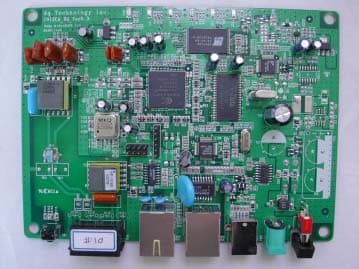
PWVW201ER
Feb 17, 2004ADSL MODEM
Equipment Class
JBP - Part 15 Class B Computing Device Peripheral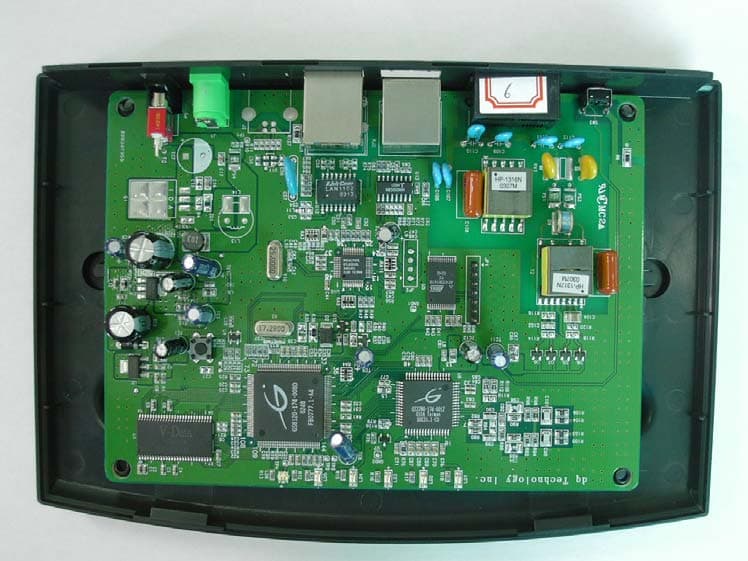
PWVW202ER
Aug 12, 2003ADSL Modem
Equipment Class
JBP - Part 15 Class B Computing Device Peripheral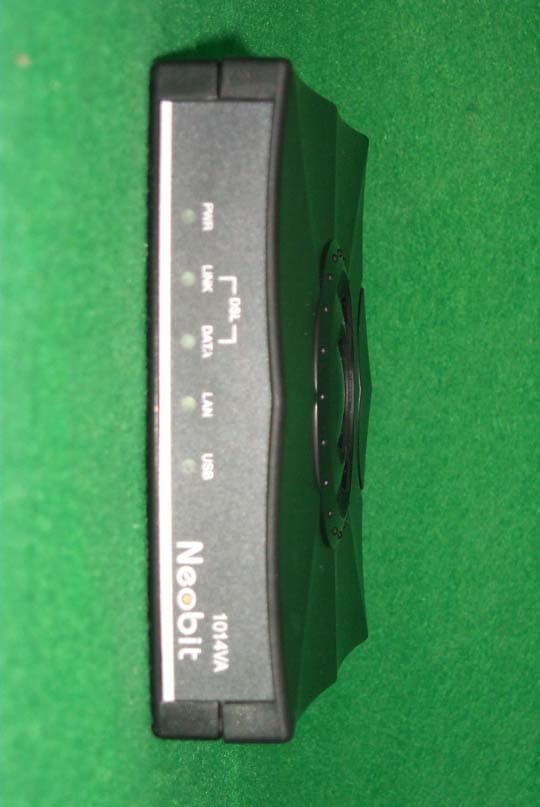
PWVNEOBIT1014VA
Jun 23, 2003Dual-Port ADSL Bridge Router
Equipment Class
JBP - Part 15 Class B Computing Device Peripheral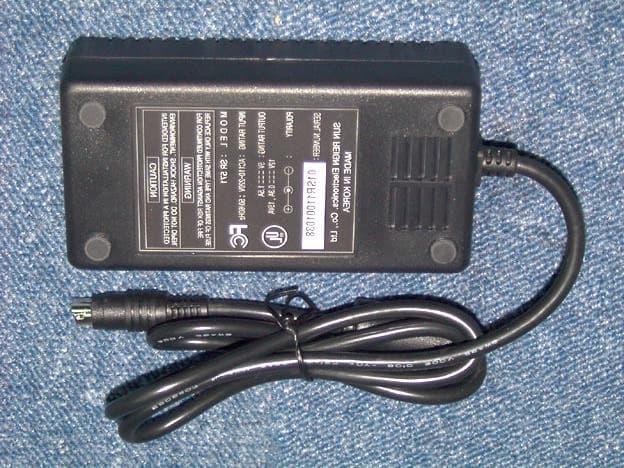
PWV-WEL8010D
Jan 22, 2002ADSL Modem
Equipment Class
JBP - Part 15 Class B Computing Device Peripheral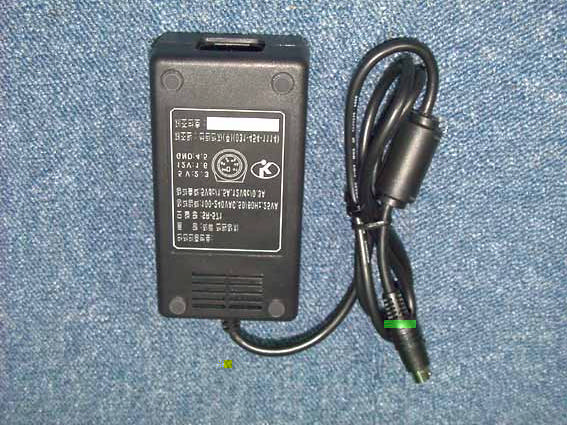
PWV-WEL8010S
Oct 21, 2001ADSL Modem
Equipment Class
JBP - Part 15 Class B Computing Device Peripheral