PX9M116P001Rugged Tablet PC
Winmate Inc.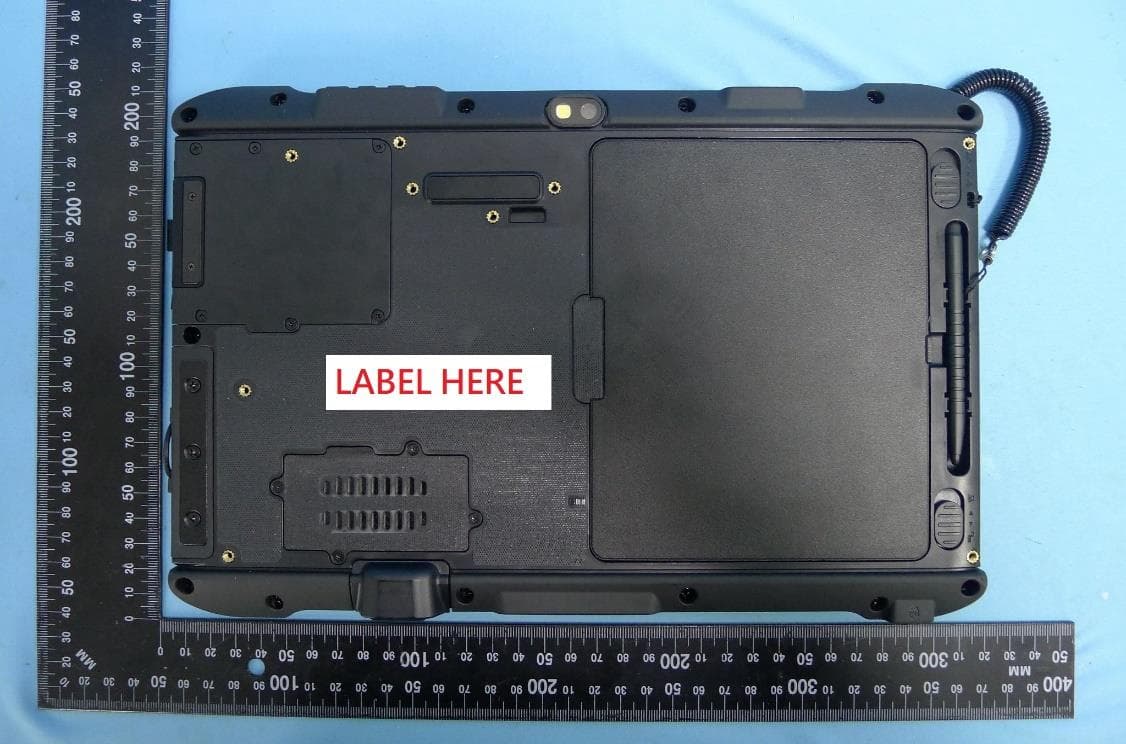
Click to zoom
Application Details
- Equipment Class
- DXX - Part 15 Low Power Communication Device Transmitter
- Date of Grant
- Mar 24, 2020
- Application Purpose
- Original Equipment
- Date of Application
- Mar 17, 2020
- Equipment Note
- Rugged Tablet PC
- Frequency Range
- 13.56000000 - 13.56000000
- Company
- Winmate Inc.
- Country
- Taiwan
Documents & Files
Document Text
Text extracted from the exhibit documents filed with the FCC. Open a document above to read the original.
Users Manual
Please read these instructions carefully before using this product, and save this manual for future use. M116P/ PT x86 Rugged Tablet Intel® Pentium® N4200, 1.1GHz (turbo to 2.5GHz) Windows® 10 IoT Enterprise User Guide Version 1.0 Document Part No. 91521110105G 1 11.6" Rugged Tablet M116P/ PT Series User Guide Contents CONTENTS 1 CHAPTER 1: READ ME FIRST 3 1.1 ADVISORY CONVENTIONS 3 1.2 SAFETY INFORMATION 4 1.3 HANDLING AND MAINTENANCE 6 1.4 DECLARATION OF CONFORMITY (DOC) 7 CHAPTER 2: GETTING STARTED 8 2.1 INTRODUCTION 8 2.2 UNPACKING 9 2.3 DESCRIPTION OF PARTS 10 2.4 INDICATORS 12 2.5 HOTKEY FOR SPECIFIC FUNCTIONS 12 2.6 FIRST-TIME OPERATION 12 2.6.1 Installing a Micro SD Card 13 2.6.2 Installing Battery 13 2.6.3 Charging Your Tablet 14 2.6.4 Using LAN Port (RJ45) 15 2.6.5 Starting the Tablet 15 CHAPTER 3: SETTING UP WINDOWS FOR THE FIRST TIME 16 3.1 INTRODUCTION 16 3.2 SETTING UP WINDOWS 10 IOT ENTERPRISE 16 CHAPTER 4: OPERATING THE DEVICE 19 4.1 HOTTAB INTRODUCTION 19 4.2 SHORTCUTS 20 4.3 USINGCAMERA 21 4.4 BUILT-IN DEVICES ON/OFF 22 4.4.1 Using the Wireless LAN (Wi-Fi) 22 4.4.2 Using the GPS 22 4.4.3 Turn on/off the GPS External Antenna 23 4.4.4 Using the Bluetooth 23 4.4.5 Turning On/Off LED Indicators 24 4.4.6 Using the Barcode Reader 24 4.4.7 Using the HF RFID Reader 31 4.4.8 Turn on/off the Light Sensor 35 4.4.9 Changing Touchscreen Modes 36 4.4.10 Using the Expansion Module 37 4.4.11 UHF RFID Reader Module 38 CHAPTER 5: FREQUENTLY USED SETTINGS 44 5.1 SCREEN RESOLUTION SCALING AND SETTING 44 5.1.1 Changing Display Scaling (Recommended) 44 5.1.2 Changing Screen Resolution 45 5.2 REPLACING BATTERY 46 5.3 USING RECOVERY WIZARD TO RESTORE COMPUTER 47 5.4 DOCKING CONNECTOR PIN DEFINITION 49 5.5 COM PORT DEFINITION 49 5.6 GIGALAN PORT DEFINITION 50 5.7 PAIRING WITH A WIRELESS BLUETOOTH BARCODE SCANNER 51 5.7.1 Setup Computer for Bluetooth Pairing 51 5.7.2 Set up the Barcode Scanner for Bluetooth Pairing 54 5.7.3 Perform Bluetooth Pairing 54 CHAPTER 6: TROUBLESHOOTING 56 6.1 BASIC TROUBLESHOOTING 56 2 Contents APPENDIX 58 APPENDIX A: PRODUCT SPECIFICATIONS 58 3 11.6" Rugged Tablet M116P/ PT Series User Guide Chapter 1: Read Me First 1.1 Advisory Conventions Four types of advisories are used throughout the user manual to provide helpful information or to alert you to the potential for hardware damage or personal injury. These are Notes, Important, Cautions, and Warnings. The following is an example of each type of advisory. Note: A note is used to emphasize helpful information Important: An important note indicates information that is important for you to know. Caution A Caution alert indicates potential damage to hardware and explains how to avoid the potential problem. AttentionUnealerted’attentionindique un dommage possible à l’équipement et explique comment éviter le problèmepotentiel. Warning!An Electrical Shock Warning indicates the potential harm from electrical hazards and how to avoid the potential problem. Avertissement!Un Avertissement de Choc Électriqueindique le potentiel de chocssur des emplacements électriques et comment évitercesproblèmes. 4 Chapter 1: Read Me First 1.2 Safety Information Precaution on Battery Pack Précaution avec le bloc-pile Do Not Disassemble, Modify, or Insert Sharp Objects Into the Battery Pack. Electrolyte leakage, generation of heat, ignition or rupture may result. [FR] Ne pas démonter, modifier, ou insérer des objets pointus à l'intérieur du bloc-pile. Une fuite d'électrolyte, la génération de chaleur, l'amorçage ou la rupture peuvent être occasionnés. Do Not Short the Positive (+) and Negative (-) Terminals of the Battery. Generation of heat, ignition or rupture may result. When carrying or storing the device, do not place the battery pack together with articles that may contact electricity. [FR] Ne pas court-circuiter les bornes Positive (+) et Négative (-) de la pile, la génération de chaleur, l'amorçage ou la rupture peuvent être occasionnés. Lors du transport et du rangement de l'appareil, ne pas placer le bloc-pile en même temps que des articles pouvant créer un contact électrique. Do Not Apply Shocks to the Battery by Dropping It or Applying Strong Pressure to It. Electrolyte leakage, generation of heat, ignition or rupture of battery may occurs. [FR] Ne pas faire subir de choc à la pile en la laissant tomber ou en appliquant une forte pression dessus. Une fuite d'électrolyte, la génération de chaleur, l'amorçage ou la rupture peuvent être occasionnés. Do Not Charge the Battery Other Than Methods Those Specified In This Manual. If the battery is not charged using one of the specified methods, electrolyte leakage, generation of heat, ignition or rupture may result. [FR] Ne pas charger la pile par d'autres méthodes que celles spécifiées dans ce manuel. Si la pile n'est pas chargée en utilisant l'une des méthodes spécifiées, une fuite d'électrolyte, la génération de chaleur, l'amorçage ou la rupture peuvent être occasionnés. When the Battery Pack Has Deteriorated, Replace It with a New Battery. Continued use of a damaged battery pack may result in heat generation, ignition or battery rupture. [FR] Lorsque la pile est détériorée, la remplacer par une nouvelle pile. L'utilisation continue d'une pile endommagée peut occasionner une génération de chaleur, l'amorçage ou la rupture de la pile. Do Not Expose the Battery Pack to Excessive Heat, or Extreme Heat (Near Fire, in Direct Sunlight for example)Generation of heat, ignition or rupture may result [FR] Ne pas exposer le bloc-pile à une Chaleur Excessive, ou une Chaleur Extrême (Près d'un feu, sous la lumière du soleil par exemple)Une production de chaleur, l'amorçage ou la rupture peuvent être occasionnés Do Not Use the Battery Pack With Any Other Products. The battery pack is rechargeable and is only designed for this specific product. If it is used with a product other than the specified product, electrolyte leakage, generation of heat, ignition or rupture may result. [FR] Ne pas utiliser ave…
Text truncated - open the document above for the full version.
External Photos
Product: Rugged Tablet PC Brand Name: Winmate Model Number: M116P 1 of 8 External Photograph (1) EUT Photo (2) EUT Photo 2 of 8 (3) EUT Photo (4) EUT Photo 3 of 8 (5) EUT Photo (6) EUT Photo 4 of 8 (7) EUT Photo (8) EUT Photo 5 of 8 (9) EUT Photo (10) EUT Photo 6 of 8 (11) EUT Photo (12) EUT Photo 7 of 8 (13) EUT Photo (14) EUT Photo 8 of 8 (15) EUT Photo
ID Label/Location Info
Label Label location
Internal Photos
Product: Rugged Tablet PC Brand Name: Winmate Model Number: M116P 1 of 19 Internal Photograph (1) EUT Photo (2) EUT Photo 2 of 19 (3) EUT Photo (4) EUT Photo 3 of 19 (5) EUT Photo (6) EUT Photo 4 of 19 (7) EUT Photo (8) EUT Photo 5 of 19 (9) EUT Photo (10) EUT Photo 6 of 19 (11) EUT Photo (12) EUT Photo 7 of 19 (13) EUT Photo (14) EUT Photo 8 of 19 (15) EUT Photo (16) EUT Photo 9 of 19 (17) EUT Photo (18) EUT Photo 10 of 19 (19) EUT Photo (20) EUT Photo 11 of 19 (21) EUT Photo (22) EUT Photo 12 of 19 (23) EUT Photo (24) EUT Photo 13 of 19 (25) EUT Photo (26) EUT Photo 14 of 19 (27) EUT Photo (28) EUT Photo 15 of 19 (29) EUT Photo (30) EUT Photo 16 of 19 (31) EUT Photo (32) EUT Photo 17 of 19 (33) EUT Photo (34) EUT Photo 18 of 19 (35) EUT Photo (36) EUT Photo 19 of 19 (37) EUT Photo
Test Report
MRT Technology (Taiwan) Co., Ltd Report No.: 1911TW1401-U2 Phone: +886-3-3288388 Report Version: 1.0 Fax: +886-3-3288918 Issue Date: 2020-02-21 Web: www.mrt-cert.com FCC ID: PX9M116P001 Page Number: 1 of 36 FCC ID: PX9M116P001 APPLICANT: Winmate Inc. Application Type: Certification Product: Rugged Tablet PC Model No.: M116P Brand Name: Winmate FCC Classification: (DXX) Part 15 Low Power Communication Device Transmitter FCC Rule Part(s): Part 15.225 Test Procedure(s): ANSI C63.10-2013 Received Date: November 28, 2019 Test Date: November 30, 2019 ~ February 1, 2020 MEASUREMENT REPORT FCC PART 15.225 Tested By : ( Peter Syu ) Reviewed By : ( Paddy Chen ) Approved By : ( Chenz Ker) The test results only relate to the tested sample. This equipment has been shown to be capable of compliance with the applicable technical standards as indicated in the measurement report and was tested in accordance with the measurement procedures specified in ANSI C63.10-2013. Test results reported herein relate only to the item(s) tested. The test report shall not be reproduced except in full without the written approval of MRT Technology (Taiwan) Co., Ltd. Report No.: 1911TW1401-U2 FCC ID: PX9AC6260NGW Page Number: 2 of 36 Revision History Report No. Version Description Issue Date Note 1911TW1401-U2 1.0 Original Report 2020-02-21 Report No.: 1911TW1401-U2 FCC ID: PX9AC6260NGW Page Number: 3 of 36 CONTENTS Description Page §2.1033 General Information ..........................................................................................................5 1. INTRODUCTION ......................................................................................................................6 1.1. Scope ............................................................................................................................ 6 1.2. MRT Test Location ......................................................................................................... 6 2. PRODUCT INFORMATION ......................................................................................................7 2.1. Equipment Description .................................................................................................. 7 2.2. Test Mode ...................................................................................................................... 8 2.3. Test Software ................................................................................................................. 8 2.4. Test Configuration.......................................................................................................... 8 2.5. EMI Suppression Device(s)/Modifications ...................................................................... 8 2.6. Labeling Requirements .................................................................................................. 8 3. DESCRIPTION of TEST ...........................................................................................................9 3.1. Evaluation Procedure .................................................................................................... 9 3.2. AC Line Conducted Emissions ...................................................................................... 9 3.3. Radiated Emissions ..................................................................................................... 10 4. ANTENNA REQUIREMENTS ................................................................................................. 11 5. TEST EQUIPMENT CALIBRATION DATE ............................................................................. 12 6. MEASUREMENT UNCERTAINTY.......................................................................................... 13 7. TEST RESULT ....................................................................................................................... 14 7.1. Summary ..................................................................................................................... 14 7.2. Field Strength of Fundamental Emissions Measurement ............................................. 15 7.2.1. Test Limit ................................................................................................................. 15 7.2.2. Test Procedure used ................................................................................................ 15 7.2.3. Test Setup ............................................................................................................... 16 7.2.4. Test Result ............................................................................................................... 17 7.3. Radiated Spurious Emissions Measurement ............................................................... 19 7.3.1. Test Limit ................................................................................................................. 19 7.3.2. Test Procedure Used ............................................................................................... 19 7.3.3. Test Setup ............................................................................................................... 21 7.3.4. Test Result ............................................................................................................... 22 7.4. 20dB Bandwidth Measurement .................................................................................... 28 7.4.1. Test Limit ................................................................................................................. 28 7.4.2. Test Procedure Used ............................................................................................... 28 Report No.: 1911TW1401-U2 FCC ID: PX9AC6260NGW Page Number: 4 of 36 7.4.3. Test Setting .............................................................................................................. 28 7.4.4. Test Setup ...............................................................................................................…
Text truncated - open the document above for the full version.
Test Setup Photos
Product: Rugged Tablet PC Brand Name: Winmate Model Number: M116P 1 of 2 Test Photograph Test Mode: Mode 1 Description: Front View of Conducted Emission Test Setup Test Mode: Mode 1 Description: Back View of Conducted Emission Test Setup 2 of 2 Test Mode: Mode 1 Description: Radiated Emission Test Setup for 9KHz ~ 30MHz Test Mode: Mode 1 Description: Radiated Emission Test Setup for 30MHz ~ 1GHz
Contact Information
Applicant
Lindon Lin(R&D Manager)
Technical Contact
MRT Technology (Taiwan) Co., LtdChenz Ker
[email protected]886-3-3288388
No. 38, Fuxing Second Rd., Guishan Dist., · Taiwan
Non-Technical Contact
MRT Technology (Taiwan) Co., LtdChenz Ker
[email protected]886-3-3288388
Test Firm
MRT Technology (Taiwan) Co.,LtdChenz Ker
Technical Specifications
| # | Rule Parts | Frequency Range | Power Output |
|---|---|---|---|
| 1 | 15C | 13.56 MHz - 13.56 MHz | - |
Other Applications from Winmate Inc.
PX9M101Q
Apr 02, 2026Rugged Tablet PC
Equipment Class
DSS - Part 15 Spread Spectrum TransmitterPX9-G900AD
Jan 07, 2026Rugged Tablet PC
Equipment Class
DTS - Digital Transmission System
PX9E500RM9
Apr 17, 2023Rugged PDA
Equipment Class
DTS - Digital Transmission System
PX9S10101
Mar 29, 2023Rugged Tablet PC
Equipment Class
DTS - Digital Transmission System
PX9M140TG
Oct 26, 2022Rugged Tablet PC
Equipment Class
DTS - Digital Transmission System