PX9M700DQ8002Rugged Tablet PC
Winmate Inc.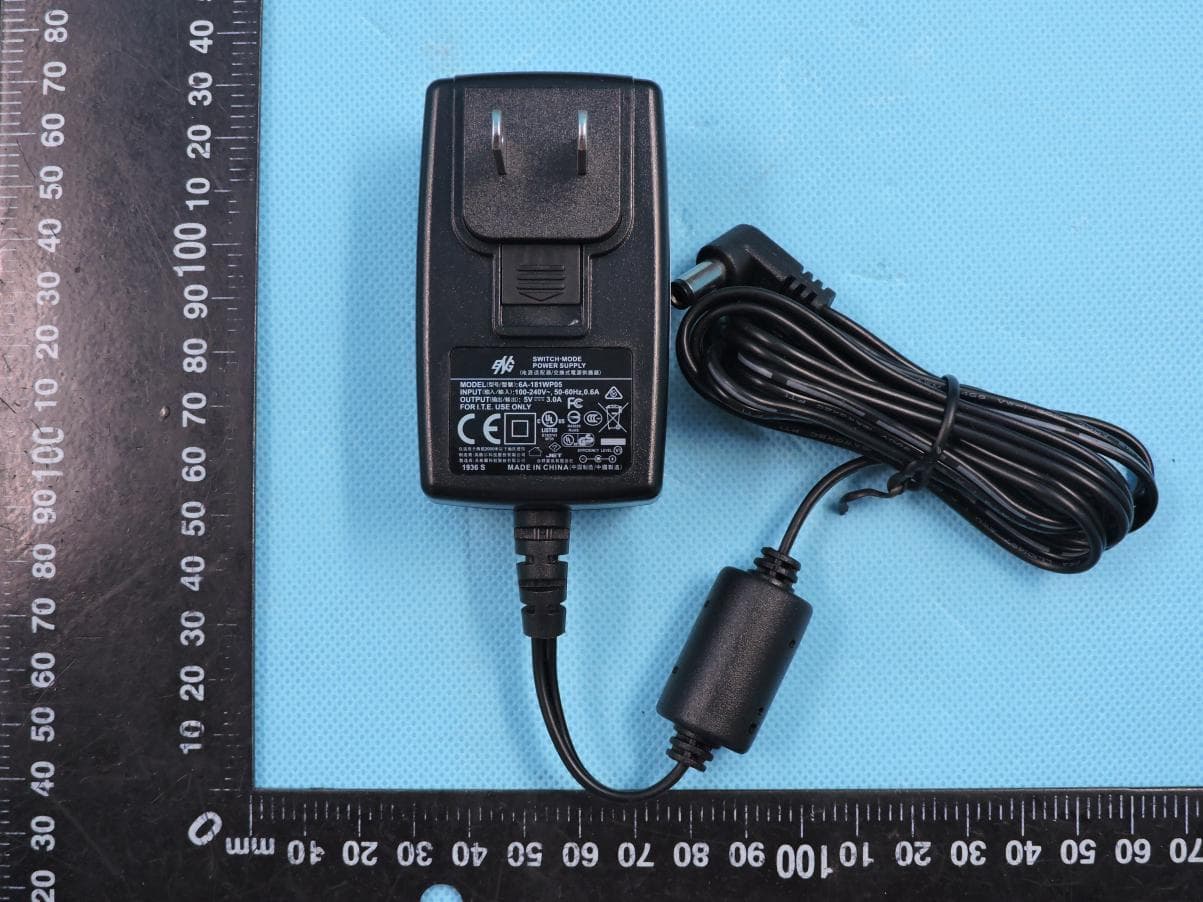
Click to zoom
Application Details
- Equipment Class
- DSS - Part 15 Spread Spectrum Transmitter
- Date of Grant
- Jun 11, 2020
- Application Purpose
- Original Equipment
- Date of Application
- Jun 11, 2020
- Equipment Note
- Rugged Tablet PC
- Frequency Range
- 2402.00000000 - 2480.00000000
- Company
- Winmate Inc.
- Country
- Taiwan
Documents & Files
Document Text
Text extracted from the exhibit documents filed with the FCC. Open a document above to read the original.
Users Manual
M700DQ8 Series Rugged Tablet Quick Start Guide v1.0 For the complete user manual and other helpful resources, go to www.winmate.com To change scanning settings 1) Open WDC application. 2) Open Barcode Settings , tap Trigger Settings. 3) Choose scan type and read time options. MODE TRIGGER OPTIONS Auto Scan – Barcode reader starts auto-scanning once the user leaves the WDC application. Multiple Scan – After pressing the trigger button barcode reader starts continuously scanning and reading multiple codes within the time duration specified in Read time option. Continuing Scan (Default) – After pressing the trigger button barcode reader can scan and read only a single code within the time duration specified in Read time option. To change the symbologies of barcode 1) Open WDC application. 2) Tap Barcode Setting . 3) Tap Barcode Preference. 4) Change the symbologies of barcodes. To add command with the output of barcode 1) Open WDC application. 2) In Barcode Setting stap Prefix/Suffix. 3) Enter special characters at the beginning (prefix) or end (suffix) of the scanned barcodes. 4) Tap Set to add to the data. How to Change Scanning Settings 1) Tear off protective film from the barcode. 2) Press power button located on the top and swipe up from bottom on the screen to unlock the screen. 3) Open Search application or other which can edit text. 4) Press triggerbutton located on the bottom. 5) Scan the following barcode to check if your reader is working properly. Result will be displayed in Search application. How to Scan a Barcode How to Start your M700DQ8 Optimum scanning Code-39 1)Charge the Battery Use the bundled AC adapter and USB cable to charge the Tablet for 4 hours. 2)Turn On the Tablet There's more here. •Keep your M700DQ8 updated, and find the latest PC software, user manual, online help and more at Winmate Download Center. •Find more accessories for your M700DQ8 at Winmate website www.winmate.com. Note: For power saving purpose, please enable Connect to PC in Accessibility settings. When connected to PC external 4G, USB and LAN on Docking will be disabled. Note: For the very first time using, we recommend you charge with the AC adapter. Charging from PC’s USB port will take 6 hours or longer. Note: We strongly recommend you always charge your M700DQ8 Tablet with its original charger. Winmate’s warranty does not cover damage to the mobile device caused by other batteries and/or chargers. DCin To turn on your M700DQ8 series Tablet, press and hold the power button for 3 seconds, located on the top side of the unit. When the device viebrates, release the power button. The LED Indicator will be solid blue during the launching process. The desktop screen will then be displayed once operating system has been launched. Before starting to use M700DQ8 1)Install Micro SD / SIM card (Optional) The built-in storage space of your M700DQ8 Rugged Tablet is mainly used for system operation. Some functions such as camera or other APP require bigger storage space, please insert a Micro SD card before using. If your M700DQ8 Rugged Tablet supports 3G, Remember to insert a SIM card to activate your data connection. 2)Install and Charge the Battery The battery in your new M700DQ8 Rugged Tablet is not charged yet. Please charge with the bundled USB cable before your first use. Caution! Please don’t remove the battery pack or try to take the device apart while charging. These actions may result in some damages and may invalidate your warranty. Caution! Discontinue using device immediately if you notice the battery is swelling, or looks puffy or misshapen. Do not attempt to charge or use the device. Do not handle a damaged or leaking battery. Do not let leaking battery fluid come into contact with your eyes, skin or clothing. 3)Some tips for using and caring your Rugged Tablet. The M70DQ8 Rugged Tablet is designed to resist damages from certain rugged conditions. However, to help care for your M700DQ8, please avoid prolonged or extreme exposure to those conditions. √ To ensure the rugged design works and protects your Tablet, please be sure the connector covers are closed and the back cover is screwed properly. √ Don’t leave your Tablet near a heat source; this can damage the device. √ Avoid dropping your Tablet on a hard surface; this can potentially cause damage to the device. √ To clean your Tablet, use a dry soft cloth. Don’t use alcohol or other cleaning solutions. √ Please don’t have your Tablet contact with water when the cover is opened. The water-proof design works only when the outer case is sealed properly. Note: Certain apps and features may not be available in all countries. To know your M700DQ8 more Front View (with Barcode Reader) Rear View (with Barcode Reader) P-Sensor Light Sensor LED Indicator Microphone 8MP Front Camera I/O Protection Cover 13MP Rear Camera with LED auxiliary light Docking Connector 3.7V 5300mAh Hotswap Removable Battery Waterproof Speaker Inside SIM Card Slot Caution:The lithium battery used in this tablet may swell after being charged/ discharged many times, but there is no problem regarding safety. Continued use in such a state may result in the battery getting jammed, so please stop using the battery, and purchase a new one. 1)Turn Off the Tablet Disconnect AC adapter and power cord from the device. Turn the device over, back facing up. 2)Insert the Battery Push the battery latchInsert the battery on the connector-pins side first, and then lower the battery into the battery compartment. Continue to hold the Battery Release Slider before battery is fully inserted. 2)Open the I/O Cover Pull out the latch to open the I/O cover located on the left side. 3)Insert SIM Card Insert SIM card with the gold parts facing up and cut-off corner facing in) in the direction of the arrow as shown in the figure. 4)Insert MicroSD Card Pick and raise the SD card holder up in upright position and then put the SD Card into the socket. 5)Close the I/O Cover Pull back the latch to close the…
Text truncated - open the document above for the full version.
Cover Letter(s)
Winmate Inc. Agent Authorization Company: Winmate Inc. Address: 9F, No.111-6, Shing-De Rd., San-Chung Dist., New Taipei City, 24158, Taiwan, R.O.C Product Name: Rugged Tablet PC Model Number(s): M700DQ8, M700XXXXXXXXXXX(Where X can be A-Z,a- z ,0-9,”-“, Blank or Slash) Product Description: Rugged Tablet PC FCC ID: PX9M700DQ8002 We authorize MiCOM Labs Inc., 575 Boulder Court, Pleasanton, California 94566, USA, to act on our behalf on all matters concerning the certification of above named equipment. We declare that MiCOM Labs Inc. is allowed to forward all information related to the approval and certification of equipment to the regulatory agencies as required and to discuss any issues concerning the approval application. Any and all acts carried out by MiCOM Labs on our behalf shall have the same effect as acts of our own. Signature: Date: 2020-06-01 Name: Chini Liao Title: R&D Manager Company: Winmate Inc.
Cover Letter(s)
Differences Description We Winmate Inc. state: Product: Rugged Tablet PC Model Name: M700DQ8, M700XXXXXXXXXXX(Where X can be A-Z,a-z ,0-9,”-“, Blank or Slash) Trade Name: Winmate FCC ID: PX9M700DQ8002 The electrical circuit design, layout, components used and internal wiring for above models are identical, nly difference for marketing purpose Signatory Date 2020-06-01 Signature Name: Chini Liao Title: R&D Manager Company: Winmate Inc. Address: 9F, No.111-6, Shing-De Rd., San-Chung Dist., New Taipei City, 24158, Taiwan, R.O.C
Cover Letter(s)
Winmate Inc. Office of Engineering Technology Federal Communications Commission 7435 Oakland Mills Road Columbia, MD 21046 USA Date: 2020-06-01 Subject; Request for Confidentiality FCC ID: PX9M700DQ8002 To Whom It May Concern, Pursuant to the provisions of the Commission’s rules Title 47 Sections §0.457 and §0.459, we are requesting the Commission to withhold the following attachment(s) as confidential documents from public disclosure indefinitely. These documents contain detailed system and equipment descriptions and are considered as proprietary information in operation of the equipment. The public disclosure of these documents might be harmful to our company and would give competitors an unfair advantage in the market. Schematic Diagram Block Diagram Operational Description Tune-up Procedure SOFTWARE SECURITY REQUIREMENTS FOR U-NII DEVICES Part List In additional to above mentioned documents, in order to comply with the marketing regulations in Title 47 CFR §2.803 and the importation rules in Title 47 CFR §2.1204, while ensuring that business sensitive information remains confidential until the actual marketing of newly authorized devices, we request Short Term Confidentiality of the following attachment(s); External Photos Test Setup Photos Internal Photos User Manual For 45 days, pursuant to Public Notice DA 04-1705. OR For 180 days pursuant to KDB 726920 D01. It is our understanding that all measurement test reports, FCC ID label format and correspondence during the certification review process cannot be granted as confidential documents and this information will be available for public review once the grant of equipment authorization is issued. Sincerely, Signature: Name: Winmate Inc. Title: R&D Manager
External Photos
Page 1 of 5 Report No.: STS2002188 APPENDIX-PHOTOGRAPHS OF EUT CONSTRUCTIONAL DETAILS Model: M700DQ8 Photo 1 Photo 2 Page 2 of 5 Report No.: STS2002188 Photo 3 Photo 4 Page 3 of 5 Report No.: STS2002188 Photo 5 Photo 6 Page 4 of 5 Report No.: STS2002188 Photo 7 Photo 8 Page 5 of 5 Report No.: STS2002188 Photo 9
ID Label/Location Info
FCC&IC Label Sticker: 4 * 8 cm
Internal Photos
Page 1 of 12 Report No.: STS2002188 APPENDIX-PHOTOGRAPHS OF EUT CONSTRUCTIONAL DETAILS Model: M700DQ8 Photo 1 Photo 2 NFC Antenna BT/WIFI Antenna A AUX Antenna WCDMA/LTE Antenna GPS Antenna Page 2 of 12 Report No.: STS2002188 Photo 3 Photo 4 Page 3 of 12 Report No.: STS2002188 Photo 5 Photo 6 Page 4 of 12 Report No.: STS2002188 Photo 7 Photo 8 Page 5 of 12 Report No.: STS2002188 Photo 9 Photo 10 Page 6 of 12 Report No.: STS2002188 Photo 11 Photo 12 Page 7 of 12 Report No.: STS2002188 Photo 13 Photo 14 WIFI Antenna B Page 8 of 12 Report No.: STS2002188 Photo 15 Photo 16 Page 9 of 12 Report No.: STS2002188 Photo 17 Photo 18 Page 10 of 12 Report No.: STS2002188 Photo 19 Photo 20 Page 11 of 12 Report No.: STS2002188 Photo 21 Photo 22 Page 12 of 12 Report No.: STS2002188 Photo 23 Photo 24
Test Report
Any reproduction of this document must be done in full. No single part of this document may be reproduced without permission from STS, All Test Data Presented in this report is only applicable to presented Test sample. Shenzhen STS Test Services Co., Ltd. A 1/F, Building B, Zhuoke Science Park, No.190 Chongqing Road, HepingShequ, Fuyong Sub-District, Bao’an District, Shenzhen, Guang Dong, China TEL: +86-755 3688 6288 FAX: +86-755 3688 6277 E-mail:[email protected] RADIO TEST REPORT Report No.: STS2002188W20 Issued for Winmate Inc. 9F, No.111-6, Shing-De Rd., San-Chung Dist., New Taipei City, 24158, Taiwan, R.O.C Product Name: Rugged Tablet PC Brand Name: Winmate Model Name: M700DQ8 Series Model: M700XXXXXXXXXXX (Where X can be A-Z,a-z ,0-9,“-”, Blank or Slash ) FCC ID: PX9M700DQ8002 Test Standard: FCC Part 15.247 S T L A B S Page 2 of 74 Report No.: STS2002188W20 TEST RESULT CERTIFICATION Applicant’s Name ................... : Winmate Inc. Address .................................. : 9F, No.111-6, Shing-De Rd., San-Chung Dist., New Taipei City, 24158, Taiwan, R.O.C Manufacture's Name .............. : Winmate Inc. Address .................................. : 9F, No.111-6, Shing-De Rd., San-Chung Dist., New Taipei City, 24158, Taiwan, R.O.C Product Description Product Name ........................ : Rugged Tablet PC Brand Name ......................... : Winmate Model Name ........................... : M700DQ8 Series Model .......................... : M700XXXXXXXXXXX (Where X can be A-Z,a-z ,0-9,“-”, Blank or Slash) Test Standards ....................... : FCC Part15.247 Test Procedure ....................... : ANSI C63.10-2013 This device described above has been tested by STS, the test results show that the equipment under test (EUT) is in compliance with the FCC requirements. And it is applicable only to the tested sample identified in the report. This report shall not be reproduced except in full, without the written approval of STS, this document may be altered or revised by STS, personal only, and shall be noted in the revision of the document. Date of Test ................................ : Date of receipt of test item .......... : 27 Feb. 2020 Date (s) of performance of tests . : 27 Feb. 2020 ~ 21 May 2020 Date of Issue .............................. : 21 May 2020 Test Result .................................. : Pass Testing Engineer : (Chris Chen) Technical Manager : (Sean she) Authorized Signatory: (Vita Li) Page 3 of 74 Report No.: STS2002188W20 Table of Contents Page 1. SUMMARY OF TEST RESULTS 6 1.1 TEST FACTORY 7 1.2 MEASUREMENT UNCERTAINTY 7 2. GENERAL INFORMATION 8 2.1 GENERAL DESCRIPTION OF THE EUT 8 2.2 DESCRIPTION OF THE TEST MODES 10 2.3 FREQUENCY HOPPING SYSTEM REQUIREMENTS 10 2.4 TABLE OF PARAMETERS OF TEST SOFTWARE SETTING 12 2.5 BLOCK DIGRAM SHOWING THE CONFIGURATION OF SYSTEM TESTED 12 2.6 DESCRIPTION OF NECESSARY ACCESSORIES AND SUPPORT UNITS 13 2.7 EQUIPMENTS LIST 14 3. EMC EMISSION TEST 15 3.1 CONDUCTED EMISSION MEASUREMENT 15 3.2 RADIATED EMISSION MEASUREMENT 19 4. CONDUCTED SPURIOUS & BAND EDGE EMISSION 31 4.1 LIMIT 31 4.2 TEST PROCEDURE 31 4.3 TEST SETUP 31 4.4 EUT OPERATION CONDITIONS 31 4.5 TEST RESULTS 32 5. NUMBER OF HOPPING CHANNEL 47 5.1 LIMIT 47 5.2 TEST PROCEDURE 47 5.3 TEST SETUP 47 5.4 EUT OPERATION CONDITIONS 47 5.5 TEST RESULTS 48 6. AVERAGE TIME OF OCCUPANCY 49 6.1 LIMIT 49 6.2 TEST PROCEDURE 49 6.3 TEST SETUP 49 6.4 EUT OPERATION CONDITIONS 49 6.5 TEST RESULTS 50 7. HOPPING CHANNEL SEPARATION MEASUREMEN 56 Page 4 of 74 Report No.: STS2002188W20 Table of Contents Page 7.1 LIMIT 56 7.2 TEST PROCEDURE 56 7.3 TEST SETUP 56 7.4 EUT OPERATION CONDITIONS 56 7.5 TEST RESULTS 57 8. BANDWIDTH TEST 63 8.1 LIMIT 63 8.2 TEST PROCEDURE 63 8.3 TEST SETUP 63 8.4 EUT OPERATION CONDITIONS 63 8.5 TEST RESULTS 64 9. OUTPUT POWER TEST 70 9.1 LIMIT 70 9.2 TEST PROCEDURE 70 9.3 TEST SETUP 71 9.4 EUT OPERATION CONDITIONS 71 9.5 TEST RESULTS 72 10. ANTENNA REQUIREMENT 73 10.1 STANDARD REQUIREMENT 73 10.2 EUT ANTENNA 73 Page 5 of 74 Report No.: STS2002188W20 Revision History Rev. Issue Date Report NO. Effect Page Contents 00 21 May 2020 STS2002188W20 ALL Initial Issue Page 6 of 74 Report No.: STS2002188W20 1. SUMMARY OF TEST RESULTS Test procedures according to the technical standards: KDB 558074 D01 15.247 Meas Guidance v05r02. FCC Part 15.247,Subpart C Standard Section Test Item Judgment Remark 15.207 Conducted Emission PASS -- 15.247(a)(1) Hopping Channel Separation PASS -- 15.247(a)(1)&(b)(1) Output Power PASS -- 15.209 Radiated Spurious Emission PASS -- 15.247(d) Conducted Spurious & Band Edge Emission PASS -- 15.247(a)(iii) Number of Hopping Frequency PASS -- 15.247(a)(iii) Dwell Time PASS -- 15.247(a)(1) Bandwidth PASS -- 15.205 Restricted bands of operation PASS -- Part 15.247(d)/part 15.209(a) Band Edge Emission PASS -- 15.203 Antenna Requirement PASS -- NOTE: (1) ‘N/A’ denotes test is not applicable in this Test Report. (2) All tests are according to ANSI C63.10-2013. Page 7 of 74 Report No.: STS2002188W20 1.1 TEST FACTORY SHENZHEN STS TEST SERVICES CO., LTD Add. : A 1/F, Building B, Zhuoke Science Park, No.190 Chongqing Road, HepingShequ, Fuyong Sub-District, Bao’an District, Shenzhen, Guang Dong, China FCC test Firm Registration Number: 625569 IC test Firm Registration Number: 12108A A2LA Certificate No.: 4338.01 1.2 MEASUREMENT UNCERTAINTY The reported uncertainty of measurement y ±U, where expended uncertainty U is based on a standard uncertainty multiplied by a coverage factor of k=2, providing a level of confidence of approximately 95 %. No. Item Uncertainty 1 RF output power, conducted ±0.68dB 2 Unwanted Emissions, conducted ±2.988dB 3 All emissions, radiated 30-1GHz ±6.7dB 4 All emissions, radiated 1G-6GHz ±5.5dB 5 All emissions, radiated>6G ±5.8dB 6 Conducted Emission (9KHz-150KHz) ±4.43dB 7 Conducted Emission (150KHz-30MHz) ±5dB Page 8 of 74 Report No.: STS2002188W20 2. GENERAL INFORMATION 2.1 GENERAL DESCRIPTION OF THE EUT Product Name Rugged Tablet PC T…
Text truncated - open the document above for the full version.
Test Setup Photos
Page 1 of 2 FCC ID: PX9M700DQ8002 DSS&DTS&U-NII&DXX Setup photo Model name: M700DQ8 DSS&DTS&U-NII&DXX conduction DSS&DTS&U-NII&DXX radiation L Page 2 of 2 FCC ID: PX9M700DQ8002 DSS&DTS&U-NII radiation H DXX Loop antenna
Contact Information
Applicant
Lindon Lin(R&D Manager)
Technical Contact
Test Firm
SHENZHEN STS TEST SERVICES CO.,LTD.Bovey Yang
[email protected]+86 755-36886288
Technical Specifications
| # | Rule Parts | Frequency Range | Power Output |
|---|---|---|---|
| 1 | 15C | 2.40 GHz - 2.48 GHz | 4.17 mW |
Other Applications from Winmate Inc.
PX9M101Q
Apr 02, 2026Rugged Tablet PC
Equipment Class
DSS - Part 15 Spread Spectrum TransmitterPX9-G900AD
Jan 07, 2026Rugged Tablet PC
Equipment Class
DTS - Digital Transmission System
PX9E500RM9
Apr 17, 2023Rugged PDA
Equipment Class
DTS - Digital Transmission System
PX9S10101
Mar 29, 2023Rugged Tablet PC
Equipment Class
DTS - Digital Transmission System
PX9M140TG
Oct 26, 2022Rugged Tablet PC
Equipment Class
DTS - Digital Transmission System