Q5TBT220Bluetooth Printer Adapter
Bluetake Technology Co., Ltd.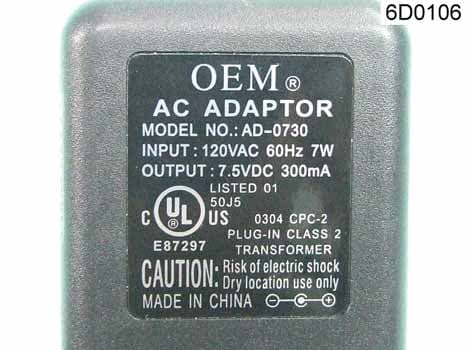
Click to zoom
Application Details
- Equipment Class
- DSS - Part 15 Spread Spectrum Transmitter
- Date of Grant
- Mar 28, 2007
- Application Purpose
- Original Equipment
- Date of Application
- Mar 28, 2007
- Equipment Note
- Bluetooth Printer Adapter
- Frequency Range
- 2402.00000000 - 2480.00000000
- Country
- Taiwan
Documents & Files
Document Text
Text extracted from the exhibit documents filed with the FCC. Open a document above to read the original.
Users Manual
BLUETOOTH PRINTER ADAPTER QUICK SETUP GUIDE BLUETAKE 1 BLUETOOTH PRINTER ADAPTER – QUICK SETUP GUIDE English Page Contents CE Statement........................................................1 Wireless Notice........................................................2 Safety and General Information ....................................2 English............................................................3 Español............................................................6 Pyccкий ............................................................9 繁體中文............................................................12 FCC Statement................................................15 Trademarks "Bluetake" name and logo are trademarks of Bluetake Technology Co., Ltd. “Bluetooth” word mark and logos are owned by the Bluetooth SIG, Inc. and any use of such marks by Bluetake Technology Co., Ltd. is under license. “Microsoft”, “Windows", “Windows Media” and “MSN” are registered trademarks of Microsoft Corporation. “BlueSoleil” is the registered trademark of IVT Inc. All other products, brand names or trademarks are those of their respective owners. Copyrights © Copyright 2006 Bluetake Technology Co., Ltd. All Rights Reserved. CE Statement: Hereby, Bluetake Technology Co., Ltd. declares that this device is in compliance with the essential requirement and other relevant provisions of the R&TTE Driective 1999/5/EC. BLUETOOTH PRINTER ADAPTER–QUICK SETUP GUIDE 2 English Wireless Notice In some environments, the use of wireless devices may be restricted. Such restrictions may apply aboard airplanes, in hospitals, near explosives, in hazardous locations, etc. If you are uncertain of the policy that applies to the use of this device, please ask for authorization to use it prior to turning it on. Safety and General Information Please read the following information before using this product (BT220 Bluetooth Printer Adapter). z Users are not permitted to make changes or modify the product and accessories in any way. Changes or modifications not expressly approved by the party responsible for compliance could void the user’s authority to operate the equipment. z DO NOT put the small parts into mouth to avoid swallowing. The product consists of small parts and does not suitable for children under the desired ages. Please KEEP AWAY all products, parts and accessories to children to avoid choking hazard. z If you use any other personal medical device such as the artificial cardiac pacemaker or hearing aid, consult the manufacture of your device to determine if it is adequately shielded form RF energy. z KEEP AWAY of fire, water, and high voltage equipments. z Always use the original the AC Adapter included in the BT220 retail box to charge the BT220. Using any incorrect power supply device will cause damage to the BT220 equipments and void the warranty. Retail Package Contents 3 BLUETOOTH PRINTER ADAPTER – QUICK SETUP GUIDE English 1 Bluetooth Printer Adapter (BT220) 2 AC Adapter 3 Quick Setup Guide (in English, Spanish, Russian, Traditional Chinese) Operation Interface Function LED Searching mode Blinking Blue light Printing mode Constant Blue light Connect with AC Adapter Constant Green light Connect with Printer Constant Orange light z All specifications are subject to change without prior notice. Please go to (http://www.bluetake.com/products/BT220.htm) to know the possible update. Start to Use Please make sure with the computer which support Bluetooth hardware (embedded chipset or USB adapter) and software support HCRP (Hardcopy Cable Replacement Profile) or SPP (Serial Port Profile) The following instruction used BLUETAKE BT007 /009SX Bluetooth EDR USB Adapter to demonstrate the general procedure. Step1: Enable the computer Bluetooth function or ready the Bluetooth USB adapter for pairing. Connect BT220 to parallel port of your printer. Power on your printer, and then apply power to BT220 adapter by using the AC adapter. BLUETOOTH PRINTER ADAPTER–QUICK SETUP GUIDE Step2: Double click Bluetooth icon in the task tray, enable IVT Corporation BlueSoleil main window. Step3: Please click the middle red ball for search new Bluetooth device. Then, you will find out a printer icon named “BT220....”. Select the device to pair with the computer. Step4: Select “BT220 ” , and then you can discover the Bluetooth service (function) provided by the BT220 inter adapter. pr Step5: Double-clicking on the SPP icon which is named “Bluetooth Serial Port Service”. Bluesoleil driver will automatically choose the COM Port for the BT220 printer, please click ‘’ YES” and wait a moment until the “My Bluetooth COM Port 4 (COM 4) is connected to remote device” shows in your task bar, now the connection is established. 4 English 5 BLUETOOTH PRINTER ADAPTER – QUICK SETUP GUIDE English Step6: Select [add new printer], and then click on [Next] button. Please select [Local printer attached to this new computer], and then click on [Next] button. Step7: Select COM Port (refer Step5), and then click on [Next] button. Please install the printer’s driver, after setup the printer, print a test page make sure connection is successful. ADAPTADOR DE IMPRESORA BLUETOOTH –GUÍA RÁPIDA DE INSTALACIÓN 6 Español Contenido del Paquete 1 Adaptador de Impresora Bluetooth (BT220) 2 Adaptador CA 3 Guía Rápida de Instalación (en Inglés, Español, Ruso, Chino Tradicional) Operation Interface Función LED Modo Búsqueda Luz Azul Parpadeando Modo Impresión Luz Azul Constante Conectar con Adaptador CA Luz Verde Constante Conectar con Impresora Luz Naranja Constante z Todas las especificaciones están sujetas a cambios sin previo aviso. Por favor visite (http://www.bluetake.com/products/BT220.htm) para conocer las posibles actualizaciones. Empiece a Usar Por favor asegúrese de que el ordenador soporta hardware Bluetooth (chipset integrado o adaptador USB) y soporte software HCRP (Perfil de Cambio de aple de Impresión) o SPP (Perfil de Puerto Serie) C Las siguientes instrucciones usar…
Text truncated - open the document above for the full version.
External Photos
SPORTON International Inc. PAGE NUMBER : 1 OF 9 TEL : 886-2-2696-2468 ISSUED DATE : Mar. 22, 2007 FAX : 886-2-2696-2255 730608 730608 APPENDIX B. Photographs of EUT engineer sample SPORTON International Inc. PAGE NUMBER : 2 OF 9 TEL : 886-2-2696-2468 ISSUED DATE : Mar. 22, 2007 FAX : 886-2-2696-2255 730608 730608 SPORTON International Inc. PAGE NUMBER : 3 OF 9 TEL : 886-2-2696-2468 ISSUED DATE : Mar. 22, 2007 FAX : 886-2-2696-2255 730608 730608 SPORTON International Inc. PAGE NUMBER : 4 OF 9 TEL : 886-2-2696-2468 ISSUED DATE : Mar. 22, 2007 FAX : 886-2-2696-2255 730608 730608 SPORTON International Inc. PAGE NUMBER : 9 OF 9 TEL : 886-2-2696-2468 ISSUED DATE : Mar. 22, 2007 FAX : 886-2-2696-2255 730608 730608
Internal Photos
SPORTON International Inc. PAGE NUMBER : 4 OF 9 TEL : 886-2-2696-2468 ISSUED DATE : Mar. 22, 2007 FAX : 886-2-2696-2255 730608 730608 SPORTON International Inc. PAGE NUMBER : 5 OF 9 TEL : 886-2-2696-2468 ISSUED DATE : Mar. 22, 2007 FAX : 886-2-2696-2255 730608 730608 SPORTON International Inc. PAGE NUMBER : 6 OF 9 TEL : 886-2-2696-2468 ISSUED DATE : Mar. 22, 2007 FAX : 886-2-2696-2255 730608 SPORTON International Inc. PAGE NUMBER : 7 OF 9 TEL : 886-2-2696-2468 ISSUED DATE : Mar. 22, 2007 FAX : 886-2-2696-2255 730608 730608
RF Exposure Info
Report No.: FR730608 FCC ID: Q5TBT220 Page No. : 1 of 3 Appendix C. Maximum Permissible Exposure Report No.: FR730608 FCC ID: Q5TBT220 Page No. : 2 of 3 1. Maximum Permissible Exposure 1.1. Applicable Standard Systems operating under the provisions of this section shall be operated in a manner that ensures that the public is not exposed to radio frequency energy levels in excess limit for maximum permissible exposure. In accordance with 47 CFR FCC Part 2 Subpart J, section 2.1091 this device has been defined as a mobile device whereby a distance of 0.2 m normally can be maintained between the user and the device. (A) Limits for Occupational / Controlled Exposure Frequency Range (MHz) Electric Field Strength (E) (V/m) Magnetic Field Strength (H) (A/m) Power Density (S) (mW/ cm²) Averaging Time |E|²,|H|² or S (minutes) 0.3-3.0 614 1.63 (100)* 6 3.0-30 1842 / f 4.89 / f (900 / f)* 6 30-300 61.4 0.163 1.0 6 300-1500 F/300 6 1500-100,000 5 6 (B) Limits for General Population / Uncontrolled Exposure Frequency Range (MHz) Electric Field Strength (E) (V/m) Magnetic Field Strength (H) (A/m) Power Density (S) (mW/ cm²) Averaging Time |E|²,|H|² or S (minutes) 0.3-1.34 614 1.63 (100)* 30 1.34-30 824/f 2.19/f (180/f)* 30 30-300 27.5 0.073 0.2 30 300-1500 F/1500 30 1500-100,000 1.0 30 Note: f = frequency in MHz ; *Plane-wave equivalent power density 1.2. MPE Calculation Method E (V/m) d GP××30 Power Density: Pd (W/m²) 377 2 E E Electric field (V/m) P Peak RF output power (W) G EUT Antenna numeric gain (numeric) d Separation distance between radiator and human body (m) The formula can be changed to Pd 2 377 30 d GP × ×× From the peak EUT RF output power, the minimum mobile separation distance, d=0.2m, as well as the gain of the used antenna, the RF power density can be obtained. Report No.: FR730608 FCC ID: Q5TBT220 Page No. : 3 of 3 1.3. Calculated Result and Limit Antenna Type : Printed Max Conducted Power for Bluetooth : 15.44 dBm Antenna Gain (dBi) Antenna Gain (numeric) Peak Output Power (dBm) Peak Output Power ( mW ) Power Density (S) (mW/cm²) Limit of Power Density (S) (mW/cm²) Test Result 1 1.2589 15.4400 34.9945 0.008769 1 Complies
Test Report
SPORTON International Inc. No. 52, Hwa Ya 1st Rd., Kwei-Shan Hsiang, TaoYuan Hsien, Taiwan, R.O.C. Ph: 886-3-327-3456 / FAX: 886-3-327-0973 / www.sporton.com.tw Report Format Version: RF-15.247-2007-03-22 FCC RADIO TEST REPORT Applicant’s company Bluetake Technology Co., Ltd. Applicant Address 5F, NO. 27, Lane 155, Sec. 3, Pei shen Road, Shen Keng Shiang, Taipei, Taiwan 222 FCC ID Q5TBT220 Manufacturer’s company Bluetake Technology Co., Ltd. Manufacturer Address 5F, NO. 27, Lane 155, Sec. 3, Pei shen Road, Shen Keng Shiang, Taipei, Taiwan 222 Product Name Bluetooth Printer Adapter Brand Name BLUETAKE Model Name BT220 Te s t R u l e 47 CFR FCC Part 15 Subpart C § 15.247 Test Freq. Range 2400 ~ 2483.5MHz Receive Date Dec. 06, 2006 Final Test Date Feb. 14, 2007 Submission Type Original Equipment Statement Test result included is only for the Bluetooth part of the product. The test result in this report refers exclusively to the presented test model / sample. Without written approval of SPORTON International Inc., the test report shall not be reproduced except in full. The measurements and test results shown in this test report were made in accordance with the procedures and found in compliance with the limit given in ANSI C63.4-2003 and 47 CFR FCC Part 15 Subpart C. The test equipment used to perform the test is calibrated and traceable to NML/ROC. Lab Code: 200079-0 Report No.: FR730608 Report Format Version: RF-15.247-2007-03-22 Page No. : i of ii FCC ID: Q5TBT220 Issued Date : Mar. 22, 2007 Table of Contents 1. CERTIFICATE OF COMPLIANCE.................................................................................................................. 1 2. SUMMARY OF THE TEST RESULT............................................................................................................... 2 3. GENERAL INFORMATION............................................................................................................................. 3 3.1. Product Details....................................................................................................................................................................................3 3.2. Accessories.........................................................................................................................................................................................3 3.3. Table for Filed Antenna.......................................................................................................................................................................3 3.4. Table for Carrier Frequencies..............................................................................................................................................................3 3.5. Table for Test Modes..........................................................................................................................................................................4 3.6. Table for Testing Locations.................................................................................................................................................................4 3.7. Table for Supporting Units...................................................................................................................................................................4 3.8. Table for Parameters of Test Software Setting....................................................................................................................................5 3.9. Test Configurations.............................................................................................................................................................................5 4. TEST RESULT............................................................................................................................................... 8 4.1. AC Power Line Conducted Emissions Measurement...........................................................................................................................8 4.2. Maximum Peak Output Power Measurement....................................................................................................................................12 4.3. Hopping Channel Separation Measurement......................................................................................................................................14 4.4. Number of Hopping Frequency Measurement...................................................................................................................................19 4.5. Dwell Time Measurement..................................................................................................................................................................21 4.6. Radiated Emissions Measurement....................................................................................................................................................28 4.7. Band Edge Emissions Measurement.................................................................................................................................................40 4.8. Antenna Requirements......................................................................................................................................................................43 5. LIST OF MEASURING EQUIPMENTS.......................................................................................................... 44 6. TEST LOCATION......................................................................................................................................... 45 7. NVLAP CERTIFICATE OF ACCREDITATION.............................................................................................. 46 APPENDIX A. TEST PHOTOS ........................................................................................................................ A1 ~ A6 APPENDIX B. PHOTOGRAPHS OF EUT ..................…
Text truncated - open the document above for the full version.
Test Setup Photos
Report No.: FR730608 FCC ID: Q5TBT220 Page No. : 1 of 6 Appendix A. Test Photos Report No.: FR730608 FCC ID: Q5TBT220 Page No. : 2 of 6 1. Photographs of Conducted Emissions Test Configuration FRONT VIEW REAR VIEW Report No.: FR730608 FCC ID: Q5TBT220 Page No. : 3 of 6 SIDE VIEW Report No.: FR730608 FCC ID: Q5TBT220 Page No. : 4 of 6 2. Photographs of Radiated Emissions Test Configuration FRONT VIEW REAR VIEW Report No.: FR730608 FCC ID: Q5TBT220 Page No. : 5 of 6 FRONT VIEW REAR VIEW Report No.: FR730608 FCC ID: Q5TBT220 Page No. : 6 of 6 FRONT VIEW REAR VIEW
Contact Information
Applicant
Gavin Chan(Marketing Manager)
Technical Contact
Sporton Internatonal Inc.Wayne Hsu
No. 52, Hwa Ya 1st Rd., Hwa Ya Technology Park · Tao Yuan · Taiwan
Test Firm
Sporton International Inc.W Huang
Technical Specifications
| # | Rule Parts | Frequency Range | Power Output |
|---|---|---|---|
| 1 | 15C | 2.40 GHz - 2.48 GHz | 35.00 mW |
Other Applications from Bluetake Technology Co., Ltd.
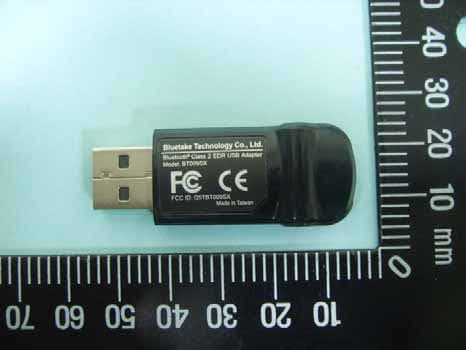
Q5TBT009SX
Nov 01, 2006Bluetooth Class 2 EDR USB Adapter
Equipment Class
DSS - Part 15 Spread Spectrum Transmitter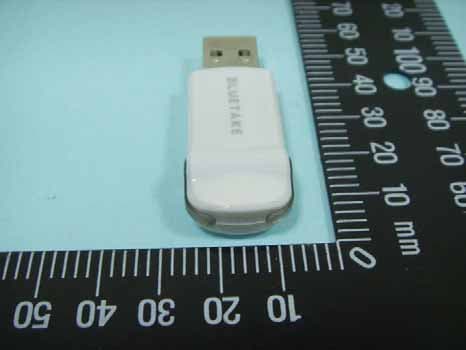
Q5TBT007SX
Oct 29, 2006Bluetooth Class 1 EDR USB Adapter
Equipment Class
DSS - Part 15 Spread Spectrum Transmitter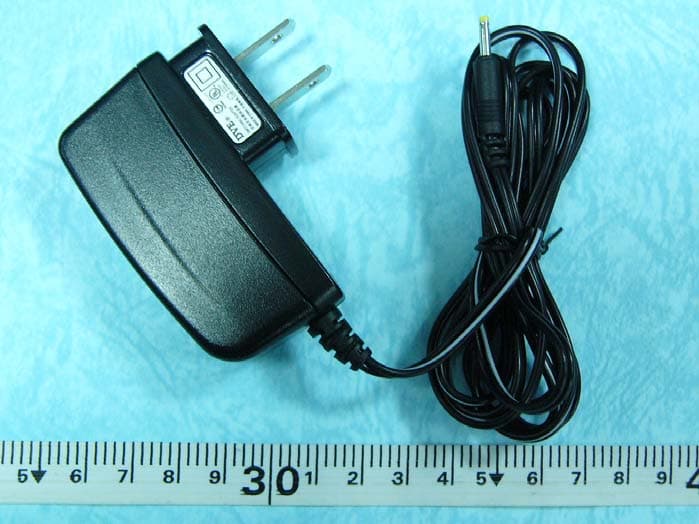
Q5TBT420RX0511A
Jan 26, 2006Bluetooth Stereo Headphone
Equipment Class
DSS - Part 15 Spread Spectrum Transmitter
Q5TBT430TX0511A
Jan 26, 2006Bluetooth Stereo Headphone
Equipment Class
DSS - Part 15 Spread Spectrum Transmitter
Q5TBT007EX0510
Nov 15, 2005Bluetooth Class1 EDR USB Adapter
Equipment Class
DSS - Part 15 Spread Spectrum Transmitter