Q9JEZMP-2000Digital Audio Player
EZMAX Co.,Ltd.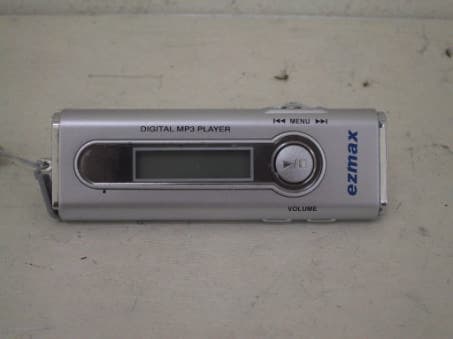
Click to zoom
Application Details
- Equipment Class
- JBP - Part 15 Class B Computing Device Peripheral
- Date of Grant
- Aug 03, 2003
- Application Purpose
- Original Equipment
- Date of Application
- Aug 03, 2003
- Equipment Note
- Digital Audio Player
- Company
- EZMAX Co.,Ltd.
- Country
- South Korea
Documents & Files
Document Text
Text extracted from the exhibit documents filed with the FCC. Open a document above to read the original.
Users Manual
Report No: BWS-03-EF-0026 FCC ID Q9JEZMP-2000 Date of Test : Jun 14, 2003 EZMAX Co., Ltd. Digital Audio Player EZMP-2000 Appendix 6. User Manual Refer to the following pages © EXMAX CO., LTD. http://www.ezmax.co.kr 1 Features Thank you for purchasing this product. Make sure to use it after carefully reading the user's manual. This device is small, light and easy to carry, and plays digital music that meets MP3 and WMA standards. This device has been so improved that It could last for 40 hours with only one small battery (AAA battery). In addition, it adopts JOG button to easily use various functions and enables the user to upgrade the functions without any inconvenience of visiting A/S center in person. If you want to upgrade to the latest software or have any inquiries, visit our website at http://www.ezmax.co.kr . Now, you can enjoy convenience of digital storage device and delicacy of digital music our player provides. 2 Contents Getting Started 1. What's in the box ..............3 2. PC System Requirements .. 4 3. Cautions for Safety .............5 Name of Parts 1. Name of Parts ....................6 2. Name of LCD Window Display ...............................................7 Preparation 1. Install Manager Program ....6 2. Install USB Driver ...............9 3. How to Connect Player to PC .................................................11 How to Use Manager Program 1. Description of Manager Screen ..... . 2. Download ............................14 3. Save File ............................15 4. Set Equalizer ......................16 5. Set Play Order/Delete File .. 17 6. Format Flash Memory .......18 How to Use MP3 Player 1. Power ON / Play .................19 2. Power OFF / Pause ............20 3. Volume Control ...................21 4. Select Next/Previous Track 22 5. Menu Mode ........................23 6. How to Insert Battery ..........29 Others 1. Troubleshooting ..................30 2. Specification .......................31 3. MP3/WMA Responding Music Format ................................32 3. Service Information(A/S) ....33 4. Warranty .............................34 3 1 What's in the box Necklace Earphone User’s Manual MP3 Player USB Cable Install Program CD AAA Size Battery 4 1 2. PC System Requirements There are basic requirements for PC to install software and use mp3 player. Make sure to check recommendations before use. Windows 98SE / ME / 2000 / XP Pentium 200MHz or above USB port supports CD-ROM drive 64 MB RAM or above Free space of hard disk over 20MB (Additional space required for saving music file) 5 1 3. Cautions for Safety For Listening to Music Output level of this equipment guarantees quality sound at its middle volume. Since listening at its high volume for a long time may cause a serious damage to your hearing sense, listen at its proper volume. Keep away from Strong Impact or Vibration. Giving impact to or felling the main product or accessories on the floor may give a severe damage to the player. For Storage Avoid any place with a severe change in temperature, high humidity or strong magnetic field. For Cleaning Wiping the players with chemicals may change the color or give damage to the surface. Wipe out the players using soft fabrics. Battery Do not insert battery when you don't use player for a long time. ! Note: Never disassemble, repair or remodel in person. 6 2 1. Name of Parts 1. Earphone Jack 2. USB Port 3. Necklace connection hole 4. Operation Status LCD window 5. MENU Switch 6. Power( on/off /Play/Stop) button 7. Volume button 8. Battery cover 7 2 2. Name of LCD Window Display 1. Name of song selected or in play. 2. Progress status ( : Play / : Pause / : Fast Forward / : Rewind ) 3. Battery level 8 3 1. Install Manager Program To install manager program, make sure that USB cable isn’t connected to PC while you follow the steps below Insert Install CD into CD-ROM drive, and the following screen will appear and installing will start. (This explanation is an example> of WIN XP. If you are a user of other OS, visit and refer to our website. ) ! Note: Insert install CD into CD-ROM drive only when you install program at the beginning, and then remove it after installing is finished. 1) Select language to select and press the "OK" button. 2) Click the “Next” button. 9 3 1. Install Manager Program 5) Click the “Next” button. 6) Click the “Finish” button. 4) Click the “Next” button. 3) Enter user information and then click the "Next" button. 10 3 2. How to Connect Player to PC To download MP3 file from PC, you should use USB cable to connect PC USB PORT and MP3 player. ( You should use USB cable provided when you purchase EZMP-2000. ) 1) Connect the rectangle end of Universal Series Bus (USB) cable to USB port of PC. 2) Connect the square end of Universal Series Bus (USB) cable to USB port connection part of player. ! Note: Separate earphone from MP Player when you download or upload. Turn off MP3 and remove the battery. 11 3 3. Install USB Driver The following explanation is an example> of WIN98. Since different figures may appear depending on OS of user PC, visit our website and find appropriate information. 1) Connect USB cable to MP3 player and USB port. 2) A message “New Hardware Found” automatically appears on PC screen. 3) If a message "(Unknown) ‘EZMAX01.sys’ file is required" appears, set the path as shown in the figure and check. 12 4) When you press the "Finish" button after file is copied, installing USB driver is finished. 5) To check whether USB driver is properly set, double-click the "System" icon in [Start] - [Setting] - [Control Panel]. Click “Device Manager” Tab and click "+" of “Universal Series Bus (USB)” controller. 3 3. Install USB Driver !Note: When “EZMAX MP3 Player” appears, driver is successfully installed. 13 4 1. Description of Manager Screen Click the [ezMAX] icon on the desktop or click [Start] Æ [Program] Æ [ezMAX] to execute program. When MP3 player is connected with USB connection cable, it automatically …
Text truncated - open the document above for the full version.
Block Diagram
Report No: BWS-03-EF-0026 FCC ID Q9JEZMP-2000 Date of Test : Jun 14, 2003 EZMAX Co., Ltd. Digital Audio Player EZMP-2000 Appendix 5. Block Diagram
External Photos
Report No: BWS-03-EF-0026 FCC ID Q9JEZMP-2000 Date of Test : Jun 14, 2003 EZMAX Co., Ltd. Digital Audio Player EZMP-2000 Appendix 3. External Photographs
ID Label/Location Info
Report No: BWS-03-EF-0026 FCC ID Q9JEZMP-2000 Date of Test : Jun 14, 2003 EZMAX Co., Ltd. Digital Audio Player EZMP-2000 Appendix 2. FCC ID Label and location Product Label Sample with FCC ID Label information Following is a sample copy of the label that will be placed on the rear cabinet of the product. The FCC identifier is marked in the product label. The warning statement is described in the user manual. Label Location The label shown above shall be permanently affixed at a conspicuous location on the device and be readily visible to the user at the time purchase.(Labeling requirements per 2.925) EZMAX Co., Ltd. Digital MP3 Player Model : EZMP-2000 FCC ID : Q9JEZMP-2000 Made in Korea EZMAX Co., Ltd. Digital MP3 Player Model : EZMP-2000 FCC ID : Q9JEZMP-2000 Made in Korea
Internal Photos
Report No: BWS-03-EF-0026 FCC ID Q9JEZMP-2000 Date of Test : Jun 14, 2003 EZMAX Co., Ltd. Digital Audio Player EZMP-2000 Appendix 4. Internal Photographs of EUT Report No: BWS-03-EF-0026 FCC ID Q9JEZMP-2000 Date of Test : Jun 14, 2003 EZMAX Co., Ltd. Digital Audio Player EZMP-2000
Operational Description
BWS TECH Inc. 5 of 14 294-9 Jungdae-Dong, Kwanggu-Si,Kyunggi-Do, 464-800, Korea Report No: BWS-03-EF-0026 FCC ID Q9JEZMP-2000 Date of Test : Jun 14, 2003 EZMAX Co., Ltd. Digital Audio Player EZMP-2000 3. Product Information 3.1 Equipment Description The Equipment Under Test(EUT) is the EZMAX Co., Ltd. Digital Audio Player model : EZMP-2000(FCC ID : Q9JEZMP-2000 ). This Digital Audio Player is powered by the Battery (AAA x 1). 3.2 General Specification - Memory Capacity : Internal memory 64MB/128MB/256MB - PC Interface : USB 1.1 - Mximum speed of file transmission : 4Mbps - Display : LED Backlighting Graphic LCD - Power : DC 1.5V - Maximum output of earphone : 4mW + 4mW (16 ) - Signal Noise ratio : > 85 dB - Battery : AAA size x 1 - Range of frequency : 20Hz ~ 20kHz - Distortion ratio : < 0.1% - Weight : 22.5g(Excluding battery) - Maximum time of continuous usage : About 40 hours - Dimension : 28(Width), 83(Length), 19.5(Height)mm - Responding music format : MP3/WMA 3.3 Variations covered by this report Model Difference : Basic Model for EZMAX Co., Ltd. : EZMP-2000 Multi listing Model for Wooyoung Digital : WD-3A40 Technical Deviation : N/A No electrical and mechanical construction changes have been made to the multi listing model compared with the original one. The purpose of this model difference is to add a new model name to the originally equipment for our business marketing purpose. 3.4 Additional Information Related to Testing N/A
Test Report
This report only responds to the tested sample and may not be reproduced, except in full, without written approval of the BWS TECH,Inc. Electromagnetic Emission FCC MEASUREMENT REPORT VERIFICATION OF COMPLIANCE FCC PART15 CERTIFICATION PRODUCT : Digital Audio Player MODEL/TYPE NO : EZMP-2000 WD-3A40 FCC ID : Q9JEZMP-2000 TRADE NAME : EZMAX APPLICANT : EZMAX Co., Ltd. #302 Kumbong Technovalley B/D Dangjung-Dong Gunpo, Kyunggi-Do, Korea Attn. : Ho- Nam / General Manager FCC CLASSIFICATION : JBP : Part 15 Class B Computing Device Peripheral FCC RULE PART(S) : FCC Part 15 Subpart B FCC PROCEDURE : Certification DATES OF TEST : Jun 14, 2003 DATES OF ISSUE : Jun 17, 2003 TEST REPORT No. : BWS-03-EF-0026 TEST LAB. BWS Tech., Inc. (Registration No. : 553281) This Digital Audio Player has been tested in accordance with the measurement procedures specified in ANSI C63.4-2000 at the BWS TECH/EMC Test Laboratory and has been shown to be complied with the electromagnetic emission limits specified in FCC Rule Part15 Subpart B Section15.107 and 15.109 I attest to the accuracy of data. All measurement herein were performed by me or were made under my supervision and are correct to the best of my knowledge and belief. I assume full responsibility for the completeness of these measurements and vouch for the qualifications of all persons taking them. The results of testing in this report apply to the product/system which was tested only. Other similar equipment will not necessarily produce the same results due to production tolerance and measurement uncertainties. K.Young Kim Chief of Laboratory Division BWS TECH Inc. BWS TECH Inc. www.bws.co.kr 294-9, Jungdae-Dong, Kwangju-Si, Kyunggi-Do, 464-080, Korea TEL: +82 31 762 0124 FAX: +82 31 762 0126 BWS TECH Inc. 2 of 14 294-9 Jungdae-Dong, Kwanggu-Si,Kyunggi-Do, 464-800, Korea Report No: BWS-03-EF-0026 FCC ID Q9JEZMP-2000 Date of Test : Jun 14, 2003 EZMAX Co., Ltd. Digital Audio Player EZMP-2000 TABLE OF CONTENTS Pages 1. General Information 3 2. Description of Test Facility 4 3. Product Information 5 4. Description of Tests 6~7 5. Test Condition 8~9 6. Test Results 10~1 2 7. Sample Calculation and Other Information 13 8. Test Equipment List 14 Appendix 1. Test Setup Photos Appendix 2. FCC ID Label and location Appendix 3. External Photos of EUT Appendix 4. Internal Photos of EUT Appendix 5. Block Diagram Appendix 6. User Manual BWS TECH Inc. 3 of 14 294-9 Jungdae-Dong, Kwanggu-Si,Kyunggi-Do, 464-800, Korea Report No: BWS-03-EF-0026 FCC ID Q9JEZMP-2000 Date of Test : Jun 14, 2003 EZMAX Co., Ltd. Digital Audio Player EZMP-2000 FCC TEST REPORT Scope – Measurement and determination of electromagnetic emission(EME) of radio frequency devices including intentional radiators and/or unintentional radiators for compliance with the technical rules and regulations of the U.S Federal Communications Commission(FCC) 1. General Information Applicant Manufacturer l EUT Type : Digital Audio Player l Model Number : EZMP-2000 (WD-3A40) l FCC Identifier : Q9JEZMP-2000 l S/N : Prototype l FCC Rule Part(s) : CFR Title 47 Part 15 Subpart B l Test Procedure : ANSI C63.4-2000 l FCC Classification : JBP : Part 15 Class B Computing Device Peripheral l Dates of Tests : Jun 14, 2003 l Place of Tests : BWS TECH Inc. EMC Testing Lab (FCC Registration Number : 553281) 294-9, Jungdae-Dong, Kwangju-Si, Kyunggi-Do, 464-080, Korea TEL: +82 31 762 0124 FAX: +82 31 762 0126 l Test Report No. : BWS-03-EF-026 Company Name : EZMAX Co., Ltd Company Address : #302 Kumbong Technovalley B/D, Dangjung-Dong, Gunpo-Si, Kyunggi-Do, Korea Phone/Fax : +82-31-457-9185 / +82-31-457-9187 Company Name : EZMAX Co., Ltd Company Address : #302 Kumbong Technovalley B/D, Dangjung-Dong, Gunpo-Si, Kyunggi-Do, Korea Phone/Fax : +82-31-457-9185 / +82-31-457-9187 BWS TECH Inc. 4 of 14 294-9 Jungdae-Dong, Kwanggu-Si,Kyunggi-Do, 464-800, Korea Report No: BWS-03-EF-0026 FCC ID Q9JEZMP-2000 Date of Test : Jun 14, 2003 EZMAX Co., Ltd. Digital Audio Player EZMP-2000 2. Description of Test Facility The measurement test for radiated and conducted emission test were conducted at the open area test site of BWS TECH Inc. facility located at 294-9, Jungdae-Dong, Kwangju-Si, Kyunggi-Do, Korea. The site is constructed in conformance with the requirements of the ANSI C63.4-2000 and CISPR Publication 16. The BWS TECH measurement facility has been filed to the Commission with the FCC for 3 and 10 meter site configurations. Detailed description of test facility was found to be in compliance with the requirements of Section 2.948 FCC Rules according to the ANSI C63.4-2000 and registered to the Federal Communications Commission(Registration Number : 553281 ). The measurement procedure described in American National Standard for Method of Measurement of Radio-Noise Emission from Low-Voltage Electrical and Electronic Equipment in the Range of 9kHz to 40GHz (ANSI C.63.4-2000) was used in determining radiated and conducted emissions from the EZMAX Co., Ltd. Digital Audio Player Model : EZMP-2000. BWS TECH Inc. 5 of 14 294-9 Jungdae-Dong, Kwanggu-Si,Kyunggi-Do, 464-800, Korea Report No: BWS-03-EF-0026 FCC ID Q9JEZMP-2000 Date of Test : Jun 14, 2003 EZMAX Co., Ltd. Digital Audio Player EZMP-2000 3. Product Information 3.1 Equipment Description The Equipment Under Test(EUT) is the EZMAX Co., Ltd. Digital Audio Player model : EZMP-2000(FCC ID : Q9JEZMP-2000 ). This Digital Audio Player is powered by the Battery (AAA x 1). 3.2 General Specification - Memory Capacity : Internal memory 64MB/128MB/256MB - PC Interface : USB 1.1 - Mximum speed of file transmission : 4Mbps - Display : LED Backlighting Graphic LCD - Power : DC 1.5V - Maximum output of earphone : 4mW + 4mW (16 ) - Signal Noise ratio : > 85 dB - Battery : AAA size x 1 - Range of frequency : 20Hz ~ 20kHz - Distortion ratio : < 0.1% - Weight : 22.5g(Excluding battery) - Maximum time of continuous usage : About 40 hours - Dimension : 28(Width), 83(Length), 19.5(Height)mm - Responding music form…
Text truncated - open the document above for the full version.
Test Setup Photos
Report No: BWS-03-EF-0026 FCC ID Q9JEZMP-2000 Date of Test : Jun 14, 2003 EZMAX Co., Ltd. Digital Audio Player EZMP-2000 Appendix 1. Test Setup Photographs Radiated Emission Test Setup
Contact Information
Applicant
Ho-Hee Nam(Manager, R&D)
Test Firm
BWS TECH INCCheol-Ho Lee
Technical Specifications
| # | Rule Parts | Frequency Range | Power Output |
|---|---|---|---|
| 1 | 15B | - | - |
Other Applications from EZMAX Co.,Ltd.
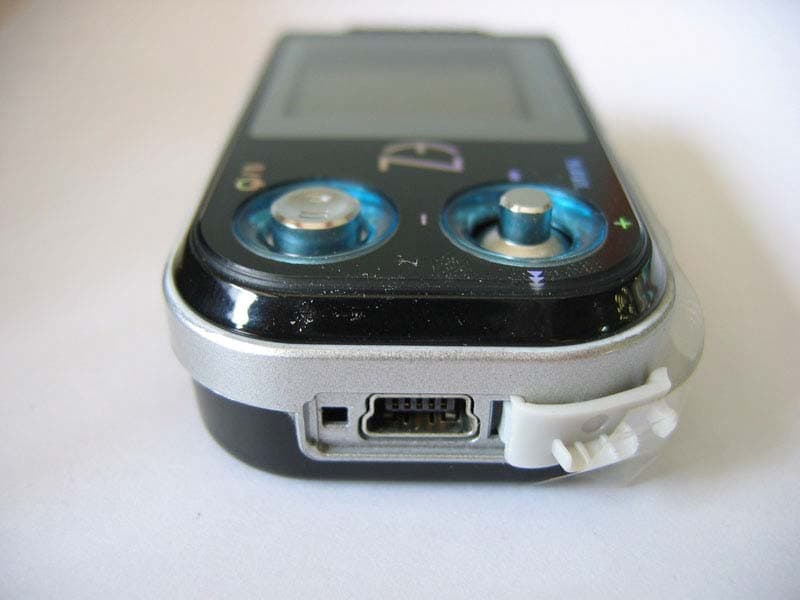
Q9JEZMP-5000
Oct 19, 2005MP3 Player
Equipment Class
JBP - Part 15 Class B Computing Device Peripheral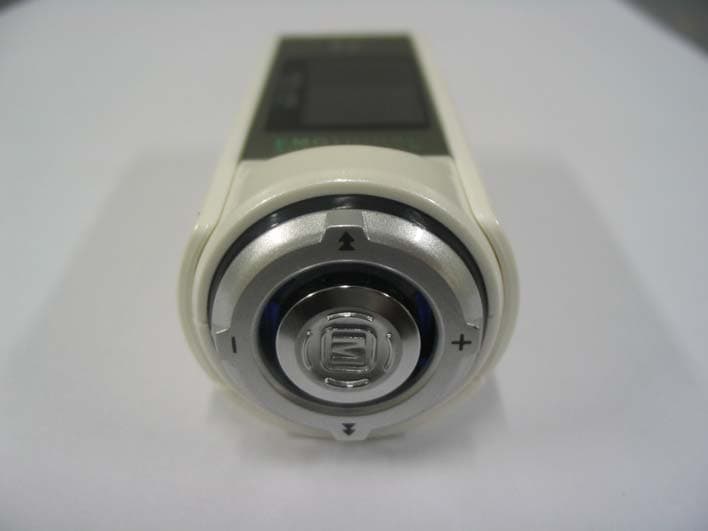
Q9JEZMP-4200P
May 24, 2005MP3 Player
Equipment Class
JBP - Part 15 Class B Computing Device Peripheral
Q9JEZMP-4200
Mar 21, 2005Digital Audio Player
Equipment Class
JBP - Part 15 Class B Computing Device Peripheral
Q9JEZMP-4100T
Mar 08, 2005Digital Audio Player
Equipment Class
DXX - Part 15 Low Power Communication Device Transmitter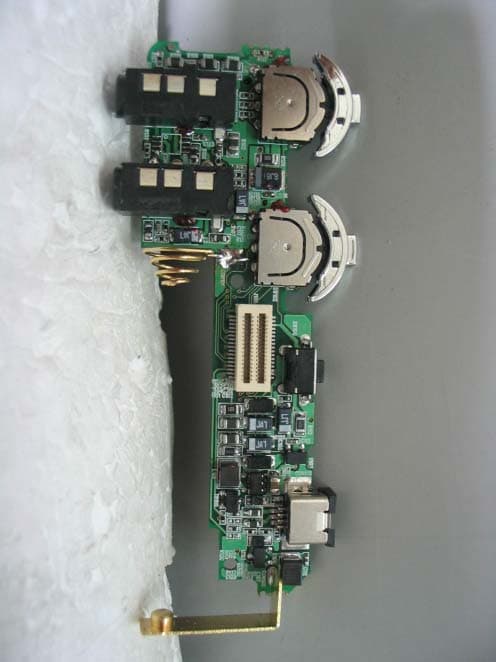
Q9JMF-FE465
Jun 27, 2004MP3 PLAYER
Equipment Class
JBP - Part 15 Class B Computing Device Peripheral