QE6IBMH-A100Wireless Bluetooth Headset
Infohand Co., Ltd.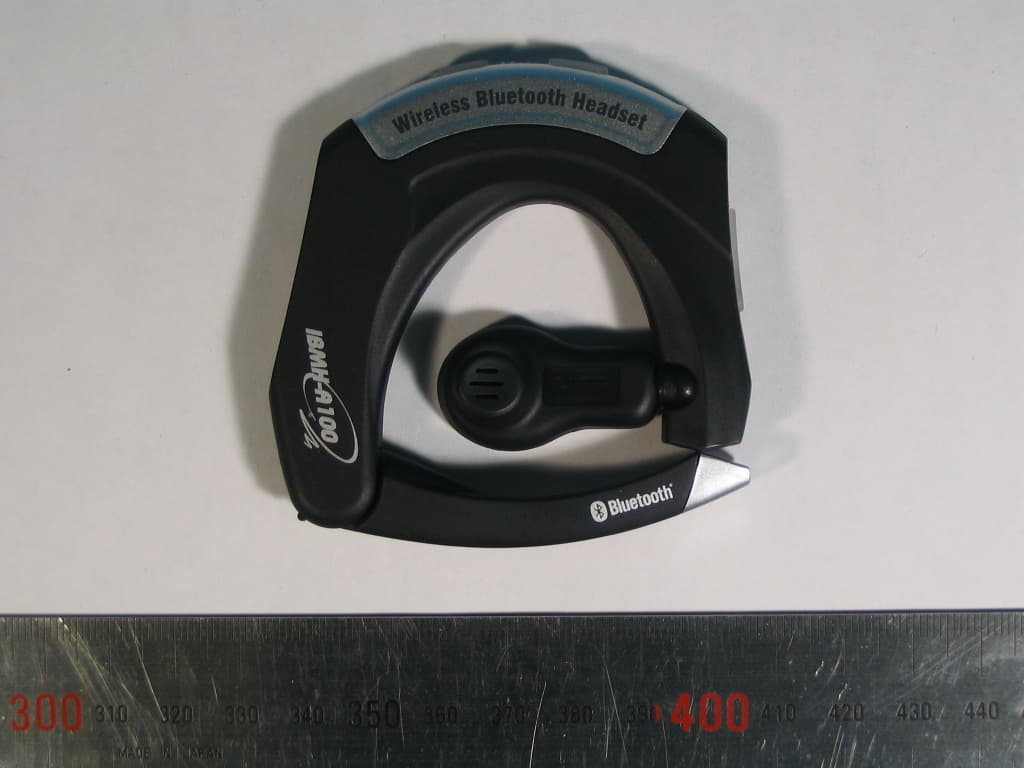
Click to zoom
Application Details
- Equipment Class
- DSS - Part 15 Spread Spectrum Transmitter
- Date of Grant
- Oct 23, 2005
- Application Purpose
- Original Equipment
- Date of Application
- Oct 23, 2005
- Equipment Note
- Wireless Bluetooth Headset
- Frequency Range
- 2402.00000000 - 2480.00000000
- Company
- Infohand Co., Ltd.
- Country
- South Korea
Documents & Files
Document Text
Text extracted from the exhibit documents filed with the FCC. Open a document above to read the original.
Users Manual
Getting started ● Welcome Thank you for purchasing the IBMH-A100 Bluetooth headset and we believe you will be satisfied with the IBMH-A100 for your requirements. IBMH-A100 works with Bluetoothphones. Please read this users guide to get started and to make the best use of the Bluetooth headset’s full features. ● Includings Your IBMH-A100 Bluetooth headset package includes: One IBMH-A100 Bluetooth headset One AC power adaptor (100~220V only) One IBMH-A100 User Guide ● Overview of the IBMH-A100 NO. NAME DESCRIPTION Power/Talk Controls many functions of the Bluetooth headset including making, redialing, answering, rejecting, ending, and transferring calls. Also used for turning on and off, as well as pairing the Bluetooth headset to a Bluetooth phone. LED Indicator LED Indicator light tells the status of the Bluetooth headset. Volume Control Adjusts the loudness of the speaker sound that you hear. Also used for the mute or un-mute as well as pairing the Bluetooth headset to a Bluetooth phones. Speaker For outgoing audio. Microphone For incoming audio. Charging Port For charging the battery. Before Using Your Bluetooth headset ● Phone compatibility The IBMH-A100 is compatible with most Bluetooth phones that are compliant with Bluetooth version 1.1 or higher specification and support the Bluetooth headset and/or hands-free profile(s). Ensure that your phone has Bluetooth capability by either visiting your phone manufacturer’s web site. ● Charging the battery The IBMH-A100 uses a rechargeable battery that shall be charged fully before you use the Bluetooth headset for the first time. Insert the power adaptor jack into the charging port of the Bluetooth headset. 1. Connect the including wall charger to AC power. 2. Charge your Bluetooth headset until the LED lights turns off. The Bluetooth headset will be fully charged in approximately in 2.5 hours. 3. Remove the power adaptor jack from the charging port of the Bluetooth headset. 4. Disconnect the wall charger from the AC power. 5. Your Bluetooth headset is now ready to “pair” the IBMH-A100 Bluetooth headset to your Bluetooth phone. If the Bluetooth headset has already been paired to your phone, then you can begin using it. ÑThe Bluetooth headset may also be charged using a car lighter adapter (optional accessory). ▲ Draining the battery once a month can improve the battery life. Otherwise, it’s best to charge your Bluetooth headset whenever possible. Avoid charging in excessive heat (over 40°C) or cold (under 0°C). ● Low Battery Warning The 3 times short beeps and/or 3 times short blinking of the LED Indicator in the standby mode means the low battery warning. This indication continues at every 10 seconds in the standby mode and occurs once In the talking state. You can use the Bluetooth headset for the phone call for 1 or 2 minutes but recharging is recommended. Refer to the Charging the battery section to recharge your Bluetooth headset. ● Turning Bluetooth headset on and off To turn your Bluetooth headset on, press and hold the Power/Talk button until the LED Indicator flashes red 5 times shortly. Normally it takes about 3 seconds. The LED Indicator will blink once at every 10 seconds while the Bluetooth headset is on. To turn your Bluetooth headset off, press and hold the Power/Talk button until the LED Indicator flashes red 5 times shortly. Normally it takes about 5 seconds. ● Getting the perfect fitness 1. Unfold the microphone leg 2. Select of left or right year 3. Lift slightly up the ear piece part 4. Slide Bluetooth headset over your ear 5. Find the best position 6. Push the ear piece part Pairing ● Pairing your Bluetooth headset with the Bluetooth Phone Pairing creates a unique and encrypted wireless communication link between Bluetooth headset and Bluetooth phone and allows them to communicate with each other. The pairing process may be various depending on the device with which you pair the headset (see the device user’s guide). To use your Bluetooth headset with other Bluetooth phones, you must pair the Bluetooth headset with the device before you use your Bluetooth headset for the first time. Once the pairing is made you do not have to repeat the pairing process for the further use. 1. Getting into Pairing Mode To enter in to the pairing mode press and hold the Power/Talk button for approximately 5 seconds until the Bluetooth headset LED Indicator turns on steadily if the Bluetooth headset is off or press and hold the Power/Talk button and Volume Control button simultaneously for approximately 1 second if the Bluetooth headset is on.(There will be 5 short flashes of the LED Indicator before it goes on steadily if the Bluetooth headset is off.) While the LED Indicator light is still steadily lit, release the Power/Talk button. The LED Indicator light will remain on, indicating that your Bluetooth headset is in the pairing mode and ready to communicate for pairing with the other Bluetooth phone. 2. Pairing from the Bluetooth phone Set your Bluetooth phone to “discover the Bluetooth headset” by following your Bluetooth phone user’s guide. Typically, this is done by going to a “setup” or “connect” menu and then selecting the options to “discover” s. Your Bluetooth phone will find the “IBMH-A100” Bluetooth headset. It may take several seconds to establish a connection. Then your Bluetooth phone asks if you want to pair with it. Confirm this by pressing “yes” or “ok” button. Then the Bluetooth phone will prompt you for a passkey or PIN code. Enter a sequence of four zeros: 0000. 3. Confirm pairing To indicate that the pairing has been successful, the Bluetooth headset will beep once and enter into standby mode. During the stand-by mode, the LED flashes 2 times shortly at every 10 seconds. Check the display of your Bluetooth phone to see whether the pairing process is succeeded or not. You are now able to use your Bluetooth headset for any calls. L If the pairing cannot be successful in 60 seconds, the Bluetooth headset will return to u…
Text truncated - open the document above for the full version.
Cover Letter(s)
Chief, Equipment Approval Services Federal Communications Commission PO Box 358315 Pittsburg, PA 15251-5315 Seongnam-si , Oct. 12, 2005 Authorization Letter Dear Sir or Madam: We, Infohand Co., Ltd, hereby authorize TÜV Rheinland Korea Ltd. 2F., Sehwa Bldg. 157-16 Samsung-dong, Gwangnam-Gu, Seoul 135-090, R.O.K. To act as our agent and to process and sign on our behalf for equipment authorization under FCC Part 15, Subpart C. This authorization is applicable for the product: Wireless Headset (IBMH-A100 ) with FCC ID: QE6IBMH-A100. Sincerely, Signature: Printed Name: Kyu Don Lee Title: CTO
Cover Letter(s)
Federal Communications Commission Authorization and Evaluation Division 7435 Oakland Mills Road Columbia, MD 21046 Seongnam-si, Oct. 12, 2005 REQUEST FOR CONFIDENTIALITY, FCC ID: QE6IBMH-A100 Pursuant to Sections 0.457(d)(1)(ii) and 0.459 of the Commission's Rules, the Applicant hereby requests confidential treatment of information accompanying as outlined below: • Schematic drawing • Bill of Materials • Block Diagram The above materials contain trade secrets and proprietary information not customarily released to the public. Public disclosure of these matters might be harmful to the Applicant and provide unjustified benefits to its competitors. The Applicant understands that pursuant to Rule 0.457(d)(1)(ii), disclosure of this Application and accompanying documentation will not be made before the date of the Grant for this application. Sincerely, Signature : Printed Name : Kyu Don Lee Title : CTO Company Stamp:
External Photos
TÜV Rheinland Product Safety GmbH External Photos 13005099 Revision No : 1.0 Page: 1 of 2 * External view 1. Front side 2. Right side view TÜV Rheinland Product Safety GmbH External Photos 13005099 Revision No : 1.0 Page: 2 of 2 3. Rear side 4. Left side view
ID Label/Location Info
FCC Label and Location * Label
Internal Photos
TÜV Rheinland Product Safety GmbH Internal Photos 13005099 Revision No : 1.0 Page: 1 of 3 * Internal view 1. Internal TÜV Rheinland Product Safety GmbH Internal Photos 13005099 Revision No : 1.0 Page: 2 of 3 2. PCP Bottom View 3. PCP Top View Bluetooth Module Bluetooth Antenna TÜV Rheinland Product Safety GmbH Internal Photos 13005099 Revision No : 1.0 Page: 3 of 3 4. Battery PCP Top View 5. Battery PCP Bottom View
Operational Description
INFOHAND INFOHAND 1. Description The new Infohand wireless mono headset, IBMH-A100, with Bluetooth v1.2 technology, gives you the wireless experience you have been waiting for. To overcome the drawbacks of the common Bluetooth mono headsets, i.e. difficulty to wear, dangerous to wear while driving, pain on ear area because of being worn for a long time, uncomfortable when carried in a pocket, etc., it is designed thin, slim, and light, with a foldable microphone, as well as, with moving and rolling earphone. It is very comfort to carry in a pocket on a shirt, quick and easy to wear on ears, and it is painless on the ear area even for a long time wearing. The rolling earphone enable you use on bath the left and right ear. Only one experience wearing of the IBMH-A100 gives you great satisfaction. The wireless RF, the Bluetooth, and audio technology of Infohand guarantees noise free, gapless, best quality audio communication, compatibility for all Bluetooth cellular phone, and long wireless operational range. The convenient rechargeable battery design gives you up to 8 hours of talk time with each charge. The 100 hours of stand-by time frees you from the everyday recharge. 2. Features y Bluetooth v1.2 or higher compliant y Operate wirelessly up to 10 meter y Rechargeable battery provides up to 8 hours of battery life in single charge y Noise canceling microphone y High quality voice sound y Futuristic, stylish, slim, and thin design y Quick and easy to wear and carry y Comport and painless to wear y Full functional 3 button control (Talk/Power/Registration, Volume up and down) y Online LED indicator y sleep mode control for power saving 3. Functional Description y Basic Functions 9 Making a call 9 Last number redial 9 Answering a call 9 Transferring the call to the Bluetooth headset 9 Ending a call 9 Adjusting the volume with mute feature y Additional Functions 9 Making a voice dial call 9 Call rejection 9 Call transfer (Bluetooth headset to Bluetooth phone) 9 Call waiting and toggling INFOHAND INFOHAND 4. General EUT Information Type Transmitter Receiver Standard Bluetooth v1.2 compatible FCC Classification FHSS Sequence Spread Spectrum ( FHSS) FHSS Sequence Spread Spectrum ( FHSS) Frequency Range 2402 – 2480 MHz 2402 – 2480 MHz Number of Channels 79 Channel Separation 1MHz Type of Antenna Surface Mountable Chip Antenna Surface Mountable Chip Antenna Output Power 0.25~2.5 mW (Power Class 2) Receiver Sensitivity About -80 dBm Operating Range 10 meters (30 feet) Talk Time 7~8 hours(HV3)/ 4 hours(HV1) Stand-by Time Over 100 hours Charging Time About 2.5 hours Audio Code 15 bit resolution with 60 dB SNR Power Supply Rechargeable Lithium Polymer Battery(: 160 mAh(Norminal Capcity, 3.7 V(norminal Voltage), 4.2 V(Charging Voltage)) Charging Device AC/DC adaptor(UL, CE qualified) Remark: AC/DC adaptor is optional with the conditions Other qualification is Possible with the conditions
Test Report
TÜV Rheinland Product Safety GmbH REPROT NO : 13005099 Revision No : 1.1 Page: 1 of 48 FCC Part 15 TEST REPORT October 21, 2005 TUV Rheinland Korea Ltd. TÜV Rheinland Product Safety GmbH REPROT NO : 13005099 Revision No : 1.1 Page: 2 of 48 TEST REPROT CERTIFICATION Applicant : INFOHAND Co., Ltd Adderss : #1207 Kranz-Techno bldg., 5442-1, Sangdaewon-dong, Jungwon-gu, Seongnam-si, Gyeonggi-do, Korea EUT Name : Wireless Headset Model No. : IBMH-A100 Serial No. : Engineering Sample FCCID : QE6IBMH-A100 Testing location : LG Innotek Co.,Ltd. 133, Gongdan-dong, Gumi-City , Gyeongbuk 730-703, R.O.K Applied specification : FCC Part 15 Test result : The above mentioned test item passed. Tested by : Gye-Woog Lee Date Signature Reviewed by : Uon-Chae Song Date Signature I HEREBY CERTIFY THAT the data shown in this report were made in accordance with the procedures given in the applied specification and I assume full responsibility for accuracy and completeness of these data. Note : This test report relates to the a. m. test item. Without permission of the test center this test report is not permitted to be duplicated in extracts. This test report does not entitle to carry any test mark on this or similar products. October 21,2005 October 21,2005 TÜV Rheinland Product Safety GmbH REPROT NO : 13005099 Revision No : 1.1 Page: 3 of 48 Contents 1. GENERAL INFORMATION................................................................................................. 5 1.1 PRODUCT DESCRIPTION............................................................................................... 5 1.2 PROJECT DATA............................................................................................................ 5 1.3 APPLICANT................................................................................................................. 5 1.4 MANUFACTURER......................................................................................................... 5 2. EUT INFORMATION........................................................................................................ 6 2.1 GENERAL EUT INFORMATION....................................................................................... 6 2.2 CENTER FREQUENCY OF TESTED CHANNEL................................................................... 6 2.3 T EST ENVIRONMENT.................................................................................................... 6 2.4 ACCESSORIES AND ANCILLARY EQUIPMENT.................................................................. 6 3. TESTING FACILITIES....................................................................................................... 7 4. EUT DESCRIPTION AND OPERATIONAL DESCRIPTION....................................................... 7 5. TEST SET-UP................................................................................................................. 8 5.1 PRINCIPLE OF CONFIGURATION..................................................................................... 8 5.2 OPERATIONAL MODES................................................................................................. 8 5.3 A PPLIED SPECIFICATION.............................................................................................. 8 6. TEST REPORT SUMMARY............................................................................................... 9 7. TEST RESULTS............................................................................................................ 10 7.1 A NTENNA CONNECTOR REQUIREMENTS...................................................................... 10 7.2 AC C ONNECTED EMISSION........................................................................................ 11 7.3 CARRIER FREQUENCY SEPARATION............................................................................ 12 7.4 TIME OF OCCUPANCY(DWELL TIME) ............................................................................ 14 7.5 20 DB BANDWIDTH..................................................................................................... 16 7.6 NUMBER OF HOPPING FREQUENCIES REQUIREMENTS.................................................. 20 7.7 PSEUDORANDOM FHS AND EQUAL HOPPING FREQUENCY USE REQUIREMENTS............. 22 7.8 RECEIVER INPUT BANDWIDTH REQUIREMENTS............................................................. 23 TÜV Rheinland Product Safety GmbH REPROT NO : 13005099 Revision No : 1.1 Page: 4 of 48 7.9 PEAK OUTPUT POWER............................................................................................... 24 7.10 BAND-EDGE COMPLIANCE........................................................................................ 28 7.11 SPURIOUS CONDUCTED EMISSIONS........................................................................... 32 7.12 SPURIOUS RADIATED EMISSIONS.............................................................................. 43 8. LIST OF TEST AND MEASUREMENT INSTRUMENTS.......................................................... 46 9. COMPLEMENTARY MATERIALS...................................................................................... 48 9.1 ID LABEL AND LOCATION INFORMATION...................................................................... 48 9.2 OPERATIONAL DESCRIPTION...................................................................................... 48 9.3 TEST SETUP PHOTOS................................................................................................. 48 9.4 INTERNAL PHOTOS.................................................................................................... 48 9.5 EXTERNAL PHOTOS................................................................................................... 48 9.6 USER MANUAL.......................................................................................................... 48 9.7 TECHNICAL DOCUMENTS............................................................................................ 48…
Text truncated - open the document above for the full version.
Test Setup Photos
TÜV Rheinland Product Safety GmbH Test setup photos 13005099 Revision No : 1.0 Page: 1 of 5 * Test set-up 1. Radiated Set up TÜV Rheinland Product Safety GmbH Test setup photos 13005099 Revision No : 1.0 Page: 2 of 5 2 Spurious Radiated Emissions 2.1 Radiated test ( 30 MHz ~ 1GHz ) TÜV Rheinland Product Safety GmbH Test setup photos 13005099 Revision No : 1.0 Page: 3 of 5 2.2 Radiated test ( 1 GHz ~ 13GHz ) TÜV Rheinland Product Safety GmbH Test setup photos 13005099 Revision No : 1.0 Page: 4 of 5 2.3 Radiated test ( 13 GHz ~ 18GHz ) TÜV Rheinland Product Safety GmbH Test setup photos 13005099 Revision No : 1.0 Page: 5 of 5 2.4 Radiated test ( 18 GHz ~ 25GHz )
Contact Information
Applicant
TaeHun Kim(General Manager)
Technical Contact
T�V Rheinland Korea Ltd.Uon-Chae Song
[email protected]+82-2-539-1781
2F., Sehwa Bldg. 157-16 · Seoul · South Korea
Non-Technical Contact
Infohand Co., Ltd.Kyu Don Lee
[email protected]+82-31-733-9440
Test Firm
LIG Nex1 Co., Ltd.Hyo-Jeung Cho
Technical Specifications
| # | Rule Parts | Frequency Range | Power Output |
|---|---|---|---|
| 1 | 15C | 2.40 GHz - 2.48 GHz | 800.00 µW |
Other Applications from Infohand Co., Ltd.
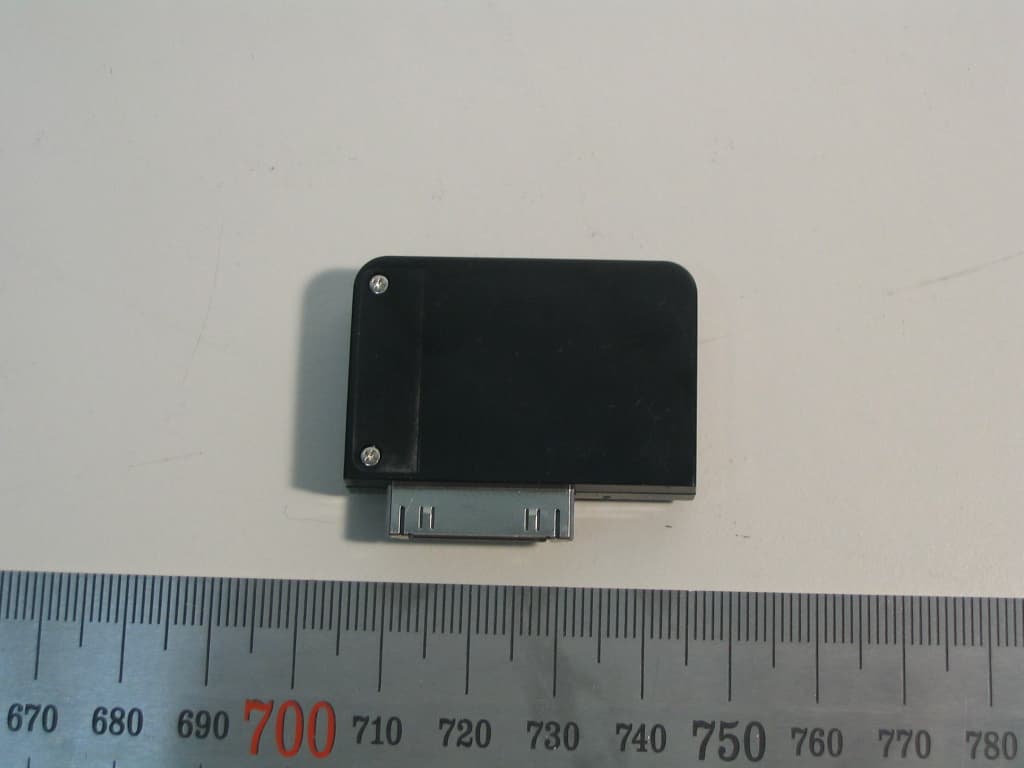
QE6IBSD-A100
Oct 01, 2006Wireless Dongle
Equipment Class
DSS - Part 15 Spread Spectrum Transmitter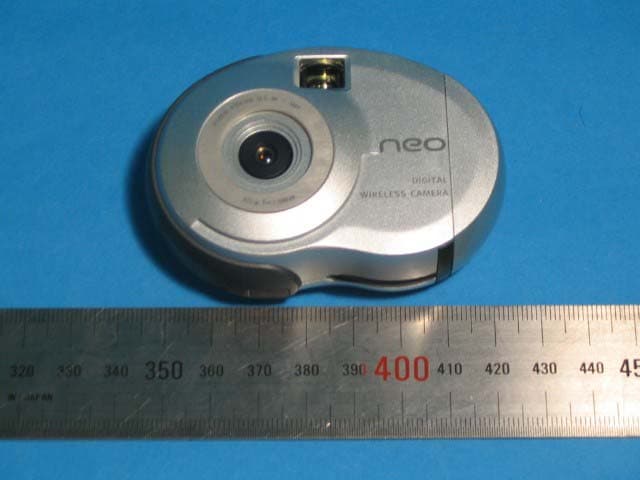
QE6IH-NEOSNAP04
Jun 13, 2004Digital still camera
Equipment Class
DSS - Part 15 Spread Spectrum Transmitter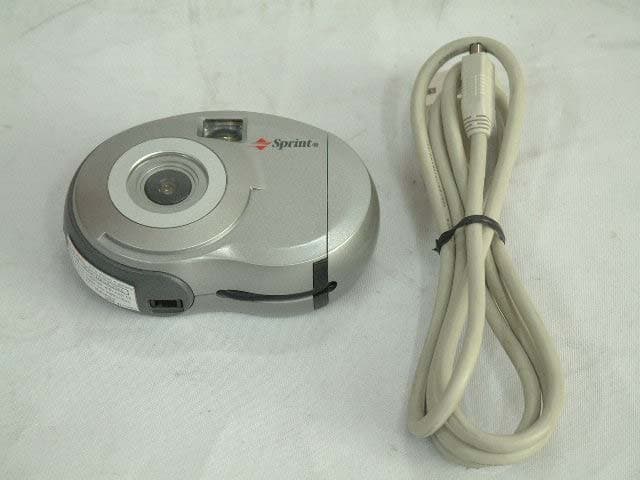
QE6IH-MAGIC03AA
Apr 07, 2003Digital Camera
Equipment Class
JBP - Part 15 Class B Computing Device Peripheral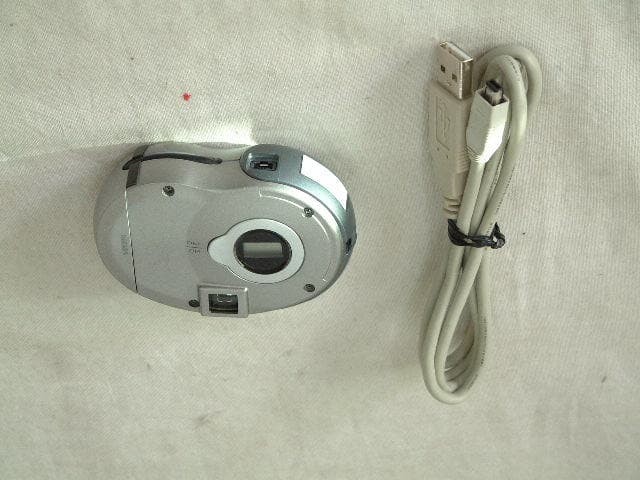
QE6IH-MAGIC02AA
Jul 07, 2002Digital Camera
Equipment Class
JBP - Part 15 Class B Computing Device Peripheral