QE6IBSD-A100Wireless Dongle
Infohand Co., Ltd.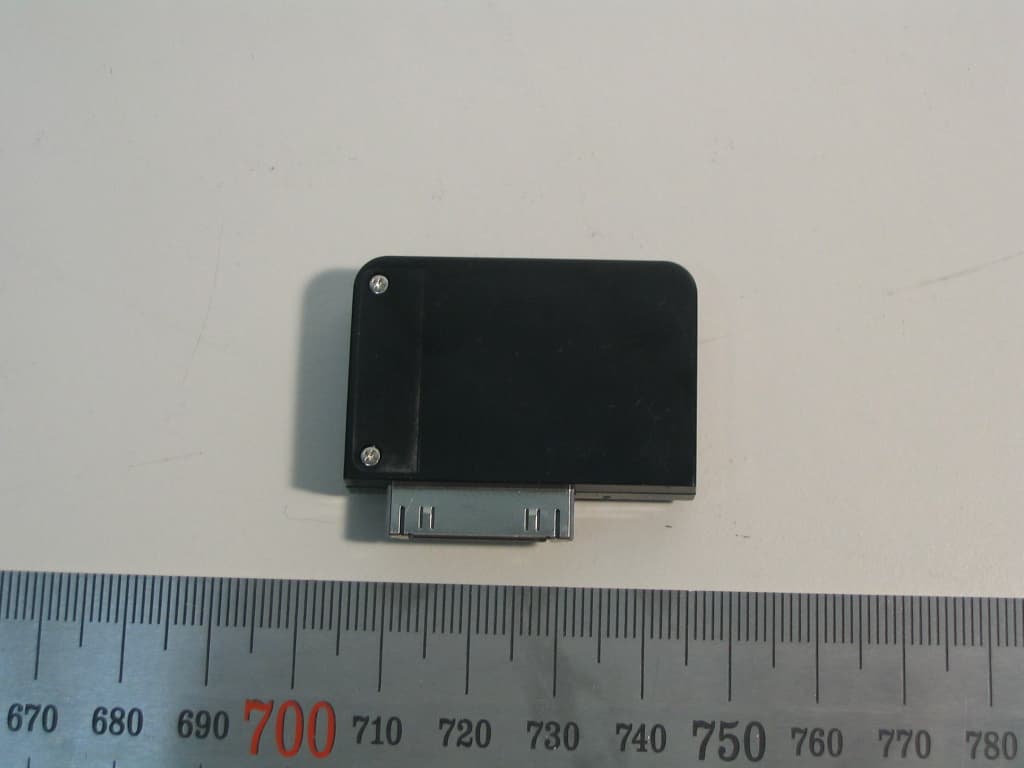
Click to zoom
Application Details
- Equipment Class
- DSS - Part 15 Spread Spectrum Transmitter
- Date of Grant
- Oct 01, 2006
- Application Purpose
- Original Equipment
- Date of Application
- Oct 01, 2006
- Equipment Note
- Wireless Dongle
- Frequency Range
- 2402.00000000 - 2480.00000000
- Company
- Infohand Co., Ltd.
- Country
- South Korea
Documents & Files
Document Text
Text extracted from the exhibit documents filed with the FCC. Open a document above to read the original.
Users Manual
wiREVO A100 User Manual Preliminary version 0.4 Date: Aug. 07, 2006 Page 1 of 1 Confidential Infohand Co., Ltd. User Manual Bluetooth iPod Stereo Adaptor wiREVO A100(IBSD-A100) ver. IBSDA100E004 wiREVO A100 User Manual Preliminary version 0.4 Date: Aug. 07, 2006 Page 2 of 2 Confidential Infohand Co., Ltd. Limited Liability Neither the Manufacturer, importer, nor dealer is responsible for any accidental damage including bodily injury or any damage resulting from misuse or unsuitable operation by a user. The information on this manual is prepared with the current products’ specifications. Manufacturer is adding new features to the products and may persistently apply new technologies hereafter. All standards may be changed at any time without notice. Guidelines for your safety Before use, read the warnings and other information in this manual. Please check for any information on RF exposure in usage of wiREVO products. When your devices are turned on, it transmits and receives radio frequency electromagnetic fields in the frequency range 2.402 ~ 2.480 GHz. Your wiREVO devices are designed to operate in compliance with the RF exposure guidelines and limits that are set by national authorities and international health agencies when used with any compatible devices. [!] Drive safely The listening to music while driving creates a distraction to the driver which may increase the likelihood of an accident. Do not listen to music during the driving. Abide by local laws. [Bluetooth iPod Stereo Adaptor] Do not touch the device with damp hands. Do not expose device to lit cigarettes, cigars, open flames, liquid or moisture etc. Keep the device dry. Humidity and all types of liquids or moisture can cause harmful interface with electronic circuits. Do not expose device to direct sunlight for prolonged periods of time. Do not use device at extreme high or low temperatures. Do not leave device in a car in blazing heat. Do not drop, hit, throw or try to bend device as rough treatment could damage the device. Do not kink or crease the power cable or place heavy objects on the power cable. Firmly plug the “iPod Dock Connector to USB Cable” into the USB connector of PC. Unplug the “iPod Dock Connector to USB Cable” during electrical storms. Unplug “iPod Dock Connector to USB Cable” when it’s not in use. Immediately power off and unplug the device from other device if water or other liquids are present. Immediately power off and unplug the device from other device if smoke or odors emits from it. Do not place heavy object on the device. Do not use harsh chemicals, cleaning solvents, water or strong detergents to clean the device. To clean external surfaces, use a clean dampened cloth. wiREVO A100 User Manual Preliminary version 0.4 Date: Aug. 07, 2006 Page 3 of 3 Confidential Infohand Co., Ltd. Do not use excessive force on the buttons or attempt to disassemble or modify the device. Do not drop or subject the device to impact. Do not paint the device. Paint can clog the moving parts and prevent proper operation. Keep the device away from strong magnets. Do not dry the device with heater or microwave. Keep the device out of the reach of small children. Do not try to eat or swallow device. Do not try to short circuit in the device. [Battery] The device is equipped with a high-performance Lithium Polymer battery. Observe the maintenance guidelines and your battery should give you a long service life. Use the “iPod Dock Connector to USB Cable.” (Not included in this package) The batteries are consumables and will eventually wear out. Avoid charging in strong heat or extreme cold. Ambient room temperature is preferable. The battery has its optimum performance at an ambient temperature (+5 ºC to +50 ºC). wiREVO A100 User Manual Preliminary version 0.4 Date: Aug. 07, 2006 Page 4 of 4 Confidential Infohand Co., Ltd. Welcome Thank you for purchasing the wiREVO A100, the Bluetooth iPod Stereo Adaptor. We believe you will be satisfied with it and it will meet your requirements. The Bluetooth iPod Stereo Adaptor will work with the Bluetooth Stereo Headsets for listening to music wirelessly from your iPod Players. Please read this User’s Guide to get started and to make the best use all the features of the Bluetooth iPod Stereo Adaptor. Package Includings Bluetooth iPod Stereo Adaptor User’s Guide ● Overview No. Name Description 1 Pair SW For Power ON/OFF and pairing with the Bluetooth devices 2 LED Status indicator of the Bluetooth Stereo Headset 3 iPod Connector For connection with the iPod Player 4 Charging Connector For charging the Bluetooth iPod Stereo Adaptor and iPod Player Before starting ● Charging A100 shall be charged fully before you use it for the first time. You can charge the Bluetooth iPod Stereo Adaptor separately or simultaneously with the iPod Player. During the simultaneous charging, you can continue listening to music. While charging, the red LED is on steadily. The LED will be off after completion of charging. The red LED blinks twice every 5 seconds if the power is low. Please charge the Bluetooth iPod Stereo Adaptor soon. Please refer to the following pictures for the connection using the “iPod Dock Connector to USB Cable.” wiREVO A100 User Manual Preliminary version 0.4 Date: Aug. 07, 2006 Page 5 of 5 Confidential Infohand Co., Ltd. Connection for iPod Connection for Simultaneous charging Connection for Separate charging * The iPod Dock Connector to USB Cable shall be used for charging (Not included in this package). * The iPod Dock Connector to FireWire Cable or iPod Power Adaptor cannot be used for charging A100. * The completion of charging A100 does not mean the completion of charging the iPod Player. * The downloading music from iTunes is not supported during the simultaneous charging. ● Compatibility A100 is compatible with the Bluetooth devices which support Advanced Audio Distribution Profile (A2DP) and Audio Video Remote Control Profile…
Text truncated - open the document above for the full version.
Cover Letter(s)
Chief, Equipment Approval Services Federal Communications Commission PO Box 358315 Pittsburg, PA 15251-5315 Seongnam-si , Sep. 13, 2006 Authorization Letter Dear Sir or Madam: We, Infohand Co., Ltd , hereby authorize O.N.R Tech Inc. 463-49, Sinlim-dong, Gwanak-gu, Seoul ,151-870, Republic of Korea To act as our agent and to process and sign on our behalf for equipment authorization under FCC Part 15, Subpart C. This authorization is applicable for the product: Wireless Dongle (IBSD-A100 ) with FCC ID: QE6IBSD-A100. Sincerely, Signature: Printed Name: Kyu Don Lee Title: CTO
Cover Letter(s)
Federal Communications Commission Authorization and Evaluation Division 7435 Oakland Mills Road Columbia, MD 21046 Seongnam-si, Sep. 13, 2006 REQUEST FOR CONFIDENTIALITY, FCC ID: QE6IBSD-A100 Pursuant to Sections 0.457(d)(1)(ii) and 0.459 of the Commission's Rules, the Applicant hereby requests confidential treatment of information accompanying as outlined below: • Schematic drawing • Bill of Materials • Block Diagram The above materials contain trade secrets and proprietary information not customarily released to the public. Public disclosure of these matters might be harmful to the Applicant and provide unjustified benefits to its competitors. The Applicant understands that pursuant to Rule 0.457(d)(1)(ii), disclosure of this Application and accompanying documentation will not be made before the date of the Grant for this application. Sincerely, Signature : Printed Name : Kyu Don Lee Title : CTO Company Stamp:
External Photos
Revision No : 1.0 Page: 1 External Photos Infohand Co., Ltd. * External view 1. Top side view 2. Right side view Revision No : 1.0 Page: 2 External Photos Infohand Co., Ltd. 3. Rear side 4. Left side view Revision No : 1.0 Page: 3 External Photos Infohand Co., Ltd. 5. Charger port view 6. Audio port view Revision No : 1.0 Page: 4 External Photos Infohand Co., Ltd. 7. Entire view with USB charger cable
ID Label/Location Info
Revision No : 1.1 Page: 1 FCC Label and Location Infohand Co., Ltd. * FCC Label and Location
Internal Photos
Revision No : 1.0 Page: 1 Internal Photos Infohand Co., Ltd. 1. Internal View 2. Internal View without cases Revision No : 1.0 Page: 2 Internal Photos Infohand Co., Ltd. 3. Top PCB View 4. Bottom PCB View Bluetooth Antenna Bluetooth Chipset Bluetooth X-tal Revision No : 1.0 Page: 3 Internal Photos Infohand Co., Ltd. 5. TOP View for Battery PCB 6. Bottom View for Battery PCB
Operational Description
Revision No : 1.0 Page: 1 EUT Description Infohand Co., Ltd. 1. Product Feature IBSD-A100 is the Bluetooth audio dongle that can make iPod Player to communicate with the Bluetooth stereo headsets. You can listen to your music and control your iPod Player. IBSD-A100 makes you free from the wire for listening your music. 2. Turning the IBSD-A100 On and Off z Turn On ¾ To turn on the IBSD-A100, plug the Bluetooth iPod Stereo Adaptor into the iPod Player. ¾ Press and hold the Pair SW until the LED starts to blink and release it if IBSD-A100 is off while hooked into the iPod Player ¾ If IBSD-A100 is on by both plugging and pressing the Pair SW, the iPod Player will be in ON & Pause state. z Turn Off. ¾ To turn off the IBSD-A100, unplug the Bluetooth iPod Stereo Adaptor from the iPod Player. ¾ Press and hold the Pair SW of until the LED is on steadily and release it to turn off while hooked into the iPod Player. ¾ IBSD-A100 will be in stand-by state after 2 minutes of the Bluetooth link loss. ¾ If IBSD-A100 is off by pressing the Pair SW, the iPod Player will be in sleep state. 3. Initial Linking (Paring) z Make your Bluetooth Stereo Headset in pairing mode ¾ To enter into the paring mode of the Bluetooth Stereo Headset, please refer to the User’s Guide of your Bluetooth Stereo Headset z Plug the A100 into the iPod Player ¾ If A100 is new from the factory, it starts to blink blue and red rapidly ¾ If you want to pair A100, paired with other Bluetooth devices before, with new Bluetooth Stereo Headset, enter into the pairing mode by pressing and holding the Pair SW until the LED starts to blink blue and red rapidly (for about 5 seconds) and releasing it after turning off A100 z Put the Stereo headset and iPod dongle close-by ¾ In some cases, the pass code is required. It is [0000] for A100. z When the pairing and connecting are completed, the LED starts to blink blue every 5 seconds ¾ If the connection may be broken in certain reasons, A100 start to search Bluetooth Stereo Headset for 30 seconds and the iPod Player will be in Pause state and. If it fails to reconnect after 30 seconds, A100 will be in the stand-by state to save the power and the LED starts to blink red every 5 seconds. ¾ Pressing the Pair SW during A100’s stand-by state, the A100 start to search Bluetooth Stereo Headset for another 30 seconds. 4. Music Listening and Controlling After success of the pairing process, you can enjoy the music from the iPod Player and control the iPod Player with A100 and your Bluetooth Stereo Headset wirelessly. Please refer to User’s Guide of the Bluetooth Stereo Headset for more information. z If the iPod Player enters into the sleep state, the A100 will be in stand-by state. z If the Bluetooth Stereo Headset tries to stop the iPod Player, the iPod Player will be in the sleep state. z If the Bluetooth Stereo Headset tries to connect the link with the A100 and if it is successful, the iPod will be ON & Pause state. Revision No : 1.0 Page: 2 EUT Description Infohand Co., Ltd. 5. General EUT Information Type Transmitter Receiver Standard Bluetooth v1.2, v2.0 compatible FCC Classification FHSS Sequence Spread Spectrum ( FHSS) FHSS Sequence Spread Spectrum ( FHSS) Frequency Range 2402 – 2480 MHz 2402 – 2480 MHz Number of Channels 79 Channel Separation 1MHz Type of Antenna Surface Mountable Chip Antenna Output Power 0.25~2.5 mW (Power Class 2) Receiver Sensitivity About -80 dBm Operating Range 10 meters (30 feet) Music Play Time * 7 hours Stand-by Time * 250 hours Charging Time About 2 hours Audio Codec 16 bit stereo audio codec with 80 dB SNR Power Supply Rechargeable Lithium Polymer Battery(: 120 mAh(Norminal Capcity,3.7 V(norminal Voltage), 4.2 V(Charging Voltage)) Size 40.0(W) X 27(H) X 10 mm(D) Weight 14 g ※ The Battery consumption time duration may vary according to the charging status or period of use.
Test Report
REPORT NO : NF-TA-R060025 NEX1 Future Co., Ltd. Revision No : 1.1 Page: 1 FCC TEST REPORT September 23, 2006 NEX 1 Future Co., Ltd. REPORT NO : NF-TA-R060025 NEX1 Future Co., Ltd. Revision No : 1.1 Page: 2 TEST REPORT CERTIFICATION Applicant : Infohand Co., Ltd. Address : Kranz-Techno #1207, 5442-1 Sangdaewon-dong, Jungwon-gu, Seongnam-si, Gyeonggi-do, Korea EUT Name : Wireless Dongle Model No. : IBSD-A100 Serial No. : Engineering Sample FCCID : QE6IBSD-A100 Testing location : Nex1 Future Co., Ltd. 133, Kongdan-Dong, Gumi-City, Kyeongsangbuk-Do, 730-030, R.O.K Applied specification : FCC Part 15 Test result : The above mentioned test item passed. Test Date September 23, 2006 Review Date September 23, 2006 Tested by Hyo-Jeung, Cho Reviewed by Jeong-Hi, Jin Title Engineer Title EMC Manager Signature Signature I HEREBY CERTIFY THAT the data shown in this report were made in accordance with the procedures given in the applied specification and I assume full responsibility for accuracy and completeness of these data. Note : This test report relates to the a. m. test item. Without permission of the test center this test report is not permitted to be duplicated in extracts. This test report does not entitle to carry any test mark on this or similar products. REPORT NO : NF-TA-R060025 NEX1 Future Co., Ltd. Revision No : 1.1 Page: 3 Contents 1. GENERAL INFORMATION................................................................................................. 5 1.1 PRODUCT DESCRIPTION............................................................................................... 5 1.2 PROJECT DATA............................................................................................................ 5 1.3 APPLICANT................................................................................................................. 5 1.4 MANUFACTURER......................................................................................................... 5 2. EUT INFORMATION........................................................................................................ 6 2.1 GENERAL EUT INFORMATION....................................................................................... 6 2.2 CENTER FREQUENCY OF TESTED CHANNEL................................................................... 6 2.3 T EST ENVIRONMENT.................................................................................................... 6 2.4 ACCESSORIES AND ANCILLARY EQUIPMENT.................................................................. 6 3. TESTING FACILITIES....................................................................................................... 7 4. EUT DESCRIPTION AND OPERATIONAL DESCRIPTION....................................................... 7 5. TEST SET-UP................................................................................................................. 8 5.1 PRINCIPLE OF CONFIGURATION..................................................................................... 8 5.2 OPERATIONAL MODES................................................................................................. 8 5.3 A PPLIED SPECIFICATION.............................................................................................. 8 6. TEST REPORT SUMMARY............................................................................................... 9 7. TEST RESULTS............................................................................................................ 10 7.1 A NTENNA CONNECTOR REQUIREMENTS...................................................................... 10 7.2 AC C ONNECTED EMISSION........................................................................................ 11 7.3 CARRIER FREQUENCY SEPARATION............................................................................ 15 7.4 TIME OF OCCUPANCY(DWELL TIME) ............................................................................ 17 7.5 20 DB BANDWIDTH..................................................................................................... 19 7.6 NUMBER OF HOPPING FREQUENCIES REQUIREMENTS.................................................. 23 7.7 PSEUDORANDOM FHS AND EQUAL HOPPING FREQUENCY USE REQUIREMENTS............. 25 7.8 RECEIVER INPUT BANDWIDTH REQUIREMENTS............................................................. 26 REPORT NO : NF-TA-R060025 NEX1 Future Co., Ltd. Revision No : 1.1 Page: 4 7.9 PEAK OUTPUT POWER............................................................................................... 27 7.10 BAND-EDGE COMPLIANCE........................................................................................ 31 7.11 SPURIOUS CONDUCTED EMISSIONS........................................................................... 35 7.12 SPURIOUS RADIATED EMISSIONS.............................................................................. 46 8. LIST OF TEST AND MEASUREMENT INSTRUMENTS.......................................................... 49 9. NOTES........................................................................................................................ 50 REPORT NO : NF-TA-R060025 NEX1 Future Co., Ltd. Revision No : 1.1 Page: 5 1. General Information 1.1 Product Description Product Name : Wireless Dongle Product ID : IBSD-A100 Serial No. : Prototype FCC ID : QE6IBSD-A100 1.2 Project data Receipt of EUT : September 11, 2006 Date of Test : September 22, 2006 Data of report : September 23, 2006 1.3 Applicant Company Name : Infohand Co., Ltd. Address : Kranz-Techno #1207, 5442-1 Sangdaewon-dong, Jungwon- gu, Seongnam-si, Gyeonggi-do, Korea Contact Person : Mr. Kyu Don Lee 1.4 Manufacturer Company Name : Infohand Co., Ltd. Address : Kranz-Techno #1207, 5442-1 Sangdaewon-dong, Jungwon- gu, Seongnam-si, Gyeonggi-do, Korea Contact Person : Mr. Kyu Don Lee REPORT NO : NF-TA-R060025 NEX1 Future Co., Ltd. Revision No : 1.1 Page: 6 2. EUT Information 2.1 General EUT Information Type…
Text truncated - open the document above for the full version.
Test Setup Photos
Revision No : 1.0 Page: 1 Test Setup Photos Infohand Co., Ltd. * Test set-up 1. Radiated Set up Revision No : 1.0 Page: 2 Test Setup Photos Infohand Co., Ltd. 2 Spurious Radiated Emissions 2.1 Radiated test ( 26 MHz ~ 30 MHz ) Revision No : 1.0 Page: 3 Test Setup Photos Infohand Co., Ltd. 2.2 Radiated test ( 30 MHz ~ 1GHz ) Revision No : 1.0 Page: 4 Test Setup Photos Infohand Co., Ltd. 2.3 Radiated test ( 1 GHz ~ 13GHz ) Revision No : 1.0 Page: 5 Test Setup Photos Infohand Co., Ltd. 2.4 Radiated test ( 13 GHz ~ 18GHz ) Revision No : 1.0 Page: 6 Test Setup Photos Infohand Co., Ltd. 2.5 Radiated test ( 18 GHz ~ 25GHz )
Contact Information
Applicant
TaeHun Kim(General Manager)
Test Firm
LIG Nex1 Co., Ltd.Hyo-Jeung Cho
Technical Specifications
| # | Rule Parts | Frequency Range | Power Output |
|---|---|---|---|
| 1 | 15C | 2.40 GHz - 2.48 GHz | 800.00 µW |
Other Applications from Infohand Co., Ltd.
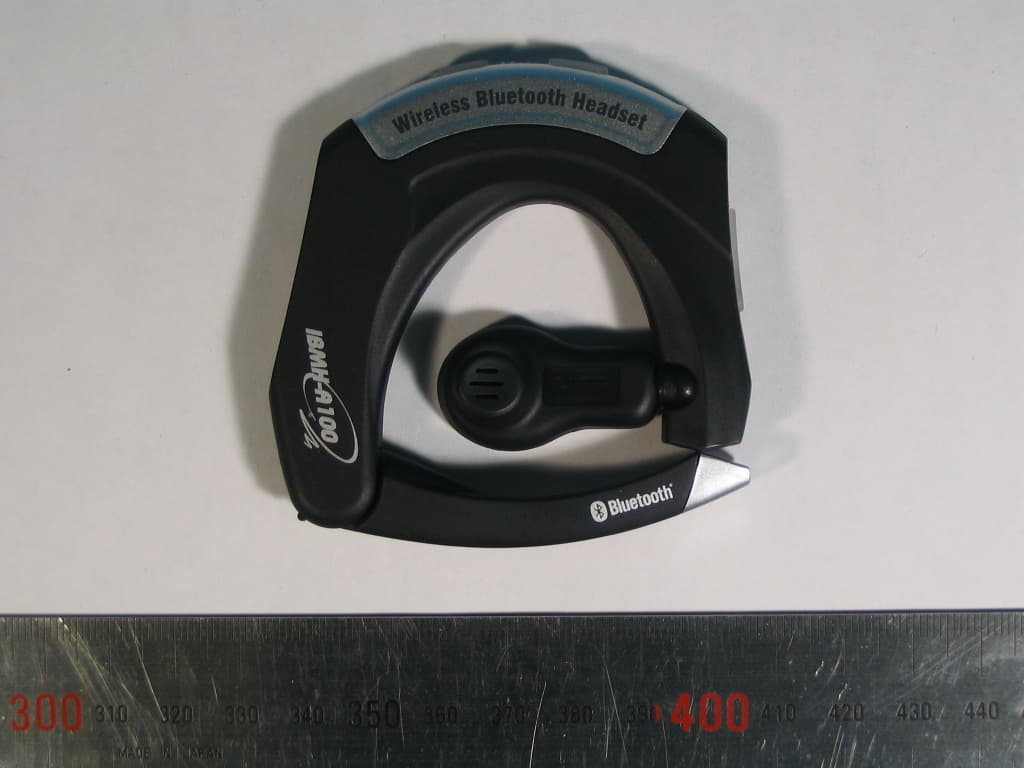
QE6IBMH-A100
Oct 23, 2005Wireless Bluetooth Headset
Equipment Class
DSS - Part 15 Spread Spectrum Transmitter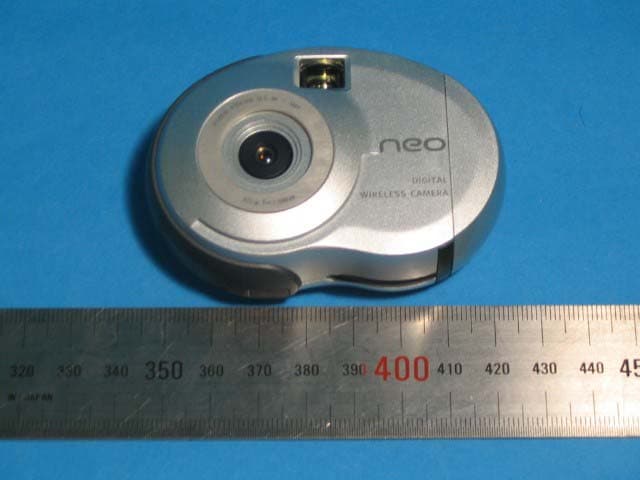
QE6IH-NEOSNAP04
Jun 13, 2004Digital still camera
Equipment Class
DSS - Part 15 Spread Spectrum Transmitter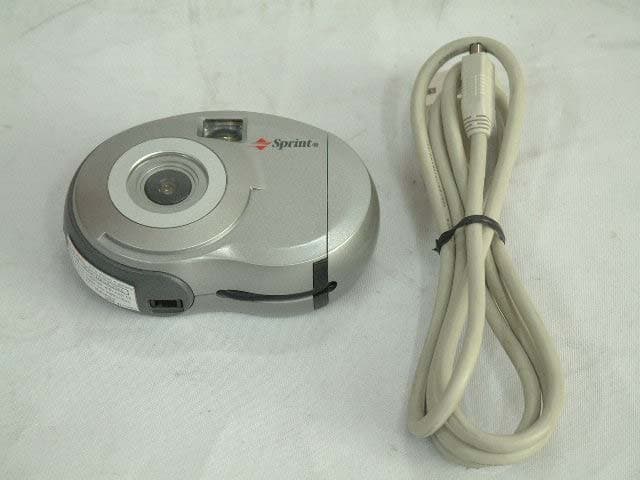
QE6IH-MAGIC03AA
Apr 07, 2003Digital Camera
Equipment Class
JBP - Part 15 Class B Computing Device Peripheral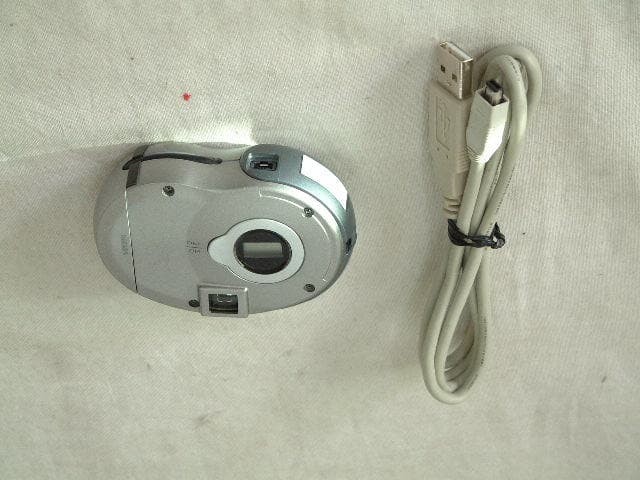
QE6IH-MAGIC02AA
Jul 07, 2002Digital Camera
Equipment Class
JBP - Part 15 Class B Computing Device Peripheral