QIC-INK01AMyInk
PENPOWER TECHNOLOGY LTD.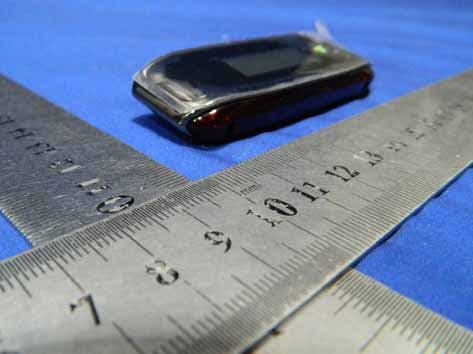
Click to zoom
Application Details
- Equipment Class
- DSS - Part 15 Spread Spectrum Transmitter
- Date of Grant
- Mar 25, 2013
- Application Purpose
- Original Equipment
- Date of Application
- Mar 25, 2013
- Equipment Note
- MyInk
- Frequency Range
- 2402.00000000 - 2480.00000000
- Company
- PENPOWER TECHNOLOGY LTD.
- Country
- Taiwan
Documents & Files
Document Text
Text extracted from the exhibit documents filed with the FCC. Open a document above to read the original.
Users Manual
1 TABLE OF CONTENT PRODUCT OVERVIEW......................................................................................... 2 KEY FEATURES.................................................................................................. 3 PACKAGE CONTENT........................................................................................... 3 CHAPTER 1 HOW TO USE THE DIGITAL PEN........................................................... 3 Installing/Replacing an Ink Refill into the Pen........................................................ 3 Installing/Replacing Pen Batteries ........................................................................ 4 Write Correctly .................................................................................................. 5 CHAPTER 2 BASE UNIT...................................................................................... 6 General Overview .............................................................................................. 6 Getting To Know Your Memory Unit...................................................................... 6 CHAPTER 3 USE YOUR PEN TABLET IN MOBILE MODE............................................. 8 Mounting your Base Unit to Paper ........................................................................ 8 Take handwritten notes ...................................................................................... 9 CHAPTER 4 USING THE BLUETOOTH....................................................................10 CHAPTER 5 USE YOUR POCKET PEN TABLET IN CONNECTED MODE.........................10 Install the Software Suite ..................................................................................10 Run the Software..............................................................................................12 Connect Memory Unit to Computer .....................................................................13 Uploading Notes to your PC................................................................................13 Viewing Notes ..................................................................................................16 Using your Pen in Mouse Mode ...........................................................................16 The Note Manager ............................................................................................17 Creating Notes .................................................................................................20 Manage Notes ..................................................................................................23 Setting Your Preferences ...................................................................................28 Setting a Reminder ...........................................................................................30 Exporting to JPEG .............................................................................................31 Exporting to a Data format file...........................................................................32 Importing a Data format file...............................................................................32 Pasting Notes into Other Applications ..................................................................32 Creating Sticky Notes........................................................................................33 Creating Paper holder Notes...............................................................................35 The Note Editor ................................................................................................36 2 Sending Notes..................................................................................................40 Receiving notes over the local network ................................................................42 Convert Note to Text.........................................................................................43 Using the “Note to Text” menu (only available in Windows Vista or 7) .....................43 Using the Vision Objects MyScript® Notes (Optional) ............................................43 Application Tray Icon ........................................................................................45 CHAPTER 5 USE PEN TABLET IN WINDOWS VISTA..........................................45 Getting started .................................................................................................46 Windows Journal...............................................................................................46 Tablet PC Input Panel ........................................................................................47 Sticky Notes.....................................................................................................48 Windows Snipping Tool......................................................................................49 Pen-and-Ink functionality in Vista- Office 2007 .....................................................49 CHAPTER 6 USING IN MAC OS............................................................................52 CHAPTER 8 USING THE PHOTO SKETCHER..........................................................56 CHAPTER 8 TAKING CARE OF YOUR POCKET PEN TABLET......................................56 Cleaning your Pocket pen tablet .........................................................................56 CHAPTER 9 TROUBLESHOOTING........................................................................56 CHAPTER 10 TECHNICAL SPECIFICATIONS...........................................................58 Product Overview Thanks for purchasing this useful and powerful product! The Pocket Pen Tablet can capture any handwritten notes or drawings on a plain paper and store them in its internal flash memory. Captured notes can be uploaded to computer via its USB interface. It really helps when you are away from computer and needs to capture any instant thoughts or important points. The Pocket pen tablet consist…
Text truncated - open the document above for the full version.
Attestation Statements
PENPOWER TECHNOLOGY LTD. Date: 2013-03-09 To: Federal Communications Commission 7435 Oakland Mills Road Columbia, MD FCC ID: QIC-INK01A To Whom It May Concern: This letter is to ascertain that PENPOWER TECHNOLOGY LTD. MyInk, INK01A has been the units used for conducting FCC compliance testing, the DoC part will be tested by FCC recognized test lab. If you have any question or concerns, pls. contact us. Sincerely, Signature Kevin Chang / Senior Manager E-mail: : [email protected] Phone: +886 35722691#520 Fax: +886 35716243 Address : 7F,NO.47,Lane 2,Sec.2,Kuang-Fu Rd., Hsinchu 300, Taiwan, R.O.C.
Cover Letter(s)
SCS-F18: Project and Product Certification Representative Authorization Letter Page 1 of 2 Rev 3.0 775 Montague Expressway Milpitas, CA 95035 Tel: 408-526-1188 Fax: 408-526-1088 Email: [email protected] Project and Product Certification Representative Authorization Letter Revision History Reason for Amendment (current / obsolete) From To Approved Date Initial Release (obsolete) 1.0 1.0 Nov-14-2006 Revised wording (obsolete) 1.0 2.0 Sept–25-2007 Updated company template (current) 2.0 3.0 Jan-31-2012 SCS-F18: Project and Product Certification Representative Authorization Letter Page 2 of 2 Rev 3.0 PENPOWER TECHNOLOGY LTD. 2013-3-9 To: SIEMIC, INC. 775 Montague Expressway, Milpitas, CA 95035 USA Dear Sir/Madam, Re: Project and Product Certification Representative Authorization Letter We, PENPOWER TECHNOLOGY LTD. hereby authorize SIEMIC, INC. to act as a Certification Body for certifying for the following project(s): FCC ID: QIC-INK01A (MyInk, INK01A) We affirm that between SIEMIC and PENPOWER TECHNOLOGY LTD. any difference in understanding, including test plan, measurement methods, applicable standards and relevant procedures and processes have been resolved prior to commencement of testing activities. Sincerely, Signature Kevin Chang / Senior Manager E-mail: : [email protected] Phone: +886 35722691#520 Fax: +886 35716243 Address : 7F,NO.47,Lane 2,Sec.2,Kuang-Fu Rd., Hsinchu 300, Taiwan, R.O.C.
Cover Letter(s)
SCS-F19: Confidentiality Request Letter Page 1 of 2 Rev 3.0 775 Montague Expressway Milpitas, CA 95035 Tel: 408-526-1188 Fax: 408-526-1088 Email: [email protected] Confidentiality Request Letter Revision History Reason for Amendment (current / obsolete) From To Approved Date Initial Release (obsolete) 1.0 1.0 Nov-14-2006 Adding CFR 2.459 (obsolete) 1.0 2.0 August – 11 - 2008 Updated company template & Added text box (current) 2.0 3.0 Jan-31-2012 SCS-F19: Confidentiality Request Letter Page 2 of 2 Rev 3.0 PENPOWER TECHNOLOGY LTD. (2013-3-9) To: Federal Communications Commission Authorization and Evaluation Division Confidentiality Request regarding application for certification of FCC ID: QIC-INK01A We hereby request confidential treatment of information accompanying this application as outlined below: - Block diagram - Operation description - Schematic The above materials contain trade secrets and proprietary information not customarily released to the public. The public disclosure of these materials may be harmful to the applicant and provide unjustified benefits to its competitors. The applicant understands that pursuant to Section 0.457 & 0.459 of the Rules, disclosure of this application and all accompanying documentation will not be made before the date of the Grant for this application. Sincerely, Signature Kevin Chang / Senior Manager E-mail: : [email protected] Phone: +886 35722691#520 Fax: +886 35716243 Address : 7F,NO.47,Lane 2,Sec.2,Kuang-Fu Rd., Hsinchu 300, Taiwan, R.O.C.
External Photos
External of EUT
ID Label/Location Info
FCC Label: Trademark: PENPOWER FCC ID: QIC-INK01A Model number: INK01A Made in China
ID Label/Location Info
Label Location Proposed Label Location on EUT
Internal Photos
Internal of EUT Bluetooth Module Antenna Module
RF Exposure Info
FCC ID : QIC-INK01A BT (Portable device) According to §15.247(e)(i) and §1.1307(b)(1), systems operating under the provisions of this section shall be operated in a manner that ensures that the public is not exposed to radio frequency energy level in excess of the Commission’s guidelines. According to KDB 447498 (2)(a)(i) Frequency Range Low Frequency (MHz) High Frequency(MHz) Center frequency (MHz) SAR Limitation (mw) 2402 2480 2441 10 Maximum measured transmitter power: Conducted Power (dB) Max Antenna Gain (dBi) EIRP (mw) -1.89 0 0.65 Threshold at which no SAR required is 10 mw. Maximum Tx power is 0.65mw EIRP Conclusion: No SAR is required. Sincerely, Signature Kevin Chang / Senior Manager E-mail: : [email protected] Phone: +886 35722691#520 Fax: +886 35716243 Address : 7F,NO.47,Lane 2,Sec.2,Kuang-Fu Rd., Hsinchu 300, Taiwan, R.O.C.
Test Report
SHENZHEN EMTEK CO., LTD. REPORT NO: ES120305012F-1 FCC ID: QIC-INK01A DATE: 03/20/2013 Page 1 of 48 ELECTROMAGNETIC EMISSIONS COMPLIANCE REPORT INTENTIONAL RADIATOR CERTIFICATION TO FCC PART 15 SUBPARTC REQUIREMENT OF MyInk MODEL No.: INK01A FCC ID: QIC-INK01A REPORT NO: ES120305012F-1 ISSUE DATE: March 20, 2013 Prepared for PENPOWER TECHNOLOGY LTD. 7F., No.47, Lane 2, Sec. 2, Guangfu Rd., Hsinchu 300, Taiwan, R.O.C. Prepared by SHENZHEN EMTEK CO., LTD Bldg 69, Majialong Industry Zone, Nanshan District, Shenzhen, Guangdong, China TEL: 86-755-26954280 FAX: 86-755-26954282 SHENZHEN EMTEK CO., LTD. REPORT NO: ES120305012F-1 FCC ID: QIC-INK01A DATE: 03/20/2013 Page 2 of 48 VERIFICATION OF COMPLIANCE Applicant: PENPOWER TECHNOLOGY LTD. 7F., No.47, Lane 2, Sec. 2, Guangfu Rd., Hsinchu 300, Taiwan, R.O.C. Product Description: MyInk Brand Name: PENPOWER Model Number: INK01A Serial Number: N/A File Number: ES120305012F-1 Date of Test: March 4, 2013 to March 6, 2012 We hereby certify that: The above equipment was tested by SHENZHEN EMTEK CO., LTD. The test data, data evaluation, test procedures, and equipment configurations shown in this report were made in accordance with the procedures given in ANSI C63.4 (2009) and the energy emitted by the sample EUT tested as described in this report is in compliance with conducted and radiated emission limits of FCC Rules Part 15.247. The test results of this report relate only to the tested sample identified in this report. Date of Test : March 4, 2013 to March 20, 2013 Prepared by : Jessie /Editor Reviewer : King wang /Supervisor Approve & Authorized Signer : Lisa Wang/Manager SHENZHEN EMTEK CO., LTD. REPORT NO: ES120305012F-1 FCC ID: QIC-INK01A DATE: 03/20/2013 Page 3 of 48 Ta b l e o f C o n t e n t s 1. GENERAL INFORMATION ................................................................................................. 5 1.1 PRODUCT DESCRIPTION........................................................................................................................... 5 1.2 RELATED SUBMITTAL(S) / GRANT (S) ..................................................................................................... 5 1.3 TEST METHODOLOGY.............................................................................................................................. 5 1.4 SPECIAL ACCESSORIES............................................................................................................................ 5 1.5 EQUIPMENT MODIFICATIONS.................................................................................................................. 5 1.6 TEST FACILITY........................................................................................................................................ 6 2. SYSTEM TEST CONFIGURATION .................................................................................... 7 2.1 EUT CONFIGURATION............................................................................................................................. 7 2.2 EUT EXERCISE........................................................................................................................................ 7 2.3 TEST PROCEDURE.................................................................................................................................... 7 2.4 LIMITATION............................................................................................................................................. 7 2.5 CONFIGURATION OF TESTED SYSTEM................................................................................................... 11 2.6 EQUIPMENT USED IN TESTED SYSTEM................................................................................................... 11 2.7 DESCRIPTION OF TEST MODES................................................................................................................ 12 3. SUMMARY OF TEST RESULTS ....................................................................................... 13 4. CONDUCTED EMISSIONS TEST ..................................................................................... 14 4.1 MEASUREMENT PROCEDURE:................................................................................................................ 14 4.2 TEST SET-UP (BLOCK DIAGRAM OF CONFIGURATION) ....................................................................... 14 4.3 MEASUREMENT EQUIPMENT USED: ...................................................................................................... 14 4.4 CONDUCTED EMISSION LIMIT............................................................................................................... 14 4.5 MEASUREMENT RESULT:....................................................................................................................... 15 5. RADIATED EMISSION TEST ............................................................................................ 16 5.1 MEASUREMENT PROCEDURE................................................................................................................. 16 5.2 TEST SET-UP (BLOCK DIAGRAM OF CONFIGURATION) ....................................................................... 17 5.3 MEASUREMENT EQUIPMENT USED: ...................................................................................................... 18 5.4 MEASUREMENT RESULT........................................................................................................................ 18 6. CHANNEL SEPARATION TEST ....................................................................................... 22 6.1 MEASUREMENT PROCEDURE................................................................................................................. 22 6.2 TEST SET-UP (BLOCK DIAGRAM OF CONFIGURATION) ....................................................................... 22 6.3 MEASUREMENT EQUIPMENT USED: ........................................................…
Text truncated - open the document above for the full version.
Test Setup Photos
RADIATED EMISSION TEST CONDUCTED EMISSION TEST
Contact Information
Applicant
Kevin Chang(Senior Manager)
Test Firm
EMTEK (Shenzhen) Co., Ltd.David Lee
Technical Specifications
| # | Rule Parts | Frequency Range | Power Output |
|---|---|---|---|
| 1 | 15C | 2.40 GHz - 2.48 GHz | 650.00 µW |
Other Applications from PENPOWER TECHNOLOGY LTD.

QIC-MSE10
Dec 28, 2022WorldPenScan Wifi
Equipment Class
DSS - Part 15 Spread Spectrum Transmitter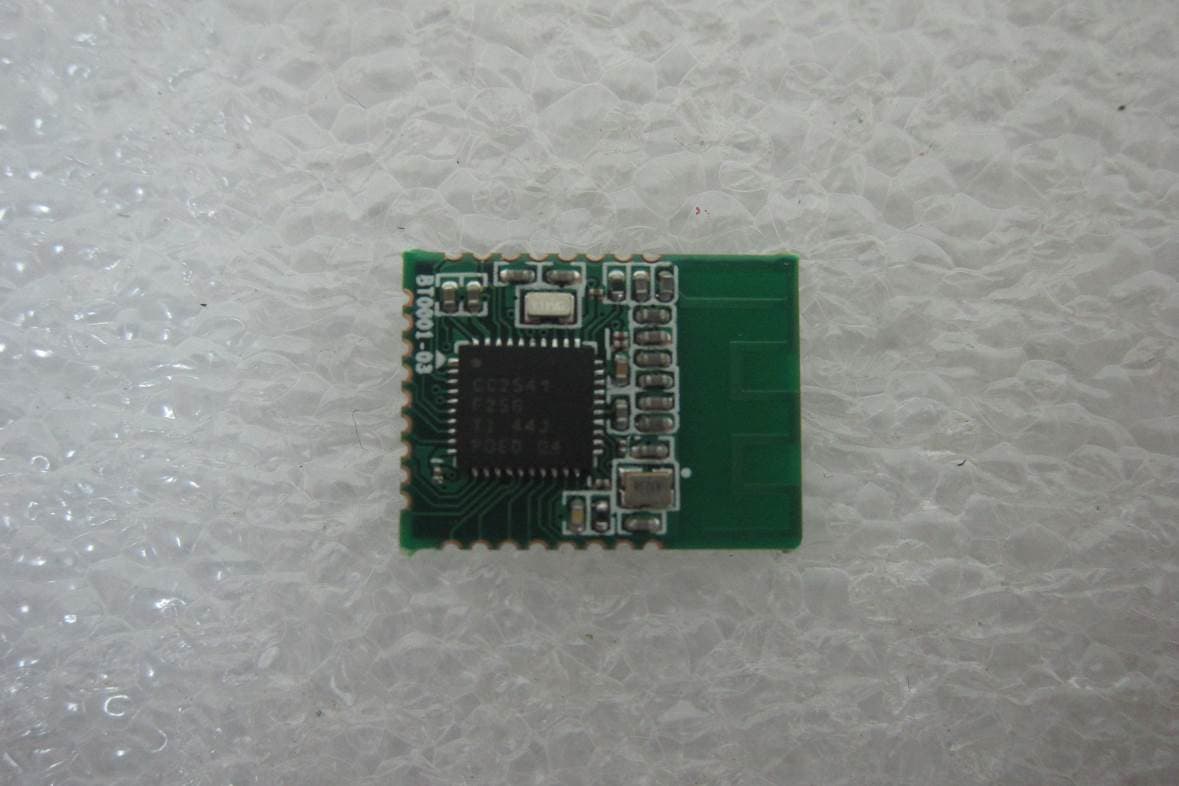
QIC-BT0001
Oct 29, 2014Bluetooth BLE 4.0 module
Equipment Class
DTS - Digital Transmission System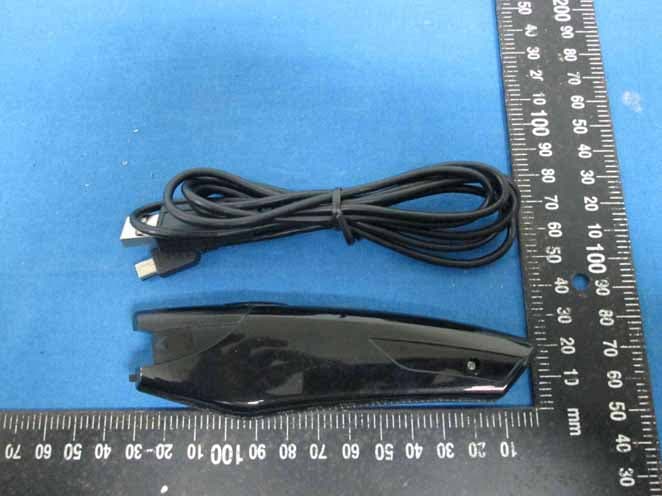
QIC-MSE04
Dec 29, 2013WorldPenScan BT
Equipment Class
DSS - Part 15 Spread Spectrum Transmitter