QTL-RH4GSM 1900 Mobile Phone
Microsoft Corporation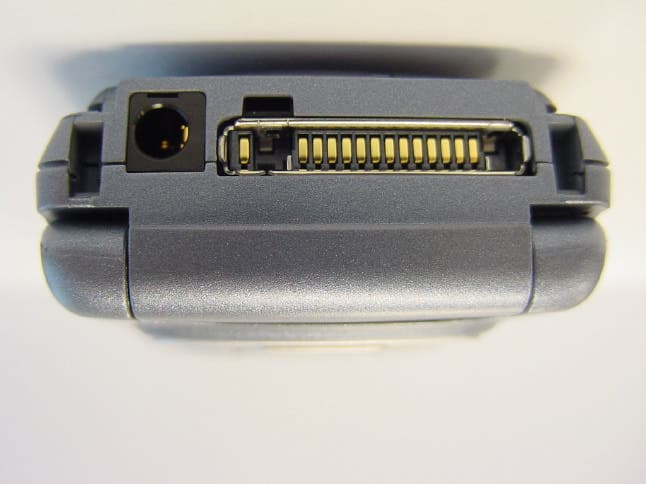
Click to zoom
Application Details
- Equipment Class
- PCE - PCS Licensed Transmitter held to ear
- Date of Grant
- May 19, 2003
- Application Purpose
- Original Equipment
- Date of Application
- May 19, 2003
- Equipment Note
- GSM 1900 Mobile Phone
- Frequency Range
- 1850.20000000 - 1909.80000000
- Company
- Microsoft Corporation
- Country
- United States
Documents & Files
Document Text
Text extracted from the exhibit documents filed with the FCC. Open a document above to read the original.
Users Manual
-10 RH-4_FCC_2003-4-16.fm Page -10 Friday, April 18, 2003 4:34 PM -9 English List of menu functions 1. Messages 1. Text messages 2. Multimedia msgs. 3. E-mail 4. Chat 5. Voice messages 6. Info messages 7. Message settings 8. Service commands 2. Call register 1. Missed calls 2. Received calls 3. Dialled numbers 4. Delete recent call lists 5. Call duration 6. Call costs 7. GPRS data counter 8. GPRS connection timer 3. Contacts 1. Search 2. Add contact 3. Delete 4. Copy 5. Settings 6. Speed dials 7. Info numbers 8. Service numbers 9. My numbers 10.Caller groups 4. Profiles 1. General 2. Silent 3. Meeting 4. Outdoor 5. Pager 5. Settings 1. Right selection key settings 1. Select options 2. Organise 2. Time and date settings 1. Clock 2. Date 3. Auto-update of date & time 3. Call settings 1. Call divert 2. Anykey answer 3. Flip call handling setting 4. Automatic redial 5. Speed dialling 6. Call waiting 7. Summary after call 8. Send my caller identity 9. Line for outgoing calls 1 4. Phone settings 1. Language 2. Memory status 3. Automatic keyguard 4. Recognition timeout 5. Cell info display 6. Welcome note 7. Network selection 8. Confirm SIM service actions 9. Help text activation 10.Start-up tone 5. Display settings 1. Wallpaper 2. Colour schemes 1. Shown if supported by your SIM card and network services. Contact your network operator or service provider for more information. RH-4_FCC_2003-4-16.fm Page -9 Friday, April 18, 2003 4:34 PM -8 3. Operator logo 4. Screen saver timeout 5. Display brightness 6. Tone settings 1. Incoming call alert 2. Ringing tone 3. Ringing volume 4. Vibrating alert 5. Message alert tone 6. Keypad tones 7. Warning tones 8. Alert for 7. Accessory settings 1 8. Security settings 1. PIN code request 2. Call barring service 3. Fixed dialling 4. Closed user group 5. Security level 6. Access codes 1. Change security code 2. Change PIN code 3. Change PIN2 code 4. Change barring password 9. Restore factory settings 6. Gallery 1. View folders 2. Add folder 3. Delete folder 4. Rename folder 5. Gallery downloads 7. Organiser 1. Alarm clock 2. Calendar 3. To-do list 4. Notes 8. Dictionary 9. Games 1. Select game 2. Game downloads 3. Memory 4. Settings 10.Applications 11.Extras 1. Calculator 2. Countdown timer 3. Stopwatch 4. Wallet 5. Synchronisation 12.Connectivity 1. Infrared 2. GPRS 13.Services 1. Home 2. Bookmarks 3. Service inbox 4. Settings 5. Go to address 6. Clear the cache 14.SIM services 2 1. Shown only if the phone is or has been connected to a compatible headset, handsfree unit or loopset approved by the manufacturer. 2. Only shown if supported by your SIM card. The name and contents vary depending on the SIM card RH-4_FCC_2003-4-16.fm Page -8 Friday, April 18, 2003 4:34 PM -7 English The wireless phone described in this guide is approved for use in GSM 900, 1800 and 1900 networks. LEGAL INFORMATION Part No. 9356077, Issue No. 1 Copyright © 2003 Nokia. All rights reserved. Nokia, Nokia Connecting People, Nokia 6108, Xpress-on, Pop-Port and the Nokia Original Accessories logos are trademarks or registered trademarks of Nokia Corporation. All other product and company names mentioned herein may be trademarks or tradenames of their respective owners. US Patent No 5818437 and other pending patents. T9 text input software Copyright ©1999-2003. Tegic Communications, Inc. All rights reserved. Includes RSA BSAFE cryptographic or security protocol software from RSA Security. Java is a trademark of Sun Microsystems, Inc. The information in this user guide was written for the Nokia 6108 phone. Nokia operates a policy of continuous development. Nokia reserves the right to make changes and improvements to any of the products described in this document without prior notice. UNDER NO CIRCUMSTANCES SHALL NOKIA BE RESPONSIBLE FOR ANY LOSS OF DATA OR INCOME OR ANY SPECIAL, INCIDENTAL, AND CONSEQUENTIAL OR INDIRECT DAMAGES HOWSOEVER CAUSED. THE CONTENTS OF THIS DOCUMENT ARE PROVIDED “AS IS.” EXCEPT AS REQUIRED BY APPLICABLE LAW, NO WARRANTIES OF ANY KIND, EITHER EXPRESS OR IMPLIED, INCLUDING, BUT NOT LIMITED TO, THE IMPLIED WARRANTIES OF MERCHANTABILITY AND FITNESS FOR A PARTICULAR PURPOSE, ARE MADE IN RELATION TO THE ACCURACY AND RELIABILITY OR CONTENTS OF THIS DOCUMENT. NOKIA RESERVES THE RIGHT TO REVISE THIS DOCUMENT OR WITHDRAW IT AT ANY TIME WITHOUT PRIOR NOTICE. EXPORT CONTROLS This product contains commodities, technology or software exported from the United States in accordance with the Export Administration regulations. Diversion contrary to U.S. or Canadian law is prohibited. FCC/INDUSTRY CANADA NOTICE Your phone may cause TV or radio interference (for example, when using a telephone in close proximity to receiving equipment). The FCC or Industry Canada can require you to stop using your telephone if such interference cannot be eliminated. If you require assistance, contact your local service facility. This device complies with part 15 of the FCC rules. Operation is subject to the condition that this device does not cause harmful interference. RH-4_FCC_2003-4-16.fm Page -7 Friday, April 18, 2003 4:34 PM -6 Table of Contents List of menu functions -9 General information .................. -1 Stickers in the sales package ........ -1 Access codes ...................................... -1 Shared memory ................................... 0 1.Your phone................................ 1 Keys......................................................... 1 Functions of the flip .......................... 2 Stylus and touch-pad ........................ 2 Connectors............................................ 2 Standby mode...................................... 2 Screen saver .............................................. 3 Wallpaper................................................... 3 Essential indicators in standby mode 3 2.Getting started ......................... 5 Remove and mount the back cover.. 5 For cover with stylus holder ................. 5 For flat cover.......................…
Text truncated - open the document above for the full version.
Users Manual
49 English Press Options and select an option to move the function in the list. 2. When you have made all the changes, press Done. To save the changes, press Yes or to discard the changes, press No. Time and date settings Clock Press Menu, and select Settings, Time and date settings and Clock. Select Show clock (or Hide clock) to show (or hide) the time on the top right of the display in standby mode. Select Set the time to adjust the clock to the correct time, and Time format to select 12-hour or 24- hour time format. Date Press Menu, and select Settings, Time and date settings and Date. Select Show date (or Hide date) and the date is shown (or hidden) on the display when the phone is in standby mode. Select Set the date to adjust the date. You can also select the date format. If the battery is flat or removed from the phone for a long time, you may need to set the date and time again. Auto update of date and time Press Menu, and select Settings, Time and date settings and Auto- update of date & time (network service). To set the phone to automatically update the time and date according to the current time zone, select On. To set the phone to ask for a confirmation before the update, select Confirm first. Note that the automatic update of the date and time will affect other time related features (for example alarm clock). These features will always follow the updated time. Updating may cause some alarms that you have set to expire. Call settings Call divert Press Menu, and select Settings, Call settings and Call divert (network service). With call divert, you can direct your incoming calls to another number, for example, to your voice mailbox number. For details, contact your service provider. Divert options not supported by your SIM card or your network operator may not be shown. Select the divert option you want, for example, select Divert if busy to divert the voice calls when your number is busy or when you reject an incoming call. RH-4_FCC_2003-4-16.fm Page 49 Friday, April 18, 2003 4:34 PM 50 To set the divert setting to on, select Activate and then select the timeout after which the call is diverted, if this is available for the divert option. To set the divert setting to off, select Cancel, or select Check status to check whether call divert is activated or not. Check status is only available for certain options. Several divert options may be active at the same time. To see the divert indicators in standby mode, see ”Standby mode” on page 3. Anykey answer Press Menu, and select Settings, Call settings and then Anykey answer. Select On and you can answer an incoming call by briefly pressing any key, except , selection keys and , and . Flip call handling setting Opening or closing the flip cover may or may not affect voice call handling. You can set this by yourself. 1. Press Menu, and select Settings, Call settings, Flip call handling setting. 2. Three options are listed: •Answer & end calls (default setting): • Opening the flip cover answers a voice call. • Closing the flip cover ends a voice call. •None: Opening or closing the flip cover does not affect the status of the voice call. •Answer calls only: • Opening the flip cover answers a voice call. • Closing the flip cover does not end a voice call. Automatic redial Press Menu, and select Settings, Call settings and Automatic redial. Select On, and your phone will make a maximum of ten attempts to connect the call after an unsuccessful call attempt (Depending on the network environment). Speed dialling Press Menu, and select Settings, Call settings and Speed dialling. Select On and the names and phone numbers assigned to the speed dialling keys, from to , can be dialled by pressing and holding the corresponding number key. Call waiting Press Menu, and select Settings, Call settings and Call waiting. Select Activate and the network will notify you of an incoming call while you have a call in progress RH-4_FCC_2003-4-16.fm Page 50 Friday, April 18, 2003 4:34 PM 51 English (network service). See ”Handle a waiting call” on page 11. Summary after call Press Menu, and select Settings, Call settings, and Summary after call. Select On. After each call, the phone briefly displays the approximate duration and cost of the call (network service). Send my caller identity Press Menu, and select Settings, Call settings and Send my caller identity. Select Ye s and your phone number will be displayed to the person you are calling (network service). Select Set by network and the setting agreed upon with your service provider is used. Line for outgoing calls Line for outgoing calls is a network service to select the phone line 1 or 2, that is, the subscriber number, for making calls. Press Menu, and select Settings, Call settings and Line for outgoing calls. If you select Line 2 and have not subscribed to this network service, you will not be able to make calls. However, calls on both lines can be answered regardless of the selected line. If supported by your SIM card, you can prevent the line selection by selecting the option Lock. For more information on availability, contact your network operator or service provider. Tip: In standby mode, you can switch from one line to the other by pressing and holding . Phone settings Language Press Menu, and select Settings, Phone settings and Language. Select the language for the display texts. If Automatic is selected, the phone selects the language according to the information on the SIM card. Memory info Press Menu, and select Settings, Phone settings and Memory status. Scroll to view the free memory, the total used memory and the used memory for each function. You may also find the memory information in the menu of some of those functions, for example in gallery. Automatic keyguard Note: When Keyguard is on, calls may be possible to the emergency number programmed into your phone (e.g. 112, or other official emergency number). Key in the emergency number and press . RH-4_FCC_2003-4-16.fm Page 51 Friday…
Text truncated - open the document above for the full version.
Cover Letter(s)
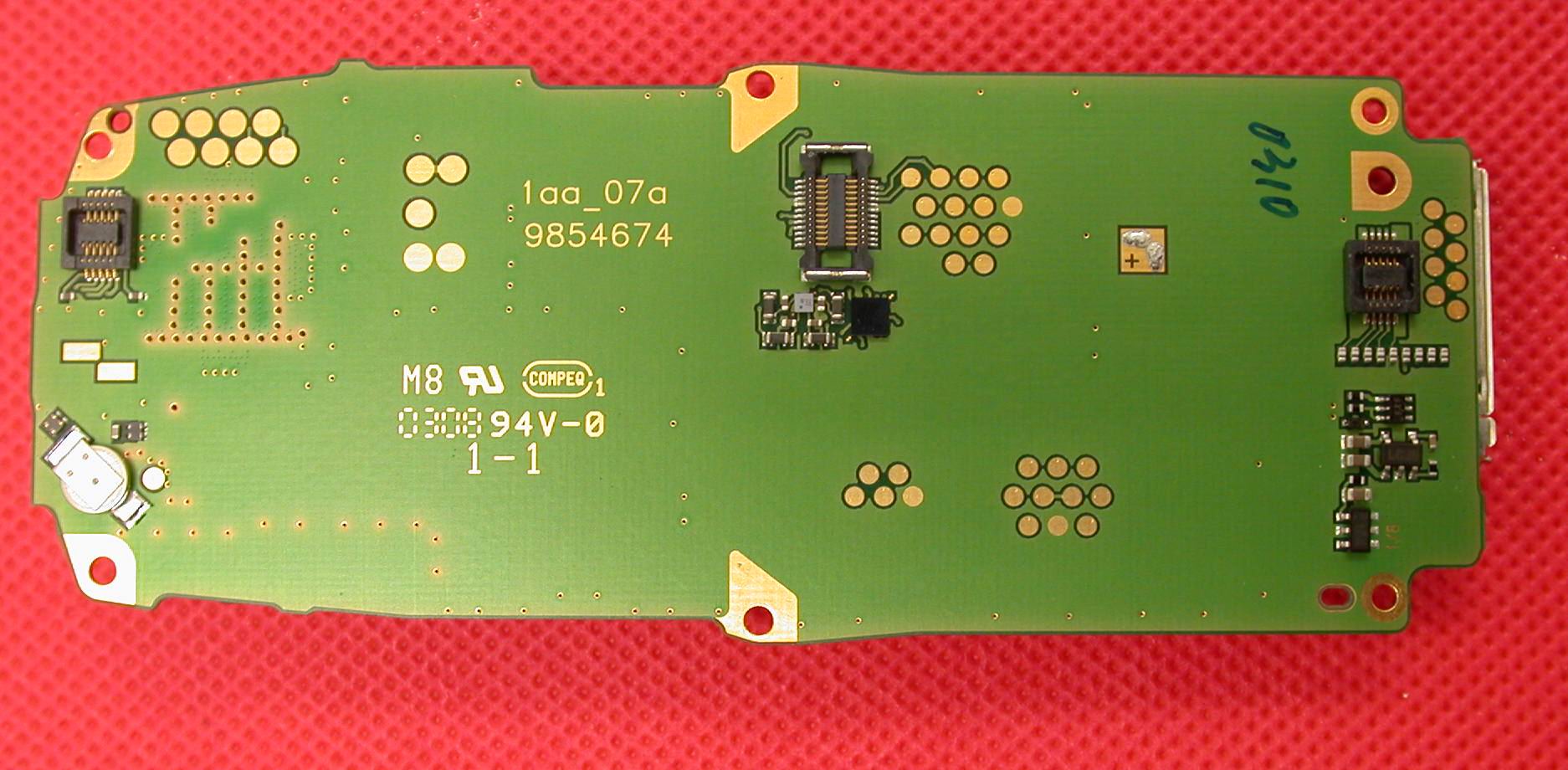
American Telecommunications Certification Body Inc. 6731 Whittier Ave, McLean, VA 22101 April 25, 2003 RE: FCC ID: QTL-RH4 Attention: Kari Koskela I have a few comments on this Application. 1. Please provide a photo of the underside of the board shown in photo number 2 xxx 2. Please note that the adapter for AC shown on page 87 of the manual is a European style AC adapter. For use in the US, the manual should reflect proper US adapter information. xxx 3. Please note that the 731 form provided is not clear. Please provide a readable version of the 731. xxx 4. Please provide the calibration due dates for the test equipment used. xxx 5. IEEE1528 says that the power should be verified during the SAR testing phase. Output power is to be verified for each configuration. If this cannot be done then adequate explanation of how the power requirements were met needs to be in the report. Please note that the power measured on the device at the EMC lab is not verification of the actual power level to which the unit may have been at during SAR testing. Please provide evidence that the power requirements of par 5.3.3 of 1528 have been met. xxx 6. Please note that an outline of the EUT should be on the plots so as to indicate where on the device maximum SAR exists. Please provide plots showing an outline of the device in relation to SAR levels. xxx Dennis Ward mailto:[email protected] The items indicated above must be submitted before processing can continue on the above referenced application. Failure to provide the requested information may result in application termination. Correspondence should be considered part of the permanent submission and may be viewed from the Internet after a Grant of Equipment Authorization is issued. Please do not respond to this correspondence using the email reply button. In order for your response to be processed expeditiously, you must submit your documents through the AmericanTCB.com website. Also, please note that partial responses increase processing time and should not be submitted. Any questions about the content of this correspondence should be directed to the sender.
Cover Letter(s)
dward From: [email protected] Sent: Tuesday, May 13, 2003 12:02 AM To: [email protected] Subject: RE: QTL-RH4 COMMENTS Page 1 of 2 5/13/2003 Hi Dennis, Response to the Power and SAR question (5): Power levels were not measured during or after SAR measurements and so such data is not available. The phone was packed carefully for transportation between the labs. If the package had shown signs of rough handling, the sample had not been used for SAR measurements. Power level setting is stored in digital format in memory and power level setting does not change due to environmental conditions. The phones have been designed to stand transportation e.g. from factory to consumer. Call was established by communication tester and highest power level was chosen for EMC and SAR measurements. The battery was fully charged for each scan and the maximum drfit noticed during SAR measurements was -0.12 dB. It is evident, that power levels have been the same in EIRP and SAR measurements except for the minor power drift typical for the tested handset model. Response to question for more clear form 731(3): Here is also the form 731 in word format, is this better? (In attachment) Br, Kari -----Original Message----- From: ext dward [mailto:[email protected]] Sent: 09 May, 2003 0:48 To: Koskela Kari.O (NMP/Beijing) Subject: FW: QTL-RH4 COMMENTS Hi Kari Have you had a chance to look at the comments yet? Thanks Dennis -----Original Message----- From: dward [mailto:[email protected]] Sent: Friday, April 25, 2003 12:57 PM To: '[email protected]' Subject: QTL-RH4 COMMENTS Hi Kari Attached are the ATCB comments so you can respond before the date you would like to grant issued. If all of the responses are adequate, I can then issue the grant on May 20 as requested. Thanks Dennis Page 2 of 2 5/13/2003
Cover Letter(s)
dward From: [email protected] Sent: Tuesday, May 13, 2003 4:40 PM To: [email protected] Subject: RE: 14-May response for QTL-RH4 COMMENTS Page 1 of 2 5/14/2003 Hi Dennis, First of all, sorry for the not good scanning resolution of my documents. The name of the anti-drug statement attestation is Minna Ruohonen, email address for her is: [email protected] Here (in attachment) are the pictures for the SAR distribution also (Request item (6)). Also to the comment/request (4) calibration due dates, response from TCC Tampere: - All measurement devices are calibrated once a year. The laboratory has a computer based application, which remainds the user, if the calibration due date for any device is closing. Uncalibrated equipment are not used for the measurements Br, Kari -----Original Message----- From: ext dward [mailto:[email protected]] Sent: 14 May, 2003 4:57 To: Koskela Kari.O (NMP/Beijing) Subject: RE: QTL-RH4 COMMENTS Hi Kari The name of the person attesting to the anti-drug statement on the last page is unreadable. Who has signed this and what is the email address of this person. Thanks Dennis -----Original Message----- From: [email protected] [mailto:[email protected]] Sent: Tuesday, May 13, 2003 12:02 AM To: [email protected] Subject: RE: QTL-RH4 COMMENTS Hi Dennis, Response to the Power and SAR question (5): Power levels were not measured during or after SAR measurements and so such data is not available. The phone was packed carefully for transportation between the labs. If the package had shown signs of rough handling, the sample had not been used for SAR measurements. Power level setting is stored in digital format in memory and power level setting does not change due to environmental conditions. The phones have been designed to stand transportation e.g. from factory to consumer. Call was established by communication tester and highest power level was chosen for EMC and SAR measurements. The battery was fully charged for each scan and the maximum drfit noticed during SAR measurements was -0.12 dB. It is evident, that power levels have been the same in EIRP and SAR measurements except for the minor power drift typical for the tested handset model. Response to question for more clear form 731(3): Here is also the form 731 in word format, is this better? (In attachment) Br, Kari -----Original Message----- From: ext dward [mailto:[email protected]] Sent: 09 May, 2003 0:48 To: Koskela Kari.O (NMP/Beijing) Subject: FW: QTL-RH4 COMMENTS Hi Kari Have you had a chance to look at the comments yet? Thanks Dennis -----Original Message----- From: dward [mailto:[email protected]] Sent: Friday, April 25, 2003 12:57 PM To: '[email protected]' Subject: QTL-RH4 COMMENTS Hi Kari Attached are the ATCB comments so you can respond before the date you would like to grant issued. If all of the responses are adequate, I can then issue the grant on May 20 as requested. Thanks Dennis Page 2 of 2 5/14/2003
External Photos
Exhibit 3: External Picture no1 Exhibit 3: External Picture no2 Exhibit 3: External Picture no3 Exhibit 3: External Picture no4 Exhibit 3: External Picture no5 Exhibit 3: External Picture no6
ID Label/Location Info
Material Sheet 1 of 1 Original Scale Original Size A4 1:1 NMP Code Item Name Document Number Doc. Vers. Tool Vers. Name / Date Change Ref. Approved / Date Original Designer FUNCTIONAL CHARACTERISTICS KEY MAIN FUNCTIONAL CHARACTERISTIC MAIN FUNCTIONAL CHARACTERISTIC ( Proof of Process Capability Required ) Copyright c Nokia Mobile Phones. All rights reserved THIS DRAWING IS PROTECTED BY COPYRIGHT AS AN UNPUBLISHED WORK UNAUTHORIZED REPRODUCTION OF THIS DRAWING IS NOT PERMITTED THIS DRAWING CONTAINS PROPRIETARY AND CONFIDENTIAL INFORMATION This document is the property of Nokia Mobile Phones TYPE LABEL, Made By Nokia DMP07211 Bar Code 128 Subset B/C, height 2.5 mm Module width 3 dots. Bar Code 128 Subset B , height 2.5 mm Module width 3 dots. Brady B-7575 thermal transfer printable tamper evident metallized polyester 65 um See table. 2. Place tolerance of printing +/-0.3 Layout 2:1 Mapliu 180203 ------------------------ 0,1 Mapliu 180203 1. Blank label material: To be printed in NMP production using (600dpi) Thermal Transfer Printer Hdh13 BLANK LABEL 30,5 x 20 CONNECTIONTOPDMS FollowingitemsareprintedfromPDMSdatabase -IMEI““ -ProductCode“Code:” XXXXXX/xx/yyyyyy/0 XXXXXXX Artwork for productionp (cx-file) 1:1 ( 2 0 . 0 ) (30.5 ) Quiet Zone2.0 1 . 2 8 , 8 1 3 , 4 No. Part nameQty Drw no.Note 11 21 NMP CODE: DMD03291 9381149 See Data sheet 3 Thermal Transfer Ribbon R-7963 4 NMP CODE: 9730082 1 1 P06546XXdpi600.pcx P06546XXdpi300.pcx PRINTING FILE PRINTING FILE XX = Doc. Version Number XX = Doc. Version Number Type: RH-4 Nokia Corporation 168 FCC ID: QTL-RH4 MADE BY NOKIA Model: 6108 IC: 661AB-RH4 168 FCC ID: QTL-RH4 MADE BY NOKIA IC: 661AB-RH4 Notes: Type: RH-4 Nokia Corporation Model: 6108 168 FCC ID: QTL-RH4 MADE BY NOKIA IC: 661AB-RH4 Type: RH-4 Nokia Corporation Model: 6108
Internal Photos
Exhibit 9: Internal Picture no1 Exhibit 9: Internal Picture no2 Exhibit 9: Internal Picture no3 Exhibit 9: Internal Picture no4 Exhibit 9: Internal Picture no5
RF Exposure Info
TCC Oulu Exhibit 11: SAR Report DTX07046-EN Applicant: Nokia Corporation FCC ID: QTL-RH4 Copyright 2003 Nokia Corporation 1 (16) SAR Compliance Test Report Test report no.: Not numbered Date of report: 2003-04-22 Number of pages: 55 Contact person: Pentti Pärnänen Responsible test engineer: Pentti Pärnänen Testing laboratory: Nokia Corporation Elektroniikkatie 10 P.O. Box 50 FIN-90571 OULU Finland Tel. +358-7180-08000 Fax. +358-7180-47222 Client: Nokia Inc. Nokia Tower, Pacific Century Place 2-A Gong Ti Bei Lu Chaoyang District 100027 BEIJING, PRC China Tel. +8610-65392828 Fax. +86-10-65393838 Tested devices: QTL-RH4 Supplement reports: - Testing has been carried out in accordance with: 47CFR §2.1093 Radiofrequency Radiation Exposure Evaluation: Portable Devices IEEE P1528-200X Draft 6.4 Recommended Practice for Determining the Peak Spatial-Average Specific Absorption Rate (SAR) in the Human Body Due to Wireless Communications Devices: Experimental Techniques FCC OET Bulletin 65 (Edition 97-01), Supplement C (Edition 01-01) Evaluating Compliance with FCC Guidelines for Human Exposure to Radiofrequency Electromagnetic Fields Documentation: The documentation of the testing performed on the tested devices is archived for 15 years at TCC Oulu Test results: The tested device complies with the requirements in respect of all parameters subject to the test. The test results and statements relate only to the items tested. The test report shall not be reproduced except in full, without written approval of the laboratory. Date and signatures: 2003-04-22 For the contents: Pentti Pärnänen Manager, TCC Oulu Anne Kiviniemi Test Engineer TCC Oulu Exhibit 11: SAR Report DTX07046-EN Applicant: Nokia Corporation FCC ID: QTL-RH4 Copyright 2003 Nokia Corporation 2 (16) CONTENTS 1. SUMMARY FOR SAR TEST REPORT............................................................................................................................ 3 1.1 M AXIMUM R ESULTS F OUND DURING SAR E VALUATION ..................................................................................................................3 1.1.1 Head Configuration.......................................................................................................................................................3 1.1.2 Body Worn Configuration...........................................................................................................................................3 1.1.3 Measurement Uncertainty ..........................................................................................................................................3 2. DESCRIPTION OF TESTED DEVICE.............................................................................................................................. 4 2.1 PICTURE OF PHONE...........................................................................................................................................................................4 2.2 D ESCRIPTION OF THE ANTENNA........................................................................................................................................................4 2.3 B ATTERY OPTIONS............................................................................................................................................................................4 3. TEST CONDITIONS.......................................................................................................................................................... 5 3.1 AMBIENT CONDITIONS......................................................................................................................................................................5 3.2 RF CHARACTERISTICS OF THE TEST SITE............................................................................................................................................5 3.3 T EST SIGNAL, FREQUENCIES, AND OUTPUT POWER .........................................................................................................................5 4. DESCRIPTION OF THE TEST EQUIPMENT................................................................................................................. 5 4.1 SYSTEM ACCURACY VERIFICATION.....................................................................................................................................................6 4.2 T ISSUE SIMULANTS...........................................................................................................................................................................6 4.2.1 Head Tissue Simulant...................................................................................................................................................7 4.2.2 Muscle Tissue Simulant................................................................................................................................................7 4.3 P HANTOMS........................................................................................................................................................................................7 4.4 I SOTROPIC E-FIELD PROBE ET3DV6...............................................................................................................................................8 5. DESCRIPTION OF THE TEST PROCEDURE................................................................................................................. 9 5.1 TEST POSITIONS................................................................................................................................................................................9 5.1.1 Against Phantom Head................................................................................................................................................9 5.1.2 Body Worn Configuration...............................................................................................................…
Text truncated - open the document above for the full version.
RF Exposure Info
Date/Time: 04/15/03 15:34:41 Test Laboratory: NOKIA Oulu; DTX07046-EN File Name: y2A.da4 DUT: QTL-RH4 Type & Serial Number: 004400/18/172203/2 Program: Body worn; headset HS-5, T = 21.3; worst case extrapolation Communication System: GPRS 1900; Frequency: 1880 MHz; Duty Cycle: 1:4.2 Medium: muscle 1900 MHz ( σ = 1.55819 mho/m, ε = 51.6045, ρ = 1000 kg/m3) Phantom section: FlatSection DASY4 Configuration: - Probe: ET3DV6 - SN1381; ConvF(4.9, 4.9, 4.9); Calibrated: 21.10.2002 - Sensor-Surface: 4mm (Mechanical Surface Detection) - Electronics: DAE3 Sn371; Calibrated: 18.10.2002 - Phantom: SAM - TP:TP-1128 - Software: DASY4, V4.0 Build 51 Zoom Scan (5x5x7)/Cube 0: Measurement grid: dx=7.5mm, dy=7.5mm Reference Value = 14.5 V/m Peak SAR = 1.68 mW/g SAR(1 g) = 0.793 mW/g; SAR(10 g) = 0.428 mW/g Power Drift = 0.2 dB Area Scan (51x91x1): Measurement grid: dx=15mm, dy=15mm SAR in dB -17 -15.3 -13.6 -11.9 -10.2 -8.52 -6.82 -5.11 -3.41 -1.7 0 Date/Time: 04/15/03 15:29:58 Test Laboratory: NOKIA Oulu; DTX07046-EN File Name: y7A.da4 DUT: QTL-RH4 Type & Serial Number: 004400/18/172203/2 Program: Body worn; headset HS-1C, T = 21.4; worst case extrapolation Communication System: GPRS 1900; Frequency: 1880 MHz; Duty Cycle: 1:4.2 Medium: muscle 1900 MHz ( σ = 1.55819 mho/m, ε = 51.6045, ρ = 1000 kg/m3) Phantom section: FlatSection DASY4 Configuration: - Probe: ET3DV6 - SN1381; ConvF(4.9, 4.9, 4.9); Calibrated: 21.10.2002 - Sensor-Surface: 4mm (Mechanical Surface Detection) - Electronics: DAE3 Sn371; Calibrated: 18.10.2002 - Phantom: SAM - TP:TP-1128 - Software: DASY4, V4.0 Build 51 Zoom Scan (5x5x7)/Cube 0: Measurement grid: dx=7.5mm, dy=7.5mm Reference Value = 15.9 V/m Peak SAR = 1.68 mW/g SAR(1 g) = 0.801 mW/g; SAR(10 g) = 0.432 mW/g Power Drift = -0.0005 dB Area Scan (51x91x1): Measurement grid: dx=15mm, dy=15mm SAR in dB -16.7 -15 -13.4 -11.7 -10 -8.35 -6.68 -5.01 -3.34 -1.67 0 0.025 0.050 0.075 0.100 0.125 0.150 0.175 0.005 0.010 0.015 0.020 0.025 0.030 0.035 Averaged SAR, head SAR, Value Along Z, X=0, Y=0, 1909.80 MHz mW/g m 0.025 0.050 0.075 0.100 0.125 0.150 0.175 0.200 0.225 0.005 0.010 0.015 0.020 0.025 0.030 0.035 Averaged SAR, body worn SAR, Value Along Z, X=0, Y=0, 1880 MHz mW/g m APPENDIX C. Calibration Certificate(s)
RF Exposure Info
Date/Time: 04/15/03 13:28:54 Test Laboratory: NOKIA Oulu; DTX07046-EN DUT: QTL-RH4 ; Type: flip closed; without stylus; Serial: 004400/18/172203/2 Communication System: GSM 1900; Frequency: 1880 MHz;Duty Cycle: 1:8.3 Medium: Head 1900 MHz (s = 1.45277 mho/m, e r = 38.7092, ? = 1000 kg/m 3 ) Phantom section: Left Section DASY4 Configuration: - Probe: ET3DV6 - SN1381; ConvF(5.1, 5.1, 5.1); Calibrated: 21.10.2002 - Sensor-Surface: 4mm (Mechanical And Optical Surface Detection) - Electronics: DAE3 Sn371; Calibrated: 18.10.2002 - Phantom: SAM_2; Type: SAM; Serial: TP-1003 - Measurement SW: DASY4, V4.0 Build 51; Postprocessing SW: SEMCAD, V1.6 Build 115 Cheek; T = 22.1 C; wo…
Text truncated - open the document above for the full version.
Contact Information
Applicant
Hasnain Syed(Director, EMC, SI and RF Compliance)
Technical Contact
Nokia Inc.Kari O Koskela
[email protected]86-10-65392828
Pacific Century Place 2-A Gong Ti Bei Lu · BEIJING · China
Technical Specifications
| # | Rule Parts | Frequency Range | Power Output | Emission | Tolerance |
|---|---|---|---|---|---|
| 1 | 24E | 1.85 GHz - 1.91 GHz | 1.496 W | 242KGXW | 0.0300000000 ppm |
Other Applications from Microsoft Corporation
QTLRM-1041
Nov 03, 2014GSM/WCDMA/LTE/CDMA Cellular Device with BT, BTLE, WLAN, NFC
Equipment Class
PCE - PCS Licensed Transmitter held to ear
QTLRM-1078
Sep 24, 2014GSM/WCDMA/LTE/CDMA cellular device w/BT, BTLE, WLAN
Equipment Class
JBP - Part 15 Class B Computing Device Peripheral
QTLRM-1039
Sep 10, 2014GSM/WCDMA/LTE cellular device w/BT, BTLE, WLAN and NFC
Equipment Class
JBP - Part 15 Class B Computing Device Peripheral
QTLRM-1040
Aug 25, 2014GSM/WCDMA cellular device w/BT, BTLE, WLAN, NFC
Equipment Class
PCB - PCS Licensed Transmitter
QTLRM-1038
Aug 14, 2014GSM/WCDMA cellular device w/BT, BTLE, WLAN, NFC
Equipment Class
PCE - PCS Licensed Transmitter held to ear