QTLBH-111Bluetooth Stereo Headset
Microsoft Corporation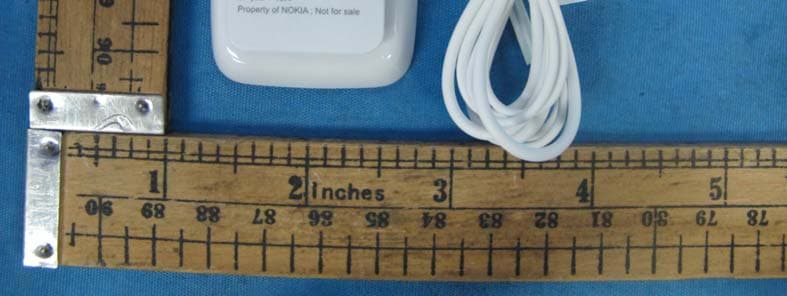
Click to zoom
Application Details
- Equipment Class
- DSS - Part 15 Spread Spectrum Transmitter
- Date of Grant
- Jun 21, 2011
- Application Purpose
- Original Equipment
- Date of Application
- Jun 21, 2011
- Equipment Note
- Bluetooth Stereo Headset
- Frequency Range
- 2402.00000000 - 2480.00000000
- Company
- Microsoft Corporation
- Country
- United States
Documents & Files
Document Text
Text extracted from the exhibit documents filed with the FCC. Open a document above to read the original.
Users Manual
Nokia Bluetooth Stereo HeadsetBH-111 9227195/1 CyanC y a n MagentaM a g e n t a YellowY e l l o w BlackB l a c k CyanC y a n MagentaM a g e n t a YellowY e l l o w BlackB l a c k IntroductionAbout your headsetWith the Nokia Bluetooth StereoHeadset BH-111, you can handlecalls hands-free and enjoy yourfavourite music on the go. Theheadset is easy to pair withcompatible devices, and you canswitch smoothly between musicand calls.The surface of this product is nickel-free. Warning: This product may contain small parts. Keep them outof the reach of small children. Parts of the product are magnetic.Metallic materials may be attractedto the product. Do not place creditcards or other magnetic storagemedia near the product, becauseinformation stored on them may beerased. Read this user guide carefully beforeusing the product. Also, read the userguide for the device that you connectto the product. For support, go towww.nokia.com/support.About BluetoothconnectivityYou can use Blueto oth to make a wireless connection to othercompatible devices, such asmobile devices.Devices do not need to be in directline-of-sight, but they must bewithin 10 metres (33 feet) of eachother. The co nnection may be affected by obstructions such aswalls or other electronic devices.This device is compliant withBluetooth Specification 2.1 + EDRsupporting the following profiles: ENGLISH CyanC y a n MagentaM a g e n t a YellowY e l l o w BlackB l a c k Headset Profile (HSP) 1.0, Hands-FreeProfile (HFP) 1.5, Advanced AudioDistribution Profile (A2DP) 1.2, andAudio Video Remote Control Profile (AVRCP) 1.0. Check with themanufacturers of other devices todetermine their compatibility withthis device. Get startedKeys and parts1 Charger connector 2 Volume knob and indicator light 3 Microphone 4 Rewind key 5 Multifunction key 6 Fast-forward key 7 Play/Pause key 8 Audio connector (3.5 mm) 9 Clip Charge the batteryBefore using the headset, youmust charge the battery. When you unplug a charger, holdand pull the plug, not the cord.1. Connect the charger to a wall outlet. 2. Connect the charger cable to the charger connector on theheadset. The red indicator lightturns green when the battery isfully charged. 3. Disconnect the charger from the headset, then from the walloutlet. The fully charged battery haspower for up to 7 hours of talktime, up to 6 hours of musicplaying time, or up to 120 hours ofstandby time. ENGLISH CyanC y a n MagentaM a g e n t a YellowY e l l o w BlackB l a c k When the battery charge is low,the headset beeps every 5minutes and the red indicatorlight flashes. When the battery ischarging, the red indicator light ison.Check the battery charge — With your headset connected toyour mobile device, press . A green light indicates a sufficientcharge level. If the light is yellow,you may need to recharge thebattery soon. If the light is red,recharge the battery. Switch the headset onPress and hold for 2 seconds. The headset beeps, and a greenindicator light flashes once. Theheadset automatically connectsto the last connected device. If youhave never paired your headsetwith a device, or you have cleared the pairings, pairing mode isactivated.Switch the headset off — Press and hold for 4 seconds. The headset beeps, and a red indicatorlight flashes once.If the headset is not connected to a device within 30 minutes, itswitches off. Pair and connect yourheadsetBefore using th e headset, you must pair and connect it with acompatible device.1. Make sure the headset is switched off. 2. Activate the Bluetooth feature on your compatible device. 3. Switch the headset on. If you have never paired your headsetwith a device, or you havecleared the pairings, pairing ENGLISH CyanC y a n MagentaM a g e n t a YellowY e l l o w BlackB l a c k mode is activatedautomatically. If you havepreviously paired your headsetwith a device, press and hold for 5 seconds. The green indicator light starts to flashquickly. 4. Within about 3 minutes, set your device to search forBluetooth devices. For details,see the user guide of thedevice. 5. On your device, select the headset from the list of founddevices. 6. If required, enter the passcode 0000 . In some devices, you may need tomake the connect ion separately after pairing.When the headset is paired andconnected, the green indicatorlight flashes slowly. If your mobile device supports theA2DP Bluetooth profile and has amusic player feature, you can alsouse your device to play musicthrough the headset. If yourmobile device does not supportthe A2DP profile, you canseparately pair the headset with amusic player that supports thisprofile. If you have paired andconnected the headset to yourmobile device, disconnect theheadset from it before pairing theheadset with the music player.You can pair the headset with upto 8 devices, but connect it to onlyone device supporting the HFPprofile and another devicesupporting the A2DP profile at atime.When you switch on your headset,it automatically connects to thelast used device. To manuallyconnect the head set to the last ENGLISH CyanC y a n MagentaM a g e n t a YellowY e l l o w BlackB l a c k used device, press and hold for 2 seconds. To manually connectthe headset to a device thatsupports the A2DP profile, press . Wear the headsetConnect the headphones to theaudio connector.The headset is provided withdifferent-sized rubber earpieces.Select the ones that fit you best. Make sure you insert the earpiecemarked with L into your left ear and the one marked with R into your right ear.You can attach th e headset to your clothing using the clip. Make and receive callsWhen making and receiving calls,hold the microphone close to yourmouth.Make a call — When the headset is connected to your compatible mobile device, make a callnormally using your mobiledevice. Answer or end a call — During a call, press . Decline a call — Press twice. Mute or unmute themicrophone — Press . You can redial the number you lastcalled or make a call using voicedialling, if your mobile device ENGLISH Cyan…
Text truncated - open the document above for the full version.
Cover Letter(s)
Nokia (China) Investment Co., Ltd B2, Nokia China Campus Beijing Economic and Tech Development Area, No.5 Donghuan Zhonglu Beijing, 100176 China PRC Tel. +861087118888 Fax +861087114550 Nov 25 , 2010 Federal Communications Commission Authorization & Evaluation Division, 7435 Oakland Mills Road, Columbia, MD. 21046 Attention: Equipment Authorization Branch This letter will authorize the appointment of Liu Chunbin act as our agent in all FCC matters for grantee code QTL. This appointment is effective until otherwise notified by us. Sincerely, Nokia (China) Investment Co., Ltd Wang Yan Product Certification Officer Beijing, PRC.
External Photos
External Photos:
External Photos
External Photos:
Internal Photos
Internal Photos:
Internal Photos
Internal Photos:
RF Exposure Info
INTERTEK TESTING SERVICES Radio Frequency Radiation Exposure, FCC Rule 15.247(i): The EUT is a Bluetooth Headset used in portable application, less than 20 cm from any body part of the user or near by persons. According to the DA 00-705 and KDB 447498, The power thresholds for source-based time-averaging conducted output power (in the worst-case duty cycle of DH5 of 8-DPSK modulation type) = 3.78*(T on/ (Ton+Toff)) mW < 3.78mW, since (Ton/ (Ton+Toff)) < 1 And SAR Low Threshold Level: 60/f (GHz) = 60/2.45 = 24.5 mW = 13.9 dBm Since 3.78mW dBm is well below the SAR low threshold level, so the EUT is considered to comply with SAR requirement without testing. FCC ID:QTLBH-111
Test Report
• The test results reported in this test report shall refer only to the sample actually tested and shall not refer or be deemed to refer to bulk from which such a sample may be said to have been obtained. • This report is for the exclusive use of Intertek's Client and is provided pursuant to the agreement between Intertek and its Client. Intertek's responsibility and liability are limited to the terms and conditions of the agreement. Intertek assumes no liability to any party, other than to the Client in accordance with the agreement, for any loss, expense or damage occasioned by the use of this report. Only the Client is authorized to copy or distribute this report. Any use of the Intertek name or one of its marks for the sale or advertisement of the tested material, product or service must first be approved in writing by Intertek. The observations and test results referenced from this report are relevant only to the sample tested. This report by itself does not imply that the material, product, or service is or has ever been under an Intertek certification program. • For Terms And Conditions of the services, it can be provided upon request. • The evaluation data of the report will be kept for 3 years from the date of issuance. TRF No.: FCC 15C_Txa FCC ID: QTLBH-111 Intertek Testing Services Shenzhen Ltd. Kejiyuan Branch 6F, D Block, Huahan Building, Langshan Road, Nanshan District, Shenzhen, P. R. China Tel: (86 755) 8601 6288 Fax: (86 755) 8601 6751 Website: www.china.intertek-etlsemko.com Nokia (China) Investment Co., Ltd Application For Certification (FCC ID:QTLBH-111) Bluetooth Stereo Headset Model: BH-111 (HW: 4.0, SW: 4.0, MV: 4.0) 2.4GHz Transceiver Note: This report supersedes the previous report with report No. SZ11050210-1R1 dated 10 Jun, 2011. SZ11050210-1R2 Billy Li 13 Jun, 2011 INTERTEK TESTING SERVICES TRF No.: FCC 15C_TXa FCC ID: QTLBH-111 i LIST OF EXHIBITS INTRODUCTION EXHIBIT 1: General Description EXHIBIT 2: System Test Configuration EXHIBIT 3: Emission Results EXHIBIT 4: Equipment Photographs EXHIBIT 5: Product Labelling EXHIBIT 6: Technical Specifications EXHIBIT 7: Instruction Manual EXHIBIT 8: Miscellaneous Information EXHIBIT 9: Test Equipment List INTERTEK TESTING SERVICES TRF No.: FCC 15C_TXa FCC ID: QTLBH-111 ii MEASUREMENT/TECHNICAL REPORT Nokia (China) Investment Co., Ltd MODEL: BH-111 (HW: 4.0, SW: 4.0, MV: 4.0) FCC ID: QTLBH-111 12 Jun, 2011 This report concerns (check one:) Original Grant X Class II Change Equipment Type: DSS - Part 15 Spread Spectrum Transmitter Deferred grant requested per 47 CFR 0.457(d)(1)(ii)? Yes No X If yes, defer until: date Company Name agrees to notify the Commission by: date of the intended date of announcement of the product so that the grant can be issued on that date. Transition Rules Request per 15.37? Yes No X If no, assumed Part 15, Subpart C for intentional radiator − the new 47 CFR [10-1-10 Edition] provision. Report prepared by: Shawn Xing Intertek Testing Services Shenzhen Ltd. Kejiyuan Branch 6F, Block D, Huahan Building, Langshan Road, Nanshan District, Shenzhen, P. R. China Phone: (86 755) 8601 6288 Fax: (86 755) 8601 6751 INTERTEK TESTING SERVICES TRF No.: FCC 15C_TXa FCC ID: QTLBH-111 iii Table of Contents 1.0 General Description............................................................................................ 2 1.1 Product Description ............................................................................................ 2 1.2 Test Methodology............................................................................................... 2 1.3 Test Facility........................................................................................................ 2 2.0 System Test Configuration ................................................................................. 4 2.1 Justification ........................................................................................................ 4 2.2 EUT Exercising Software.................................................................................... 4 2.3 Special Accessories ........................................................................................... 4 2.4 Equipment Modification ...................................................................................... 4 2.5 Measurement Uncertainty .................................................................................. 5 2.6 Support Equipment List and Description ............................................................. 5 3.0 Test Results ......................................................................................................... 7 3.1 Radiated Test Result .......................................................................................... 8 3.1.1 Field Strength Calculation................................................................................ 8 3.1.2 Radiated Emission Configuration Photograph .................................................. 9 3.1.3 Radiated Emissions......................................................................................... 9 3.1.4 Transimitter Spurious Emissions (Radiated) .................................................. 11 3.1.5 Receiver Spurious Emissions (Radiated) ....................................................... 15 3.2 Conducted Emissions at Mains Termial ............................................................ 17 3.2.1 Conducted Emissions Configuration Photograph ........................................... 17 3.2.2 Conducted Emissions .................................................................................. 17 3.3 Peak Power...................................................................................................... 22 3.4 20dB Bandwidth............................................................................................... 28 3.5 Channel Number (Number of Hopping Frequencies) ........................................ 30 3.6 Channel Separation (Carrier Frequency S…
Text truncated - open the document above for the full version.
Test Report
• The test results reported in this test report shall refer only to the sample actually tested and shall not refer or be deemed to refer to bulk from which such a sample may be said to have been obtained. • This report is for the exclusive use of Intertek's Client and is provided pursuant to the agreement between Intertek and its Client. Intertek's responsibility and liability are limited to the terms and conditions of the agreement. Intertek assumes no liability to any party, other than to the Client in accordance with the agreement, for any loss, expense or damage occasioned by the use of this report. Only the Client is authorized to copy or distribute this report. Any use of the Intertek name or one of its marks for the sale or advertisement of the tested material, product or service must first be approved in writing by Intertek. The observations and test results referenced from this report are relevant only to the sample tested. This report by itself does not imply that the material, product, or service is or has ever been under an Intertek certification program. • For Terms And Conditions of the services, it can be provided upon request. • The evaluation data of the report will be kept for 3 years from the date of issuance. TRF No.: FCC 15C_TXa FCC ID: QTLBH-111 Intertek Testing Services Shenzhen Ltd. Kejiyuan Branch 6F, D Block, Huahan Building, Langshan Road, Nanshan District, Shenzhen, P. R. China Tel: (86 755) 8601 6288 Fax: (86 755) 8601 6751 Website: www.china.intertek-etlsemko.com Nokia (China) Investment Co., Ltd. Application For Certification (FCC ID: QTLBH-111) Bluetooth Stereo Headset Model: BH-111 (HW: 4.1, SW: 4.0, MV: 4.0) 2.4GHz Transceiver Note: 1. This report supersedes the previous report with report No. SZ11050210-2R1 dated 10 Jun, 2011. 2. Partial items are based on the previous report with report No. SZ11050210- 1R2 dated 13 Jun, 2011. SZ11050210-2R2 Billy Li 13 Jun, 2011 INTERTEK TESTING SERVICES TRF No.: FCC 15C_Txa FCC ID: QTLBH-111 i LIST OF EXHIBITS INTRODUCTION EXHIBIT 1: General Description EXHIBIT 2: System Test Configuration EXHIBIT 3: Emission Results EXHIBIT 4: Equipment Photographs EXHIBIT 5: Product Labelling EXHIBIT 6: Technical Specifications EXHIBIT 7: Instruction Manual EXHIBIT 8: Miscellaneous Information EXHIBIT 9: Test Equipment List INTERTEK TESTING SERVICES TRF No.: FCC 15C_Txa FCC ID: QTLBH-111 ii MEASUREMENT/TECHNICAL REPORT Nokia (China) Investment Co., Ltd MODEL: BH-111 (HW: 4.1, SW: 4.0, MV: 4.0) FCC ID: QTLBH-111 12 Jun, 2011 This report concerns (check one:) Original Grant X Class II Change Equipment Type: DSS - Part 15 Spread Spectrum Transmitter Deferred grant requested per 47 CFR 0.457(d)(1)(ii)? Yes No X If yes, defer until: date Company Name agrees to notify the Commission by: date of the intended date of announcement of the product so that the grant can be issued on that date. Transition Rules Request per 15.37? Yes No X If no, assumed Part 15, Subpart C for intentional radiator − the new 47 CFR [10-1-10 Edition] provision. Report prepared by: Shawn Xing Intertek Testing Services Shenzhen Ltd. Kejiyuan Branch 6F, Block D, Huahan Building, Langshan Road, Nanshan District, Shenzhen, P. R. China Phone: (86 755) 8601 6288 Fax: (86 755) 8601 6751 INTERTEK TESTING SERVICES TRF No.: FCC 15C_Txa FCC ID: QTLBH-111 iii Table of Contents 1.0 General Description............................................................................................ 2 1.1 Product Description ............................................................................................ 2 1.2 Test Methodology............................................................................................... 2 1.3 Test Facility........................................................................................................ 2 2.0 System Test Configuration ................................................................................. 4 2.1 Justification ........................................................................................................ 4 2.2 EUT Exercising Software.................................................................................... 4 2.3 Special Accessories ........................................................................................... 4 2.4 Equipment Modification ...................................................................................... 4 2.5 Measurement Uncertainty .................................................................................. 5 2.6 Support Equipment List and Description ............................................................. 5 3.0 Test Results ......................................................................................................... 7 3.1 Radiated Test Result .......................................................................................... 8 3.1.1 Field Strength Calculation................................................................................ 8 3.1.2 Radiated Emission Configuration Photograph .................................................. 9 3.1.3 Radiated Emissions......................................................................................... 9 3.1.4 Transimitter Spurious Emissions (Radiated) .................................................. 11 3.1.5 Receiver Spurious Emissions (Radiated) ....................................................... 15 3.2 Conducted Emissions at Mains Termial ............................................................ 17 3.2.1 Conducted Emissions Configuration Photograph ........................................... 17 3.2.2 Conducted Emissions .................................................................................. 17 3.3 Peak Power...................................................................................................... 22 3.4 20dB Bandwidth............................................................................................... 28 3.5 Channel Number (Number of H…
Text truncated - open the document above for the full version.
Test Setup Photos
Conducted Photos
Test Setup Photos
Conducted Photos:
Test Setup Photos
Radiated Photos
Contact Information
Applicant
Hasnain Syed(Director, EMC, SI and RF Compliance)
Technical Contact
Intertek Testing Services Shenzhen Ltd KejiyuanShawn Xing
[email protected]8675586140603
6F, D Block, Huahan Building, Langshan Road · Shenzhen · China
Non-Technical Contact
Intertek Testing Services Shenzhen Ltd KejiyuanShawn Xing
[email protected]8675586140603
Test Firm
Intertek Testing Services Shenzhen Ltd.Shawn Xing
Technical Specifications
| # | Rule Parts | Frequency Range | Power Output |
|---|---|---|---|
| 1 | 15C | 2.40 GHz - 2.48 GHz | 3.80 mW |
Other Applications from Microsoft Corporation
QTLRM-1041
Nov 03, 2014GSM/WCDMA/LTE/CDMA Cellular Device with BT, BTLE, WLAN, NFC
Equipment Class
PCE - PCS Licensed Transmitter held to ear
QTLRM-1078
Sep 24, 2014GSM/WCDMA/LTE/CDMA cellular device w/BT, BTLE, WLAN
Equipment Class
JBP - Part 15 Class B Computing Device Peripheral
QTLRM-1039
Sep 10, 2014GSM/WCDMA/LTE cellular device w/BT, BTLE, WLAN and NFC
Equipment Class
JBP - Part 15 Class B Computing Device Peripheral
QTLRM-1040
Aug 25, 2014GSM/WCDMA cellular device w/BT, BTLE, WLAN, NFC
Equipment Class
PCB - PCS Licensed Transmitter
QTLRM-1038
Aug 14, 2014GSM/WCDMA cellular device w/BT, BTLE, WLAN, NFC
Equipment Class
PCE - PCS Licensed Transmitter held to ear