QW3-BTFD01CBLUETOOTH FLASH DISK
Formosa Teletek Corporation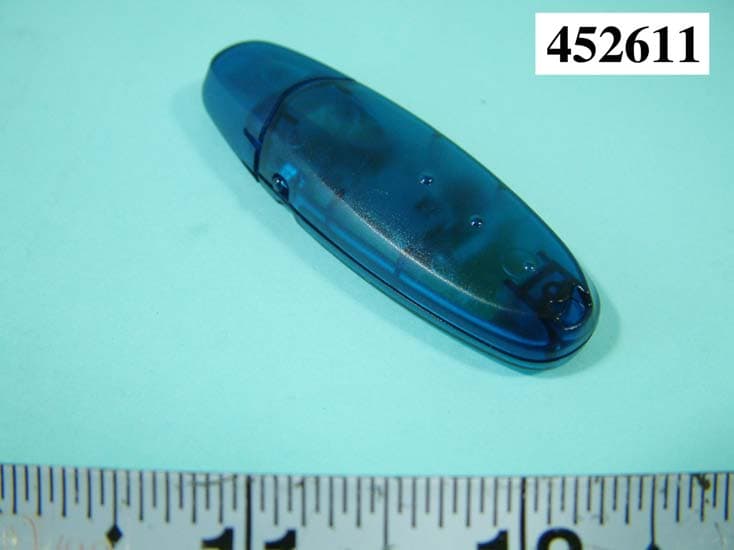
Click to zoom
Application Details
- Equipment Class
- DTS - Digital Transmission System
- Date of Grant
- Jun 10, 2004
- Application Purpose
- Original Equipment
- Date of Application
- Jun 10, 2004
- Equipment Note
- BLUETOOTH FLASH DISK
- Frequency Range
- 2402.00000000 - 2480.00000000
- Company
- Formosa Teletek Corporation
- Country
- Taiwan
Documents & Files
Document Text
Text extracted from the exhibit documents filed with the FCC. Open a document above to read the original.
Users Manual
a. English ................................................................................................................... 2 b. French.................................................................................................................... 7 c. German................................................................................................................ 12 d. Italian ................................................................................................................... 18 e. Japanese............................................................................................................ 23 f. Spain....................................................................................................................... 28 g. Simplified Chinese.................................................................................... 33 h. Traditional Chinese ................................................................................. 38 USER GUIDE FEDERAL COMMUNICATIONS COMMISSION This device complies with Part 15 of the FCC Rules. Operation is subject to the following two conditions:(1) this device may not cause harmful interference, and (2) this device must accept any interference received, including interference that may cause undesired operation. NOTE This equipment has been tested and found to comply with the limits for a Class B digital device, pursuant to Part 15 of the FCC Rules. These limits are designed to provide reasonable protection against harmful interference in a residential installation. This equipment generates, uses and can radiated radio frequency energy and, if not installed and used in accordance with the instructions, may cause harmful interference to radio communications. However, there is no guarantee that interference will not occur in a particular installation If this equipment does cause harmful interference to radio or television reception, which can be determined by turning the equipment off and on, the user is encouraged to try to correct the interference by one or more of the following measures: -Reorient or relocate the receiving antenna. -Increase the separation between the equipment and receiver. -Connect the equipment into an outlet on a circuit different from that to which the receiver is connected. -Consult the dealer or an experienced radio/TV technician for help. Changes or modifications not expressly approved by the party responsible for compliance could void the user‘s authority to operate the equipment. NOTE To comply with FCC RF exposure requirement, this device and its antenna must not be co-located or operating in the conjunction with any other antenna or transmitter. This equipment complies with FCC radiation exposure limits set firth for an uncontrolled environment. The Bluetooth word mark and logos are owned by the Bluetooth SIG, Inc.. Other trademarks and trade names are those of their respective owners. a. English 1.Bluetooth software installation and basic operations USB Adapter Installation 1. Windows Bluetooth Software Installation NOTE: Please install the USB Bluetooth software before inserting the USB adapter! • Place the installation CD-ROM into the pc, the setup should start automatically. If the setup does not start please go to Windows Explorer, locate the CD-ROM and run ‘autorun.exe’. • Choose ‘Install Drivers and Application Software’. • The InstallShield Wizard will start. • On the Welcome screen click Next to continue. • Read the License Agreement and select ‘I accept the terms in the license agreement’. Click Next. • Click Next to accept the default destination folder, click Change to browse to a new destination folder for the Bluetooth software. • Click Install to begin the installation of the bluetooth software. • For Windows 2000/XP users, a "Driver Signature Notice" window appears, please click the "OK" button. • For Windows 98 users, a window appears which asks you to insert the Windows 98 CD-Rom. Insert the original Windows 98 CD Rom and click “OK”. • The "Bluetooth device not found" window appears. Insert the USB Bluetooth adapter in the USB port. Click "OK". • Click Finish to complete the bluetooth software installation. • Click ‘Yes’ to restart the computer and complete the installation. • Click start/(settings)/controlpanel/system/devicemanager. Check under 'Universal Serial Bus controllers' that a 'USB Bluetooth Device' is installed. • If the information is not present please unplug the adapter, now plug in the adapter to initiate the driver. Part of Flash Disk 1、Win Me/2000/XP Automatic Setup Procedure 1-1 Plug Bluetooth Flash Disk into USB Port, Setup Management will automate install right driver. After setup, the Flash Disk can be used normally. 2、Win98 Setup Procedure 2-1 To find E:/FLASH Driver/ UStorageWin98Driver2.0.exe in the CD and execute it. (or from the auto-run option, please click “FLASH DRIVER (WIN98)” button to execute it.) 2-2 When Setup complete, you have to re-started your computer, then you could get the right driver to use it for the flash disk. b. French 1.Installation du logiciel Bluetooth et opérations de base Installation de l’Adaptateur USB 1. Installation du Logiciel Windows Bluetooth REMARQUE: Veuillez installer le logiciel Bluetooth USB avant de connecter l’adaptateur USB! • Placez le CD-ROM d’installation dans le PC, l’installation devrait démarrer automatiquement. Si l’installation ne démarre pas, avec l’Explorateur de Windows parcourez le CD-ROM et lancez "autorun.exe". • Choisissez "Install Drivers and Application Software". • L’Assistant d’Installation va démarrer. • Sur l’écran, cliquez sur "Suivant" pour continuer. • Lisez le Contrat de Licence et sélectionnez "J'accepte les termes de ce contrat de licence". Cliquez sur "Suivant". • Cliquez sur "Suivant" pour accepter le dossier de destination par défaut, ou cliquez sur "Modifier..." pour aller à un nouveau dossier de destination pour le logiciel Bluetooth. • Cliquez sur "Installer" pour lancer l…
Text truncated - open the document above for the full version.
External Photos
APPENDIX A. Photographs of EUT
ID Label/Location Info
FCC ID: QW3-BTFD01C Label Location
Internal Photos
REPORT NO. : F452611 SPORTON International Inc. PAGE NUMBER : A1 OF A1 TEL : 886-2-2696-2468 ISSUED DATE : Jun. 08, 2004 FAX : 886-2-2696-2255 REPORT NO. : F452611 SPORTON International Inc. PAGE NUMBER : A2 OF A2 TEL : 886-2-2696-2468 ISSUED DATE : Jun. 08, 2004 FAX : 886-2-2696-2255
Operational Description
Description of Operation Principle This device is connected to PC or other host devices through a USB hub device connecting to the USB connector on one side, and propagates microwave signals from the antenna on the other side. The microwave signals in the air are received by the antenna of the receiver, through Tx/Rx switch which is controlled by the transceiver, then mixed with the 12MHz signals generated by the crystal, and down convert to frequency of base-band. The signals from the transceiver finally transfer to USB signals through base-band controller and exchange data with PC or other host devices. Furthermore, the USB hub device on the FB-FD01C also controls access of the flash memory. The flash disk controller device use one port of the USB hub device of FB-FD01C and is used to perform the directive from PC or other USB host devices to access the data in the flash memory. utilize a 6 MHz crystal input. Connect the crystal as shown in Figure 6. An internal PLL then generates the 48 MHz clock used to sample data from the upstream port and to synchronize the 12 MHz used for the USB clock. USB移動存儲盤的基本工作原理及基本組成部分: 比起主板、顯卡的做工來講,USB移動存儲盤要簡單的多,PCB底板也相 對小的多了。而與板卡類産品不同的是,整個工作過程完全是通過唯一的USB 埠實現的。 USB是現在比較通用的串列匯流排,也是一種連接外設的機外匯流排,現 在在手機、計算器等各種通訊及資訊處理設備經常可以看到。 USB移動存儲盤的結構基本上由四部分組成:USB埠、主控晶片、FLASH (也稱快閃記憶體)、PCB底板。因而,USB移動存儲盤的基本工作原理也比較 容易理解 :1、USB埠負責資料登錄或輸出;2、主控晶片負責主管和下達各項動作指 令;3、FLASH與電腦中的硬碟、記憶體條使用原理相同,用來保存資料,但斷電後資 料不會丟失;4、PCB底板則負責提供相應處理資料平臺。 無論使用者下達的什麽樣 的動作指令,USB移動存儲盤所有的工作都包含了這四個硬體處理過程。所以說USB 移動存儲盤的工作原理理解起來比較簡單,但 製作難度不高的産品爲何在市場價格 上有那樣大的差距呢? 晶片與FLASH: 主控晶片與FLASH的成本在USB移動快閃記憶體盤元件中的比重是最大 的,高達90%以上,所以我們購買時一定要在這個地方清楚: 1. 晶片部分 現在專業的控制晶片廠商比較多,有3S、CYPRESS、OTI、PROLIFIC、ST 等 其中OTI、PROLIFIC、3S爲主晶片的産品在大陸市場比較常見。 1.在OTI晶片當中,目前最常見的晶片版本是OTI006808,這是OTI的第二 代晶片,相對於第一代的OTI006803版本來說,修正了晶片方案本身的一些 Bug,避免了6803會偶然丟失資料的莫名其妙的現象發生,所以快閃記憶體控 制晶片也有好壞優劣之分,我們選購閃盤前一定要問清商家,認准最新的控制晶 片。目前大多數品牌如朗科,魯文,藍電等都在採用OTI第二代的方案。産品使 用的穩定性也是最好。口碑不錯。 2.PROLIFIC是一家專門設計電腦,通信和消費類産品上的專用資料通訊晶 片公司,其用方案。目前的産品名稱是PL2315。 3.SSS的控制晶片,這是一款基於USB1.1 UHCI/OHCI介面規格具備自啓功 能的晶片,理論傳輸速率寫入600KB,讀出920KB,支援USB FDD/HDD/ZIP 開機模式,目前的産品名稱是3s6633B1和3s6633B2. 上述三種控制晶片,現在的美金交易價分別爲:OTI晶片2、0美元;3S晶 片1、3美元;PROLIFIC(PL)晶片1、5美元;在這當中,OTI晶片的價位最 高,性能也是最穩定的做的比較成熟的品牌大多都是採用OTI006808版本的晶 片。 2. FLASH部分 韓國三星原廠FLASH是目前最穩定的産品。除去晶片的用料價格因素以 外,FLASH也是USB移動快閃記憶體盤的關鍵,很多相同晶片産品的市場價格 差異都是由FLASH用料不同造成的。目前FLASH的主要生産廠家有Sumsung、 Toshiba等少數幾家有能力大規模生産。幾者當中,三星的Flash存儲晶片壞位元 組是最低的,質量當然是最好的。 三星原廠FLASH的編號和存儲容量的標準如下: SAMSUNG K9F2808XXX 16MB/PCS SAMSUNG K9F5608XXX 32MB/PCS SAMSUNG K9F1208XXX 64MB/PCS SAMSUNG K9K1G08XXX 128MB/PCS 建議大家選擇單顆FLASH的産品,這樣可以增強産品的穩定性。存儲資料 時不容易出錯,例如一個容量爲128MUSB移動快閃記憶體盤,可以由兩顆 64MFLASH組成,也可以由四顆32M的FLASH組成,但性能上會有所較大差別。 主控晶片中的第27-30引腳專門負責對FLASH的控制.最多可控制四片FLASH, 但採用單獨一顆FLASH的方案主控晶片對FLASH的控制能力最強,傳輸速度 最快也最穩定。 大家知道電腦上記憶體條用一條128M的比用兩條64M的肯定 要穩定。而且用多顆FLASH加工出來的USB移動快閃記憶體盤體積都比較大 而笨重也不符合目前對U盤越來越精巧的要求,這點從外形上就可以直接看出 來,體積大的FLASH可能用的是多顆組合的方案. PCB底板及電容: PCB底板的線路設計和元器件的焊接工藝也對整個産品性能有較大影響。好 的PCB底板的線路設計除了協助主控晶片處理大堆的資料通道,還對各種雜波起 著“濾化“作用。這對延長主控晶片與FLASH的使用壽命有一定幫助的。 由於USB移動快閃記憶體盤的PCB底板面積很小,它所容納的電容不可能 象主板顯卡上的電容那樣大、那樣多,所以在電容的焊接工作上就需要比較仔 細。正規廠家都是採用貼片機進行機器焊接,小廠出來的則是工人手工焊接的, 元件貼的很不規整。從這裏也可看出,廠商的做工精良與否也就決定了産品的穩 定程度。 U盤的封裝形式:目前市場上的U盤外殼有兩種封裝形式,一種是用螺絲固定, 外觀上有螺絲孔影響美觀.而且密封程度也不好.另一種是一些大廠直接用超生波 機利用超生波技術封死,,密封程度最高.且對工廠的工藝要求很高.一台超生波機 要幾十萬,一般的小廠工藝上無法達到.用超生波機封裝出來的U盤使用壽命長.
RF Exposure Info
FCC ID: QW3-BTFD01C Formosa Teletek Corporation RF Exposure Statement This product is a wireless USB adapter, which has to be classified as portable end product. The maximum output power of this EUT is lower than 1dBm, so no SAR test report is required. Instead, an MPE calculation is attached in the test report as reference.
Test Report
FCC ID:QW3-BTFD01C Issued on Jun. 08, 2004 Report No.: F452611 SPORTON International Inc. TEL : 886-2-2696-2468 FAX : 886-2-2696-2255 FCC TEST REPORT CATEGORY: Portable End Product PRODUCT NAME: Bluetooth Flash Disk FCC ID.: QW3-BTFD01C FILING TYPE: Certification MODEL NAME: FB-FD01C APPLICANT: Formosa Teletek Corporation 358, Hwaya 2 nd Rd., Gueishan Shiang, Taoyuan, Taiwan MANUFACTURER: The same as Applicant. ISSUED BY: SPORTON INTERNATIONAL INC. 6F, No. 106, Sec. 1, Hsin Tai Wu Rd., His Chih, Taipei Hsien, Taiwan, R.O.C. Statements: The test result in this report refers exclusively to the presented test model / sample. Without written approval of SPORTON International Inc., the test report shall not be reproduced except in full. Certificate or Test Report could not be used by the applicant to claim the product endorsement by CNLA, NVLAP or any agency of U.S. government. The test equipment used to perform the test are calibrated and traceable to NML/ROC or NIST/USA. Dr. Alan Lane Vice General Manager Sporton International Inc. Lab Code: 200079-0 FCC ID:QW3-BTFD01C Issued on Jun. 08, 2004 Report No.: F452611 SPORTON International Inc. FCC ID. : QW3-BTFD01C RTEL : 886-2-2696-2468 Page No. : i FAX : 886-2-2696-2255 Issued Date : Jun. 08, 2004 Table of Contents History of this test report....................................................................................................................................ii 1. General Description of Equipment under Test.............................................................................................1 1.1. Applicant..........................................................................................................................................................................................1 1.2. Manufacturer ...................................................................................................................................................................................1 1.3. Basic Description of Equipment under Test ....................................................................................................................................1 1.4. Technical Features..........................................................................................................................................................................1 1.5. Table for Carrier Frequencies .........................................................................................................................................................2 2. Test Configuration of the Equipment under Test.........................................................................................3 2.1. Description of the Test ....................................................................................................................................................................3 2.2. Frequency Range Investigated .......................................................................................................................................................3 2.3. Details of the Supporting Units........................................................................................................................................................4 2.4. Connection Diagram of Test System ..............................................................................................................................................4 2.5. Test Software ..................................................................................................................................................................................5 3. Test Location and Standards .........................................................................................................................6 3.1. Test Location...................................................................................................................................................................................6 3.2. Test Conditions ...............................................................................................................................................................................6 3.3. Test Standards ................................................................................................................................................................................6 3.4. DoC Statement................................................................................................................................................................................6 4. Test Result and Details ...................................................................................................................................7 4.1. Summary of the Test Results ..........................................................................................................................................................7 5. Test Result .......................................................................................................................................................8 5.1. Test of Hopping Channel Bandwidth...............................................................................................................................................8 5.2. Test of Number of Hopping Frequency .........................................................................................................................................11 5.3. Test of Hopping Channel Separation ............................................................................................................................................13 5.4. Test of Dwell Time of Each Frequency .........................................................................................................................................16 5.5. Test of Maximum Peak Output Power ..............................................................................................................................…
Text truncated - open the document above for the full version.
Test Setup Photos
1.1.1. Photographs of Conducted Emission Test Configuration The photographs show the configuration that generates the maximum emission. 1.1.2. Photographs of Radiated Emission Test Configuration The photographs show the configuration that generates the maximum emission.
Contact Information
Applicant
Kevin Wang(Vice President)
Test Firm
SPORTON International IncKathy Lin
Technical Specifications
| # | Rule Parts | Frequency Range | Power Output |
|---|---|---|---|
| 1 | 15C | 2.40 GHz - 2.48 GHz | 922.60 µW |
Other Applications from Formosa Teletek Corporation
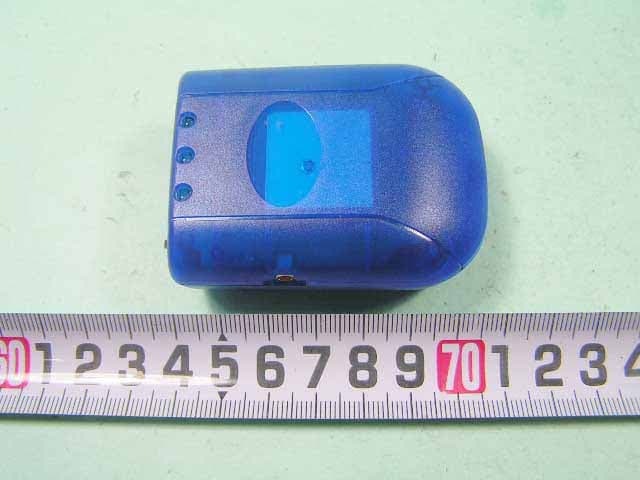
QW3-BTGPS02
Oct 27, 2005Bluetooth GPS Receiver
Equipment Class
DSS - Part 15 Spread Spectrum Transmitter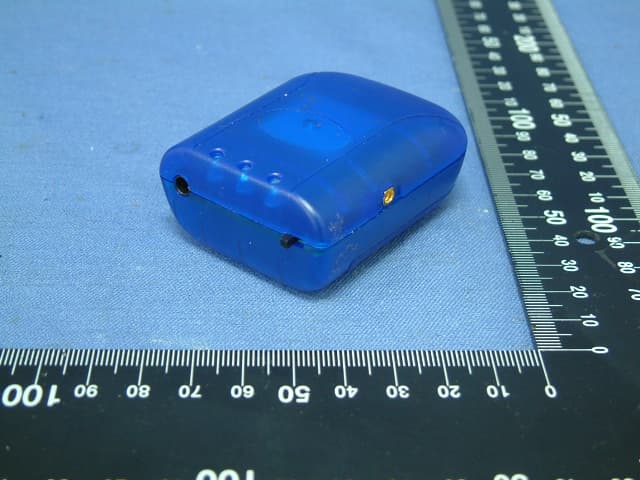
QW3-BTGPS01
Jul 12, 2005Bluetooth GPS Receiver
Equipment Class
DSS - Part 15 Spread Spectrum Transmitter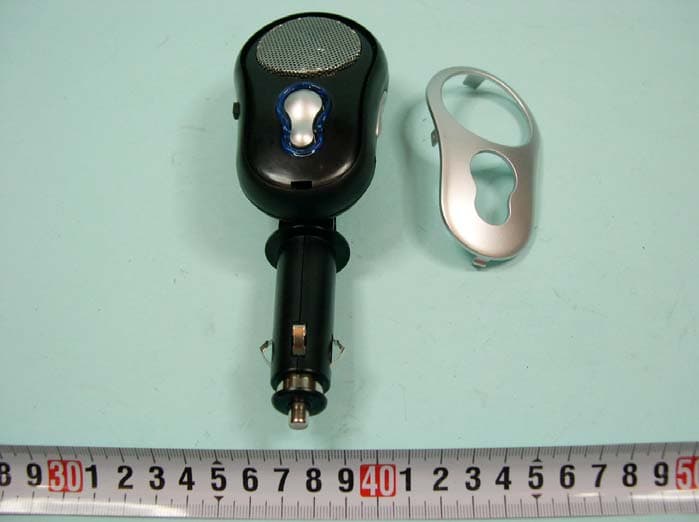
QW3-BTHCB01
Jun 02, 2005Bluetooth Car Kit
Equipment Class
DSS - Part 15 Spread Spectrum Transmitter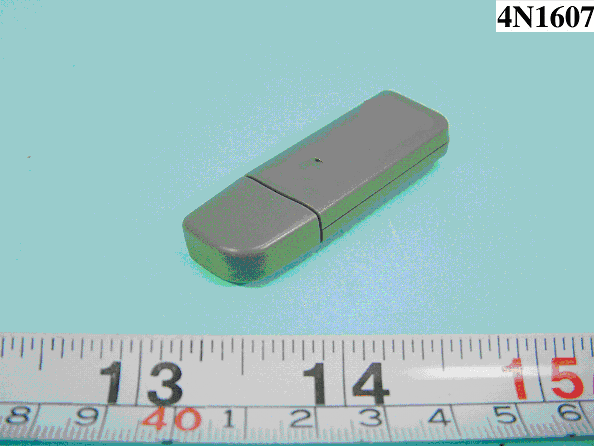
QW3-BTBA02B
Dec 09, 2004BLUETOOTH USB ADAPTER
Equipment Class
DSS - Part 15 Spread Spectrum Transmitter
QW3-BTBA02
Nov 30, 2004BLUETOOTH USB ADAPTER
Equipment Class
DSS - Part 15 Spread Spectrum Transmitter