QW3-BTHSB01BLUETOOTH HEADSET
Formosa Teletek Corporation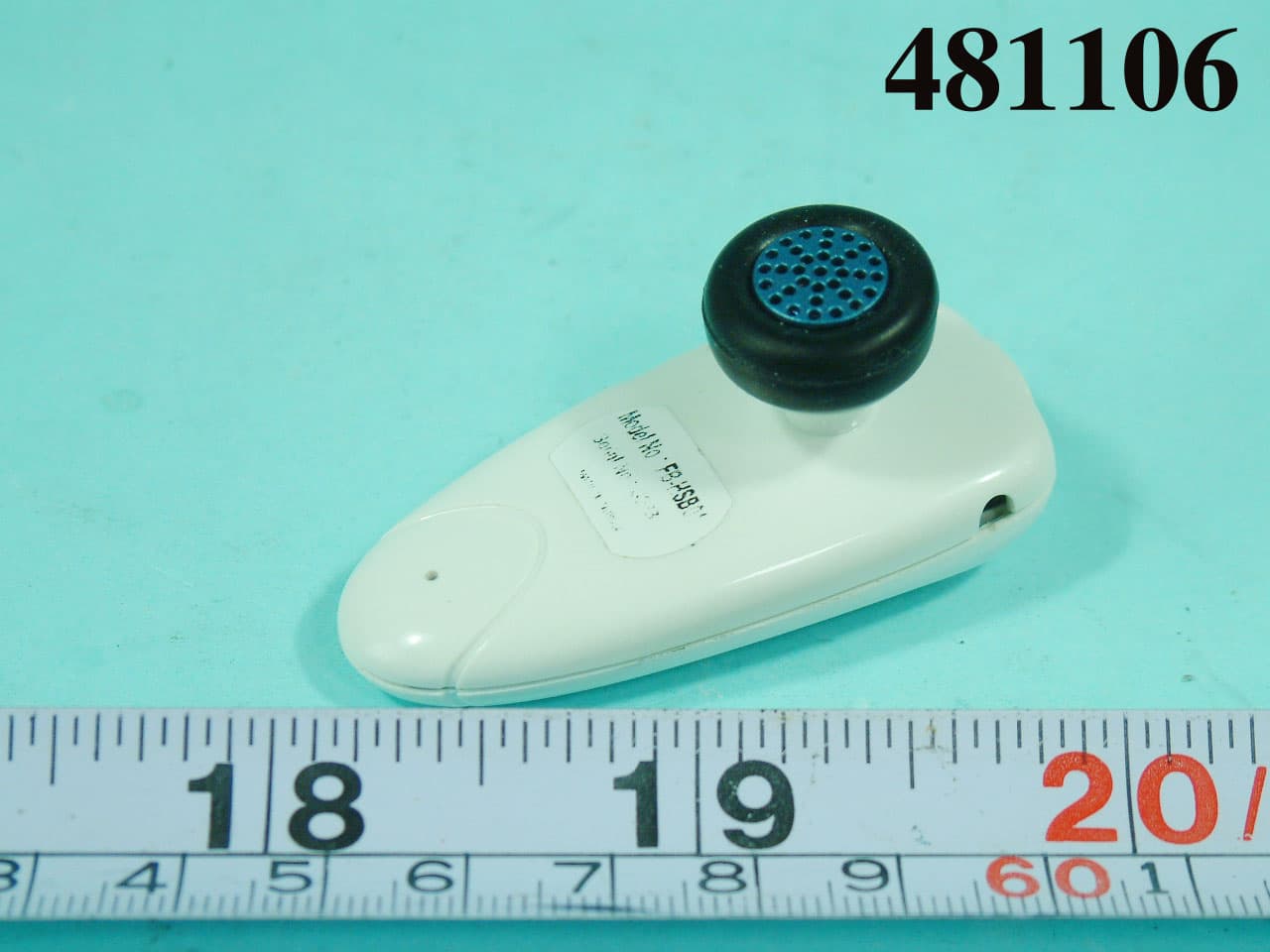
Click to zoom
Application Details
- Equipment Class
- DSS - Part 15 Spread Spectrum Transmitter
- Date of Grant
- Aug 29, 2004
- Application Purpose
- Original Equipment
- Date of Application
- Aug 29, 2004
- Equipment Note
- BLUETOOTH HEADSET
- Frequency Range
- 2402.00000000 - 2480.00000000
- Company
- Formosa Teletek Corporation
- Country
- Taiwan
Documents & Files
Document Text
Text extracted from the exhibit documents filed with the FCC. Open a document above to read the original.
Users Manual
Bluetooth Headset Bluetooth your safety Rev. 1.1 (2004/7/29) Introduction This Wireless headset is base on Bluetooth technology, connects to a compatible phone without wires. It is easily converting your mobile phone communication to the headset. This headset integrated CSR BC02 and LTCC technology, providing fast and reliable voice transmission. Note: This Bluetooth headset just supports “call receiving” function, if Bluetooth phone only has headset profile, without hands-free profile. It doesn’t support a Bluetooth phone without headset and hands-free profile, such as Nokia 7650. The following page of this user manual focus on how to use this product Volume up Volume down Main button LED Microphone Charger connector Getting started Charging the battery The headset has a rechargeable Lithium Polymer battery. You have 2 ways to charge the battery: 1. Charging by the AC charger a、 Connect the charger cable to the charger connector on headset b、 Connect the charger to an AC wall outlet. The red LED is on, during charge mode. It takes around 3.5 hours to fully charge the battery. The red LED is off when the battery is full. 2. Charging by USB on the PC or notebook a、 Connect the USB cable to the charger connector on the headset. b、 Connect the other end of USB cable to the USB port on the PC or notebook c、 The RED LED is on when the headset is charged. It takes about 3.5 hours to fully charge the battery. The red LED is off when the battery is full. With battery fully charged, the talk time will be 4.5 hours, and the stand-by time will be about 100 hours. Battery Low When the battery is low, the RED flashes, the headset will produce a warning sound. Switch ON/OFF 1. Switch ON: in off mode, press and hold the main button for 3~5 seconds to switch on. The headset produces 2 beeps, (low-high). The blue LED flashes 5 times. 2. Standby mode: Headset switch to standby mode from link mode automatically, to save the power. The blue LED flashes once in each 3 seconds. 3. Switch OFF: in standby mode, press and hold the main button about 3~4 seconds until the red LED flashes 5 times. The blue LED is off and the headset is off, too. Pairing You pair the headset with the phone by adding it to the pairing list in the phone. The two devices then recognize each other when they connect. 1. When the headset is off, press and hold the main button for 5 to 6 seconds until the blue/red LED fast flashes. 2. Prepare your phone for turning on Bluetooth function, searching new device, according to the phone user’s guide. Make sure the product is within 5m of the phone. 3. “Auto Blue” appears in the pairing list on your phone. Selects it. Key-in the password “1234”. 4. The headset goes into link mode after pairing. The blue LED flashes 4 times in each 3 seconds. When pairing is successful, the red indicator will turn off and the blue indicator will flash. If no pairing is possible for a period of time (approx. two minutes), the headset will automatically power off, and so the previous pairing(if any) is revoked. You may need to repeat steps 1 to 4 until the pairing is successful. Note: You only pair the headset with your mobile phone at the first time. You don’t have to redo the pairing process until you want to use it with another mobile phone. Calls Answer a coming call 1. When you receive a call, headset rings, and the blue LED fast flashes 4 times in each 3 seconds. 2. Press the main button to answer the call. 3. If you answer the coming call by your phone, the voice remains on the phone. According to the phone user guide to transfer the voice to the headset. Terminate a call Press the main button during the talking mode to terminate the call. Making a call When the headset is connected to your phone, make a call by using your phone in the normal way. Making a voice dialing If your phone supports voice dialing, and it is activated, you can use this feature with this headset 1. Refer to the phone user guide to enable the voice commands on your phone; 2. On standby mode, press the main button. Wait for the tone that indicates you can say the name as you recorded on your phone. Redialing the last dialing number In the standby mode, long press the volume up or volume down button to redial the last call. Adjusting the Volume 1. To increase the volume, press the volume up button in talking mode. 2. To decrease the volume, press the volume down button in talking mode. Reject a coming call 1. When you receive a call, headset rings, and the blue LED fast flashes 3 times in each 3 seconds. 2. Long press the main button to reject the call. Transfer a call You can transfer a current call directly to your phone. Press for 3 to 4 seconds the main button during the call. ** No all the Bluetooth phones support this feature. If it is the case with your phone, pressing the main button may end the call and not transfer it to the phone. Connect with a PC or PDA You are allowed to connect the Headset with a Bluetooth enabled PC or PDA that is with Audio Gateway Profile supported. Please refer to the user manual of your Bluetooth enabled PC or PDA for a setup information. Important Information Trouble shooting 1. No indication of charging is shown. If the Headset battery that is empty or has not been used for a long time, it may take a couple minutes for the Headset indicator to show charging status with a steady red light. 2. If you cannot connect the Headset to your phone. - Make sure that the Headset is switched on and paired with your phone. - Make sure that Bluetooth feature is activated on your phone. - Check that the Headset is within a maximum of 10 meters of your phone and that there are no obstructions, such as walls, or other electronic devices between the Headset and the phone. - The pairing information list of the Headset may be full. The Headset can store the information of up to 8 phones at a time. If the list becomes full, reset the Headset to the original settings. - If the Headset does not respond to your actions, r…
Text truncated - open the document above for the full version.
External Photos
APPENDIX A. Photographs of EUT
ID Label/Location Info
Label Location of BT Headset Model No.: FB-HSB01
Internal Photos
REPORT NO. : F481106 SPORTON International Inc. PAGE NUMBER : A1 OF A9 TEL : 886-2-2696-2468 ISSUED DATE : Aug. 26, 2004 FAX : 886-2-2696-2255 REPORT NO. : F481106 SPORTON International Inc. PAGE NUMBER : A2 OF A9 TEL : 886-2-2696-2468 ISSUED DATE : Aug. 26, 2004 FAX : 886-2-2696-2255 REPORT NO. : F481106 SPORTON International Inc. PAGE NUMBER : A3 OF A9 TEL : 886-2-2696-2468 ISSUED DATE : Aug. 26, 2004 FAX : 886-2-2696-2255 REPORT NO. : F481106 SPORTON International Inc. PAGE NUMBER : A4 OF A9 TEL : 886-2-2696-2468 ISSUED DATE : Aug. 26, 2004 FAX : 886-2-2696-2255 REPORT NO. : F481106 SPORTON International Inc. PAGE NUMBER : A5 OF A9 TEL : 886-2-2696-2468 ISSUED DATE : Aug. 26, 2004 FAX : 886-2-2696-2255 REPORT NO. : F481106 SPORTON International Inc. PAGE NUMBER : A6 OF A9 TEL : 886-2-2696-2468 ISSUED DATE : Aug. 26, 2004 FAX : 886-2-2696-2255 REPORT NO. : F481106 SPORTON International Inc. PAGE NUMBER : A7 OF A9 TEL : 886-2-2696-2468 ISSUED DATE : Aug. 26, 2004 FAX : 886-2-2696-2255 REPORT NO. : F481106 SPORTON International Inc. PAGE NUMBER : A8 OF A9 TEL : 886-2-2696-2468 ISSUED DATE : Aug. 26, 2004 FAX : 886-2-2696-2255 REPORT NO. : F481106 SPORTON International Inc. PAGE NUMBER : A9 OF A9 TEL : 886-2-2696-2468 ISSUED DATE : Aug. 26, 2004 FAX : 886-2-2696-2255
Test Report
FCC ID: QW3-BTHSB01 Issued on Aug. 27, 2004 Report No.: F481106 SPORTON International Inc. TEL : 886-2-2696-2468 FAX : 886-2-2696-2255 FCC TEST REPORT CATEGORY: Portable End Product PRODUCT NAME: Bluetooth Headset FCC ID.: QW3-BTHSB01 FILING TYPE: Certification MODEL NAME: FB-HSB01 APPLICANT: Formosa Teletek Corporation 358, Hwaya 2nd Rd., Gueishan Shiang, Taoyuan, Taiwan, R.O.C. MANUFACTURER: The same as Applicant. ISSUED BY: SPORTON INTERNATIONAL INC. 6F, No. 106, Sec. 1, Hsin Tai Wu Rd., His Chih, Taipei Hsien, Taiwan, R.O.C. Statements: The test result in this report refers exclusively to the presented test model / sample. Without written approval of SPORTON International Inc., the test report shall not be reproduced except in full. Certificate or Test Report could not be used by the applicant to claim the product endorsement by CNLA, NVLAP or any agency of U.S. government. The test equipment used to perform the test are calibrated and traceable to NML/ROC or NIST/USA. Dr. Alan Lane Vice General Manager Sporton International Inc. Lab Code: 200079-0 FCC ID: QW3-BTHSB01 Issued on Aug. 27, 2004 Report No.: F481106 SPORTON International Inc. Page No. : i RTEL : 886-2-2696-2468 Issued Date : Aug. 27, 2004 FAX : 886-2-2696-2255 Table of Contents History of this test report..................................................................................................................ii 1. General Description of Equipment under Test.............................................................................................1 1.1. Applicant..........................................................................................................................................................................................1 1.2. Manufacturer ...................................................................................................................................................................................1 1.3. Basic Description of Equipment under Test ....................................................................................................................................1 1.4. Features of Equipment under Test..................................................................................................................................................1 1.5. Table for Carrier Frequencies .........................................................................................................................................................2 2. Test Configuration of the Equipment under Test.........................................................................................3 2.1. Description of the Test ....................................................................................................................................................................3 2.2. Frequency Range Investigated .......................................................................................................................................................3 2.3. Details of the Supporting Units........................................................................................................................................................4 2.4. Connection Diagram of Radiation Test System ..............................................................................................................................5 2.5. Test Software ..................................................................................................................................................................................6 3. Test Location and Standards .........................................................................................................................7 3.1. Test Location...................................................................................................................................................................................7 3.2. Test Conditions ...............................................................................................................................................................................7 3.3. Test Standards ................................................................................................................................................................................7 3.4. DoC Statement................................................................................................................................................................................7 4. Test Result and Details ...................................................................................................................................8 4.1. Summary of the Test Results ..........................................................................................................................................................8 5. Test Result .......................................................................................................................................................9 5.1. Test of Hopping Channel Bandwidth...............................................................................................................................................9 5.2. Test of Number of Hopping Frequency .........................................................................................................................................12 5.3. Test of Hopping Channel Separation ............................................................................................................................................14 5.4. Test of Dwell Time of Each Frequency .........................................................................................................................................17 5.5. Test of Maximum Peak Output Power ..........................................................................................................................................20 5.6. Test of Band Edges of the Oper…
Text truncated - open the document above for the full version.
Contact Information
Applicant
Kevin Wang(Vice President)
Test Firm
SPORTON International IncKathy Lin
Technical Specifications
| # | Rule Parts | Frequency Range | Power Output |
|---|---|---|---|
| 1 | 15C | 2.40 GHz - 2.48 GHz | 2.61 mW |
Other Applications from Formosa Teletek Corporation
QW3-BTGPS02
Oct 27, 2005Bluetooth GPS Receiver
Equipment Class
DSS - Part 15 Spread Spectrum Transmitter
QW3-BTGPS01
Jul 12, 2005Bluetooth GPS Receiver
Equipment Class
DSS - Part 15 Spread Spectrum Transmitter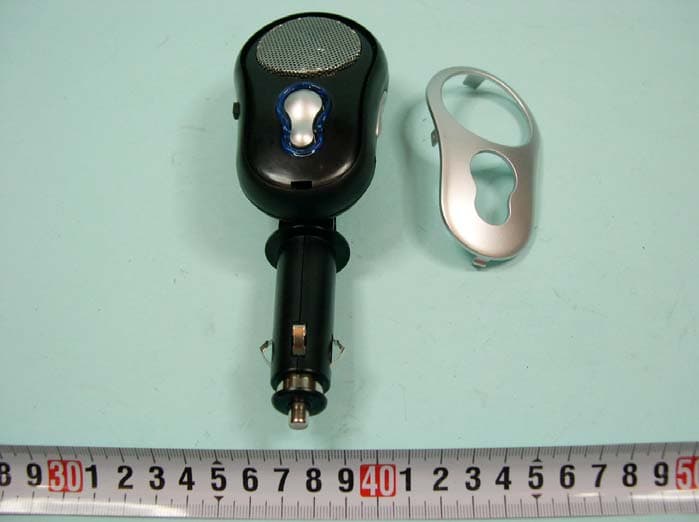
QW3-BTHCB01
Jun 02, 2005Bluetooth Car Kit
Equipment Class
DSS - Part 15 Spread Spectrum Transmitter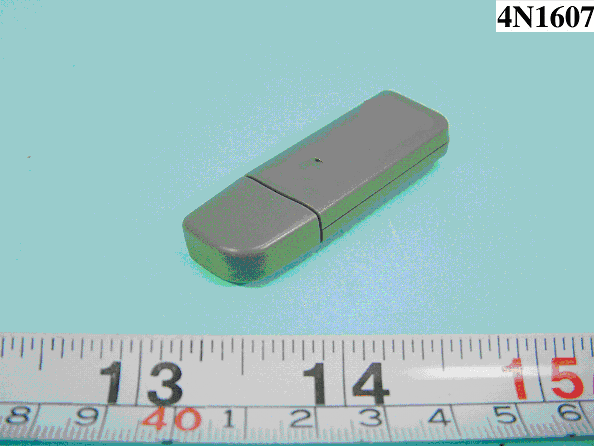
QW3-BTBA02B
Dec 09, 2004BLUETOOTH USB ADAPTER
Equipment Class
DSS - Part 15 Spread Spectrum Transmitter
QW3-BTBA02
Nov 30, 2004BLUETOOTH USB ADAPTER
Equipment Class
DSS - Part 15 Spread Spectrum Transmitter