QW6WVR175DIGITAL VOICE RECORDER
Cenix Digicom Co., Ltd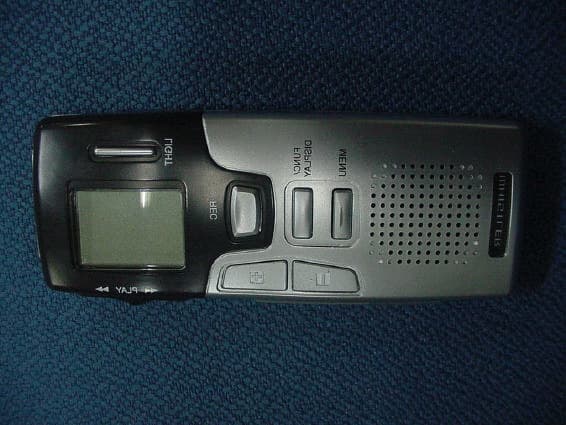
Click to zoom
Application Details
- Equipment Class
- JBP - Part 15 Class B Computing Device Peripheral
- Date of Grant
- Jan 13, 2004
- Application Purpose
- Original Equipment
- Date of Application
- Jan 13, 2004
- Equipment Note
- DIGITAL VOICE RECORDER
- Company
- Cenix Digicom Co., Ltd
- Country
- South Korea
Documents & Files
Document Text
Text extracted from the exhibit documents filed with the FCC. Open a document above to read the original.
Users Manual
USER’S MANUAL WVR-175/WVR-185 Digital Recorder LIGHT REC/STOP FUNC/DISPLAY MENU PLAY/STOP HQ VOICE RECORDER VOICE RECO RDER INDEX ¡Æ Features ---------------------------------- ¡Æ Names of Parts ------------------------------ ¡Æ LCD Descriptions ----------------------------- ¡Æ Before Using ----------------------------- -Inserting Battery ---------------------------- -Setting Date/Time ---------------------------- ¡Æ Using Voice Recorder ------------------------ -Recording ------ -------------------------- -Playback ------------------------------- -Deleting Recorded Sound ---------------------- -Hearing Aid Function ------------------------- -Setting Menu ---- ------------------------- - -Recording Functions ------------------------ -Playback Functions - ------ ----------------- -Editing ------ ----------------------------- ¡Æ Connecting to External Device -------------------- ¡Æ Cautions ----------------------------------- ¡Æ Troubleshooting ---------------------------- ¡Æ Specifications 234556889101213141519222527 2 VOICE RECORDER VOICE RECORDER Features ¡Æ RECORDING MAX. 300 MESSAGES ¡Æ PORTABLE USB DEVICE ¡Æ COMPACT SIZE Handy to carry due to compact size and light-weight. ¡Æ FLASH MEMORY Recorded sound is preserved even if the power is off. ¡Æ AUTOMATIC POWER OFF Automated power break reduces battery consumption. ¡Æ TIME STAMP & REMAINING RECORDING TIME DISPLAY Recording time & remaining time is displayed on the LCD. ¡Æ RECORDING MODE You can choose one recording mode among HQ ,SP and LP. ¡Æ LONG TIME RECORDING Maximum 33.6 hours recording is supported with LP mode. ¡Æ VOS(Voice Operated Recording System) Recording id proceeded only when voice is emitted to reduce the memory usage. ¡Æ PLAY BACK SPEED CONTROL You can control playback speed in 3 levels; fast, normal and slow. ¡Æ REPEAT PLAY You can repeat selected file(s) continuously. ¡Æ SCAN PLAY The first 5 seconds of each files are played back one by one. ¡Æ EXTERNAL IN/OUT CONNECTION Mutual connection with another appliances is available. ¡Æ EL BACK LIGHTING You can check LCD displays in dark place. ¡Æ CONVENIENT EDIT FUNCTION You don't need to waste much time to edit messages. . ¡Æ TEL FUNCTION Recording is started automatically when you start a conversation on the phone. ¡Æ HEARING AID FUNCTION You can record each 100 mesages in A, B and C folder. D folder can be used for a USB storage drive. You can amplify low sound to aid hearing. VOICE RECORDER 3 Name of Parts VOICE RECORDER External Microphone HQ MD SP LP VOS LOCK REMAIN REC DATE 1 A-B LIGHT REC/STOP FUNC/DISPLAY MENU PLAY/STOP OFF ON ERASE HOLD USBDC3.0V DC3.0V Earphone terminal PLAY/STOP HOLD ERASEUSB ELLIGHT LCD REC/STOP FUNC/DISPLAY MENU Built-in Microphone VOICE RECORDER 5 VOICE RECORDER 1. Push the battery cover and slide it in the arrow direction. 2. Insert two AAA alkaline batteries. Make sure that the polarities (+,-) are correct. 3. Close the battery cover. ¡Æ Inserting Battery (Battery Type : AAA or LR03 or UM-4 or equivalent) ............................................ ............................................ Much consumed Little consumed Time to replace Full ¡Æ Battery Lifetime ("AAA" Alkaline) Recording Playback "AAA" Alkaline - The power is turned off automatically for efficient use of the battery if you do not use the product for more than 1 minute. - When you do not use the product, set the HOLD switch to ON to prevent unwated consumption of the battery due to misuse of the buttons.- Battery lifetime is subject to battery type and the volume you use. 19 hours 11 hours Before Using ¢ Note Note ¡ Make sure to insert the batteries in stop mode. Caution AAA 4 VOICE RECORDER VOICE RECORDER LCD Descriptions FILE NUMBER/MONTH&DATA FOLDER RECORDING MODE BATTERY ICON RECORDING ICON REPEAT HOLD VOS FUNCTION ERASING LOCK REMAINING RECORDING TIME DISPLAY TIME DISPLAY (REC,PLAYBACK, REMAINING RECORDING TIME) DYNAMICOPERATION ICON Battery 6 VOICE RECORDER VOICE RECORDER 7 VOICE RECORDER VOICE RECORDER ¡Æ Power On/Off 1.Set the HOLD button to OFF(HOLD OFF) 2.Press the PLAY/STOP or FUNC/DISP or REC/STOP button shortly once to turn the power on. 3.Press the PLAY/STOP or FUNC/DISP or REC/STOP button shortly once to turn the power off. ¡Æ Setting Date/ Time 1.Set the year : Select a year you want using the jog key when the "00Y" message blinks on the LCD and press the MENU button shortly once. The year you selected is set and the mode changes to the mode you can set a month. 2.Set the month : Select a month you want using the jog key when the "1M" message blinks on the LCD and press the MENU button shortly once. The month you selected is set and the mode changes to the mode you can set a day. 3.Set the day : Select a month you want using the jog key when the "1D" message blinks on the LCD and press the MENU button shortly once. The day you selected is set and the mode changes to the time mode you can set a time.4. Set the 12H/24H mode: Select the 12H/24H mode using the jog key when the "12" message blinks on the LCD and press the MENU button shortly once. The 12H/24H mode is set and the mode changes to the mode you can set the time. by the jog key, press the MENU button. 5. Set the time : Select the time using the jog key and press the MENU button shortly once. The time you selected is set and the mode changes to the mode you can set a minute.6.Set the minute: Select the minute you want using the jog key when the "00" message blinks on the LCD and press the MENU button shortly once to set the minute you selected. The time setting is completed and the product changes to the standby mode.e.g) To set 8 : 17 PM on March 1, 2005, operate as follows. Before Using Before Using Year Month(March) Date(1) 24H mode Hour(pm 8) Minute(17) 12H mode ¢ Note Note - To change the clock, press MENU button more than 1 second in Clock or Stop mode. 8 VOICE RECORDER VOICE RECORDER 9 VOICE RECORDER VOICE RECORDER - If the number of the files is more than 100 for a folder, FULL is displayed an…
Text truncated - open the document above for the full version.
Block Diagram
A A B B C C D D 11 22 33 44 TitleSize No. Rev. File Date Time of Top CircuitA4 .docno. .rev. C:\ \WVR-175BLOCK.SCH 2004/01/14 14:41 1 1 note1note2note3note4note5 COIL GND EARPHONE GND GND FET GND GND BATT3V SPEAKER C-MIC MIC.JACK D201 MA729 R202 47K R201 47K BATTERY U-CABLE LCD CONTROL (TMP87CH21) ALC CODEC&HP AMP &DSP 4.096M BATT CHECK CODEC CONTROL PWR CONTROL KEY USB CONTROL D- D+ VBUS GND 3.3V DDC 3.0V REC (XC61CN1802) RESET IC PC INTERFACE 6M 32.768K XT200XT102 IC102 MEMORY CONTROL LCD MICOM IC101 IC501 IC502 BACK-UP BATTERY GC101 24LC00 IC202 EEPROM TK71730S XC6371A331PB USB JACK JACK201 (UNI8021) USB DRIVER IC201 D36531 IC401 MIC AMP CIRCUIT SP-CONTROLEAR-PHONE_DET EL-CONTROL XT401 (NJM2076) SPEAKER AMP IC402 EL-ICIC103 SP400 JACK402 MIC401 JACK401 WVR-175/185 BLOCK DIAGRAM K9F1208UOM IC301 355B FLASH MEMORY
Operational Description
VOICE RECORDER VOICE RECORDER VOICE RECORDER VOICE RECORDER Specifications ¢` The specifications and appearance of the product may change without prior notice in order to imporve the quality. ITEM SPECIFICATION 930 min. 2029 min. 464 min. 620 min. 310 min. 1012 min. Model Max. Recording Time (SP)Max. Recording Time (HQ)Max. Recording Time (LP) Storage Media Weight Power Imbedded Flash Memory 2.50 oz(Including battery) Dimensions Speaker Frequency Memory 500 ~ 3400 Hz 32 MB 64 MB Actual Max. Output Earphone 3 Folders(A, B, C) x100 Files 1(D) Folder Voice Data Number of Files & Folders PC Interface USB 1.1 USB Cable Microphone 3.5 Mono 3.5 Mono Jack 4.2" x 1.6" x 0.7 (W x H x D) DC 3V, AAA Alkaline bettery x 2 180 mW WVR-185 WVR-175 User Manual, Earphone, USB Cable, Installation CD Recording: 19 Hours, Playback: 11 Hours 0 ¡ ~ 40 ¡ Accessories Battery Lifetime Operating Temperature Dynamic 20mm, 8 Ohm Jack Note This device complies with Part 15 of the FCC Rules. Operation is subject to the following two conditions: (1) this device may not cause harmful interference, and (2)this device must accept any interference received, including interference that may cause undesired operation.Note : This equipment has been tested and found to comply with the limits for a Class B digital device, pursuant to part 15 of the FCC Rules. These limits are designed to provide reasonable protection against harmful interference in a residential installation. This equipment generates, uses and can radiate radio frequency energy and, if not installed and used in accordance with the instructions, may cause harmful interference to radio communications. However, there is no guarantee that interference will not occur in a particular installation. If this equipment does cause harmful interference to radio or television reception, which can be determined by turning the equipment off and on, the user is encouraged to try to correct the interference by one or more of the following measures : - Reorient or relocate the receiving antenna. - Increase the separation between the equipment and receiver. - Connect the equipment into an outlet on a circuit different from that to which the receiver is connected. - Consult the dealer or an experienced radio/TV technician for help.NOTE:THE MANUFACTURER IS NOT RESPONSIBLE FOR ANY RADIO OR TVINTERFERENCE CAUSED BY UNAUTHORIZED MODIFICATIONS TO THIS EQUIPMENT. SUCH MODIFICATIONS COULD VOID THE USER'S AUTHORITY TOOPERATE THE EQUIPMENT.
Test Report
EMI TEST REPORT Emission of electromagnetic disturbance Test Report No. : ERI-FCC04-0002 Equipment : DIGITAL VOICE RECORDER Name of basic model : WVR-175 Family model : WVR-185 Manufacturer : CENIX DIGICOM CO., LTD. Applicant : CENIX DIGICOM CO., LTD. Tested date : 2004. 1.13 – 1.14 Issued date : 2004. 1. 14 Test results : PASS Test Standards : FCC Part 15 Subpart B (Class B) /digital devices & peripherals Test Procedure and Items: - AC Power line Conducted emissions measurement : ANSI C63.4-1992 - Radiated emissions measurement : ANSI C63.4-1992 Tested by: GWEON, HUR Approved by: SANG-KYU, LEE The results in this report apply only to the sample tested. This test report shall not be reproduced except in full, without the written approval of ERI Laboratory. EMC RESEARCH INSTITUTE CONTENTS 1. CLIENT INFORMATION 2. LABORATORY INFORMATION 3. EQUIPMENT UNDER TEST INFORMATION(EUT) 3.1 Identification of the EUT 3.2 Additional information about the EUT 3.3 Peripheral equipment 4. CONTINUOUS DISTURBANCE VOLTAGE, MAIN TERMINAL 4.1 Operating environment 4.2 Test set-up and test procedures 4.3 Operation Conditions 4.4 Test instrument 4.5 Test results(Test mode: Upload mode) 4.6 Test results(Test mode : Play mode) 5. RADIATED DISTURBANCE : 30MHz – 1000MHz 5.1 Operating environment 5.2 Test set-up 5.3 Test conditions 5.4 Test instrument 5.5 Test results(Test mode: Download mode) 5.6 Test results(Test mode : Play mode) 5.7 Test results(Test mode : Recording mode) APPENDIX (None) EMC RESEARCH INSTITUTE 1. CLIENT INFORMATION The EUT has been tested by request of : Company : CENIX DIGICOM CO., LTD. Address : #584-4 PAJANG-DONG, JANGAN-KU, SUWON-CITY, KYUNGGI-DO, KOREA Name of contact : Keun-Woo, Park Telephone : +82-31-245-2900 Facsimile : +82-31-251-6425 2. LABORATORY INFORMATION The 10m full-anechoic chamber and/or EMC facilities are used for these testing. These facilities were accredited by KOLAS, EK, MIC of Korea and FCC of USA. Address ELECTROMAGNETIC RESEARCH INSTITUTE. 66-6, JEIL-RI, YANGJI-MYUN, YOUNGIN-CITY, KYUNGGI-DO, KOREA Telephone No. : +82-31-336-1186~7 Facsimile No. : +82-31-336-1184 Registered No. KOLAS : 111 EK : J MIC : KR0030 FCC Filing No. : 302567 3. EQUIPMENT UNDER TEST INFORMATION(EUT) 3.1 Identification of the EUT Type of equipment : DIGITAL VOICE RECORDER Model name : WVR-175 Brand name : - Manufacturer : CENIX DIGICOM CO., LTD. Address : #584-4 PAJANG-DONG, JANGAN-KU, SUWON-CITY, KYUNGGI-DO, KOREA Telephone : +82-31-245-2900 Facsimile : +82-31-251-6425 Country of origin : KOREA Rating : DC 3V EMC RESEARCH INSTITUTE 3.2 Additional information about the EUT Class B, Family Models List: Different point Name Color Memory Basic Model WVR-175 Silver 32M Variant Model WVR-185 Gold 64M 3.3 Peripheral equipment Defined as equipment needed for correct operation of the EUT. Description Model No. Serial No. Manufacture Printer C6427A CN13V1B1SZ HP NOTE PC CM2080 5Y17JNZ9R622 LG AC/DC adaptor ADP-60DB 3141BS0035A DELTA ELECTRONICS CO., LTD. Earphone - - - Mic - - - AC/DC adaptor AD 600 - - Mouse M-U48a LZCI0I52001 Samsung Keyboard SDM45I0UH 4M030902 Samsung EMC RESEARCH INSTITUTE 4. CONTINUOUS DISTURBANCE VOLTAGE, MAIN TERMINAL : Frequency range 0.15 MHz to 30 MHz 4.1 Operating environment Temperature : 22.0 Relative Humidity : 32.0 % 4.2 Test set-up and test procedures The mains terminal disturbance voltage was measured with the equipment under test(EUT) in a shield room. The EUT was connected to an artificial mains network(LISN) placed on the floor. The EUT was placed on non-metallic table 0.4m above the metallic, grounded floor. The distance to other metallic surface was at least 0.8m. Amplitude measurements were performed with a quasi-peak detector and an average detector. 4.3 Operation Conditions Upload mode, play mode 4.4 Test instrument Instrument Model No Serial No. Makers Next cal.date Used Test receiver ESCS30 100021 R&S 2005. 1. 24 ESH3-Z5 827246/008 R&S 2004. 3. 19 L.I.S.N. ESH3-Z5 831887/018 R&S 2004. 3. 19 Shield room 8 6 3.3m/H - - - AC Main LISN Printer NOTE PC LISN Earphone EUT AC/DC adaptor Mouse Keyboard MIC AC/DC adaptor EMC RESEARCH INSTITUTE 4.5 Test results(Test mode: Upload mode) Date of test: Jun 14, 2004 An overview sweep performed with peak detector & average detector are included in the report as test reports. Frequency Tested LISN Meter Limits Range Freq. Reading QP AV QP AV [MHz] [MHz] [dBuV] [dBuV] 0.159 N 30.7 <565.5 55.5 0.213 N 27.0 <563.1 53.1 0.348 N 25.7 <559.0 49.0 0.351 N 25.6 <558.9 48.9 0.732 N 18.0 <556.0 46.0 1.248 N 13.4 <556.0 46.0 1.311 N 13.9 <556.0 46.0 26.94 H 15.0 11.8 60.0 50.0 0.15 - 30(MHz) <5 : mean less than 5dB Other frequency keep over 20dB margin. Result: Pass The measured emissions level of the EUT have found the below of the specified limit. EMC RESEARCH INSTITUTE [Live line] [Neutral line] EMC RESEARCH INSTITUTE 4.6 Test results(Test mode: Play mode) Date of test: Jan 14, 2004 An overview sweep performed with peak detector & average detector are included in the report as test reports. Frequency Tested LISN Meter Limits Range Freq. Reading QP AV QP AV [MHz] [MHz] [dBuV] [dBuV] 0.168 N 27.1 <565.1 55.1 0.189 N 26.2 <564.1 54.1 0.339 N 23.0 <559.2 49.2 0.483 N 17.4 <556.3 46.3 0.537 N 16.0 <556.0 46.0 0.822 H 13.4 <556.0 46.0 1.269 H 11.0 <556.0 46.0 26.68 N 13.1 11.0 60.0 50.0 26.94 H 14.7 11.4 60.0 50.0 0.15 - 30(MHz) <5 : mean less than 5dB Other frequency keep over 20dB margin. Result: Pass The measured emissions level of the EUT have found the below of the specified limit. EMC RESEARCH INSTITUTE [Live line] [Neutral line] EMC RESEARCH INSTITUTE 5. RADIATED DISTURBANCE : 30MHz – 1000MHz 5.1 Operating environment Temperature : 22.0 Relative Humidity : 33 % 5.2 Test set-up The frequency range investigated was 30 MHz to 1000 MHz. All readings are quasi-peak unless stated otherwise. The half-wave dipole antenna was tuned to the frequency found during Preliminary radiated measurements. The EUT, support equipment and Interconnecting ca…
Text truncated - open the document above for the full version.
Contact Information
Applicant
Gi - Yeon Lee(Researcher)
Test Firm
EMC Compliance LTDMin Seok Chung
Technical Specifications
| # | Rule Parts | Frequency Range | Power Output |
|---|---|---|---|
| 1 | 15B | - | - |
Other Applications from Cenix Digicom Co., Ltd
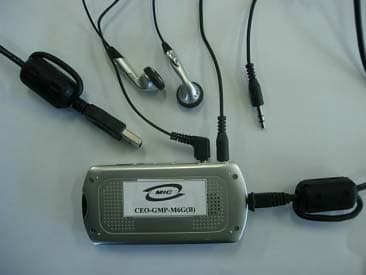
QW6MFDU03
Dec 22, 2005MP3 PLAYER
Equipment Class
JBP - Part 15 Class B Computing Device Peripheral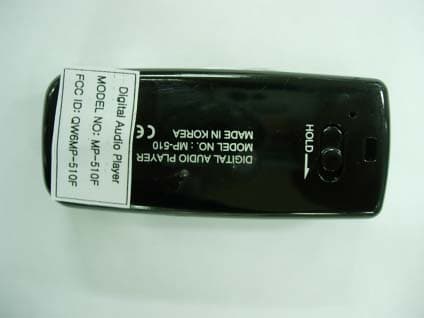
QW6MP-510F
May 08, 2005DIGITAL AUDIO PLAYER
Equipment Class
JBP - Part 15 Class B Computing Device Peripheral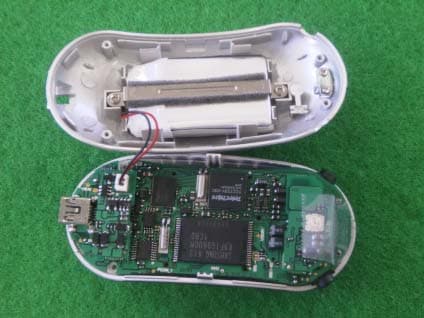
QW6MP-430TH
Aug 29, 2004MP3 PLAYER
Equipment Class
JBP - Part 15 Class B Computing Device Peripheral
QW6MR-L900
Apr 15, 2004MP3 Player
Equipment Class
JBP - Part 15 Class B Computing Device Peripheral
QW6WVR165
Jan 13, 2004DIGITAL VOICE RECORDER
Equipment Class
JBP - Part 15 Class B Computing Device Peripheral