RBNUT-300RADSL Modem
UTStarcom Telecom Co., Ltd.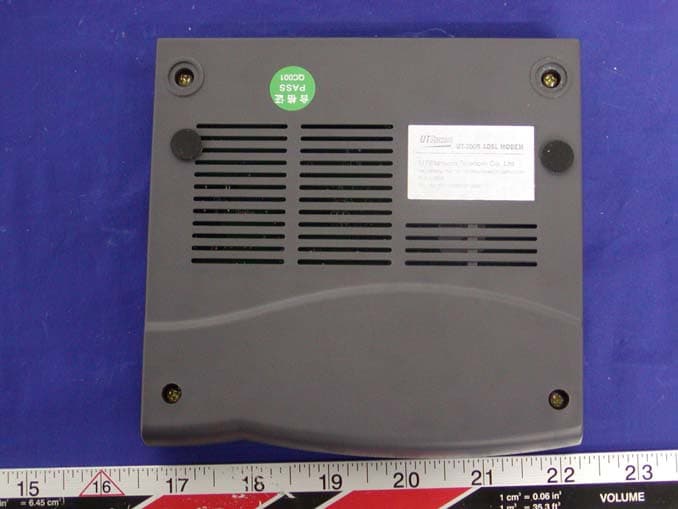
Click to zoom
Application Details
- Equipment Class
- JBP - Part 15 Class B Computing Device Peripheral
- Date of Grant
- Feb 09, 2004
- Application Purpose
- Original Equipment
- Date of Application
- Feb 09, 2004
- Equipment Note
- ADSL Modem
- Company
- UTStarcom Telecom Co., Ltd.
- Country
- China
Documents & Files
Document Text
Text extracted from the exhibit documents filed with the FCC. Open a document above to read the original.
Users Manual
User Manual must provide user information: Instruction Manual Federal Communication Commission Interference Statement This equipment has been tested and found to comply with the limits for a Class B digital device, pursuant to Part 15 of the FCC Rules. These limits are designed to provide reasonable protection against harmful interference in a residential installation. This equipment generates, uses and can radiate radio frequency energy and, if not installed and used in accordance with the instructions, may cause harmful interference to radio communications. However, there is no guarantee that interference will not occur in a particular installation. If this equipment does cause harmful interference to radio or television reception, which can be determined by turning the equipment off and on, the user is encouraged to try to correct the interference by one of the following measures: - Reorient or relocate the receiving antenna. - Increase the separation between the equipment and receiver. - Connect the equipment into an outlet on a circuit different from that to which the receiver is connected. - Consult the dealer or an experienced radio/TV technician for help. FCC Caution: To assure continued compliance, (example – use only shielded interface cables when connecting to computer or peripheral devices). Any changes or modifications not expressly approved by the party responsible for compliance could void the user’s authority to operate this equipment. UT300-R Ethernet ADSL MODEM USER MANUAL - 2 - UT-300R Ethernet ADSL MODEM USER MANUAL UT300-R Ethernet ADSL MODEM USER MANUAL - 3 - CONTENTS CHAPTER 1 OVERVIEW ................................................................................................................................... 4 1.1 ABOUT ADSL......................................................................................................................................... 4 1.2 DEVICE INTRODUCTION ................................................................................................................... 4 1.3 PROTOCOLS .......................................................................................................................................... 5 1.4 FEATURES ............................................................................................................................................. 5 CHAPTER 2 HARDWARE INSTALLATION AND SOFTWARE CONFIGURATION ............................... 6 2.1 SYSTEM REQUIREMENT .................................................................................................................... 6 2.2 HARDWARE INSTALLATION ............................................................................................................. 6 2.2.1 HARDWARE CONNECTION.......................................................................................................... 6 2.2.2 INSTALLATION STEPS .................................................................................................................. 6 2.3 SOFTWARE CONFIGURATION ........................................................................................................... 7 2.3.1 PREPARATION BEFORE SOFTWARE INSTALLATION ............................................................. 7 2.3.2 COMPUTER CONFIGURATION ....................................................................................................7 2.3.3 ADSL MODEM CONFIGURATION................................................................................................ 7 2.3.4 ADSL MODEM WORK MODE CONFIGURATION ...................................................................... 8 2.3.5 ADSL MODEM SOFTWARE INTRODUCTION ............................................................................ 9 CHAPTER 3 PROTOCOL CONFIGURATION.............................................................................................. 11 3.1 HIERARCHY OF PROTOCOLS .......................................................................................................... 11 3.2 RFC1483 BRIDGE CONFIGURATION...............................................................................................11 3.3 STATIC ROUTING CONFIGURATION.............................................................................................. 15 3.4 PPPOA AND PPPOE CONFIGURATION ........................................................................................... 16 CHAPTER 4 OTHER FUNCTIONS AND CONFIGURATION .................................................................... 19 4.1 STATUS CHECKING ........................................................................................................................... 19 4.2 CONFIGURATION OF MODEM’S IP ADDRESS AND PASSWORD .............................................. 20 CHAPTER 5 RESET TO DEFAULT SETTING ..............................................................................................21 CHAPTER 6 SPECIFICATION ........................................................................................................................ 22 APPENDIX A. TROUBLESHOOTING............................................................................................................ 23 APPENDIX B. SPLITTER CONNECTION..................................................................................................... 24 APPENDIX C. CONFIGURATION OF TCP/IP PROTOCOL ...................................................................... 25 APPENDIX D. SHIPPING LIST ....................................................................................................................... 26 UT300-R Ethernet ADSL MODEM USER MANUAL - 4 - CHAPTER 1 OVERVIEW 1.1 ABOUT ADSL ADSL MODEM is a broadband Internet access device which utilizes the high frequency segment of the phone line to transmit high-speed data without interfering with the voice transmission. The frequency of ADSL signal is higher than that of voice, so voice and ADSL signal can coexist in one line by using a spl…
Text truncated - open the document above for the full version.
Attestation Statements
_______________________________________________________________________ UTStarcom Telecom Co., Ltd. Bldg2 , Yile Industrial Park , No. 129 , WenYi Road , Hangzhou 310012 , P.R.China Tel: 86-571-88862342 Federal Communications Commission Authorization and Evaluation Division Confidentiality Request regarding application for certification of FCC ID: (RBNUT-300R) Pursuant to Sections 0.457 and 0.459 of the Commission’s Rules, we hereby request confidential treatment of information accompanying this application as outlined below: Block Diagram, Schematic diagrams and Internal Photos The above materials contain trade secrets and proprietary information not customarily released to the public. The public disclosure of these materials may be harmful to the applicant and provide unjustified benefits to its competitors. The applicant understands that pursuant to Section 0.457 of the Rules, disclosure of this application and all accompanying documentation will not be made before the date of the Grant for this application. Sincerely, Samuel Yang
External Photos
EXHIBIT B - EUT PHOTOGRAPHS EUT - Front View EUT – Rear View
ID Label/Location Info
§15.19, §15.21, §15.27, §15.105 - FCC PRODUCT LABELING AND WARNING STATEMENT Proposed FCC Label Format Specifications: Text is black or white in color and is left justified. Labels are silk-screened and are “permanently affixed” at a conspicuous location on the EUT. Proposed Label Location on EUT Rear View of EUT/Proposed FCC Label Location FCC ID: RBNUT-300R
Operational Description
UT-300R ADSL MODEM Operational Description 1. ABOUT ADSL UT-300R ADSL MODEM is a broadband Internet access device, which utilizes the high frequency segment of the phone line to transmit high-speed data without interfering with the voice transmission. The frequency of ADSL signal is higher than that of voice, so voice and ADSL signal can coexist in one line by using a splitter to insulate each from the other. ADSL data transfer on the asymmetry way. The upload speed is up to 1Mbps and download speed is up to 8 Mbps. It is an ideal device for broadband access. 2. DEVICE FEATURES 1. Supports ANSI T1.413 ISSUE 2, ITU G.992.1 (G.DMT) and ITU G.992.2 (G.LITE). 2. Web-based configuration and monitoring. 3. Supports up to 8 PVCs. 4. Routing function. 5. NAPT DHCP function. 6. Maximum upstream transmission rates of 1Mbps 7. Maximum downstream transmission rates of 8 Mbps 8. Transmission distance up to 5 km. 9. ATM management function. 10. UT-300R ADSL MODEM supports the following protocols: 1) PPPoA PPP over ATM LLC encapsulation or VCMUX encapsulation (RFC2364) 2) PPPoE (PPP over Ethernet) LLC encapsulation or VCMUX encapsulation (RFC2516) 3) 1483 bridge 1483 Bridged IP over ATM LLC encapsulation or VCMUX encapsulation (RFC1483) 4) 1483 routing 1483 Routing IP over ATM LLC encapsulation or VCMUX encapsulation (RFC1483) 5) Classical IP over ATM (RFC1577) 3. SPECIFICATION Power supply z Exterior power adapter z Input: 110VAC, 60Hz z Output: 11VDC 700mA z Polarity: Dimension z 136mm Length x130mm Width x30mm Height Weight z Weight: about 220 gram Environment Requirements z Temperature: 5 40 (41F 104F) z Relative humidity:0% 95% z Electromagnetic disturbance Class B
Test Report
Note: This test report is specially limited to the use of the above client company and the product model only. It may not be duplicated without prior written consent of Bay Area Compliance Laboratory Corporation. This report must not be used by the client to claim product Endorsement by NVLAP or any agency of the U.S. Government. FCC PART 15 ID EMI MEASUREMENT AND TEST REPORT For UTStarcom Telecom Co., Ltd. Bld.2 Yile Industrial Park No.129 Wen Yi Road, Hangzhou 310012, P.R.C FCC ID: RBNUT-300R 2004-01-16 This Report Concerns: Original Report Equipment Type: ADSL Modem - ITE Test Engineer: Hang Tan/ Report No.: R0312223 Test Date: 2003-12-22 Reviewed By: Ling Zhang/ Prepared By: Bay Area Compliance Laboratory Corporation (BACL) 230 Commercial Street Sunnyvale, CA 94085 Tel: (408) 732-9162 Fax: (408) 732-9164 UTStarcom Telecom Co., Ltd FCC ID: RBNUT-300R Report # R0312223 Page 2 of 13 FCC 15 Subpart B Report TABLE OF CONTENTS GENERAL INFORMATION.......................................................................................................................................3 PRODUCT DESCRIPTION FOR EQUIPMENT UNDER TEST (EUT) ....................................................................................3 OBJECTIVE...................................................................................................................................................................3 RELATED SUBMITTAL(S)/GRANT(S).............................................................................................................................3 TEST METHODOLOGY..................................................................................................................................................3 TEST FACILITY.............................................................................................................................................................3 LOCAL SUPPORT EQUIPMENT LIST AND DETAILS........................................................................................................4 EXTERNAL I/O CABLING LIST AND DETAILS...............................................................................................................4 SYSTEM TEST CONFIGURATION ..........................................................................................................................5 JUSTIFICATION.............................................................................................................................................................5 EUT EXERCISE SOFTWARE..........................................................................................................................................5 SPECIAL ACCESSORIES.................................................................................................................................................5 SCHEMATICS / BLOCK DIAGRAM.................................................................................................................................5 EQUIPMENT MODIFICATIONS.......................................................................................................................................5 CONFIGURATION OF TEST SYSTEM..............................................................................................................................6 TEST SETUP BLOCK DIAGRAM.....................................................................................................................................6 §15.107 - CONDUCTED EMISSIONS ........................................................................................................................7 MEASUREMENT UNCERTAINTY....................................................................................................................................7 EUT SETUP..................................................................................................................................................................7 SPECTRUM ANALYZER SETUP......................................................................................................................................7 TEST EQUIPMENT LIST AND DETAILS...........................................................................................................................7 TEST PROCEDURE........................................................................................................................................................7 ENVIRONMENTAL CONDITIONS....................................................................................................................................8 TEST RESULTS SUMMARY............................................................................................................................................8 CONDUCTED EMISSIONS TEST DATA...........................................................................................................................8 PLOTS OF CONDUCTED EMISSION................................................................................................................................8 §15.109 - RADIATED EMISSIONS...........................................................................................................................11 MEASUREMENT UNCERTAINTY..................................................................................................................................11 EUT SETUP................................................................................................................................................................11 SPECTRUM ANALYZER SETUP....................................................................................................................................11 TEST EQUIPMENT LIST AND DETAILS.........................................................................................................................12 TEST PROCEDURE........................................................................................................................…
Text truncated - open the document above for the full version.
Test Setup Photos
EXHIBIT A - TEST SETUP PHOTOGRAPHS Conducted Emission Setup – Front View Conducted Emission Setup – Side View Radiated Emission Setup – Front View Radiated Emission Setup – Rear View
Contact Information
Applicant
Jiawei Gu(Project Manager)
Test Firm
Bay Area Compliance LaboratoryJohn Chan
Technical Specifications
| # | Rule Parts | Frequency Range | Power Output |
|---|---|---|---|
| 1 | 15B | - | - |
Other Applications from UTStarcom Telecom Co., Ltd.

RBN6012
Feb 01, 2005Wireless Access Point
Equipment Class
DTS - Digital Transmission System
RBN6011
Feb 01, 2005Wireless Access Point
Equipment Class
DTS - Digital Transmission System
RBN1023
Jan 13, 2005Wireless AP
Equipment Class
DTS - Digital Transmission System
RBN3001P
Jan 13, 2005Access Point
Equipment Class
DTS - Digital Transmission System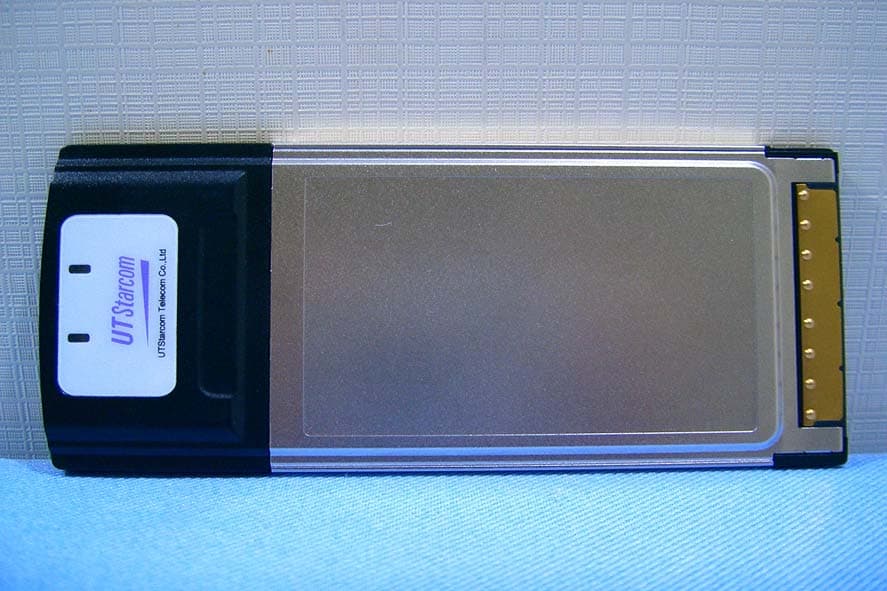
RBN21690032-2010
Jun 30, 2004802.11 b/g Wireless LAN PCMCIA Card
Equipment Class
DTS - Digital Transmission System